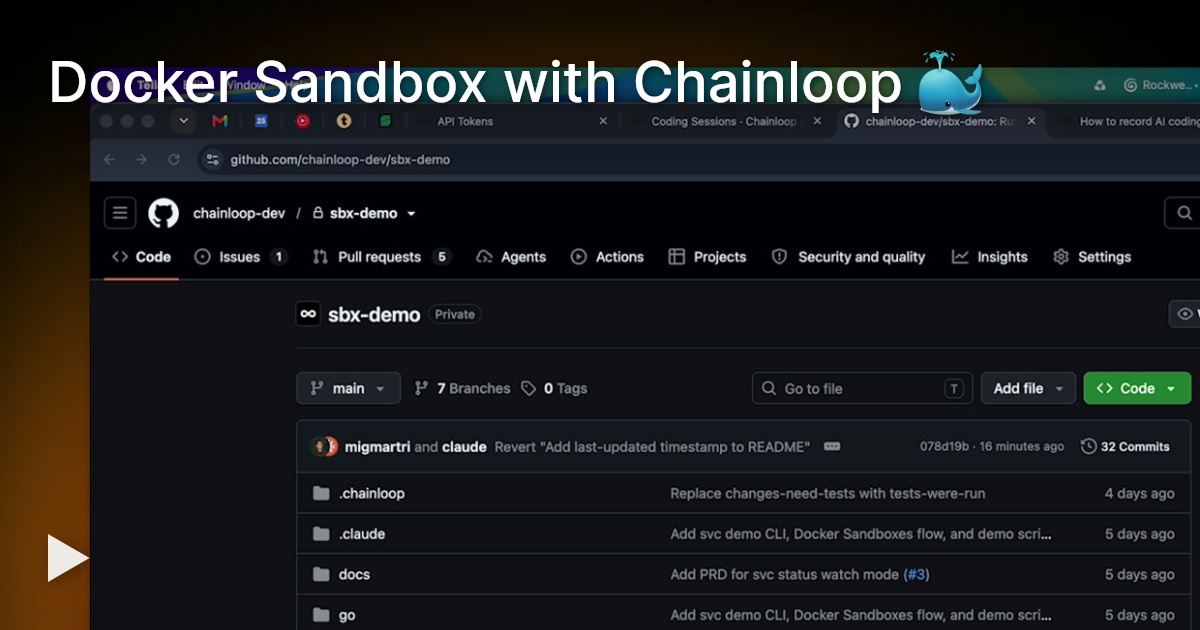

sbx-demo
Run a coding agent in a Docker Sandbox with signed, policy-checked AI coding sessions
- 0
- Apache-2.0
- 6 wk ago
Repo chainloop-dev/sbx-demo, read from GitHub 5 h ago. chainloop-dev has not joined Take My Repo.
In short
chainloop-dev/sbx-demo is a public repo on GitHub by chainloop-dev. Run a coding agent in a Docker Sandbox with signed, policy-checked AI coding sessions. It declares the Apache-2.0 license on GitHub. It is written mainly in Shell, has 0 stars and last changed on 2026-10-14. Nobody has reviewed it on Take My Repo yet, which says nothing about its quality. Read from GitHub on 2026-11-25.
sbx-demo
⭐ Chainloop is open source. If this demo is useful to you, please star chainloop-dev/chainloop on GitHub. It helps other people find it.
A small, self-contained repository for demonstrating AI coding sessions that produce evidence. You give a coding agent a task inside a Docker Sandbox; the session is recorded, signed, and checked against policy by Chainloop; the verdict shows up as a check on the pull request.
The code the agent works on is deliberately tiny — a CLI called svc — so the interesting
part is the workflow around it, not the program.
For the product side of AI coding sessions, see chainloop.dev/ai-sessions.
Watch the demo
A coding agent in a Docker Sandbox picks up an issue, opens the pull request, and works through its checks, with every step recorded as signed evidence in Chainloop.
Quickstart
1. Prerequisites
| You need | Why |
|---|---|
sbx + a running sandboxd |
Runs the agent in an isolated sandbox |
| A Chainloop account and an org-scoped API token | Receives the signed session evidence |
gh (GitHub CLI), authenticated |
Opening and inspecting pull requests |
| Node.js >= 20 or a Go toolchain | Only if you want to run svc yourself |
2. Configure your token
cp .env.example .env
# edit .env:  chainloopToken=<your Chainloop API token>
.env is git-ignored. The token is org-scoped, and .chainloop.yml pins this repo to
the sbx-demo organization — a token from a different org is rejected when the attestation
is pushed.
3. Start the agent
sbx run --clone --kit-args-file .env chainloop/sbx-kit-claude
Claude Code starts inside the sandbox and confirms that recording is on:
Chainloop Trace is recording this session. Evidence will be sent to https://app.chainloop.dev
4. Give it a task
In node/, add a --json flag to svc status. Cover it with a test, commit, and push.
What happens when the agent pushes
- The agent commits and runs
git push. - A pre-push hook signs the recorded session and sends it to Chainloop as a
CHAINLOOP_AI_CODING_SESSIONattestation. - Chainloop evaluates it against the policies in
.chainloop/policies/. - The pull request gets an AI Session Checks comment and a
Chainloop PR Validationcheck. - The session opens in Chainloop with the full transcript, every tool and MCP call, per-file AI-vs-human attribution, cost, and a score.
Check the result of the most recent run from the command line:
chainloop workflow run list --project sbx-demo -o json | jq -r '.[0] | "\(.policyStatus) \(.id)"'
If it is not passed, list the violations:
chainloop workflow run describe --id <id> -o json | jq -r '
  .attestation.policy_evaluations | to_entries[] | .key as $s | .value[]
  | select((.violations // []) | length > 0) | "\($s) \(.name)", (.violations[] | "   \(.)")'
The svc CLI
svc status reports the health of a service's components. The checks are simulated, so
the demo has no external dependencies and no network access is required.
$ svc status
checked at 2026-09-24T09:15:00.000Z
COMPONENT  STATUS LATENCY  DETAIL
api        ok     12ms     200 OK
database   ok     3ms      connections 4/50
queue      ok     8ms      depth 0
Exit codes: 0 all components healthy, 1 at least one failing, 2 unknown command.
The same CLI is implemented twice, once in Node and once in Go. Pick one and work only in it — a task names the language it wants.
# Node (>= 20, no dependencies to install)
cd node && node bin/svc.js status   # or: npm run status
cd node && npm test

# Go
cd go && go run ./cmd/svc status
cd go && go test ./...
Always build and test before reporting a change as done.
Demo scripts
| Script | What it does |
|---|---|
scripts/demo-reset.sh |
Back to a clean state: removes demo-* sandboxes and branches, cleans the tree. --hard also drops the persistent ~/.claude volumes for a true first-run experience. |
scripts/demo-test.sh |
Runs the whole loop unattended, with assertions: opens an issue, and the agent implements it, opens the PR and works through its checks. --narrate makes it presentation-friendly: it shows each command, the agent's steps live, and pauses between stages. |
How work is split: three stages, three sessions
A feature moves through three directories, in order, and each stage is its own session and its own pull request:
| Stage | Lives in | Contains |
|---|---|---|
| 1. Intent | docs/prds/ |
Context, problem, summary, notes. No design. |
| 2. Design | docs/specs/ |
CLI surface, behaviour, exit codes, what to test. No code. |
| 3. Implementation | node/ or go/ |
The code and its tests. |
One number ties them together, e.g. 001-watch-flag is the same feature in each stage.
Stage N reads what stage N-1 merged; it never rewrites it.
Three policies enforce this, and a failing one blocks the PR check:
session-stays-in-one-stage— a session that edits a PRD while implementing it has rewritten the requirement to match the code.prd-no-implementation-detail— an AI reviewer checks that PRDs contain no flags, schemas, endpoints, file names, or acceptance criteria.tests-were-run— a diff can show that test files changed; only the recorded session shows whether the tests were actually executed.
What it looks like
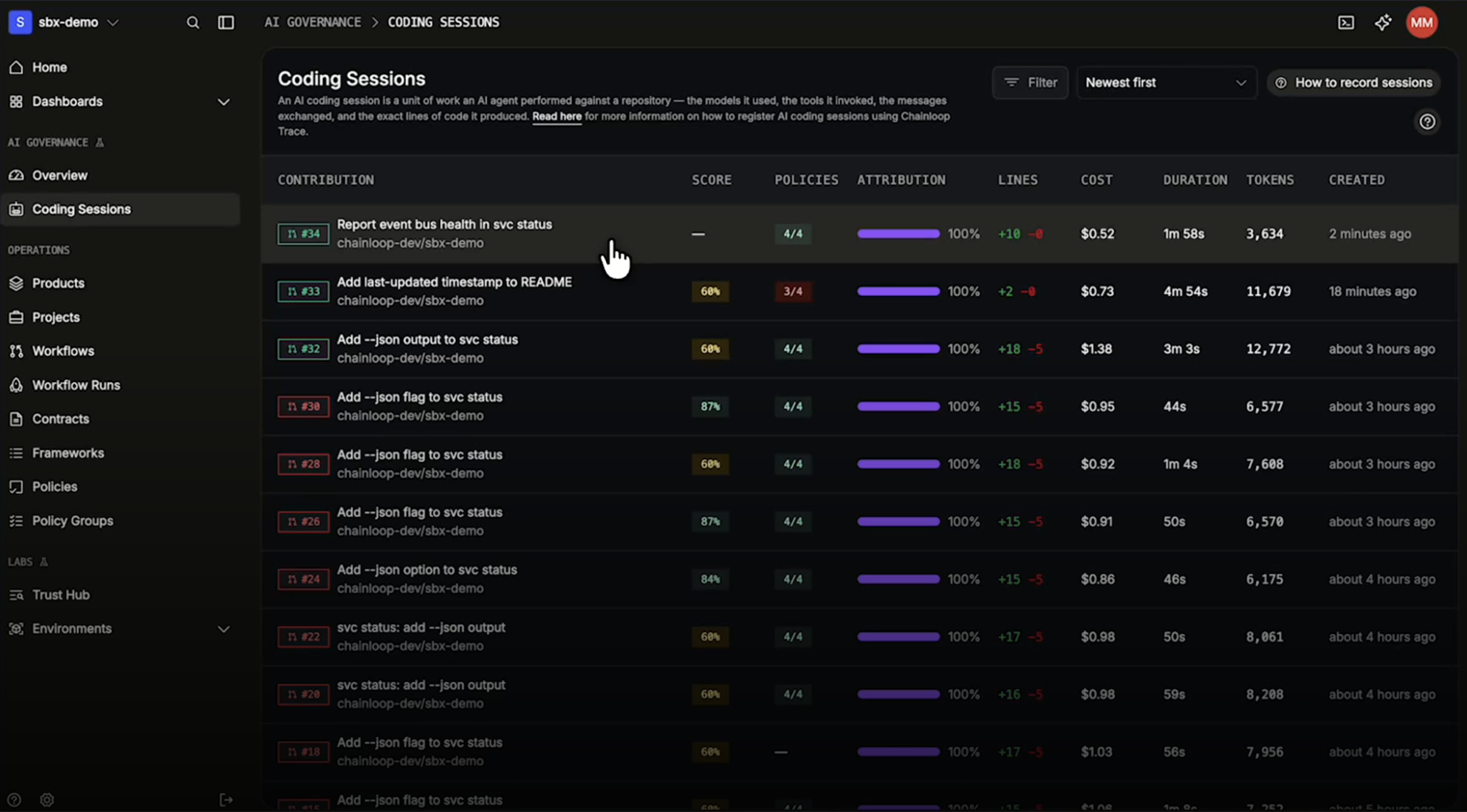
Every AI coding session in one list. Each pull request shows its AI Session Score, how many policies passed, how much of the code the AI wrote, lines changed, cost, duration, and tokens.
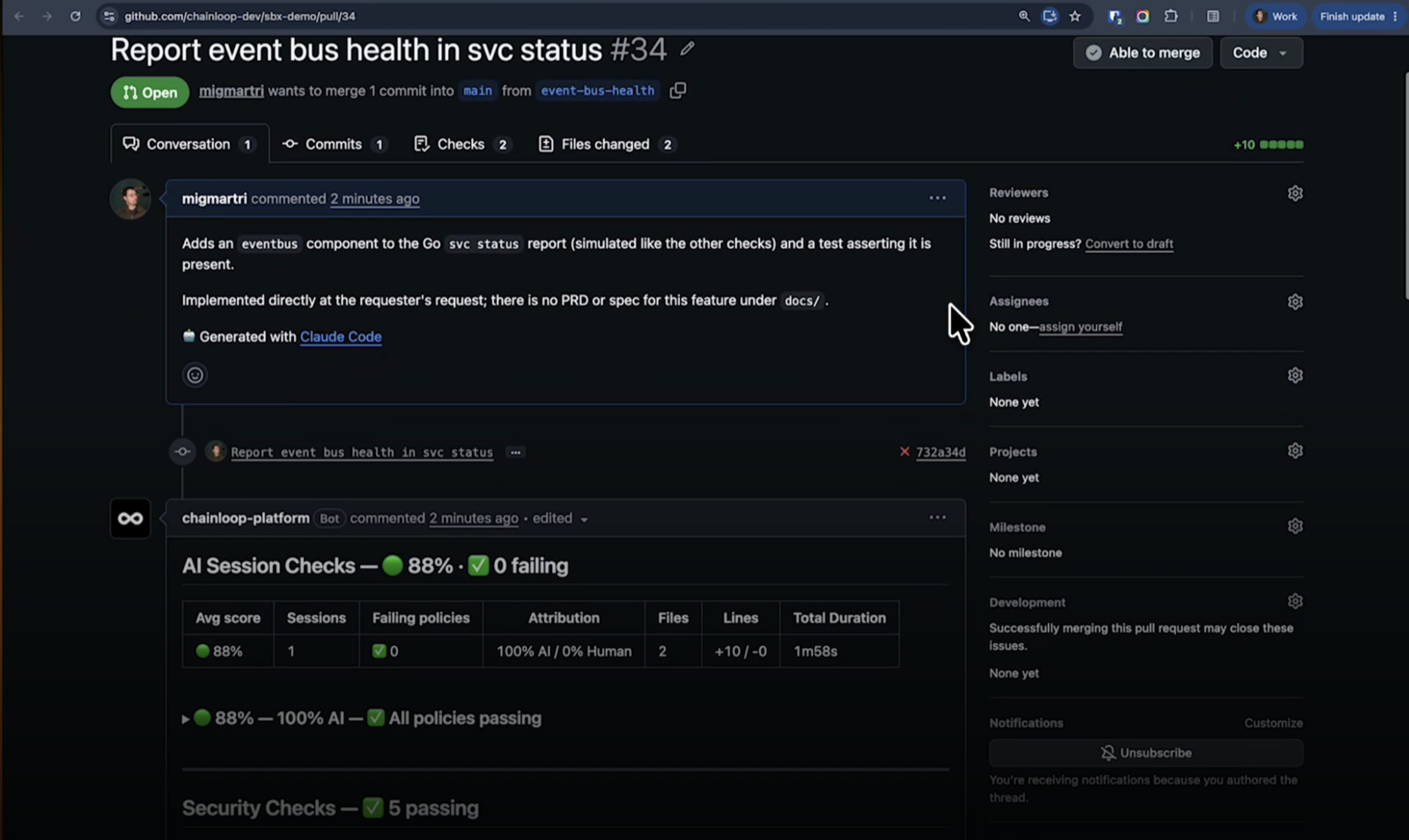
The verdict lands on the pull request. Chainloop comments with the session's score, failing policies, AI-versus-human attribution, and a link to the full session, so reviewers never leave GitHub.
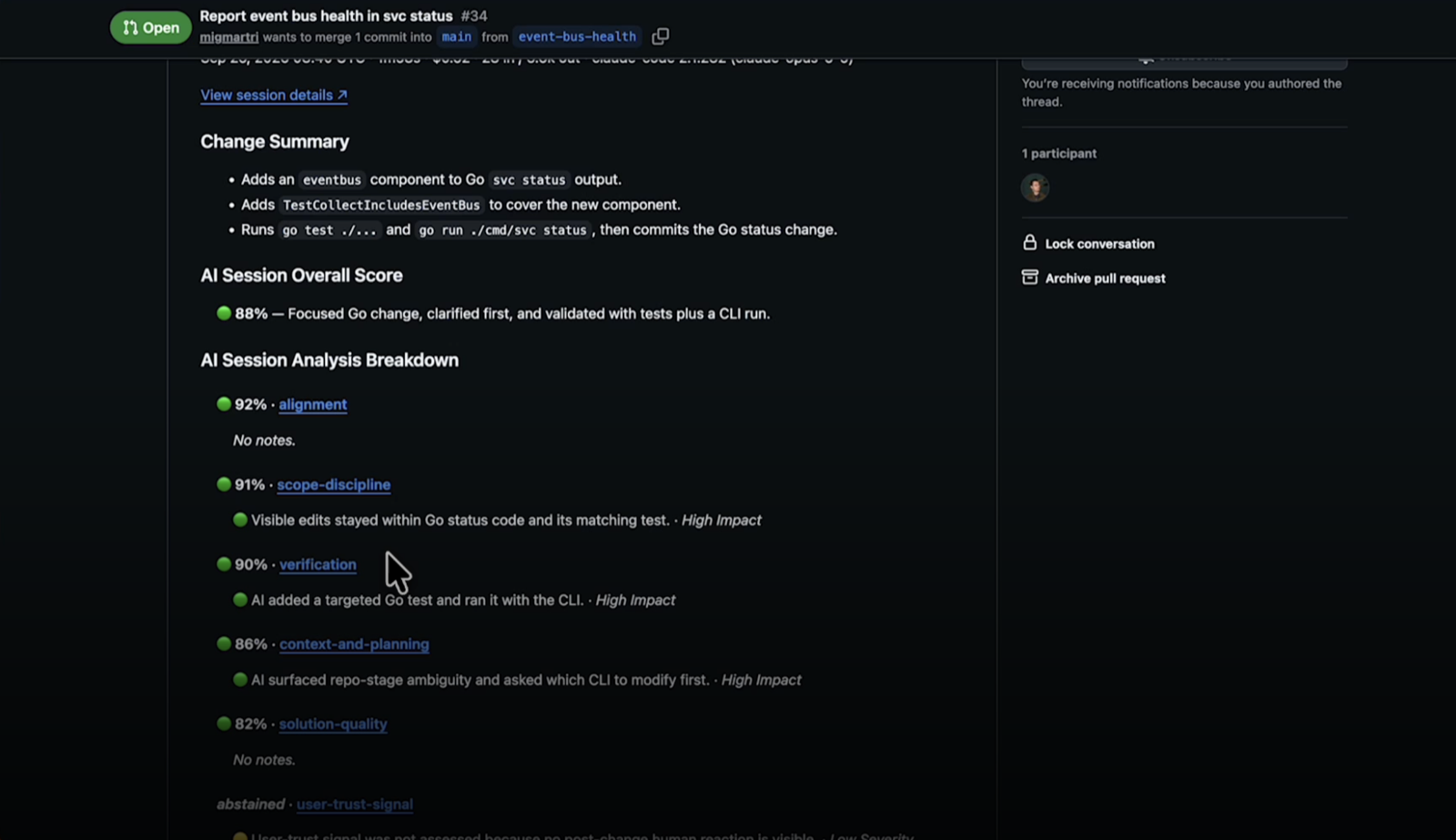
A score with reasons. The AI Session Score breaks down into criteria (alignment, scope discipline, verification, context and planning, solution quality), each with a short finding.
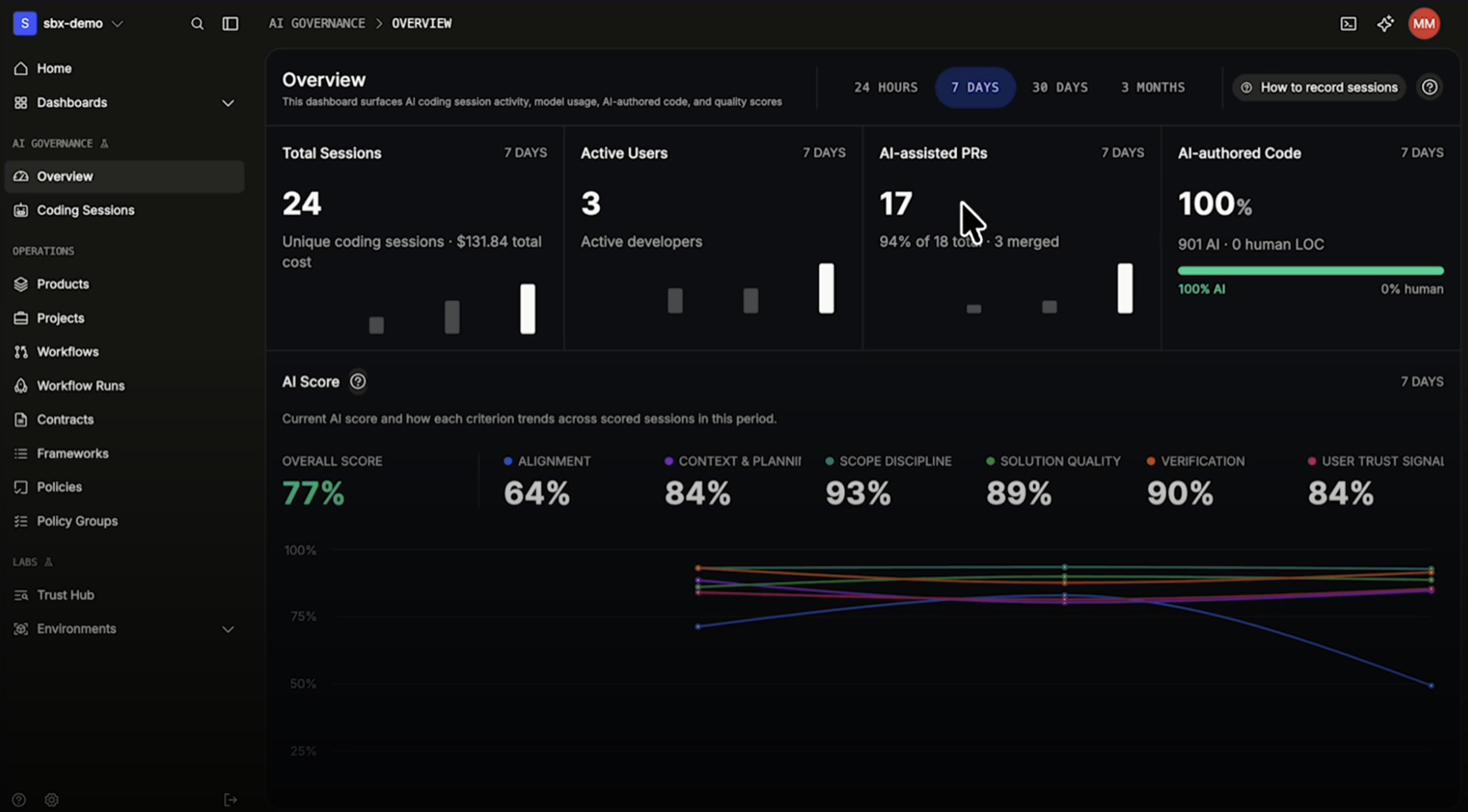
The organization-wide view. Sessions, active developers, AI-assisted pull requests and how much of the code AI wrote, plus how each score criterion trends over time.
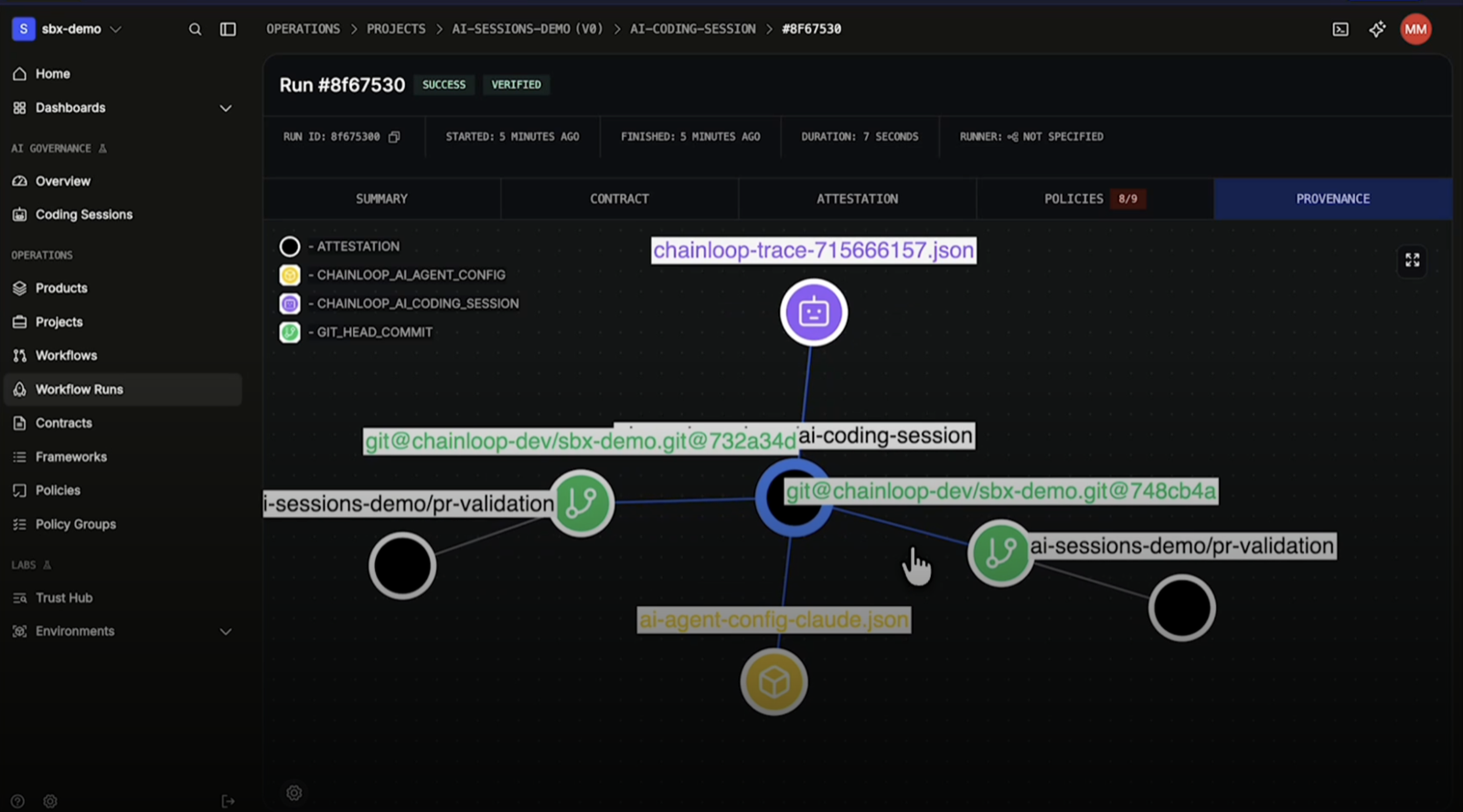
Provenance you can follow. The signed attestation links the commit to the session transcript,
the agent's configuration, and the pull request validation runs. chainloop discover walks the
same graph from the command line.
Learn more
- Chainloop open source: the evidence store and policy engine
- AI coding sessions: governing AI-written code with Chainloop
- Docker Sandboxes guide: the full setup this demo follows
Questions
What is sbx-demo?
chainloop-dev/sbx-demo is a public repo on GitHub by chainloop-dev. Run a coding agent in a Docker Sandbox with signed, policy-checked AI coding sessions.
Is sbx-demo open source?
It declares the Apache-2.0 license on GitHub.
Does sbx-demo run on macOS, Windows or Linux?
Its maker has not tagged a system, so it is unknown here. Its README says what it needs.
How do I install sbx-demo?
Open "Take it" on its page: Take My Repo writes an install plan for your machine and hands it to your AI agent (Claude Code, Codex or Cursor), which asks you before each step. Take My Repo has not tested it on any machine.