
TaskAgent-AgenticAI
An intelligent task management assistant built with .NET, Next.js, Microsoft Agent Framework, AG-UI protocol, and Azure OpenAI, demonstrating Clean Architecture and autonomous AI agent capabilities
- 14
- MIT
- 9 mo ago
Repo cristofima/TaskAgent-AgenticAI, read from GitHub 1 d ago. cristofima has not joined Take My Repo.
In short
cristofima/TaskAgent-AgenticAI is a public repo on GitHub by cristofima. An intelligent task management assistant built with .NET, Next.js, Microsoft Agent Framework, AG-UI protocol, and Azure OpenAI, demonstrating Clean Architecture and autonomous AI agent capabilities. It declares the MIT license on GitHub. It is written mainly in C#, has 14 stars and last changed on 2026-02-16. Nobody has reviewed it on Take My Repo yet, which says nothing about its quality. Read from GitHub on 2026-11-23.
Similar repos
orm
The Prisma ORM: write your application in TypeScript with human-readable queries instead of SQL. Host your database on Prisma Postgres and your app on Prisma Compute.

Task Agent - AI-Powered Task Management
An intelligent task management assistant built with Microsoft Agent Framework, Azure OpenAI, and .NET Aspire. Features a ChatGPT-like streaming interface using AG-UI protocol with Server-Sent Events (SSE), Clean Architecture with dual-database persistence (SQL Server + PostgreSQL), production-grade observability with OpenTelemetry, and comprehensive testing infrastructure (225+ tests).
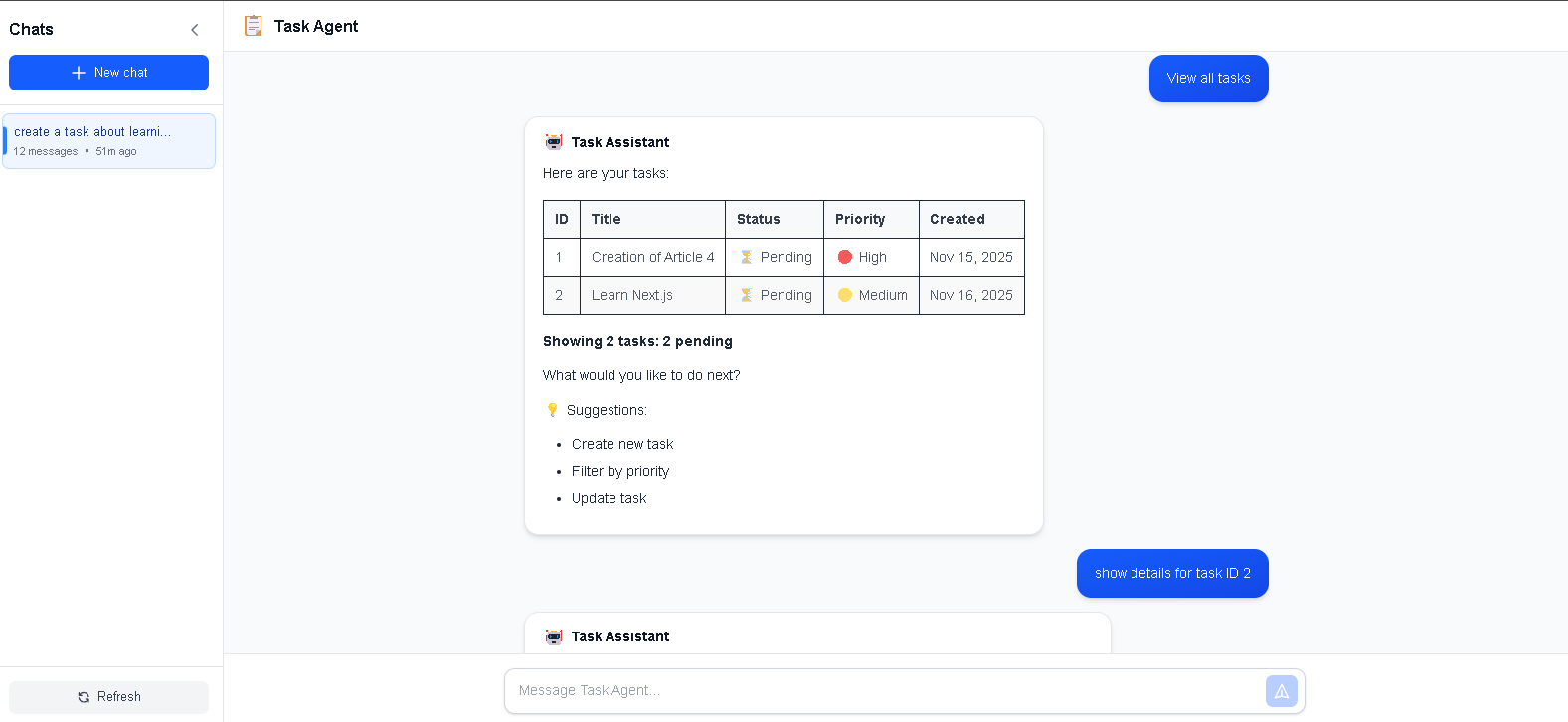
🎥 Demo Video
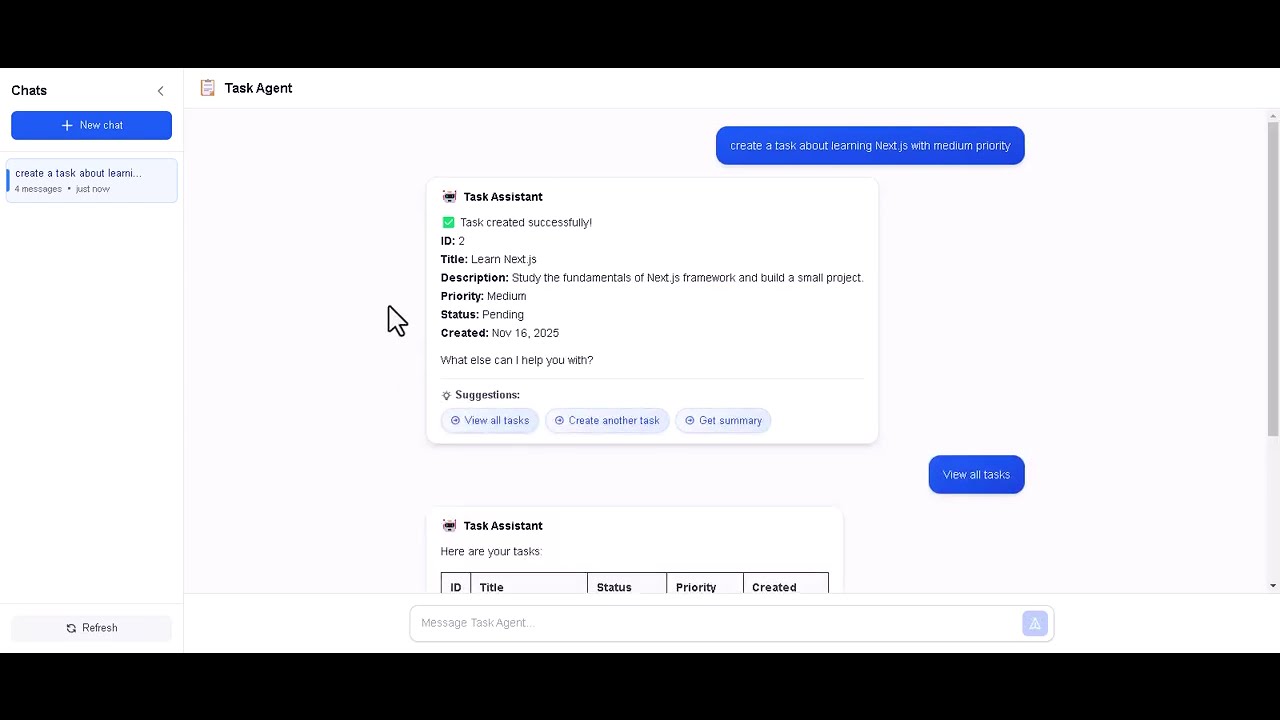
Watch the full demonstration of the Task Agent in action, showcasing:
- Natural language task management
- AI-powered suggestions and insights
- Content Safety protection
- Real-time chat management
- Modern Next.js frontend with ChatGPT-inspired UI
📚 Article Series
This project is documented in a comprehensive article series on C# Corner:
- Building a Task Management AI Agent - Microsoft Agent Framework, Azure OpenAI integration, and Clean Architecture
- Securing AI Agents - Azure AI Content Safety with Prompt Shield and parallel validation
- Production-Grade Observability - .NET Aspire, OpenTelemetry, and Application Insights
- Modern Frontend Architecture - Next.js 16 separation, dual-database strategy, and Azure Static Web Apps
- Real-Time Streaming with AG-UI - SSE streaming, ChatGPT-like progressive rendering, and state persistence
Topics Covered:
- 🤖 Autonomous AI agents with function calling
- 🛑 Multi-layer security (Prompt Shield + Content Moderation)
- 📈 Production observability (Aspire Dashboard + Application Insights)
- ⚛️ Modern React with Next.js 16 and TypeScript
- 🗄️ Dual-database architecture (SQL Server + PostgreSQL)
- ☁️ Azure deployment with Static Web Apps
🚀 Quick Start
# 1. Configure your Azure credentials in src/backend/services/TaskAgent/src/TaskAgent.WebApi/appsettings.Development.json

# 2. Setup PostgreSQL database (see docs/POSTGRESQL_MIGRATION.md for details)

# 3. Run with .NET Aspire (includes Aspire Dashboard)
dotnet run --project src/TaskAgent.AppHost

# Or run backend standalone
cd src/backend/services/TaskAgent/src
dotnet run --project TaskAgent.WebApi

# 4. Run frontend (separate terminal)
cd src/frontend/task-agent-web
pnpm install
pnpm dev
Access:
- Frontend: http://localhost:3000
- Backend API: https://localhost:5001
- Aspire Dashboard: https://localhost:17198 (when using Aspire)
✨ Features
Backend Features:
- 💬 Natural Language Interface: Talk to your task manager like a person
- 🛡️ Multi-Layer Security: Azure Content Safety protection (Prompt Shield + Content Moderation)
- 📊 Production-Grade Observability: Full OpenTelemetry stack with .NET Aspire
- 📝 Centralized Logging: Serilog with console, file, and OpenTelemetry sinks
- 🎯 AG-UI Protocol: Custom streaming endpoint
/api/agent/chatwith SSE and state persistence - ✅ Complete CRUD: Create, read, update, and delete tasks
- 📈 Smart Analytics: Task summaries with filtering by status and priority
- 🎨 Beautiful Tables: Markdown-formatted responses with emojis
- 💡 Contextual Suggestions: Agent provides helpful next actions
- 🗄️ PostgreSQL Persistence: Entity Framework Core with JSON storage (preserves property order)
- 💬 Chat Management: Persistent threads with automatic message persistence
- 🔍 Distributed Tracing: End-to-end request tracking with custom activity sources
- 📉 Custom Metrics: Real-time monitoring of AI agent operations
Frontend Features:
- ⚛️ Modern React: Next.js 16 + React 19 with TypeScript
- 🎯 Server Components: Optimized bundle size and performance
- 🎨 ChatGPT-Inspired UI: Full-height adaptive layout with Tailwind CSS 4
- 🌓 Dark Theme Support: System detection + manual toggle with next-themes
- 📐 Smart Layout: Centered welcome state, fixed input when chatting
- 🔄 Independent Scrolling: Fixed header and input, scrollable messages
- 💡 Clickable Suggestions: Interactive suggestion buttons from AI
- ⏳ Contextual Loading: Rotating status messages during processing
- ⚡ Optimistic Updates: Instant message feedback
- 📝 Markdown Rendering: Rich text formatting in chat
- 🎭 Type Safety: Full TypeScript with backend contract alignment
- 🧩 Clean Architecture: Separation of concerns (UI → Hooks → API)
- 📂 Chat Management: List, load, and delete chats with auto-generated titles
- 🗂️ Sidebar Navigation: Collapsible sidebar with chat history
📊 Observability & Monitoring
This project implements production-grade observability using .NET Aspire and OpenTelemetry with a hybrid architecture:
Development Environment (Local)
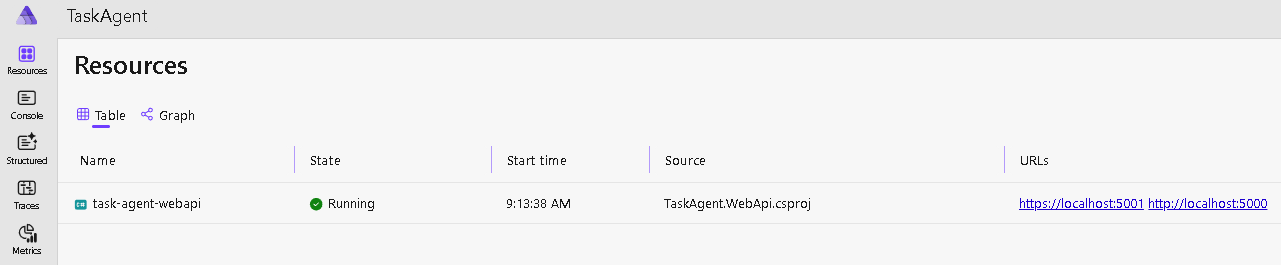
Stack: OpenTelemetry → OTLP Exporter → Aspire Dashboard (https://localhost:17198)
Features:
- 📊 Real-time metrics visualization
- 🔍 Distributed tracing with automatic trace correlation
- 📝 Structured logging with log levels and scopes (via Serilog + OpenTelemetry)
- 🔗 Dependency mapping (Azure OpenAI, Content Safety, PostgreSQL)
- 🎯 Custom instrumentation for AI agent operations
Production Environment (Azure)
Stack: OpenTelemetry → Azure Monitor Exporter → Application Insights
Features:
- 📈 Performance monitoring and alerting
- 🗺️ Application Map with dependencies
- 🔥 Live metrics and real-time telemetry
- 📊 Custom dashboards and workbooks
- 🔔 Smart detection and anomaly alerts
Three Pillars of Observability
Centralized Configuration via ServiceDefaults:
- Logging (Serilog) - Console + File sinks + OpenTelemetry integration
- Tracing (OpenTelemetry Activity) - Custom activity sources for AI agent
- Metrics (OpenTelemetry Meter) - Custom meters for AI operations
1️⃣ Metrics (Custom + Built-in)
Custom AI Agent Metrics:
Meter: "TaskAgent.Agent"

Counters:
- agent.requests         → Total requests to the agent
- agent.function_calls   → Function tool invocations
- agent.errors          → Error count by type

Histograms:
- agent.response.duration → Response time in milliseconds
Built-in Metrics (automatic):
- ASP.NET Core instrumentation (HTTP requests, response times)
- HTTP Client instrumentation (Azure OpenAI, Content Safety calls)
- Runtime instrumentation (GC, thread pool, exceptions)
2️⃣ Distributed Tracing
Custom Activity Sources:
ActivitySource: "TaskAgent.Agent"

Spans:
- Agent.ProcessMessage    → End-to-end message processing
- Function.{FunctionName} → Individual function tool calls

Tags:
- thread.id              → Chat thread identifier
- function.name          → Called function name
- message.length         → User message size
- response.length        → Agent response size
Built-in Traces (automatic):
- ASP.NET Core HTTP requests
- Entity Framework Core SQL queries (development only)
- HTTP client calls to Azure services
3️⃣ Structured Logging
Configuration:
- Formatted messages included
- Log scopes enabled
- Integration with OpenTelemetry
- Automatic correlation with traces
Log Levels:
- Information: Agent operations, function calls
- Warning: Content safety blocks, validation failures
- Error: Exceptions, service failures
Hybrid Telemetry Architecture
Smart Environment Detection:
// Automatically selects exporter based on configuration
if (OTEL_EXPORTER_OTLP_ENDPOINT exists)
    → Use OTLP → Aspire Dashboard

if (APPLICATIONINSIGHTS_CONNECTION_STRING exists)
    → Use Azure Monitor → Application Insights
Security: SQL statement capture is disabled in production to prevent sensitive data leakage.
Service Discovery: HTTPS-only in production, HTTP + HTTPS in development.
🛡️ Content Safety
This application leverages Azure OpenAI's built-in content filtering system for content safety.
Built-in Content Filtering
Azure OpenAI automatically filters content in the following categories:
- Hate speech → Medium threshold (blocks moderate+ severity)
- Violence → Medium threshold (blocks moderate+ severity)
- Sexual content → Medium threshold (blocks moderate+ severity)
- Self-harm → Medium threshold (blocks moderate+ severity)
- Prompt injection attacks (Jailbreak detection)
Error Handling
When content filter triggers:
- Azure OpenAI returns HTTP 400 with
code: "content_filter" - Backend catches
ClientResultExceptioninAgentStreamingService - Sends
CONTENT_FILTERSSE event to frontend - Frontend displays ChatGPT-like friendly message in chat (not toast)
Security Enhancements
Blocked Message Handling:
- ✅ Blocked messages appear as assistant responses in chat (not error toasts)
- ✅ Thread placeholders created for chat continuity (ChatGPT-like UX)
- ✅ Blocked content is NEVER persisted in database (security measure)
- ✅ Automatic sidebar updates when threads are created
- ✅ Smart title regeneration when first valid message is sent after a block
- ✅ Optimized sidebar refresh: only reloads when title changes from null (efficient!)
Best Practices:
- Generic conversational refusals (like ChatGPT) - no technical details exposed
- Security violations render as normal bot messages
- No error styling for content safety blocks
For detailed testing guide: See docs/CONTENT_SAFETY.md
🏗️ Architecture
Built with Clean Architecture for maintainability and testability:
┌─────────────────────────────────────────────────┐
│                 Frontend (Next.js)              │
│  • React 19 + TypeScript                        │
│  • Server Components + Client Components        │
│  • Chat Management UI                           │
└────────────────────┬────────────────────────────┘
                     │ REST API
                     ▼
┌─────────────────────────────────────────────────┐
│              Backend (.NET 10)                  │
│                                                 │
│  Presentation → Infrastructure → Application    │
│                                  → Domain       │
│                                                 │
│  • AI Agent with 6 function tools               │
│  • Content Safety middleware                    │
│  • Dual-database persistence                    │
└─────────────────────────────────────────────────┘
                     │
                     ▼
┌─────────────────────────────────────────────────┐
│             Databases & Services                │
│  • SQL Server: Task entities                    │
│  • PostgreSQL: Chat threads (JSON)              │
│  • Azure OpenAI: GPT-4o-mini                    │
│  • Azure AI Content Safety                      │
│  • Application Insights                         │
└─────────────────────────────────────────────────┘
For detailed architecture documentation:
- 📘 Backend README - Clean Architecture layers, API endpoints, observability
- 📗 Frontend README - Component structure, state management, API integration
- 📙 Architecture Decisions - Dual-database rationale and patterns
Questions
What is TaskAgent-AgenticAI?
cristofima/TaskAgent-AgenticAI is a public repo on GitHub by cristofima. An intelligent task management assistant built with .NET, Next.js, Microsoft Agent Framework, AG-UI protocol, and Azure OpenAI, demonstrating Clean Architecture and autonomous AI agent capabilities.
Is TaskAgent-AgenticAI open source?
It declares the MIT license on GitHub.
Does TaskAgent-AgenticAI run on macOS, Windows or Linux?
Its maker has not tagged a system, so it is unknown here. Its README says what it needs.





