
AutoGPT
AutoGPT is the vision of accessible AI for everyone, to use and to build on. Our mission is to provide the tools, so that you can focus on what matters.
- 188k
- Python
- 2 h ago
Hugging Face recipes: run OCR, transcription, classification, embeddings and more over a Hub dataset in one command, locally or on HF Jobs. Built for people and coding agents.
Repo davanstrien/uv-scripts, read from GitHub 1 min ago. davanstrien has not joined Take My Repo.
davanstrien/uv-scripts is a public repo on GitHub by davanstrien. Hugging Face recipes: run OCR, transcription, classification, embeddings and more over a Hub dataset in one command, locally or on HF Jobs. Built for people and coding agents. It declares the Apache-2.0 license on GitHub. It is written mainly in Python, has 91 stars and last changed on 2026-11-19. Nobody has reviewed it on Take My Repo yet, which says nothing about its quality. Read from GitHub on 2026-11-21.
Run a data or ML task over a Hugging Face dataset in one command: OCR, transcription, classification, embeddings, deduplication and more. Run it on your own machine, or on a pay-per-second GPU with Hugging Face Jobs. For people and coding agents.
Each recipe is one Python file with its dependencies declared inside it, so it runs straight from its URL: no clone, no virtualenv, no pip install. Most recipes read a Hub dataset and write a new one, so one recipe's output can be the next one's input.

First install the hf CLI. See the recipe families (no GPU, no account):
hf datasets ls --author uv-scripts
Each family is a Hub repo. List a family's scripts without downloading them, or open its page (for example uv-scripts/ocr) to see how to run them:
hf download uv-scripts/ocr --repo-type dataset --include "*.py" --dry-runOCR seven scanned pages on a GPU from NASA’s Food for Space Flight booklet. Sign in with a token that can write to your account; Jobs needs pre-paid credits (pricing). Replace your-username with your Hugging Face username (hf auth whoami shows it):
hf jobs uv run --flavor a10g-small --timeout 15m --secrets HF_TOKEN \
  https://huggingface.co/datasets/uv-scripts/ocr/raw/main/glm-ocr.py \
  uv-scripts/ocr-demo your-username/ocr-demo-results
This takes about 4 minutes on an a10g-small ($1.00/hour), so about $0.07. Most of that time is startup; the OCR itself takes about 25 seconds. The Job saves a new dataset with a markdown column. --secrets HF_TOKEN forwards your token so the Job can save it, and --timeout stops the Job (and the billing) if it runs too long. Next: get and check your results, or try the same pages as a PDF from a Bucket.
Got local scans or PDFs? Put a few images or a short PDF in ./my-scans for your first run, then create the output directory:
mkdir -p ./ocr-output
hf jobs uv run --flavor a10g-small --timeout 15m --secrets HF_TOKEN \
  -v ./my-scans:/input -v ./ocr-output:/output:rw \
  https://huggingface.co/datasets/uv-scripts/ocr/raw/main/glm-ocr-bucket.py \
  /input /output
The CLI syncs these local folders to a private bucket. Local folder mounts are read-only unless you add :rw; the CLI prints the hf buckets sync command to retrieve the output after the Job finishes. See the OCR walkthrough for inputs and results.
Prefer your own machine? Install uv and use uv run with the same script URL and arguments. Most recipes need a CUDA GPU. To read a recipe without installing anything, open its source.
A recipe runs from a URL and documents itself in its header, so a coding agent (Claude Code, Codex, Cursor, …) can pick one and run it with no setup. Paste this to start:
List the uv-scripts recipe families and tell me which fit my task:
  hf datasets ls --author uv-scripts
List a family's scripts with:
  hf download uv-scripts/<family> --repo-type dataset --include "*.py" --dry-run
Read the matching family's README on the Hub. Before running a script, read its header and docstring for the arguments and hardware.
Use my username from `hf auth whoami` for output datasets, and always set --timeout.
On Jobs, the agent's code runs on a throwaway machine, not your laptop. It can only reach what your token allows, and --timeout limits how long (and so how much) each Job can cost.
To teach your agent the rest of the hf CLI, install Hugging Face's hf CLI skill with hf skills add.
| Domain | What it does | On the Hub |
|---|---|---|
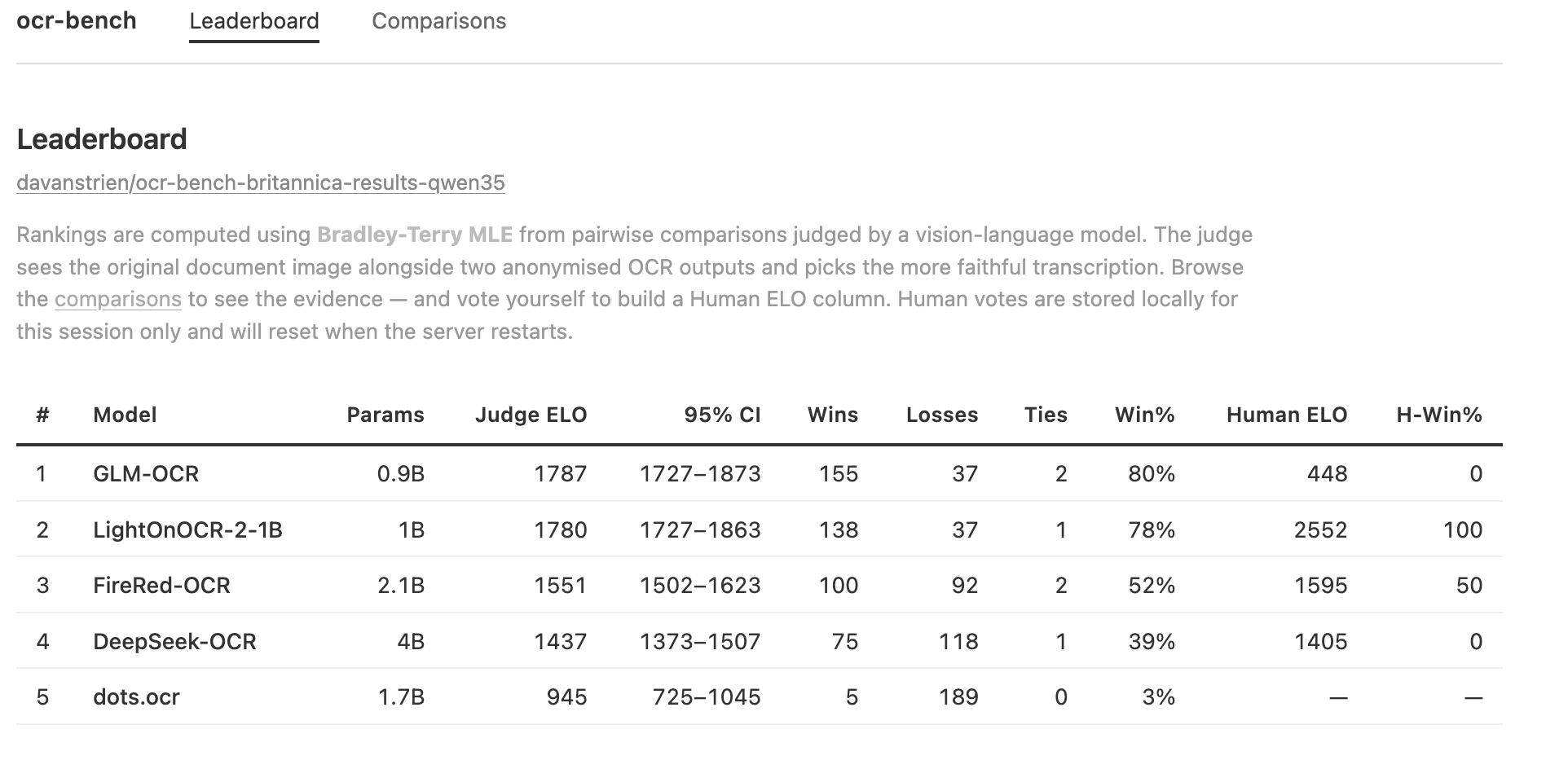
| ocr ⭐ | OCR / document → text & structured data — GLM, PaddleOCR-VL, Nanonets, olmOCR, dots, … (30+ models) | uv-scripts/ocr |
| vision | Zero-shot detection & segmentation over image datasets; object-detection also ships a SKILL.md for the full no-labels→trained-detector loop |
sam3 · object-detection · vlm-object-detection |
| audio | Transcription (incl. 102 languages via BuzzASR), speaker diarization & speech translation | transcription |
| video | Caption videos with timestamped events + temporal grounding (Marlin-2B, chunked for long films) | video |
| embeddings | Embed text/images (auto-batch, prompt-aware); build a searchable Lance vector DB on the Hub | embeddings |
| embeddings & atlas | Embed a dataset; build an interactive map | build-atlas |
| data processing | Filter / dedup / stats over large datasets; turn bucket uploads into optimized Parquet with a webhook | dataset-stats · deduplication · data-processing |
| classification | Fine-tune an encoder classifier (LFM2.5-Encoder, ModernBERT, …), few-shot train one with SetFit on CPU or GPU, fine-tune or zero-shot label with GLiNER2 (~300M), zero-shot classify with an LLM, or train a timm image classifier (single- or multi-label) | classification |
| dataset creation | Turn PDFs / image URLs into Hub datasets | dataset-creation |
| image collections | Publish a folder or bucket of scans as a zoomable IIIF collection, with a viewer Space and a Parquet index | iiif-tiles |
| synthetic data | Generate datasets with LLMs | synthetic-data |
| inference | Run any open LLM / VLM over a dataset | vllm · openai-oss · transformers-inference |
| entity extraction | NER / structured extraction over text | gliner |
| training | Fine-tune models with TRL / transformers |
training · transformers-training |
What fits here: any self-contained UV script for data or ML work on the Hub. OCR and dataset work are the current focus, but inference, evaluation, RAG indexing, and training (fine-tuning with TRL / transformers, producing a model) are all in scope. If it's one self-contained script that reads from or writes to the Hub, it belongs.
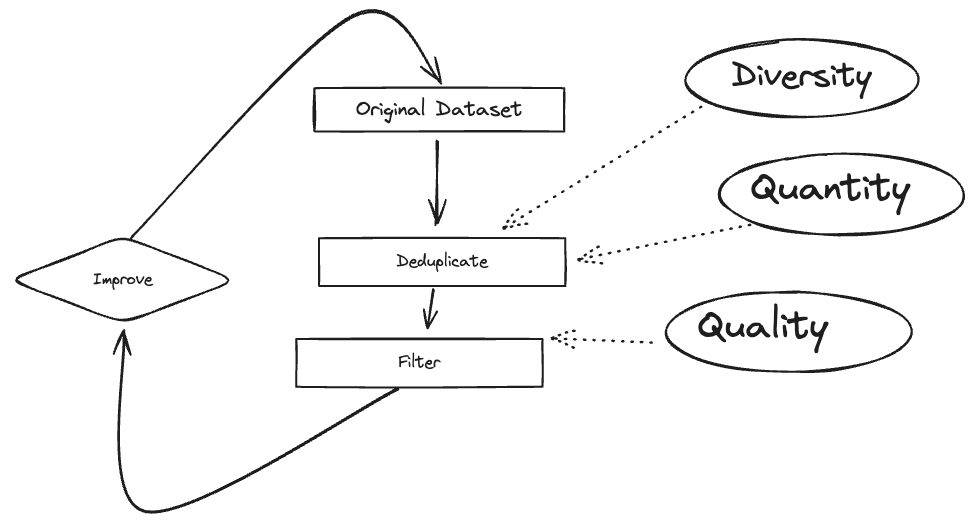
Because recipes hand off through the Hub, you can chain them — each step's output dataset is the next step's input. A document-collection pipeline, end to end:
PDFs / scans          →   OCR to markdown      →   dedup + stats        →   embed + visualise
dataset-creation          ocr/glm-ocr.py           deduplication            build-atlas
Each arrow is a Hub dataset; each box is one hf jobs uv run (or uv run). A pipeline can also end in a trained model instead of another dataset. You can write the chain as a shell script, or an agent can generate it — the scripts are the same.
A recipe is a normal Python file with a PEP 723 metadata block at the top that lists its dependencies:
# /// script
# requires-python = ">=3.10"
# dependencies = ["datasets", "transformers", "torch"]
# ///
uv (and hf jobs uv run) reads that block, installs the dependencies into a throwaway environment and runs the file, straight from a URL. How reproducible a run is depends on how tightly each recipe pins its versions. See the uv scripts guide to learn more.
The same file runs anywhere with the same arguments:
SCRIPT=https://huggingface.co/datasets/uv-scripts/ocr/raw/main/glm-ocr.py

# locally: needs the right hardware (a GPU for most recipes)
uv run $SCRIPT uv-scripts/ocr-demo your-username/ocr-demo-results

# on Jobs: pick hardware with --flavor; --secrets forwards your write token
hf jobs uv run --flavor a10g-small --timeout 15m --secrets HF_TOKEN $SCRIPT uv-scripts/ocr-demo your-username/ocr-demo-results
Jobs bills by the second while a Job runs; hf jobs hardware lists the hardware and prices, and Pricing and Billing explains the rest. Jobs read and write Hub datasets, models and storage buckets directly. Running a recipe from its https://huggingface.co/datasets/uv-scripts/… URL also counts the run towards that recipe.
Most recipes tag the dataset card they push with uv-script, and many add a Reproduction section with the exact command. As of October 2026, 386 datasets carry that tag, from more than 40 accounts besides uv-scripts and its maintainer. Some examples:
cis-lmu/GlotOCR-bench-v1.0-results: OCR benchmark resultsmantisnlp/classification-with-sieves: zero-shot text classificationprinceton-hf-workshop/affordable-housing-conversations-classified: classified conversations from a workshopshijithpk/ncert-history-ocr-bench-48-output: OCR of history textbooksBuilt something? Keep the tag on your dataset so others can find it, and share the link.
These scripts are orchestration code: they download third-party models from the Hugging Face Hub at runtime and run inference. This repo does not redistribute any model weights. Each model you run carries its own license (MIT, Apache-2.0, OpenRAIL-M, and some with non-commercial or other use-based terms); those terms govern your use of the model, not this repo's code. You are responsible for checking each model's license — on its Hugging Face model card — before using it, especially in production.
The code and documentation in this repository are licensed under the Apache License 2.0. See NOTICE for attribution.
Recipes mirror to the uv-scripts Hugging Face org via GitHub Actions. See CONTRIBUTING.md to add one.
davanstrien/uv-scripts is a public repo on GitHub by davanstrien. Hugging Face recipes: run OCR, transcription, classification, embeddings and more over a Hub dataset in one command, locally or on HF Jobs. Built for people and coding agents.
It declares the Apache-2.0 license on GitHub.
Its maker has not tagged a system, so it is unknown here. Its README says what it needs.
Open "Take it" on its page: Take My Repo writes an install plan for your machine and hands it to your AI agent (Claude Code, Codex or Cursor), which asks you before each step. Take My Repo has not tested it on any machine.
Its last change on GitHub was on 2026-11-19. Take My Repo does not judge from that whether it is maintained.
Nobody has reviewed it on Take My Repo yet, which says nothing about its quality.
AutoGPT is the vision of accessible AI for everyone, to use and to build on. Our mission is to provide the tools, so that you can focus on what matters.
VoiceStudio is the open-source, fully-local ElevenLabs alternative — voice cloning, voice design, video dubbing, dictation, transcription & audiobook creation in 646 languages.
Turn any PDF or image document into structured data for your AI. A powerful, lightweight OCR toolkit that bridges the gap between images/PDFs and LLMs. Supports 100+ languages.
🤗 Transformers: the model-definition framework for state-of-the-art machine learning models in text, vision, audio, and multimodal models, for both inference and training.
Langflow is a powerful tool for building and deploying AI-powered agents and workflows.
Using open source LLMs to build synthetic datasets for direct preference optimization
Batch inference for datasets: rows in, any OpenAI-compatible endpoint, resumable parquet out. Congestion-aware concurrency — no tuning.