Site Essentials
Deutsch
About
Your WordPress. Your settings. Site Essentials brings focused settings and practical tools together for a WordPress website that fits your needs. Simplify administration, control WordPress features and reuse proven configurations across websites. Built for everyday site care and client handover, with support for single installations and individual sites in a Multisite network.
1.2.0 · WordPress 7.1+ · PHP 8.2+
Plugin website · Documentation · FAQ by topic
Contents
At a glance
- Optional controls for login, editors, admin screens, headers and feeds.
- Comments, avatars, Heartbeat and revisions configured per site.
- Media file sizes, sorting and document-type filters.
- Focused appearance access by role with local personal exceptions.
- Alternative post destinations and selected Page Links To migration.
- Presets, draft review, import/export and configuration recovery.
- Website checks, system information and an optional Dashboard overview.
- Site Health sources, check selection and transparent copied-report omissions.
- Pending translation previews and three read-only WordPress abilities.
- Single-site and Multisite; English and both German locales.
Browse features by task, including requirements and limitations.
Installation
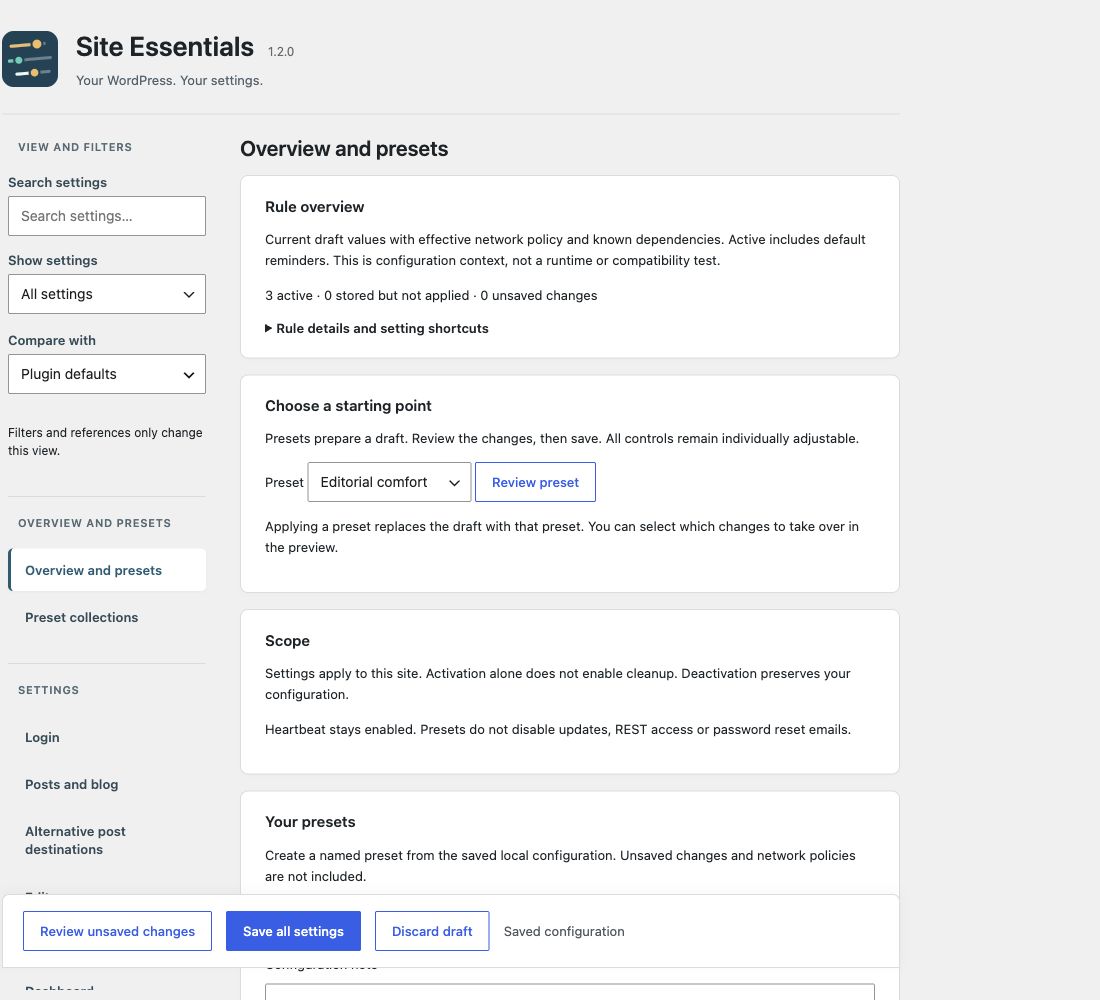
Upload the ZIP through Plugins → Add Plugin → Upload Plugin and activate it. Open Settings → Site Essentials. Choose a preset, review the changes and save all settings. No cleanup is enabled by default; three administrator-only website reminders are enabled.
Feature highlights
Your WordPress. Your settings.
Set up WordPress to suit your website. Clear options and prepared presets make configuration easier. You decide which settings apply and which features are active. Review a preset before applying it, save your choices and reuse proven configurations through import and export.
Bring your existing settings along.
Already using Unbloater, Falcon or both? The guided one-time takeover previews matching settings and highlights conflicts before you confirm changes. Configuration recovery remains available until a later settings save replaces the previous snapshot. You deactivate and remove the old plugins yourself. Guided settings takeover is provided specifically for Falcon and Unbloater.
Administration your clients can work with.
Hide rarely needed areas and make important settings easier to understand. Control access to menus, widgets and the Customizer by role, with local exceptions for individual users. These personal exceptions stay on the website and are excluded from exports.
Maintenance with a notice or your own page.
Design your maintenance page in the configured Block or Classic Editor. Visitors receive the maintenance page with HTTP 503 while administrators retain access. Preview the page before enabling maintenance; an orange toolbar indicator reminds administrators when it is active. Active Bricks, Elementor and Breakdance maintenance modes take precedence. Full-page caches may need to be cleared or bypassed.
Site Health with understandable results.
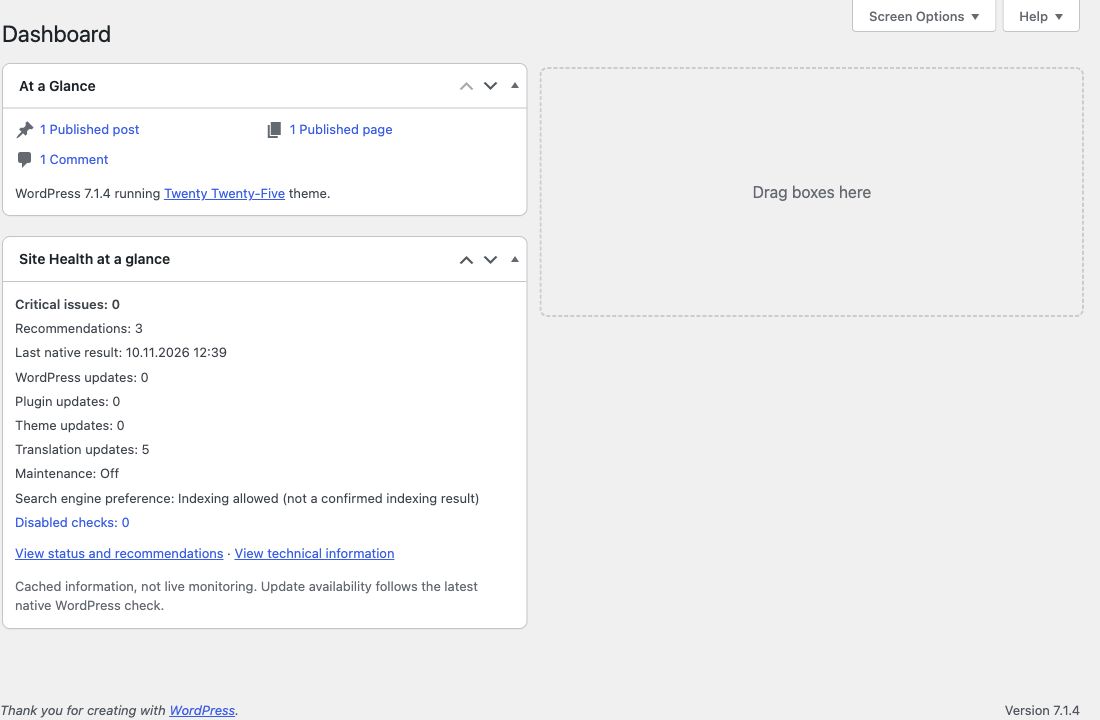
Identify reliable sources, choose individual checks and limit copied diagnostic reports. The optional Dashboard widget shows saved results with a timestamp and links to both health views. Disabling a check does not fix its cause.
Local avatars instead of external Gravatar requests.
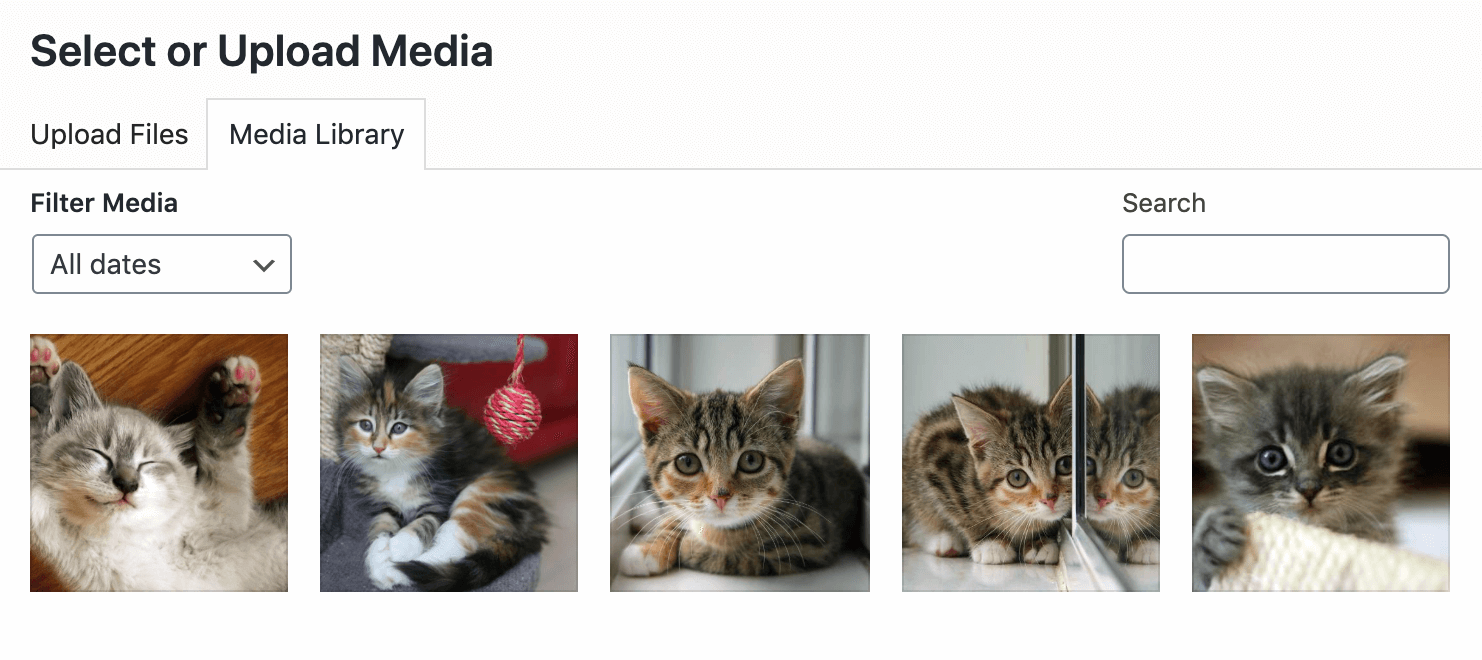
Use your own user images from the Media Library. When enabled, the local avatar module prevents Gravatar requests for avatar output. Optionally show the images in the user table. If a supported provider already supplies local avatars, Site Essentials hides and pauses its own avatar module.
Keep important website settings in view.
Get administrator reminders when search indexing is discouraged, and confirm an intentional decision. Also check for missing, unpublished or detectably empty privacy and imprint pages. These checks do not assess legal compliance or the quality of legal text.
Several tasks. One shared place.
Depending on the functions you need, Site Essentials can replace additional individual plugins:
| Task |
In Site Essentials |
| Disable Comments or similar plugins |
Disable comments completely or restrict them selectively |
| One User Avatar or similar plugins |
Use local user images and prevent Gravatar requests |
| Page Links To |
Set alternative post destinations; selectively copy existing Page Links To targets |
| Simple maintenance-mode plugins |
Use your own WordPress page as a maintenance page |
This does not promise full feature parity. Guided settings takeover applies specifically to Falcon and Unbloater. Page Links To target copying is separate; data from other plugins is not automatically migrated.
WordPress features
- Login language selector, administrator email confirmation and optional site-specific login logo link/text.
- Classic editor by content type, classic widget interface and a warning for existing block content.
- Separate automatic URL conversion and own oEmbed provider controls, preserving authored embeds and ordinary post links.
- Post editor fullscreen, welcome guide, block directory, bundled core patterns, remote pattern suggestions and template editing.
- Selected core dashboard widgets, toolbar entries and plain-text admin footer.
- Core fallback favicon removal preserves custom site icons.
- Generator, RSD, WLW, shortlinks and feed discovery; feed endpoints can return HTTP 404.
- Complete core comment shutdown with admin, templates, blocks, feeds, REST/XML-RPC and dedicated assets covered; private notes retained.
- Local avatars with site-specific assignments and bounded authorized profile uploads; no Gravatar fallback.
- Portable collections of selected custom presets; protected review, fresh local copies and collision-safe names.
- Comments by content type, optional hiding of existing frontend comments, conditional reply script and self-pingbacks.
- Emoji assets, public-visitor jQuery Migrate removal and XML-RPC HTTP 403.
- Heartbeat intervals by area and content type, revision limits and selective notifications.
- Four native command-palette shortcuts for settings, reports, website checks and maintenance; administrator Site Health information includes maintenance state and known overridden rules.
- Separate REST and oEmbed discovery controls; optional single-site file-editor permission protection.
- On-demand data-minimal diagnostics, read-only printable handover and separate local/network clearing.
- Documented presets contain explicitly entered names and notes plus an opaque export identifier. Do not enter private data.
- Five built-in presets, up to 20 named local presets, saved-state comparison, settings search, selective change previews, JSON merge/replace, export and one-step configuration rollback.
- Optional public Dashicons cleanup, PDF preview suppression, original WordPress spelling, simplified toolbar greeting, public search and author archive restrictions, capability-based core update notices, comment URL auto-link control and selected classic core widgets.
- Administrator-only website checks for discouraged indexing, assigned privacy pages and explicit or automatically detected imprint pages. Three reminder switches are enabled by default; they never change visibility or publish pages automatically.
- Separate native post management and public blog shutdown; optional plural/singular post names, with stored content and technical post type retained.
- Read-only administrator PHP information under Tools, expandable cache/extension/Suhosin support and optional PHP/memory footer.
- Optional native media list file-size display and sorting, with bounded site-local indexing; PDF, Word, Excel, PowerPoint, ZIP, OpenDocument, CSV and text filters in list and grid views.
- Optional native Widgets and Customizer admin-screen restrictions, preserving saved theme/sidebar settings and frontend output. Classic Bricks themes automatically hide native Site Editor menu links.
- Role-based native Widgets, Customizer and classic-menu access policies with local personal allow/block exceptions. Classic-menu delegation uses scoped native screen/AJAX permissions without changing stored role capabilities.
- Optionally hide selected core Tools menu links; direct access, Site Health, privacy tools and plugin pages remain available.
- Optional core AI opt-out with Connectors page restriction; credentials retained and independent plugin AI outside scope.
- Hide post-by-email and update-service settings independently, retaining configured values and their runtime behavior.
- Optional alternative post destinations for selected public content types; HTTP(S) and root-relative targets, reversible HTTP 302 redirects and retained editor/preview addresses.
- Administrator-only, paginated Page Links To destination preview and selected copying, preserving source metadata and skipping occupied, stale, unauthorized, unsafe or looping records.
- Optional website-wide native menu-field policies and removal of Bricks templates/taxonomies from navigation offers, retaining underlying user preferences and existing link values.
- One-time Falcon and Unbloater settings takeover with explicit source choices, conflict review and configuration recovery.
- Optional per-site maintenance with a native WordPress page, administrator preview, HTTP 503 and cache guidance.
- Optional local-avatar and user-ID columns, date/time examples and a wider Customizer CSS editor.
- Clearer navigation groups, option descriptions, save-button change indicator and separate pattern/font menu controls.
- Administrator test links for missing pages and searches without results, with theme-specific guidance.
- Read-only public robots.txt, sitemap and feed links, plus an explicit anonymous homepage-response check.
Configuration
Presets and configuration-file imports modify the draft, not the site. Save all settings applies that draft. The separate Falcon/Unbloater takeover saves explicitly selected settings after confirmation. Export downloads saved local settings, not unsaved changes. WordPress defaults can be reviewed as a preset. System behavior remains unchanged unless explicitly configured. Manual changes have an optional read-only review before saving. Preset names and notes are explicitly entered and included in exports; no site domains or user data are gathered automatically. Diagnostics omit preset notes and custom footer text. Clearing local data removes local avatar assignments, presets and rollback history while keeping neutral defaults to prevent startup presets from returning; network clearing releases only the current network policy.
Behavior and limits
Deliberate choices and a focused scope
Template editing is blocked, but existing templates still render. jQuery Migrate removal applies only to signed-out frontend visitors. Heartbeat intervals are initial polling settings; WordPress or another script can subsequently adjust them. Revision limits do not run an immediate cleanup; core may prune older revisions on later saves. Existing comment hiding applies to ordinary frontend comment templates, not arbitrary custom database queries. XML-RPC blocking occurs after WordPress loads; it is not a web-server firewall.
Multisite
Activate on one site or network-wide. Sites retain independent options, including sites created after activation. Network Admin → Settings → Site Essentials can hide the login language selector on every site or leave it to local settings. No other network policy is imposed.
Preconfigured installation
For a deliberately preconfigured deployment, set startup-preset.json to {"preset":"builder"}, "comfort", "head", "classic" or "defaults" before installation. The selected configuration initializes each unconfigured site on first use. Existing configurations are retained. The shipped file uses null.
Stored data
Local options: site_essentials_settings, site_essentials_previous and site_essentials_presets. Site-scoped user metadata: site_essentials_avatar_SITE_ID