javascript-beginners-tutorial
A JavaScript tutorials for beginners, An introduction to JavaScript programming languages building blocks, step-by-step guide to JavaScript
- 179
- HTML
- 7 y ago
Lets go-through, learn and understand different logical Javascript exercises and algorithms for beginners.
Repo dinanathsj29/javascript-exercise-beginners, read from GitHub 3 d ago. dinanathsj29 has not joined Take My Repo.
dinanathsj29/javascript-exercise-beginners is a public repo on GitHub by dinanathsj29. Lets go-through, learn and understand different logical Javascript exercises and algorithms for beginners. It declares no license on GitHub. Public does not mean open source: without a license, nobody is granted the right to reuse it. It is written mainly in JavaScript, has 165 stars and last changed on 2020-04-06. Nobody has reviewed it on Take My Repo yet, which says nothing about its quality. Read from GitHub on 2026-11-20.

LiveScript at Netscape Navigator Corporationnot JavaLiveScript renamed to JavaScript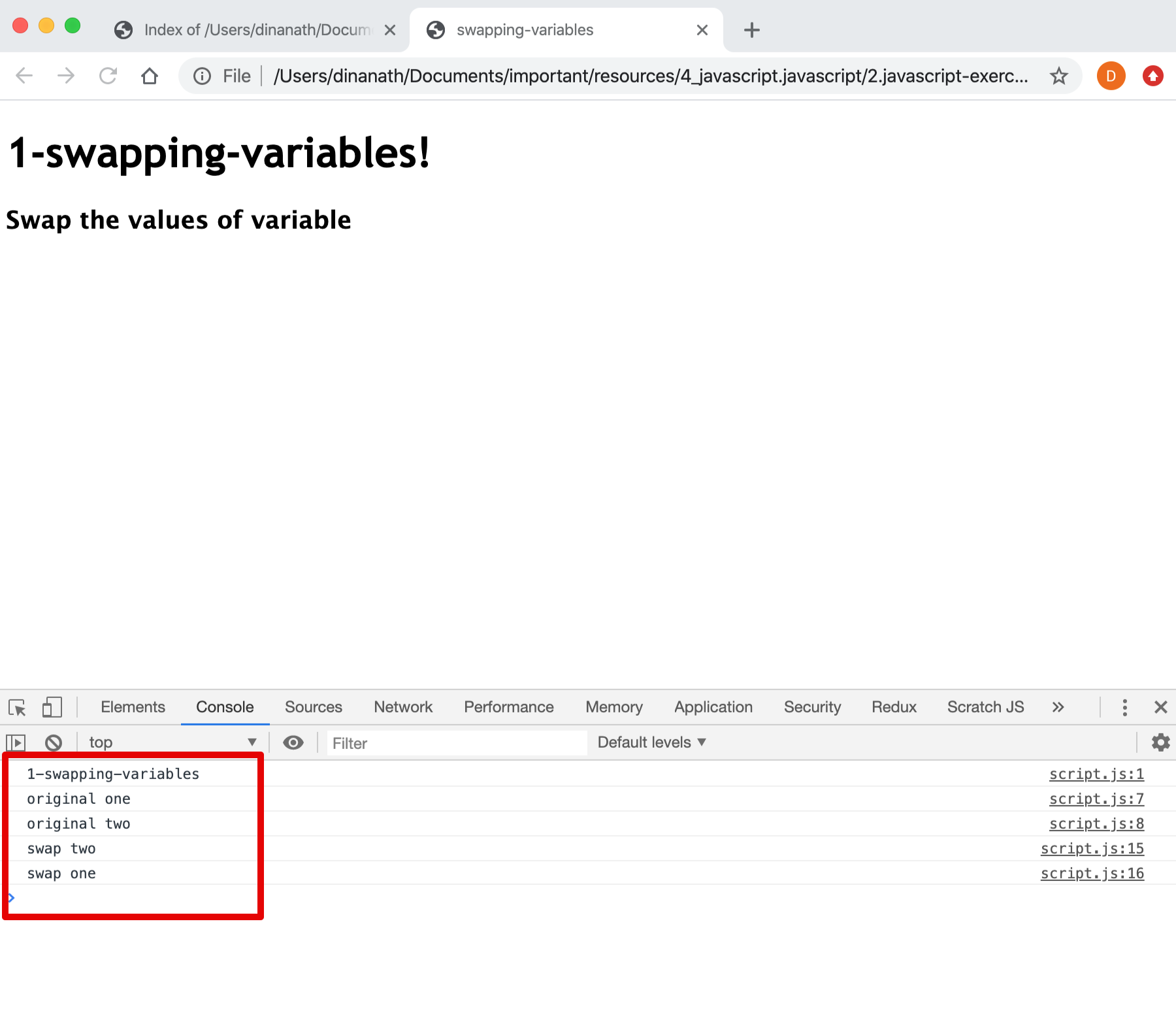 Image 1 - Swapping Variables
Syntax & Example:
1-swapping-variables.html
<!DOCTYPE html>
<html lang="en">
<head>
  <meta charset="UTF-8">
  <meta name="viewport" content="width=device-width, initial-scale=1.0">
  <title>swapping-variables</title>
  <link rel="stylesheet" type="text/css" href="../style.css" />
</head>
<body>

  <h1>1-swapping-variables!</h1>

  <h3>Swap the values of variable</h3>

  <script type="text/javascript" src="script.js"></script>

</body>
</html>
Syntax & Example:
script.js
console.log('1-swapping-variables');

let value1 = 'one';
let value2 = 'two';

// original values
console.log('original', value1);
console.log('original', value2);

// swapping values
let value3 = value1;
value1 = value2;
value2 = value3;

console.log('swap', value1);
console.log('swap', value2);
Syntax & Example: global
style.css
body{
  font-family: 'Lucida Sans', 'Lucida Sans Regular', 'Lucida Grande', 'Lucida Sans Unicode', Geneva, Verdana, sans-serif;
}

h1, th{
  font-family: 'Trebuchet MS', 'Lucida Sans Unicode', 'Lucida Grande', 'Lucida Sans', Arial, sans-serif;
}

table{
  /* border: 2px solid #696969;
  border-collapse: collapse; */
  font-size: 18px;
}

th{
  width: 20%;
}

th, td{
  padding: 10px;
  border: 2px solid #696969;
  text-align: center;
}

#freeSquare{
  background-color: coral;
}
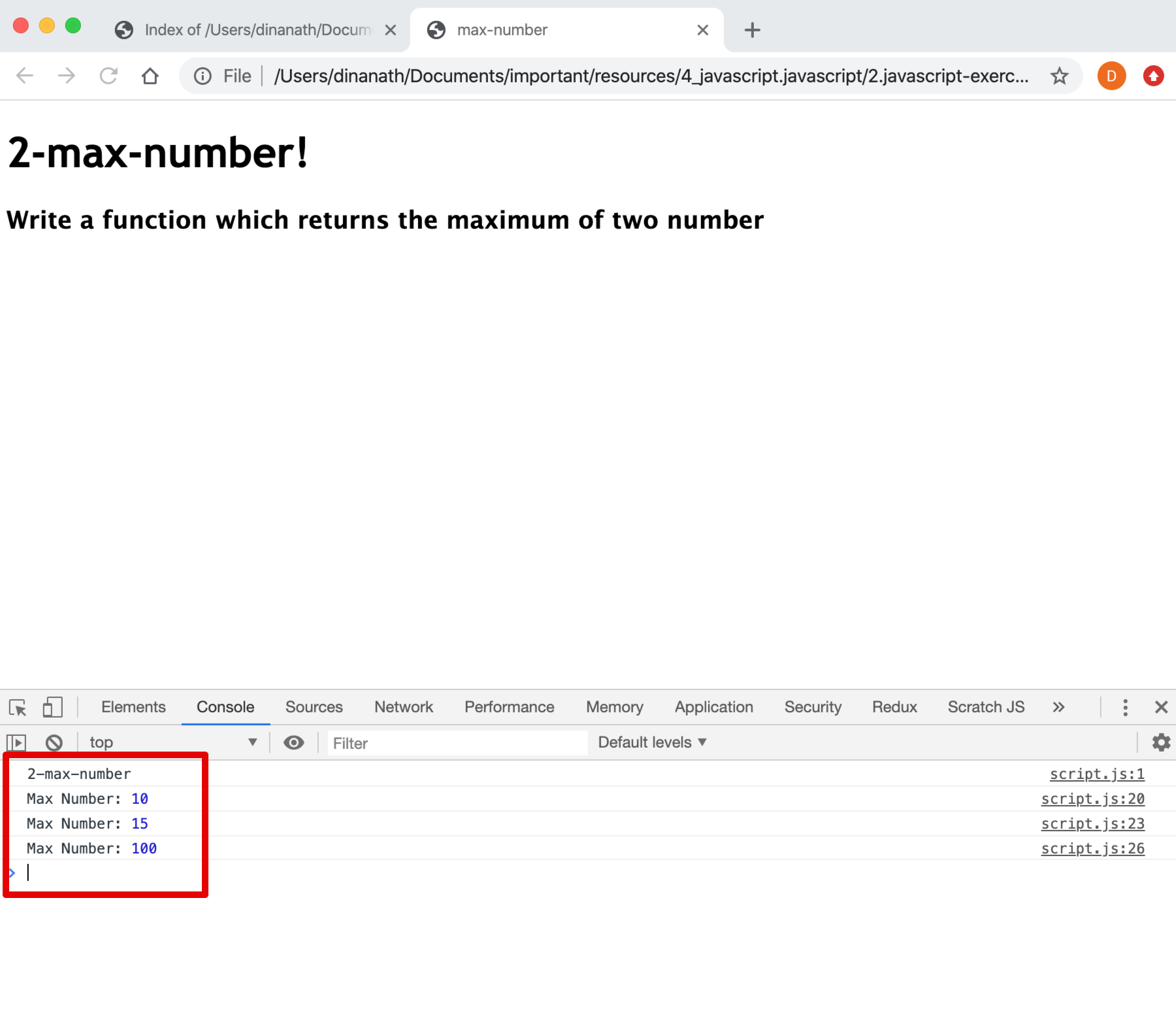 Image 2 - Max Number
Syntax & Example:
2-max-number.html
<!DOCTYPE html>
<html lang="en">
<head>
  <meta charset="UTF-8">
  <meta name="viewport" content="width=device-width, initial-scale=1.0">
  <title>max-number</title>
  <link rel="stylesheet" type="text/css" href="../style.css" />
</head>
<body>

  <h1>2-max-number!</h1>

  <h3>Write a function which returns the maximum of two number</h3>

  <script type="text/javascript" src="script.js"></script>

</body>
</html>
Syntax & Example:
script.js
console.log('2-max-number');

function findMaxNumber(num1, num2){
  // 1. long syntax
  /* if(num1 > num2){
    return num1
  } else {
    return num2
  } */

  // 2. short syntax
  /* if(num1 > num2) return num1;
  else return num2; */

  // 3. ternary short syntax
  return (num1 > num2) ? num1 : num2;
}

let checkMax1 = findMaxNumber(10, 5);
console.log('Max Number:',checkMax1);

let checkMax2 = findMaxNumber(10, 15);
console.log('Max Number:',checkMax2);

let checkMax3 = findMaxNumber(100, 100);
console.log('Max Number:',checkMax3);
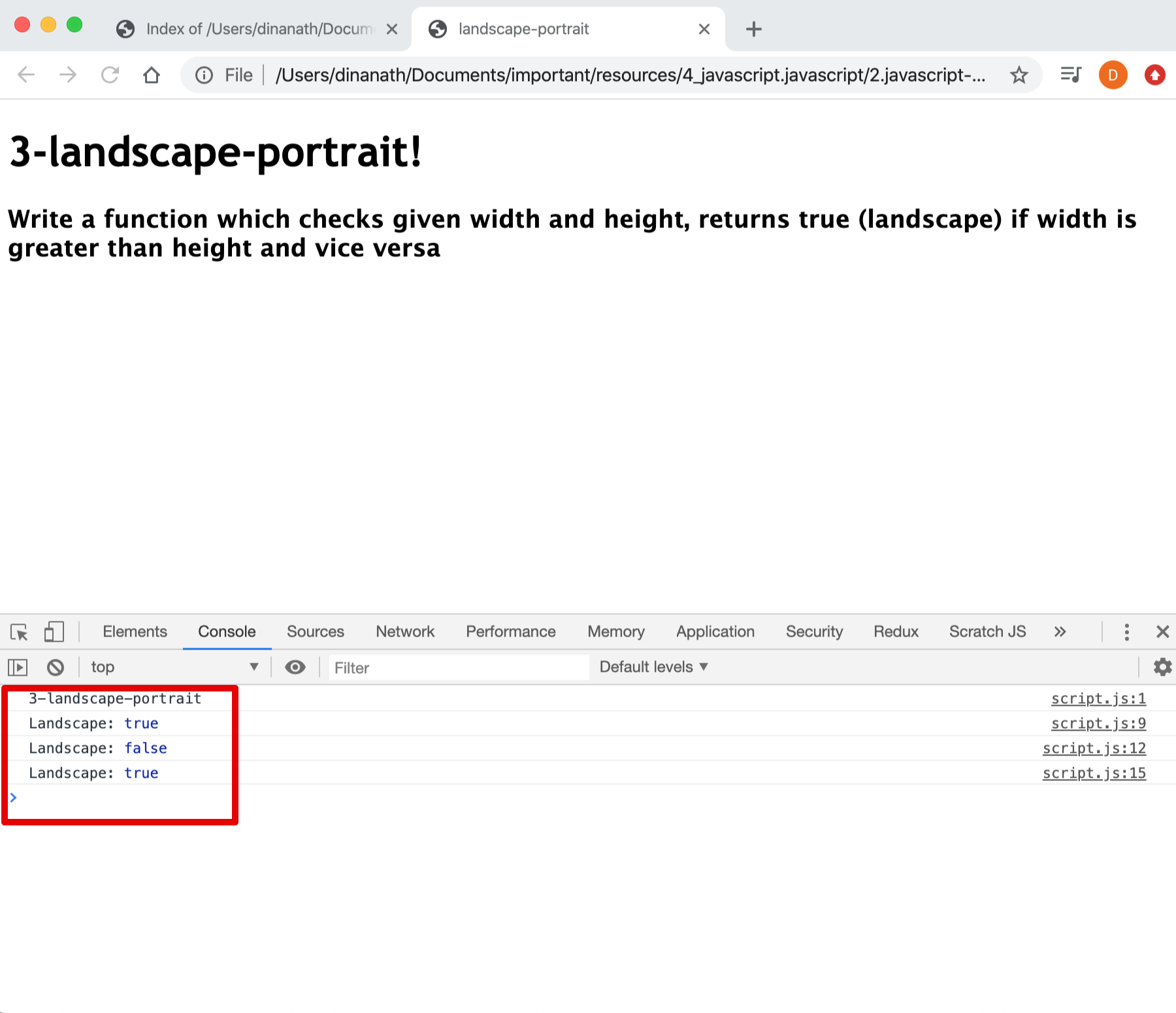 Image 3 - Landscape Portrait
Syntax & Example:
3-landscape-portrait.html
<!DOCTYPE html>
<html lang="en">
<head>
  <meta charset="UTF-8">
  <meta name="viewport" content="width=device-width, initial-scale=1.0">
  <title>landscape-portrait</title>
  <link rel="stylesheet" type="text/css" href="../style.css" />
</head>
<body>

  <h1>3-landscape-portrait!</h1>

  <h3>Write a function which checks given width and height, returns true (landscape) if width is greater than height and vice versa</h3>

  <script type="text/javascript" src="script.js"></script>

</body>
</html>
Syntax & Example:
script.js
console.log('3-landscape-portrait');

function isLandscape(width, height){
  // 3. ternary short syntax
  return (width > height);
}

let checkWidthHeight1 = isLandscape(800, 600);
console.log('Landscape:',checkWidthHeight1);

let checkWidthHeight2 = isLandscape(600, 800);
console.log('Landscape:',checkWidthHeight2);

let checkWidthHeight3 = isLandscape(1024, 768);
console.log('Landscape:',checkWidthHeight3);
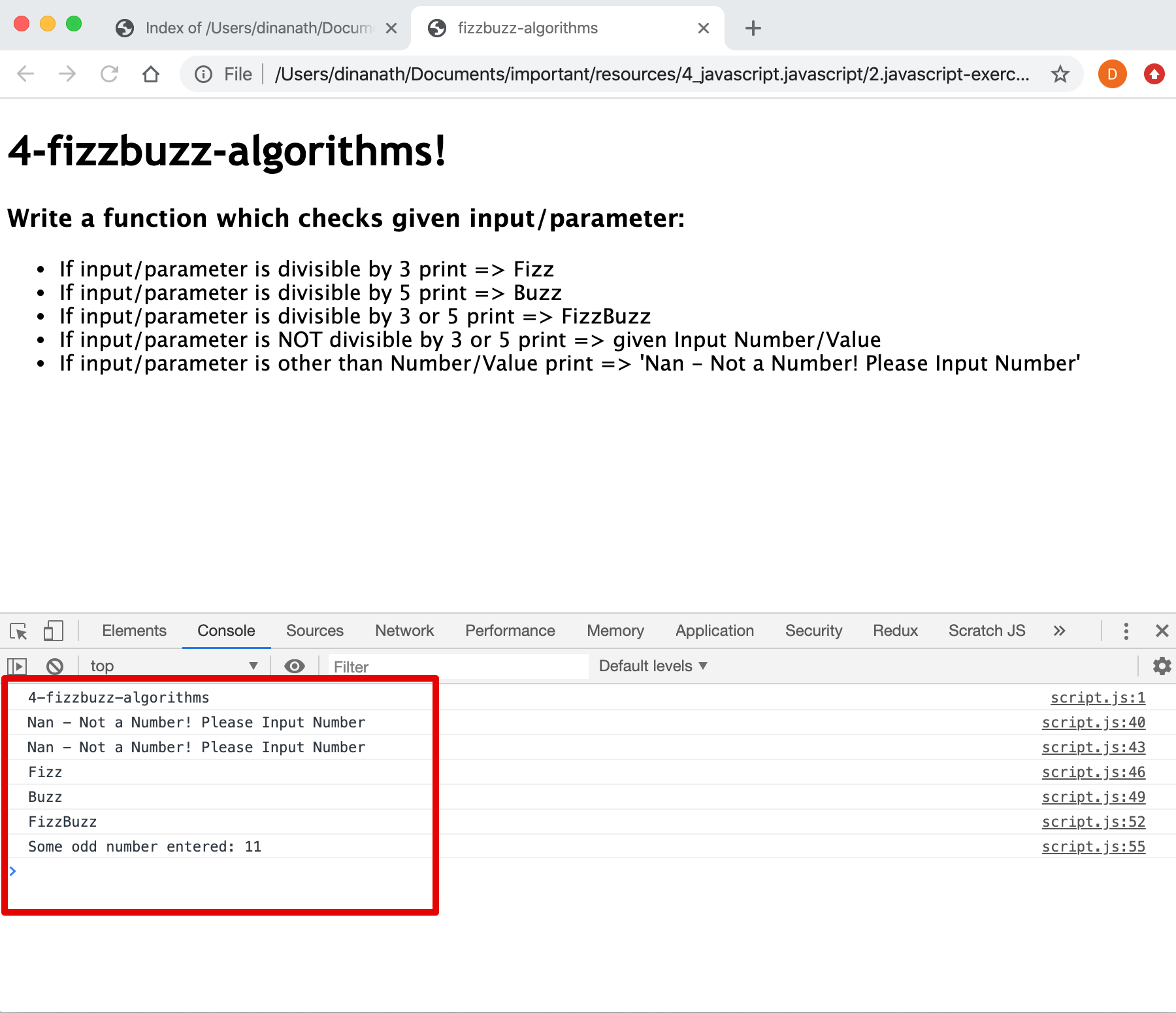 Image 4 - Ffizzbuz Algorithms
Syntax & Example:
4-fizzbuzz-algorithms.html
<!DOCTYPE html>
<html lang="en">
<head>
  <meta charset="UTF-8">
  <meta name="viewport" content="width=device-width, initial-scale=1.0">
  <title>fizzbuzz-algorithms</title>
  <link rel="stylesheet" type="text/css" href="../style.css" />
</head>
<body>

  <h1>4-fizzbuzz-algorithms!</h1>

  <h3>Write a function which checks given input/parameter:</h3>

  <ul>
    <li>If input/parameter is divisible by 3 print => Fizz</li>
    <li>If input/parameter is divisible by 5 print => Buzz</li>
    <li>If input/parameter is divisible by 3 or 5 print => FizzBuzz</li>
    <li>If input/parameter is NOT divisible by 3 or 5 print => given Input Number/Value</li>
    <li>If input/parameter is other than Number/Value print => 'Nan - Not a Number! Please Input Number' </li>
  </ul>

  <script type="text/javascript" src="script.js"></script>

</body>
</html>
Syntax & Example:
script.js
console.log('4-fizzbuzz-algorithms');

/*
<h3>Write a function which checks given input/parameter:</h3>

<ul>
  <li>If input/parameter is divisible by 3 print => Fizz</li>
  <li>If input/parameter is divisible by 5 print => Buzz</li>
  <li>If input/parameter is divisible by 3 or 5 print => FizzBuzz</li>
  <li>If input/parameter is NOT divisible by 3 or 5 print => given Input Number/Value</li>
  <li>If input/parameter is other than Number/Value print => 'Nan - Not a Number! Please Input Number' </li>
</ul>
*/

function isfizzBuzz(arg){
  if(typeof arg !== 'number'){
    return ('Nan - Not a Number! Please Input Number');
  }

  if((arg % 3 === 0) && (arg % 5 === 0)) {
    return 'FizzBuzz';
  }

  if(arg % 3 === 0) {
    return 'Fizz';
  }

  if(arg % 5 === 0) {
    return 'Buzz';
  }

  else {
    return 'Some odd number entered: ' + arg;
  }

}

let checkFizzBuzz1 = isfizzBuzz('one');
console.log(checkFizzBuzz1);

let checkFizzBuzz2 = isfizzBuzz(true);
console.log(checkFizzBuzz2);

let checkFizzBuzz3 = isfizzBuzz(9);
console.log(checkFizzBuzz3);

let checkFizzBuzz4 = isfizzBuzz(10);
console.log(checkFizzBuzz4);

let checkFizzBuzz5 = isfizzBuzz(30);
console.log(checkFizzBuzz5);

let checkFizzBuzz6 = isfizzBuzz(11);
console.log(checkFizzBuzz6);
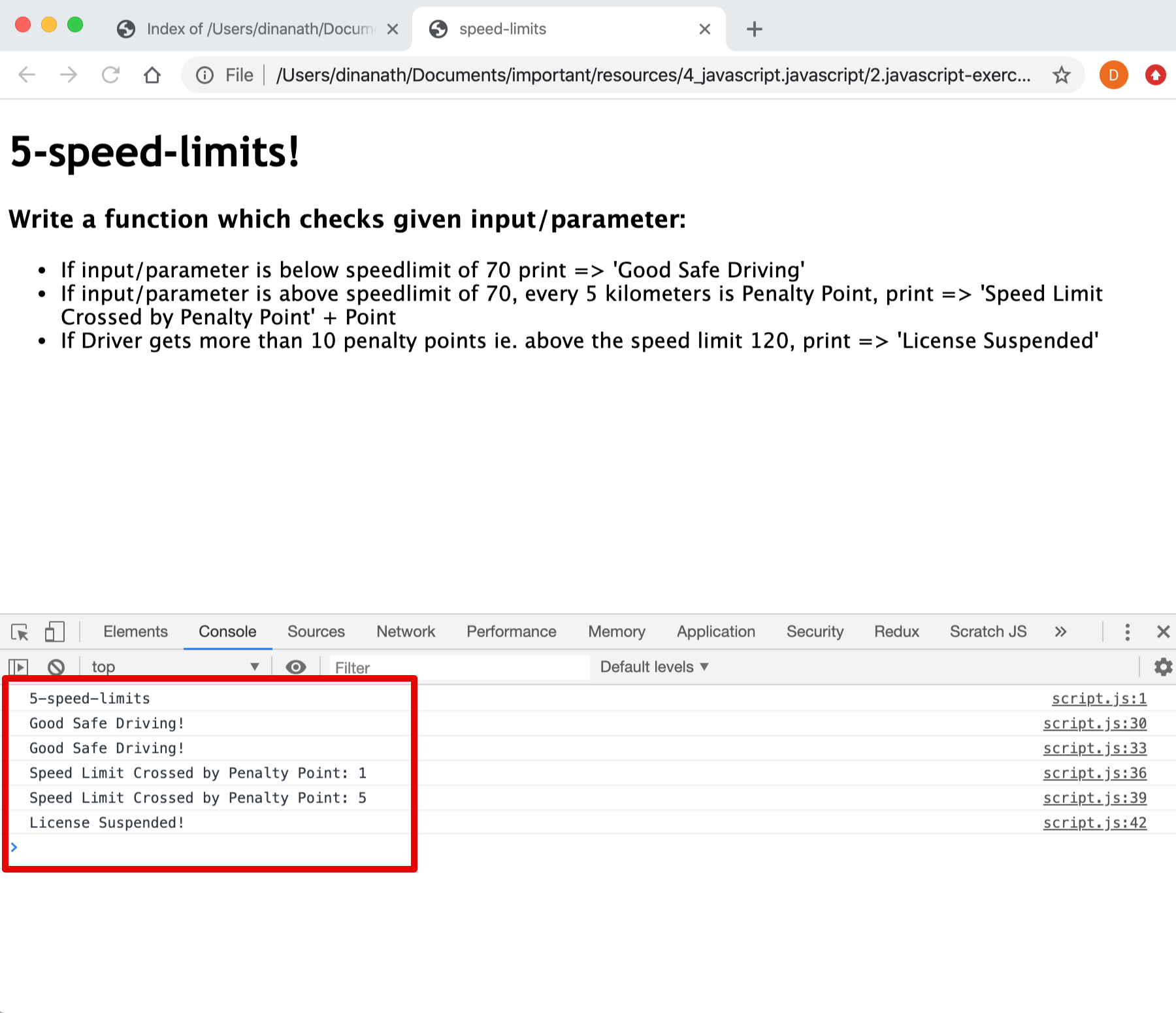 Image 5 - Speed Limits
Syntax & Example:
5-speed-limits.html
<!DOCTYPE html>
<html lang="en">
<head>
  <meta charset="UTF-8">
  <meta name="viewport" content="width=device-width, initial-scale=1.0">
  <title>speed-limits</title>
  <link rel="stylesheet" type="text/css" href="../style.css" />
</head>
<body>

  <h1>5-speed-limits!</h1>

  <h3>Write a function which checks given input/parameter:</h3>

  <ul>
    <li>If input/parameter is below speedlimit of 70 print => 'Good Safe Driving'</li>
    <li>If input/parameter is above speedlimit of 70, every 5 kilometers is Penalty Point, print => 'Speed Limit Crossed by Penalty Point' + Point </li>
    <li>If Driver gets more than 10 penalty points ie. above the speed limit 120, print => 'License Suspended'</li>
  </ul>

  <script type="text/javascript" src="script.js"></script>

</body>
</html>
Syntax & Example:
script.js
console.log('5-speed-limits');

/*
<h3>Write a function which checks given input/parameter:</h3>

<ul>
  <li>If input/parameter is below speedlimit of 70 print => 'Good Safe Driving'</li>
  <li>If input/parameter is above speedlimit of 70, every 5 kilometers is Penalty Point, print => 'Speed Limit Crossed by Penalty Point' + Point </li>
  <li>If Driver gets more than 10 penalty points ie. above the speed limit 120, print => 'License Suspended'</li>
</ul>
*/

const SPEEDLIMIT = 70;
const KMPERPOINT = 5;

function checkSpeedLimit(curSpeed) {
  if (curSpeed <= SPEEDLIMIT) {
    return ('Good Safe Driving!');
  } else {
    let penaltyPoint = Math.floor((curSpeed - SPEEDLIMIT) / KMPERPOINT);
    if (penaltyPoint < 10) {
      return ('Speed Limit Crossed by Penalty Point: ' + penaltyPoint);
    } else {
      return ('License Suspended!');
    }
  }
}

let checkPoin1 = checkSpeedLimit(40);
console.log(checkPoin1);

let checkPoin2 = checkSpeedLimit(70);
console.log(checkPoin2);

let checkPoin3 = checkSpeedLimit(75);
console.log(checkPoin3);

let checkPoin4 = checkSpeedLimit(99);
console.log(checkPoin4);

let checkPoin5 = checkSpeedLimit(120);
console.log(checkPoin5);
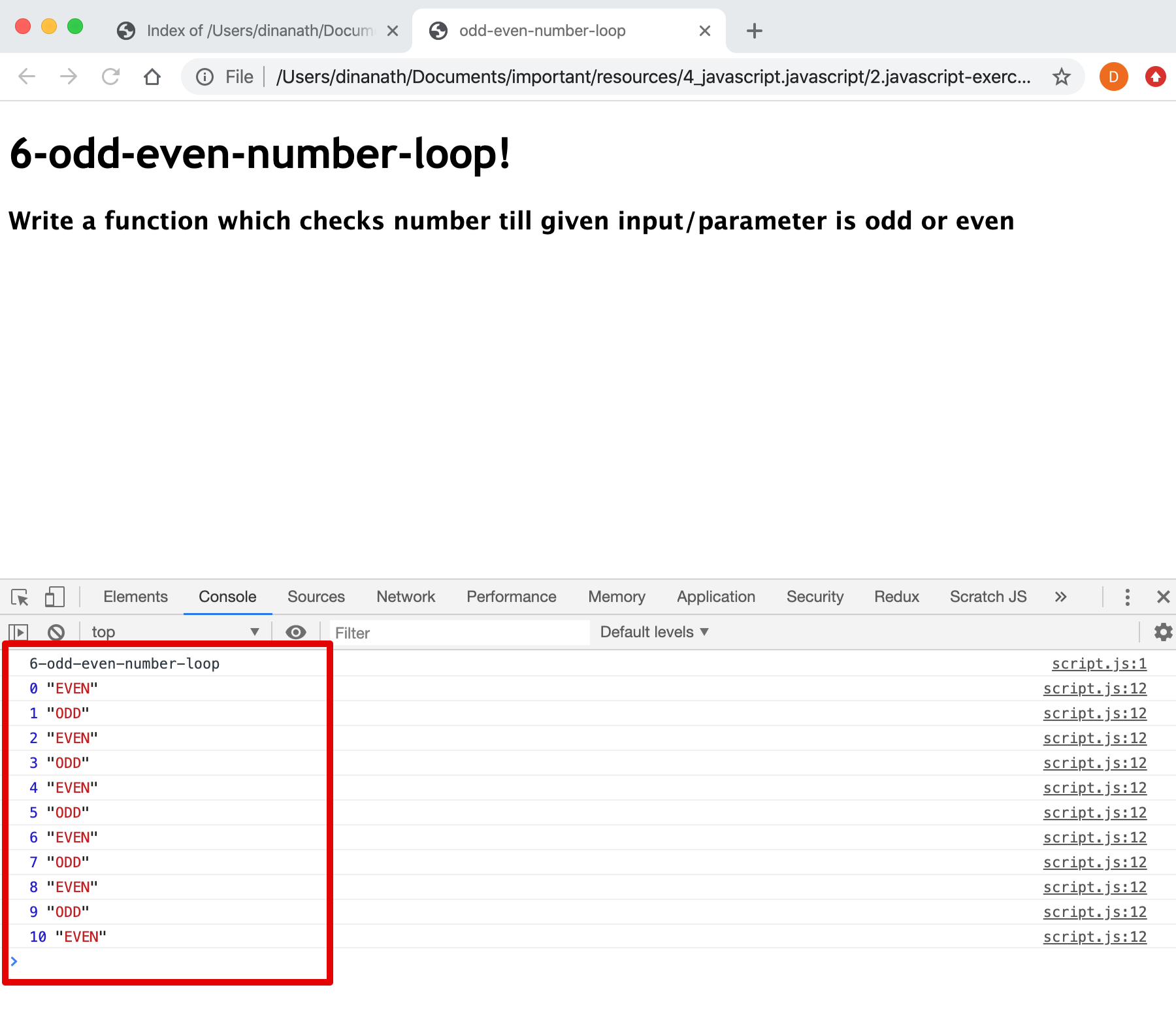 Image 6 - Odd Even Number Loop
Syntax & Example:
6-odd-even-number-loop.html
<!DOCTYPE html>
<html lang="en">
<head>
  <meta charset="UTF-8">
  <meta name="viewport" content="width=device-width, initial-scale=1.0">
  <title>odd-even-number-loop</title>
  <link rel="stylesheet" type="text/css" href="../style.css" />
</head>
<body>

  <h1>6-odd-even-number-loop!</h1>

  <h3>Write a function which checks number till given input/parameter is odd or even</h3>

  <script type="text/javascript" src="script.js"></script>

</body>
</html>
Syntax & Example:
script.js
console.log('6-odd-even-number-loop');

function isOddEvenNumber(curLimit) {
  for(let i = 0; i <= curLimit; i++) {
    /* if (i % 2 === 0) {
      console.log(i , 'EVEN');
    } else {
      console.log(i , 'ODD');
    } */

    const alertMessage = (i % 2 === 0) ? 'EVEN' : 'ODD';
    console.log(i , alertMessage);
  }
}

isOddEvenNumber(10);
// isOddEvenNumber(17);
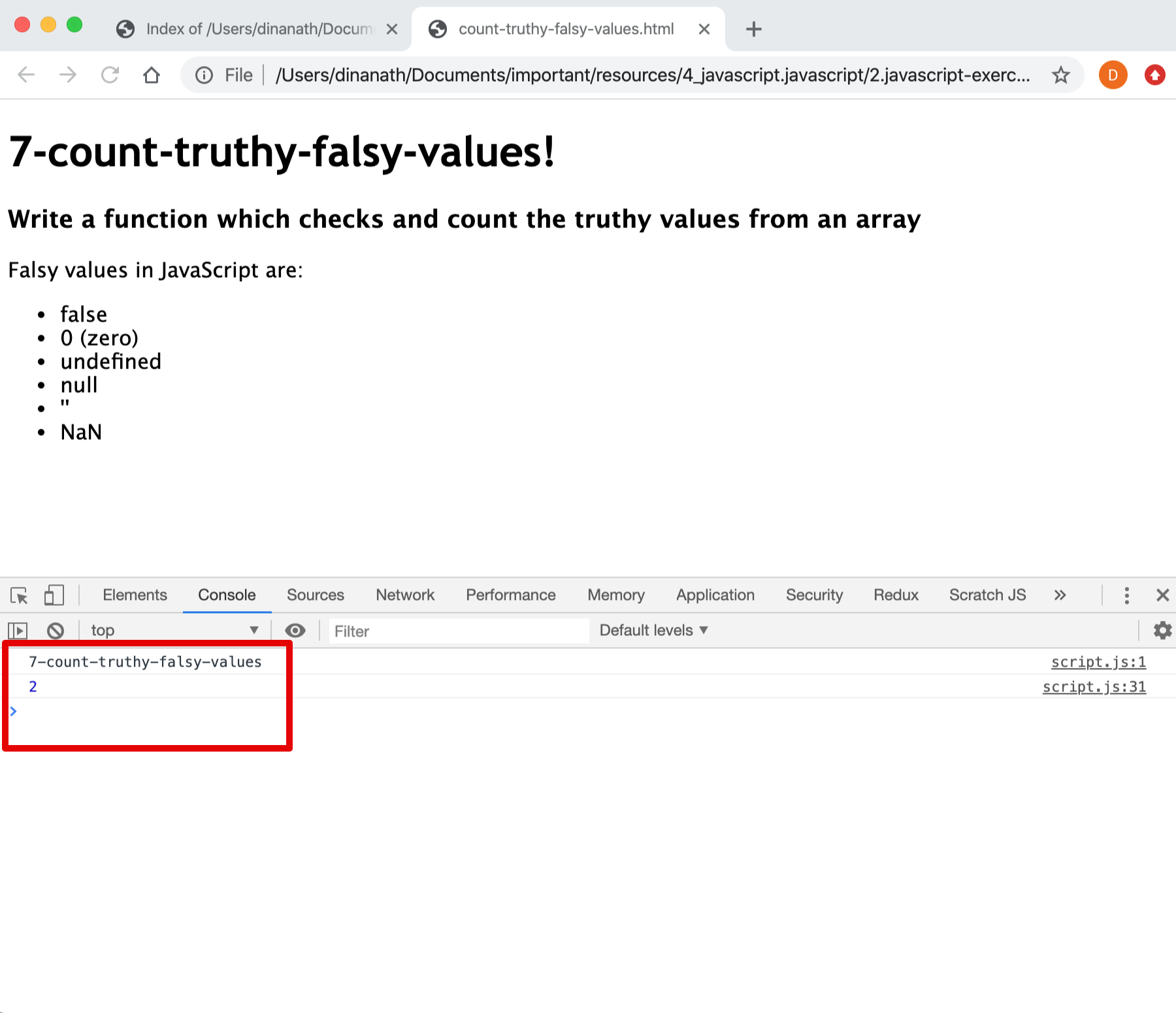 Image 7 - Count Truthy Falsy Values
Syntax & Example:
7-count-truthy-falsy-values.html
<!DOCTYPE html>
<html lang="en">
<head>
  <meta charset="UTF-8">
  <meta name="viewport" content="width=device-width, initial-scale=1.0">
  <title>count-truthy-falsy-values.html</title>
  <link rel="stylesheet" type="text/css" href="../style.css" />
</head>
<body>

  <h1>7-count-truthy-falsy-values!</h1>

  <h3>Write a function which checks and count the truthy values from an array</h3>

  Falsy values in JavaScript are:
  <ul>
    <li>false</li>
    <li>0 (zero)</li>
    <li>undefined</li>
    <li>null</li>
    <li>''</li>
    <li>NaN</li>
  </ul>

  <script type="text/javascript" src="script.js"></script>

</body>
</html>
Syntax & Example:
script.js
console.log('7-count-truthy-falsy-values');

/*
<h3>Write a function which checks and count the truthy values from an array</h3>

Falsy values in JavaScript are:
<ul>
  <li>false</li>
  <li>0 (zero)</li>
  <li>undefined</li>
  <li>null</li>
  <li>''</li>
  <li>NaN</li>
</ul>
*/

const valuesArray = [0, 1, '', undefined, false, true];

function checkCountTruthyFalsy(curArray) {
  let truthyCount = 0;

  for (let value of curArray) {
    // no need to check if(value !== false || value !== 0 || value !== '' or ...)
    if (value) {
      truthyCount++;
    }
  }
  return truthyCount;
}

console.log(checkCountTruthyFalsy(valuesArray));
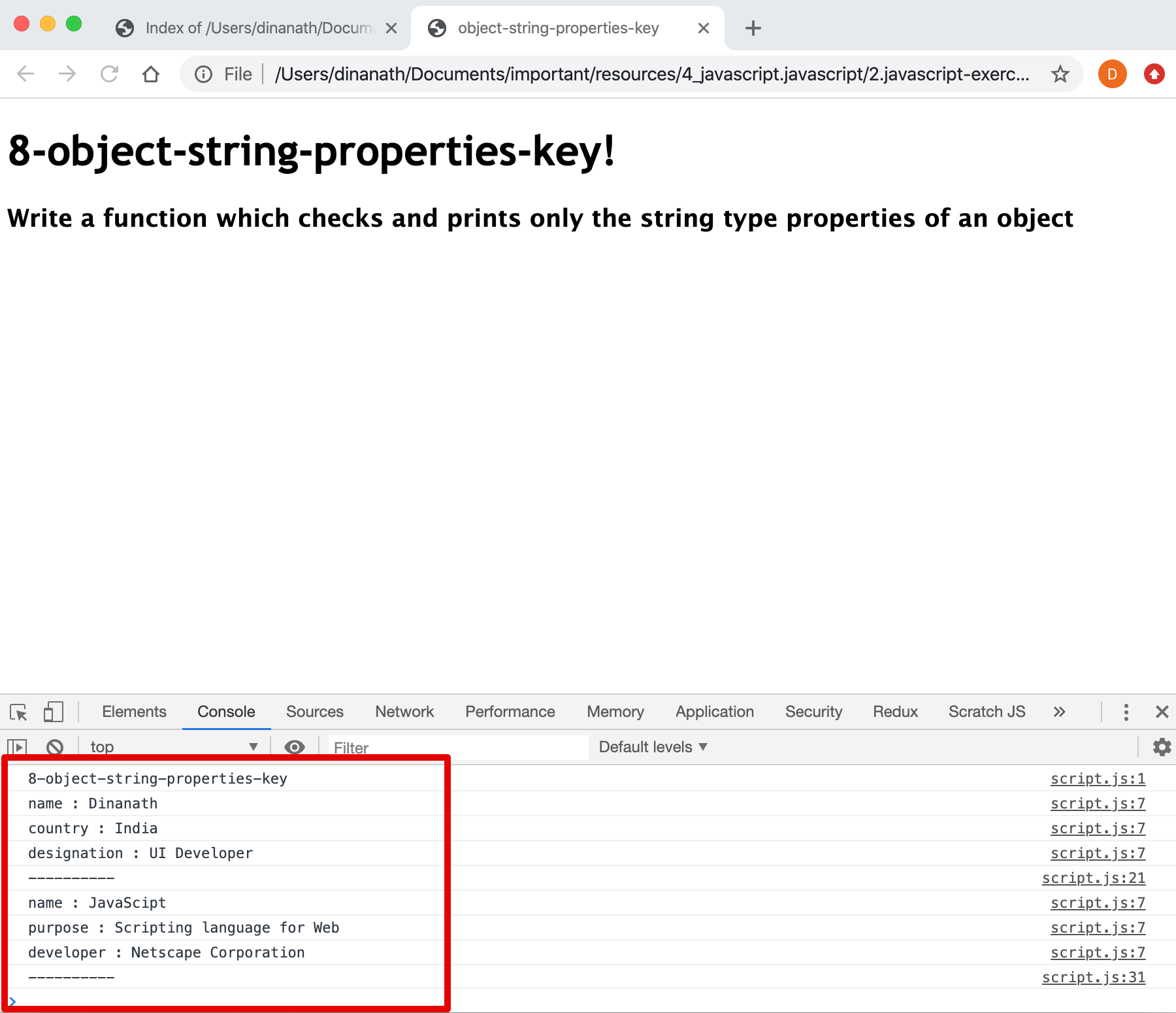 Image 8 - Object String Properties Key
Syntax & Example:
8-object-string-properties-key.html
<!DOCTYPE html>
<html lang="en">
<head>
  <meta charset="UTF-8">
  <meta name="viewport" content="width=device-width, initial-scale=1.0">
  <title>object-string-properties-key</title>
  <link rel="stylesheet" type="text/css" href="../style.css" />
</head>
<body>

  <h1>8-object-string-properties-key!</h1>

  <h3>Write a function which checks and prints only the string type properties of an object</h3>

  <script type="text/javascript" src="script.js"></script>

</body>
</html>
Syntax & Example:
script.js
console.log('8-object-string-properties-key');

function showStringProperties(curObj) {
  for(let key in curObj) {
    // console.log('key/prop:', key);
    if(typeof(curObj[key]) === 'string') {
      console.log(key,':', curObj[key]);
    }
  }
}

const Person = {
  name: 'Dinanath',
  age: 40,
  height: 5.6,
  country: 'India',
  designation: 'UI Developer'
}

showStringProperties(Person);
console.log('----------');

const Technology = {
  name: 'JavaScipt',
  version: 6,
  purpose: 'Scripting language for Web',
  developer: 'Netscape Corporation'
}

showStringProperties(Technology);
console.log('----------');
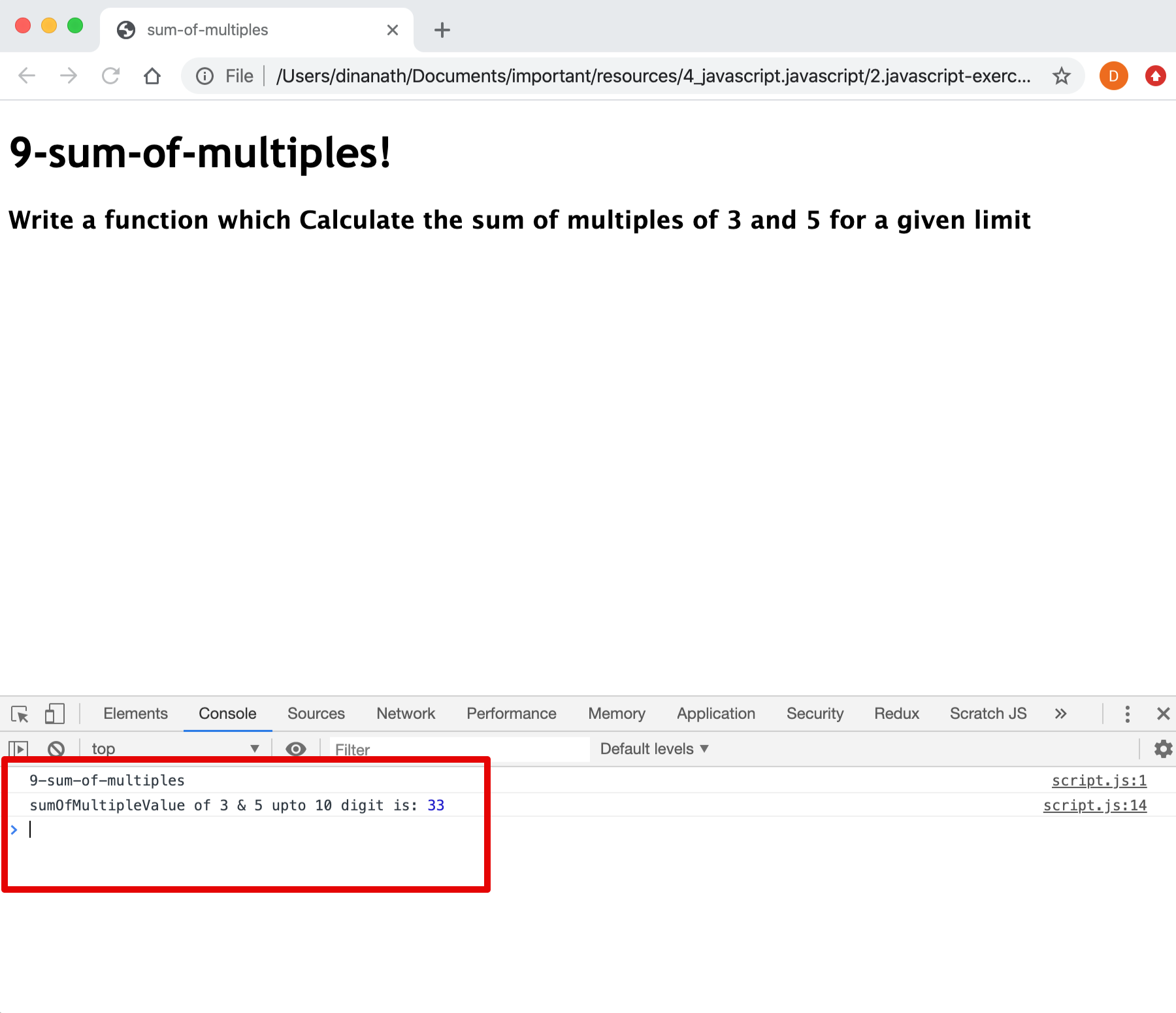 Image 9 - Sum of Multiples
Syntax & Example:
9-sum-of-multiples.html
<!DOCTYPE html>
<html lang="en">
<head>
  <meta charset="UTF-8">
  <meta name="viewport" content="width=device-width, initial-scale=1.0">
  <title>sum-of-multiples</title>
  <link rel="stylesheet" type="text/css" href="../style.css" />
</head>
<body>

  <h1>9-sum-of-multiples!</h1>

  <h3>Write a function which Calculate the sum of multiples of 3 and 5 for a given limit</h3>

  <script type="text/javascript" src="script.js"></script>

</body>
</html>
Syntax & Example:
script.js
console.log('9-sum-of-multiples');

function sumOfMultiples(curLimit) {

  let sumOfMultipleValue = 0;

  for(let i = 0; i <= curLimit; i++) {
    if (i % 3 === 0 || i % 5 === 0) {
      // console.log(i);
      sumOfMultipleValue +=i;
    }
  }
  // return sumOfMultipleValue;
  console.log(`sumOfMultipleValue of 3 & 5 upto ${curLimit} digit is:`, sumOfMultipleValue);
}

sumOfMultiples(10);
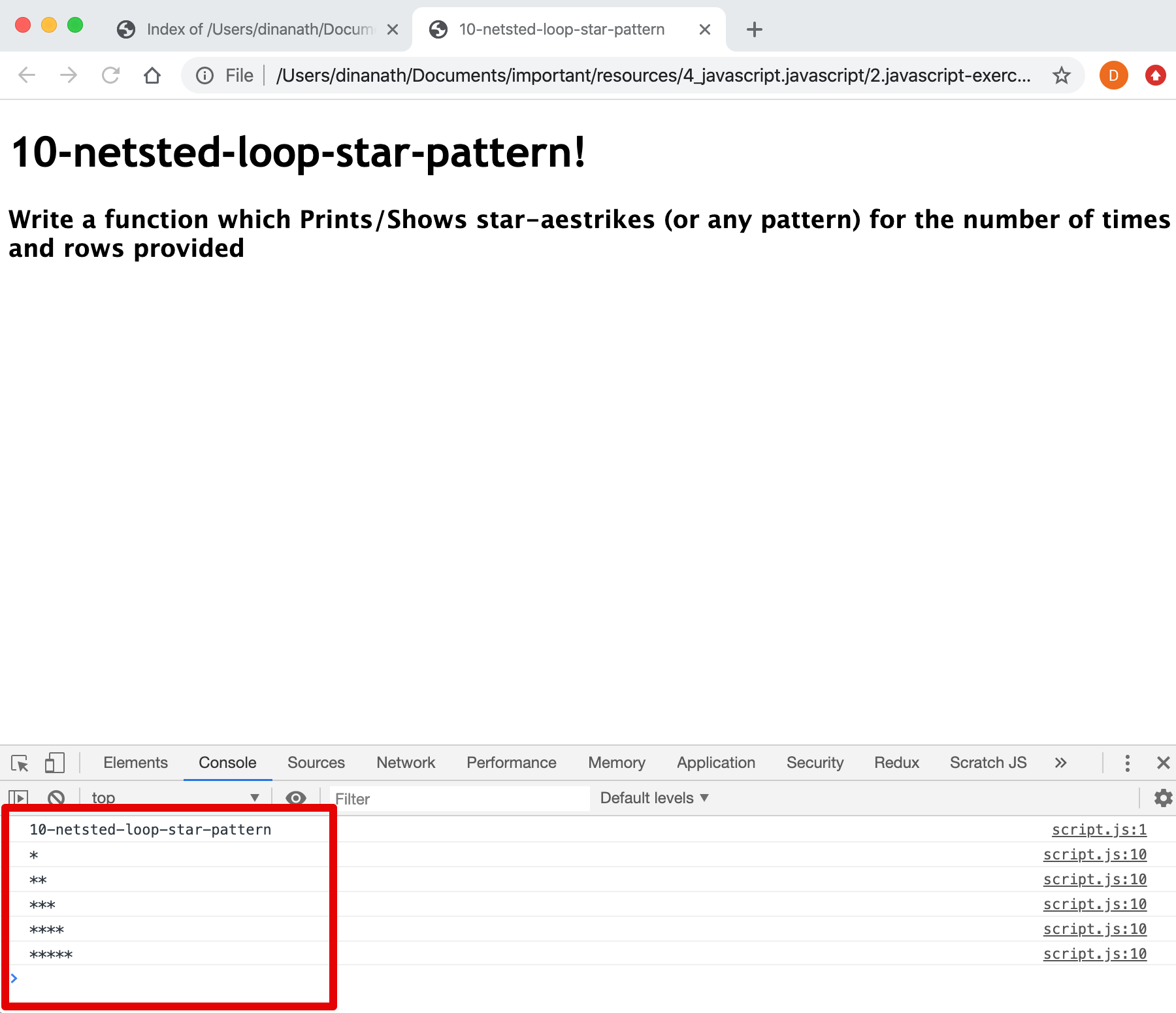 Image 10 - Netsted Loop Star Pattern
Syntax & Example:
10-netsted-loop-star-pattern.html
<!DOCTYPE html>
<html lang="en">
<head>
  <meta charset="UTF-8">
  <meta name="viewport" content="width=device-width, initial-scale=1.0">
  <title>10-netsted-loop-star-pattern</title>
  <link rel="stylesheet" type="text/css" href="../style.css" />
</head>
<body>

  <h1>10-netsted-loop-star-pattern!</h1>

  <h3>Write a function which Prints/Shows star-aestrikes (or any pattern) for the number of times and rows provided</h3>

  <script type="text/javascript" src="script.js"></script>

</body>
</html>
Syntax & Example:
script.js
console.log('10-netsted-loop-star-pattern');

function showPattern(totalRowsPatternCount) {
  for (let curRow = 1; curRow <= totalRowsPatternCount; curRow++) {
    // console.log(curRow);
    let patternDesign = '';
    for (let i = 0; i < curRow; i++) {
      patternDesign += '*'
    }
    console.log(patternDesign);
  }
}

showPattern(5);
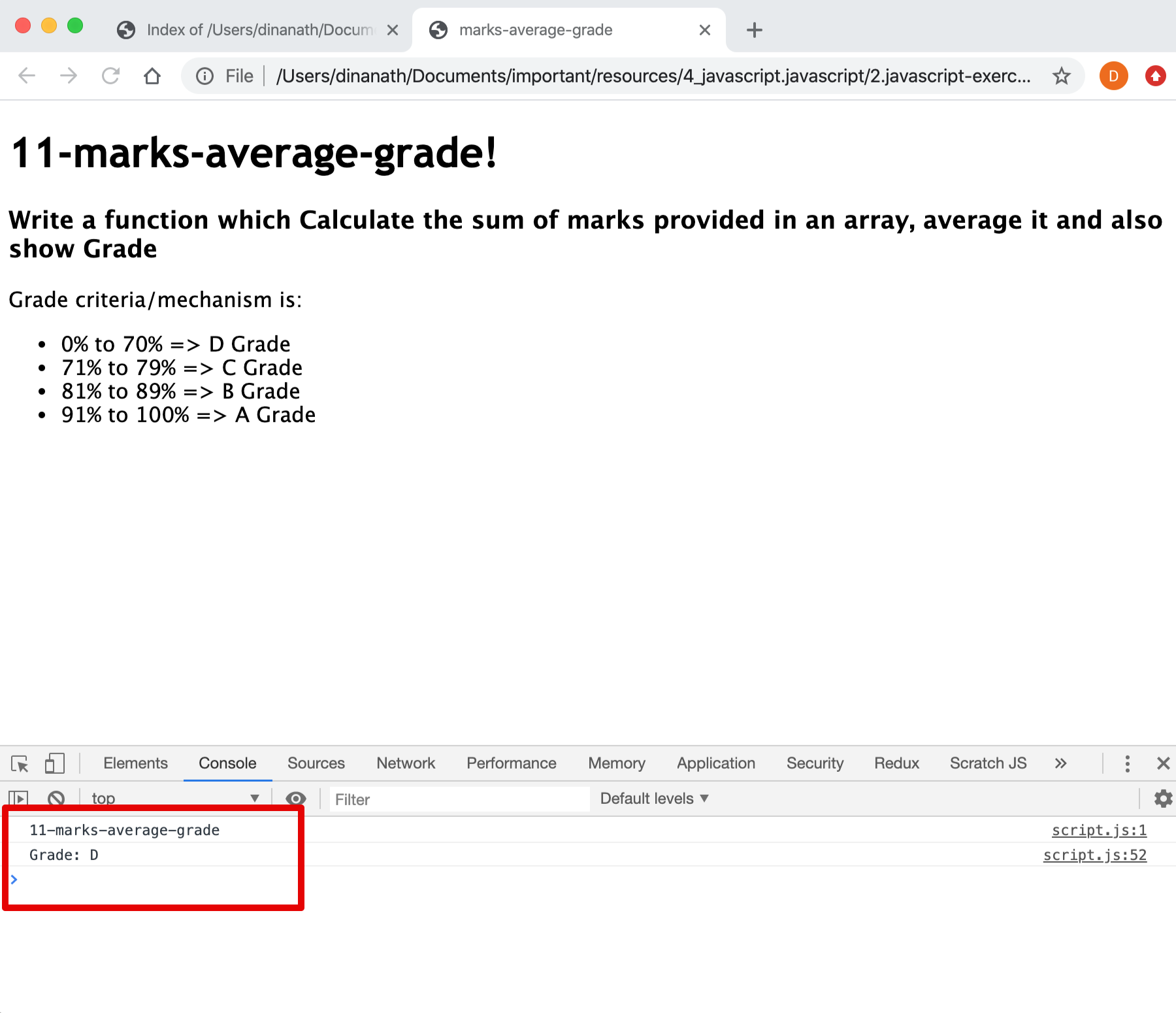 Image 11 - Marks Average Grade
Syntax & Example:
11-marks-average-grade.html
<!DOCTYPE html>
<html lang="en">
<head>
  <meta charset="UTF-8">
  <meta name="viewport" content="width=device-width, initial-scale=1.0">
  <title>marks-average-grade</title>
  <link rel="stylesheet" type="text/css" href="../style.css" />
</head>
<body>

  <h1>11-marks-average-grade!</h1>

  <h3>Write a function which Calculate the sum of marks provided in an array, average it and also show Grade</h3>

  Grade criteria/mechanism is:
  <ul>
    <li>0% to 70% => D Grade</li>
    <li>71% to 79% => C Grade</li>
    <li>81% to 89% => B Grade</li>
    <li>91% to 100% => A Grade</li>
  </ul>

  <script type="text/javascript" src="script.js"></script>

</body>
</html>
Syntax & Example:
script.js
console.log('11-marks-average-grade');

// approach 1

/* const MARKSARRAY = [55, 85, 55, 65];

function calculateAverageGrade(currentMarks) {
  let totalMarks = 0;
  let averageMarks = 0;
  let grade;

  for(let mark of currentMarks) {
    totalMarks += mark;
  }
  // console.log('totalMarks:', totalMarks);
  averageMarks = (totalMarks/currentMarks.length);
  // console.log('averageMarks:', averageMarks);

  if(averageMarks < 70) return grade = 'D';
  if(averageMarks < 80) return grade = 'C';
  if(averageMarks < 90) return grade = 'B';
  if(averageMarks <= 100) return grade = 'A';
}

console.log('Grade:', calculateAverageGrade(MARKSARRAY)); */

// approach 2 - create two different functions with single responsibility principle

const MARKSARRAY = [55, 85, 55, 65];

function calculateAverage(currentArray) {
  let total = 0;
  for (let curValue of currentArray) {
    total += curValue;
  }
  // console.log('total:', total);
  return (total/currentArray.length);
}

// console.log(calculateAverage(MARKSARRAY));

function calculateGrades(_currentArray) {
  const average = calculateAverage(_currentArray);
  // console.log('average:', average);

  if(average < 70) return grade = 'D';
  if(average < 80) return grade = 'C';
  if(average < 90) return grade = 'B';
  if(average <= 100) return grade = 'A';
}

console.log('Grade:',calculateGrades(MARKSARRAY));
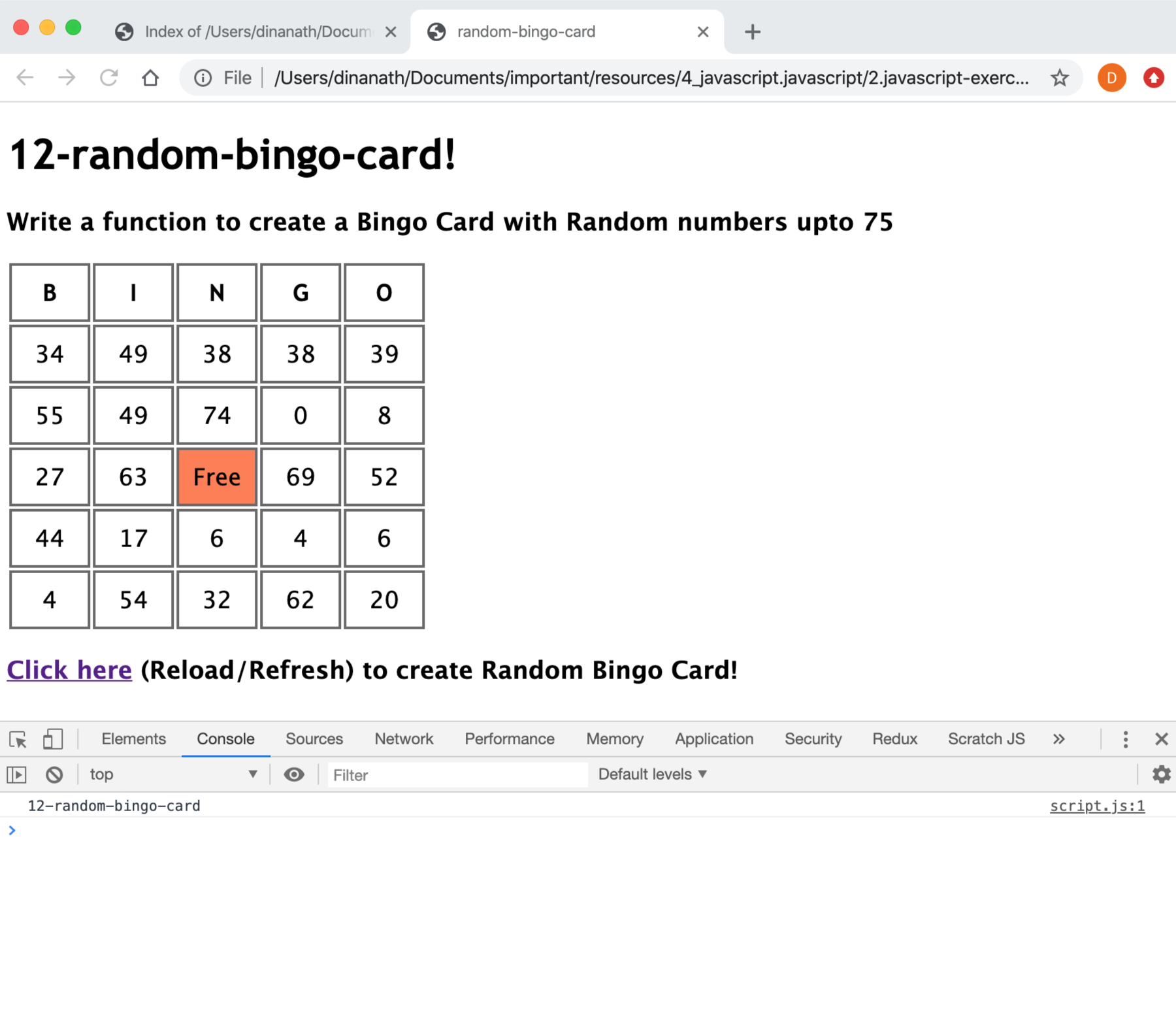 Image 12 - Random Bingo Card
Syntax & Example:
12-random-bingo-card.html
<!DOCTYPE html>
<html lang="en">
<head>
<meta charset="UTF-8">
<meta name="viewport" content="width=device-width, initial-scale=1.0">
<title>random-bingo-card</title>
<link rel="stylesheet" type="text/css" href="../style.css" />
</head>
<body>
<h1>12-random-bingo-card!</h1>
<h3>Write a function to create a Bingo Card with Random numbers upto 75</h3>
<table>
<thead>
<tr>
<th class="heading">B</th>
<th class="heading">I</th>
<th class="heading">N</th>
<th class="heading">G</th>
<th class="heading">O</th>
</tr>
</thead>
<tbody>
<tr>
<td id="Square1"> </td>
<td id="Square2"> </td>
<td id="Square3"> </td>
<td id="Square4"> </td>
<td id="Square5"> </td>
</tr>
<tr>
<td id="Square6"> </td>
<td id="Square7"> </td>
<td id="Square8"> </td>
<td id="Square9"> </td>
<td id="Square10"> </td>
</tr>
<tr>
<td id="Square11"> </td>
<td id="Square12"> </td>
<td id="freeSquare">Free</td>
<td id="Square13"> </td>
<td id="Square14"> </td>
</tr>
<tr>
<td id="Square15"> </td>
<td id="Square16"> </td>
<td id="Square17"> </td>
<td id="Square18"> </td>
<td id="Square19"> </td>
</tr>
<tr>
<td id="Square20"> </td>
<td id="Square21"> </td>
<td id="Square22"> </td>
<td id="Square23"> </td>
<td id="Square24"> </td>
</tr>
</tbody>
</table>
<h3><a href="">Click here</a> (Reload/Refresh) to create Random Bingo Card!</h3>
<script type="text/javascript" src="script.js"></script>
</body>
</html>
Syntax & Example:
script.js
console.log('12-random-bingo-card');

window.onload = createBingoCard;

function createBingoCard() {
  // console.log('in createBingoCard');

  for (var i = 1; i <= 24; i++) {
    var newRandomNum = Math.floor(Math.random() * 75);
    // console.log('newRandomNum', newRandomNum);
    document.getElementById('Square' + i).innerHTML = newRandomNum;
  }
}
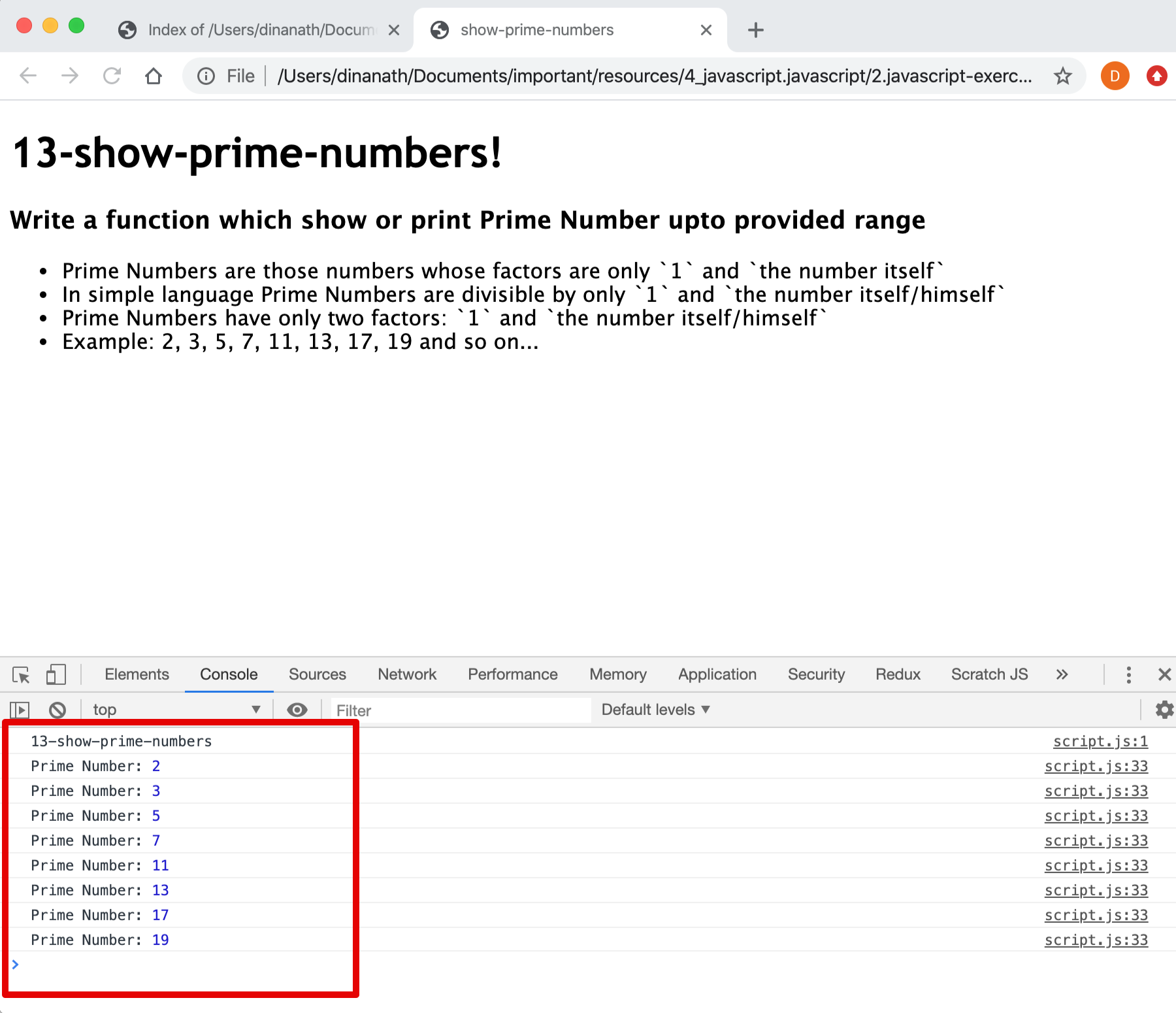 Image 13 - Show Prime Numbers
Syntax & Example:
13-show-prime-numbers.html
<!DOCTYPE html>
<html lang="en">
<head>
  <meta charset="UTF-8">
  <meta name="viewport" content="width=device-width, initial-scale=1.0">
  <title>show-prime-numbers</title>
  <link rel="stylesheet" type="text/css" href="../style.css" />
</head>
<body>

  <h1>13-show-prime-numbers!</h1>

  <h3>Write a function which show or print Prime Number upto provided range</h3>

  <ul>
    <li>Prime Numbers are those numbers whose factors are only `1` and `the number itself`</li>
    <li>In simple language Prime Numbers are divisible by only `1` and `the number itself/himself`</li>
    <li>Prime Numbers have only two factors: `1` and `the number itself/himself`</li>
    <li>Example: 2, 3, 5, 7, 11, 13, 17, 19 and so on...</li>
  </ul>

  <script type="text/javascript" src="script.js"></script>

</body>
</html>
Syntax & Example:
script.js
console.log('13-show-prime-numbers');

// approach 1

/* function showPrimeNumbers(numberLimit) {
  for (let curNum = 2; curNum <= numberLimit; curNum++) {
    // console.log('curNum', curNum);

    let isPrime = true;
    for (let factor = 2; factor < curNum; factor++) {
      // console.log('factor', factor);
      if (curNum % factor === 0) {
        isPrime = false;
        break;
      }
    }

    if (isPrime) {
      console.log('Prime Number', curNum);

    }
  }
}

showPrimeNumbers(20);*/

// approach 2

function showPrimeNumbers(numberLimit) {
  for (let curNum = 2; curNum <= numberLimit; curNum++) {
    // console.log('curNum', curNum);
    if (isPrimeNumber(curNum)) {
      console.log('Prime Number:', curNum);
    }
  }
}

function isPrimeNumber(_number) {
  for (let factor = 2; factor < _number; factor++) {
    // console.log('factor', factor);
    if (_number % factor === 0) {
      return false;
    }
  }
  return true;
}

showPrimeNumbers(20);
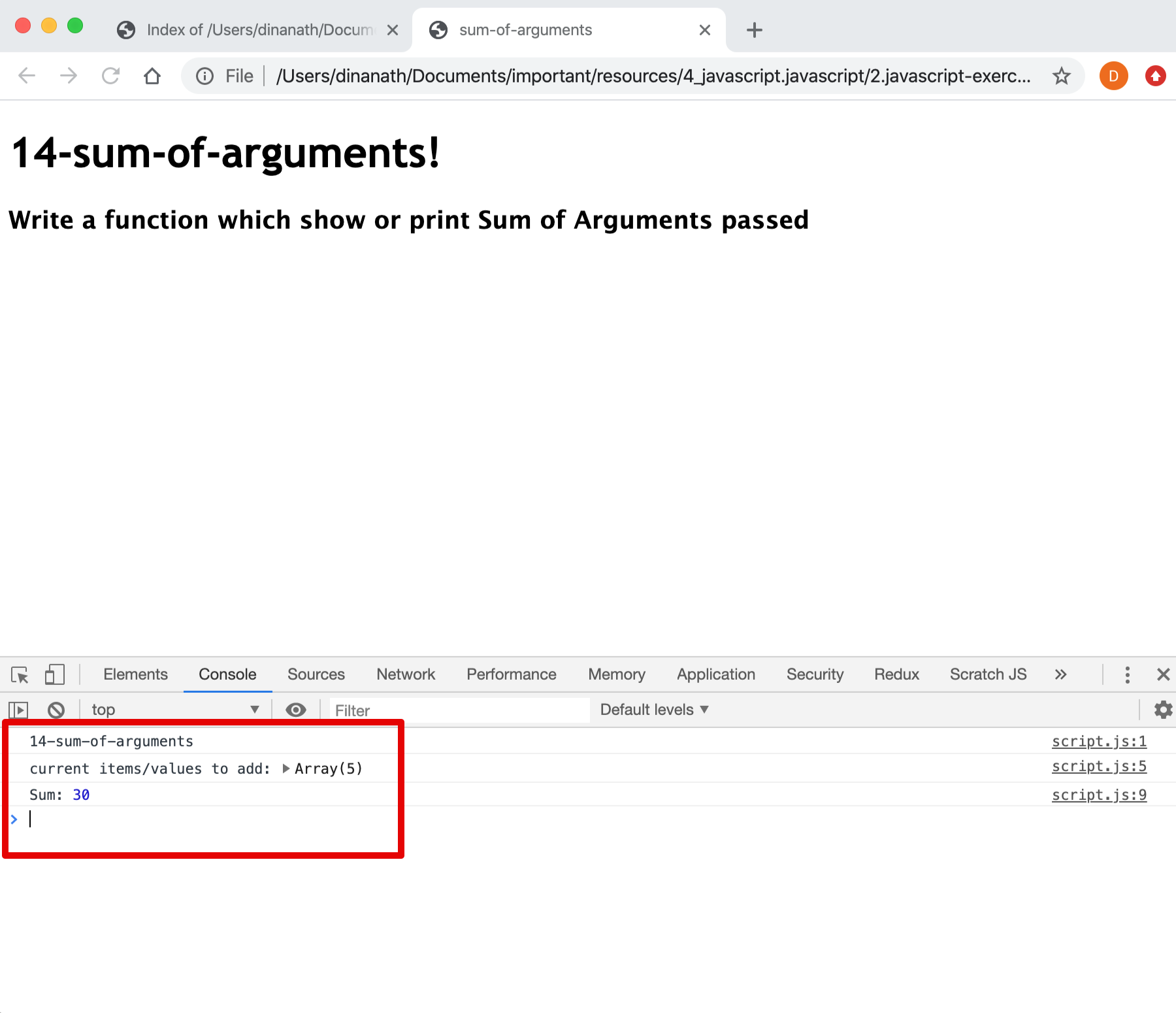 Image 14 - Sum Of Arguments
Syntax & Example:
14-sum-of-arguments.html
<!DOCTYPE html>
<html lang="en">
<head>
  <meta charset="UTF-8">
  <meta name="viewport" content="width=device-width, initial-scale=1.0">
  <title>sum-of-arguments</title>
  <link rel="stylesheet" type="text/css" href="../style.css" />
</head>
<body>

  <h1>14-sum-of-arguments!</h1>

  <h3>Write a function which show or print Sum of Arguments passed</h3>

  <script type="text/javascript" src="script.js"></script>

</body>
</html>
Syntax & Example:
script.js
console.log('14-sum-of-arguments');

function sumOfArguments(...items){
  // rest operator converts anything passed as an array
  console.log('current items/values to add:', items);
  return items.reduce((n1, n2) => n1 +n2);
}

console.log('Sum:', sumOfArguments(10, 2, 8, 4, 6));
// console.log('Sum:', sumOfArguments([10, 2, 8, 4, 6]));
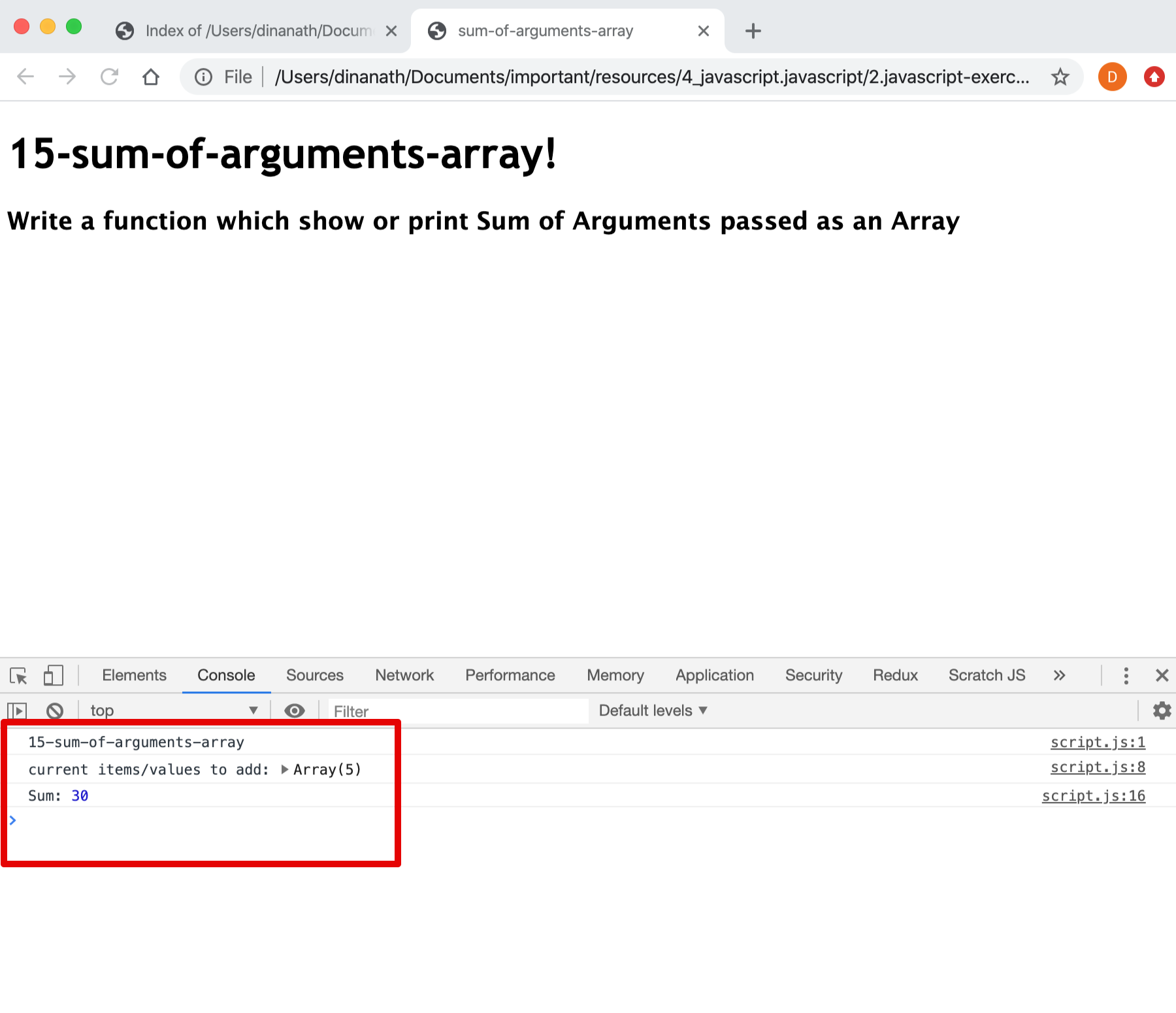 Image 15 - Sum Of Arguments Array
Syntax & Example:
15-sum-of-arguments-array.html
<!DOCTYPE html>
<html lang="en">
<head>
  <meta charset="UTF-8">
  <meta name="viewport" content="width=device-width, initial-scale=1.0">
  <title>sum-of-arguments-array</title>
  <link rel="stylesheet" type="text/css" href="../style.css" />
</head>
<body>

  <h1>15-sum-of-arguments-array!</h1>

  <h3>Write a function which show or print Sum of Arguments passed as an Array</h3>

  <script type="text/javascript" src="script.js"></script>

</body>
</html>
Syntax & Example:
script.js
console.log('15-sum-of-arguments-array');

function sumOfArguments(...items){
  // as rest operator converts anything passed as an array check following
  if(items.length === 1 && Array.isArray(items[0])) {
    // reset item as a new array
    items = [...items[0]]
    console.log('current items/values to add:', items);
    return items.reduce((n1, n2) => n1 +n2);
  }
}

// pass arguments as an array
// console.log('Sum:', sumOfArguments([10, 2, 8, 4, 6]));
console.log('Sum:', sumOfArguments([10, 2, 8, 4, 6]));
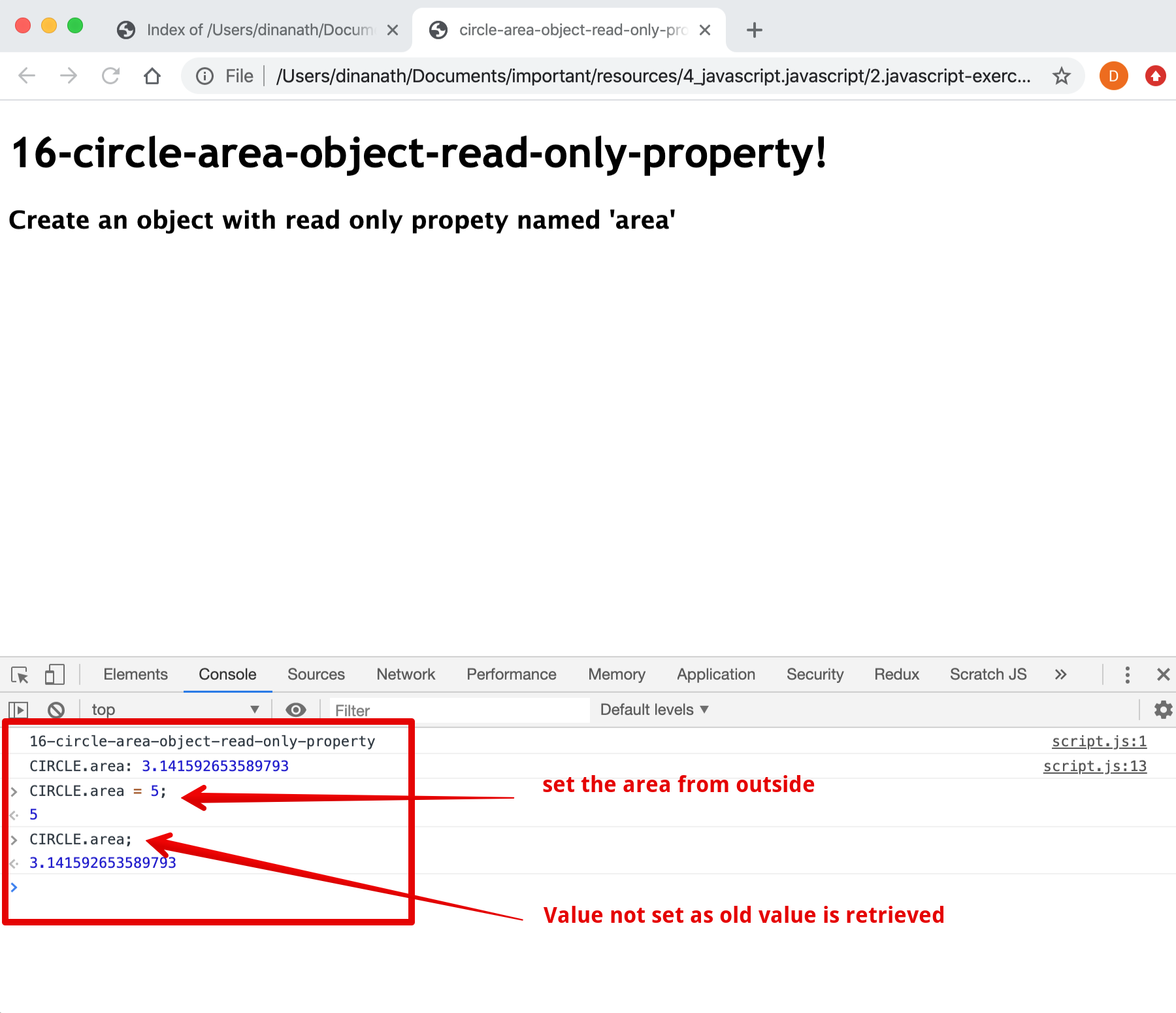 Image 16 - Circle Area Object Read Only Property
Syntax & Example:
16-circle-area-object-read-only-property.html
<!DOCTYPE html>
<html lang="en">
<head>
  <meta charset="UTF-8">
  <meta name="viewport" content="width=device-width, initial-scale=1.0">
  <title>circle-area-object-read-only-property</title>
  <link rel="stylesheet" type="text/css" href="../style.css" />
</head>
<body>

  <h1>16-circle-area-object-read-only-property!</h1>

  <h3>Create an object with read only propety named 'area'</h3>

  <script type="text/javascript" src="script.js"></script>

</body>
</html>
Syntax & Example:
script.js
console.log('16-circle-area-object-read-only-property');

const CIRCLE = {
  name: 'mainCircle',
  lineColor: 'red',
  bgColor: 'gray',
  radius: 1,
  get area() {
    return Math.PI * this.radius * this.radius;
  }
}

console.log('CIRCLE.area:', CIRCLE.area);
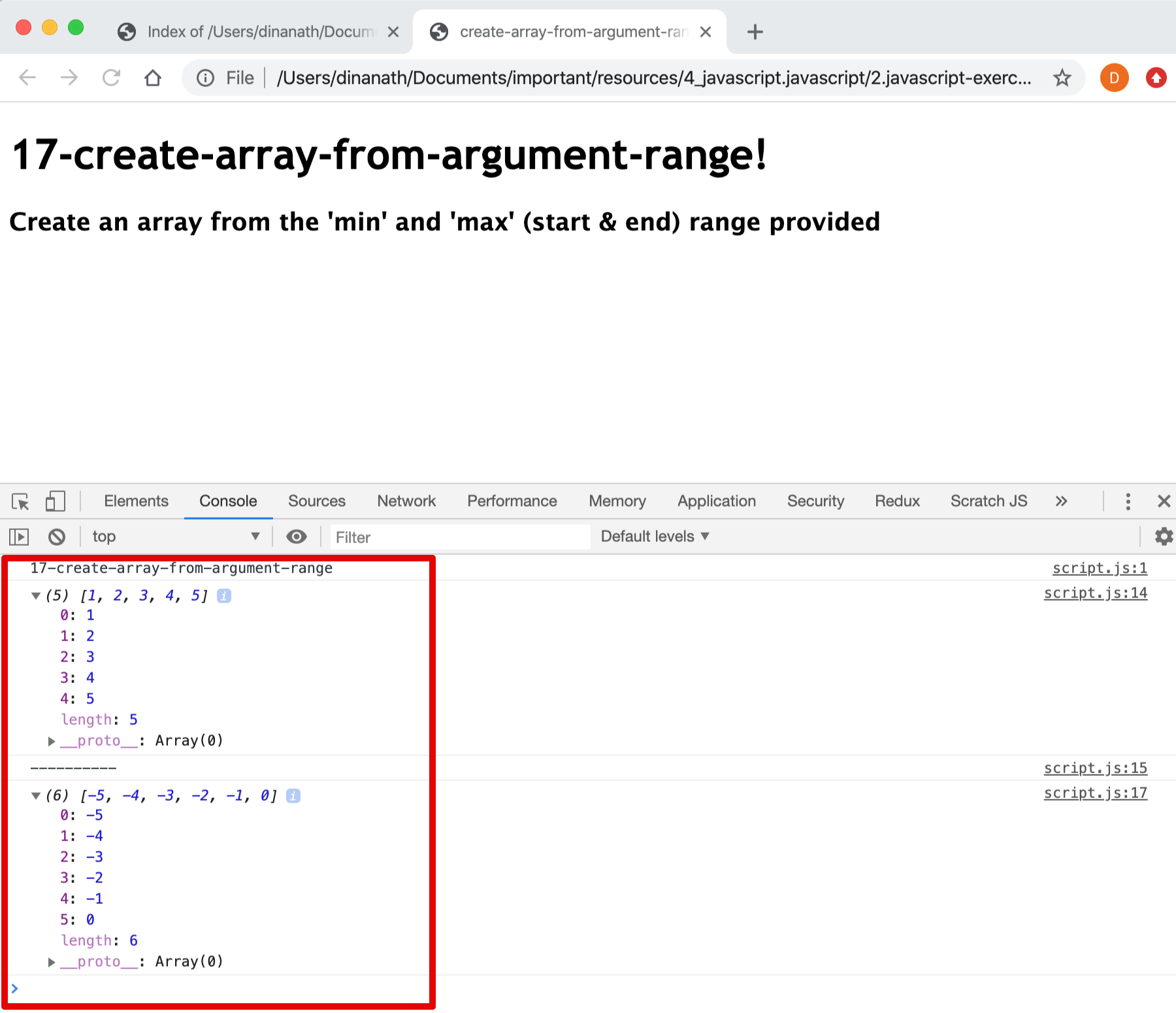 Image 17 - Create Array From Argument Range
Syntax & Example:
17-create-array-from-argument-range.html
<!DOCTYPE html>
<html lang="en">
<head>
  <meta charset="UTF-8">
  <meta name="viewport" content="width=device-width, initial-scale=1.0">
  <title>create-array-from-argument-range</title>
  <link rel="stylesheet" type="text/css" href="../style.css" />
</head>
<body>

  <h1>17-create-array-from-argument-range!</h1>

  <h3>Create an array of the values from the 'min' and 'max' (start & end) range provided</h3>

  <script type="text/javascript" src="script.js"></script>

</body>
</html>
Syntax & Example:
script.js
console.log('17-create-array-from-argument-range');

function generateArrayFromRange(startNum, endNum) {
  const rangeArray = [];
  for(let curNum = startNum; curNum <= endNum; curNum++) {
    // console.log('curNum: ', curNum);
    rangeArray.push(curNum);
    // console.log('rangeArray: ', rangeArray);
  }
  return rangeArray;
}

const range1 = generateArrayFromRange(1, 5);
console.log(range1);
console.log('----------');
const range2 = generateArrayFromRange(-5, 0);
console.log(range2);
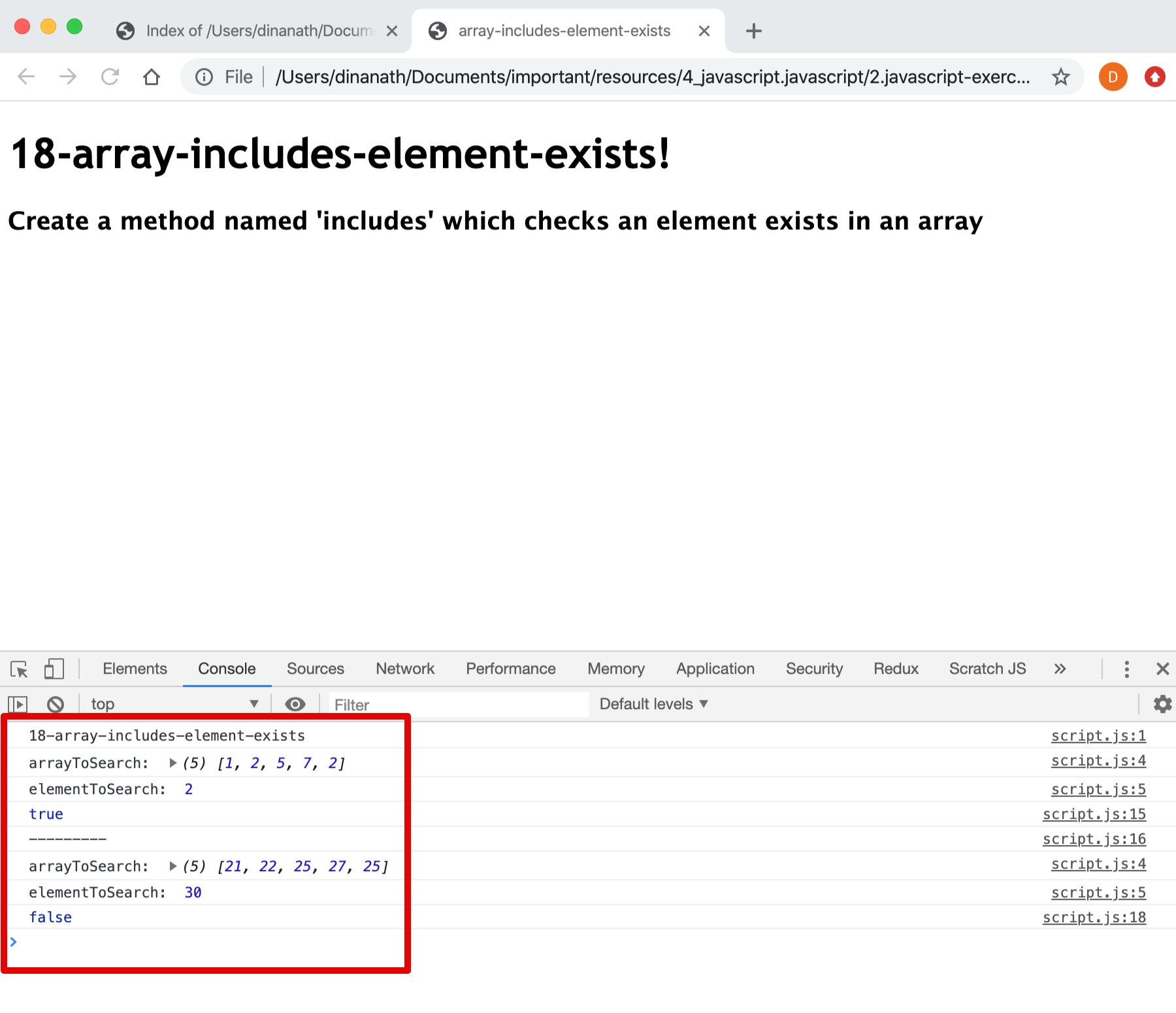 Image 18 - Array Includes Element Exists
Syntax & Example:
18-array-includes-element-exists.html
<!DOCTYPE html>
<html lang="en">
<head>
  <meta charset="UTF-8">
  <meta name="viewport" content="width=device-width, initial-scale=1.0">
  <title>array-includes-element-exists</title>
  <link rel="stylesheet" type="text/css" href="../style.css" />
</head>
<body>

  <h1>18-array-includes-element-exists!</h1>

  <h3>Create a method named 'includes' which checks an element exists in an array</h3>

  <script type="text/javascript" src="script.js"></script>

</body>
</html>
Syntax & Example:
script.js
console.log('18-array-includes-element-exists');

function includes(arrayToSearch, elementToSearch) {
  console.log('arrayToSearch: ', arrayToSearch);
  console.log('elementToSearch: ', elementToSearch);
  for(let curElement of arrayToSearch) {
    if(curElement === elementToSearch) {
      return true;
    }
  }
  return false;
}

const versionArray = [1, 2, 5, 7, 2];
console.log(includes(versionArray, 2));
console.log('---------');
const ageArray = [21, 22, 25, 27, 25];
console.log(includes(ageArray, 30));
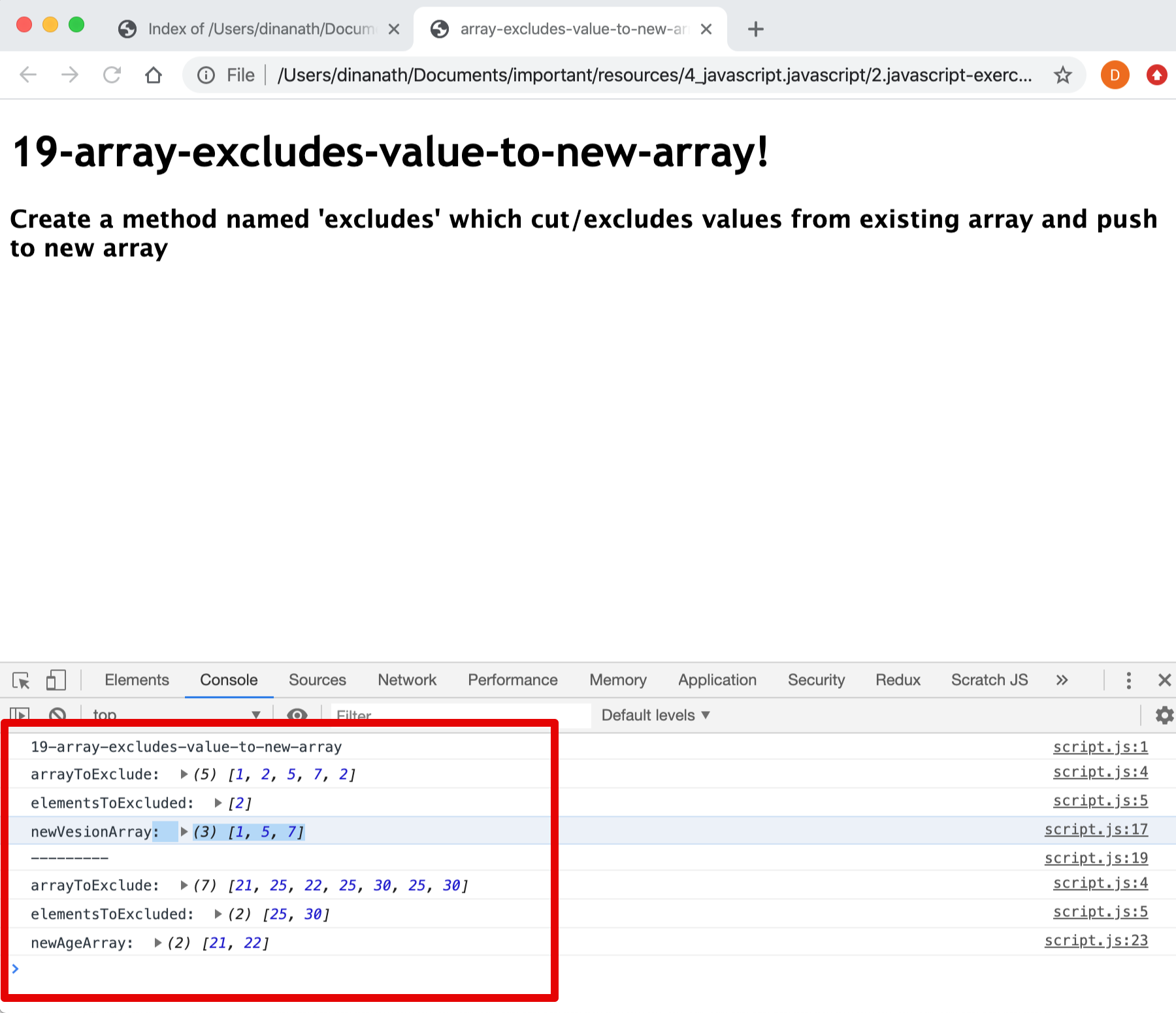 Image 19 - Array Excludes Value To New Array
Syntax & Example:
19-array-excludes-value-to-new-array.html
<!DOCTYPE html>
<html lang="en">
<head>
  <meta charset="UTF-8">
  <meta name="viewport" content="width=device-width, initial-scale=1.0">
  <title>array-excludes-value-to-new-array</title>
  <link rel="stylesheet" type="text/css" href="../style.css" />
</head>
<body>

  <h1>19-array-excludes-value-to-new-array!</h1>

  <h3>Create a method named 'excludes' which cut/excludes values from existing array and push to new array</h3>

  <script type="text/javascript" src="script.js"></script>

</body>
</html>
Syntax & Example:
script.js
console.log('19-array-excludes-value-to-new-array');

function excludes(arrayToExclude, elementsToExcluded) {
  console.log('arrayToExclude: ', arrayToExclude);
  console.log('elementsToExcluded: ', elementsToExcluded);
  const outputArray = [];
  for(let curElement of arrayToExclude) {
    if(!elementsToExcluded.includes(curElement)) {
      outputArray.push(curElement)
    }
  }
  return outputArray;
}

const versionArray = [1, 2, 5, 7, 2];
const newVesionArray = (excludes(versionArray, [2]));
console.log('newVesionArray: ', newVesionArray);

console.log('---------');

const ageArray = [21, 25, 22, 25, 30, 25, 30];
const newAgeArray = (excludes(ageArray, [25,30]));
console.log('newAgeArray: ', newAgeArray);
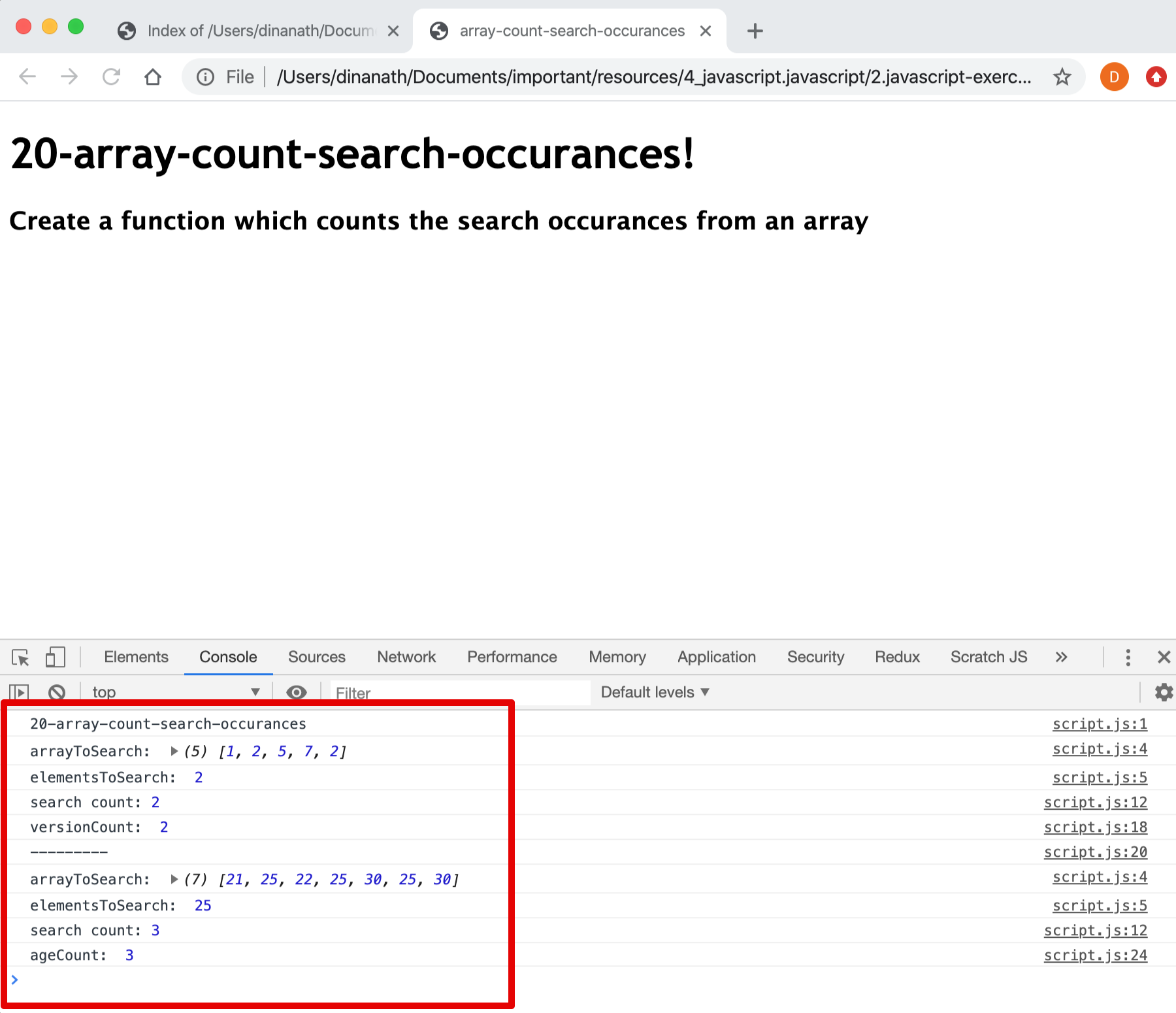 Image 20-01 - Array Count Search Occurances
Syntax & Example:
array-count-search-occurances.html
<!DOCTYPE html>
<html lang="en">
<head>
  <meta charset="UTF-8">
  <meta name="viewport" content="width=device-width, initial-scale=1.0">
  <title>array-count-search-occurances</title>
  <link rel="stylesheet" type="text/css" href="../style.css" />
</head>
<body>

  <h1>20-array-count-search-occurances!</h1>

  <h3>Create a function which counts the search occurances from an array</h3>

  <script type="text/javascript" src="script.js"></script>

</body>
</html>
Syntax & Example:
script.js
console.log('20-array-count-search-occurances');

// approach 1
/* function countSearchOccurances(arrayToSearch, elementsToSearch) {
  // console.log('arrayToSearch: ', arrayToSearch);
  // console.log('elementsToSearch: ', elementsToSearch);
  let count = 0;
  for(let curElement of arrayToSearch) {
    if(curElement === elementsToSearch) {
      count++;
    }
  }
  // console.log('search count:', count);
  return count;
} */

// approach 2
function countSearchOccurances(arrayToSearch, elementsToSearch) {

  return arrayToSearch.reduce((countAccumulator, curentSearchElement) => {
    let countOccurances = (curentSearchElement === elementsToSearch) ? 1 : 0;
    // console.log('countAccumulator', countAccumulator, 'arrayToSearch', arrayToSearch, 'elementsToSearch', elementsToSearch,);
    return countAccumulator + countOccurances;
  },0)
}

const versionArray = [1, 2, 5, 7, 2];
const versionCount = (countSearchOccurances(versionArray, 2));
console.log('versionCount: ', versionCount);

console.log('---------');

const ageArray = [21, 25, 22, 25, 30, 25, 30];
const ageCount = (countSearchOccurances(ageArray, -25));
console.log('ageCount: ', ageCount);
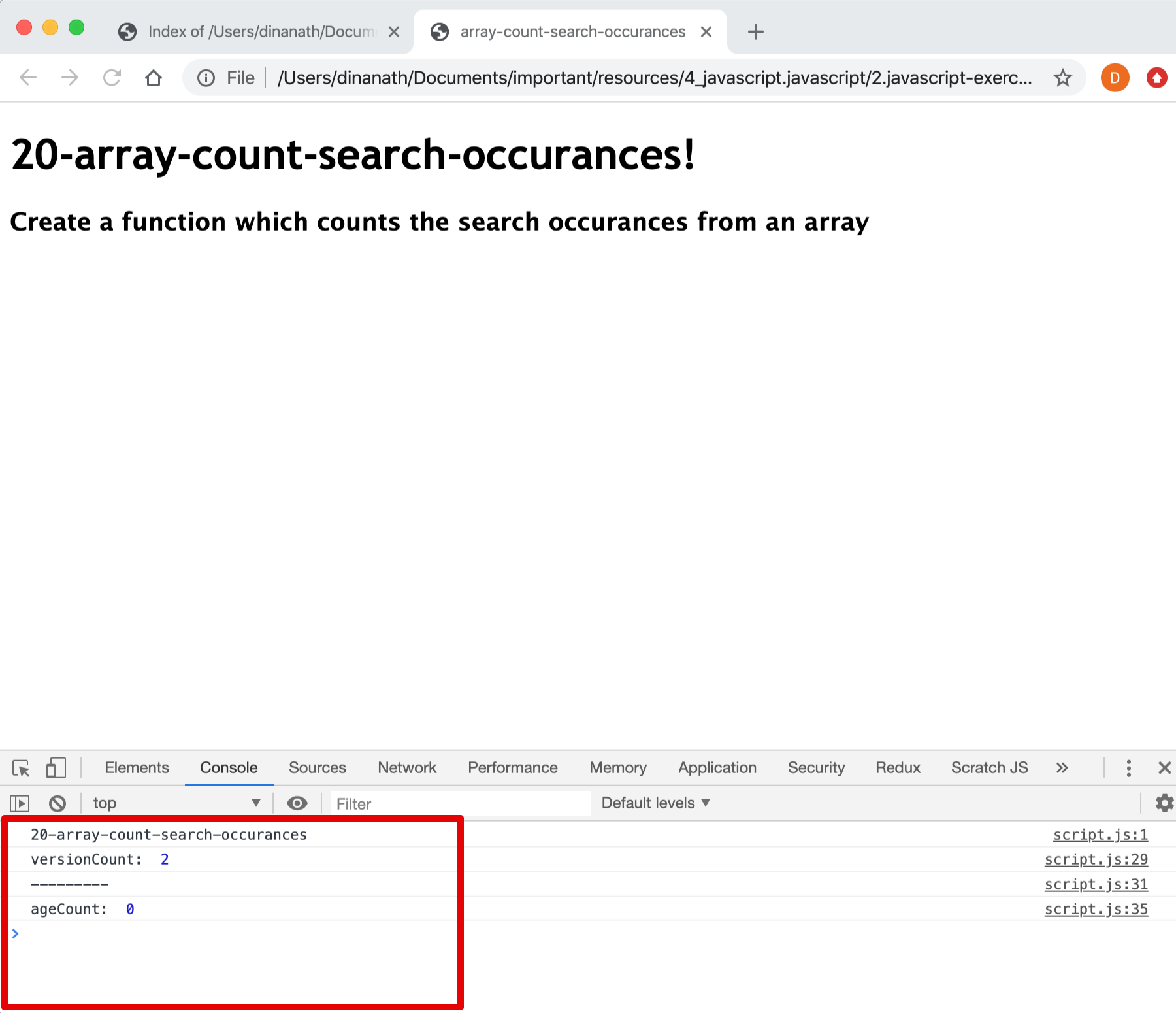 Image 20-02 - Array Count Search Occurances
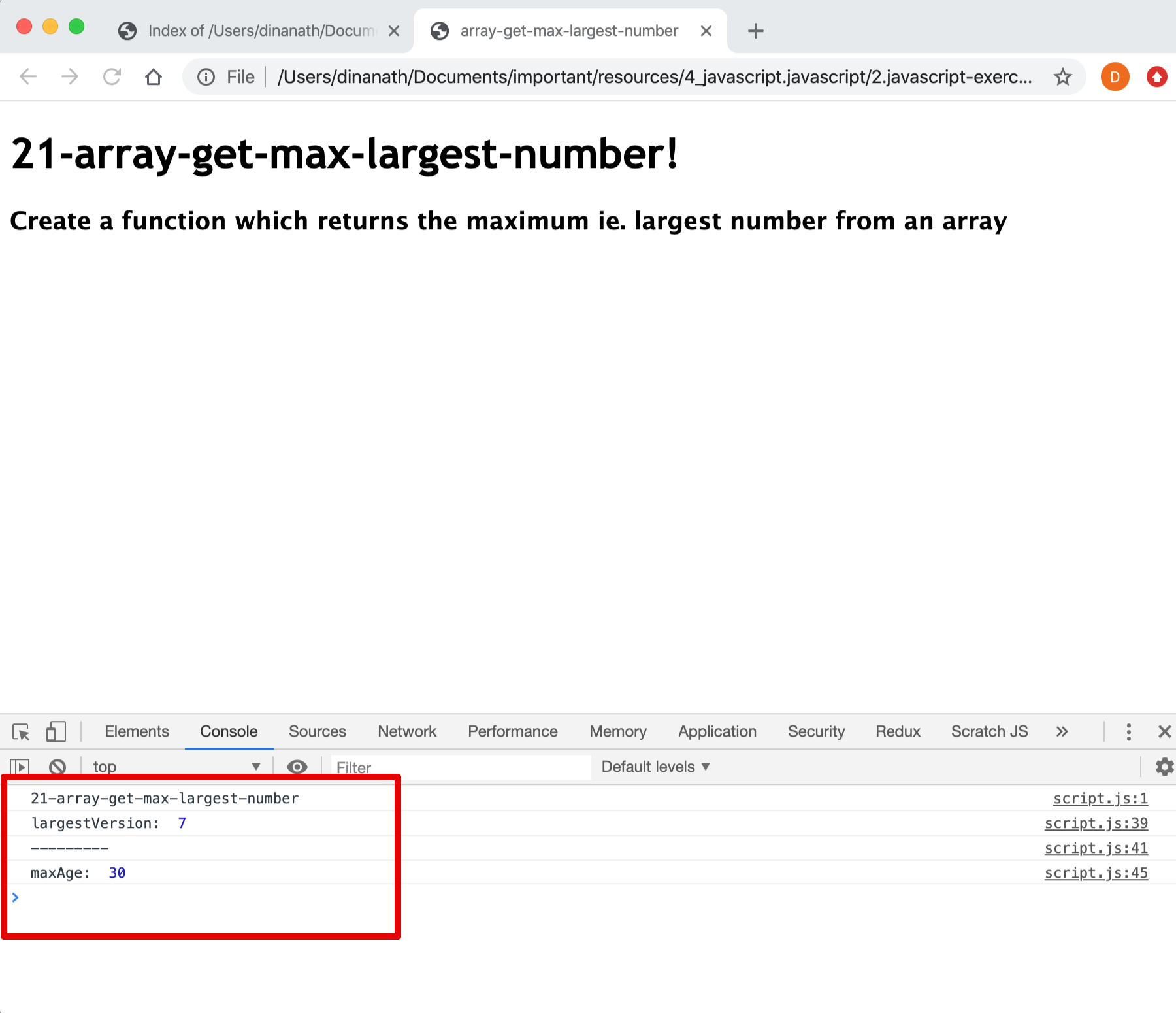 Image 21 - Array Get Max Largest Number
Syntax & Example:
21-array-get-max-largest-number.html
<!DOCTYPE html>
<html lang="en">

<head>
  <meta charset="UTF-8">
  <meta name="viewport" content="width=device-width, initial-scale=1.0">
  <title>array-get-max-largest-number</title>
  <link rel="stylesheet" type="text/css" href="../style.css" />
</head>

<body>

  <h1>21-array-get-max-largest-number!</h1>

  <h3>Create a function which returns the maximum ie. largest number from an array</h3>

  <script type="text/javascript" src="script.js"></script>

</body>

</html>
Syntax & Example:
script.js
console.log('21-array-get-max-largest-number');

// approach 1
/*
function getLargestNumber(arrayToSearch) {
  if (arrayToSearch.length <= 0) return 'Array is Empty! Nothing to search!!';
  let largetNumber = arrayToSearch[0];

  for (let i = 1; i < arrayToSearch.length; i++) {
    if (arrayToSearch[i] > largetNumber) {
      largetNumber = arrayToSearch[i];
    }
  }
  return largetNumber;
}

const versionArray = [5, 2, 3, 4, 7];
const largestVersion = (getLargestNumber(versionArray));
console.log('largestVersion: ', largestVersion);

console.log('---------');

const ageArray = [21, 25, 22, 25, 30, 25, 30];
const maxAge = (getLargestNumber(ageArray));
console.log('maxAge: ', maxAge); */

// approach 2

function getLargestNumber(arrayToSearch) {
  if (arrayToSearch.length <= 0) return 'Array is Empty! Nothing to search!!';

  return arrayToSearch.reduce((largetNumber, curentSearchElement) => {
    return (curentSearchElement > largetNumber) ? curentSearchElement : largetNumber;
  })
}

const versionArray = [5, 2, 3, 4, 7];
const largestVersion = (getLargestNumber(versionArray));
console.log('largestVersion: ', largestVersion);

console.log('---------');

const ageArray = [21, 25, 22, 25, 30, 25, 30];
const maxAge = (getLargestNumber(ageArray));
console.log('maxAge: ', maxAge);
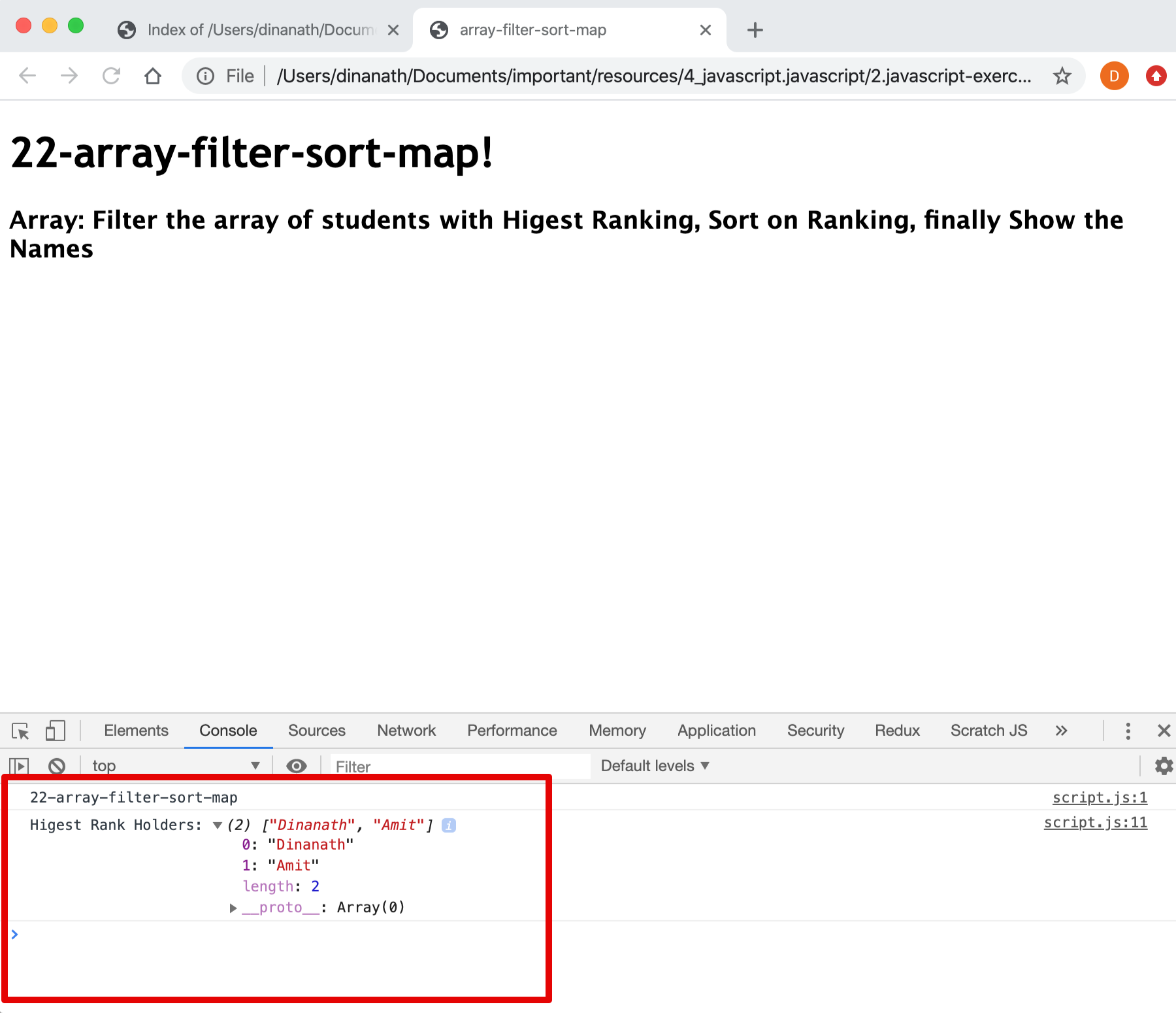 Image 22 - Array Filter Sort Map
Syntax & Example:
22-array-filter-sort-map.html
<!DOCTYPE html>
<html lang="en">

<head>
  <meta charset="UTF-8">
  <meta name="viewport" content="width=device-width, initial-scale=1.0">
  <title>array-filter-sort-map</title>
  <link rel="stylesheet" type="text/css" href="../style.css" />
</head>

<body>

  <h1>22-array-filter-sort-map!</h1>

  <h3>Array: Filter the array of students with Higest Ranking, Sort on Ranking, finally Show the Names </h3>

  <script type="text/javascript" src="script.js"></script>

</body>

</html>
Syntax & Example:
script.js
console.log('22-array-filter-sort-map');

const studentsArray = [
  { name: 'Suraj', year: 2019, ranking: 4 },
  { name: 'Amit', year: 2019, ranking: 5 },
  { name: 'Akash', year: 2018, ranking: 4 },
  { name: 'Dinanath', year: 2019, ranking: 7 },
  { name: 'Sagar', year: 2017, ranking: 3 },
]

console.log('Higest Rank Holders:',
  studentsArray
    .filter(student => student.year === 2019 && student.ranking >= 5)
    .sort((n1, n2) => n1.ranking - n2.ranking)
    .reverse()
    .map(student => student.name)
);
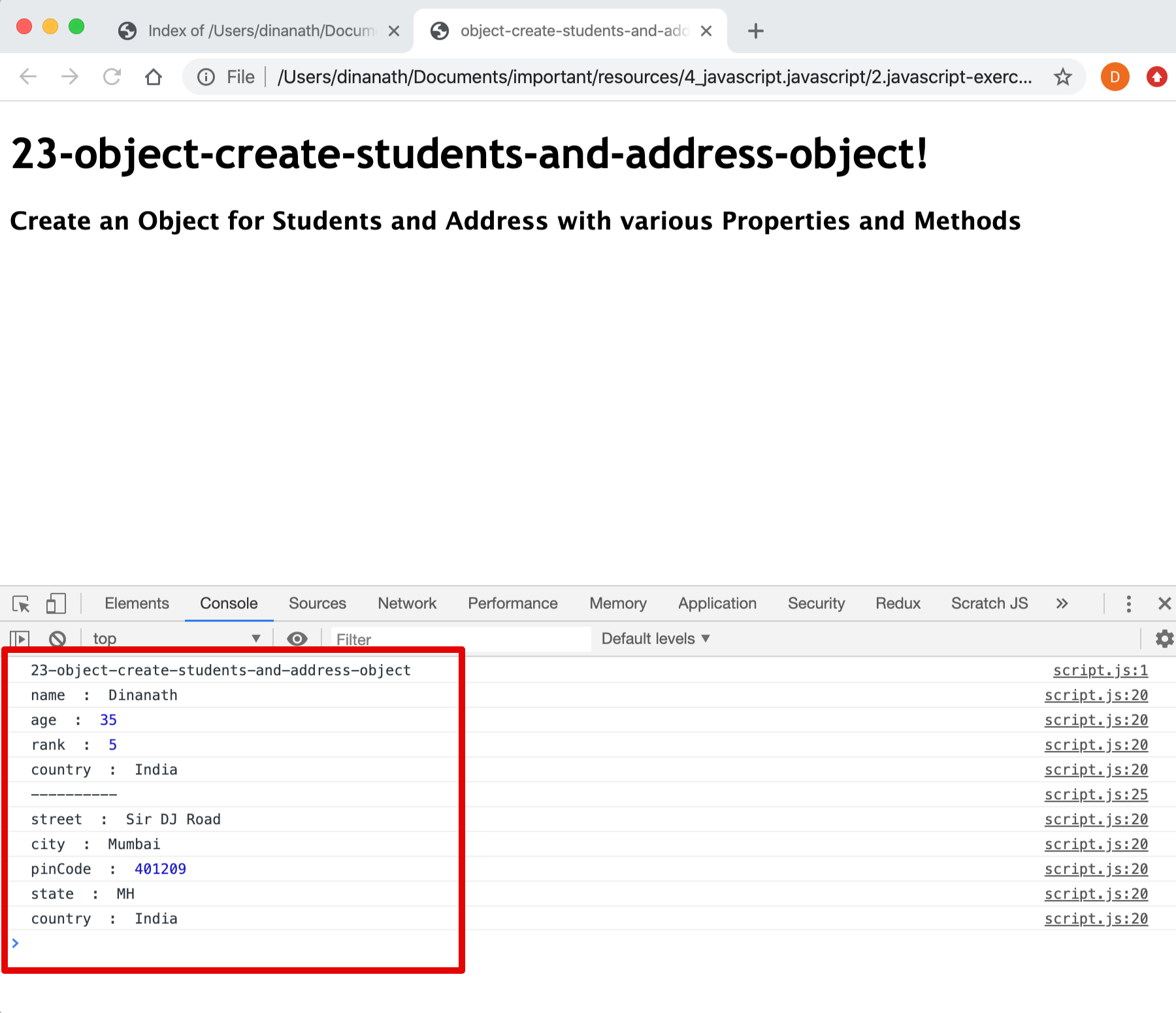 Image 23 - Object Create Students and Address Object
Syntax & Example:
23-object-create-students-and-address-object.html
<!DOCTYPE html>
<html lang="en">

<head>
  <meta charset="UTF-8">
  <meta name="viewport" content="width=device-width, initial-scale=1.0">
  <title>object-create-students-and-address-object</title>
  <link rel="stylesheet" type="text/css" href="../style.css" />
</head>

<body>

  <h1>23-object-create-students-and-address-object!</h1>

  <h3>Create an Object for Students and Address with various Properties and Methods </h3>

  <script type="text/javascript" src="script.js"></script>

</body>

</html>
Syntax & Example:
script.js
console.log('23-object-create-students-and-address-object');

const Students = {
  name: 'Dinanath',
  age: 35,
  rank: 5,
  country: 'India',
}

const Address = {
  street: 'Sir DJ Road',
  city: 'Mumbai',
  pinCode: 401209,
  state: 'MH',
  country: 'India',
}

function showObjectDetails(obj) {
  for(let key in obj) {
    console.log(key,' : ',obj[key]);
  }
}

showObjectDetails(Students);
console.log('----------');
showObjectDetails(Address);
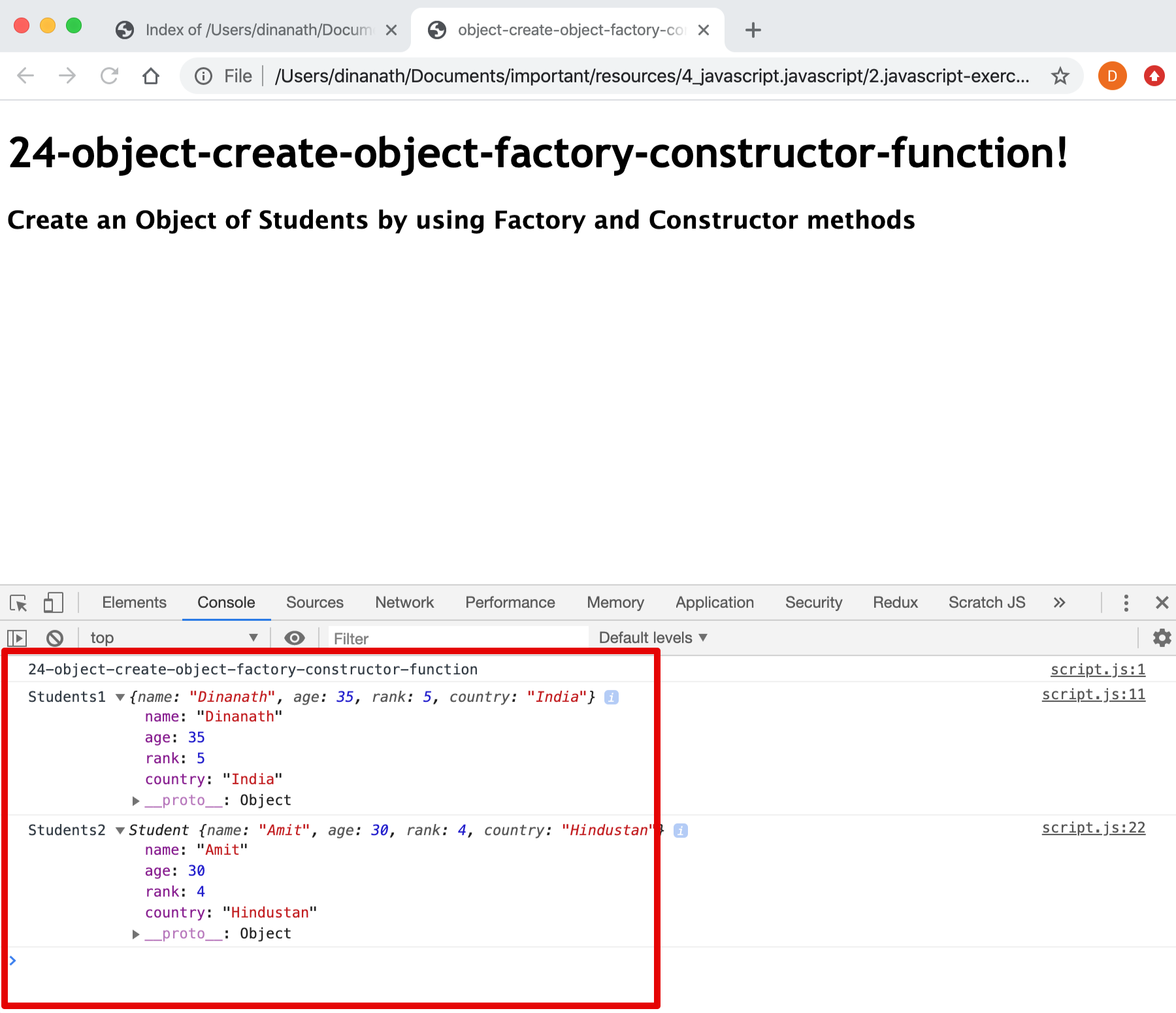 Image 24 - Object Create Object Factory Constructor Function
Syntax & Example:
24-object-create-object-factory-constructor-function.html
<!DOCTYPE html>
<html lang="en">

<head>
  <meta charset="UTF-8">
  <meta name="viewport" content="width=device-width, initial-scale=1.0">
  <title>object-create-object-factory-constructor-function</title>
  <link rel="stylesheet" type="text/css" href="../style.css" />
</head>

<body>

  <h1>24-object-create-object-factory-constructor-function!</h1>

  <h3>Create an Object of Students by using Factory and Constructor methods</h3>

  <script type="text/javascript" src="script.js"></script>

</body>

</html>
Syntax & Example:
script.js
console.log('24-object-create-object-factory-constructor-function');

// Factory function/method - camelCasing - camel notation - use return keyword
function createObjFactoryMethod(name, age, rank, country) {
  return {
    name, age, rank, country
  }
}

let Students1 = createObjFactoryMethod('Dinanath', 35, 5, 'India');
console.log('Students1', Students1);

// Constructor function/method - pascalCasing - pascal notation - use this keyword
function Student(name, age, rank, country) {
  this.name = name;
  this.age = age;
  this.rank = rank;
  this.country = country;
}

let Students2 = new Student('Amit', 30, 4, 'Hindustan');
console.log('Students2', Students2);
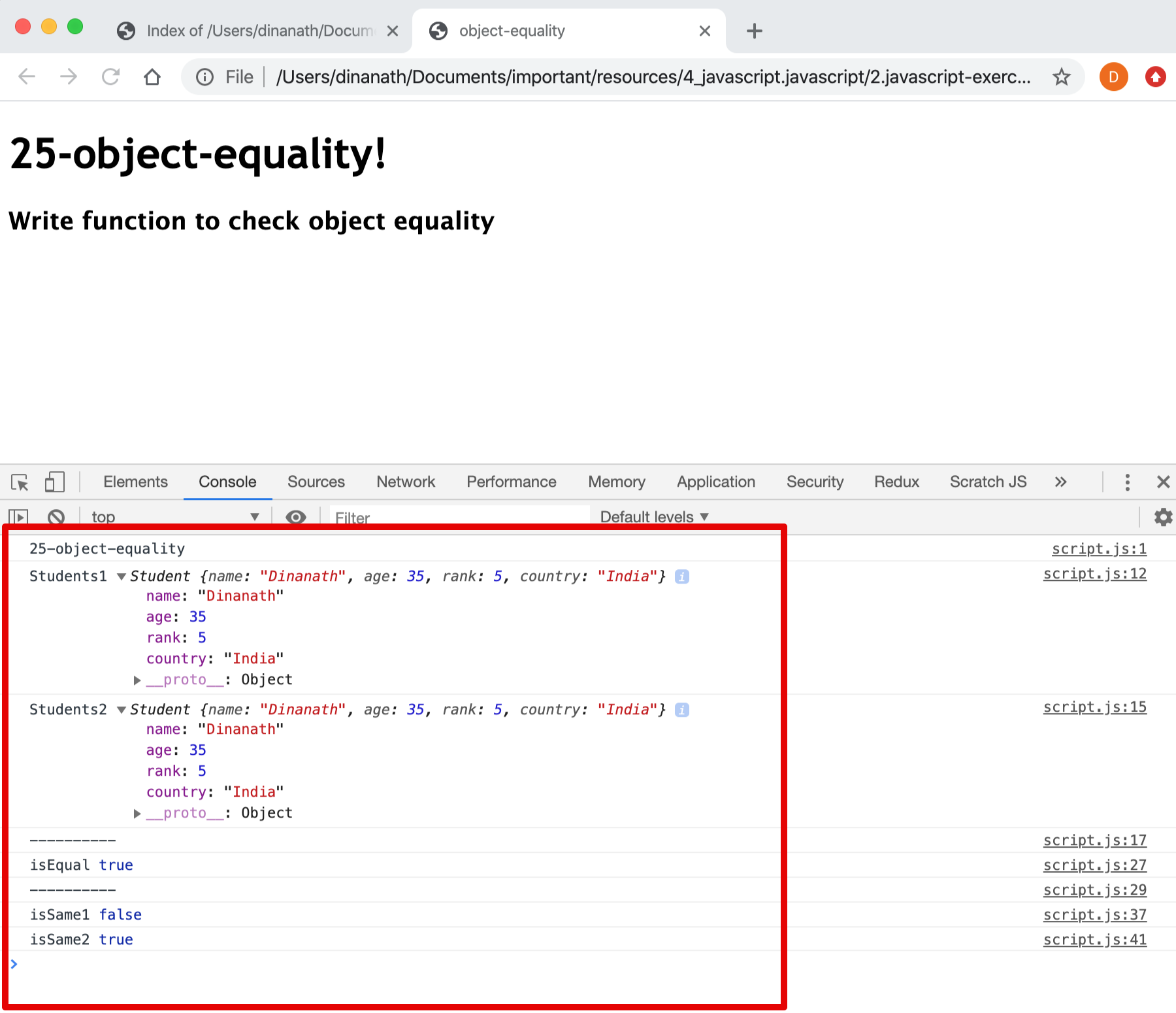 Image 25 - Object Equality
Syntax & Example:
25-object-equality.html
<!DOCTYPE html>
<html lang="en">

<head>
  <meta charset="UTF-8">
  <meta name="viewport" content="width=device-width, initial-scale=1.0">
  <title>object-equality</title>
  <link rel="stylesheet" type="text/css" href="../style.css" />
</head>

<body>

  <h1>25-object-equality!</h1>

  <h3>Write function to check object equality</h3>

  <script type="text/javascript" src="script.js"></script>

</body>

</html>
Syntax & Example:
script.js
console.log('25-object-equality');

// Constructor function/method - pascalCasing - pascal notation - use this keyword
function Student(name, age, rank, country) {
  this.name = name;
  this.age = age;
  this.rank = rank;
  this.country = country;
}

let Students1 = new Student('Dinanath', 35, 5, 'India');
console.log('Students1', Students1);

let Students2 = new Student('Dinanath', 35, 5, 'India');
console.log('Students2', Students2);

console.log('----------');

// Objects are reference type, objects can have same properties but they are from different memeory location, they can be equal if both objects have same properties
function isObjectEqual(obj1, obj2){
  return obj1.name === obj2.name &&
         obj1.age === obj2.age &&
         obj1.rank === obj2.rank &&
         obj1.country === obj2.country
}

console.log('isEqual', isObjectEqual(Students1, Students2));

console.log('----------');

// Objects are same if both are pointed to same object
function isObjectPointSame(obj1, obj2){
  return obj1 === obj2;
}

let isSame1 = isObjectPointSame(Students1, Students2);
console.log('isSame1', isSame1);

let Students3 = Students2;
let isSame2 = isObjectPointSame(Students2, Students3);
console.log('isSame2', isSame2);
dinanathsj29/javascript-exercise-beginners is a public repo on GitHub by dinanathsj29. Lets go-through, learn and understand different logical Javascript exercises and algorithms for beginners.
It declares no license on GitHub. Public does not mean open source: without a license, nobody is granted the right to reuse it.
Its maker has not tagged a system, so it is unknown here. Its README says what it needs.
Open "Take it" on its page: Take My Repo writes an install plan for your machine and hands it to your AI agent (Claude Code, Codex or Cursor), which asks you before each step. Take My Repo has not tested it on any machine.
A JavaScript tutorials for beginners, An introduction to JavaScript programming languages building blocks, step-by-step guide to JavaScript
Its last change on GitHub was on 2020-04-06. GitHub counts 0 open issues and pull requests. Take My Repo does not judge from that whether it is maintained.
Nobody has reviewed it on Take My Repo yet, which says nothing about its quality.

A HTML5 tutorials for beginners, An introduction to HTML5 building blocks, step-by-step guide to HTML5
A Web concepts tutorials for beginners, An introduction to Web Design Development core terminologies and fundamentals
A Typescript fundamentals tutorials for beginners, An introduction & step-by-step guide to Typescript language latest features in combination with ECMAScript 5,6,7
Learn to write Unit Testing and Integration Testing of Angular application for multiple types of components, directives, dependencies, routers and services.
A CSS3 design tutorials for beginners, An introduction to core CSS concepts, terminology and tools