analytics-script
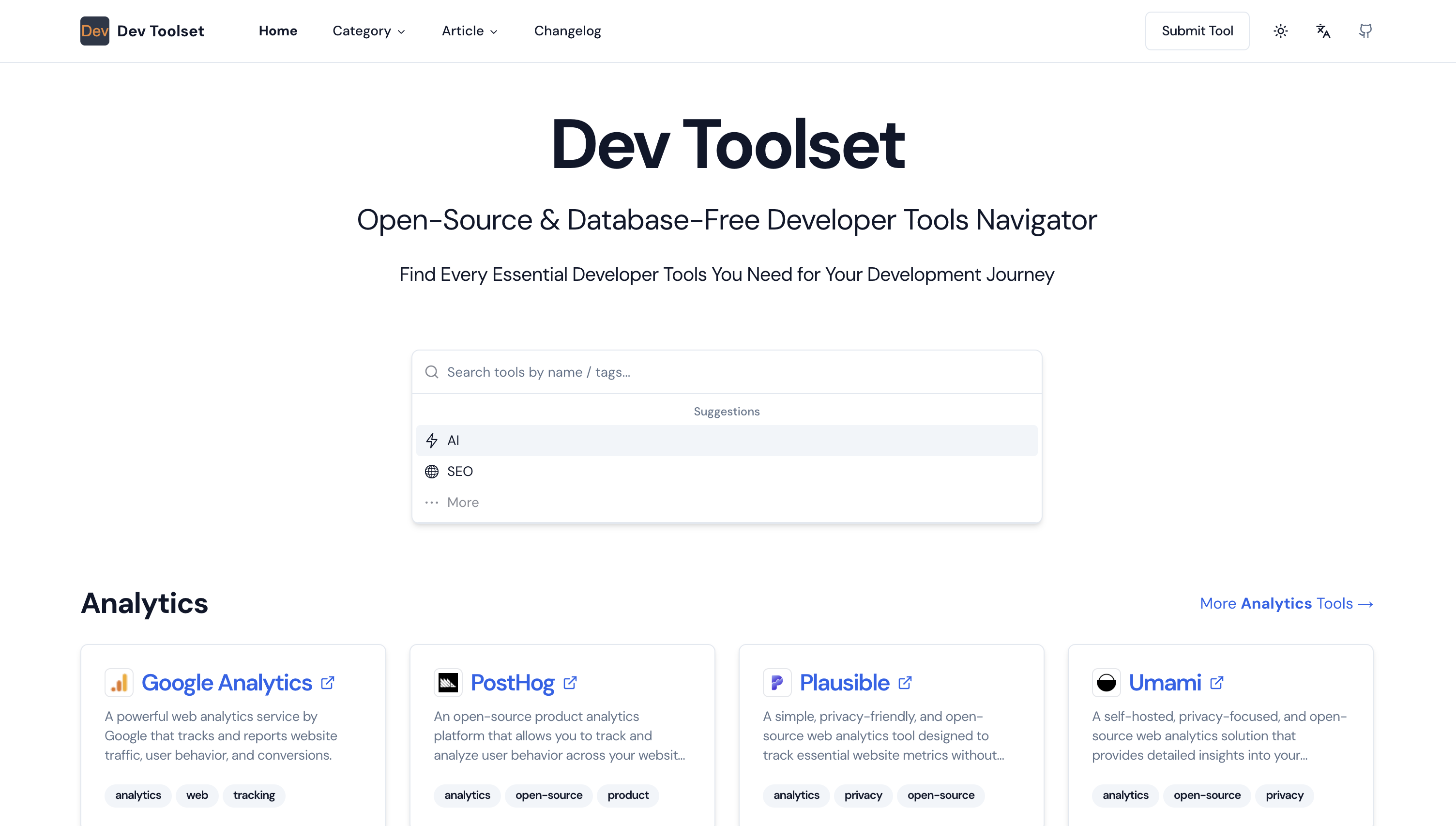
Lightweight analytics script tags for React/Next.js applications (Plausible, Umami, Google Analytics, DataFast, etc.)
Github Repo
https://github.com/iamcorey/analytics-script.git
NPM Package
https://www.npmjs.com/package/analytics-script
Supported Providers
- Plausible Analytics
- Umami
- DataFast
- Google Analytics
- Mixpanel
- Crisp Chat
- Microsoft Clarity
- MoneyFast
Installation
npm i analytics-script
Or using pnpm:
pnpm add analytics-script
Usage
Plausible
Standard (legacy format)
import { Plausible } from 'analytics-script';

<Plausible
  domain="yourdomain.com"
  scriptUrl="https://plausible.io/js/script.js"
/>
Props
domain - Your website domain (or use env: NEXT_PUBLIC_PLAUSIBLE_DOMAIN)scriptUrl - Plausible script URL (or use env: NEXT_PUBLIC_PLAUSIBLE_SCRIPT_URL)defer - Defer script loading (default: true)allowLocalhost - Enable in development (default: false)
With initialization (newer format)
import { PlausibleInit } from 'analytics-script';

<PlausibleInit
  scriptUrl="https://plausible.io/js/pa-XXXXX.js"
/>
Props
scriptUrl - Plausible script URL (domain is encoded in the URL) (or use env: NEXT_PUBLIC_PLAUSIBLE_SCRIPT_URL)defer - Use async loading (default: true)allowLocalhost - Enable in development (default: false)
Umami
import { Umami } from 'analytics-script';

<Umami
  websiteId="your-website-id"
  scriptUrl="https://cloud.umami.is/script.js"
/>
Props
websiteId - Your Umami website ID (or use env: NEXT_PUBLIC_UMAMI_WEBSITE_ID)scriptUrl - Umami script URL (or use env: NEXT_PUBLIC_UMAMI_SCRIPT_URL)defer - Defer script loading (default: true)allowLocalhost - Enable in development (default: false)
DataFast
import { DataFast } from 'analytics-script';

<DataFast
  websiteId="your-website-id"
  domain="yourdomain.com"
  scriptUrl="https://datafa.st/js/script.js"
/>
Props
websiteId - Your DataFast website ID (or use env: NEXT_PUBLIC_DATAFAST_WEBSITE_ID)domain - Your website domain (or use env: NEXT_PUBLIC_DATAFAST_DOMAIN)scriptUrl - DataFast script URL (or use env: NEXT_PUBLIC_DATAFAST_SCRIPT_URL)apiUrl - Custom API endpoint for sending events. Provide a full URL or a relative path (optional, or use env: NEXT_PUBLIC_DATAFAST_API_URL)
- Example:
https://api.example.com/events or /custom-events
- Use case: Custom API endpoints, third-party analytics proxies, or advanced proxy configurations
allowedHostnames - Comma-separated list of additional domains for cross-domain tracking (optional, or use env: NEXT_PUBLIC_DATAFAST_ALLOWED_HOSTNAMES)
- Example:
app.io,shop.example.com
- Use case: Track users across different root domains
defer - Defer script loading (default: true)allowLocalhost - Enable in development (default: false)allowFileProtocol - Enable tracking when opening HTML files directly in browser (file:// protocol) (default: false)
- Use case: Testing with local HTML files
debug - Enable debug mode to allow tracking inside iframes (default: false)
- Use case: Testing tracking in embedded contexts
disableConsole - Disable all console logging from DataFast tracker (default: false)
- Use case: Clean console logs in production
Tracking Custom Goals/Events
Client-side Tracking:
import { trackDataFastGoal } from 'analytics-script';

// Simple goal tracking
<button onClick={() => trackDataFastGoal('signup')}>
  Sign Up
</button>

<button onClick={() => trackDataFastGoal('purchase')}>
  Buy Now
</button>

// Advanced usage with custom parameters
<button onClick={() => trackDataFastGoal('checkout_initiated', {
  name: 'Elon Musk',
  email: 'elon@x.com',
  product_id: 'prod_123',
})}>
  Checkout
</button>
Server-side Tracking:
Use server-side tracking in API routes, server actions, or backend code:
import { trackDataFastGoalServer } from 'analytics-script';

// Basic server-side tracking
const result = await trackDataFastGoalServer({
  apiKey: 'your_api_key',
  visitorId: 'visitor_123',
  goalName: 'newsletter_signup',
});

if (result.success) {
  console.log('Goal tracked successfully');
} else {
  console.error('Error tracking goal:', result.error);
}

// With metadata
const result = await trackDataFastGoalServer({
  apiKey: 'your_api_key',
  visitorId: 'visitor_123',
  goalName: 'newsletter_signup',
  metadata: {
    name: 'Elon Musk',
    email: 'musk@x.com',
  },
});

// With custom API URL (for self-hosted or proxy)
const result = await trackDataFastGoalServer({
  apiKey: 'your_api_key',
  visitorId: 'visitor_123',
  goalName: 'purchase',
  metadata: { amount: 99.99 },
  apiUrl: 'https://custom.datafa.st/api/v1/goals',
});
Example in Next.js API Route:
// app/api/track/route.ts
import { trackDataFastGoalServer } from 'analytics-script';
import { NextResponse } from 'next/server';

export async function POST(request: Request) {
  const { visitorId, goalName, metadata } = await request.json();

  const result = await trackDataFastGoalServer({
    apiKey: process.env.DATAFAST_API_KEY!,
    visitorId,
    goalName,
    metadata,
  });

  if (result.success) {
    return NextResponse.json({ success: true });
  } else {
    return NextResponse.json(
      { success: false, error: result.error },
      { status: 500 }
    );
  }
}
HTML data attributes - Reliable Tracking:
Add DataFastQueue before the main DataFast script to ensure events are captured even when triggered before the main script loads:
import { DataFastQueue, DataFast } from 'analytics-script';

// In your layout or _app.tsx
<head>
  <DataFastQueue />
  <DataFast
    websiteId="your-website-id"
    domain="yourdomain.com"
    scriptUrl="https://datafa.st/js/script.js"
  />
</head>
Props
allowLocalhost - Enable in development (default: false)
Mixpanel
import { Mixpanel } from 'analytics-script';

<Mixpanel
  token="your-mixpanel-token"
  autocapture={true}
  record_sessions_percent={true}
/>
Props
token - Your Mixpanel project token (or use env: NEXT_PUBLIC_MIXPANEL_TOKEN)autocapture - Enable automatic event tracking (optional)record_sessions_percent - Enable session recording (true = 100%, false = 0%) (optional)allowLocalhost - Enable in development (default: false)
Crisp Chat
import { Crisp } from 'analytics-script';

<Crisp websiteId="your-crisp-website-id" />
Props
websiteId - Your Crisp website ID (or use env: NEXT_PUBLIC_CRISP_WEBSITE_ID)allowLocalhost - Enable in development (default: false)
Microsoft Clarity
import { Clarity } from 'analytics-script';

<Clarity projectId="your-clarity-project-id" />
Props
projectId - Your Microsoft Clarity project ID (or use env: NEXT_PUBLIC_CLARITY_PROJECT_ID)allowLocalhost - Enable in development (default: false)
Google Analytics
import { GoogleAnalytics } from 'analytics-script';

<GoogleAnalytics gtagId="G-XXXXXXXXXX" />
Props
gtagId - Your Google Analytics measurement ID (or use env: NEXT_PUBLIC_GOOGLE_TAG_ID)allowLocalhost - Enable in development (default: false)defaultConsent - Default consent settings for GDPR compliance (optional). Note: This only sets the default consent state, you need to implement your own cookie banner UI and update consent when users accept.
Sending Custom Events:
import { sendGAEvent } from 'analytics-script';

// Send a custom event
<button onClick={() => sendGAEvent('button_click', { category: 'engagement' })}>
  Click me
</button>
With Consent Mode (GDPR Compliance):
<GoogleAnalytics
  gtagId="G-XXXXXXXXXX"
  defaultConsent={{
    ad_storage: 'denied',
    ad_user_data: 'denied',
    ad_personalization: 'denied',
    analytics_storage: 'denied'
  }}
/>
Note: For GDPR compliance, consider using a cookie consent library like:
Example Code
using react-cookie-consent
- Install a cookie consent library:
npm install react-cookie-consent
- Complete Code
import { GoogleAnalytics, updateGoogleConsent } from 'analytics-script';
import CookieConsent from 'react-cookie-consent';

export default function App() {
  return (
    <>
      {/* Set default consent to denied */}
      <GoogleAnalytics
        gtagId="G-XXXXXXXXXX"
        defaultConsent={{
          analytics_storage: 'denied'
        }}
      />

      {/* Cookie consent banner */}
      <CookieConsent
        location="bottom"
        buttonText="Accept"
        declineButtonText="Decline"
        enableDeclineButton
        onAccept={() => {
          // Update consent when user accepts
          updateGoogleConsent({
            analytics_storage: 'granted'
          });
        }}
        style={{ background: '#2B373B' }}
        buttonStyle={{ background: '#4CAF50', color: '#fff', fontSize: '14px' }}
        declineButtonStyle={{ background: '#f44336', color: '#fff', fontSize: '14px' }}
      >
        This website uses cookies to enhance the user experience.
      </CookieConsent>

      {/* Your app content */}
    </>
  );
}
using vanilla-cookieconsent
- Install a cookie consent library:
npm install vanilla-cookieconsent
- Complete Code
'use client';
import { GoogleAnalytics } from 'analytics-script';
import { useEffect } from 'react';
import 'vanilla-cookieconsent/dist/cookieconsent.css';
import * as CookieConsent from 'vanilla-cookieconsent';

export default function App() {
  useEffect(() => {
    CookieConsent.run({
      categories: {
        necessary: {
          enabled: true,
          readOnly: true
        },
        analytics: {
          enabled: false
        }
      },

      language: {
        default: 'en',
        translations: {
          en: {
            consentModal: {
              title: 'We use cookies',
              description: 'Cookie modal description',
              acceptAllBtn: 'Accept all',
              acceptNecessaryBtn: 'Reject all',
              showPreferencesBtn: 'Manage preferences'
            },
            preferencesModal: {
              title: 'Cookie preferences',
              acceptAllBtn: 'Accept all',
              acceptNecessaryBtn: 'Reject all',
              savePreferencesBtn: 'Save preferences',
              sections: [
                {
                  title: 'Analytics cookies',
                  description: 'These cookies help us improve our website.',
                  linkedCategory: 'analytics'
                }
              ]
            }
          }
        }
      },

      onConsent: () => {
        if (CookieConsent.acceptedCategory('analytics')) {
          window.gtag?.('consent', 'update', {
            analytics_storage: 'granted'
          });
        }
      },

      onChange: () => {
        if (CookieConsent.acceptedCategory('analytics')) {
          window.gtag?.('consent', 'update', {
            analytics_storage: 'granted'
          });
        } else {
          window.gtag?.('consent', 'update', {
            analytics_storage: 'denied'
          });
        }
      }
    });
  }, []);

  return (
    <>
      <GoogleAnalytics
        gtagId="G-XXXXXXXXXX"
        defaultConsent={{
          analytics_storage: 'denied'
        }}
      />
      {/* Your app content */}
    </>
  );
}
MoneyFast
import { MoneyFast } from 'analytics-script';

<MoneyFast websiteId="your-website-id" />
Props
websiteId - Your MoneyFast website ID (or use env: NEXT_PUBLIC_MONEYFAST_WEBSITE_ID)scriptUrl - Custom script URL (default: https://moneyfa.st/js/script.min.js, or use env: NEXT_PUBLIC_MONEYFAST_SCRIPT_URL)debug - Enable debug mode (default: false)defer - Defer script loading (default: true)allowLocalhost - Enable in development (default: false)
Tracking Custom Events
import { trackMoneyFastEvent } from 'analytics-script';

<button onClick={() => trackMoneyFastEvent('signup_click')}>
  Sign Up
</button>

<button onClick={() => trackMoneyFastEvent('purchase_completed')}>
  Buy Now
</button>
Attribution Helpers
MoneyFast automatically collects UTM parameters, device info, and referrer data into a cookie. Use these helpers to access the data:
import { getMoneyFastAttribution, getMoneyFastMeta, clearMoneyFastAttribution } from 'analytics-script';

// Get raw attribution data
const data = getMoneyFastAttribution();
// { moneyfast_ref: 'google', moneyfast_campaign: 'summer', moneyfast_device: 'desktop', ... }

// Get data formatted for Stripe Checkout metadata (adds exit_page, removes timestamp)
const meta = getMoneyFastMeta();

// Clear attribution cookie
clearMoneyFastAttribution();
Stripe Checkout Integration
Pass attribution data as Stripe Checkout metadata to track where your revenue comes from:
import { getMoneyFastMeta } from 'analytics-script';

// When creating a Checkout Session (client-side fetch to your API)
const meta = getMoneyFastMeta();

const response = await fetch('/api/checkout', {
  method: 'POST',
  body: JSON.stringify({ priceId: 'price_xxx', metadata: meta }),
});
// In your API route (server-side)
const session = await stripe.checkout.sessions.create({
  line_items: [{ price: priceId, quantity: 1 }],
  metadata: meta,                        // for one-time payments
  subscription_data: { metadata: meta },  // for subscriptions (important!)
  // ...
});
Note: Checkout Session metadata does NOT auto-propagate to subscriptions. You must also set subscription_data.metadata for subscription payments.
Notes
- Production Only: By default, all components only render in production (
NODE_ENV === "production")
- Environment Variables: Set props via environment variables (e.g., in
.env.local)
- Development Testing: Use
allowLocalhost={true} to test in development
Changelog
v0.9.0
- Add MoneyFast support (revenue attribution tracking + custom events)
v0.8.0
- Add Microsoft Clarity support
v0.7.0
v0.6.0
v0.5.0
v0.4.1
- Update new Plausible script
v0.4.0
- Add new Plausible script support
- Add Google Analytics Events support
- Add Google Analytics Consent Mode update function
v0.3.5
- Add Google Analytics Consent Mode Example Code
v0.3.3
- Add Google Analytics Consent Mode support (GDPR compliance)
v0.3.2
- Change React from dependencies to peerDependencies
v0.3.1
- Update GoogleAnalytics props
v0.3.0
- Add GoogleAnalytics support
v0.2.0
v0.1.0
- Add Umami support
- Add
allowLocalhost prop for development testing
- Fix TypeScript JSX type errors
v0.0.2
- Fix TypeScript type definitions
v0.0.1
- Initial release
- Add Plausible support
License
MIT