ECC
The agent harness performance optimization system. Skills, instincts, memory, security, and research-first development for Claude Code, Codex, Opencode, Cursor and beyond.
- 309k
- JavaScript
- MIT
- 3 d ago
A real-time team Kanban where every card can get its own AI browser agent. Watch them work live, take over with one click.
Repo isaaclins/taskboard, read from GitHub 8 h ago. isaaclins has not joined Take My Repo.
isaaclins/taskboard is a public repo on GitHub by isaaclins. A real-time team Kanban where every card can get its own AI browser agent. Watch them work live, take over with one click. It declares the MIT license on GitHub. It is written mainly in TypeScript, has 0 stars and last changed on 2026-11-06. Nobody has reviewed it on Take My Repo yet, which says nothing about its quality. Read from GitHub on 2026-11-22.
A real-time Kanban board where every card can get its own AI browser agent.
Watch the agents work live, take over with one click, and keep the whole team in sync.
Quick start · How it works · API · Configuration
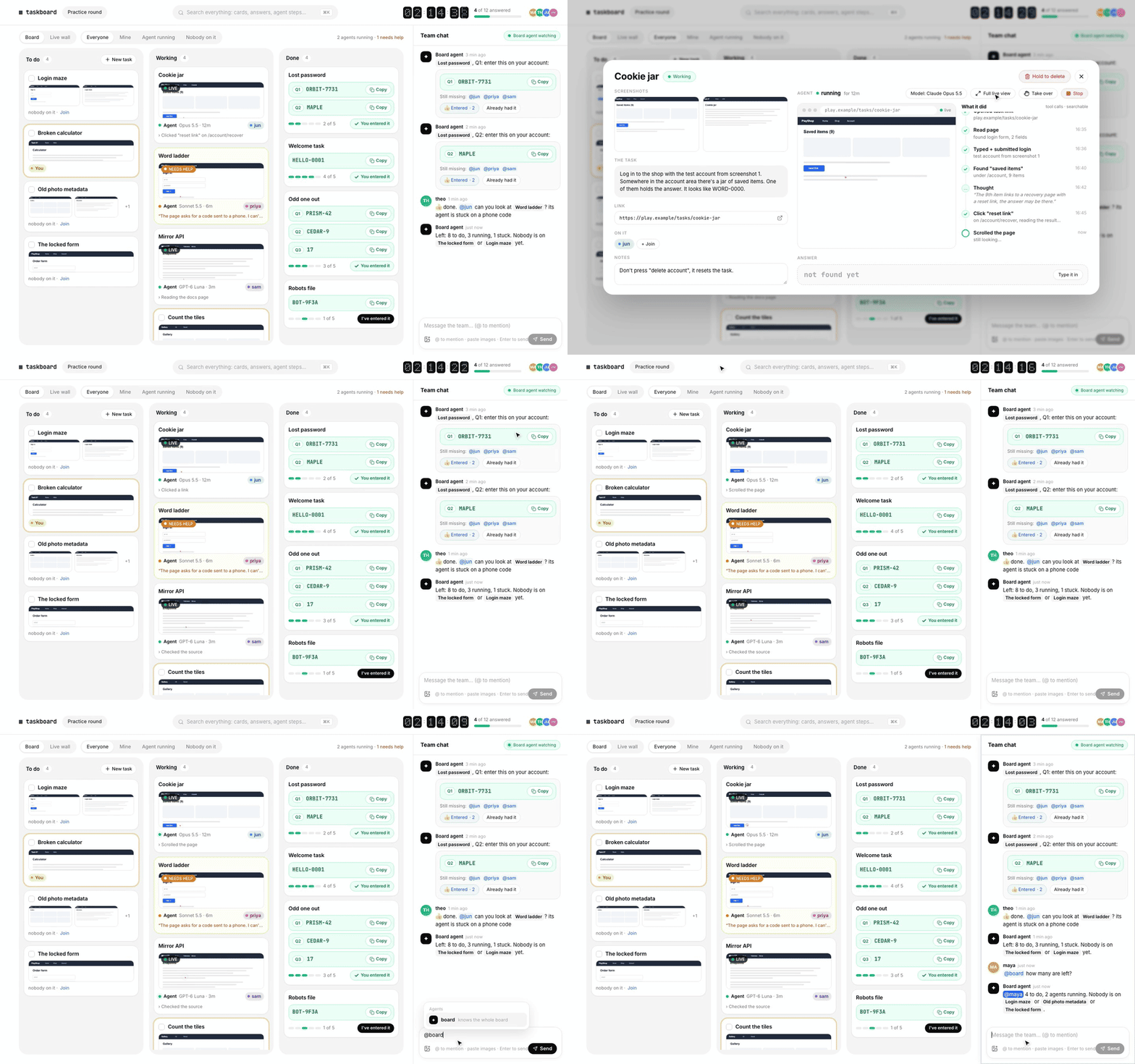
Some work comes as a pile of small tasks that a team has to get through together, against the clock: a hackathon, a puzzle hunt, a QA bash, a research sprint. AI browser agents are good at a lot of these tasks, but running ten of them in ten windows while five people shout over each other is chaos.
Taskboard puts all of it on one board. Every task is a card. Anyone can start an agent on a card, and everyone can see what it is doing, live, in a real browser. When an agent gets stuck on a login code or a captcha, its card turns amber and a person can take over the browser right from the board. Answers land on the card the moment the agent finds them, and the team chat tells everyone who still has to enter them.
 |
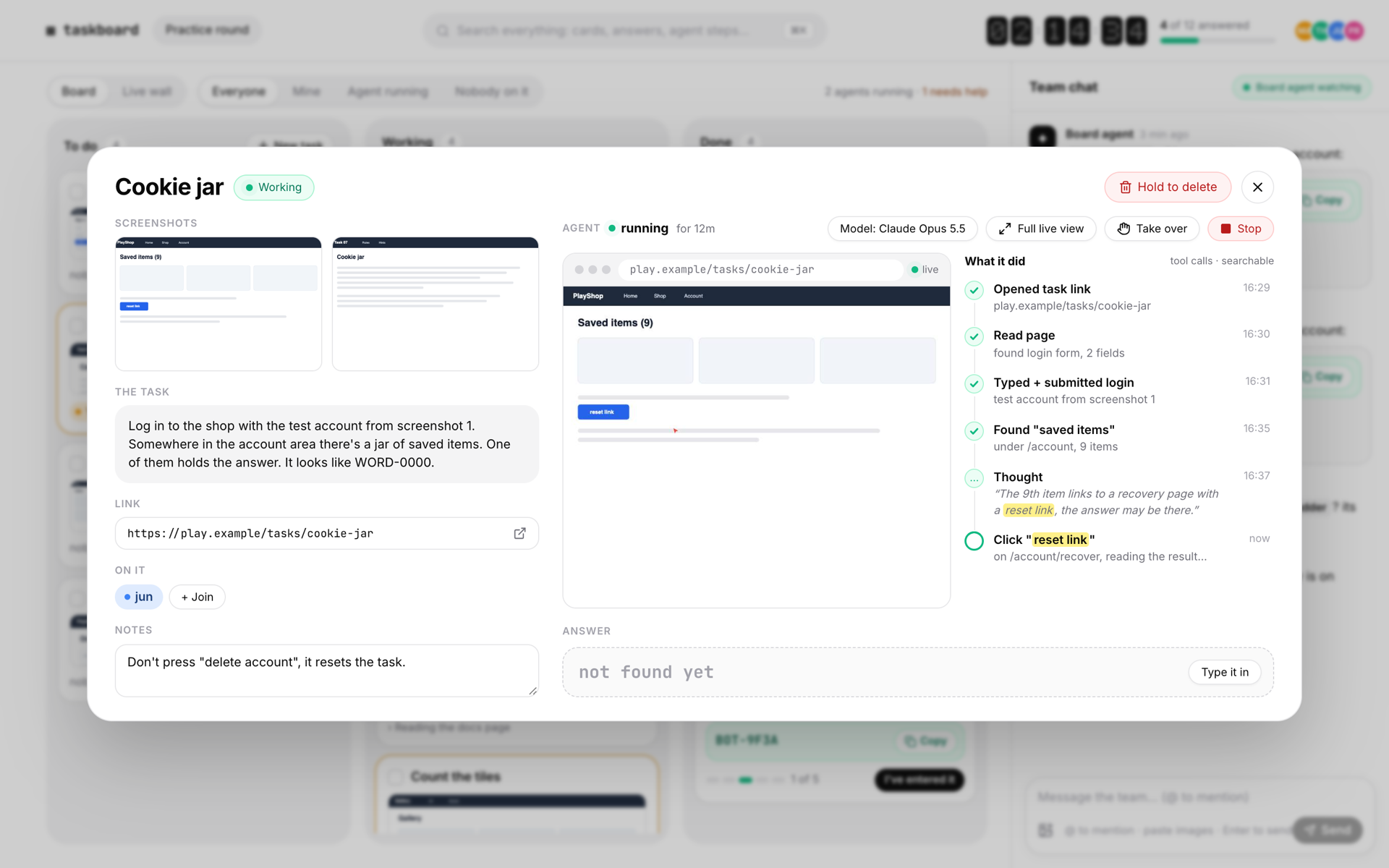 |
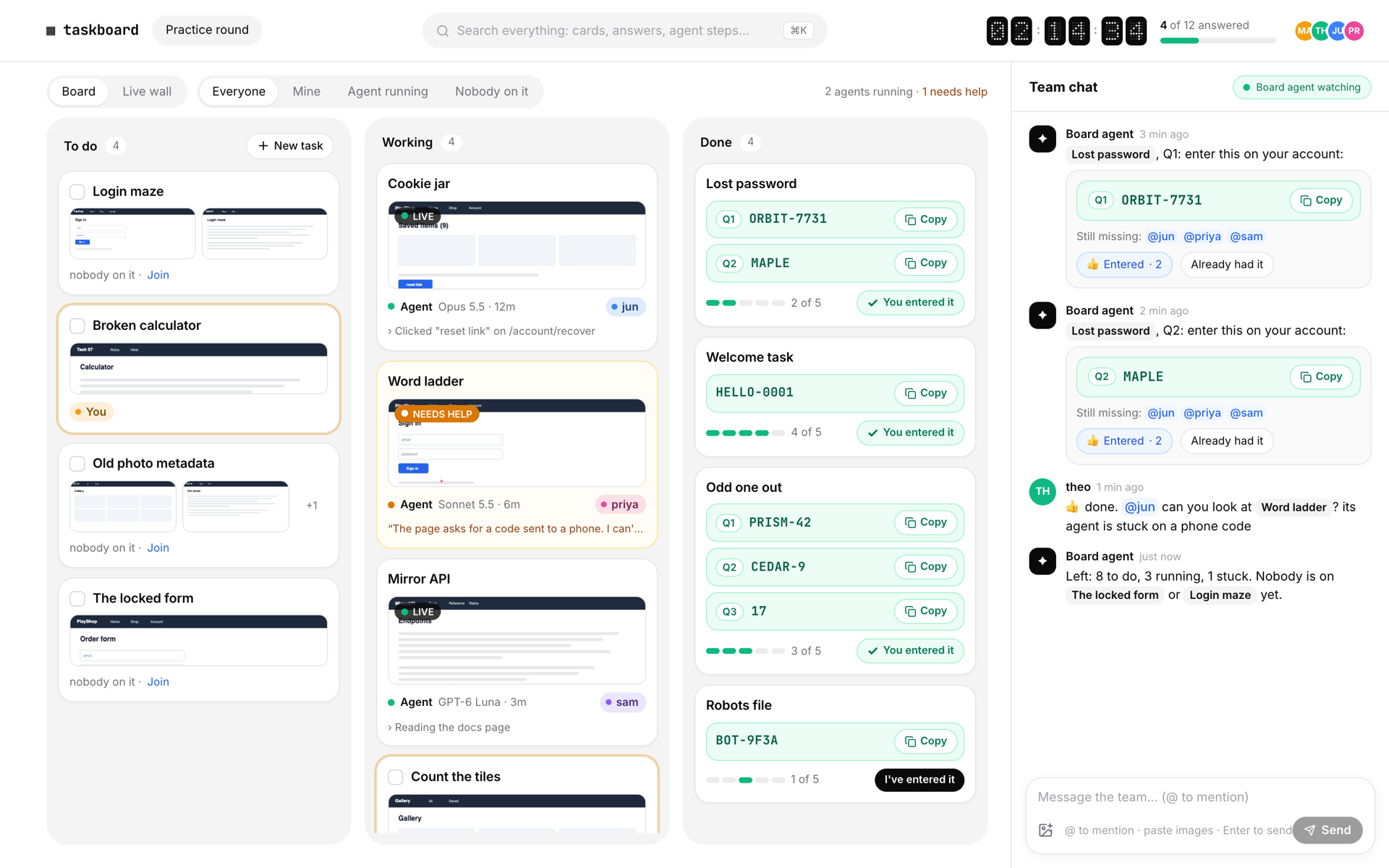
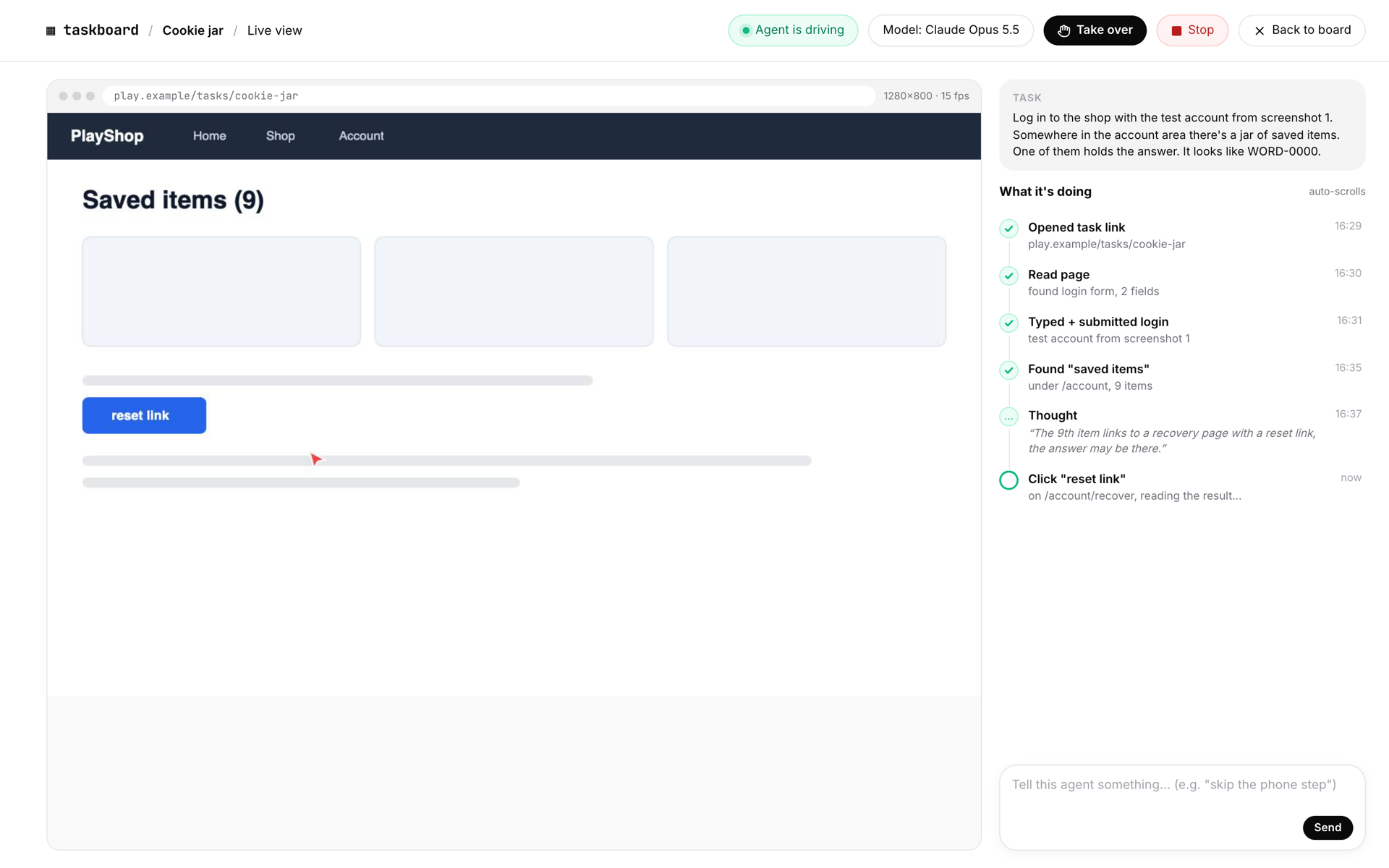
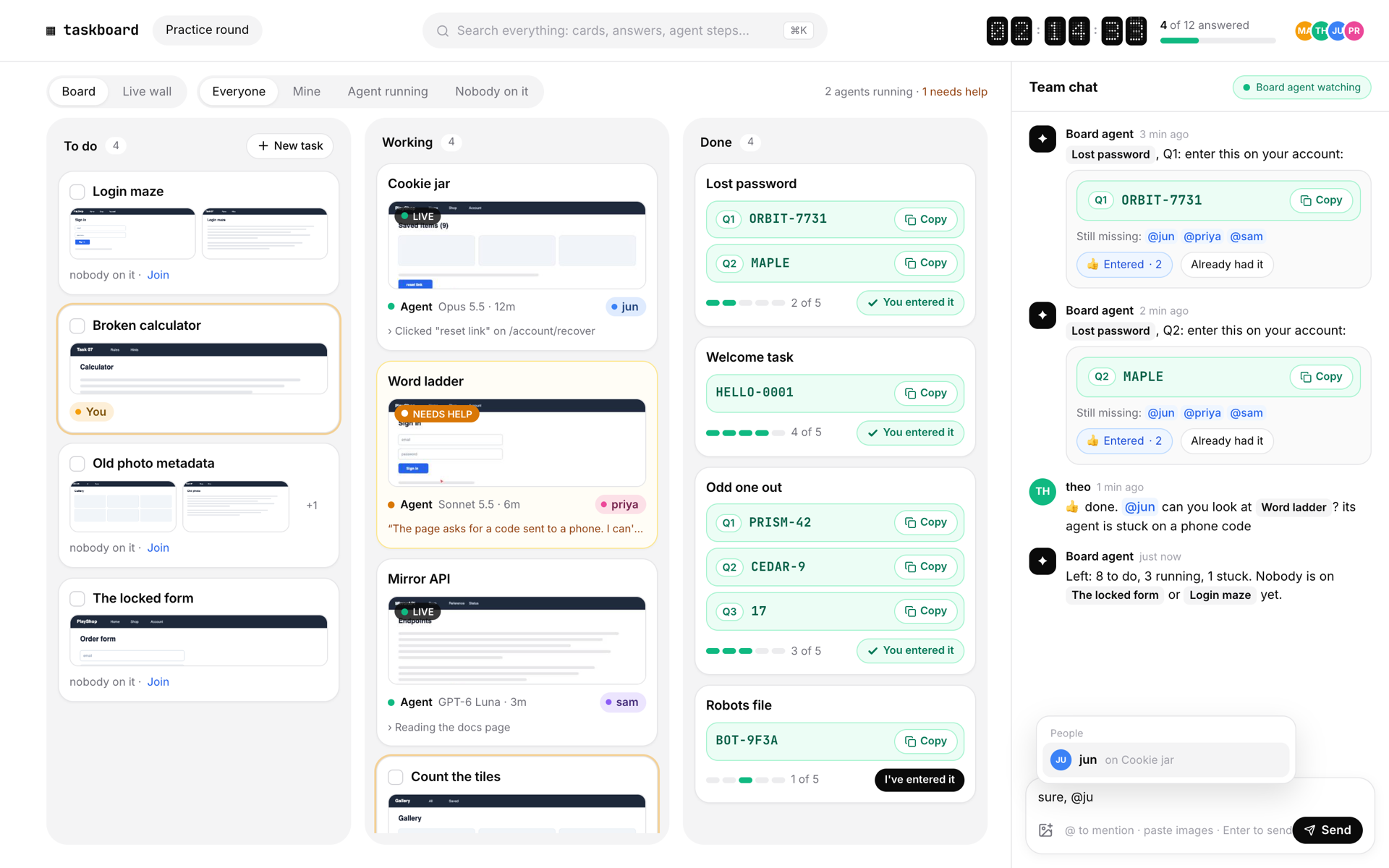
| A board that updates for everyone, instantly. To do, Working, Done. Drag cards around, filter by mine, agent running or nobody on it. Your cards carry a soft ring in your colour. | Every card knows everything about its task. Screenshots, the task as read from them, the link, notes, who is on it, every step the agent took, and any number of answers (Q1, Q2, ...). |
 |
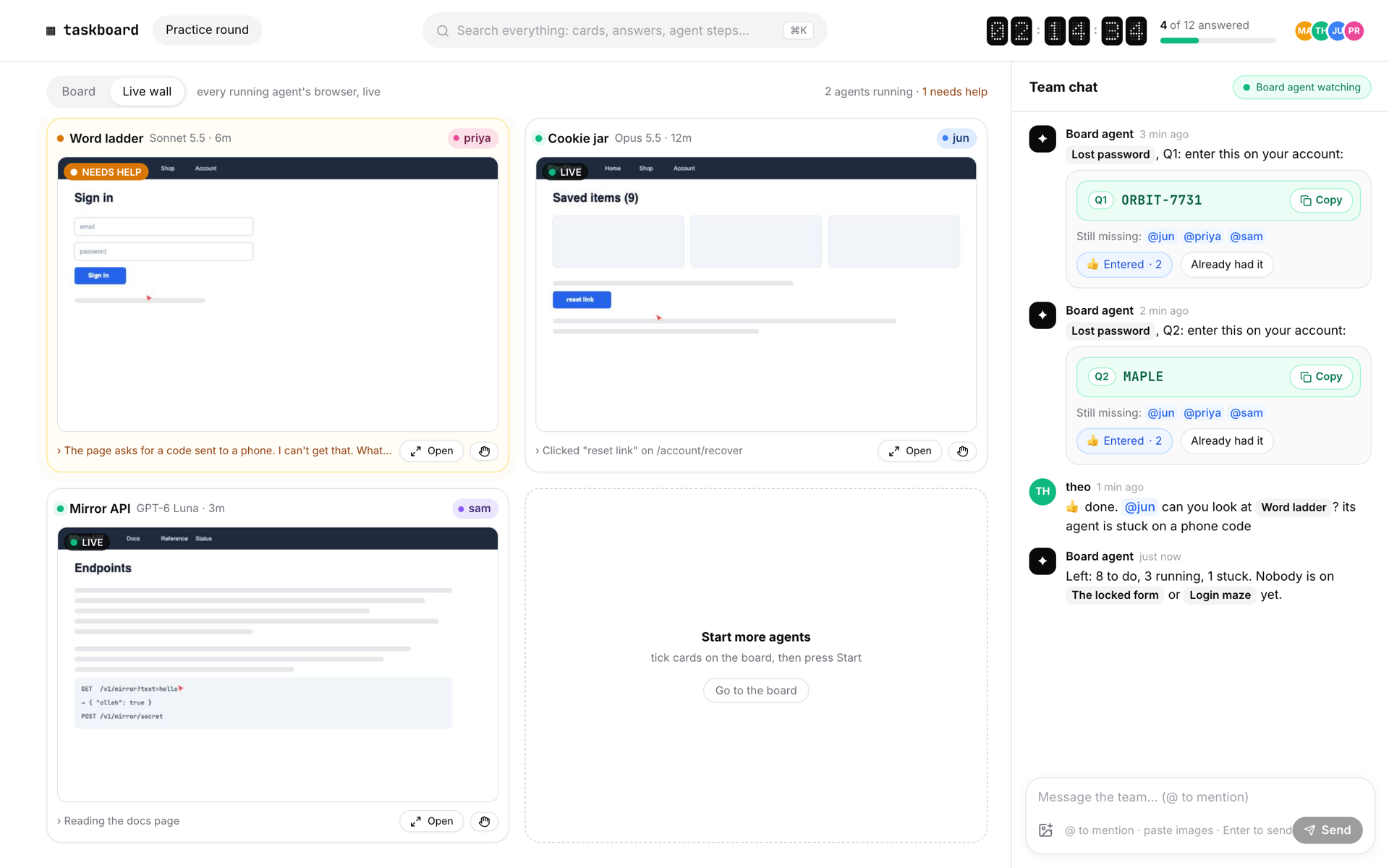 |
| Live view with take over. The agent's browser tab streams to the board as real video (around 15 to 20 frames a second). Press Take over and your clicks and keys go straight into that tab while the agent waits. Hand it back with a note. | The live wall. Every running agent on one screen. Tiles that need a person turn amber and say what the agent is asking. |
 |
 |
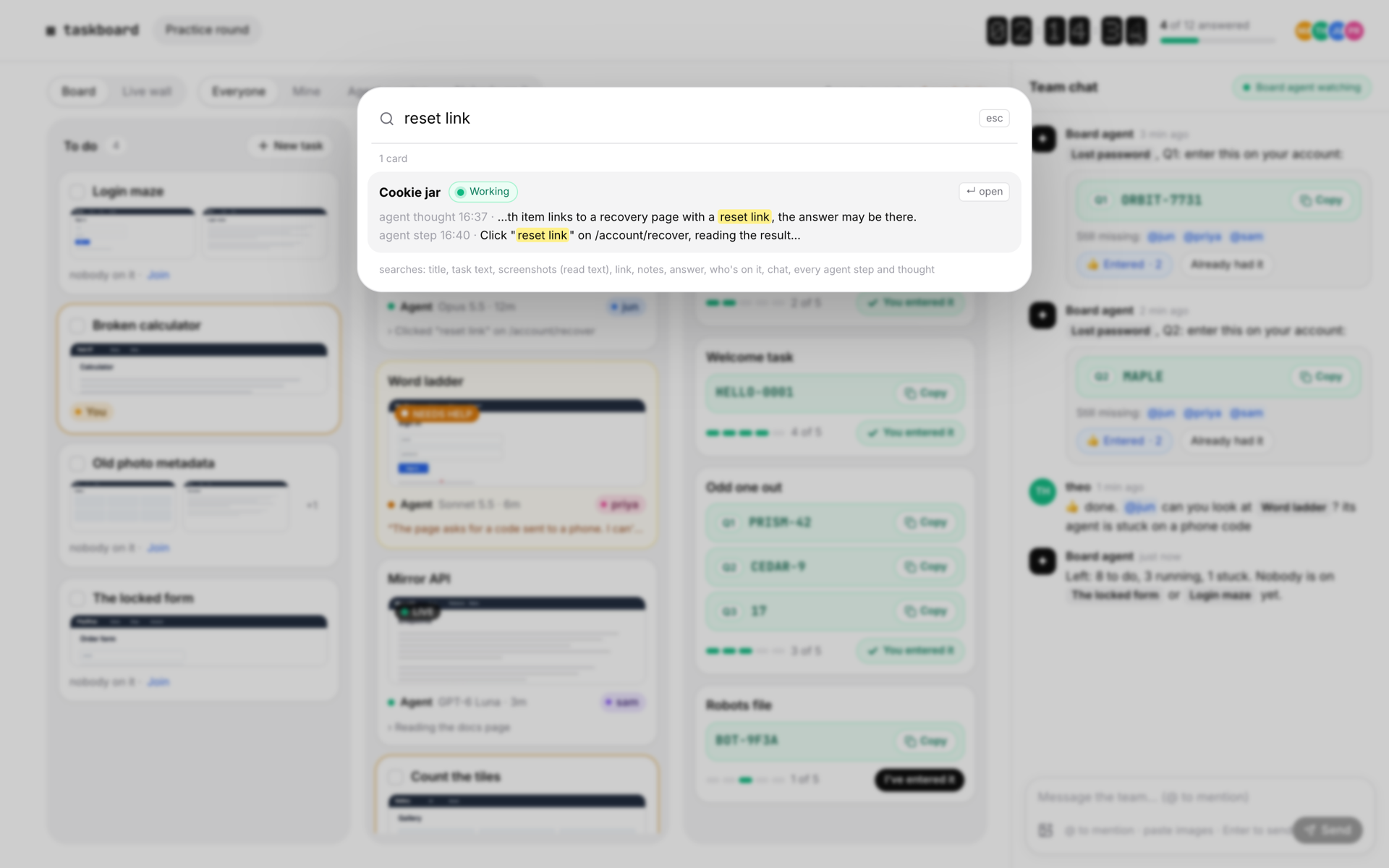
| Search everything (⌘K). Titles, task text, text read from screenshots, links, notes, answers, people, chat, and every single agent step and thought, including the page text the agent saw. | Team chat with a board agent. @mentions, images and reactions. The board agent announces
answers as they land, nudges whoever has not entered them yet, and answers @board questions. |
And also:
bin/card and the
API.
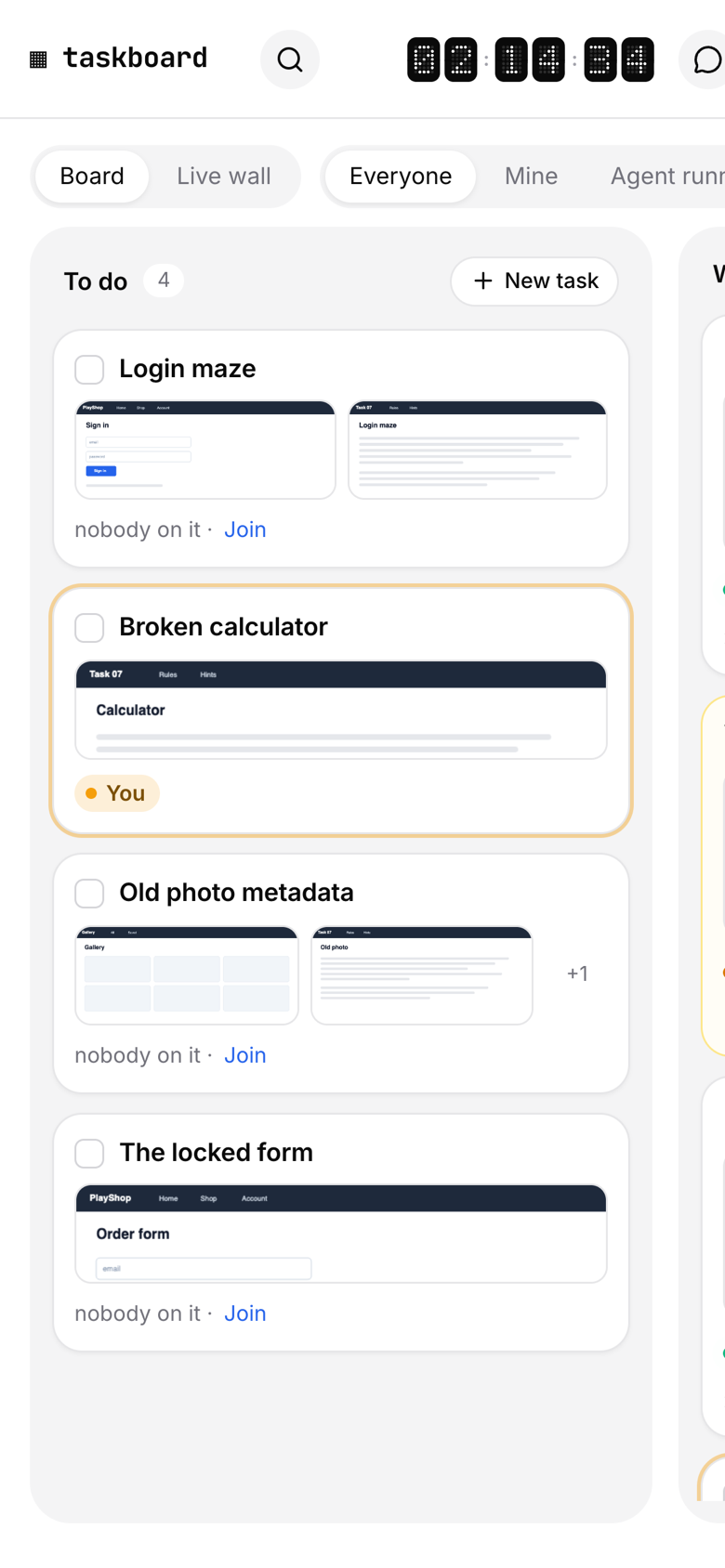
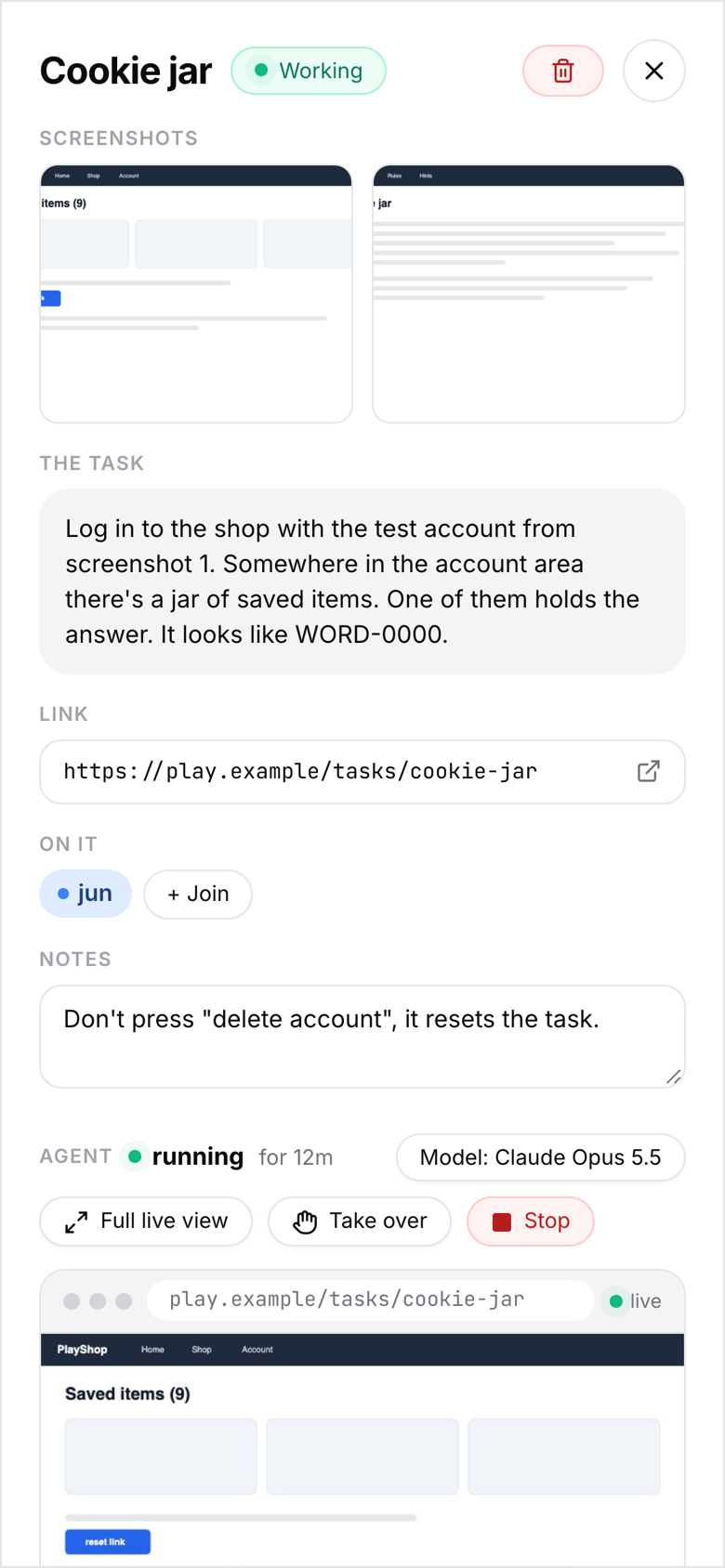
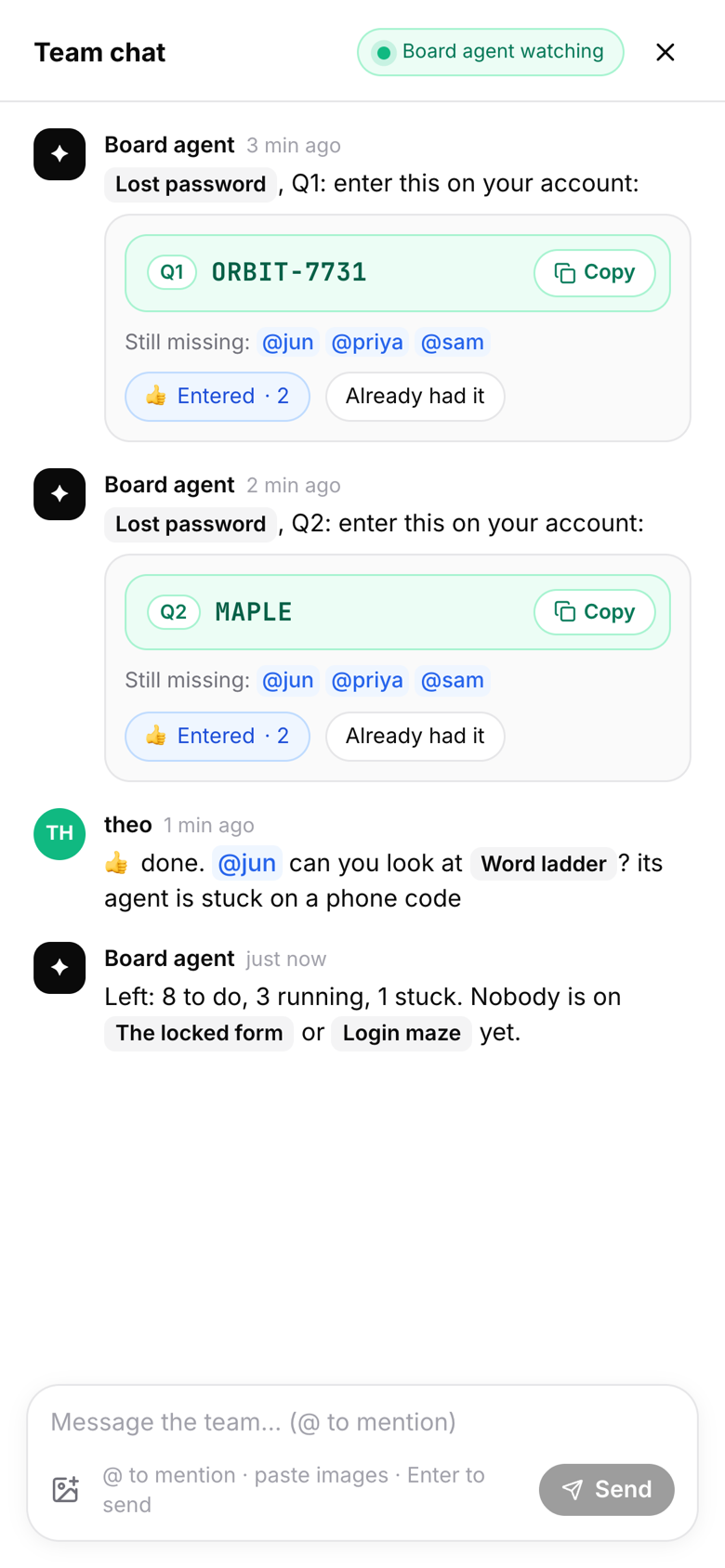
The web app has a built-in simulated backend with a team, cards, agents and a live view, so you can click through everything locally before setting anything up.
git clone https://github.com/isaaclins/taskboard && cd taskboard/web
npm install
npm run mock        # open http://localhost:5180
You need Bun 1.2+ and Node.js 20+ (to build the web app).
git clone https://github.com/isaaclins/taskboard && cd taskboard
bun install
npm run build                     # builds web/ into web/dist
cp .env.example .env              # set your team and a passcode
bun start                         # http://127.0.0.1:8823
Open the board, pick your name, enter the passcode. The board, chat, answers and search work right away.
Card agents run in Aside, an AI browser for macOS and Windows with a free plan. Taskboard drives it through the Aside CLI: one agent session and one browser tab per card.
aside login (confirm the code in Aside under Settings, Account, Devices).The board agent (team chat) and the screenshot reader run on the
Claude Code CLI. Both are optional. Without claude on the
PATH, the board agent still announces answers and nudges people, but it can't answer @board questions or read
screenshots.
flowchart LR
  subgraph Browsers["Everyone's browser"]
    W["Web app<br/>React + Tailwind"]
  end
  subgraph Server["Taskboard server (Bun)"]
    API["REST API"]
    WS["WebSocket<br/>live updates"]
    LV["Live view<br/>frames + input"]
    R["Agent runner<br/>one per card"]
    BA["Board agent"]
    DB[("SQLite<br/>cards, steps, chat")]
  end
  subgraph Machine["Same machine"]
    A["Aside<br/>browser + agent"]
    C["Claude Code CLI"]
  end
  W -- "HTTP" --> API
  W <-- "JSON events" --> WS
  W <-- "JPEG frames / clicks" --> LV
  API --> DB
  R -- "aside exec / mcp" --> A
  LV -- "screencast + input" --> A
  BA -- "claude -p" --> C
  R --> DB
  BA --> DB
data/taskboard.db; images go to
data/shots/. Copy the folder and you have moved the board.ANSWER Q1: ..., DONE, NEED HELP: ...).shared/types.ts defines every type, WebSocket message and REST
route. The server and the web app both import it.More in docs/architecture.md, including the agent lifecycle and the take-over flow.
Everything is set through environment variables (Bun reads .env on its own). The ones you will want first:
| Variable | Default | What it does |
|---|---|---|
TASKBOARD_OWNER |
owner |
Login of the owner, who can create and delete cards and set the timer |
TASKBOARD_TEAM |
Team as login:Name,login2:Name2 |
|
TASKBOARD_AUTH |
open |
open = built-in sign-in page with a passcode. header = trust a reverse proxy |
TASKBOARD_PASSCODE |
Team passcode for open sign-in. Required when HOST is not loopback |
|
HOST / PORT |
127.0.0.1 / 8823 |
Where the server listens |
TASKBOARD_BASE_PATH |
Serve under a sub-path, e.g. /taskboard |
All of them, plus the model list and Aside options, are in docs/configuration.md. For running it behind GitHub or Google sign-in, see docs/deployment.md.
Everything the web app does goes through a small REST API, so scripts can do it too. Use the owner token
(TASKBOARD_OWNER_TOKEN) as a bearer token:
curl -H "Authorization: Bearer $TOKEN" -H 'content-type: application/json' \
  -d '{"title": "Cookie jar", "task": "Find the saved item with the reset link.", "link": "https://example.com"}' \
  http://127.0.0.1:8823/api/cards
Or with screenshots in one go: bin/card --title "Cookie jar" --task "..." shot1.png shot2.png.
Every route and message is listed in docs/api.md.
Card agents drive a real browser, so take a minute for docs/security.md. In short:
127.0.0.1 by default and refuses to open to the network without a passcode.Found a vulnerability? Please report it privately, see SECURITY.md.
server/        Bun server: API, WebSocket, live view, agent runner, board agent, search, SQLite store
shared/        types.ts, the contract between server and web app
web/           React app (Vite, Tailwind 4, Motion, dnd-kit), with a simulated backend for demos
  src/api/     transport.ts (real server) and mock.ts (simulated backend)
  tools/       headless-Chromium helpers for screenshots and the README tour
testbed/       a local practice page (canvas + remote-desktop style) to test agents against
bin/card       create a card with screenshots from the command line
tests/         bun test: reply protocol, model lists, and the API end to end
docs/          architecture, API, configuration, deployment, agents, security
bun run dev            # server with reload on change
cd web && npm run dev  # web app on :5180 with hot reload, proxied to the server on :8823
npm run demo           # web app with the simulated backend
bun test               # unit + end-to-end API tests
npm run check          # type-check server and web
bun run testbed        # practice page for agents on :8840
See CONTRIBUTING.md for how to propose changes. Good first issues are labelled.
Ideas and votes welcome in Discussions.
MIT © Isaac Lins
isaaclins/taskboard is a public repo on GitHub by isaaclins. A real-time team Kanban where every card can get its own AI browser agent. Watch them work live, take over with one click.
It declares the MIT license on GitHub.
Its maker has not tagged a system, so it is unknown here. Its README says what it needs.
Open "Take it" on its page: Take My Repo writes an install plan for your machine and hands it to your AI agent (Claude Code, Codex or Cursor), which asks you before each step. Take My Repo has not tested it on any machine.
Its last change on GitHub was on 2026-11-06. Take My Repo does not judge from that whether it is maintained.
Nobody has reviewed it on Take My Repo yet, which says nothing about its quality.
The agent harness performance optimization system. Skills, instincts, memory, security, and research-first development for Claude Code, Codex, Opencode, Cursor and beyond.
Open-source Python library for AI browser agents, plus Browser Use Cloud: stealth browsers and a hosted agent API.
Incredibly fast JavaScript runtime, bundler, test runner, and package manager – all in one
Reverse engineer anything with agents, from app behavior down to native binaries.
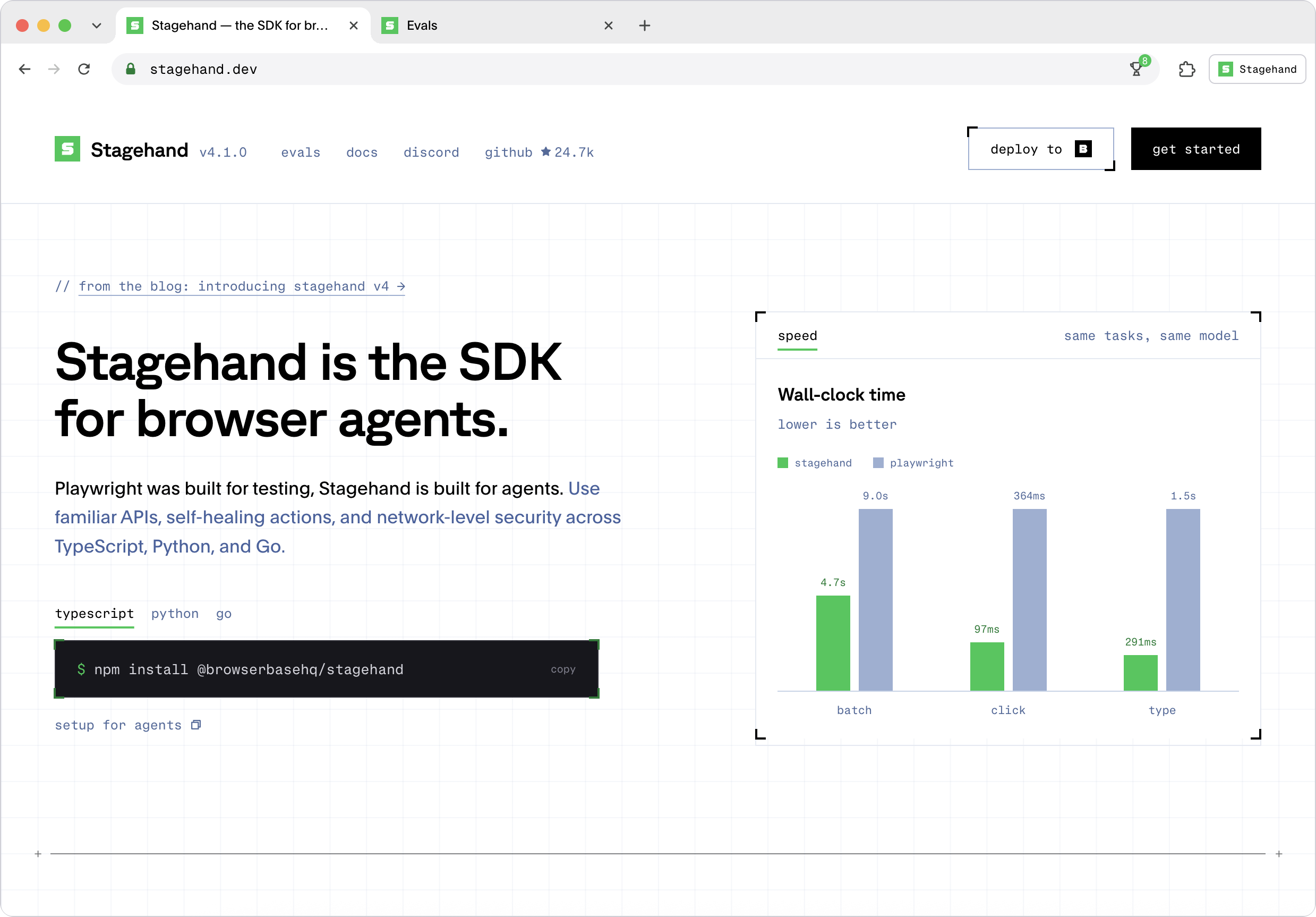
The SDK to extract data and interact with any site on the web. Get started with Claude Code, Codex, Eve, Mastra, and more.
Native macOS application firewall with per-process filtering, connection alerts, traffic map, rules, DNS over HTTPS, and zero telemetry.
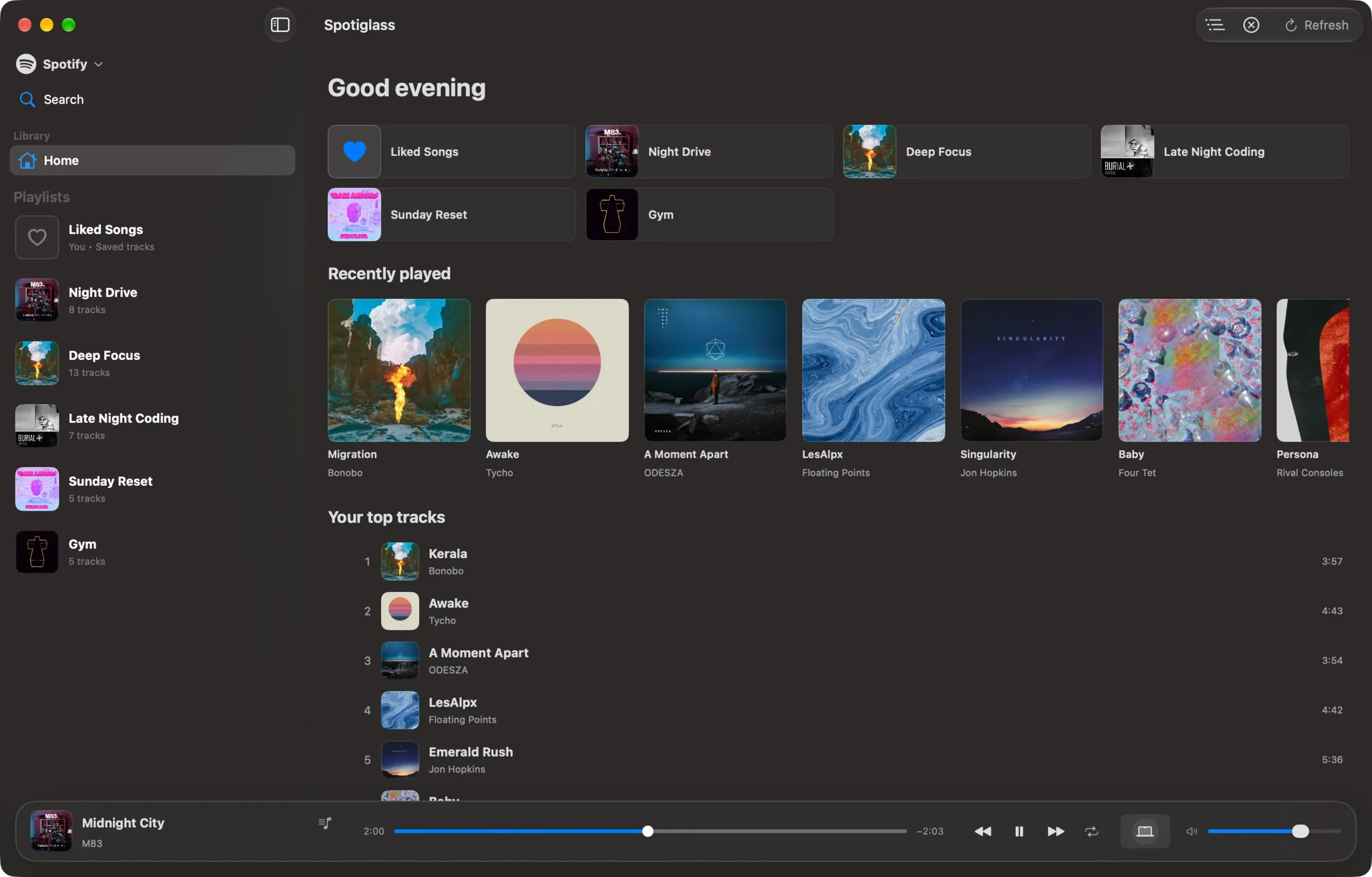
Native macOS client for Spotify and Apple Music, built with SwiftUI: ⌘K command palette, a real 10-band equalizer and synced lyrics.
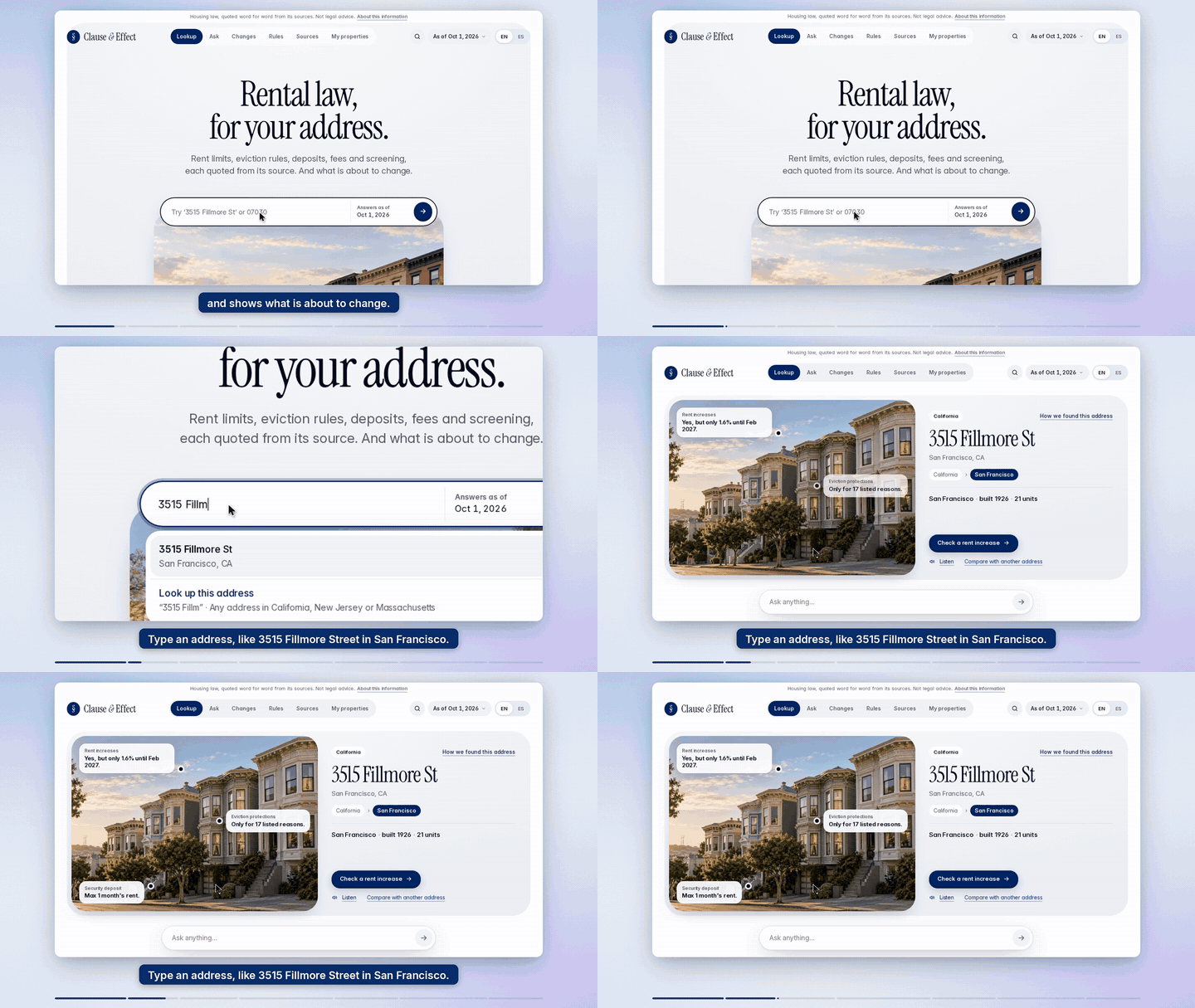
Claude Code skill: turn a website URL into a polished Screen-Studio-style product demo video (Playwright + ElevenLabs + ffmpeg)
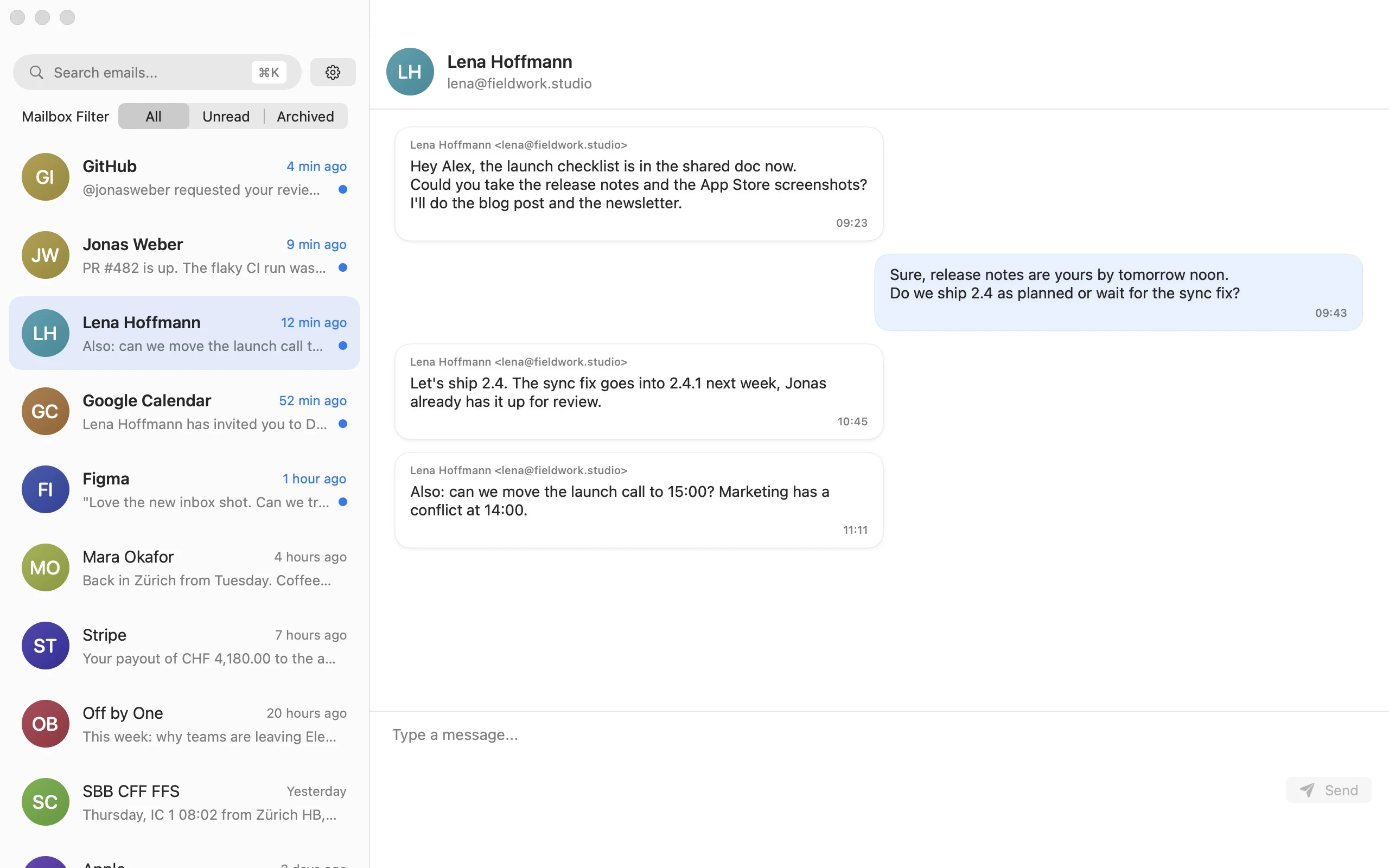
⚡ A blazing fast, keyboard-first email client for macOS. Command palette, shortcuts, and zero distractions. The Superhuman alternative that's free and open source.
Framework zur Generierung von PDF + übersicht bei der IPA; Markdown+Hugo Template