
plane
🔥🔥🔥 Open-source Jira, Linear, Monday, and ClickUp alternative. Plane is a modern project management platform to manage tasks, sprints, docs, and triage.
- 63k
- TypeScript
- AGPL-3.0
- 3 h ago
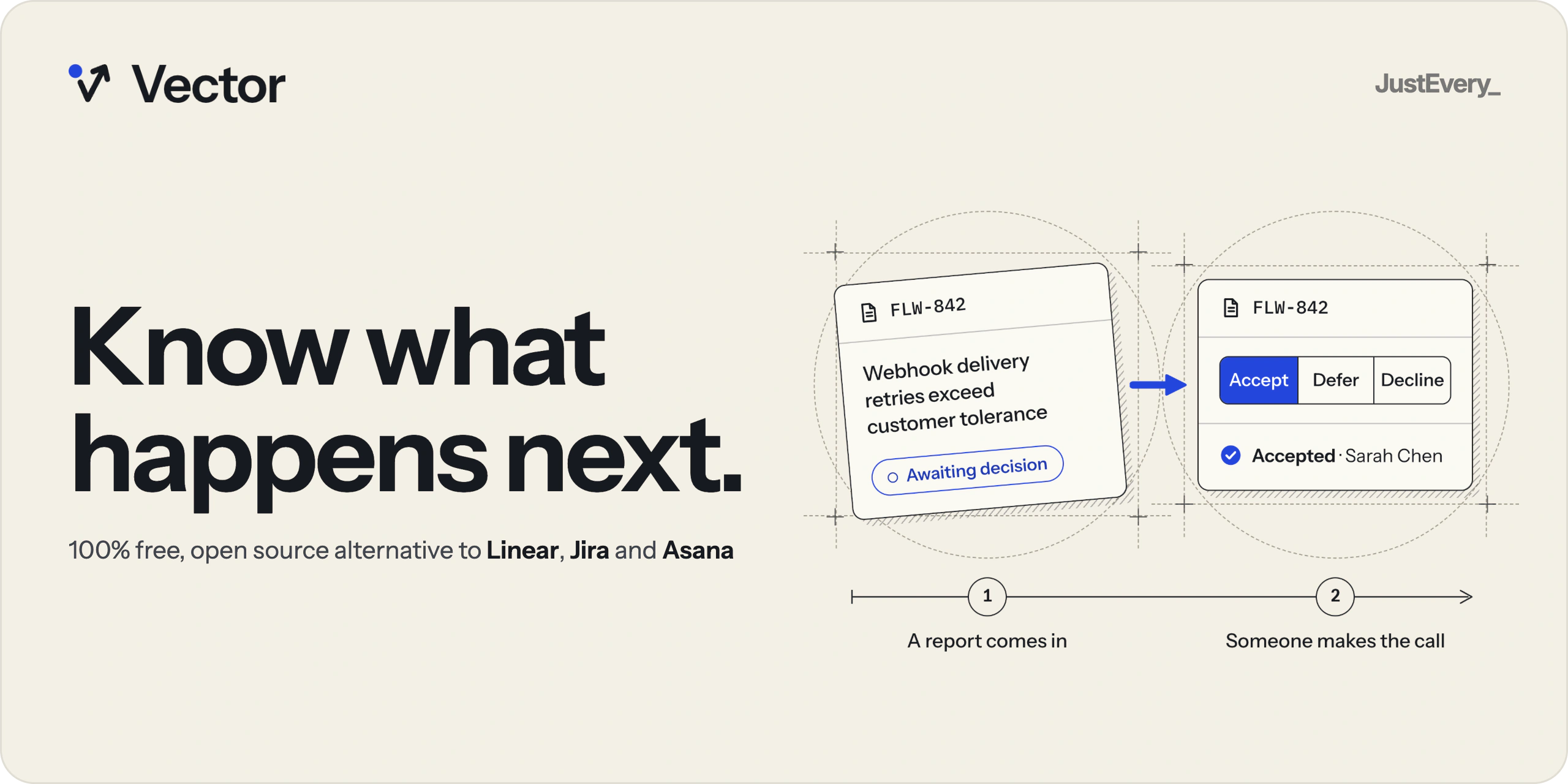
Issue tracking that shows what's now, what's next and why. 100% free, open source alternative to Linear, Jira and Asana.
Repo just-every/run-vector, read from GitHub 1 d ago. just-every has not joined Take My Repo.
just-every/run-vector is a public repo on GitHub by just-every. Issue tracking that shows what's now, what's next and why. 100% free, open source alternative to Linear, Jira and Asana. It declares the MIT license on GitHub. It is written mainly in TypeScript, has 4 stars and last changed on 2026-11-09. Nobody has reviewed it on Take My Repo yet, which says nothing about its quality. Read from GitHub on 2026-11-24.
🔥🔥🔥 Open-source Jira, Linear, Monday, and ClickUp alternative. Plane is a modern project management platform to manage tasks, sprints, docs, and triage.
run-vector.com · Part of Just Every · MIT licensed
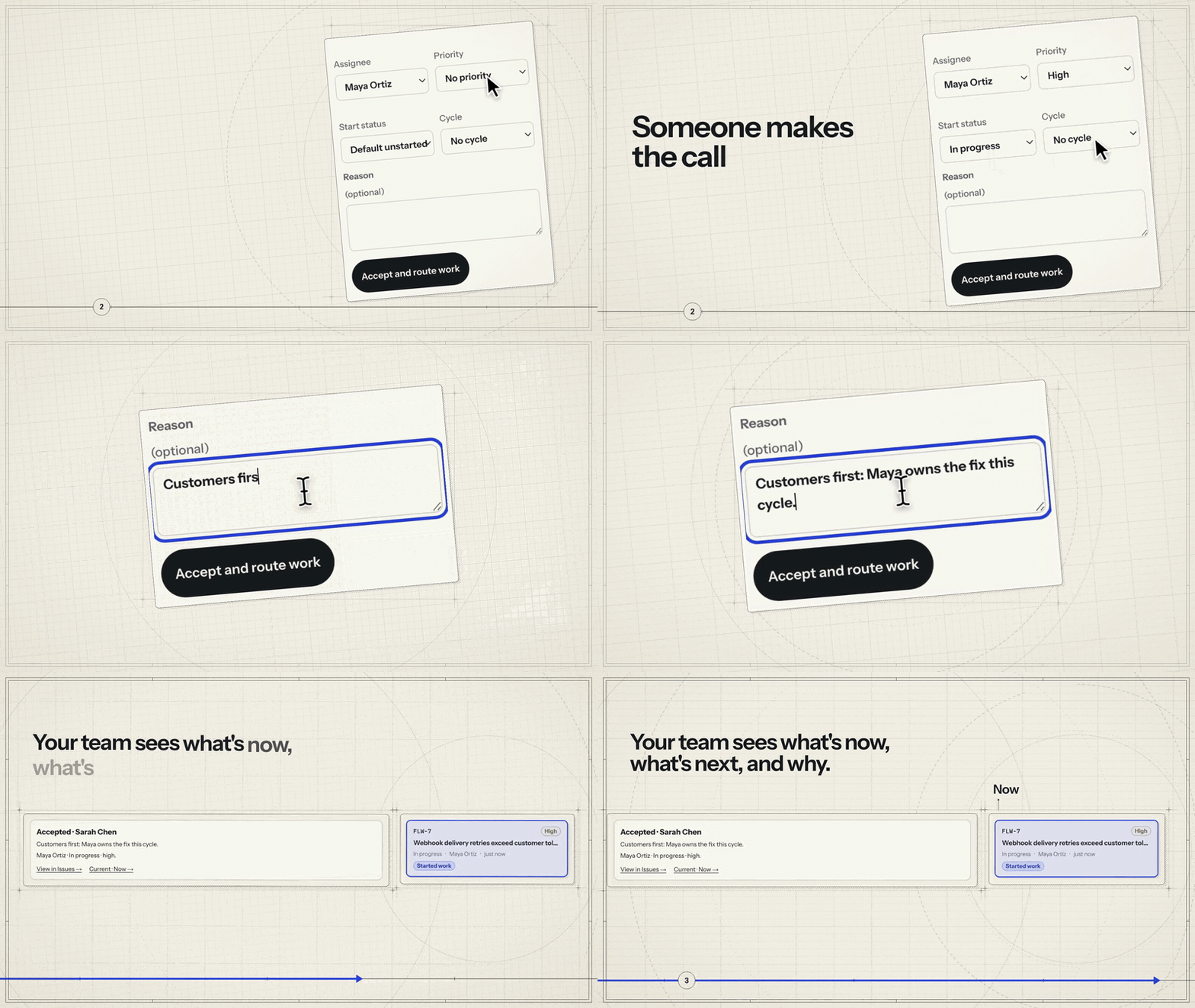
Watch the full demo · 55 seconds
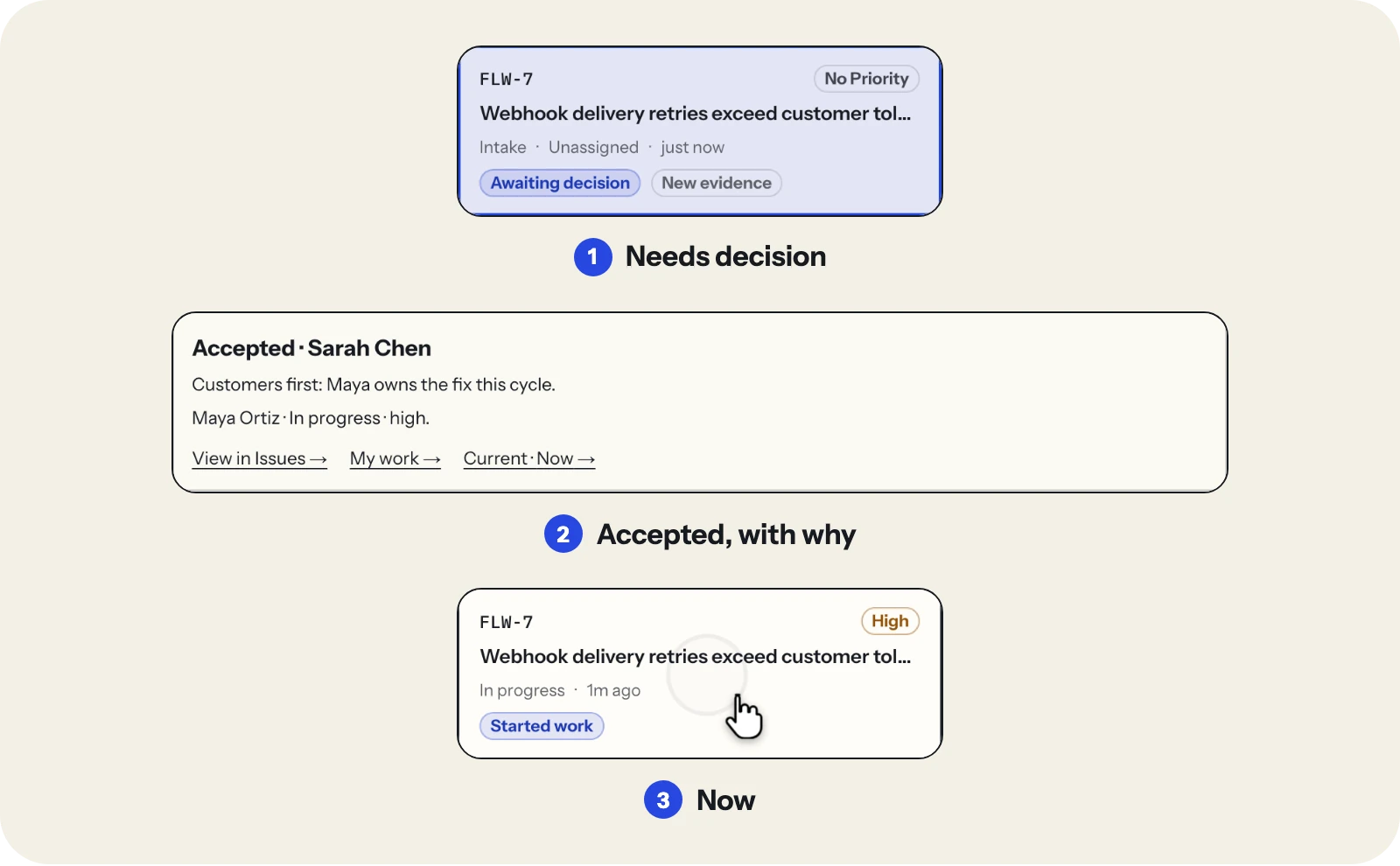
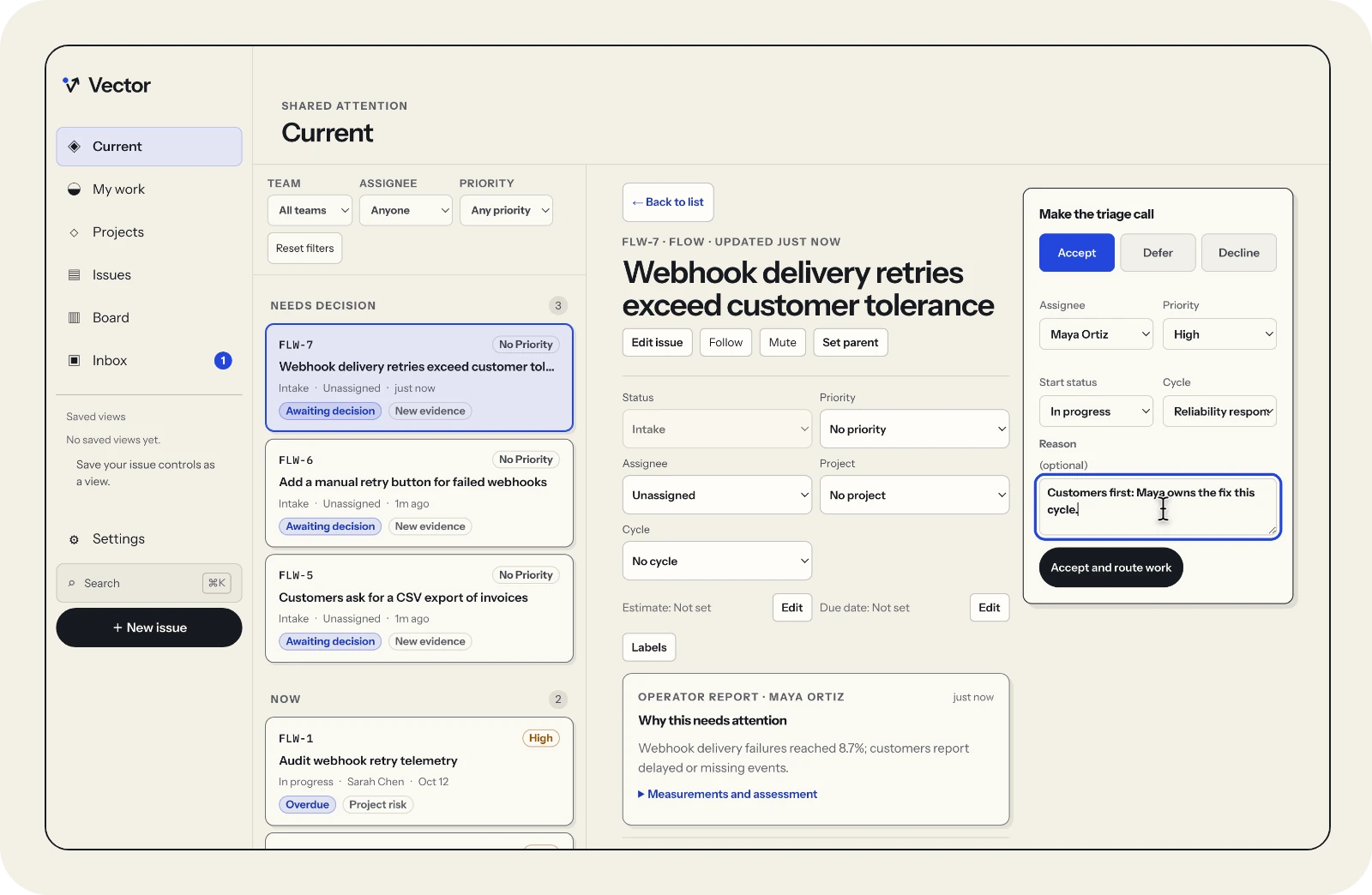
Every report gets a triage call: accept, defer or decline, with a reason.
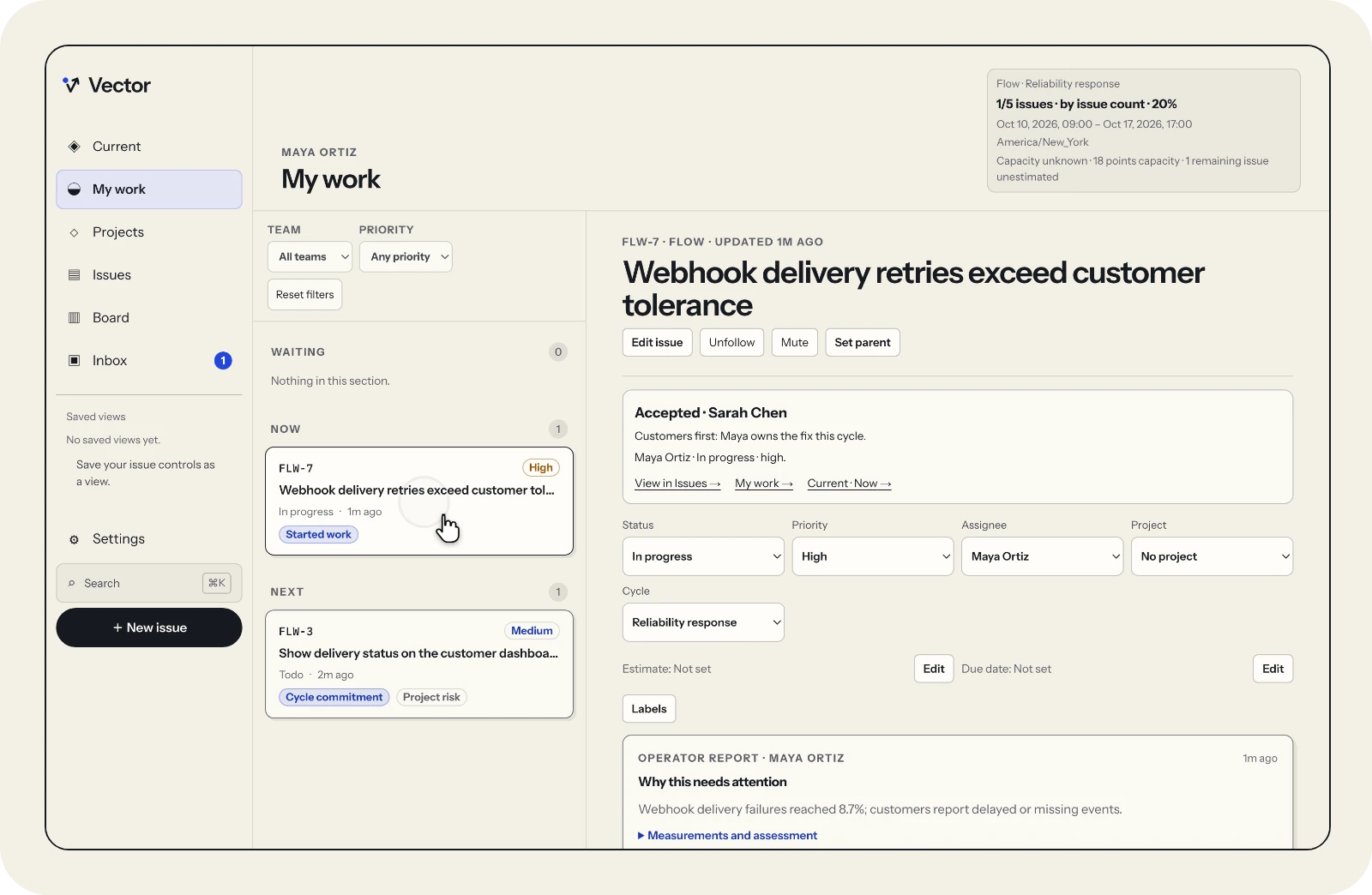
The decision and its reason travel with the issue.
Vector is a deployable, self-hosted issue tracker for one business. Evidence-led intake supports explicit accept, defer and decline decisions. Current explains what needs attention; My work, projects, dependencies and a personal Inbox organize execution. Issues include inline editing for labels, estimate, due date, expected outcome and customer impact, plus comments, safe Markdown, named links, private files and an immutable activity history. Each inline property change uses the existing version-checked issue PATCH; title and description remain in the writing editor. That editor retains the newest successful save or validated reload receipt for the same issue, so reopening before a background refresh uses its current version while genuine conflicts keep unsaved drafts.
The application runs on a Cloudflare Worker with TanStack Start, React and Hono, D1 for records and R2 for files. Operators sign in by email; Settings provides invitations, removal, workspace timezone and daily reminder controls and administration for teams, workflows, labels, projects and cycles. The source is MIT licensed at just-every/run-vector.
You need Git, on macOS, Linux or Windows with WSL2. The installer brings Node and pnpm. One line, the same as on run-vector.com/run, installs rer (the Run Edit Run command), clones Vector and starts it:
curl -fsSL https://runeditrun.com/install.sh | sh -s -- dev just-every/run-vector
Have Node 22 or later? You can use npx -y @runeditrun/rer dev just-every/run-vector instead.
The installer links rer at $HOME/.local/bin/rer and does not edit your shell profiles. Before using the later rer commands in a new terminal, add that folder to PATH:
export PATH="$HOME/.local/bin:$PATH"
Run this in each new terminal, or add it to your shell's startup file to keep it. You can also use "$HOME/.local/bin/rer" in place of rer for any command below, including reset and deploy.
To start Vector again later, run cd run-vector && rer dev. The install line installs the current global rer launcher; inside this checkout, rer runs the exact dependency declared in package.json. The global launcher and the checkout’s CLI can therefore have different versions.
Vector has its own release numbers: tagged Vector releases are separate from the CLI version. The clone follows main. To use a tagged release instead, choose its version tag and run git checkout <version-tag> in the checkout before rer dev; rer then uses the CLI pin recorded by that release.
The first rer dev installs the pinned Node, pnpm and dependencies, makes you the local owner and prints a link that opens Vector signed in. There is nothing else to install and no provider account to set up.
On a fresh checkout, rer dev prepares a local placeholder owner (owner@run-vector.test). To choose your own local owner instead, run this optional setup before the first rer dev, replacing the example mailbox. Choose another explicit port if 8787 is occupied.
rer setup --owner-email owner@example.test --port "${VECTOR_PORT:-8787}" --non-interactive
Setup builds and applies migrations, saves owner-only .dev.vars, prepares your first owner and stops its temporary app. A second setup preserves the owner, data and settings. Once development has initialized the placeholder owner, setup cannot silently replace it with another mailbox. Keep that owner and existing data, or, for a disposable installation, stop development, retain any needed export, explicitly run rer reset --yes, then run setup with your chosen mailbox and start development again. Reset deletes the local installation. Supply a private JSON --answers file for workspace, timezone and team values declared in rer-setup.json; otherwise its defaults apply. Existing installations must follow local recovery before changing their state path.
Development prints RER_READY only after health is ready, then RER_SIGNED_IN (the owner) and RER_OPEN. Open RER_OPEN in a browser on this computer to enter as the owner; finish your first workspace review at /setup. The link carries this checkout's private dev key in its fragment: treat it as a credential and never share it. Reset removes the key and invalidates earlier dev browser sessions. Local titles and the app name carry a Dev suffix. Development has no toolbar or captured-mail UI. To try a second operator, first open the owner’s link, then run rer dev --as teammate and open its RER_OPEN link in the same browser. Creating the teammate needs that owner session; a fresh browser can return unauthenticated until the teammate has been created. This switches to a separate local operator, not an invitation’s email address. Local invitations send no email; deploy Vector to invite someone by email. Use --as signed-out for no session. The teammate is a Member; the owner is an Owner (roles: CONTRACT.md ROLE-001). The legacy --login flag uses the same automatic owner entry. rer preview serves production output and prints its ready address without a captured-mail sign-in flow. RER_OPEN is for people at this terminal; scripts can use rer dev --json and the key header. Stop only the development process you started, by its own PID. Data is stored in .wrangler/state and private settings are excluded from builds.
rer verify runs the build, artifact and contract checks. The browser test suites are for contributors and run in CI; see Verification.
Review the inventory before removing local data. Stop the app, retain an export and your backups, then explicitly confirm:
rer reset --yes
Reset removes local D1/R2, owner/sessions/outbox, installer drafts and generated settings. Source, dependencies, export archives and .rer/deploy receipts survive. See SEED-COMMAND-CONTRACT.md for flags, exit codes and private state custody, and Installer instructions for setup details.
Managed Vector uses the Run Edit Run mail relay for sign-in, invitations and member-selected notification email and digests. Configure supplies and hides MAIL_PROVIDER=rer, MAIL_FROM, MAIL_RELAY_URL and the private MAIL_API_KEY; you do not need a mail-provider account or key. Free and Assisted provider choices remain available. See Managed source for relay limits and credential recovery. Hosted delivery acceptance requires separate validation.
Commit your checkout before deploying; rer deploy builds it. Then supply your explicit CLOUDFLARE_ACCOUNT_ID, CLOUDFLARE_API_TOKEN, verified sender MAIL_FROM (a mailbox or Name <address>), SENDGRID_API_KEY, and set OWNER_EMAIL to the mailbox that will own the hosted installation. Also supply the public FIRST_OWNER_NAME, WORKSPACE_NAME, WORKSPACE_TIMEZONE, DEFAULT_TEAM_NAME and DEFAULT_TEAM_PREFIX values. Follow DEPLOY.md for private secret/state custody, the resulting workers.dev origin and permissions.
FIRST_OWNER_EMAIL="$OWNER_EMAIL" rer deploy
Without --environment NAME this deploys the production environment, and every later rer deploy, rer signin and rer deploy --remove --yes from this checkout acts on production too. If you deploy a named environment instead, pass the same --environment NAME to each of those commands.
Vector’s current deployment adapter reads the internal FIRST_OWNER_EMAIL binding; the explicit assignment maps your OWNER_EMAIL into that adapter. Local rer setup does not choose or replace the hosted owner. The hosted owner is selected from this deployment input.
This uses the published package’s owner-account deploy and health checks with the same durable declaration and .rer/deploy state. SENDGRID_API_KEY maps to the established Worker binding MAIL_API_KEY. They do not use ambient Wrangler login. When it finishes, rer deploy prints the address of your installation. Open it and sign in by email as OWNER_EMAIL: that first sign-in makes you the owner automatically, so there is no setup token or claim step to run. The separate reviewed artifact controller is described in DEPLOY.md.
Production deployment requires configured outbound email or an approved Auth SSO setup dependency. Vector’s documented deployment path uses SendGrid. rer signin remains owner recovery when sign-in email does not arrive; run it with the same Cloudflare credentials that deployed the installation, from the deploying checkout:
rer signin
It prints a one-time sign-in link for the hosted owner. The link works once, only for that owner, expires in 15 minutes and is never saved; open it in your browser and press Confirm.
Estimated infrastructure cost is USD 0–15/month, assuming up to 20 operators, 100,000 issues, 5 GB attachments and moderate traffic. Transactional email is billed separately. These are estimates, not a capacity qualification or a claim of hosted commissioning. Local provider fixtures prove behavior without making a real deployment.
For local sample data, stop the old runtime and follow local recovery before setup: back up and move .wrangler/vector-dev to .wrangler/state, retaining the existing owner (sarah@vector.test for the original samples). The guide also covers correcting private settings left by an earlier failed upgrade. Do not reset retained data.
For hosted v0.1.0 installations made with pnpm run deploy, follow the hosted upgrade guide. That command now invokes rer deploy, which targets a different owner-account installation. Update the original reviewed controller plan and resources with pnpm artifact:deploy and a new artifact/run/receipt. Migration 0046 deletes pending identity-dependency approvals, which owners must renew.
Stop local development and keep matching source, D1/R2 backups and the private .rer/deploy directory. With the published rer command installed, update the source and deploy:
git pull --ff-only
rer deploy
No separate Node or pnpm installation is required: rer installs the package pin and dependencies a pull changed before it deploys. Deployment preserves applied migration history and private secrets; it refuses changed or uncertain history. See archives before restoring a backup.
just-every/run-vector is a public repo on GitHub by just-every. Issue tracking that shows what's now, what's next and why. 100% free, open source alternative to Linear, Jira and Asana.
It declares the MIT license on GitHub.
Its maker tagged it for macOS, Windows and Linux, or as Docker or cross-platform. That is declared by the maker; Take My Repo has not tested it.
Open "Take it" on its page: Take My Repo writes an install plan for your machine and hands it to your AI agent (Claude Code, Codex or Cursor), which asks you before each step. Take My Repo has not tested it on any machine.
⚡ Project management that doesn't become the project. Boards, Gantt charts, and GitHub integration. Self-host it or use Kaneo Cloud.
A list of Free Software network services and web applications which can be hosted on your own servers
A to-do list, time tracker and daily planner for focused personal work. Private, offline-first and open source.
⭐️⭐️⭐️ Open-source, self-hosted alternative to Linear and Plane. Project management and issue tracking where teams and AI agents work side by side to plan and ship products.
Fair-code workflow automation platform with native AI capabilities. Combine visual building with custom code, self-host or cloud, 400+ integrations.
Its last change on GitHub was on 2026-11-09. GitHub counts 24 open issues and pull requests. Take My Repo does not judge from that whether it is maintained.
Nobody has reviewed it on Take My Repo yet, which says nothing about its quality.
Take My Repo cannot say: it does not audit code and has not run run-vector. What is known comes from GitHub. It declares the MIT license on GitHub. Its last change was on 2026-11-09. It has 4 stars, which measure popularity, not safety. Nobody has reviewed it on Take My Repo yet, which says nothing about its quality. Read the source before you run it. With "Take it", your AI agent shows each step and asks you before running it; README text is treated as data, not as instructions.





