
orm
The Prisma ORM: write your application in TypeScript with human-readable queries instead of SQL. Host your database on Prisma Postgres and your app on Prisma Compute.
- 48k
- TypeScript
- Apache-2.0
- 2 d ago
List of Top 500 SQL Interview Questions & Answers with queries and more
Repo kansiris/SQL-interview-questions, read from GitHub 3 h ago. kansiris has not joined Take My Repo.
kansiris/SQL-interview-questions is a public repo on GitHub by kansiris. List of Top 500 SQL Interview Questions & Answers with queries and more. It declares no license on GitHub. Public does not mean open source: without a license, nobody is granted the right to reuse it. It has 751 stars and last changed on 2024-01-10. Nobody has reviewed it on Take My Repo yet, which says nothing about its quality. Read from GitHub on 2026-11-22.
In the maintainer's words. Shown from GitHub; Take My Repo does not keep a copy.
Click :star:if you like the project. Pull Request are highly appreciated. Follow me @kansiris87 for technical updates.
A database is described as an organized way of collection of DATA. It is the collection of schemes, tables, queries, reports, views and other objects.
Syntax: CREATEDATABASEDatabaseName
Example: CREATEDATABASE Student
or you can Create Database through Design/ Wizard form by right clicking on DATABASE option-New Database.
A Database Management System (DBMS) is a program that controls creation, maintenance and use of a database. DBMS can be termed as File Manager that manages data in a database rather than saving it in file systems.
Structured Query Language, also known as SQL, is a programming language designed for managing Relational Database Management Systems (RDBMSs). SQL is an International Organization for Standardization (ISO) standard. In RDBMS all the data is stored in tables with each table consisting of rows and columns.
Example of Sql Server 2014 SQL format:
Example of Oracle SQL format below:
Create database:
Output: Here we can see our database is created.
PL/SQL Control Statements in Oracle.
Control Statements,
• Control statements are very important in PL/SQL.
• Control Statements are elements in a program that control the flow of program execution.
• The syntax of control statements are similar to regular English and are very similar to choices that we make every day.
• Branching statements are as follows:
o If statement
o If - THEN - ELSE o Nested IF
o Branching with logical connectivity
o While
o For Loop
SQL: It is referred as Structured Query Language.
• Only simple IF / Else statements.
• Through SQL you can interact with database through ADO.NET
• In SQL you can execute a line of code
• It can run only on windows
PL/SQL: It is referred as Procedure Language / Structure Query Language:
• In PL/SQL you can execute a block of code not a single line of code.
• Deep control statements
• It can run in UNIX also.
• PL/SQL language includes object oriented programming techniques such as encapsulation, function overloading, and information hiding (all but inheritance).
RDBMS: It is referred as Relation Database Management Systems (RDBMS). RDBMS possesses a set of the below given characteristics:
• Write-intensive operations: The RDBMS is frequently written to and is often used in transaction-oriented applications.
• Data in flux or historical data: The RDBMS is designed to handle frequently changing data. Alternatively, RDBMS can also store vast amounts of historical data, which can later be analyzed or "mined".
• Application-specific schema: The RDBMS is configured on a per-application basis and a unique schema exists to support each application.
• Complex data models. The relational nature of the RDBMS makes it suitable for handling sophisticated, complex data models that require many tables, foreign key values, complex join operations, and so on.
• Data integrity: The RDBMS features many components designed to ensure data integrity. This includes rollback operations, referential integrity, and transaction-oriented operations.
Database table: Table contains records in the form of rows and columns. A permanent table is created in the database you specify and remains in the database permanently, until you delete it.
Syntax:
Create table TableName (ID INT, NAME VARCHAR(30) )
Drop syntax: drop table TableName
Select Syntax: Select * from TableName
A DB query is a code written in order to get the information back from the database. Query can be designed in such a way that it matched with our expectation of the result set. Simply, a question to the Database.
A subquery is a query within another query. The outer query is called as main query, and inner query is called subquery. SubQuery is always executed first, and the result of subquery is passed on to the main query.
There are two types of subquery – Correlated and Non-Correlated.
A correlated subquery cannot be considered as independent query, but it can refer the column in a table listed in the FROM the list of the main query.
A Non-Correlated sub query can be considered as independent query and the output of subquery are substituted in the main query.
SQL provides an organized way for table creation.
Syntax: Create table TableName (columnName1 datatype, columnName2 datatype )
The following is an example of creating a simple table-
create table Info (Name varchar(20), BirthDate date,Phone nvarchar(12), City varchar(20))
A table is a set of data that are organized in a model with Columns and Rows. Columns can be categorized as vertical, and Rows are horizontal. A table has specified number of column called fields but can have any number of rows which is called record.
Delete Data Record from Database Table and deleting an existing table by the following method:
Syntax: To delete all table records of a table:
Delete TableName DELETE info
To update an existing Table we use SQL Command UPDATE: It will update the records as per user defined query/need.
Syntax:
Update TableName SET ColumnName = NewData where Condition
Update info Set City = 'Baroda' where id = 2
Relationships are created by linking the column in one table with the column in another table. There are four different types of relationship that can be created.
The relationships are listed below:
One to One Relationship
Many to One relationship
Many to Many relationship
One to One relationship
One to Many & Many to One Relationship:
For a One to many relationships, a single column value in one table has one or more dependent column values in another table. Look at the following diagram:
Many to Many Relationship:
The third table acts as a bridge between the tables that want to establish a Many to Many relationship. The bridge table stores the common information between Many to Many relationship tables. Have a look at the following diagram:
Primary key:-
A table column with this constraint is called the key column for the table. This constraint helps the table to make sure that the value is not repeated and also that there are no null entries.
Now this column does not allow null values and duplicate values. You can try inserting values to violate these conditions and see what happens. A table can have only one Primary key. Multiple columns can participate on the primary key.
Example:
A Unique key constraint uniquely identified each record in the database. This provides uniqueness for the column or set of columns. A Primary key constraint has automatic unique constraint defined on it. But not, in the case of Unique Key. There can be many unique constraint defined per table, but only one Primary key constraint defined per table.
To define the relationship between two tables (one is called parent and the other one is the child table) connected by columns, a foreign key constraint is used. In this constraint the values of the child table must appear in the parent table, which means that for a foreign key, one table should point to a Primary Key in another table. A table can have multiple foreign keys and each foreign key can have a different referenced table.
Example: To understand the foreign key clearly let's assume the following two tables:
CUSTOMER {Cust_ID, Cust_Name, Age, ContactNo, Gender, Address} VENDOR {Vend_ID, Vend_Name, Cust_ID}
Example: Foreign Key Constraint while using CREATE TABLE statement.
Syntax: CREATE TABLE table_name(Col1 datatype NOT NULL, Col2 datatype NOT NULL, Col3 datatype NOT NULL, CONSTRAINT FK_Column FOREIGN KEY(Col1, Col2, Col3) REFERENCES parent _table(Col1, Col2, Col3) );
AT SINGLE COLUMN LEVEL
Database normalization is the process of organizing the fields and tables of a relational database to minimize redundancy and dependency. Normalization usually involves dividing large tables into smaller (and less redundant) tables and defining relationships among them. Normalization is a bottom-up technique for database design.
The evolution of Normalization theories is illustrated below:
• First Normal Form (1NF)
• Second Normal Form (2NF)
• Third Normal Form (3NF)
• Boyce-Codd Normal Form (BCNF)
• 4th Normal Form
• 5th Normal Form
• 6th Normal Form
Normalization is the process of organizing data into a related table. it also eliminates redundancy and increases the integrity which improves performance of the query. To normalize a database, we divide the database into tables and establish relationships between the tables.
• First Normal Form (1st NF)
• Second Normal Form (2nd NF)
• Third Normal Form (3rd NF)
• Boyce-Codd Normal Form (BCNF)
• Fourth Normal Form (4th NF)
• Fifth Normal Form (5th NF)
First Normal Form (1NF):
This should remove all the duplicate columns from the table. Creation of tables for the related data and identification of unique columns.
Second Normal Form (2NF):
Meeting all requirements of the first normal form. Placing the subsets of data in separate tables and Creation of relationships between the tables using primary keys. Third Normal Form (3NF):
This should meet all requirements of 2NF. Removing the columns which are not dependent on primary key constraints.
Fourth Normal Form (3NF):
Meeting all the requirements of third normal form and it should not have multi- valued dependencies.
DeNormalization is a technique used to access the data from higher to lower normal forms of database. It is also process of introducing redundancy into a table by incorporating data from the related tables.
A Stored Procedure is a collection or a group of T-SQL statements. Stored Procedures are a precompiled set of one or more statements that are stored together in the database. They reduce the network load because of the precompilation. We can create a Stored Procedure using the "Create proc" statement.
There are several reasons to use a Stored Procedure. They are a network load reducer and decrease execution time because they are precompiled. The most important use of a Stored Procedure is for security purposes. They can restrict SQL Injection. We can avoid SQL injection by use of a Stored Procedure.
CREATE PROCEDURE spEmployee AS
BEGIN
SELECT EmployeeId, Name, Gender, DepartmentName FROM tblEmployees INNER JOIN tblDepartments ON tblEmployees.EmployeeDepartmentId = tblDepartments.DepartmentId
END
Advantages of using a Stored Procedure in SQL Server
• It is very easy to maintain a Stored Procedure and they are re-usable.
• The Stored Procedure retains the state of the execution plans.
• Stored Procedures can be encrypted and that also prevents SQL Injection Attacks
A function is a sequence of statements that accepts input, processes them to perform a specific task and provides the output. Functions must have a name but the function name can never start with a special character such as @, $, #, and so on.
Types of function
• Pre-Defined Function
• User-Defined Function
User-defined Function:
In a user-defined function we write our logic according to our needs. The main advantage of a user-defined function is that we are not just limited to pre-defined functions. We can write our own functions for our specific needs or to simplify complex SQL code. The return type of a SQL function is either a scalar value or a table.
Creation of a function
Create function ss(@id int)
returns table as return select * from item where itemId = @id
Execution of a Function
select * from ss(1)
Output:
A function must return a result. So that is also called a function that returns a result or a value. When we create it a function must specify a value type that will return a value.
• Functions only work with select statements.
• Functions can be used anywhere in SQL, such as AVG, COUNT, SUM, MIN, DATE and so on with select statements.
• Functions compile every time.
• Functions must return a value or result.
• Functions only work with input parameters.
• Try and catch statements are not used in functions.
Function Types:
The following is the function list in SQL Server databases.
SQL Server contains the following aggregates functions:
"A Trigger is a Database object just like a stored procedure or we can say it is a special kind of Stored Procedure which fires when an event occurs in a database.".
It is a database object that is bound to a table and is executed automatically. We cannot explicitly call any trigger. Triggers provide data integrity and used to access and check data before and after modification using DDL or DML query.
There are two types of Triggers:
DDL Trigger
DML trigger
DDL Triggers: They fire in response to DDL (Data Definition Language) command events that start with Create, Alter and Drop like Create_table, Create_view, drop_table, Drop_view and Alter_table.
Code of DDL Triggers:
create trigger saftey on database for
create_table, alter_table, drop_table as print 'you can not create ,drop and alter table in this database' rollback;
Output:
DML Triggers: They fire in response to DML (Data Manipulation Language) command events that start with Insert, Update and Delete like insert_table, Update_view and Delete_table.
Code of DML Trigger:
create trigger deep on emp for insert, update, delete as print 'you can notinsert,update and delete this table I' rollback;
Output:
When we insert, update or delete in a table in a database then the following message appears:
We use a trigger when we want some event to happen automatically on certain desirable scenarios. You have a table that changes frequently, now you want to know how many times and when these changes take place. In that case you can create a trigger that will insert the desired data into another table whenever any change in the main table occurs.
In SQL Server we can create the following 3 types of triggers:
• Data Definition Language (DDL) triggers
• Data Manipulation Language (DML) triggers
• Logon triggers
Example:
CREATE TRIGGER trgAfterInsert ON[dbo].[Employee_Test]
FOR INSERT
AS
declare@ empid int; declare@ empname varchar(100);
declare@ empsal decimal(10, 2);
declare@ audit_action varchar(100);
select@ empid = i.Emp_ID from inserted i;
select@ empname = i.Emp_Name from inserted i;
select@ empsal = i.Emp_Sal from inserted i;
set@ audit_action = 'Inserted Record -- After Insert Trigger.';
insert into Employee_Test_Audit (Emp_ID, Emp_Name, Emp_Sal, Audit_Action, Audit_Timestamp) values(@empid, @empname, @empsal, @audit_action, getdate());
PRINT 'AFTER INSERT trigger fired.'
GO
Triggers are a special type of stored procedure which is executed automatically based on the occurrence of a database event. These events can be categorized as:
• Data Manipulation Language (DML) and
• Data Definition Language (DDL) events.
The benefit derived from triggers is based in their events driven nature. Once created, the trigger automatically fires without user intervention based on an event in the database.
A. Using DML Triggers: DML triggers are invoked when any DML command such as INSERT, DELETE, and UPDATE occurs on the data of a table and/or view.
• DML triggers are powerful objects for maintaining database integrity and consistency.
• DML triggers evaluate data before it has been committed to the database. o During this evaluation the following actions are performed.
We cannot use the following commands in DML trigger:
o ALTER DATABASE
o CREATE DATABASE
o DISK DATABASE
o LOAD DATABASE
o RESTORE DATABASE
B. Using DDL Triggers:
• These triggers focus on changes to the definition of database objects as opposed to changes to the actual data.
• This type of trigger is useful for controlling development and production database environments.
Let us create DDL trigger now-
The following is the syntax.
CREATE TRIGGER trigger_name ON{ALL SERVER | DATABASE }
[WITH < ddl_trigger_option > [, ...n]]{ FOR | AFTER } {
event_type | event_group }[, ...n] AS
{sql_statement[;][...n] | EXTERNAL NAME < method specifier > [;] }
CREATE TRIGGER tr_TableAudit ON DATABASE FOR CREATE_TABLE, ALTER_TABLE, DROP_TABLE AS PRINT 'You must disable the TableAudit trigger in order to change any table in this database ' ROLLBACK GO
A View is nothing but a select query with a name given to it or we can simply say a view is a Named Query. Ok! Why do we need a view? There can be many answers for this. Some of the important stuff I feel is:
• A view can combine data from multiple tables using adequate joins and while bringing it may require complex filters and calculated data to form the required result set. From a user's point of view, all these complexities are hidden data queried from a single table.
• Sometimes for security purposes, access to the table, table structures and table relationships are not given to the database user. All they have is access to a view not knowing what tables actually exist in the database.
• Using the view, you can restrict the user update only portions of the records.
The following are the key points to be noted about views:
Multiple views can be created on one table.
Views can be defined as read-only or updatable.
Views can be indexed for better performance.
Insert, update, delete can be done on an updatable view.
There are a number of scenarios where we have to look for a view as a solution.
• To hide the complexity of the underlying database schema, or customize the data and schema for a set of users.
• To control access to rows and columns of data.
• To aggregate data for performance.
Views are used for security purposes because they provide encapsulation of the name of the table. Data is in the virtual table, not stored permanently. Views display only selected data.
Syntax of a View:
CREATE VIEW view_name AS
SELECT column_name(s) FROM table_name WHERE condition
There are two types of views.
• Simple View
• Complex View
Primary key does not allow the null values but unique key allows one null value.
Primary key will create clustered index on column but unique key will create non-clustered index by default.
Following are tips which will increase your SQl performance:-
Every index increases the time takes to perform INSERTS, UPDATES, and DELETES, so the number of indexes should not be too much. Try to use maximum 4-5 indexes on one table, not more. If you have read-only table, then the number of indexes may be increased.
Keep your indexes as narrow as possible. This reduces the size of the index and reduces the number of reads required to read the index.
Try to create indexes on columns that have integer values rather than character values.
If you create a composite (multi-column) index, the orders of the columns in the key are very important. Try to order the columns in the key as to enhance selectivity, with the most selective columns to the leftmost of the key.
If you want to join several tables, try to create surrogate integer keys for this purpose and create indexes on their columns. Create surrogate integer primary key (identity for example) if your table will not have many insert operations.
Clustered indexes are more preferable than nonclustered, if you need to select by a range of values or you need to sort results set with GROUP BY or ORDER BY. If your application will be performing the same query over and over on the same table, consider creating a covering index on the table.
You can use the SQL Server Profiler Create Trace Wizard with "Identify Scans of Large Tables" trace to determine which tables in your database may need indexes. This trace will show which tables are being scanned by queries instead of using an index.
OLAP is useful because it provides fast and interactive access to aggregated data and the ability to drill down to detail.
Measures are the key performance indicator that you want to evaluate. To determine which of the numbers in the data might be measures. A rule of thumb is if a number makes sense when it is aggregated, then it is a measure.
Dimensions are the categories of data analysis. For example, in a revenue report by month by sales region, the two dimensions needed are time and sales region. Typical dimensions include product, time, and region.
Dimensions are arranged in hierarchical levels, with unique positions within each level. For example, a time dimension may have four levels, such as Year, Quarter, Month, and Day. Or the dimension might have only three levels, for example, Year, Week, and Day. The values within the levels are called members. For example, the years 2002 and 2003 are members of the level Year in the Time dimension.
Twist: - Can you explain the star schema for OLAP?
The dimensions and measures are physically represented by a star schema. Dimension tables revolve around fact table. A fact table contains a column for each measure as well as a column for each dimension. Each dimension column has a foreign -key relationship to the related dimension table, and the dimension columns taken together are the key to the fact table.
DTS is used to import data and while importing it helps us to transform and modify data. The name itself is self explanatory DTS ( Data transformation Services).
The 'fill factor' option specifies how full SQL Server will make each index page. When there is no free space to insert new row on the index page, SQL Server will create new index page and transfer some rows from the previous page to the new one. This operation is called page splits. You can reduce the number of page splits by setting the appropriate fill factor option to reserve free space on each index page. The fill factor is a value from 1 through 100 that specifies the percentage of the index page to be left empty. The default value for fill factor is 0. It is treated similarly to a fill factor value of 100, the difference in that SQL Server leaves some space within the upper level of the index tree for FILLFACTOR = 0. The fill factor percentage is used only at the time when the index is created. If the table contains read-only data (or data that very rarely changed), you can set the 'fill factor' option to 100. When the table's data is modified very often, you can decrease the fill factor to 70% or whatever you think is best.
Redundant Array of Independent Disks (RAID) is a term used to describe the technique of improving data availability through the use of arrays of disks and various data-striping methodologies. Disk arrays are groups of disk drives that work together to achieve higher data-transfer and I/O rates than those provided by single large drives. An array is a set of multiple disk drives plus a specialized controller (an array controller) that keeps track of how data is distributed across the drives. Data for a particular file is written in segments to the different drives in the array rather than being written to a single drive.
For speed and reliability, it is better to have more disks. When these disks are arranged in certain patterns and are use a specific controller, they are called a Redundant Array of Inexpensive Disks (RAID) set. There are several numbers associated with RAID, but the most common are 1, 5 and 10.
RAID 1 works by duplicating the same writes on two hard drives. Let us assume you have two 20-Gigabyte drives. In RAID 1, data is written at the same time to both the drives. RAID1 is optimized for fast writes.
RAID 5 works by writing parts of data across all drives in the set (it requires at least three drives). If a drive failed, the entire set would be worthless. To combat this problem, one of the drives stores a "parity" bit. Think of a math problem, such as 3 + 7 = 10. You can think of the drives as storing one of the numbers, and the 10 is the parity part. By removing any one of the numbers, you can get it back by referring to the other two, like this: 3 + X = 10. Of course, losing more than one could be evil. RAID 5 is optimized for reads.
RAID 10 is a bit of a combination of both types. It does not store a parity bit, so it is faster, but it duplicates the data on two drives to be safe. You need at least four drives for RAID 10. This type of RAID is probably the best compromise for a database server.
Note :- It's difficult to cover complete aspect of RAID in this book. It's better to take some decent SQL SERVER book for in detail knowledge, but yes from interview aspect you can probably escape with this answer.
@@IDENTITY
It will return last or newly inserted record id of any table in current session but it’s not limited to current scope. In current session if any trigger or functions inserted record in any table that it will return that latest inserted record id regardless of table. We need to use this property whenever we don’t have any other functions or triggers that run automatically.
Syntax: SELECT @@IDENTITY
SCOPE_IDENTITY()
This property will return last or newly inserted record id of table in current session or connection and it’s limited to current scope that means it will return id of newly inserted record in current session / connection stored procedure or query executed by you in current scope even we have any other functions or triggers that run automatically. Its better we can go with property whenever we need to get last or newly inserted record id in table.
Syntax: SELECT SCOPE_IDENTITY()
IDENT_CURRENT
This property will return last or newly inserted record id of specified table. It’s not limited to any session or scope it’s limited to mentioned table so it will return last inserted record id of specified table.
Syntax: SELECT IDENT_CURRENT(table_name)
Finally we can say SCOPE_IDENTITY properties is best to get newly inserted record id from executed stored procedure or query when compared with other properties
Example
CREATE TABLE SAMPLE1 (Id INT IDENTITY)
CREATE TABLE SAMPLE2 (Id INT IDENTITY(100,1))
-- Trigger to execute while inserting data into SAMPLE1 table
GO
CREATE TRIGGER TRGINSERT ON SAMPLE1 FOR INSERT
AS
BEGIN
INSERT SAMPLE2 DEFAULT VALUES
END
GO SELECT * FROM SAMPLE1 -- It will return empty value
SELECT * FROM SAMPLE2 -- It will return empty value
When we execute above statements we will get output like as shown below
Now we will insert default values in “SAMPLE1” table by executing following query and check values of @@identity, scope_identity() and ident_current(‘tablenae’)
INSERT SAMPLE1 DEFAULT VALUES
SELECT @@IDENTITY -- It returns value 100 this was inserted by trigger
SELECT SCOPE_IDENTITY() -- It returns value 1 this was inserted by insert query in SAMPLE1
SELECT IDENT_CURRENT('SAMPLE2') -- It returns value inserted in SAMPLE2 table
Char DataType
Char datatype which is used to store fixed length of characters. Suppose if we declared char(50) it will allocates memory for 50 characters. Once we declare char(50) and insert only 10 characters of word then only 10 characters of memory will be used and other 40 characters of memory will be wasted.
varchar DataType
Varchar means variable characters and it is used to store non-unicode characters. It will allocate the memory based on number characters inserted. Suppose if we declared varchar(50) it will allocates memory of 0 characters at the time of declaration. Once we declare varchar(50) and insert only 10 characters of word it will allocate memory for only 10 characters.
nvarchar DataType
nvarchar datatype same as varchar datatype but only difference nvarchar is used to store Unicode characters and it allows you to store multiple languages in database. nvarchar datatype will take twice as much space to store extended set of characters as required by other languages.
So if we are not using other languages then it’s better to use varchar datatype instead of nvarchar
Difference between bit tinyint smallint int and bigint datatypes in SQL Server
Bit DataType
This datatype represents a single bit that can be 0 or 1.
tinyint DataType
This datatype represents a single byte which is used to store values from 0 to 255 (MinVal: 0, MaxVal: 255). Its storage size is 1 byte.
smallint DataType
This datatype represents a signed 16-bit integer which is used to store values from -2^15 (-32,768) through 2^15 - 1 (32,767) and its storage size is 2 bytes.
int DataType
This datatype represents a signed 32-bit integer which is used to store values from -2^31(-2,147,483,648) to 2 ^31-1(2,147,483,647). Its storage size is 4 bytes.
Bigint DataType
This datatype represents a signed 64-bit integer which is used to store values from -2^63 (-9223372036854775808) through 2^63-1 (9223372036854775807). Its storage size is 8 bytes.
DELETE TABLE syntax logs the deletes thus make the delete operation slow. TRUNCATE table does not log any information but it logs information about deallocation of data page of the table so TRUNCATE table is faster as compared to delete table.
DELETE table can have criteria while TRUNCATE cannot.
TRUNCATE table does not invoke trigger.
I had mentioned that TRUNCATE table can not be rolled back while delete can be.
Following are the problems that occur if you do not implement locking properly in SQLSERVER.
Lost Updates
Lost updates occur if you let two transactions modify the same data at the same time, and the transaction that completes first is lost. You need to watch out for lost updates with the READ UNCOMMITTED isolation level. This isolation level disregards any type of locks, so two simultaneous data modifications are not aware of each other. Suppose that a customer has due of 2000$ to be paid. He pays 1000$ and again buys a product of 500$ . Lets say that these two transactions are now been entered from two different counters of the company.
Now both the counter user starts making entry at the same time 10:00 AM. Actually speaking at 10:01 AM the customer should have 2000$-1000$+500 = 1500$ pending to be paid. But as said in lost updates the first transaction is not considered and the second transaction overrides it. So the final pending is 2000$+500$ = 2500$.....I hope the company does not loose the customer.
Non-Repeatable Read
Non-repeatable reads occur if a transaction is able to read the same row multiple times and gets a different value each time. Again, this problem is most likely to occur with the READ UNCOMMITTED isolation level. Because you let two transactions modify data at the same time, you can get some unexpected results. For instance, a customer wants to book flight, so the travel agent checks for the flights availability. Travel agent finds a seat and goes ahead to book the seat. While the travel agent is booking the seat, some other travel agent books the seat. When this travel agent goes to update the record, he gets error saying that “Seat is already booked”. In short, the travel agent gets different status at different times for the seat.
Dirty Reads
Dirty reads are a special case of non-repeatable read. This happens if you run a report while transactions are modifying the data that you are reporting on. For example, there is a customer invoice report, which runs on 1:00 AM in afternoon and after that all invoices are sent to the respective customer for payments. Let us say one of the customer has 1000$ to be paid. Customer pays 1000$ at 1:00 AM and at the same time report is run. Actually, customer has no money pending but is still issued an invoice.
Phantom Reads
Phantom reads occur due to a transaction being able to read a row on the first read, but not being able to modify the same row due to another transaction deleting rows from the same table. Lets say you edit a record in the mean time somebody comes and deletes the record, you then go for updating the record which does not exist...Panicked.
Interestingly, the phantom reads can occur even with the default isolation level supported by SQL Server: READ COMMITTED. The only isolation level that does not allow phantoms is SERIALIZABLE, which ensures that each transaction is completely isolated from others. In other words, no one can acquire any type of locks on the affected row while it is being modified.
Twist: - What are different types of locks in SQL SERVER?
Transaction Isolation level decides how is one process isolated from other process. Using transaction levels, you can implement locking in SQL SERVER.
There are four transaction levels in SQL SERVER:-
READ COMMITTED
The shared lock is held for the duration of the transaction, meaning that no other transactions can change the data at the same time. Other transactions can insert and modify data in the same table, however, as long as it is not locked by the first transaction.
READ UNCOMMITTED
No shared locks and no exclusive locks are honored. This is the least restrictive isolation level resulting in the best concurrency but the least data integrity.
REPEATABLE READ
This setting disallows dirty and non-repeatable reads. However, even though the locks are held on read data, new rows can still be inserted in the table, and will subsequently be interpreted by the transaction.
SERIALIZABLE
This is the most restrictive setting holding shared locks on the range of data. This setting does not allow the insertion of new rows in the range that is locked; therefore, no phantoms are allowed.
Following is the syntax for setting transaction level in SQL SERVER.
SET TRANSACTION ISOLATION LEVEL SERIALIZABLE
Depending on the transaction level, six types of lock can be acquired on data:-
Intent
The intent lock shows the future intention of SQL Server's lock manager to acquire locks on a specific unit of data for a particular transaction. SQL Server uses intent locks to queue exclusive locks, thereby ensuring that these locks will be placed on the data elements in the order the transactions were initiated. Intent locks come in three flavors: intent shared (IS), intent exclusive (IX), and shared with intent exclusive (SIX).
IS locks indicate that the transaction will read some (but not all) resources in the table or page by placing shared locks.
IX locks indicate that the transaction will modify some (but not all) resources in the table or page by placing exclusive locks.
SIX locks indicates that the transaction will read all resources, and modify some (but not all) of them. This will be accomplished by placing the shared locks on the resources read and exclusive locks on the rows modified. Only one SIX lock is allowed per resource at one time; therefore, SIX locks prevent other connections from modifying any data in the resource (page or table), although they do allow reading the data in the same resource.
Shared
Shared locks (S) allow transactions to read data with SELECT statements. Other connections are allowed to read the data at the same time; however, no transactions are allowed to modify data until the shared locks are released.
Update
Update locks (U) are acquired just prior to modifying the data. If a transaction modifies a row, then the update lock is escalated to an exclusive lock; otherwise, it is converted to a shared lock. Only one transaction can acquire update locks to a resource at one time. Using update locks prevents multiple connections from having a shared lock that want to eventually modify a resource using an exclusive lock. Shared locks are compatible with other shared locks, but are not compatible with Update locks.
Exclusive
Exclusive locks (X) completely lock the resource from any type of access including reads. They are issued when data is being modified through INSERT, UPDATE and DELETE statements.
Schema
Schema modification locks (Sch -M) are acquired when data definition language statements, such as CREATE TABLE, CREATE INDEX, ALTER TABLE, and so on are being executed. Schema stability locks (Sch-S) are acquired when store procedures are being compiled.
Bulk Update
Bulk update locks (BU) are used when performing a bulk-copy of data into a table with TABLOCK hint. These locks improve performance while bulk copying data into a table; however, they reduce concurrency by effectively disabling any other connections to read or modify data in the table.
We can give locking hints that helps you over ride default decision made by SQL Server. For instance, you can specify the ROWLOCK hint with your UPDATE statement to convince SQL Server to lock each row affected by that data modification. Whether it is prudent to do so is another story; what will happen if your UPDATE affects 95% of rows in the affected table? If the table contains 1000 rows, then SQL Server will have to acquire 950 individual locks, which is likely to cost a lot more in terms of memory than acquiring a single table lock. So think twice before you bombard your code with ROWLOCKS.
Lock escalation is the process of converting of low-level locks (like rowlocks, page locks) into higher -level locks (like table locks). Every lock is a memory structure too many locks would mean, more memory being occupied by locks. To prevent this from happening, SQL Server escalates the many fine-grain locks to fewer coarse-grain locks. Lock escalation threshold was definable in SQL Server 6.5, but from SQL Server 7.0 onwards SQL Server dynamically manages it.
There are lots of options available; you have to choose your option depending upon your requirements. Some of the options you have are BACKUP/RESTORE, detaching and attaching databases, replication, DTS, BCP, logshipping, INSERT...SELECT, SELECT...INTO, creating INSERT scripts to generate data.
You can use Having Clause with the GROUP BY function in a query and WHERE Clause is applied to each row before, they are part of the GROUP BY function in a query.
UNION SQL syntax is used to select information from two tables. But it selects only distinct records from both the table, while UNION ALL selects all records from both the tables.
Note :- Selected records should have same datatype or else the syntax will not work.
There are two types of triggers:-
INSTEAD OF triggers
INSTEAD OF triggers fire in place of the triggering action. For example, if an INSTEAD OF UPDATE trigger exists on the Sales table and an UPDATE statement is executed against the Salestable, the UPDATE statement will not change a row in the sales table. Instead, the UPDATE statement causes the INSTEAD OF UPDATE trigger to be executed.
AFTER triggers
AFTER triggers execute following the SQL action, such as an insert, update, or delete. This is the traditional trigger which existed in SQL SERVER.
INSTEAD OF triggers are executed automatically before the Primary Key and the Foreign Key constraints are checked, whereas the traditional AFTER triggers is executed after these constraints are checked. Unlike AFTER triggers, INSTEAD OF triggers can be created on views.
If a table has multiple AFTER triggers, then you can specify which trigger should be executed first and which trigger should be executed last using the stored procedure sp_settriggerorder.
It is a Form of attack on a database-driven Web site in which the attacker executes unauthorized SQL commands by taking advantage of insecure code on a system connected to the Internet, bypassing the firewall. SQL injection attacks are used to steal information from a database from which the data would normally not be available and/or to gain access to an organization’s host computers through the computer that is hosting the database.
SQL injection attacks typically are easy to avoid by ensuring that a system has strong input validation.
As name suggest we inject SQL which can be relatively dangerous for the database. Example this is a simple SQL
SELECT email, passwd, login_id, full_name FROM members WHERE email = 'x'
Now somebody does not put “x” as the input but puts “x ; DROP TABLE members;”. So the actual SQL which will execute is:-
SELECT email, passwd, login_id, full_name FROM members WHERE email = ‘x’; DROP TABLE members;
Think what will happen to your database.
Following are some major differences between a stored procedure and user defined functions:-
You can not change any data using UDF while you can do everything with a stored procedure.
UDF cannot be used in XML FOR clause but SP’s can be used.
UDF does not return output parameters while SP’s return output parameters.
If there is an error in UDF its stops executing. But in SP’s it just ignores the error and moves to the next statement.
UDF cannot make permanent changes to server environments while SP’s can change some of the server environment.
The RAISERROR statement is used to produce an ad hoc error message or to retrieve a custom message that is stored in the sysmessages table. You can use this statement with the error handling code presented in the previous section to implement custom error messages in your applications. The syntax of the statement is shown here.
RAISERROR ({msg_id |msg_str }{,severity ,state }
[ ,argument [ ,,...n ] ] ))
[ WITH option [ ,,...n ] ]
A description of the components of the statement follows.
msg_id: The ID for an error message, which is stored in the error column in sysmessages.
msg_str: A custom message that is not contained in sysmessages.
Severity: The severity level associated with the error. The valid values are 0–25. Severity levels 0–18 can be used by any user, but 19–25 are only available to members of the fixed-server role sysadmin. When levels 19–25 are used, the WITH LOG option is required.
State A value that indicates the invocation state of the error. The valid values are 0–127. This value is not used by SQL Server.
Argument . . .
One or more variables that are used to customize the message. For example, you could pass the current process ID (@@SPID) so it could be displayed in the message.
WITH option, . . .
The three values that can be used with this optional argument are described here.
LOG: Forces the error to log in the SQL Server error log and the NT application log.
NOWAIT: Sends the message immediately to the client.
SETERROR: Sets @@ERROR to the unique ID for the message or 50,000.
The number of options available for the statement makes it seem complicated, but it is actually easy to use. The following shows how to create an ad hoc message with a severity of 10 and a state of 1.
RAISERROR ('An error occurred updating the Nonfatal table',10,1)
--Results--
An error occurred updating the Nonfatal table
The statement does not have to be used in conjunction with any other code, but for our purposes, it will be used with the error handling code presented earlier. The following alters the ps_NonFatal_INSERT procedure to use RAISERROR.
USE tempdb
go
ALTER PROCEDURE ps_NonFatal_INSERT
@Column2 int =NULL
AS
DECLARE @ErrorMsgID int
INSERT NonFatal VALUES (@Column2) SET @ErrorMsgID =@@ERROR
IF @ErrorMsgID <>0
BEGIN
RAISERROR ('An error occured updating the NonFatal table',10,1)
END
When an error-producing call is made to the procedure, the custom message is passed to the client.
DBCC (Database Consistency Checker Commands) is used to check logical and physical consistency of database structure.DBCC statements can fix and detect problems. These statements are grouped in to four categories:-
Maintenance commands like DBCC DBREINDEX, DBCC DBREPAR etc, they are mainly used for maintenance tasks in SQL SERVER.
Miscellaneous commands like DBCC ROWLOCK, DBCC TRACEO etc, they are mainly used for enabling row-level locking or removing DLL from memory.
Status Commands like DBCC OPENTRAN, DBCC SHOWCONTIG etc , they are mainly used for checking status of the database.
Validation Commands like DBCC CHECKALLOC, DBCCCHECKCATALOG etc , they perform validation operations on database.
Note :- Check MSDN for list of all DBCC commands, it is very much possible specially during DBA interviews they can ask in depth individual commands.
Below is a sample screen in which DBCC SHOWCONTIG command is run. DBCC SHOWCONTIG is used to display fragmentation information for the data and indexes of the specified table.In the sample screen “Customer” table is checked for fragmentation
Fragmentation information. If “Scan density” is 100 then everything is contigious.The above image has scan density of 95.36% which is decent percentage. So such type of useful information can be collected by DBCC command and database performance and maintenance can be improved.
Replication is way of keeping data synchronized in multiple databases. SQL server replication has two important aspects publisher and subscriber.
Publisher
Database server that makes data available for replication is known as Publisher.
Subscriber
Database Servers that get data from the publishers is called as Subscribers.
There are three types of replication supported by SQL SERVER:
Snapshot Replication.
Snapshot Replication takes snapshot of one database and moves it to the other database. After initial load data can be refreshed periodically. The only disadvantage of this type of replication is that all data has to be copied each time the table is refreshed.
Transactional Replication
In transactional replication, data is copied first time as in snapshot replication, but later only the transactions are synchronized rather than replicating the whole database. You can either specify to run continuously or on periodic basis.
Merge Replication.
Merge replication combines data from multiple sources into a single central database. Again as usual, the initial load is like snapshot but later it allows change of data both on subscriber and publisher, later when they come on-line it detects and combines them and updates accordingly.
BCP (Bulk Copy Program) is a command line utility by which you can import and export large amounts of data in and out of SQL SERVER database.
A database Cursor is a control which enables traversal over the rows or records in the table. This can be viewed as a pointer to one row in a set of rows. Cursor is very much useful for traversing such as retrieval, addition and removal of database records.
Local variables are the variables which can be used or exist inside the function. They are not known to the other functions and those variables cannot be referred or used. Variables can be created whenever that function is called.
Global variables are the variables which can be used or exist throughout the program. Same variable declared in global cannot be used in functions. Global variables cannot be created whenever that function is called.
An Index is one of the most powerful techniques to work with this enormous information. Database tables are not enough for getting the data efficiently in case of a huge amount of data. In order to get the data quickly we need to index the column in a table.
An index is a database object that is created and maintained by the DBMS. Indexed columns are ordered or sorted so that data searching is extremely fast. An index can be applied on a column or a view. A table can have more than one index.
Types of Index: Microsoft SQL Server has two types of indexes. These are:
Clustered Index: A Clustered Index sorts and stores the data in the table based on keys. A Clustered Index can be defined only once per table in the SQL Server Database, because the data rows can be sorted in only one order. Text, nText and Image data are not allowed as a Clustered index.
SET STATISTICS IO ON
SELECT * FROM Employee WHERE EmpID = 20001
EmpID EmpName Cell Dept
20001 Black Smith 12345678901 1
Non-Clustered Index: Non Clustered Indexes or simply indexes are created outside of the table. SQL Server supports 999 Non-Clustered per table and each Non-Clustered can have up to 1023 columns. A Non-Clustered Index does not support the Text, nText and Image data types.
CREATE NONCLUSTERED INDEX NCL_ID ON Employee(DeptID)
SET STATISTICS IO ON
SELECT * FROM Employee WHERE DeptID = 20001
EmpID EmpName Cell Dept
40001 Black Smith 12345678901 20001
An Index is a database object that can be created on one or more columns (16 max column combinations). When creating the index it will read the column(s) and forms a relevant data structure to minimize the number of data comparisons. The index will improve the performance of data retrieval and add some overhead to the data modification such as create, delete and modify. So it depends on how much data retrieval can be done on table versus how much of DML (Insert, Delete and Update) operations.
Need of Index in Database: An index is basically used for fast data retrieval from the database.
Syntax: CREATE INDEX index_name ON table_name;
or
DROP INDEX index_name;
Type of Index:
In a SQL Server database there are mainly the following two types of indexes:
Clustered index and
Non Clustered index
SQL is a complete data manipulation language that is used not only for database queries, but also to modify and update data in the database. Compared to the complexity of the SELECT statement, which supports SQL queries, the SQL statements that modify and create database contents are somewhat simple.
However, database updates pose some challenges for a DBMS beyond those presented by database queries. The DBMS must protect the integrity of the stored data during changes, ensuring that only valid data is introduced into the database. The DBMS must also coordinate simultaneous updates by multiple users, ensuring that the users and their changes do not interfere with one another.
INSERT statement adds new rows of data to a table.
Syntax:
Insert into table_Name(column names) values(Values for column).
INSERT INTO employee(ID, SURNAME, FIRSTNAME, EMAIL, COUNTRY, PHONE) VALUES(111, 'vithal', 'wadje', 'vithal.wadje@yahoo.com', 'India', ' +914545455454')
Types of Commands in SQL ServerThese commands are categorized into:
• DDL
• DCL
• DML
• TCL
Let's see these categories one-by-one.
DDL - Data Definition Language (DDL) commands are the category responsible for dealing with the structure of objects. I mean that with these commands we can modify our object/entity structure. For example if there's one table and you want to modify the structure of that table, you can use DDL commands.
The following are the commands in this category:
Command
Description
Create
Used to create objects.
Alter
Used to modify created object.
Drop
Used to delete object.
Using these commands you can create any objects like tables, views, databases, triggers, and so on.
For example:
CREATE DATABASE DB2
GO
CREATE TABLE tblDemo (Id int primary key, Name char(20))
GO
DROP DATABASE DB2
DML - Data Manipulation Language (DML) commands manipulate data stored in objects like tables, views and so on. With the help these commands you can easily modify, insert and delete your data.
The following are the commands in this category:
Command
Description
Insert
Insert data into table.
Delete
Delete data from table.
Update
Update data into table.
Insert Into
Insert bulk data into table.
Using these commands you can manipulate any kind of data stored in entities.
For example: INSERT INTO tblDemo VALUES(1, 'Abhishek')
GO
DELETE FROM tblDemo WHERE Id = 4
GO
UPDATE tblDemo
SET Name = 'Sunny' WHERE Id = 6
GO
DCL - Data Control Language (DCL) commands are for security purposes. These commands are used to provide roles, permissions, access and so on.
The following are the commands in this category:
Command
Description
Grant
Provide user access to Database or any other object.
Revoke
Take back the access from user. For example: we have the following data:
Database: kansiris.org
Table: kansiris1
User: Kansiris
currently we didn't provide any permission to this user.
Now we'll create a table in the KansirisDB database:
CREATE table tblArticles(ArticleId int primary key identity, ArticleName varchar(10),Category varchar(10) )
If we execute this command, we'll get an error message.
Msg 262, Level 14, State 1, Line 1
CREATE TABLE permission denied in database 'Kansiris'.
This is because this user doesn't have permission to create anything right now. We'll learn how to grant or revoke permission on objects in our next article.
TCL - Transaction Control Language (TCL) commands are for managing transactions in SQL Server. The following are the commands in this category:
Command Description
Commit
Used to save any transaction permanently.
Rollback
This command Is used to restore database to its last committed state.
Save Tran
This command is used to save the transaction so that we can rollback that transaction to the point whenever necessary.
For example, we have a table named "tblStudent" with 3 records as shown below:
Now we'll begin our transaction and add another record and commit that transaction.
Begin Tran
Insert INTO tblStudents VALUES('Sumit')
COMMIT
Now we have 4 Records.
Now, we'll add three records, one by one with save point, but we don't commit our transaction.
Begin Tran
Insert INTO tblStudents VALUES('Kajal')
SAVE Tran A;
Insert INTO tblStudents VALUES('Rahul')
SAVE Tran B;
Insert INTO tblStudents VALUES('Ram')
SAVE Tran C;
SELECT * from tblStudents
Now we have the following records in the table, from which the last three records are not yet committed.
Now we have 3 savepoints, in other words A, B and C. Since our transaction is not yet committed, we can roll it back to any savepoint. We'll roll it back to point B, in other words at "Rahul".
ROLLBACK TRAN B
COMMIT now when you fire the select query, you'll get records up to ID 6.
In this, we have seen the types of commands in SQL Server and done some overview of that. We have also seen how to commit transactions and how to roll back any transaction to any saved point.
If you want to retrieve data from multiple tables then you need to use joins in SQL Server. Joins are used to get data from two or more tables based on the relationships among some of the columns in the tables.
Syntax: The Inner join syntax is as follows:
SELECT < column list >FROM < left joined table > [INNER] JOIN < right joined table > ON < join condition >
The example is developed in SQL Server 2012 using the SQL Server Management Studio.
Creating Table in SQL Server:
Now to create 3 tables in the Master database named Table1, Table2 and Table3.
Table1-
CREATE TABLE Table1 ( ID INT, Name VARCHAR(20) )
Table2-
CREATE TABLE Table2 ( ID INT, Name VARCHAR(30) )
Table3-
CREATE TABLE Table3 ( ID INT, Name VARCHAR(40) )
Joins are useful for bringing data together from different tables based on their database relations. First we will see how the join operates between tables. Then we will explore the Order of Execution when both a join and a where condition exist. Finally we will move our exploration to the importance of the Join order.
A Join condition defines a way two tables are related in a query by:
• Specifying the column to be used for the Join from each table. In joining foreign keys in a table and its associated key in the other table.
• To use the logical operator in comparing values from the columns.
There are three type of joins available based on the way we join columns of two different tables.
Full Join
Inner Join
Left outer Join
Right outer Join
Full Join - A full join is somewhat different from the Cartesian product. A Cartesian product will get all the possible row combinations of the two joining tables. A Full Join takes the matching columns plus all table rows from the left table that does not match the right and all table rows in the right that does not match the left. It applies null for unmatched rows on the other end when doing so. The following example shows the full join between Table_A and Table_C
Self-join is set to be query used to compare to itself. This is used to compare values in a column with other values in the same column in the same table. ALIAS ES can be used for the same table comparison.
Cross join defines as Cartesian product where number of rows in the first table multiplied by number of rows in the second table. If suppose, WHERE clause is used in cross join then the query will work like an INNER JOIN.
User defined functions are the functions written to use that logic whenever required. It is not necessary to write the same logic several times. Instead, function can be called or executed whenever needed.
Three types of user defined functions are.
l Scalar Functions.
l Inline Table valued functions.
l Multi statement valued functions.
Scalar returns unit, variant defined the return clause. Other two types return table as a return.
Collation is defined as set of rules that determine how character data can be sorted and compared. This can be used to compare A and, other language characters and also depends on the width of the characters.
ASCII value can be used to compare these character data.
Following are different types of collation sensitivity -.
l Case Sensitivity – A and a and B and b.
l Accent Sensitivity.
l Kana Sensitivity – Japanese Kana characters.
l Width Sensitivity – Single byte character and double byte character.
Stored procedure can be used as a modular programming – means create once, store and call for several times whenever required. This supports faster execution instead of executing multiple queries. This reduces network traffic and provides better security to the data. Disadvantage is that it can be executed only in the Database and utilizes more memory in the database server.
Online Transaction Processing or OLTP manages transaction based applications which can be used for data entry and easy retrieval processing of data. This processing makes like easier on simplicity and efficiency. It is faster, more accurate results and expenses with respect to OTLP.
Example – Bank Transactions on a daily basis.
SQL clause is defined to limit the result set by providing condition to the query. This usually filters some rows from the whole set of records.
Example – Query that has WHERE condition
Query that has HAVING condition.
A stored procedure which calls by itself until it reaches some boundary condition. This recursive function or procedure helps programmers to use the same set of code any number of times.
UNION operator is used to combine the results of two tables, and it eliminates duplicate rows from the tables.
MINUS operator is used to return rows from the first query but not from the second query. Matching records of first and second query and other rows from the first query will be displayed as a result set.
INTERSECT operator is used to return rows returned by both the queries.
ALIAS name can be given to a table or column. This alias name can be referred in WHERE clause to identify the table or column.
Example-. 1 Select st.StudentID, Ex.Result from student st, Exam as Ex where st.studentID = Ex. StudentID
Here, st refers to alias name for student table and Ex refers to alias name for exam table.
TRUNCATE removes all the rows from the table, and it cannot be rolled back. DROP command removes a table from the database and operation cannot be rolled back.
Aggregate functions are used to evaluate mathematical calculation and return single values. This can be calculated from the columns in a table. Scalar functions return a single value based on the input value.
Example -.
Aggregate – max(), count – Calculated with respect to numeric.
Scalar – UCASE(), NOW() – Calculated with respect to strings.
Inner or Self Join - This Join returns a row when there is at least one match in both tables.
Let’s see an example:
Select * From Table1 Inner Join Table2 on table1.ID = table2.ID
The following query displays the Employee Name and the corresponding Manager Name within the employee table.
SELECT e1.Employee_Name EmployeeName, e2.Employee_Name ManagerName FROM employee e1(nolock), employee e2(nolock) WHERE e1.EmployeeID = e2.ManagerID
Output:
An inner join (sometimes called a "simple join") is a join of two or more tables that returns only those rows that satisfy the join condition.
There are three different types of outer joins; let's see 1 by 1.
• Left Outer Join
• Right Outer Join
• Full Outer Join
Left Outer Join - A LEFT OUTER JOIN is one of the JOIN operations that allows you to specify a join clause. It preserves the unmatched rows from the first (left) table, joining them with a NULL row in the shape of the second (right) table.
Select * From Table1 Left Outer Join on table1.ID = table2.ID
Right Outer Join - A RIGHT OUTER JOIN is one of the JOIN operations that allows you to specify a JOIN clause. It preserves the unmatched rows from the Table2 (right) table, joining them with a NULL in the shape of the Table1 (left) table. A LEFT OUTER JOIN B is equivalent to B RIGHT OUTER JOIN A, with the columns in a different order.
Select * From Table1 Right Outer Join on table1.ID = table2.ID
A Full Outer Join fetches all records of both tables; where the record does not match, it returns Null. select e.empId, e.empName, e1.empAdd from emp e full outer join emp_add e1 on e.empI d = e1.empId
Output:
Or
Full Outer Join - FULL OUTER JOIN: This JOIN is a combination of both. All records from both Left_Table and Right_Table are in the result set and matched when they can be on the Join_Condition; when no record is found in the opposite table, NULL values are used for the columns.
Select * From Table1 Full Outer Join on table1.ID = table2.ID
Left Join: A LEFT OUTER JOIN is one of the JOIN operations that allow you to specify a join clause. It preserves the unmatched rows from the first (left) table, joining them with a NULL row in the shape of the second (right) table.
Select * From Table1 Left Outer Join on table1.ID=table2.ID
A left outer join displays all the rows from the first table and the matched rows from the second table.
Example: The following query retrieves the employee name and the corresponding department he belongs to, whereas all the departments are displayed even if the employee is not assigned to any department.
SELECT e.EmployeeID, e.Employee_Name, d.Department_Name FROM employee e(nolock) LEFT JOIN department d(nolock) ON e.DepartmentID = d.DepartmentID
Output:
Right JOIN - A RIGHT OUTER JOIN is one of the JOIN operations that allows you to specify a JOIN clause. It preserves the unmatched rows from the Table2 (right) table, joining them with a NULL in the shape of the Table1 (left) table. A LEFT OUTER JOIN B is equivalent to B RIGHT OUTER JOIN A, with the columns in a different order.
Select * From Table1 Right Outer Join on table1.ID = table2.ID
The right outer join displays all the rows from the second table and matched rows from the first table.
Example:
SELECT e.EmployeeID, e.Employee_Name, d.Department_Name FROM employee e(nolock) RIGHT JOIN department d(nolock) ON e.DepartmentID = d.DepartmentID
Output:
The SQL Server Database Engine, SQL Server Agent, and several other SQL Server components run as services. These services typically are started when the operating system starts. This depends on what is specified during setup; some services are not started by default.
A service is a type of application (executable) that runs in the system background. Services usually provide core operating system features, such as Web serving, event logging, or file serving. Services can run without showing a user interface on the computer desktop. The SQL Server Database Engine, SQL Server Agent, and several other SQL Server components run as services. These services typically are started when the operating system starts. This depends on what is specified during setup; some services are not started by default.
This describes the management of the various SQL Server services on your machine. Before you log in to an instance of SQL Server, you need to know how to start, stop, pause, resume, and restart an instance of SQL Server. After you are logged in, you can perform tasks such as administering the server or querying a database.
Let's start now, select start/All Programs/Microsoft SQL Server2005/Configuration Tools/SQL Server Configuration Manager.
The purpose of analysis services is to turn data into information and to provide quick and easy access to that information for decision makers. SSAS provides OLAP by letting you design, create and manage multidimensional structures that contain data aggregated from other data sources, such as relational databases and provides many data mining algorithms for mining data from data sources. So for delivering OLAP and data mining it uses client and server technologies.
The main idea of SSAS is to provide fast results from data sources when we apply a query because in order to make a decision we need data of various
kansiris/SQL-interview-questions is a public repo on GitHub by kansiris. List of Top 500 SQL Interview Questions & Answers with queries and more.
It declares no license on GitHub. Public does not mean open source: without a license, nobody is granted the right to reuse it.
Its maker has not tagged a system, so it is unknown here. Its README says what it needs.
Open "Take it" on its page: Take My Repo writes an install plan for your machine and hands it to your AI agent (Claude Code, Codex or Cursor), which asks you before each step. Take My Repo has not tested it on any machine.
Its last change on GitHub was on 2024-01-10. Take My Repo does not judge from that whether it is maintained.
The Prisma ORM: write your application in TypeScript with human-readable queries instead of SQL. Host your database on Prisma Postgres and your app on Prisma Compute.
Nobody has reviewed it on Take My Repo yet, which says nothing about its quality.
Free, simple, and intuitive online database diagram editor and SQL generator.
Type safe SQL builder with code generation and automatic query result data mapping
Client & Hub examples for JSON Fliox. A .NET library with NoSQL, Messaging, Pub-Sub, ORM, Database Hub, Schema & ASP.NET Core support.
List of top 500 C# csharp Interview Questions & Answers....Coding exercise questions are coming soon!!
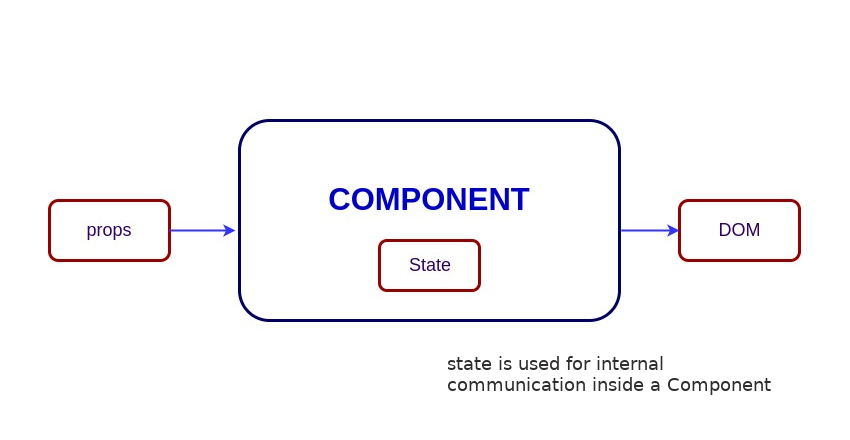
List of top 500 ReactJS Interview Questions & Answers....Coding exercise questions are coming soon!!

This page is also available as structured data, with the same sources and dates.
/api/v1/resources/gh/kansiris/SQL-interview-questionsTake My Repo has not tested this on your machine. Requirements come from the project's own documentation.


