
BlenderGIS
Blender addons to make the bridge between Blender and geographic data
- 9.7k
- Python
- GPL-3.0
- 11 mo ago
AuthForge - Browser addon - Cookie & Token Toolkit
Repo mthcht/AuthForge, read from GitHub 15 h ago. mthcht has not joined Take My Repo.
mthcht/AuthForge is a public repo on GitHub by mthcht. AuthForge - Browser addon - Cookie & Token Toolkit. It declares the MIT license on GitHub. It is written mainly in JavaScript, has 4 stars and last changed on 2026-05-12. Nobody has reviewed it on Take My Repo yet, which says nothing about its quality. Read from GitHub on 2026-11-20.
In the maintainer's words. Shown from GitHub; Take My Repo does not keep a copy.
A Chromium browser extension for inspecting, modifying, and replaying browser authentication artifacts. Built for web developers, security engineers, penetration testers, and anyone who needs to understand or reshape what their browser is sending to the servers it talks to.
AuthForge unifies under one UI what would otherwise require six or seven separate tools: DevTools' Application tab, a JWT debugger, a request re-issuer (Burp's Repeater / Postman), a network sniffer, a JWT attack generator, a Microsoft Entra audit tool, and a cookie / storage editor.
This document describes every feature, every permission and why it's needed, the privacy and security posture of the extension, installation, configuration, and known limitations.
AuthForge runs entirely inside your browser. It does not communicate with any remote server operated by the author. Every operation is local: reading the browser's cookie store, executing scripts in the page to read web storage, re-firing requests through the page's own fetch context.
The audience is people who already understand what cookies and tokens are and want a better surface to work with them. If you only need to delete a single cookie occasionally, the built-in DevTools is fine. AuthForge is for when you need to:
Inspect, search, edit, and delete cookies for the current tab, a custom URL, or every cookie the browser holds.
📍 Current tab /
🌐 All open tabs (cookies + storage) / 🔗 Custom URL…. "All open
tabs" returns every cookie the browser can see across every store and
every originJWT (value parses as a JWT), RT (key
matches refresh-token heuristics), Session (no expiration), Secure,
HttpOnly, CHIPS (partitioned, Chrome 119+), Expired, Soon
(expiring within an hour)partitionKey (CHIPS) round-trips correctly
through save and deleteSame row-and-editor format as cookies. Each tab's entries are read by
injecting a small read-only script into the page's main world (cookies are
read through chrome.cookies instead — extensions can't see web storage
from outside the page).
The hardest store to inspect through normal browser tools. AuthForge lists every database, lets you open a database to see its object stores, and provides per-record CRUD:
{ secret: "eyJ..." }), the editor shows a
collapsible panel that decodes the JWT, lets you edit its header and
payload, optionally re-sign with an HMAC secret, and patches the
re-encoded token back into the original record at the correct JSON pathA unified view of every JWT, refresh token, auth-artifact-keyed entry, and network-detected token across all of:
Each detected token is shown with its source, key, and a short preview. Tokens that look like JWTs get a "decode" button that opens the JWT toolkit.
For Microsoft tokens, a MS credential extraction matrix appears at the top — collapsible by category (Entra access tokens, MSAL refresh tokens, SharePoint federation tokens, etc.), each category showing how many artifacts were found and one-click expansion.
A passive, lightweight observer of HTTP(S) traffic via chrome.webRequest
(headers only — MV3 doesn't expose response bodies). Three modes:
Authorization header (Bearer / Basic / Digest), Set-Cookie
response headers (with JWT detection on the values), custom auth-style
headers (X-API-Key, X-Auth-Token, X-CSRF-Token, etc.), and any
request to a known token endpoint (/token, /oauth/token,
/authorize, etc.)chrome.debugger
(Chrome DevTools Protocol) to read response bodies without requiring
DevTools to be open. Shows the yellow "AuthForge started debugging this
browser" banner; click Cancel to detachThe Network tab lists captured entries newest-first. Each row shows the method, status, URL, and any auth findings as badges. Expanding a row reveals the Request Workbench and per-finding details (decoded JWT claims, etc.).
Expand any captured network row and you get a complete editable replay UI:
?k=v pair becomes an enable / name
/ value / remove row. The URL re-serializes live as you editraw / JSON / form-urlencoded / multipart (text) / none. Selecting a type auto-sets the Content-Type
header. form-urlencoded opens a structured table editor that
re-serializes the body on every edit▶ Send · Reset to original · Copy as curl · Copy as fetch · Import curl… · 🔑 Use captured token…Bearer <picked>. Useful for cross-pollinating sessions or testing
whether a token from one origin works against anotherImport curl… parses a pasted curl command and populates every field
from it (supports -H, -d / --data-raw / --data-binary, -X, -b,
-u, --user-agent, --referer, with proper shell-quote handling).
Round-trips with Copy as curlRepeat N× > 1) — runs the request N times with the
configured delay between attempts. Shows a verdict table: row per
attempt with status / time / size / outcome, color-coded by status class.
Final summary line: 3× 2xx · 1× 4xx · 0× err. Useful for
race-condition probes, brute-forcing surface checksReplays execute in the page's own MAIN world via chrome.scripting. This
means cookies, CORS, Origin headers, and HSTS all behave exactly as they
did for the original request. Bearer tokens swapped via the picker are
substituted into the Authorization header before the page-world fetch.
An opinionated read-only analysis of everything AuthForge can see, with findings ranked by severity (critical / high / medium / low / info) and grouped:
auth, csrf, analytics, or functional classes.
Findings are tailored to the class: a session cookie missing HttpOnly
is high severity; an analytics cookie missing HttpOnly is informational.
Reduces noise dramatically on real sites (typical: 100→58 findings on a
modern M365 / SharePoint tenant)alg: none in production trafficchrome.storage.local. Restore later to repopulate the same state.
Useful for "save my logged-in dev session and restore it after I clear
everything"dev.example.com to
staging.example.com)For Microsoft Entra ID (Azure AD) tokens specifically — recognized by
issuer (https://login.microsoftonline.com/...) and standard claims:
aud claimscp / roles claims rendered with
highlighting for known high-privilege scopesThis is a meaningful capability — it lets you pivot from a refresh token captured for one Microsoft service to access another without re-auth. Used defensively, it's a fast way to enumerate what a stolen RT can actually reach. Used offensively, it's the same workflow GraphSpy and ROADtools publish.
For any detected JWT:
alg: none)alg: none, empty signature, expired-but-otherwise-valid)sub, aud, iss, etc.) to
detect whether the server checks themkid SQL/path injection, jku injection, alg confusion
(HS256 signed with the RSA public key)The extension declares the following permissions. Each is justified below
with the specific feature it enables. If any of these feel like too much,
the source is fully readable — every permission use is reachable from a
single message dispatcher in background/service-worker.js.
cookieschrome.cookies. Subscribe to chrome.cookies.onChanged for the live
cookie-change feedstoragechrome.storage.local. Remember network capture state across
service-worker restarts via chrome.storage.sessiontabschrome.tabs.
Used to identify which tab AuthForge is operating onactiveTabchrome.scripting.executeScript injecting world: "MAIN"scriptingchrome.scripting.execute Script (instead of the deprecated chrome.tabs.executeScript)activeTab — no web-storage accesssidePanelwebRequestchrome.webRequest.onBeforeSendHeaders,
onHeadersReceived, onCompleted, and onErrorOccurredwebRequest
in MV3 is observation only — AuthForge has no webRequestBlocking
permission and cannot block, redirect, or modify in-flight traffic. The
Workbench's replay uses a fresh fetch() from the page, not interceptiondebuggerchrome.debugger-based capture path that
reads response bodies without needing DevTools open. Attaching shows
Chrome's yellow "AuthForge started debugging this browser" banner so
the user is always awarehost_permissions: ["<all_urls>"]incognito: "split"chrome.storage.local (snapshots, settings,
profiles) and chrome.storage.session (network capture buffer). Both
are isolated per extension and never sync without an explicit user
action (and there is no implemented sync mechanism)chrome.storage.session so it
doesn't outlive the browser session. It contains auth headers and
Set-Cookie values — by design, since the user opted to capture them —
but never leaves the browserfetch() —
no extension-only headers are addedchrome://extensions/ (or edge://extensions/)(Pending — to be linked once published.)
Chrome 114 or compatible (Microsoft Edge, Brave, Vivaldi, Arc, etc.). The
sidePanel API and several MV3 features require this baseline.
authforge/
├── manifest.json
├── background/
│   ├── service-worker.js       — message router, chrome.* gateway
│   ├── network-capture.js      — webRequest observer
│   └── debugger-capture.js     — optional CDP-based deep capture
├── popup/
│   ├── popup.html              — UI shell loaded into both popup and side panel
│   ├── popup.js                — entry point; pre-seeds state from URL params
│   ├── popup.css               — popup-specific styles (wide-mode)
├── devtools/
│   ├── devtools.html / .js     — DevTools panel registration
│   ├── panel.html / .js        — the DevTools UI surface (same StorageForgeApp)
│   ├── network-body-scanner.js — DevTools-only request/response body scan
├── options/
│   ├── options.html            — full settings page
│   ├── options.js              — settings load/save via storage API
├── shared/
│   ├── ui.js                   — AuthForgeApp class (the entire UI)
│   ├── api.js                  — chrome.runtime.sendMessage wrappers
│   ├── theme.css               — design tokens and component CSS
│   ├── jwt.js                  — JWT decode / encode / verify / attack-gen
│   ├── audit.js                — cookie + storage + network + entra audit
│   ├── entra.js                — Microsoft Entra analyzer, FOCI clients,
│   │                            recon endpoints, audience mapping
│   ├── token-body-scanner.js   — JWT detection in response bodies
│   ├── storage-injector.js     — page-world functions for LS/SS/IDB
│   ├── formats.js              — import/export between Cookie-Editor /
│   │                            Netscape / EditThisCookie formats
│   ├── profile-formats.js      — profile import/export
│   ├── har.js                  — HAR import for the Network tab
│   └── history.js              — undo/redo store
├── icons/                      — 16/32/48/128 px PNGs
└── README.md                   — this file
The service worker is the only context with chrome.cookies,
chrome.webRequest, chrome.debugger, and chrome.scripting. The popup,
DevTools panel, and options page talk to it via
chrome.runtime.sendMessage. There is one dispatcher (handleRequest in
background/service-worker.js) — auditing every privileged action is a
matter of reading one switch statement.
UI code is fully module-based — no bundler, no build step required. The extension loads ES modules directly from disk.
chrome.debugger mode to see bodieschrome.webRequest reports the
upgrade handshake but not individual frameschrome.webRequest like any
other request; the URL and headers are visiblechrome.cookies.getAll({partitionKey:{}}). AuthForge wraps that call
in a 1.5-second timeout race at both the SW and UI layers, so worst case
the partitioned-cookies subset is empty and the primary cookie list still
populates correctlyAuthForge is released under the MIT License. The full text is in the
LICENSE file at the root of the repository.
In short: you can use, copy, modify, merge, publish, distribute, sublicense, and sell copies of the software, provided that the copyright notice and the permission notice are included in all copies or substantial portions. The software is provided "as is", without warranty of any kind.
Copyright © 2026 mthcht. Source code: https://github.com/mthcht/AuthForge.
mthcht/AuthForge is a public repo on GitHub by mthcht. AuthForge - Browser addon - Cookie & Token Toolkit.
It declares the MIT license on GitHub.
Its maker has not tagged a system, so it is unknown here. Its README says what it needs.
Open "Take it" on its page: Take My Repo writes an install plan for your machine and hands it to your AI agent (Claude Code, Codex or Cursor), which asks you before each step. Take My Repo has not tested it on any machine.
Its last change on GitHub was on 2026-05-12. Take My Repo does not judge from that whether it is maintained.
Nobody has reviewed it on Take My Repo yet, which says nothing about its quality.
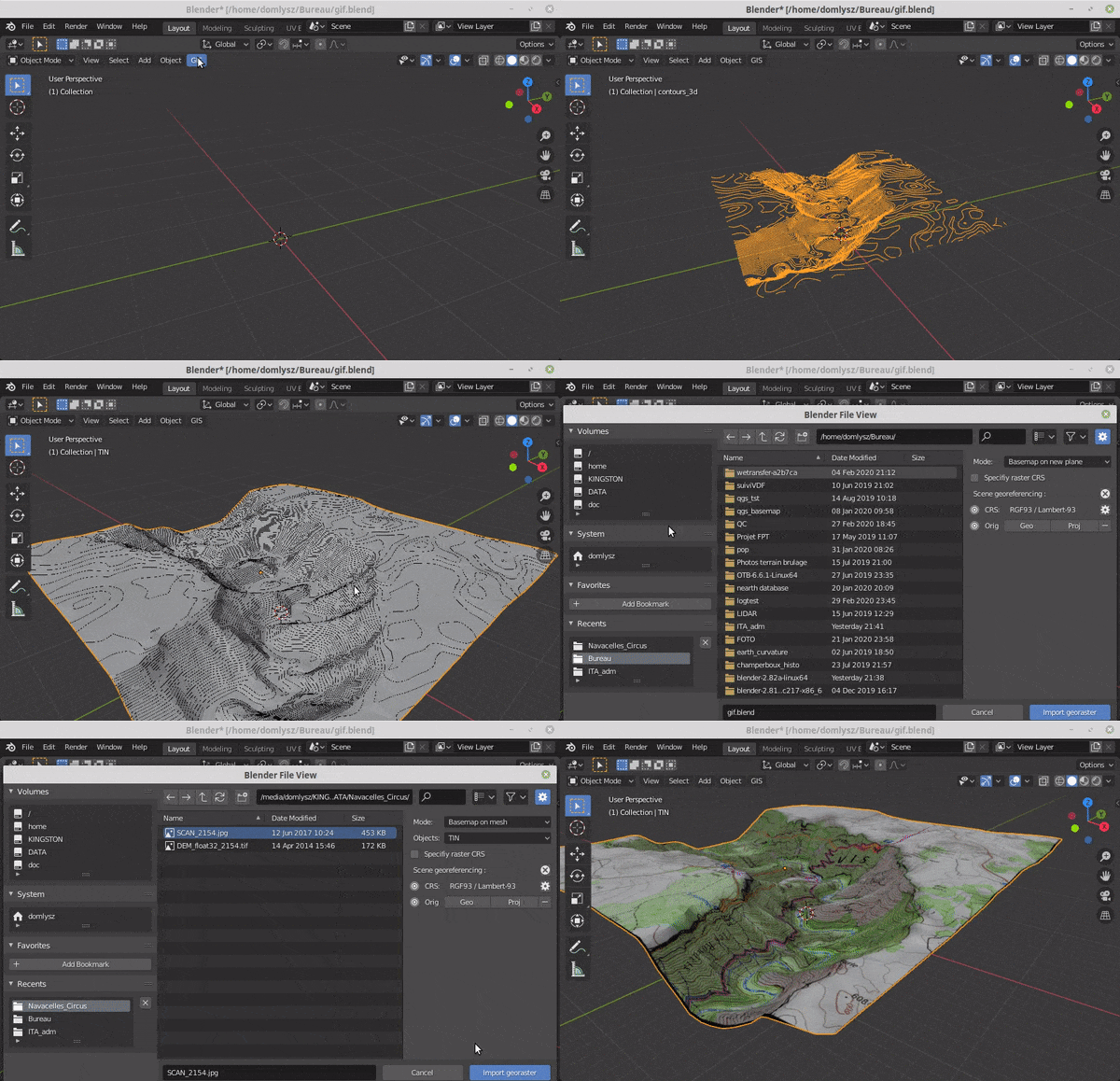
Blender addons to make the bridge between Blender and geographic data
The Single Sign-On Multi-Factor portal for web apps. OpenID Certified™ and Post-Quantum Cryptography Ready.
:octocat: Browser extension that simplifies the GitHub interface and adds useful features

The agent harness performance optimization system. Skills, instincts, memory, security, and research-first development for Claude Code, Codex, Opencode, Cursor and beyond.
Reverse engineer anything with agents, from app behavior down to native binaries.

Awesome list of keywords and artifacts for Threat Hunting sessions
Purpleteam scripts simulation & Detection - trigger events for SOC detections
Raw data from Threat Intelligence Reports with automatic reports collection and keyword search across thousands of reports
yara detection rules for hunting with the threathunting-keywords project
Sigma detection rules for hunting with the threathunting-keywords project
This page is also available as structured data, with the same sources and dates.
/api/v1/resources/gh/mthcht/AuthForgeTake My Repo has not tested this on your machine. Requirements come from the project's own documentation.


