ECC
The agent harness performance optimization system. Skills, instincts, memory, security, and research-first development for Claude Code, Codex, Opencode, Cursor and beyond.
- 309k
- JavaScript
- MIT
- 8 h ago
Open-source business suite: CRM (sales, service, marketing), order-to-cash, project delivery and expenses, with built-in approvals and AI agents. Built on ObjectStack.
Repo objectstack-ai/hotcrm, read from GitHub 12 min ago. objectstack-ai has not joined Take My Repo.
objectstack-ai/hotcrm is a public repo on GitHub by objectstack-ai. Open-source business suite: CRM (sales, service, marketing), order-to-cash, project delivery and expenses, with built-in approvals and AI agents. Built on ObjectStack. It declares the Apache-2.0 license on GitHub. It is written mainly in TypeScript, has 10 stars and last changed on 2026-11-23. Nobody has reviewed it on Take My Repo yet, which says nothing about its quality. Read from GitHub on 2026-11-23.

Leads, orders, projects, cash and expenses in one open-source business system.
Change it with AI when your business changes. Let your own AI agents work in it with each user's permissions.
Documentation · Marketplace · 中文说明
Companies that sell products, project services or subscriptions, and want sales, service, delivery and finance on one system. Three sample scenarios walk the whole chain:
Lead → Opportunity → Quote → Order → Contract or project → Invoice and payment
It is one data set from the first lead to the last payment: nothing is exported from one system and imported into the next.
Everyone opens the app for their job. Sales is always there; an administrator can switch the other five off.
| App | For | What it does |
|---|---|---|
| Sales | Sales reps and managers | Leads, accounts, opportunities, quotes and products, orders and contracts. |
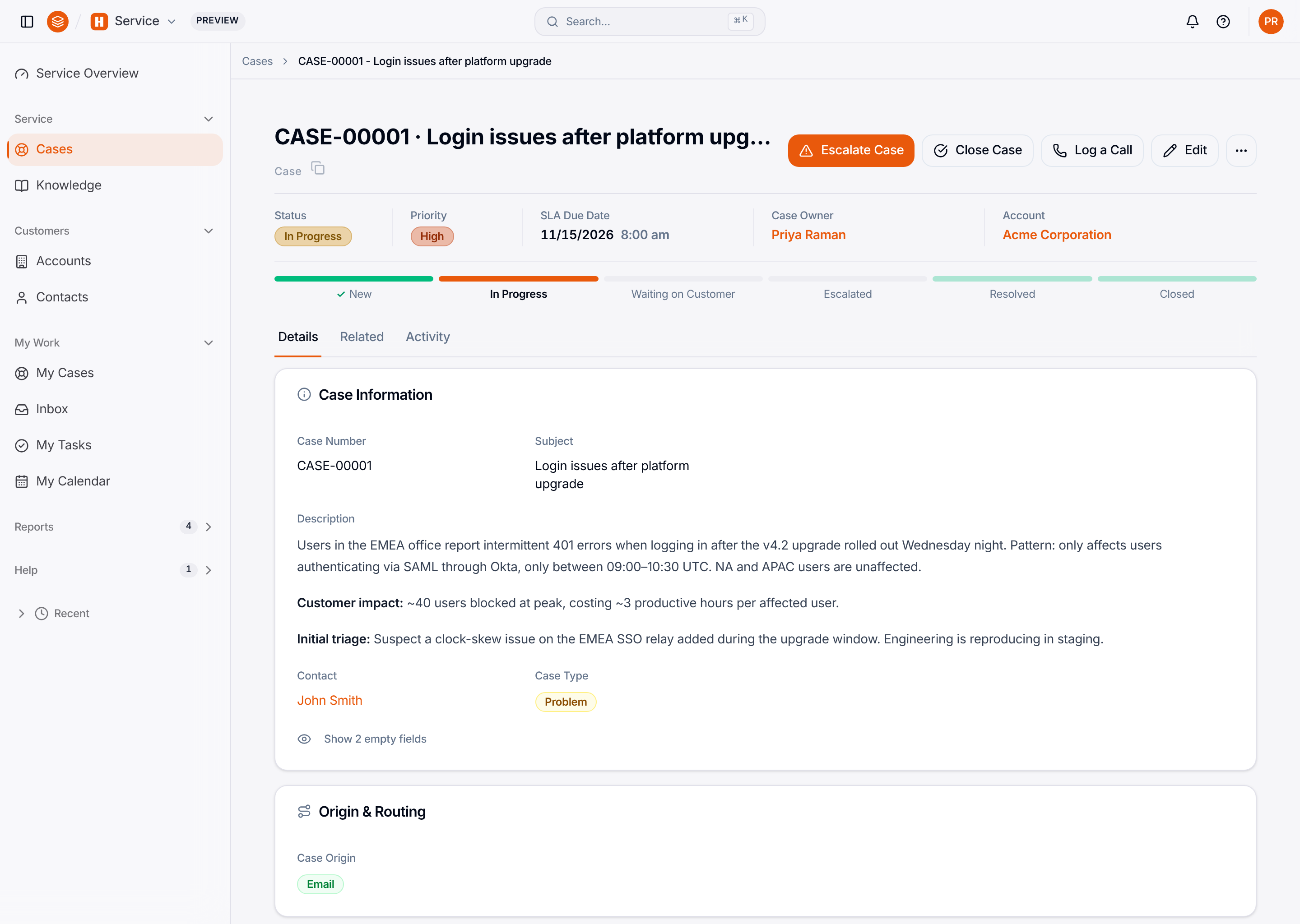
| Service | Service agents and managers | Cases with SLAs and escalation, and the knowledge base. |
| Marketing | Marketers | Campaigns, and the leads and contacts they reach. |
| Order to Cash | Finance | Each account's collection plan, and its invoices and payments with or without a contract. |
| Project Delivery | Project managers, consultants and finance | Projects, staffing, plans, timesheets and budgets, with cost and margin. |
| Expenses | Every employee | Expenses with their receipts, expense reports, travel requests and their approval. |
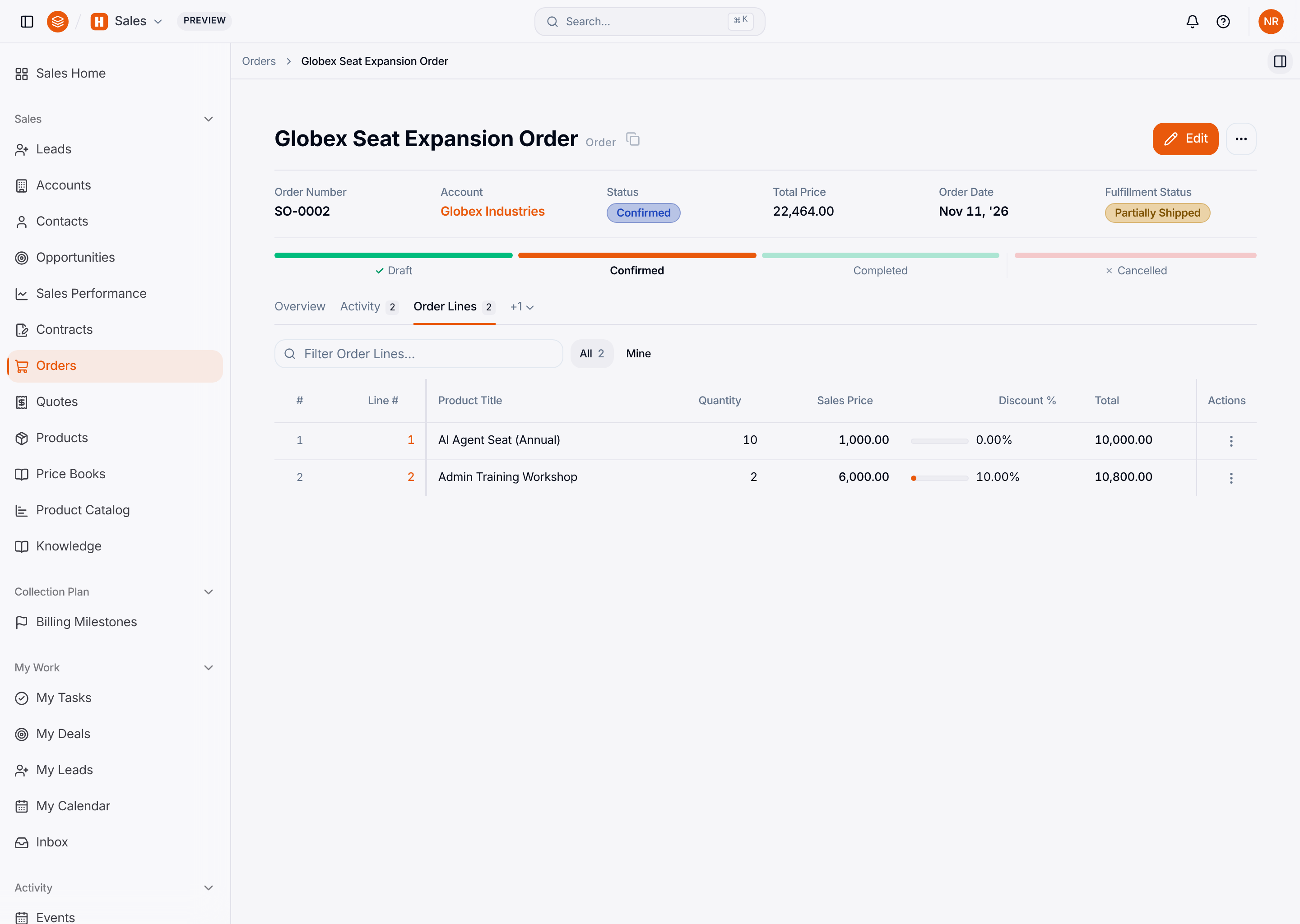
One screen from each app, captured on ObjectStack 18.5.0 from a fresh database with the shipped sample data and the demo team (pnpm demo:staff).
| Sales: sales order with its lines | Service: support case |
|---|---|
|
 |
| Marketing: campaign lifecycle and ROI | Order to Cash: invoice with its payment |
|---|---|
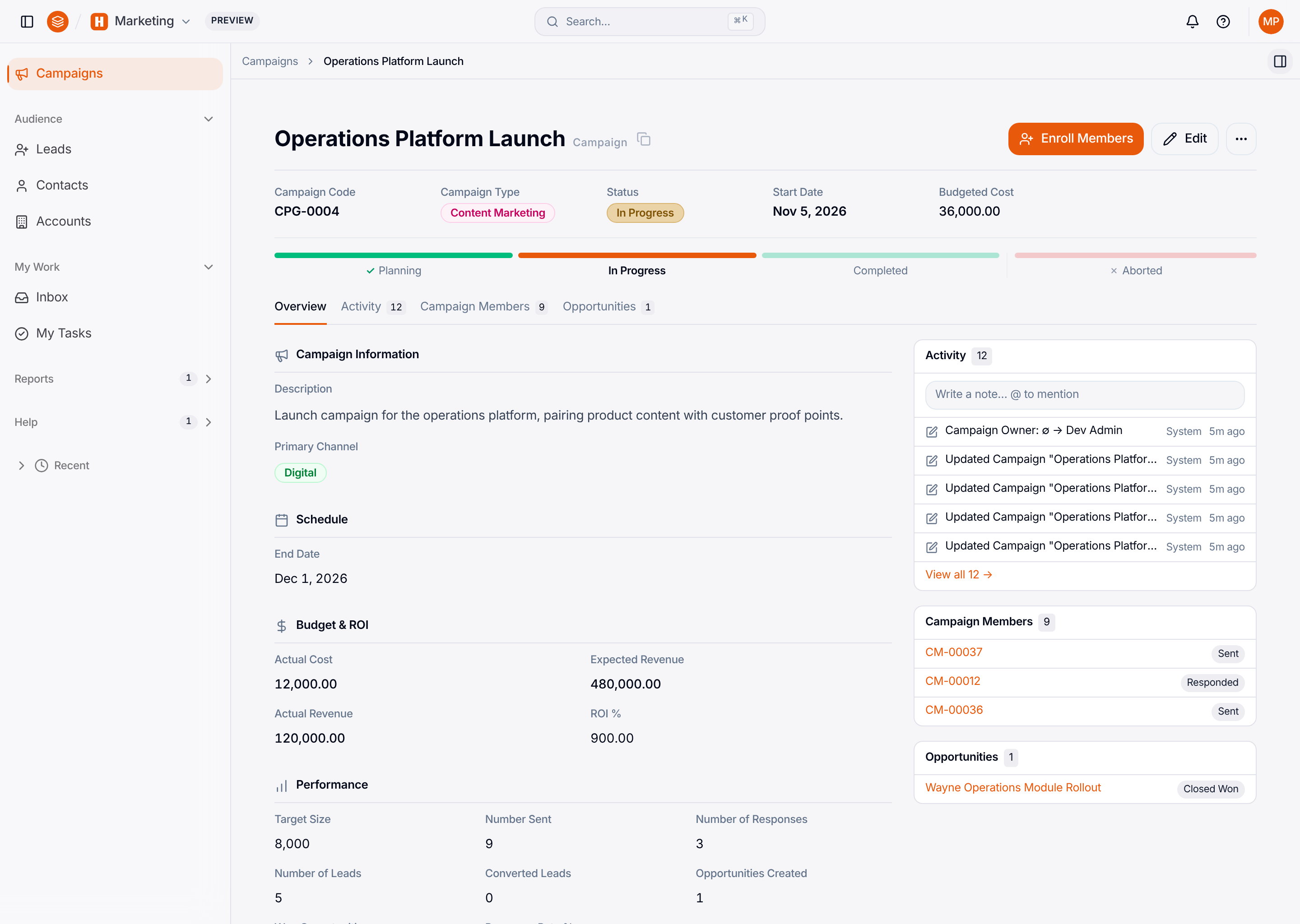 |
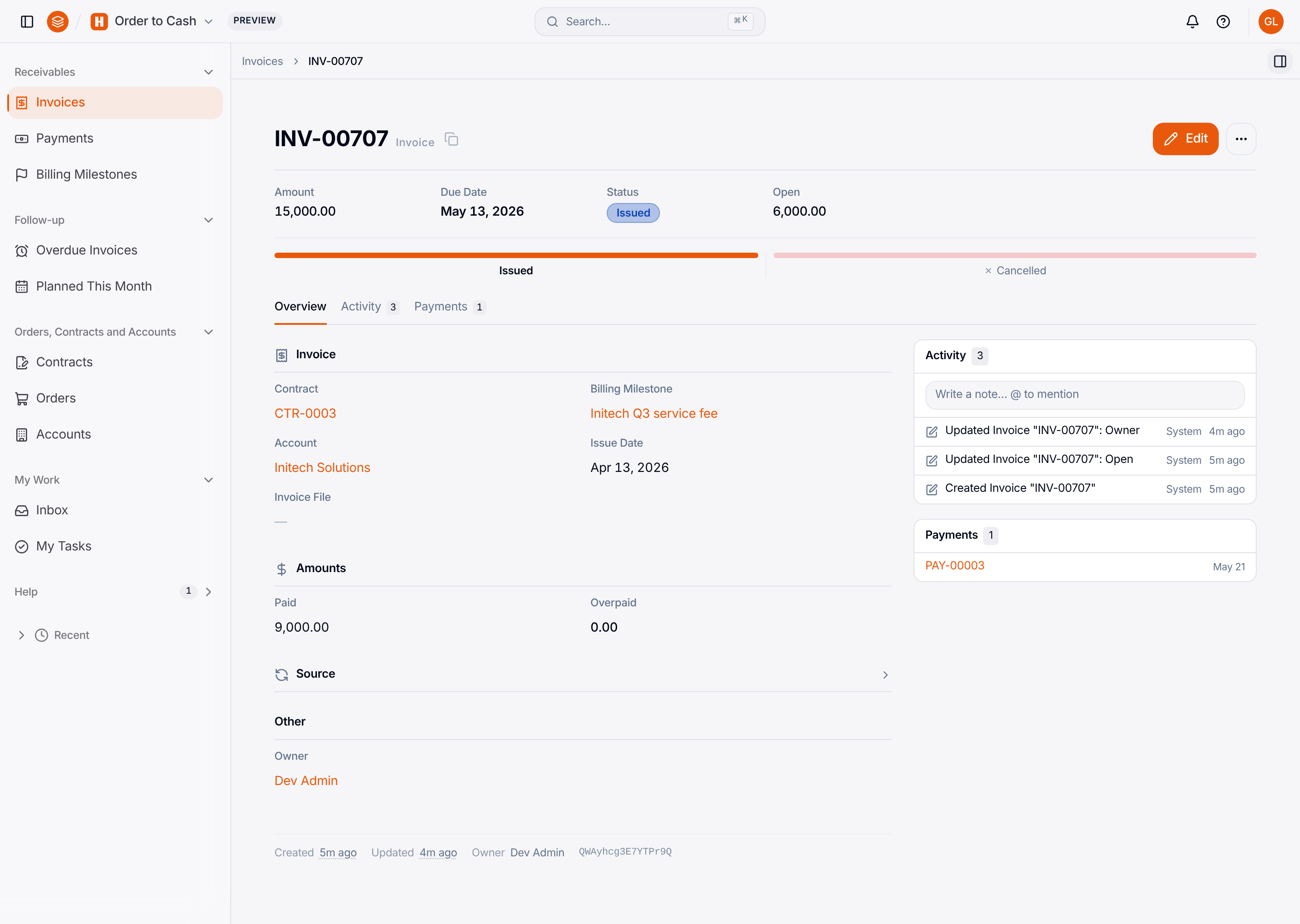 |
| Project Delivery: project plan on a Gantt | Expenses: expense report with its expenses |
|---|---|
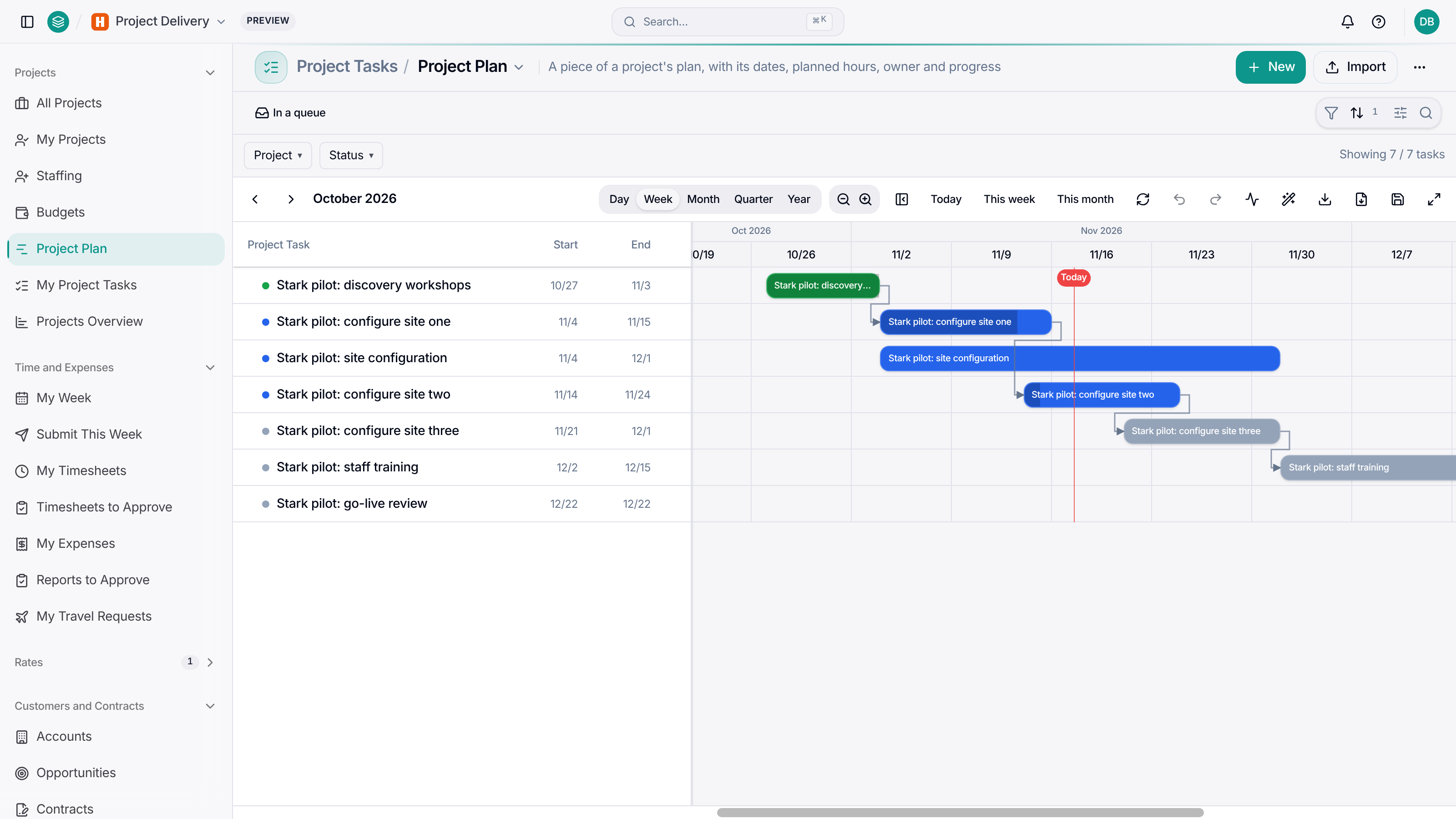 |
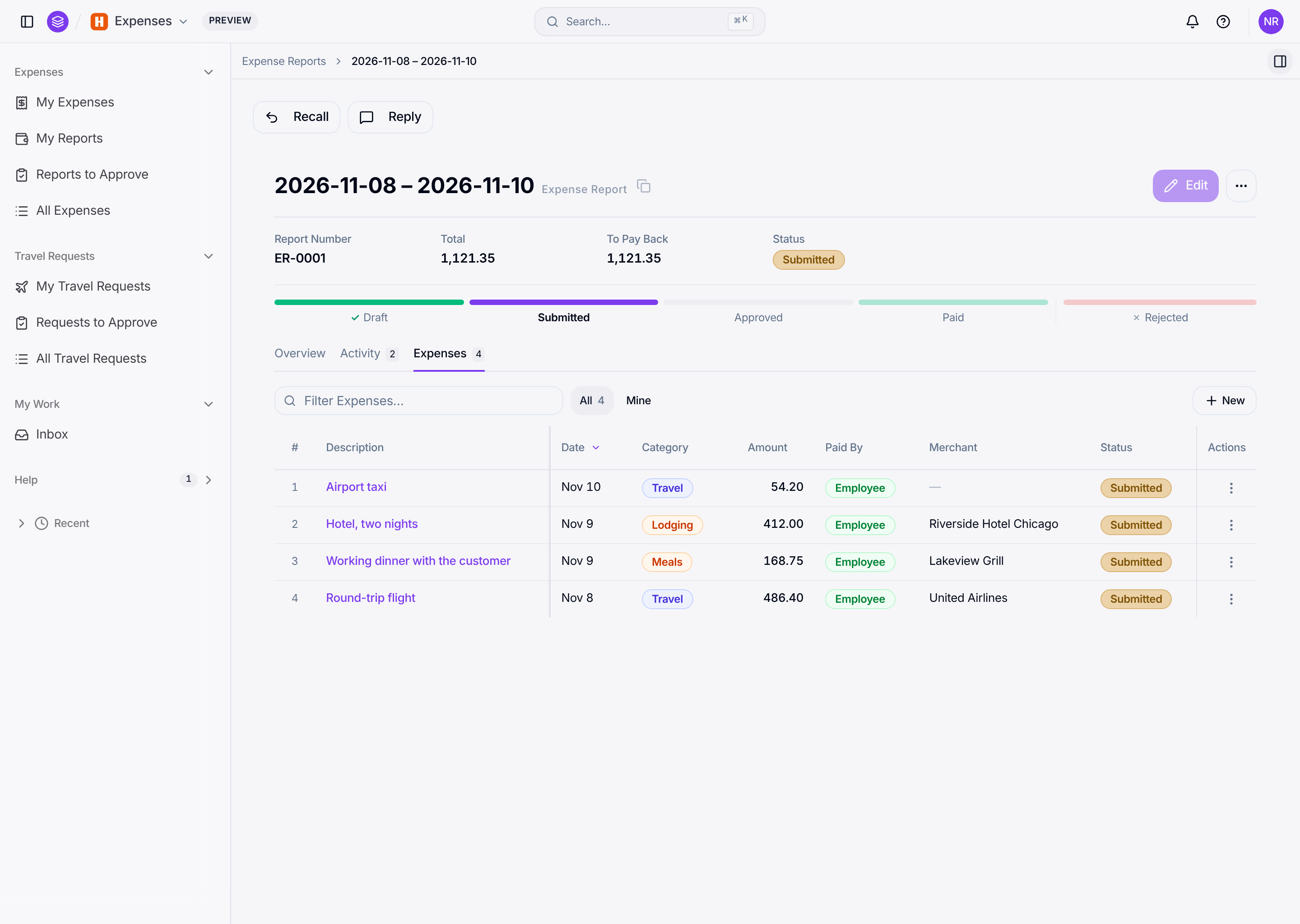 |
Every HotCRM object is open over MCP, at /api/v1/mcp on every environment. Your agent connects as a person, by browser sign-in or with that person's API key, and works under that person's permission sets, positions and sharing rules: where the person would be refused, the agent is refused, with the same code and message.
HotCRM is agent-first. It provides the objects, the actions and the skills; reading a receipt, checking a policy or chasing a payment is the work of your own agent over MCP. The community edition runs no assistant of its own, so you connect yours. HotCRM ships 8 skills for the platform assistant, where an environment runs one, and opens 9 of its actions to agents, among them Convert Lead and Submit for Reimbursement; an action that cannot be undone, or that sends a record to an approver, asks the person first.
Connect your agent shows the endpoint, the sign-in, the tools an agent gets, and the same call made by two people with different permissions.
From the marketplace. Sign in at cloud.objectos.ai, open HotCRM in the marketplace and install it into your environment. New to ObjectStack? Create an environment from the Starter template first.
On your machine, in three commands (Node.js 22 or later, and pnpm 10):
git clone https://github.com/objectstack-ai/hotcrm.git && cd hotcrm
pnpm install
pnpm dev
Open http://localhost:4001/_console/ and sign in as admin@objectos.ai / admin123, the administrator a development server creates on an empty database. The sample data loads on the first start; pnpm demo:staff, in a second terminal, adds the demo team.
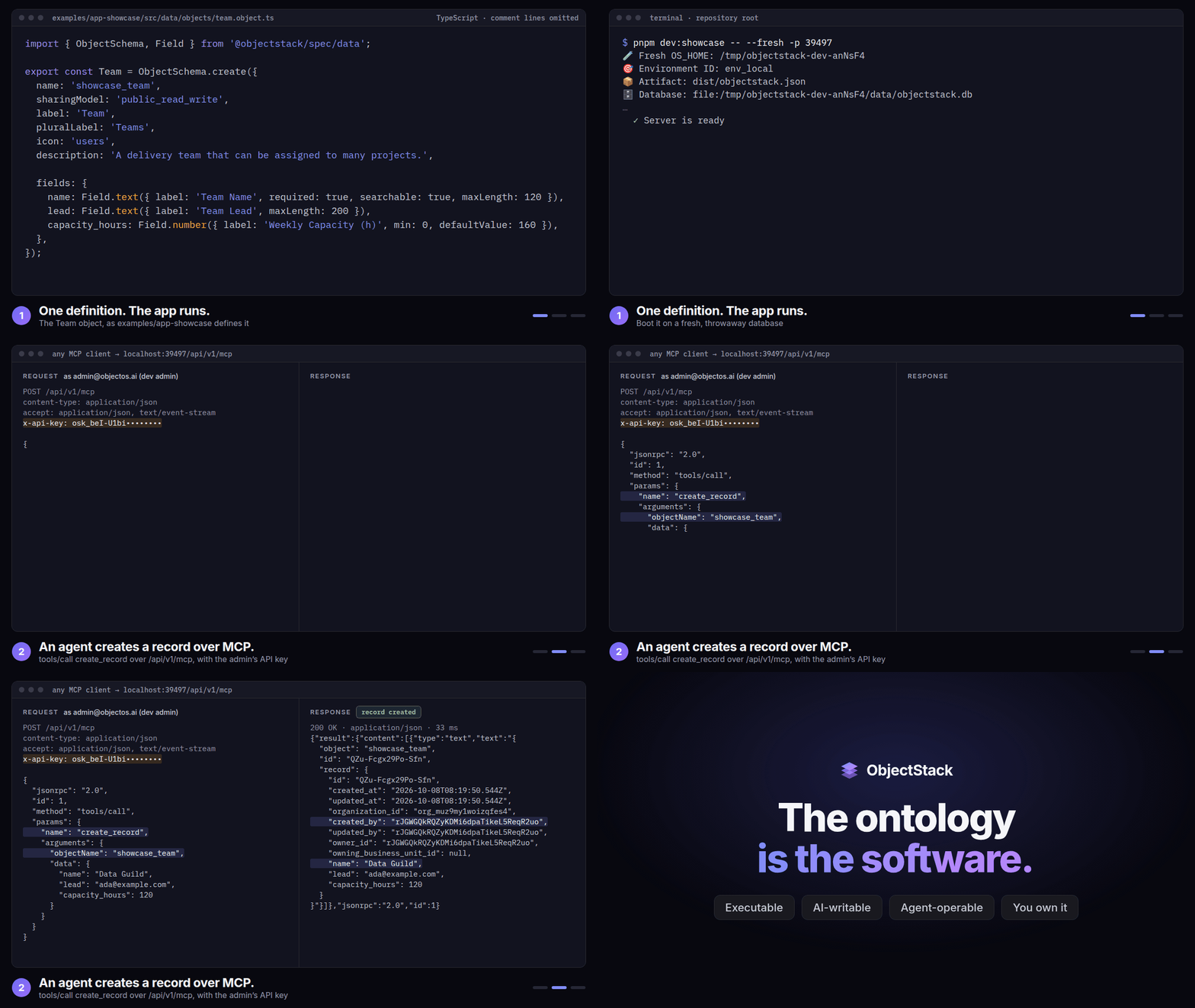
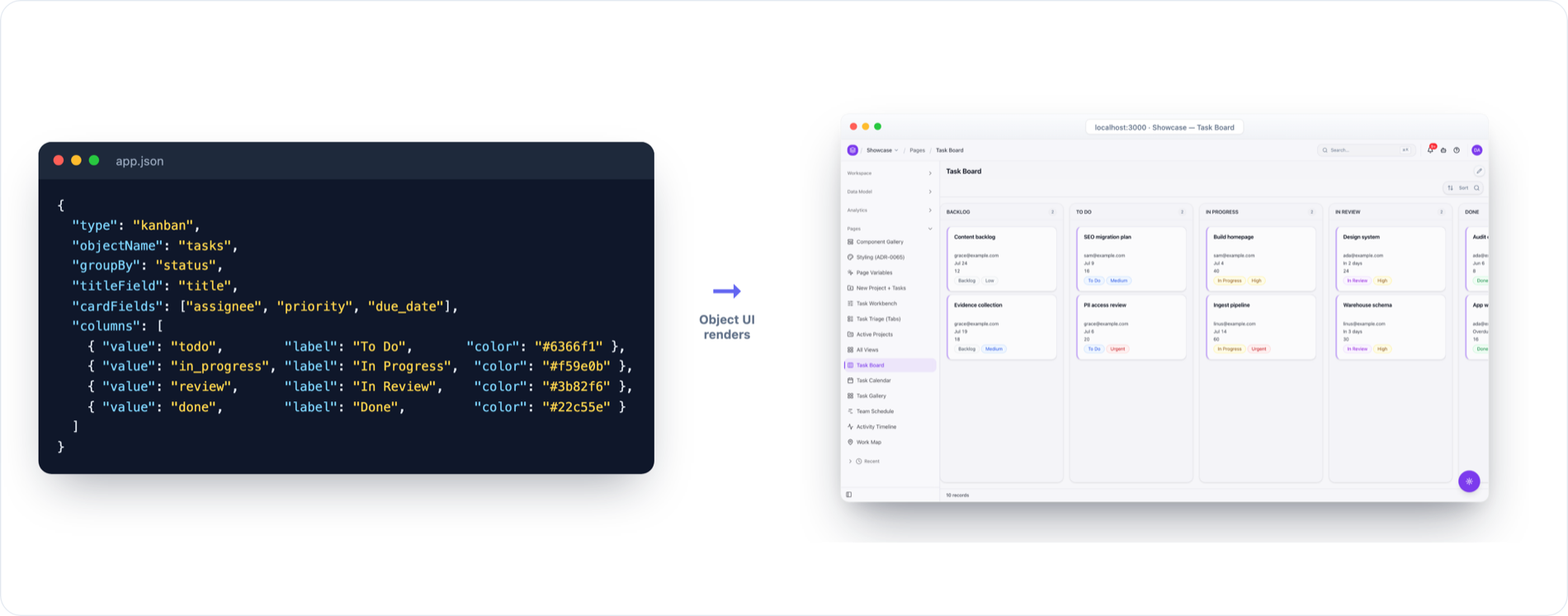
The definition is the app. Objects and fields, rules, screens, flows, permissions and translations are typed metadata under src/: change a field there and the table, the API and the screens follow, with no second application to keep in step. An AI coding agent such as Claude Code writes that change in your copy of the repository, and pnpm validate checks it against the platform's schema before it ships.
Today the definition holds 38 business objects, 51 actions, 53 flows, 7 dashboards, 11 datasets and 18 positions, in 4 languages (en, zh-CN, es-ES, ja-JP).
HotCRM is built on ObjectStack, the open-source platform that runs one business definition as the database, the API, the screens and the agent tools at once. Customize and extend walks through a change.
HotCRM is one artifact of seven packages: the Sales app and six modules an administrator can switch off (Enable and disable modules).
hotcrm/
├── objectstack.config.ts         # composeStacks(): the one artifact, carrying the seven package stacks
├── objectstack.composition.ts    # the package stacks, built
├── src/
│   ├── sales/                    # the app package: accounts, contacts, leads, opportunities, orders, contracts, activities
│   ├── service/                  # module: cases, SLAs, the knowledge base
│   ├── revenue/                  # module: products, price books, quotes (shown inside Sales)
│   ├── marketing/                # module: campaigns and their members
│   ├── o2c/                      # module: collection plans, invoices, payments (Order to Cash)
│   ├── psa/                      # module: projects, staffing, plans, timesheets, budgets (Project Delivery)
│   ├── expense/                  # module: expenses, expense reports, travel requests
│   └── docs/                     # the in-app manuals, shipped inside the artifact
├── apps/docs/                    # the docs site, published at https://hotcrm.com/docs
└── content/docs/                 # the docs content, in en, zh-Hans and zh-Hant
pnpm dev            # the app at http://localhost:4001
pnpm verify         # validate, typecheck, lint, hygiene, build and test: run it before a pull request
pnpm build          # dist/objectstack.json, the artifact the marketplace installs
pnpm docs:product   # rewrite the shared product blocks after changing an app or apps/docs/lib/product/product.json
Read CONTRIBUTING before a first pull request, and the Developers section of the docs for the architecture, the API, testing and publishing your own copy to the marketplace.
Apache-2.0, like ObjectStack. See LICENSE.
objectstack-ai/hotcrm is a public repo on GitHub by objectstack-ai. Open-source business suite: CRM (sales, service, marketing), order-to-cash, project delivery and expenses, with built-in approvals and AI agents. Built on ObjectStack.
It declares the Apache-2.0 license on GitHub.
Its maker has not tagged a system, so it is unknown here. Its README says what it needs.
Open "Take it" on its page: Take My Repo writes an install plan for your machine and hands it to your AI agent (Claude Code, Codex or Cursor), which asks you before each step. Take My Repo has not tested it on any machine.
Its last change on GitHub was on 2026-11-23. GitHub counts 42 open issues and pull requests. Take My Repo does not judge from that whether it is maintained.
Nobody has reviewed it on Take My Repo yet, which says nothing about its quality.
The agent harness performance optimization system. Skills, instincts, memory, security, and research-first development for Claude Code, Codex, Opencode, Cursor and beyond.
The open alternative to Salesforce, designed for AI.
Metadata-driven CLI for AI Agent Bots — 48 operations across 7 domains, structured JSON envelope I/O, zero interactive prompts.
Reverse engineer anything with agents, from app behavior down to native binaries.
The ontology is the software. One executable business ontology: AI writes it, the runtime runs it, agents operate it, you own it. Open protocol & runtime, Apache-2.0.
The schema-driven UI engine for the AI era: agents write compact JSON; Object UI renders production React — grids, kanban, dashboards, Gantt, visual designers.
Build & ask online: describe the app; ObjectOS builds and runs it in the browser — in our cloud or yours. Built on the open ObjectStack format.
ObjectStack is a database-agnostic, protocol-driven full-stack application development platform.