OxiCloud
☁️ Ultra-fast, secure & lightweight self-hosted cloud storage — your files, photos, calendars & contacts, all in one place. Built in Rust.
- 3.7k
- Rust
- MIT
- 3 d ago
Privacy-First Local Network File & Text Sharing Between Android and macOS
Repo off-grid-ai/OGAS, read from GitHub 23 min ago. off-grid-ai has not joined Take My Repo.
off-grid-ai/OGAS is a public repo on GitHub by off-grid-ai. Privacy-First Local Network File & Text Sharing Between Android and macOS. It declares the AGPL-3.0 license on GitHub. It is written mainly in TypeScript, has 8 stars and last changed on 2026-11-01. Nobody has reviewed it on Take My Repo yet, which says nothing about its quality. Read from GitHub on 2026-11-22.
Truly Private, Fully Offline File & Text Sharing
EasyShare is a cross-platform application that enables seamless file and text sharing between your devices over your local network. No cloud servers, no accounts, no internet required — just secure, direct device-to-device communication.
Not a single packet leaves your device outside your local network. No analytics. No telemetry. No tracking. No phone-home. The code is open source — verify it yourself.
Status: work in progress. This repo is EasyShare, the app that's becoming Off Grid Sync, part of the Off Grid ecosystem. What's documented below is what works today. Expect changes as the rebrand and integration land.
EasyShare solved a specific itch: moving sensitive text and files between my own devices without a third party in the middle. Think AirDrop, but Android to macOS and back. Private, open source, no data collected. I built it because I needed it.
It's becoming Off Grid Sync: the backbone that moves everything between your devices, privately, with no cloud in between. In the Off Grid ecosystem, Sync is what lets Off Grid Mobile in your pocket and Off Grid Desktop on your laptop share one context that stays on your devices and never touches a server you don't control.
Today it does the private file and text transfer documented below. The move to a general device-to-device backbone is in progress, so parts of this will change before they settle.
| Platform | Status |
|---|---|
| Android | Available now |
| macOS | Available now |
| iOS | Coming soon |
| Windows | Coming soon |
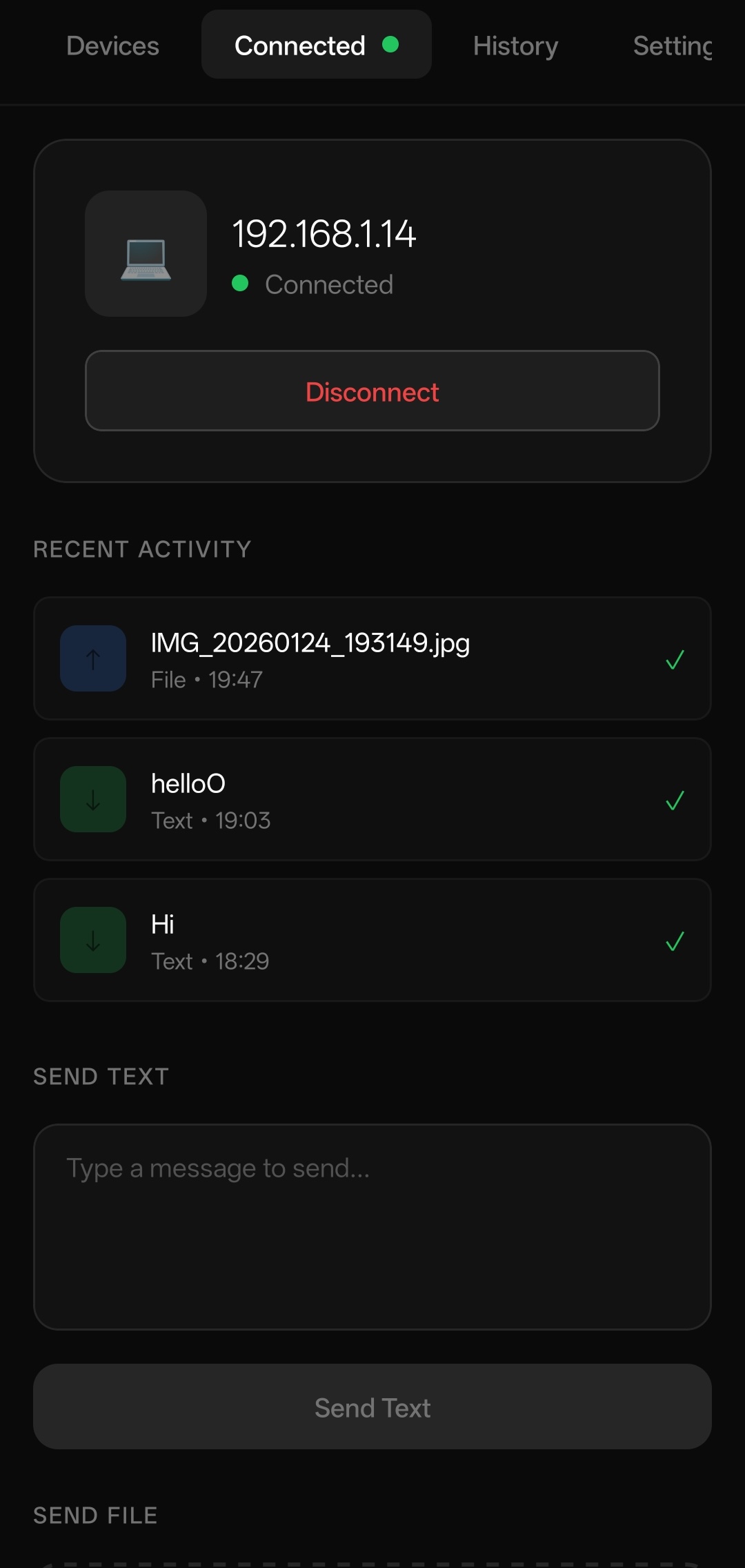
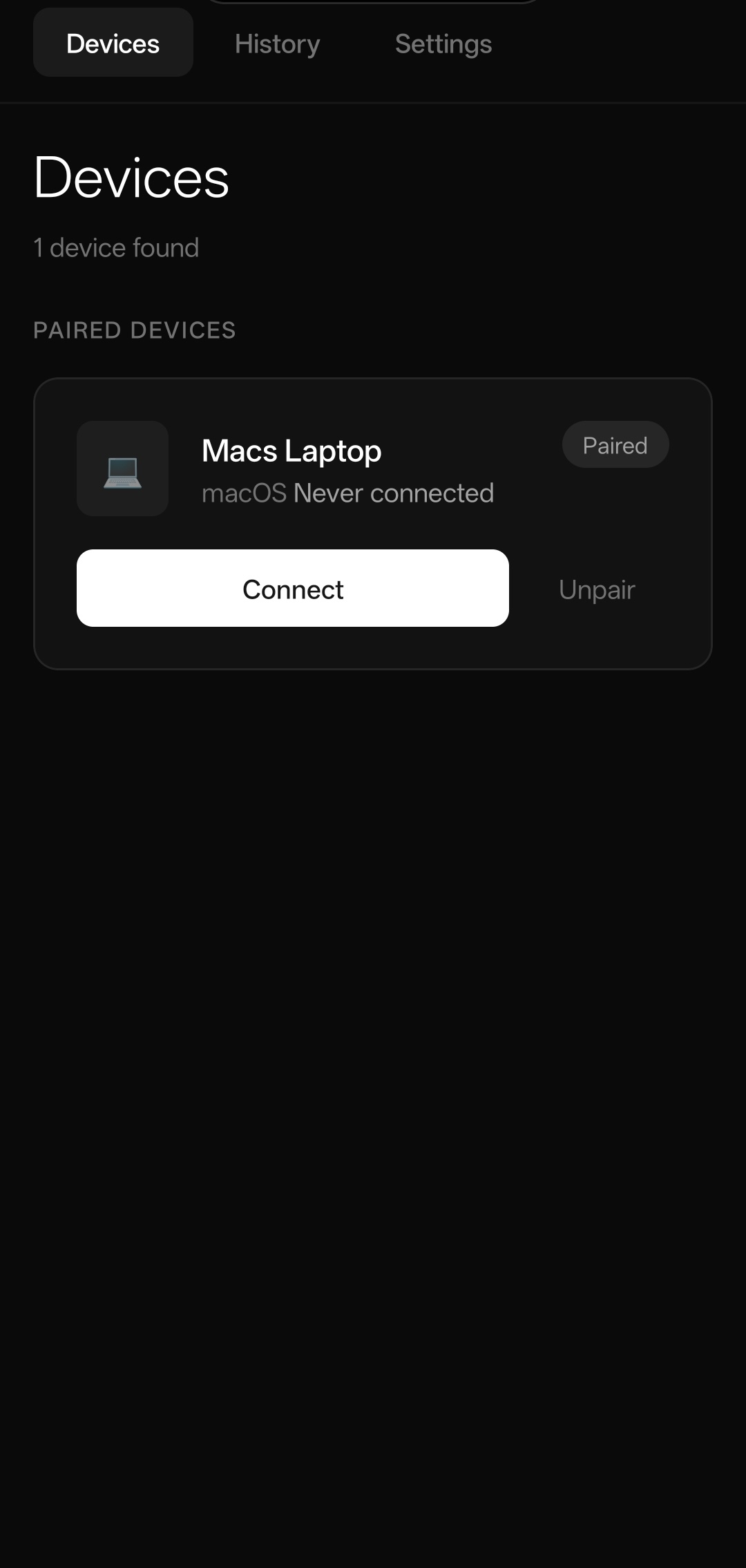
Left: Discover and connect to paired devices | Right: Send files and text while connected
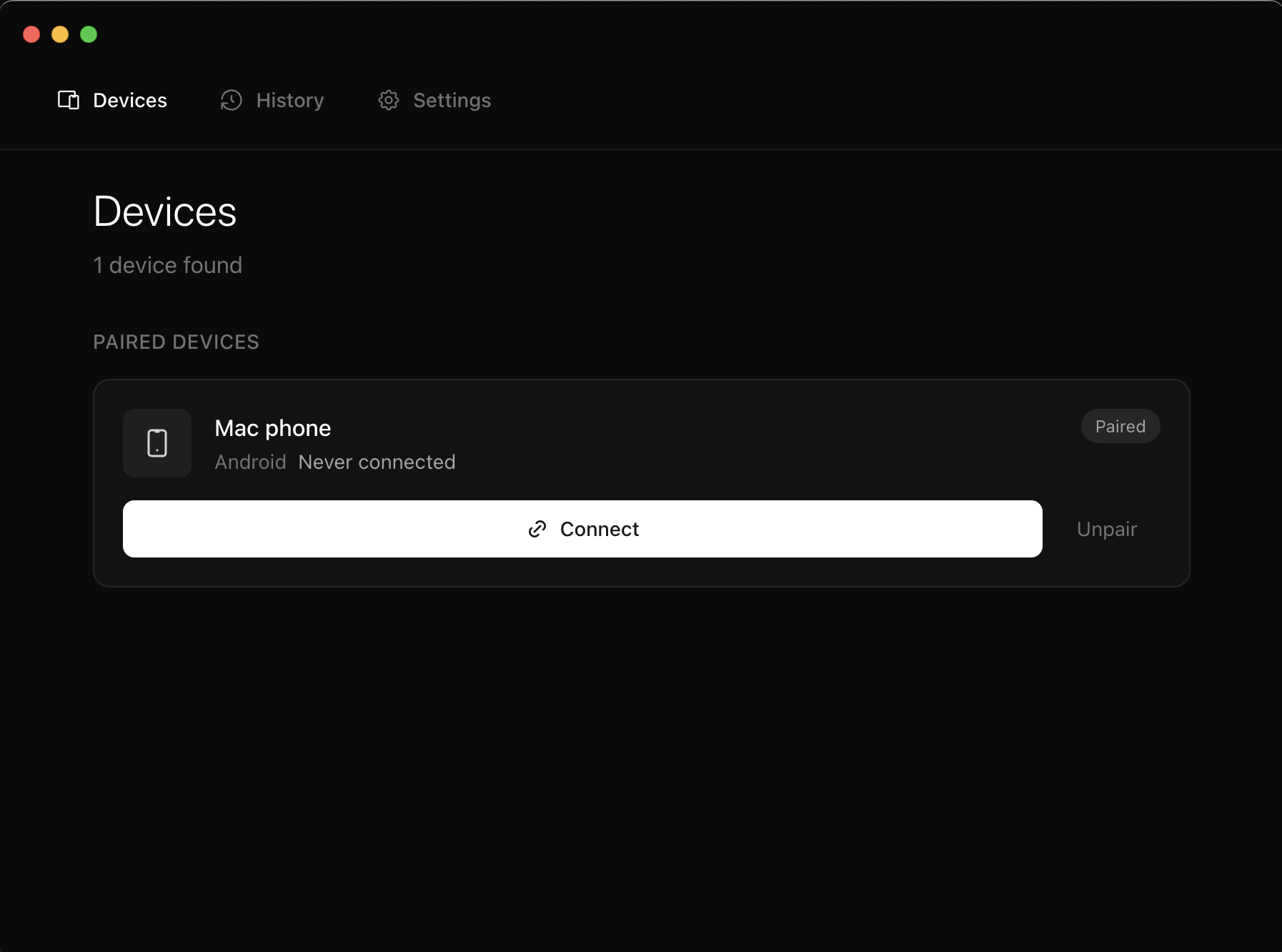
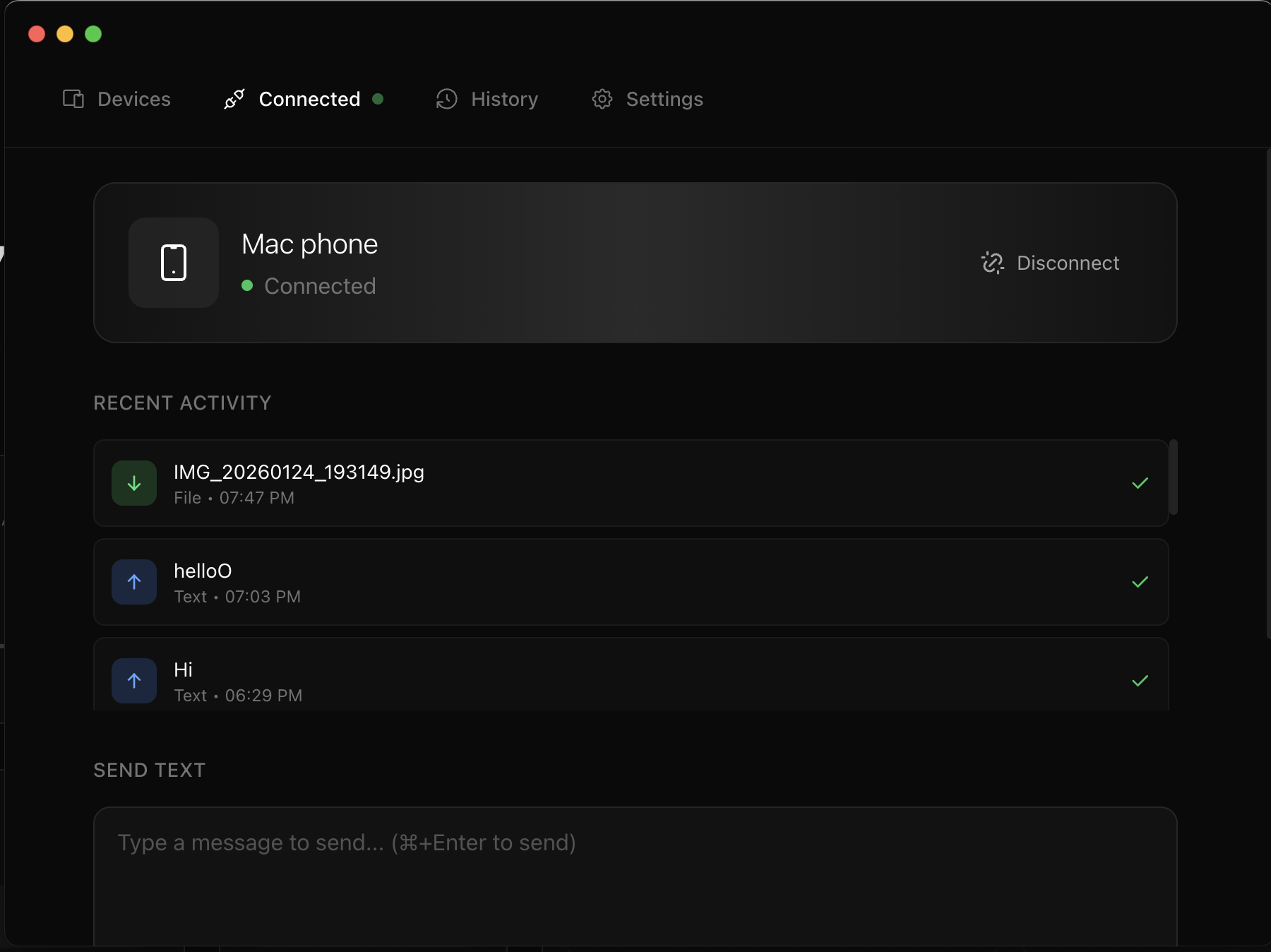
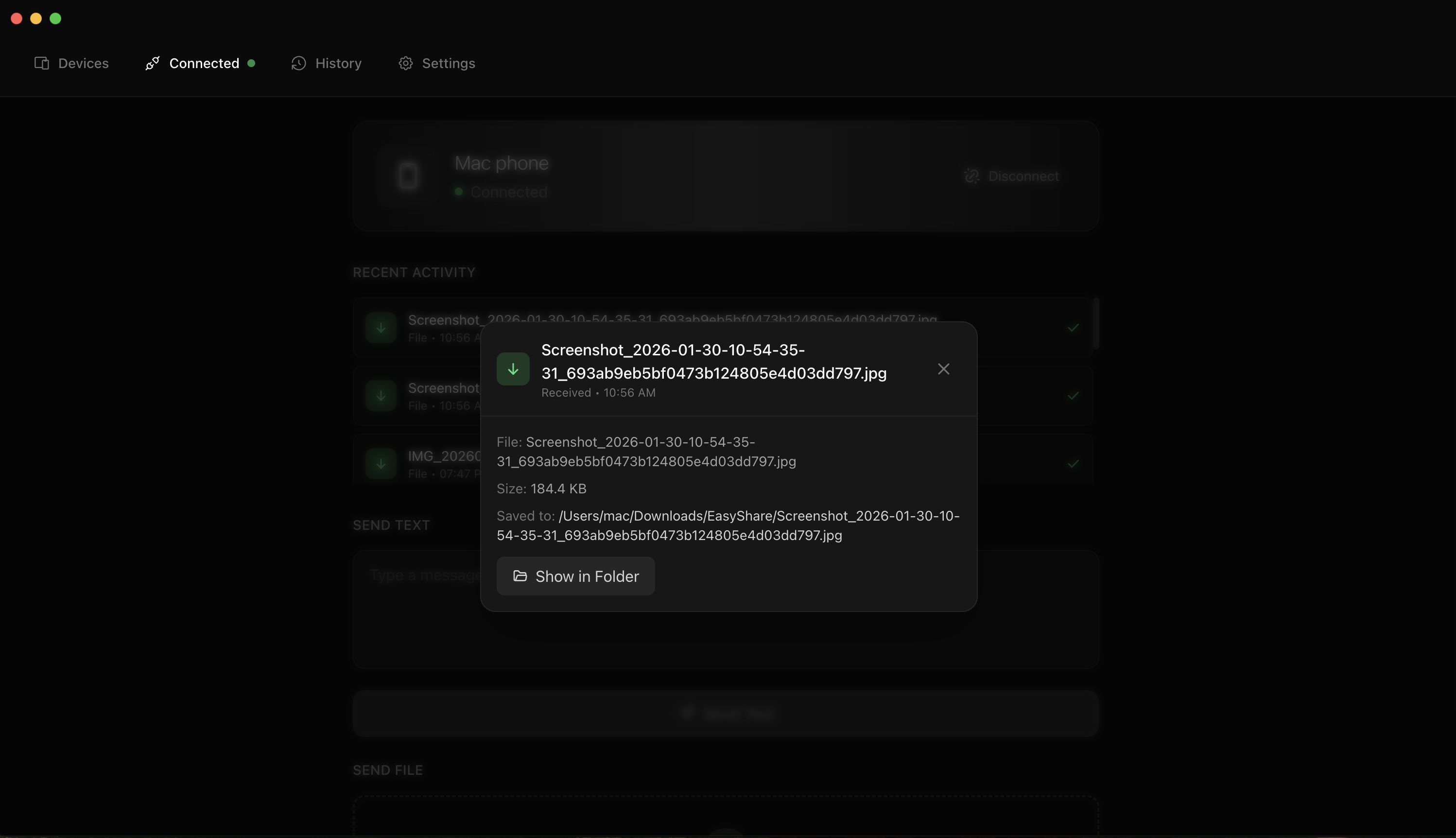
Device pairing, real-time file transfers, and transfer history
Most file-sharing solutions require cloud accounts, internet connectivity, or third-party servers that can access your data. EasyShare takes a fundamentally different approach:
| Traditional Solutions | EasyShare |
|---|---|
| Requires internet | Works completely offline |
| Data passes through cloud servers | Direct device-to-device only |
| Requires account creation | No accounts, no sign-ups |
| Company can access your files | Zero knowledge—only you have your data |
| Subscription fees | Free and open source |
| Proprietary protocols | Transparent, auditable code |
EasyShare is designed for users who value their privacy and want full control over their data.
EasyShare was built with security as a foundational principle, not an afterthought. Every network operation is confined to your local network — there are no analytics SDKs, no crash reporters, no auto-updaters, and no external API calls anywhere in the codebase.
All communication between devices is encrypted using NaCl secretbox (XSalsa20-Poly1305), a modern authenticated encryption algorithm that provides both confidentiality and integrity protection.
┌─────────────────────────────────────────────────────────────┐
│                    ENCRYPTION DETAILS                       │
├─────────────────────────────────────────────────────────────┤
│  Algorithm:     XSalsa20-Poly1305 (NaCl secretbox)          │
│  Key Derivation: PBKDF2 with 100,000 iterations             │
│  Salt:          Device ID (unique per device pair)          │
│  Nonce:         Randomly generated per connection           │
│  Key Size:      256-bit                                     │
└─────────────────────────────────────────────────────────────┘
When you pair two devices:
| Platform | Storage Method | Security |
|---|---|---|
| macOS | electron-store | OS-level encryption |
| Android | AsyncStorage | Platform secure storage |
What's stored locally:
What's never stored:
EasyShare uses a monorepo architecture with three packages:
┌─────────────────────────────────────────────────────────────┐
│                     ARCHITECTURE                            │
├─────────────────────────────────────────────────────────────┤
│                                                             │
│   ┌─────────────────┐         ┌─────────────────┐          │
│   │   macOS App     │◄───────►│   Android App   │          │
│   │   (Electron)    │  Local  │ (React Native)  │          │
│   │                 │ Network │                 │          │
│   └────────┬────────┘         └────────┬────────┘          │
│            │                           │                    │
│            └───────────┬───────────────┘                    │
│                        │                                    │
│              ┌─────────▼─────────┐                          │
│              │   Shared Core     │                          │
│              │   (TypeScript)    │                          │
│              │                   │                          │
│              │ • Crypto          │                          │
│              │ • Protocol        │                          │
│              │ • Discovery       │                          │
│              │ • Pairing         │                          │
│              │ • Transfer        │                          │
│              └───────────────────┘                          │
│                                                             │
└─────────────────────────────────────────────────────────────┘
| Component | Technology |
|---|---|
| Shared Core | TypeScript 5.3, tweetnacl (encryption), js-sha512 (streaming checksums), tsup |
| Desktop (macOS) | Electron 33, React 18, Tailwind CSS, Framer Motion |
| Mobile (Android) | React Native 0.73, NativeWind, react-native-tcp-socket |
| Build Tools | Vite, Metro, electron-builder |
| Discovery | bonjour-service (macOS), react-native-zeroconf (Android) |
| Requirement | Version |
|---|---|
| Node.js | 18.0.0 or higher |
| npm | 9.0.0 or higher |
| Git | Any recent version |
| Requirement | Details |
|---|---|
| macOS | 10.15 (Catalina) or higher |
| Xcode Command Line Tools | xcode-select --install |
| Xcode (optional) | For code signing and notarization |
| Requirement | Details |
|---|---|
| Android Studio | Latest stable version |
| JDK | Version 17 |
| Android SDK | API Level 24+ (Android 7.0+) |
| Android device or emulator | With USB debugging enabled |
(Coming soon — check the Releases page)
git clone https://github.com/off-grid-ai/sync.git
cd sync
# Install all dependencies for the monorepo
npm install
This will install dependencies for:
packages/shared — TypeScript core librarypackages/desktop — Electron apppackages/mobile — React Native appThe shared core must be built before running either platform:
npm run build:shared
This compiles the TypeScript core library that both platforms depend on.
Start the Electron app in development mode with hot reload:
npm run dev:desktop
This will:
The app window will open automatically. Changes to React components will hot reload instantly.
Development shortcuts:
Cmd + Option + I — Open Developer ToolsCmd + R — Force reload the appRunning the Android app requires two terminal windows:
Terminal 1 — Start Metro Bundler:
npm run dev:mobile
This starts the Metro bundler on port 8082.
Terminal 2 — Run on Device/Emulator:
cd packages/mobile
npm run android
This will:
Development notes:
R twice in the Metro terminal to reload the appConnecting a physical device:
# List connected devices
adb devices

# If device shows as "unauthorized", check your phone for the USB debugging prompt
npm run build:desktop
This creates an optimized production build in packages/desktop/dist/.
cd packages/desktop
npm run package
This creates distributable files in packages/desktop/release/:
.dmg — Disk image for macOS distribution.zip — Compressed archiveBuild configuration is in packages/desktop/package.json under the build key:
{
  "build": {
    "appId": "com.easyshare.desktop",
    "productName": "EasyShare",
    "mac": {
      "category": "public.app-category.utilities",
      "target": ["dmg", "zip"]
    }
  }
}
For distribution outside the App Store, you'll need to sign and notarize the app:
# Set environment variables
export APPLE_ID="your-apple-id@email.com"
export APPLE_ID_PASSWORD="app-specific-password"
export APPLE_TEAM_ID="your-team-id"

# Build with signing
cd packages/desktop
npm run package
cd packages/mobile
npm run build:android
The APK will be created at:
packages/mobile/android/app/build/outputs/apk/release/app-release.apk
For production releases, you need to sign the APK:
Generate a keystore (one-time):
keytool -genkeypair -v -storetype PKCS12 -keystore easyshare.keystore -alias easyshare -keyalg RSA -keysize 2048 -validity 10000
Configure signing in packages/mobile/android/gradle.properties:
MYAPP_UPLOAD_STORE_FILE=easyshare.keystore
MYAPP_UPLOAD_KEY_ALIAS=easyshare
MYAPP_UPLOAD_STORE_PASSWORD=your-store-password
MYAPP_UPLOAD_KEY_PASSWORD=your-key-password
Build signed APK:
cd packages/mobile/android
./gradlew assembleRelease
Both platforms store settings locally. Available settings include:
| Setting | Description | Default |
|---|---|---|
| Device Name | How your device appears to others | System hostname |
| Auto-Accept | Automatically accept from paired devices | Off |
| Save Directory | Where received files are saved | Downloads folder |
| Notifications | Show transfer notifications | On |
packages/shared/tsconfig.json){
"compilerOptions": {
"target": "ES2022",
"module": "ESNext",
"strict": true,
"declaration": true,
"outDir": "./dist"
}
}
packages/desktop/electron.vite.config.ts)Key configurations:
packages/mobile/metro.config.js)Key configurations:
EasyShare uses the following network resources:
| Resource | Purpose | Configurable |
|---|---|---|
| mDNS (UDP 5353) | Device discovery | No |
| TCP (dynamic port) | Control messages, small file transfer | No |
| HTTP (dynamic port) | Large file transfer (>= 5MB) | No |
Service name: _easyshare._tcp |
mDNS service type | No |
Firewall requirements:
┌─────────────┐                              ┌─────────────┐
│   Device A  │                              │   Device B  │
└──────┬──────┘                              └──────┬──────┘
       │                                            │
       │  1. Broadcast mDNS: "_easyshare._tcp"      │
       │────────────────────────────────────────────►
       │                                            │
       │  2. mDNS Response: "DeviceB @ 192.168.1.5" │
       │◄────────────────────────────────────────────
       │                                            │
       │  3. Devices now visible to each other      │
       ▼                                            ▼
Both apps advertise themselves on the local network using mDNS (Bonjour on macOS, NSD on Android) with service type _easyshare._tcp. Each service includes:
┌─────────────┐                              ┌─────────────┐
│   Device A  │                              │   Device B  │
└──────┬──────┘                              └──────┬──────┘
       │                                            │
       │  User enters passphrase on both devices    │
       │                                            │
       │  1. PAIR_REQUEST (Device A info)           │
       │────────────────────────────────────────────►
       │                                            │
       │  2. PAIR_CHALLENGE (random challenge)      │
       │◄────────────────────────────────────────────
       │                                            │
       │     Both derive key: PBKDF2(passphrase,    │
       │     deviceId, 100000 iterations)           │
       │                                            │
       │  3. PAIR_RESPONSE (signed challenge)       │
       │────────────────────────────────────────────►
       │                                            │
       │     Device B verifies signature            │
       │                                            │
       │  4. PAIR_CONFIRM (success + counter-proof) │
       │◄────────────────────────────────────────────
       │                                            │
       │  Devices are now paired!                   │
       │  Shared secret stored locally              │
       ▼                                            ▼
After pairing:
EasyShare uses two transfer modes, chosen automatically based on file size:
Small files (< 5MB) — Chunk-based over TCP:
┌─────────────┐                              ┌─────────────┐
│   Sender    │                              │   Receiver  │
└──────┬──────┘                              └──────┬──────┘
       │                                            │
       │  1. FILE_REQUEST (name, size, checksum)    │
       │────────────────────────────────────────────►
       │                                            │
       │  2. FILE_ACCEPT                            │
       │◄────────────────────────────────────────────
       │                                            │
       │  3. FILE_CHUNK (64KB chunks)               │
       │────────────────────────────────────────────►
       │         ... repeat for all chunks ...      │
       │                                            │
       │  4. FILE_COMPLETE (checksum)               │
       │────────────────────────────────────────────►
       ▼                                            ▼
Large files (>= 5MB) — HTTP streaming:
┌─────────────┐                              ┌─────────────┐
│   Sender    │                              │   Receiver  │
└──────┬──────┘                              └──────┬──────┘
       │                                            │
       │  1. FILE_REQUEST (name, size, httpUrl)     │
       │────────────────────────────────────────────►
       │                                            │
       │  2. FILE_ACCEPT (uploadUrl)                │
       │◄────────────────────────────────────────────
       │                                            │
       │  3. HTTP transfer (native speed)           │
       │────────── file data via HTTP ─────────────►
       │                                            │
       │  4. FILE_ACK (success/failure)             │
       │◄────────────────────────────────────────────
       ▼                                            ▼
The HTTP path avoids the React Native bridge bottleneck for large files, achieving native transfer speeds. Both paths verify file integrity — small files use full SHA-512 checksums, large files verify by file size to avoid reading the entire file back through the bridge.
easy-android-to-mac/
├── packages/
│   ├── shared/                      # Shared TypeScript core
│   │   ├── src/
│   │   │   ├── types/               # TypeScript type definitions
│   │   │   │   └── index.ts         # Device, Message, Transfer types
│   │   │   ├── crypto/              # Cryptographic utilities
│   │   │   │   ├── encryption.ts    # XSalsa20-Poly1305 encrypt/decrypt
│   │   │   │   ├── keys.ts          # PBKDF2 key derivation
│   │   │   │   └── checksum.ts      # SHA-512 file checksums
│   │   │   ├── discovery/           # mDNS protocol helpers
│   │   │   │   └── index.ts         # Service type, TXT records
│   │   │   ├── pairing/             # Device pairing logic
│   │   │   │   ├── state.ts         # Pairing state machine
│   │   │   │   └── challenge.ts     # Challenge-response protocol
│   │   │   ├── transfer/            # File/text transfer
│   │   │   │   ├── chunker.ts       # File chunking logic
│   │   │   │   └── progress.ts      # Progress tracking
│   │   │   └── protocol/            # Message protocol
│   │   │       ├── messages.ts      # Message types and handlers
│   │   │       └── framing.ts       # Length-prefixed framing
│   │   ├── package.json
│   │   └── tsconfig.json
│   │
│   ├── desktop/                     # Electron macOS app
│   │   ├── src/
│   │   │   ├── main/                # Main process (Node.js)
│   │   │   │   ├── index.ts         # App entry point
│   │   │   │   ├── connection.ts    # TCP connection handling
│   │   │   │   ├── discovery.ts     # Bonjour/mDNS integration
│   │   │   │   └── storage.ts       # Persistent storage
│   │   │   ├── preload/             # Preload scripts (IPC bridge)
│   │   │   │   └── index.ts         # Secure API exposure
│   │   │   └── renderer/            # Renderer process (React)
│   │   │       ├── App.tsx          # Root component
│   │   │       ├── components/      # UI components
│   │   │       ├── hooks/           # React hooks
│   │   │       └── styles/          # Tailwind CSS
│   │   ├── electron.vite.config.ts  # Build configuration
│   │   ├── tailwind.config.js       # Tailwind theme
│   │   └── package.json
│   │
│   └── mobile/                      # React Native Android app
│       ├── src/
│       │   ├── screens/             # App screens
│       │   │   ├── DiscoveryScreen.tsx
│       │   │   ├── ConnectedScreen.tsx
│       │   │   ├── HistoryScreen.tsx
│       │   │   └── SettingsScreen.tsx
│       │   ├── components/          # Shared components
│       │   ├── hooks/               # Custom hooks
│       │   │   ├── useDiscovery.ts  # mDNS discovery
│       │   │   ├── useConnection.ts # TCP connection
│       │   │   └── useStorage.ts    # AsyncStorage
│       │   └── native/              # Native module bridges
│       ├── android/                 # Android native code
│       ├── App.tsx                  # Root component
│       ├── metro.config.js          # Metro bundler config
│       └── package.json
│
├── package.json                     # Monorepo workspace config
├── tsconfig.base.json               # Shared TypeScript config
└── README.md                        # This file
Symptoms: Devices on the same network don't appear in the discovery list.
Solutions:
Symptoms: Devices see each other but pairing doesn't complete.
Solutions:
Symptoms: Transfer starts but doesn't complete or shows an error.
Solutions:
Solution: Right-click the app, select "Open", then click "Open" in the dialog.
Or via Terminal:
xattr -cr /Applications/EasyShare.app
Solution: Ensure Bonjour is enabled:
# Check if mDNSResponder is running
sudo launchctl list | grep mDNS
Solutions:
Solutions:
npm install failsSolutions:
# Clear npm cache
npm cache clean --force

# Delete node_modules and lock file
rm -rf node_modules package-lock.json
rm -rf packages/*/node_modules

# Reinstall
npm install
Solutions:
# Rebuild the shared package
npm run build:shared

# If still failing, check the symlink
ls -la packages/desktop/node_modules/@easyshare
Solution: The mobile package uses port 8082 by default. If it conflicts:
# Kill process on port 8082
lsof -ti:8082 | xargs kill -9

# Or use a different port
npx react-native start --port 8083
Solutions:
# Ensure JDK 17 is installed and active
java -version  # Should show version 17

# Set JAVA_HOME if needed
export JAVA_HOME=$(/usr/libexec/java_home -v 17)

# Clean Android build
cd packages/mobile/android
./gradlew clean
Contributions are welcome! Please follow these guidelines:
git checkout -b feature/your-featurenpm run typecheckBefore submitting:
# Type check all packages
npm run typecheck

# Build all packages
npm run build

# Test on both platforms if possible
npm run dev:desktop
npm run dev:mobile
If you discover a security vulnerability:
No. EasyShare is completely local. Your files and text are transferred directly between your devices over your local network. No data ever leaves your network or touches any external servers. There are zero analytics, zero telemetry, and zero external network calls in the entire codebase — not even crash reporting or update checks. You can audit the source code yourself to verify this.
Yes. EasyShare only requires a local network connection. You can use it:
EasyShare uses XSalsa20-Poly1305, the same encryption used by Signal, WhatsApp, and other security-focused applications. Keys are derived using PBKDF2 with 100,000 iterations, making brute-force attacks impractical.
The encryption protects against passive interception. Even if someone captures the network traffic, they cannot decrypt it without knowing your pairing passphrase.
The passphrase is used to derive the encryption key. It ensures that only devices where you've entered the same passphrase can communicate. This prevents unauthorized devices from connecting to you.
Currently, EasyShare supports Android and macOS. Support for iOS and Windows is coming soon — contributions are welcome!
Licensed under the GNU Affero General Public License v3.0 (AGPL-3.0). See LICENSE.
In short: you're free to use, study, modify, and share this code, but any version you distribute or run as a network service must also be released as open source under the same license. Copyright (C) 2026 Mohammed Ali Chherawalla.
Built with privacy in mind. Verify it yourself.
Your data. Your devices. Your network. Not a single packet leaves.
off-grid-ai/OGAS is a public repo on GitHub by off-grid-ai. Privacy-First Local Network File & Text Sharing Between Android and macOS.
It declares the AGPL-3.0 license on GitHub.
Its maker has not tagged a system, so it is unknown here. Its README says what it needs.
Open "Take it" on its page: Take My Repo writes an install plan for your machine and hands it to your AI agent (Claude Code, Codex or Cursor), which asks you before each step. Take My Repo has not tested it on any machine.
Its last change on GitHub was on 2026-11-01. Take My Repo does not judge from that whether it is maintained.
Nobody has reviewed it on Take My Repo yet, which says nothing about its quality.
☁️ Ultra-fast, secure & lightweight self-hosted cloud storage — your files, photos, calendars & contacts, all in one place. Built in Rust.
A list of Free Software network services and web applications which can be hosted on your own servers
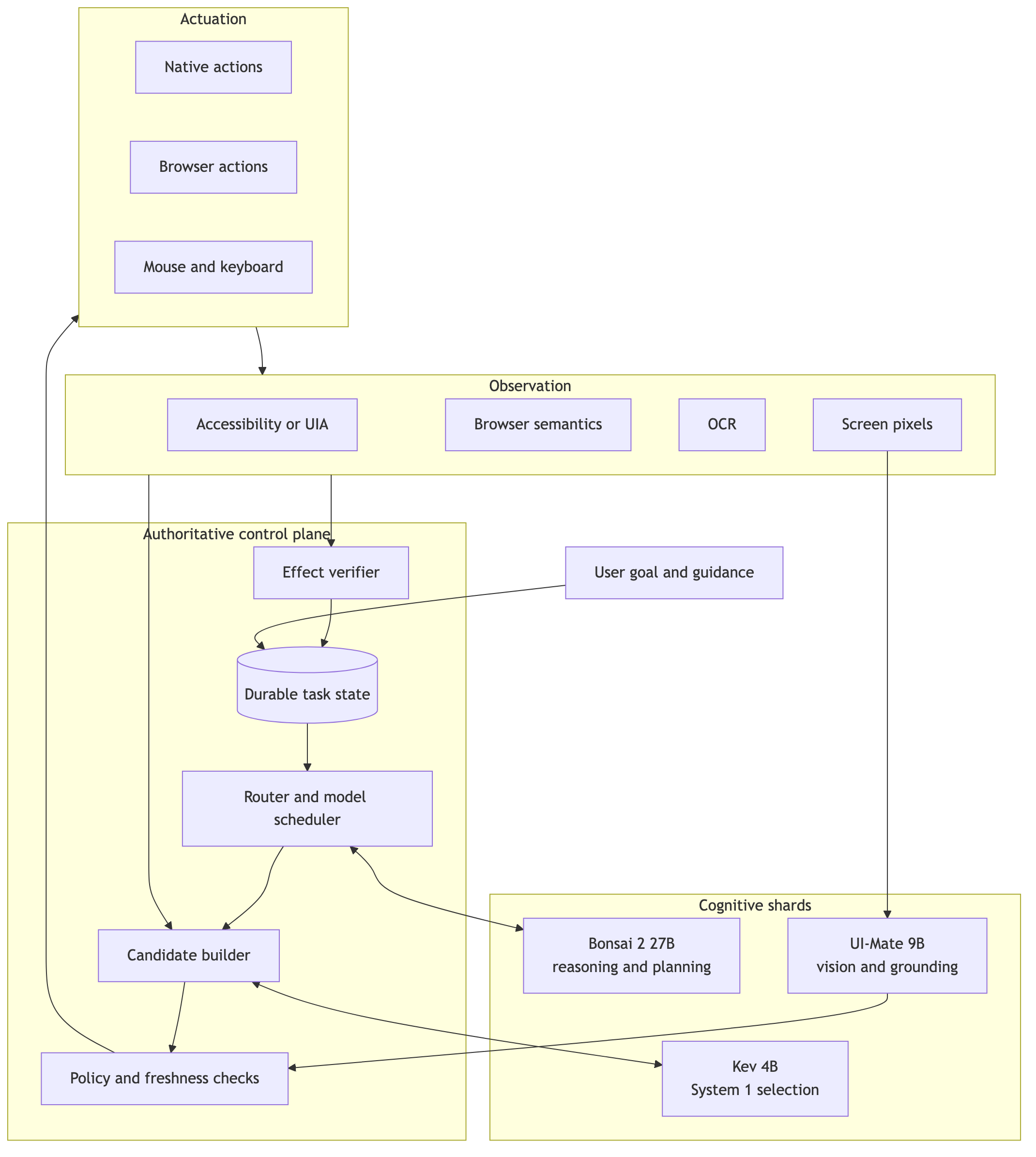
Reverse engineer anything with agents, from app behavior down to native binaries.
🏩 A simple process manager for developers. Start apps from your browser and access them using local domains
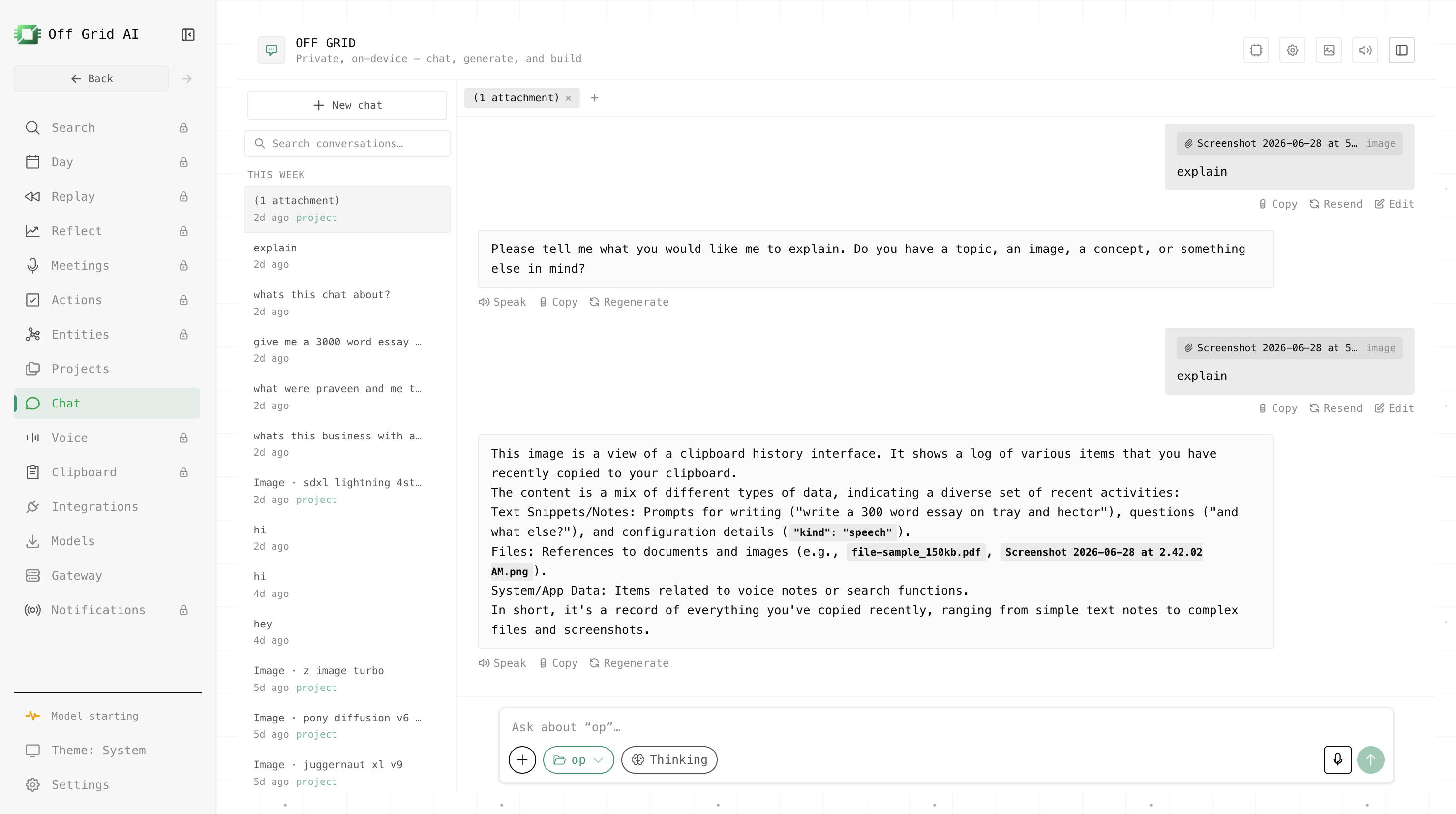
The Swiss Army Knife of Offline AI. Chat, see, speak, and generate images on your phone or Mac — GGUF LLMs, vision, Whisper speech-to-text, Stable Diffusion, tool calling, and local-network servers. Runs on your CPU, GPU, or NPU. No account, no API key, zero data leaves your device.
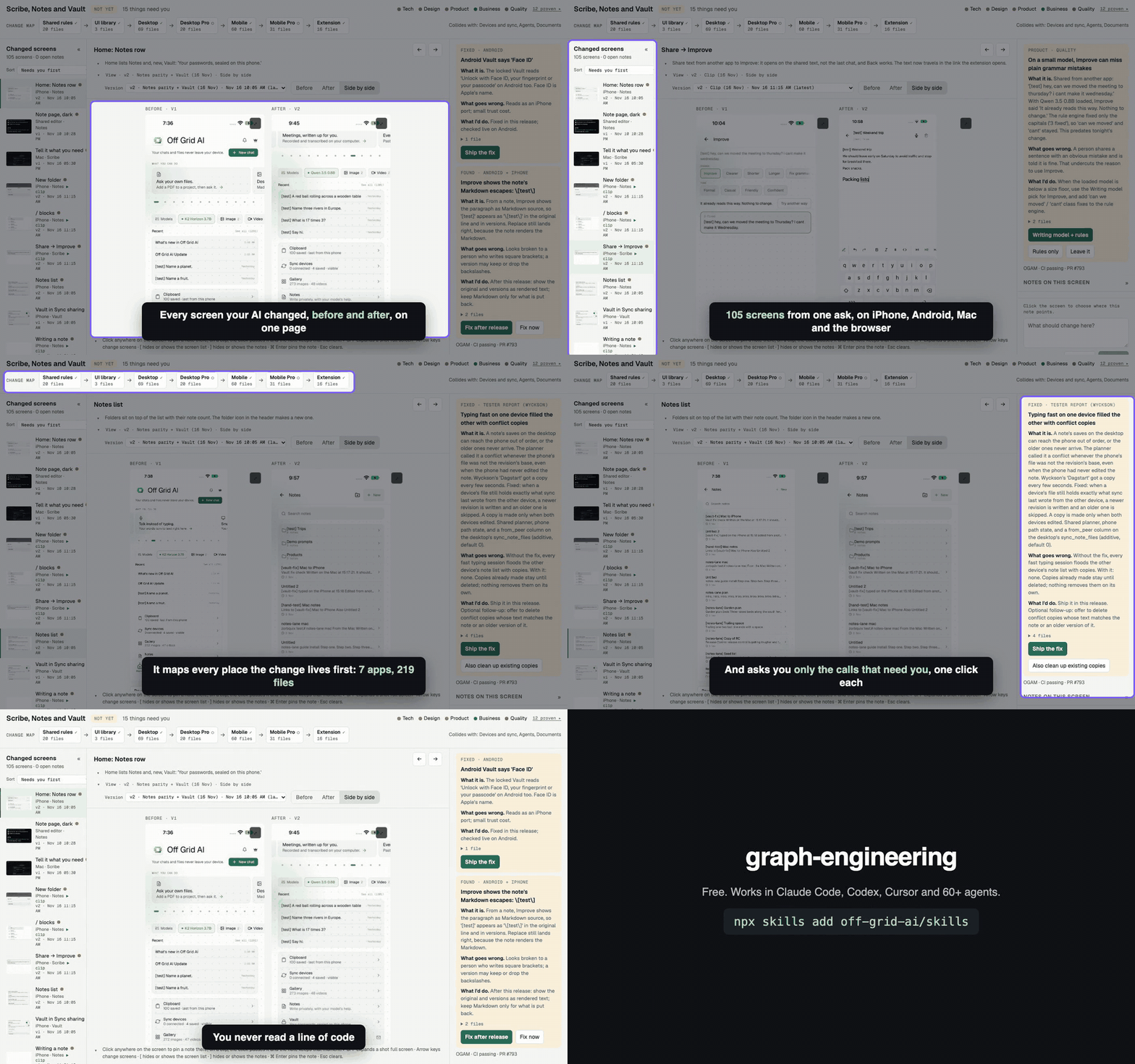
Stop babysitting your AI. 49 free skills that make Claude Code, Codex, Cursor and 60+ agents build, test and ship like a senior team.
Your private, on-device personal AI assistant for macOS, Windows and Linux. Chat, create, search files, and connect tools with local models. Includes an OpenAI-compatible API. Opt-in Pro sees, remembers, reflects, and acts with your approval, for one payment. No cloud or account.
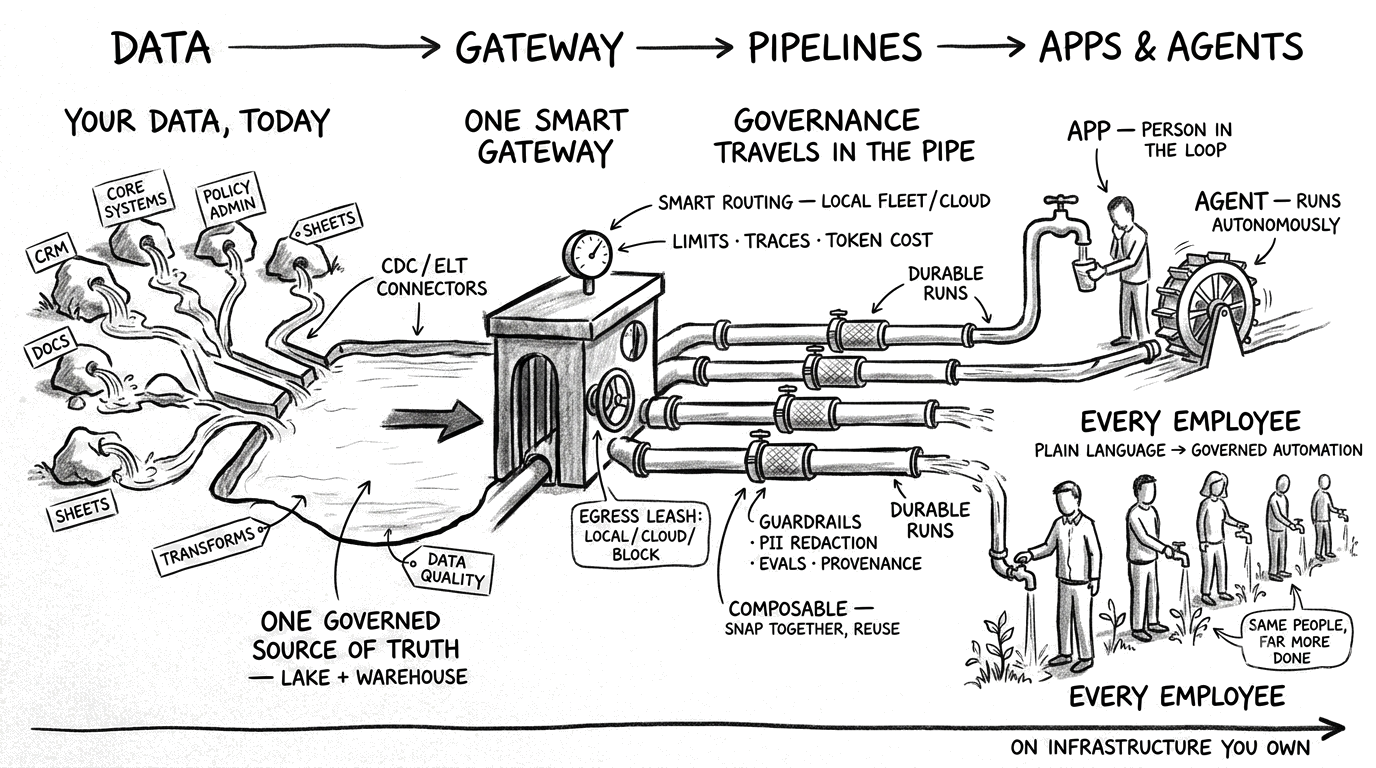
Open-source control plane for private, governed enterprise AI — one gateway for every model, composable governed pipelines, and apps your whole team builds in plain language, on infrastructure you own.
Find out what kind of king you'd be. You're crowned with no friends, seven great houses want your throne, and you win every one of them by war or by your word. Free and open source. On Mac now, every platform soon.