rea
Reverse engineer anything with agents, from app behavior down to native binaries.
- 476k
- TypeScript
- MIT
- 12 min ago
A cross-platform CLI to interact with an OpenFGA server.
Repo openfga/cli, read from GitHub 5 h ago. openfga has not joined Take My Repo.
openfga/cli is a public repo on GitHub by openfga. A cross-platform CLI to interact with an OpenFGA server. It declares the Apache-2.0 license on GitHub. It is written mainly in Go, has 111 stars and last changed on 2026-11-23. Nobody has reviewed it on Take My Repo yet, which says nothing about its quality. Read from GitHub on 2026-11-23.
A cross-platform CLI to interact with an OpenFGA server

OpenFGA is an open source Fine-Grained Authorization solution inspired by Google's Zanzibar paper. It was created by the FGA team at Auth0/Okta based on Auth0 Fine-Grained Authorization (FGA), available under a permissive license (Apache-2) and welcomes community contributions.
OpenFGA is designed to make it easy for application builders to model their permission layer, and to add and integrate fine-grained authorization into their applications. OpenFGA’s design is optimized for reliability and low latency at a high scale.
brew install openfga/tap/fga
Download the .deb, .rpm or .apk packages from the releases page.
Debian:
sudo apt install ./fga_<version>_linux_<arch>.deb
Fedora:
sudo dnf install ./fga_<version>_linux_<arch>.rpm
Alpine Linux:
sudo apk add --allow-untrusted ./fga_<version>_linux_<arch>.apk
via Scoop
scoop install openfga
docker pull openfga/cli; docker run -it openfga/cli
The Docker image is multi-platform and includes the system CA certificates needed for endpoints that use publicly trusted certificate authorities. Private or internal CAs still need to be provided by the user.
go install github.com/openfga/cli/cmd/fga@latest
Download the pre-compiled binaries from the releases page.
Make sure you have Go 1.25 or later installed. See the Go downloads page.
Clone the repo to a local directory, and navigate to that directory:
git clone https://github.com/openfga/cli.git && cd cli
Then use the build command:
go build -o ./dist/fga ./cmd/fga/main.go
or if you have make installed, just run:
make build
Run the OpenFGA CLI with:
./dist/fga
For any command that interacts with an OpenFGA server, these configuration values can be passed (where applicable)
| Name | Flag | CLI | ~/.fga.yaml |
|---|---|---|---|
| API Url | --api-url |
FGA_API_URL |
api-url |
| Shared Secret | --api-token |
FGA_API_TOKEN |
api-token |
| Client ID | --client-id |
FGA_CLIENT_ID |
client-id |
| Client Secret | --client-secret |
FGA_CLIENT_SECRET |
client-secret |
| Scopes | --api-scopes |
FGA_API_SCOPES |
api-scopes |
| Token Issuer | --api-token-issuer |
FGA_API_TOKEN_ISSUER |
api-token-issuer |
| Token Audience | --api-audience |
FGA_API_AUDIENCE |
api-audience |
| Store ID | --store-id |
FGA_STORE_ID |
store-id |
| Authorization Model ID | --model-id |
FGA_MODEL_ID |
model-id |
| Custom Headers | --custom-headers |
FGA_CUSTOM_HEADERS |
custom-headers |
If you are authenticating with a shared secret, you should specify the API Token value. If you are authenticating using OAuth, you should specify the Client ID, Client Secret, API Audience and Token Issuer. For example:
# Note: This example is for Auth0 FGA
api-url: https://api.us1.fga.dev
client-id: 4Zb..UYjaHreLKOJuU8
client-secret: J3...2pBwiauD
api-audience: https://api.us1.fga.dev/
api-token-issuer: auth.fga.dev
store-id: 01H0H015178Y2V4CX10C2KGHF4
When no --config flag is passed, the CLI looks for a .fga.yaml (or .fga.yml) file in, in order:
~/.config on Linux, ~/Library/Application Support on macOS, %AppData% on Windows)fga subdirectory of that config directory (for example ~/.config/fga)The first file found is used; the remaining locations are not read and are not merged in. The CLI prints Using config file: <path> to stderr. Flags and FGA_* environment variables take precedence over the file.
To use a config file kept alongside a project, name it explicitly:
fga --config ./.fga.yaml store list
Or set the equivalent FGA_* environment variables from the table above.
Note: versions 0.7.0 through 0.8.2 treated a
.fga.yamlfrom the current working directory as the highest precedence. If you relied on that, switch to--configorFGA_*environment variables.
You can add custom HTTP headers to all requests sent to the API using the --custom-headers flag. Headers are specified in <name>: <value> format, and the flag can be repeated to add multiple headers.
--custom-headers "Header-Name: header-value"
fga store list --custom-headers "X-Custom-Header: value1" --custom-headers "X-Request-ID: abc123"
Custom headers can also be configured via the CLI environment variable or the configuration file:
| Name | Flag | CLI | ~/.fga.yaml |
|---|---|---|---|
| Custom Headers | --custom-headers |
FGA_CUSTOM_HEADERS |
custom-headers |
Example ~/.fga.yaml:
api-url: https://api.fga.example
store-id: 01H0H015178Y2V4CX10C2KGHF4
custom-headers:
  - "X-Custom-Header: value1"
  - "X-Request-ID: abc123"
| Description | command | parameters | example |
|---|---|---|---|
| Create a Store | create |
--name |
fga store create --name="FGA Demo Store" |
| Import a Store | import |
--file |
fga store import --file store.fga.yaml |
| Export a Store | export |
--store-id |
fga store export --store-id=01H0H015178Y2V4CX10C2KGHF4 |
| List Stores | list |
--name |
fga store list --name="FGA Demo Store" |
| Get a Store | get |
--store-id |
fga store get --store-id=01H0H015178Y2V4CX10C2KGHF4 |
| Delete a Store | delete |
--store-id |
fga store delete --store-id=01H0H015178Y2V4CX10C2KGHF4 |
fga store create
--name: Name of the store to be created. If the model parameter is specified, the model file name will be used as the default store name.--model: File with the authorization model. Can be in JSON, OpenFGA format, or fga.mod file (optional).--format : Authorization model input format. Can be "fga", "json", or "modular" (optional, defaults to the model file extension if present).fga store create --name "FGA Demo Store"
{
    "id": "01H0H015178Y2V4CX10C2KGHF4",
    "name": "FGA Demo Store",
    "created_at": "2023-05-19T16:10:07.637585677Z",
    "updated_at": "2023-05-19T16:10:07.637585677Z"
}
fga store create --model Model.fga
{
  "store": {
    "id":"01H6H9CNQRP2TVCFR7899XGNY8",
    "name":"Model",
    "created_at":"2023-07-29T16:58:28.984402Z",
    "updated_at":"2023-07-29T16:58:28.984402Z"
  },
  "model": {
    "authorization_model_id":"01H6H9CNQV36Y9WS1RJGRN8D06"
  }
}
To automatically set the created store id as an environment variable that will then be used by the CLI, you can use the following command:
export FGA_STORE_ID=$(fga store create --model model.fga | jq -r .store.id)
fga store import
--file: File containing the store. See Store File Format for detailed documentation.--store-id: Specifies the store id to import into--max-tuples-per-write: Max tuples to send in a single write (optional, default=1)--max-parallel-requests: Max requests to send in parallel (optional, default=4)--allow-external-files: Allow model_file, tuple_file and tuple_files references in the store file to resolve outside the store file's directory (optional, default=false). Only enable this for store files you trust.fga store import --file model.fga.yaml
{}
fga store export
--store-id: Specifies the store to export--output-file: The file to output the store to (optional, writes to the terminal if omitted)--model-id: Specifies the model to export (optional, exports the latest model if omitted)--max-tuples: Specifies the max number of tuples to include in the output (optional, defaults to 100)fga store export --store-id=01H0H015178Y2V4CX10C2KGHF4
openfga/cli is a public repo on GitHub by openfga. A cross-platform CLI to interact with an OpenFGA server.
It declares the Apache-2.0 license on GitHub.
Its maker has not tagged a system, so it is unknown here. Its README says what it needs.
Open "Take it" on its page: Take My Repo writes an install plan for your machine and hands it to your AI agent (Claude Code, Codex or Cursor), which asks you before each step. Take My Repo has not tested it on any machine.
Its last change on GitHub was on 2026-11-23. Take My Repo does not judge from that whether it is maintained.
The agent harness performance optimization system. Skills, instincts, memory, security, and research-first development for Claude Code, Codex, Opencode, Cursor and beyond.
Fair-code workflow automation platform with native AI capabilities. Combine visual building with custom code, self-host or cloud, 400+ integrations.
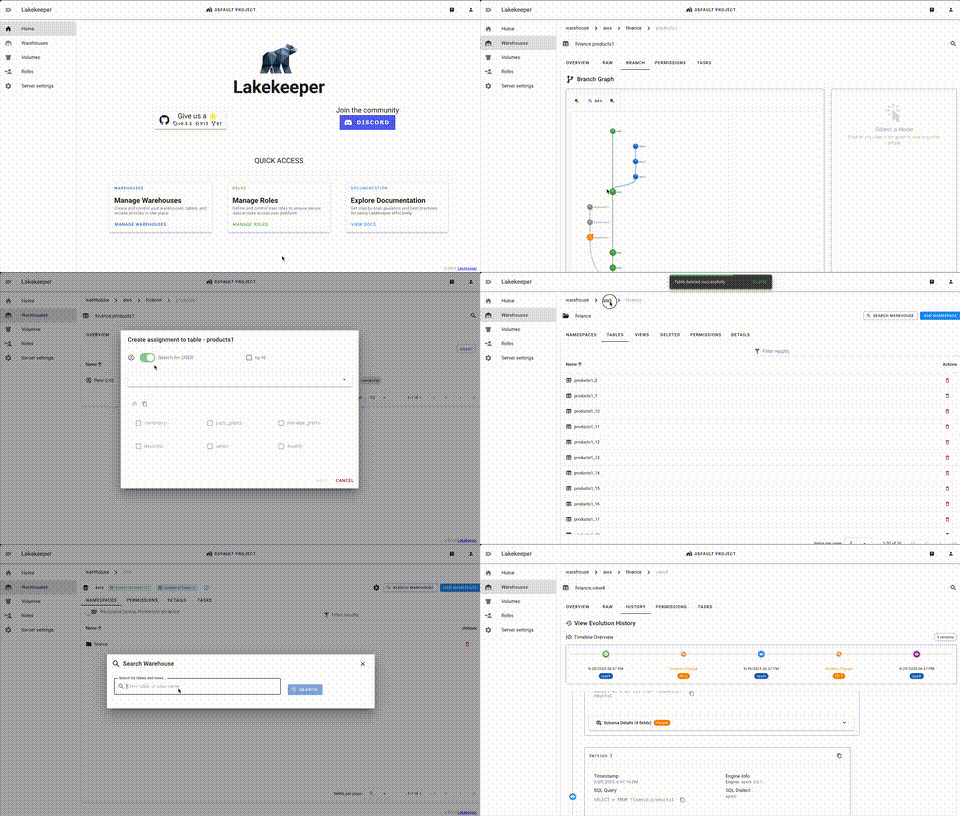
Apache Iceberg REST Catalog in Rust — access control, credential vending and audit for every engine and AI agent. Apache 2.0.
Nobody has reviewed it on Take My Repo yet, which says nothing about its quality.
Take My Repo cannot say: it does not audit code and has not run cli. What is known comes from GitHub. It declares the Apache-2.0 license on GitHub. Its last change was on 2026-11-23. It has 111 stars, which measure popularity, not safety. Nobody has reviewed it on Take My Repo yet, which says nothing about its quality. Read the source before you run it. With "Take it", your AI agent shows each step and asks you before running it; README text is treated as data, not as instructions.