
WorkflowEngine.NET
Workflow Engine by Optimajet, the embeddable workflow engine for .NET and C#. Approvals, state machines and long-running processes with a visual Workflow Designer, BPMN import and six databases.
- 1k
- 4 wk ago
Repo optimajet/WorkflowEngine.NET, read from GitHub 9 h ago. optimajet has not joined Take My Repo.
In short
optimajet/WorkflowEngine.NET is a public repo on GitHub by optimajet. Workflow Engine by Optimajet, the embeddable workflow engine for .NET and C#. Approvals, state machines and long-running processes with a visual Workflow Designer, BPMN import and six databases. It declares no license on GitHub. Public does not mean open source: without a license, nobody is granted the right to reuse it. It is written mainly in C#, has 1,001 stars and last changed on 2026-10-30. Nobody has reviewed it on Take My Repo yet, which says nothing about its quality. Read from GitHub on 2026-11-23.

Workflow Engine by Optimajet
Workflow Engine by Optimajet is an embeddable workflow engine for .NET and C# applications. It adds approvals, state machines and long-running business processes to your own app, with a visual Workflow Designer that developers and business users open in the browser. It installs from NuGet as WorkflowEngine.NETCore-Core, runs inside your process with no separate server, and stores process state in SQL Server, PostgreSQL, MySQL, Oracle, MongoDB or SQLite. Optimajet has developed it since 2014, and its official site is workflowengine.io.
Start with Workflow Engine Free (formerly Community Edition). It costs nothing, needs no license key and no sales call, and includes the full Workflow Designer. Use it for personal projects and for internal commercial use, with attribution, up to 10 workflow definitions (schemes) and 4 execution threads. When you need more, buy a paid edition and register its license key in the same app: your schemes and code keep working. The Team and Complete editions have public prices, no royalties and no per-execution fees.
Get Workflow Engine Free · Quick start · Website · Documentation · Workflow Designer demo · Compare products · Pricing
Contents
- Workflow engine or a hand-written state machine?
- Add a workflow engine to an existing .NET app
- How it compares
- Which product do I need
- Features
- Requirements and compatibility
- Key terms
- Licensing and Workflow Engine Free
- What is in this repository
- FAQ
- Machine-readable documentation
- Support and contact
Workflow engine or a hand-written state machine?
Most business apps start with a status column and a few if statements: submitted, approved, rejected. That code keeps growing once the process needs more:
- the commands a given user may run right now, based on their roles;
- timers and escalations that survive a restart;
- a new version of the process while old requests still run on the old one;
- a history of who moved each request, and when;
- a way to change the process without a release.
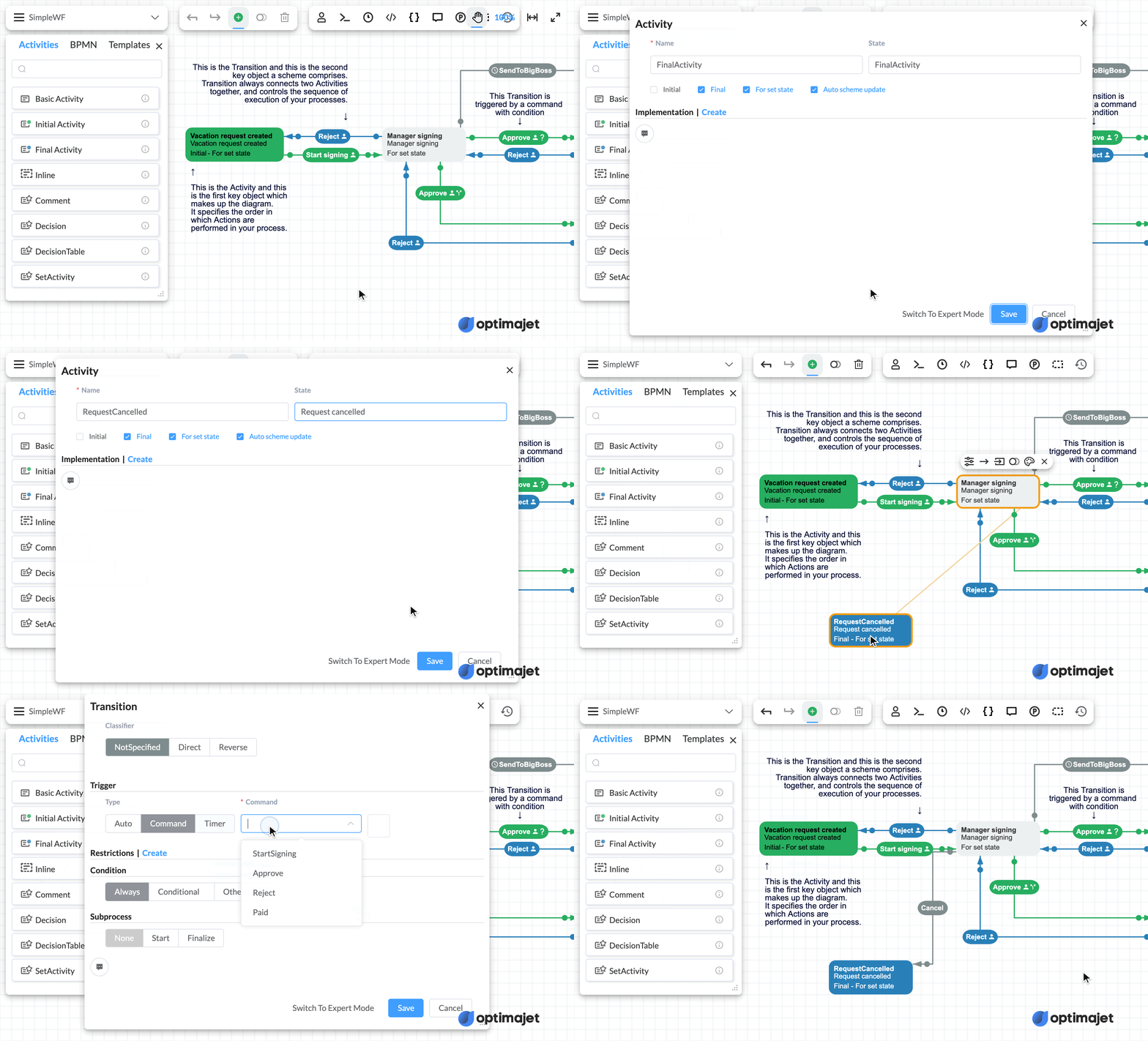
Workflow Engine ships these as a library. You describe the process as a scheme, in Workflow Designer or in C#. The Workflow Runtime stores every process instance, lists the commands each user may run, executes them, fires timers and writes the transition history.
If your process has a few states, one user and nothing to keep between restarts, a state machine library such as Stateless is enough.
Add a workflow engine to an existing .NET app
The examples use .NET 10. Both run on Workflow Engine Free without a license key.
A console app or worker service, in one file
dotnet new console -n WorkflowQuickstart --framework net10.0
cd WorkflowQuickstart
dotnet add package WorkflowEngine.NETCore-Core
dotnet add package WorkflowEngine.NETCore-ProviderForSQLite
Replace Program.cs with:
using System.Xml.Linq;
using OptimaJet.Workflow.Core.Builder;
using OptimaJet.Workflow.Core.Model;
using OptimaJet.Workflow.Core.Model.Builder;
using OptimaJet.Workflow.Core.Parser;
using OptimaJet.Workflow.Core.Runtime;
using OptimaJet.Workflow.Migrator;
using OptimaJet.Workflow.SQLite;

// Configure a Workflow Runtime with SQLite as its database
var provider = new SqliteProvider("Data Source=workflow.db");
var runtime = new WorkflowRuntime()
    .WithBuilder(new WorkflowBuilder<XElement>(provider, new XmlWorkflowParser(), provider).WithDefaultCache())
    .WithPersistenceProvider(provider)
    .RunMigrations()
    .Start();

try
{
    // A scheme in C#: Draft -> Review -> Approved, moved by two commands
    var scheme = ProcessDefinitionBuilder.Create("Approval");
    scheme.CreateActivity("Draft").Initial().Ref(out ActivityDefinition draft);
    scheme.CreateActivity("Review").Ref(out ActivityDefinition review);
    scheme.CreateActivity("Approved").Final().Ref(out ActivityDefinition approved);
    scheme.CreateCommand("Submit").Ref(out CommandDefinition submit);
    scheme.CreateCommand("Approve").Ref(out CommandDefinition approve);
    scheme.CreateTransition("Submit", draft, review).TriggeredByCommand(submit);
    scheme.CreateTransition("Approve", review, approved).TriggeredByCommand(approve);
    await runtime.Builder.SaveProcessSchemeAsync("Approval", scheme.ProcessDefinition);

    // Start a process and move it with the commands available to a user
    var processId = Guid.NewGuid();
    await runtime.CreateInstanceAsync("Approval", processId);
    foreach (var name in new[] { "Submit", "Approve" })
    {
        var commands = await runtime.GetAvailableCommandsAsync(processId, "alice");
        await runtime.ExecuteCommandAsync(commands.First(c => c.CommandName == name), "alice", "alice");
        Console.WriteLine($"{name} -> {await runtime.GetCurrentActivityNameAsync(processId)}");
    }
}
finally
{
    await runtime.ShutdownAsync();
}
dotnet run prints:
Submit -> Review
Approve -> Approved
The same steps work in a worker service or any other .NET host (Framework-Agnostic Install). For another database, use its provider package instead of SQLite (Multi-Database Support).
An ASP.NET Core app with Workflow Designer
dotnet new web -n WorkflowWeb --framework net10.0
cd WorkflowWeb
dotnet add package OptimaJet.Workflow.Api
dotnet add package OptimaJet.Workflow.Api.Sqlite
Replace Program.cs with:
using System.Text.Json.Serialization;
using OptimaJet.Workflow.Api;
using OptimaJet.Workflow.Api.Sqlite;
using OptimaJet.Workflow.Core.Runtime;

var builder = WebApplication.CreateBuilder(args);
builder.Services.AddControllers()
    .AddJsonOptions(options =>
        options.JsonSerializerOptions.Converters.Add(new JsonStringEnumConverter()));
builder.Services.AddWorkflowApiCore(options =>
{
    // options.LicenseKey = builder.Configuration["WorkflowApi:LicenseKey"];
});
builder.Services.AddWorkflowApiSqlite();
builder.Services.AddWorkflowRuntime(options =>
{
    options.ConnectionString = "Data Source=workflow.db";
    options.WorkflowRuntimeCreationOptions.ConfigureWorkflowRuntime = runtime => runtime.AsSingleServer();
});
// Development only: restrict the allowed origins in production.
builder.Services.AddCors(options =>
    options.AddDefaultPolicy(policy =>
        policy.AllowAnyOrigin().AllowAnyMethod().AllowAnyHeader()));

var app = builder.Build();
app.UseRouting();
app.UseCors();
app.MapWorkflowApi();
app.Run();
Start the app, then open Workflow Designer on a new scheme:
dotnet run --urls http://localhost:5274
npx @optimajet/workflow-designer http://localhost:5274/workflow-api/designer Approval
Draw activities and transitions, add commands and save: the scheme goes into your database. Without a key, these HTTP API packages serve the designer and health endpoints. Their Data, Search and RPC endpoints belong to Workflow Engine NEO and need a Workflow Engine NEO key or a trial key.
Put Workflow Designer inside your own frontend
| Frontend | Guide |
|---|---|
| Plain JavaScript, one script tag | JavaScript Workflow Designer |
| React | React Workflow Designer |
| Blazor | Blazor Workflow Designer |
| Angular | Integrate the Designer |
Next: Create Your First Workflow explains activities, transitions and commands on a working scheme.
How it compares
| License | Visual designer | Persistence | |
|---|---|---|---|
| Workflow Engine by Optimajet | Commercial EULA, perpetual Team and Complete editions; Workflow Engine Free at $0 | Workflow Designer, embeddable in JavaScript, React, Angular and Blazor apps | SQL Server, PostgreSQL, MySQL, Oracle, MongoDB, SQLite |
| Elsa Workflows | MIT | Elsa Studio (Blazor) | EF Core providers, Dapper, MongoDB |
| Workflow Core | MIT | No designer; C#, JSON or YAML definitions | SQL Server, PostgreSQL, SQLite, MySQL, Oracle, MongoDB, Cosmos DB, DynamoDB, Redis |
| Temporal .NET SDK | Open-source SDK and server, self-hosted or Temporal Cloud | No authoring designer; a web UI for inspection | The Temporal Service and its own persistence store |
| Windows Workflow Foundation | Ships with .NET Framework; the CoreWF port is MIT, targets .NET 6, out of support since November 2024 | Visual Studio designer, .NET Framework only | SqlWorkflowInstanceStore on .NET Framework |
For a broader review of .NET workflow engines, see the full comparison. It covers support, learning curve and suitable use cases.
When another option may fit better:
- You need an MIT license. Elsa Workflows and Workflow Core are MIT. Workflow Engine is commercial software, with a free product and commercial support plans with an SLA.
- You orchestrate events, integrations and background jobs with no people in the loop. Elsa fits that shape; Workflow Engine fits processes built around business state, decisions, forms and tenants. A worked comparison on one approval process: Elsa Workflows vs Workflow Engine NEO.
- You need durable execution for massive distributed fan-out. Temporal runs as its own cluster and is built for that. Workflow Engine runs inside your .NET process.
Which product do I need
Workflow Engine is one of four separate products in the Workflow Engine Family. Your schemes carry over between them.
| You are building | Product | Start with |
|---|---|---|
| A proof of concept, a learning project or a small internal application | Workflow Engine Free, $0, no license key | Workflow Engine Free |
| An internal .NET application that calls the engine in-process from C# | Workflow Engine, Team and Complete editions | Workflow Engine |
| A SaaS product or any app that drives workflows over HTTP, with tenants and forms | Workflow Engine NEO, Subscription, Business, SaaS and Enterprise editions | Workflow Engine NEO |
Questions
What is WorkflowEngine.NET?
optimajet/WorkflowEngine.NET is a public repo on GitHub by optimajet. Workflow Engine by Optimajet, the embeddable workflow engine for .NET and C#. Approvals, state machines and long-running processes with a visual Workflow Designer, BPMN import and six databases.
Is WorkflowEngine.NET open source?
It declares no license on GitHub. Public does not mean open source: without a license, nobody is granted the right to reuse it.


