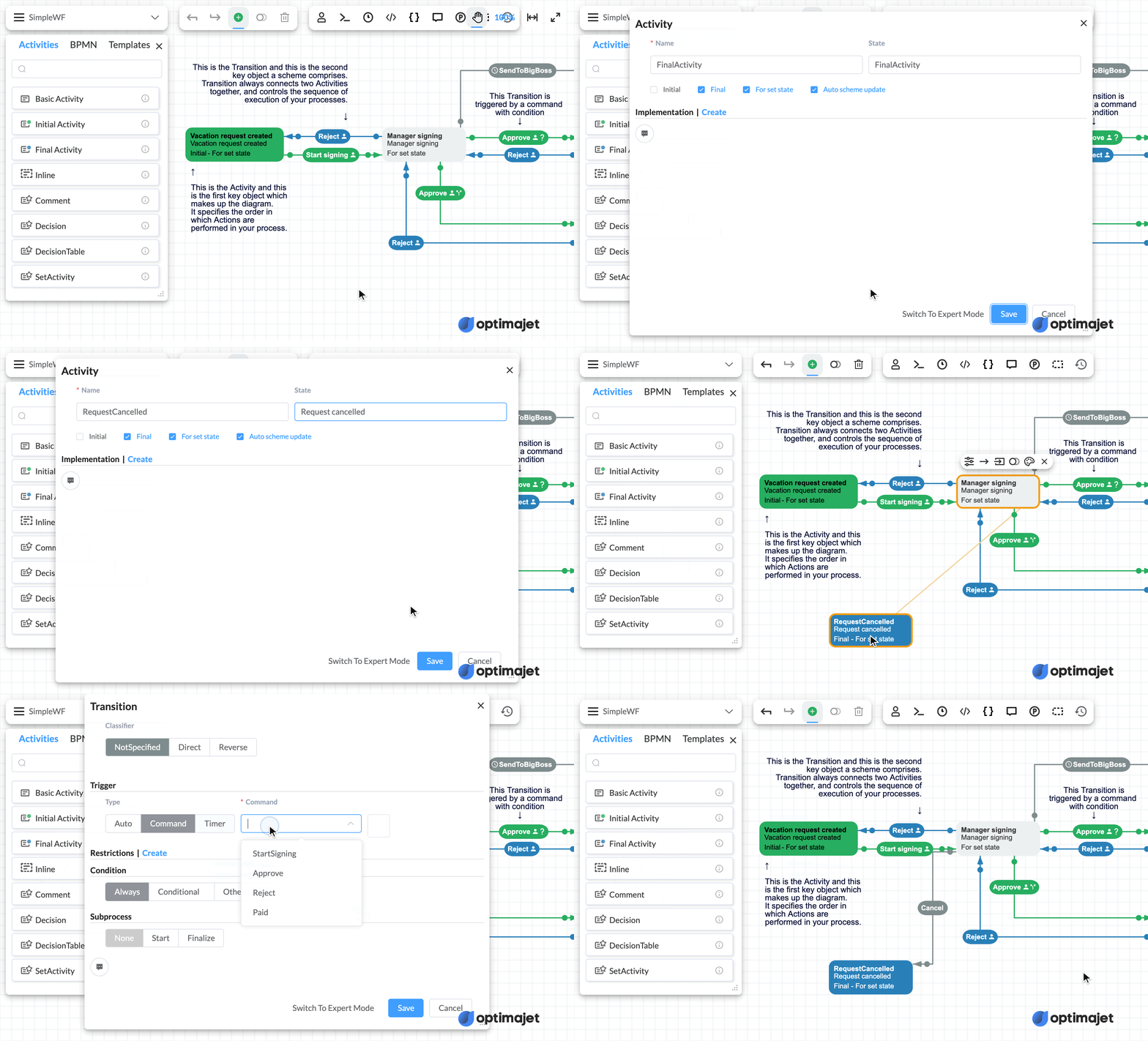
Workflow Engine 22.0.0 is a major feature release focused on dynamic Workflow Engine Web API tenant registration, full hybrid multi-tenancy for process data, schemes, Global Parameters, and forms, plus major platform updates for the Forms Plugin and Angular Designer packages.
Why update
- Add and remove Workflow Engine Web API tenants at runtime without restarting the ASP.NET host.
- Get consistent logical tenant isolation for processes, process-related entities, schemes, Global Parameters, and forms while preserving shared records through
null or empty tenant values where supported.
- Prevent cross-tenant access through Data API and RPC API operations that previously could read or affect processes or related records outside the current tenant.
- Use Forms Plugin packages on Form Engine 10.0.1 and Angular Designer packages aligned with Angular 22.
Key features
- Workflow Engine Web API now uses a dynamic tenant registry with immutable request snapshots, so multi-tenant hosts can start without a complete static tenant list and register tenants later.
- Full hybrid multi-tenancy extends tenant scoping to schemes, Global Parameters, forms, and process-related persistence, including timers, statuses, parameters, transition history, inbox entries, and approval history.
- Data API and RPC API process operations are now tenant-scoped and hide foreign-tenant processes from the current request.
- Forms Plugin API and frontend components now pass tenant context through form operations and apply deterministic tenant-first/shared fallback rules.
- The obsolete Assignment Plugin has been removed.
- Forms Plugin now uses Form Engine 10.0.1.
- Angular and related packages were updated to Angular 22.
Changelog
Update instructions
Mandatory update checklist
- All packages: update Workflow Engine packages to version 22.0.0.
- If you use SQL persistence providers, run Workflow Engine database migrations through
RunMigrations() before starting the updated runtime. The bundled SQL migration scripts are executed automatically by the migration mechanism. This release adds tenant storage and tenant-aware queries for schemes, Global Parameters, process-related entities, and forms. See Database versioning.
- If you use the MongoDB provider, manually run the bundled
update_22.0.0.js update script against your MongoDB database before starting the updated runtime. The script adds the new indexes required for tenant-aware queries.
- If you use Workflow Engine Web API in multi-tenant mode, review tenant startup and runtime registration code. Static
AddWorkflowTenants(...) configuration remains supported, but tenant providers and registry read helpers were removed.
- If you use Workflow Engine Web API Data API or RPC API in multi-tenant mode, test clients against the stricter tenant boundary. Foreign-tenant reads now return not-found style results, and foreign-tenant writes are rejected, no-op, or failed per endpoint instead of crossing tenant boundaries.
- If you use custom
IPersistenceProvider, IWorkflowTenant, IWorkflowTenantFactory, Forms Plugin workflow provider, or custom Web API authorization code, update those implementations before rebuilding.
- If you use
AssignmentPlugin, remove the package and replace the integration. The plugin is no longer supported in 22.0.0.
- If you use Angular Designer packages, update Angular and related packages to Angular 22.
- If you use Forms Plugin frontend packages, update Form Engine dependencies to 10.0.1 through the corresponding
@react-form-builder/* packages.
Scenario-specific migrations
Use the following sections for the cases that apply to your installation.
Resolving the current runtime, tenant ID, or tenant in HTTP code
The old tenant registry HTTP helper methods were removed. Inject IWorkflowTenantLocator or use the public IServiceProvider extension methods.
Before:
public sealed class MyController
{
    public MyController(IWorkflowTenantRegistry tenantRegistry)
    {
        _tenantRegistry = tenantRegistry;
    }

    public WorkflowRuntime GetRuntime()
    {
        return _tenantRegistry.GetHttpContextWorkflowRuntime();
    }

    private readonly IWorkflowTenantRegistry _tenantRegistry;
}
After, using IWorkflowTenantLocator:
public sealed class MyController
{
    public MyController(IWorkflowTenantLocator tenantLocator)
    {
        _tenantLocator = tenantLocator;
    }

    public WorkflowRuntime GetRuntime()
    {
        return _tenantLocator.GetHttpContextWorkflowRuntime();
    }

    private readonly IWorkflowTenantLocator _tenantLocator;
}
Replace HTTP helper calls as follows:
tenantRegistry.GetHttpContextTenantId() -> tenantLocator.GetHttpContextWorkflowTenantId() or services.GetHttpContextWorkflowTenantId().tenantRegistry.GetHttpContextTenant() -> tenantLocator.GetHttpContextWorkflowTenant() or services.GetHttpContextWorkflowTenant().- Use
services.GetHttpContextWorkflowTenantSnapshot() when you need the request-scoped immutable tenant snapshot.
Reading tenants outside an HTTP request
If code previously read the registry directly outside an HTTP request, use IWorkflowTenantSnapshot.
public sealed class MyService
{
    public MyService(IWorkflowTenantSnapshot tenantSnapshot)
    {
        var tenantId = "TenantA";
        var tenant = tenantSnapshot.GetTenant(tenantId);
        var runtime = tenant.WorkflowRuntime;
    }
}
Static and dynamic multi-tenant configuration
- If you used
AddWorkflowTenants(options), startup code usually does not need to change. The public signature remains available, and startup tenants are registered through the registry lifecycle.
- If you used
AddWorkflowTenantProvider(new ListWorkflowTenantProvider(...)), replace it with AddWorkflowTenants(...) for options-based startup registration, or register tenants after host startup through IWorkflowTenantRegistry.RegisterTenantsAsync(...).
MapWorkflowApi() no longer requires a tenant provider during endpoint mapping. A multi-tenant host can start without the complete static tenant list and accept tenants later through the registry.
Example dynamic tenant registration after host startup:
var tenantRegistry = services.GetRequiredService<IWorkflowTenantRegistry>();

var tenants = await tenantRegistry.RegisterTenantsAsync(new WorkflowTenantCreationOptions
{
    TenantIds = ["TenantA"],
    PersistenceProviderId = PersistenceProviderId.Mssql,
    ConnectionString = connectionString
});

var tenant = tenants.Single();
Example tenant removal:
await tenantRegistry.UnregisterTenantsAsync(tenant);
The registry removes the tenant from new snapshots immediately. For registry-owned tenants, WorkflowRuntime shutdown is delayed until older snapshots that still reference the tenant are released.
Custom tenant implementations
Custom IWorkflowTenant implementations must now implement the lifecycle contract:
- Add
WorkflowTenantLifecycleOwnership LifecycleOwnership.
- Implement
Task StartAsync().
- Implement
Task ShutdownAsync().
- Use
WorkflowTenantLifecycleOwnership.Registry when the registry should start and stop the tenant runtime.
- Use
WorkflowTenantLifecycleOwnership.External when your application keeps lifecycle ownership.
The standard WorkflowTenant constructor now requires WorkflowTenantLifecycleOwnership. The IWorkflowTenantFactory.Create(IEnumerable<string>, WorkflowRuntime, DataProviderCreationOptions) overload also has a new optional lifecycleOwnership parameter, so custom IWorkflowTenantFactory implementations must update their signatures.
Web API permission and authorization code
IWorkflowApiPermissions no longer authorizes the current HTTP request. Keep it for permission claim creation and validation through CreateBuilder(), BuildClaim(string), and BuildClaim(Action<...>).
- Remove direct calls to
IWorkflowApiPermissions.HttpContextHasAccess(...).
- For Workflow API endpoints, rely on
AddWorkflowApiSecurity(...) and MapWorkflowApi(). Authorization now runs in the request pipeline using the scoped tenant snapshot.
- Do not use
WorkflowApiConstants.SingleTenantId as a tenant permission target. It remains an empty string, but it is valid only in a single-tenant snapshot.
Process-related persistence and custom providers
Custom IPersistenceProvider implementations must update timer and process existence contracts:
- Update
RegisterTimerAsync to accept string tenantId before bool notOverrideIfExists.
- Implement
Task<bool> IsProcessExistsAsync(Guid processId, string tenantId).
Before:
RegisterTimerAsync(processId, rootProcessId, name, nextExecutionDateTime, notOverrideIfExists)
After:
RegisterTimerAsync(processId, rootProcessId, name, nextExecutionDateTime, tenantId, notOverrideIfExists)
Global Parameters and custom providers
Custom IPersistenceProvider implementations must add tenant-scoped Global Parameter methods:
SaveTenantGlobalParameterAsync.LoadTenantGlobalParameterAsync.LoadTenantGlobalParametersWithNamesAsync.LoadTenantGlobalParametersAsync.LoadTenantGlobalParametersWithPagingAsync.DeleteTenantGlobalParametersAsync.
If an external system previously managed Workflow Engine system Global Parameter types through the generic Global Parameters Data API, move it to specialized APIs or customize ProtectedGlobalParameterTypes. By default, direct generic get, create, update, and delete requests for protected types return 400; collection, search, and collection-delete operations hide or skip protected records.
Forms Plugin providers and frontend integrations
Forms Plugin provider methods now receive an optional tenantId. Update custom workflow provider implementations and custom form handlers to pass or resolve tenant context consistently.
Forms lookup and mutation behavior is now scoped:
GetFormNamesAsync(tenantId): without tenantId, returns only shared forms where TenantId = null; with tenantId, returns distinct names from the tenant scope and shared scope.GetFormVersionsAsync(name, tenantId): without tenantId, returns only shared versions; with tenantId, returns tenant versions when the tenant has any rows for the form name, otherwise falls back to shared versions.GetFormAsync(name, version: null, tenantId): without tenantId, returns the latest shared version; with tenantId, searches tenant and shared scopes, sorts tenant forms above shared forms, then sorts by Version DESC.GetFormAsync(name, version, tenantId): without tenantId, searches only the exact shared version; with tenantId, returns the tenant exact version when present, does not fall back to shared if the tenant has any rows for that form name, and falls back to shared only when the tenant has no rows for that form name.CreateNewFormIfNotExistsAsync(name, defaultDefinition, tenantId): checks existence only in the exact target scope. A shared form does not count as an existing tenant form. If a tenant form is missing, tenant v0 is created from the latest shared form when available, otherwise from defaultDefinition. After a concurrent duplicate insert, the method rereads the exact target scope.CreateNewFormVersionAsync(name, defaultDefinition, version, tenantId): creates the new version only in the exact target scope. The next version number is calculated from the target scope; an empty target scope creates v0. Definition is copied from the target scope, or from shared scope only as bootstrap when tenant scope is empty. If the requested source version is not found in either allowed scope, the method returns null, and the provider-level wrapper throws an error.UpdateFormAsync(...): updates only the exact target scope and exact version with lock checks. Shared fallback is not used.DeleteFormVersionAsync(...): deletes only the exact version in the exact target scope. Shared fallback is not used.DeleteFormAsync(...): deletes all versions only in the exact target scope. Shared fallback is not used.
FormsManager and FormsViewer now include tenantId. If FormsViewer requests are handled by external application code, you can either pass tenantId through those handlers or resolve it inside the handlers from your own request context. Passing it explicitly keeps behavior consistent with the rest of the Forms Plugin API.
Breaking changes
Major breaking changes
- The Web API tenant model is no longer a static list created during DI configuration and then read directly from
IWorkflowTenantRegistry. The public tenant API now uses a dynamic registry and immutable request snapshots. IWorkflowTenantRegistry.Tenants was replaced with IWorkflowTenantSnapshot.Tenants, IWorkflowTenantRegistry.IsSingleTenant() was replaced with IWorkflowTenantSnapshot.IsSingleTenant, and IWorkflowTenantRegistry.Get(string id) was replaced with IWorkflowTenantSnapshot.GetTenant(string id).
- HTTP-specific tenant helpers were removed from
IWorkflowTenantRegistry. IWorkflowTenantRegistry.GetHttpContextTenantId(), GetHttpContextTenant(), and GetHttpContextWorkflowRuntime() were replaced with IWorkflowTenantLocator and public IServiceProvider extension methods.
IWorkflowTenantProvider, ListWorkflowTenantProvider, and AddWorkflowTenantProvider(...) were removed. Tenants are no longer supplied through a provider collection in DI. Static startup configuration remains available through AddWorkflowRuntime(...) and AddWorkflowTenants(...); runtime registration after application startup is performed through IWorkflowTenantRegistry.RegisterTenantsAsync(...).IWorkflowTenant now has a lifecycle contract. All custom implementations must expose WorkflowTenantLifecycleOwnership LifecycleOwnership and implement Task StartAsync() and Task ShutdownAsync(). The standard WorkflowTenant constructor requires WorkflowTenantLifecycleOwnership, and custom IWorkflowTenantFactory implementations must update the Create(...) signature for the new optional lifecycleOwnership parameter.- Data API process-related entities are now tenant-scoped.
statuses, parameters, timers, transitions, inbox entries, approval history, and processes no longer allow cross-tenant reads or changes. Foreign-tenant GET requests now behave as not found; foreign-tenant update and delete requests are no-op or rejected depending on the endpoint.
- RPC API endpoints under
workflow-api.rpc.* now strictly check the process tenant against the current HTTP tenant ID. A process from another tenant cannot be read, changed, executed, deleted, checked, or otherwise manipulated through RPC by knowing its processId.
- Schemes, Global Parameters, and forms now participate in tenant scoping. Existing records with
null or empty tenant values are treated as shared records and can be visible to all tenants according to each API's fallback rules, but new records created in tenant context are written with tenant information.
Additional breaking changes
MapWorkflowApi() no longer validates or enumerates tenant provider state during endpoint mapping. Tenant composition is validated during registration and removal, not in the request pipeline.WorkflowApiConstants.SingleTenantId remains an empty string, but it is now explicitly valid only in a single-tenant snapshot and cannot be used in tenant permission targets.- Changing tenant IDs on an already registered tenant is not supported. Unregister the tenant and register a new tenant with the required IDs.
IWorkflowApiPermissions no longer authorizes the current HTTP request. HttpContextHasAccess(ClaimsPrincipal, string) was removed from the public interface. Workflow API authorization is performed inside the request pipeline with the scoped tenant snapshot.IPersistenceProvider.RegisterTimerAsync now requires string tenantId before bool notOverrideIfExists.IPersistenceProvider now requires Task<bool> IsProcessExistsAsync(Guid processId, string tenantId).- Data API creation operations for
Parameters and Timers now require the parent process to exist in the current tenant. create and create-collection no longer work when the process is missing or when processId belongs to a foreign tenant. This is a breaking change and also closes an unsafe cross-tenant behavior.
- Data API
processes search, collection read, single read, and update operations now work only in the current tenant. Cross-tenant process queries are no longer supported.
- The process tenant cannot be changed through Data API.
tenantId was removed from ProcessUpdateRequest, so PUT /data/processes/{id} cannot move a process to another tenant.
TenantId was removed from the process query contract. ProcessField.TenantId is no longer available, so clients cannot filter, sort, or search processes by TenantId through the current Data API contract.- For single RPC endpoints, tenant mismatch and
ProcessNotFoundException now map to 404 NotFound with the public message Process with id {id} not found. Earlier versions could allow some cross-tenant scenarios or return the real not-found case in another form, including 500.
rpc/is-process-exists now returns false for a process in another tenant to hide whether the process exists.- Bulk RPC result behavior changed for process IDs from another tenant. The affected item is returned as
Failed with a Core exception in BulkTaskResult.Exception; rpc/bulk-is-process-exists is the exception and returns Completed with Result = false. Bulk API can still expose both ProcessNotFound and ProcessTenantMismatchException in item results.
- Custom
IPersistenceProvider implementations must add the tenant-scoped Global Parameter methods: SaveTenantGlobalParameterAsync, LoadTenantGlobalParameterAsync, LoadTenantGlobalParametersWithNamesAsync, LoadTenantGlobalParametersAsync, LoadTenantGlobalParametersWithPagingAsync, and DeleteTenantGlobalParametersAsync.
- Generic Workflow Engine Web API access to system Global Parameter types is now blocked by default. Direct generic
get, create, update, and delete operations for protected types return 400; collection, search, and delete-collection operations hide or skip those records.
- The default protected Global Parameter types are
CodeAction, WFE_CodeActionsSettings, WFE_MultiServerSettings, WFE_SingleServerSettings, Plugin, Security, settings, LoggerSettings, CallbackProvider, LDAPConf, OpenIddictServer, and CorsSettings.
- Forms Plugin workflow provider form methods now receive an optional
tenantId. Custom providers must update their method signatures and tenant-aware lookup, create, update, and delete behavior.
- Forms Plugin fallback rules are tenant-aware. When a tenant already has rows for a form