rea
Reverse engineer anything with agents, from app behavior down to native binaries.
- 476k
- TypeScript
- MIT
- 4 h ago
Motion capture for any creature from one AI video: two cameras in one frame, a DINOv2 joint reader, the rig fitted in both views, a GLB out.
Repo patch-gg/anymove, read from GitHub 1 min ago. patch-gg has not joined Take My Repo.
patch-gg/anymove is a public repo on GitHub by patch-gg. Motion capture for any creature from one AI video: two cameras in one frame, a DINOv2 joint reader, the rig fitted in both views, a GLB out. It declares the Apache-2.0 license on GitHub. It is written mainly in Python, has 661 stars and last changed on 2026-11-13. Nobody has reviewed it on Take My Repo yet, which says nothing about its quality. Read from GitHub on 2026-11-24.

@patch_gg · dragon, giant spider, fire demon, wolf · about $3 for a usable move, all in.
anymove turns one AI video into an animation for any rigged creature, wings, tails and eight legs included. A video model films the creature from two cameras in one frame, front on the left and side on the right. A joint reader trained on that one creature finds every joint in both views. A joint sits at the same height in both, so the pair pins it in 3D, and the rig is fitted to those joints frame by frame and exported as a GLB.
The method is @CanItCode's; the MiniMax H3 LoRA step is @Graalitoo's idea. This repo is our working version of both, with the agent skills to run it.
Want to see it first? Try anymove on Patch: scrub a real capture and turn the finished animation in 3D.
Just want the creatures? Nine are ready in Patch's Assets, with 4 to 7 moves each: T-rex, knight, horse, centaur, woman, ogre, ape, mech and scorpion.
Made a game with one? Publish it on Patch.
Good at: big single gestures on any body plan: roars, slams, rearing up, chest beats, stomps, taking off. Walks and runs work on two and four legs. You get a real animation on a real skeleton, in a file any engine plays.
Not good at:
 |
1 · a 3d model. One picture becomes a textured mesh at real size.   |
 |
2 · a skeleton. Bones placed on grid views, skinned in  42 bones: legs, wings, tail |
 |
3 · limb colours. Every limb its own colour, so left and right never swap. 6 limbs, 6 colours |
 |
4 · two cameras. One camera at the front, one at the side, both views in one frame; a video model animates both at once from a prompt.   |
 |
5 · teach a reader. A vision model learns this one dragon from random poses whose joints are known; its average miss falls from 40 px to 6 px.  |
 |
6 · read every joint. The reader finds every joint in both views, in every frame. 50 joints · 10 s a clip |
 |
7 · two views, 3d. Stand the two views up as walls at a right angle: each joint is where its two lines meet. The front gives side to side, the side gives nose to tail. x from the front, y from the side, z from both |
 |
8 · the rig follows. The rig bends its bones onto the points, ignores the strays, and exports for any engine. glb, 24 fps, no hand edits · under a minute a clip |
Then the best takes become one file, with seamless loops and root motion (docs/PACKS.md). docs/PIPELINE.md has the file-by-file version.
You need an NVIDIA GPU with CUDA (12 GB to train a reader, 24 GB is safer; reading and fitting need much less), Python
3.11, Blender 5.x on your PATH (or BLENDER=/path/to/blender), and a
fal key to make new clips.
git clone https://github.com/Patch-gg/anymove && cd anymove
python3.11 -m venv .venv
.venv/bin/pip install torch==2.11.0 --index-url https://download.pytorch.org/whl/cu128
.venv/bin/pip install -r requirements.txt
cp .env.example .env                                  # then add your FAL_KEY; git ignores .env
On Windows, use Git Bash, and the same commands with the venv's other folder.
Every tools/*.sh finds the venv and handles Blender's paths and Python's line endings. Blender usually isn't on your
PATH, so point at it:
git clone https://github.com/Patch-gg/anymove && cd anymove
py -3.11 -m venv .venv
.venv/Scripts/pip install torch==2.11.0 --index-url https://download.pytorch.org/whl/cu128
.venv/Scripts/pip install -r requirements.txt
cp .env.example .env
export BLENDER="/c/Program Files/Blender Foundation/Blender 5.2/blender.exe"
Where a command below says .venv/bin/python, use .venv/Scripts/python.exe.
Fit the dragon's roar on the CPU, no Blender or downloads needed. The repo carries the joints its reader found in the clip; this fits the rig to them (about a minute and a half) and prints how well the two views agree:
mkdir -p runs/dragon/clips/roar
MOCAP_CREATURE=assets/dragon .venv/bin/python -m mocap.solve examples/dragon_roar/det.npz \
  assets/dragon/rigged/rig_info.json runs/dragon/clips/roar/motion.json
The whole capture, from the AI clip to a GLB, with an example creature's mesh, trained reader and clip from the release (13 MB mesh, 355 MB reader, 4 MB clip):
tools/fetch_examples.sh dragon --readers --clips
tools/prep.sh dragon && tools/rig.sh dragon          # real size, skeleton, skin, limb paint, reference frame
tools/capture.sh dragon runs/dragon/videos/roar/s1/h3max.mp4 roar
# runs/dragon/clips/roar/render/animation.glb, and showcase.mp4 to compare it with the clip
A new move for the same dragon (two clips, about $0.52 on fal; expect to need more, since a usable move took about 7 clips on average):
.venv/bin/python tools/make_prompt.py assets/dragon "the dragon whips its tail from side to side, then stands still." prompts/dragon/tailwhip.txt
tools/film.sh dragon tailwhip h3max 1,2
tools/capture.sh dragon runs/dragon/videos/tailwhip/s1/h3max.mp4 tailwhipCopy the closest example in assets/ (wolf: four legs; dragon: four legs and wings; spider: eight legs; demon: two
legs, two arms, wings and a tail), put your mesh at assets/<name>/model.glb, and work through:
patch-gg/anymove is a public repo on GitHub by patch-gg. Motion capture for any creature from one AI video: two cameras in one frame, a DINOv2 joint reader, the rig fitted in both views, a GLB out.
It declares the Apache-2.0 license on GitHub.
Its maker tagged it for Windows. That is declared by the maker; Take My Repo has not tested it.
Open "Take it" on its page: Take My Repo writes an install plan for your machine and hands it to your AI agent (Claude Code, Codex or Cursor), which asks you before each step. Take My Repo has not tested it on any machine.
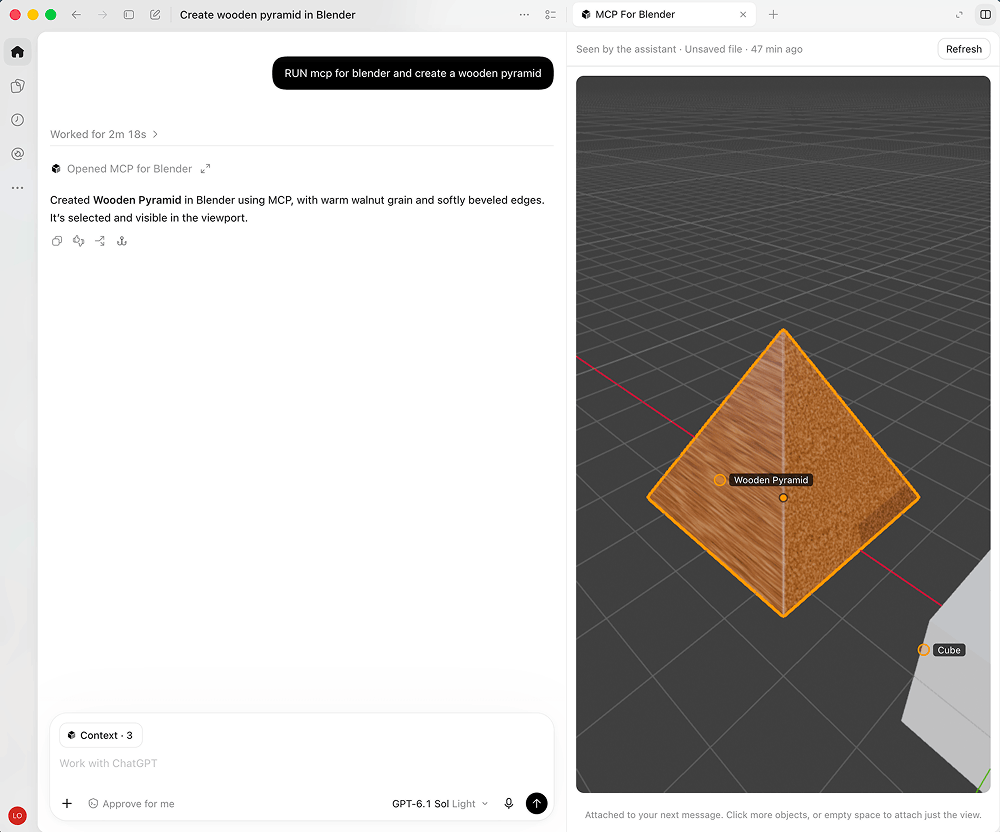
Community plugin to control Blender 3D with any LLM of your choice. Not affiliated with the official Blender Foundation.
Makes your AI agent think like the laziest senior dev in the room. The best code is the code you never wrote.
Open-source AI video editor: edit your own footage, or create and remake any video with Claude Code, Codex or the free Studio app. Write HTML, render MP4. By HeyGen.
Its last change on GitHub was on 2026-11-13. GitHub counts 3 open issues and pull requests. Take My Repo does not judge from that whether it is maintained.
Nobody has reviewed it on Take My Repo yet, which says nothing about its quality.
Take My Repo cannot say: it does not audit code and has not run anymove. What is known comes from GitHub. It declares the Apache-2.0 license on GitHub. Its last change was on 2026-11-13. It has 661 stars, which measure popularity, not safety. Nobody has reviewed it on Take My Repo yet, which says nothing about its quality. Read the source before you run it. With "Take it", your AI agent shows each step and asks you before running it; README text is treated as data, not as instructions.