
oink
Hugo theme for engineering documentation
- 173
- Apache-2.0
- 3 wk ago
Repo pgsty/oink, read from GitHub 1 d ago. pgsty has not joined Take My Repo.
In short
pgsty/oink is a public repo on GitHub by pgsty. Hugo theme for engineering documentation. It declares the Apache-2.0 license on GitHub. It is written mainly in HTML, has 173 stars and last changed on 2026-11-06. Nobody has reviewed it on Take My Repo yet, which says nothing about its quality. Read from GitHub on 2026-11-22.
Similar repos
FreeDomain
Free domain registration and practical DNS learning resources for everyone.



Open. Indexed. Navigable. Knowledge.
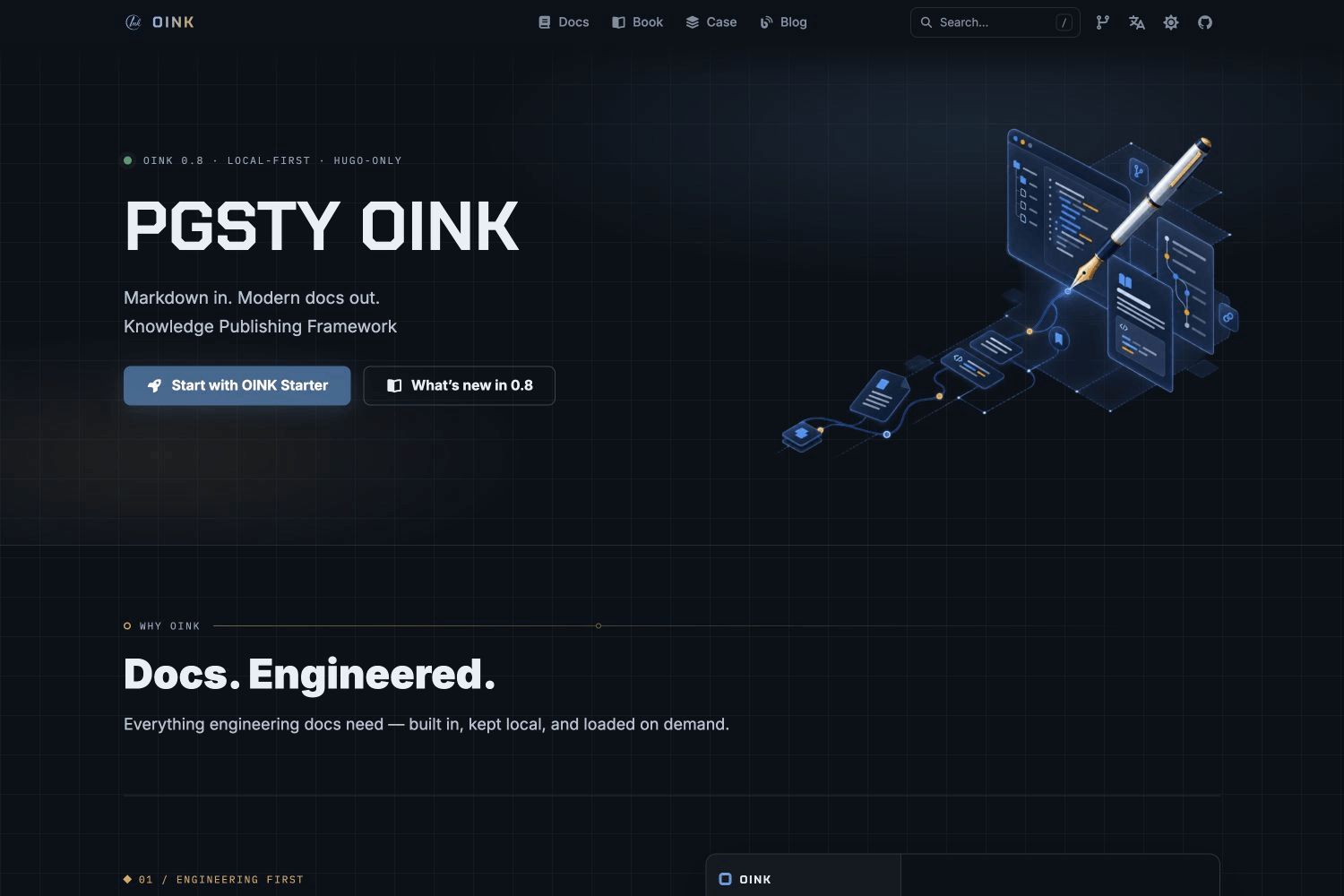
A local-first Hugo theme for engineering documentation.
Get started · OINK Starter · Components · Live cases · Design
OINK turns native Markdown into a complete knowledge-publishing site with one Hugo build. Its fonts, icons, search, diagrams, and feature runtimes ship locally and load only where they are used. Consumer sites need no Node.js, npm, Sass, PostCSS, bundler, or CDN.
The same content can serve people and tools: responsive HTML for readers,
print and RSS for publication, semantic Markdown for reuse, and optional
llms.txt, llms-full.txt, and navigation.json indexes for agents.
Why OINK
- One deterministic toolchain. Resolve the Hugo Module once, then build and preview with the Hugo binary alone. The theme assembles plain CSS with no compiler.
- Complete publishing surfaces. Docs, Blog, Book, Expo image albums, OpenAPI, releases, downloads, and data-driven landing pages share one navigation and visual system.
- Native Markdown authoring. Tables, fenced code, lists, and attributes become tabs, steps, cards, fields, galleries, diagrams, mathematics, charts, and API references without introducing MDX.
- Local-first delivery. Search, fonts, icons, syntax highlighting, and interactive runtimes are vendored; a normal build performs no remote asset fetch.
- Four visual styles. Paper is the warm, reading-focused default; Slate preserves the original look. Ink and Terminal are explicit opt-ins. Style and light/dark mode can be selected independently, with local fonts and saved reader preferences. See the appearance guide.
- Multilingual by design. Language-aware routing, translated-page peers, RTL support, alternate-site links, and localized search work across large documentation trees.
- Progressive by default. Server-rendered content remains useful without JavaScript; interaction, accessibility, responsive behavior, print, and machine-readable outputs are tested as separate contracts.
OINK 1.6.0 removes Sass, Bootstrap's JavaScript bundle, and Lunr so any Hugo
edition (0.169.0 or newer, including Hugo 0.170+) builds a site with no
external compiler. It replaces the local search engine with a scanning BM25
engine supporting unspaced CJK queries, field-level anchors, and automatic
split indexes; upgrades Markmap to 1.1.0 and ReDoc to 3.1.0; adds single-line
navbar overflow, on-approach engine and giscus loading, off-path sidebar
caching, and WebP blog covers; and tightens all 32 native locale catalogs. See
the release notes and
changelog for the complete list.
Start a site
Use OINK Starter
The recommended path is the public
pgsty/oink-starter template. It is a
small production baseline with Docs, Blog, Book, English/Chinese/French
profiles, and GitHub Pages and Cloudflare Pages workflows—without this theme
repository's internal fixtures.
Use this template on GitHub · Live starter · Setup guide
You need Git, Go, and Hugo; a site build needs no Node.js and no other tool. Only a site still pinned to OINK 1.5.1 or older needs Hugo's Extended edition. To evaluate the neutral template locally:
git clone https://github.com/pgsty/oink-starter.git
cd oink-starter
hugo server
Open http://localhost:1313/. Replace the site identity, home-page data, and sample content in that order; the starter already pins a tested OINK release and includes a production build.
Add OINK to an existing Hugo site
OINK is a Hugo Module. A site that does not already use modules can initialize one and resolve the latest release with:
hugo mod init github.com/example/docs
hugo mod get github.com/pgsty/oink@latest
Import the module in the site's root hugo.yaml:
module:
  imports:
    - path: github.com/pgsty/oink

# Hugo does not merge a theme module's Goldmark settings into the site.
markup:
  goldmark:
    renderer:
      unsafe: true
    parser:
      wrapStandAloneImageWithinParagraph: false
      attribute:
        block: true
Those Goldmark settings enable OINK's native container shortcodes, block-image attributes, steps, fields, captions, and numbered Book targets. Select the HTML, RSS, Print, Markdown, LLMS, LLMSFULL, and NAVJSON outputs the site needs; the configuration reference documents their defaults and scope.
For production, commit go.mod and go.sum. Keep warnings visible and inspect
representative routes after building:
hugo --cleanDestinationDir --gc --minify --environment production \
  --printPathWarnings
See Get started for repository structure, language profiles, customization, and deployment. Existing Docsy sites should also read the upgrade and migration guide.
What ships with the theme
| Area | Included capabilities |
|---|---|
| Reading shells | Docs, Blog, Book, Expo, Swagger/Redoc, releases, downloads, Print |
| Navigation | Single-line responsive navbar with overflow, sidebars, breadcrumbs, TOC rail, pager, version and language menus |
| Discovery | Scanning BM25 local search (split indexes, field anchors), command palette, taxonomies, backlinks |
| Authoring | Code, tabs, steps, cards, fields, images, galleries, callouts, includes |
| Technical content | Mermaid, PlantUML, Draw.io, Markmap, ECharts, Infographic, KaTeX, Asciinema |
| Landing pages | 22 server-rendered sections with progressive enhancement |
| Outputs | HTML, RSS, Print, Markdown, LLMS, LLMSFULL, NAVJSON, Book manifest |
| Operations | SEO, analytics hooks, Giscus, feedback events, sharing, deployment-safe URLs |
Interactive features remain opt-in where they express site policy. The theme provides the implementation; the consuming site decides which outputs, analytics, comments, feedback, assistant links, and image behavior to enable.
Since OINK 1.5.0, params.ui.compare: true adds Duo View to Docs, Book,
and blog pages that have a same-origin HTML translation. The reader loads both
existing pages on demand, supports shared-heading scroll sync, RTL pane order,
responsive mobile switching, and keyboard navigation. It is off by default;
print, Markdown, RSS, and sites that leave it disabled are unchanged. See the
Duo View guide.
Since OINK 1.4.0, params.plantuml: true renders UML in the browser with two
bundled scripts, loaded only on pages with PlantUML fences. No Java, Graphviz
executable, npm installation, CDN or rendering service is needed. Explicit
server endpoints remain supported. See the PlantUML guide
for supported inputs and fallback behavior.
Live sites
OINK is exercised by fifteen real sites, from a two-page utility to large documentation estates and multi-edition books. These are representative:
| Site | Shape | Case study |
|---|---|---|
| pigsty.io / pigsty.cc | Large English and Chinese documentation, blog, catalogue, and landing pages | EN · ZH |
| silo.pgsty.com | Large bilingual migration with manifest-generated navigation | SILO |
| pgsty.com | Compact bilingual corporate and landing-page site | PGSTY |
| ddia.vonng.com | Multi-edition, multilingual Book with numbering and cross-references | DDIA |
| tpme.vonng.com | Focused bilingual Book publication | TPME |
| ext.pgsty.com | Data-driven PostgreSQL extension catalogue | PGEXT |
| exp.pgsty.com | Bilingual product docs with a structured metrics catalogue | PG Exporter |
| caps.vonng.com | Two-page bilingual project with an interactive configurator | CapsLock |
Documentation
| Guide | Purpose |
|---|---|
| Get started | Install, understand the repository, and establish a working baseline |
| Authoring | Write Docs, Blog, Book, Expo, release, and OpenAPI content |
| Components | Source-first examples and parameter references |
| Customization | Brand, navigation, layout, languages, search, outputs, and integrations |
| Operations | Preview, deploy, upgrade, troubleshoot, analytics, and SEO |
| Design | Maintainer contracts, decisions, research, and active proposals |
| Write Beautiful Docs | End-to-end tutorial in OINK's Book shell |
The public documentation and regression site lives in
pgsty/oink.pgsty.com. This theme
repository owns implementation, defaults, vendored assets, focused checkers,
and the narrow internal fixture under
tests/site/.
OINK and Docsy
OINK began from Docsy's mature Hugo content model and remains Apache-2.0 with explicit upstream attribution. It is now a separate theme rather than a Docsy skin: OINK owns its Docs, Blog, Book, Expo, Swagger, and Landing shells; local search and command palette; native-Markdown component model; responsive and accessibility behavior; and reader, print, Markdown, and agent-facing outputs.
That difference is architectural as well as visual. OINK consumer sites do not run Docsy's Node/PostCSS pipeline, and OINK changes navigation, configuration, front matter, and extension contracts deliberately. Use the migration guide instead of assuming drop-in compatibility.
Compatibility
Questions
What is oink?
pgsty/oink is a public repo on GitHub by pgsty. Hugo theme for engineering documentation.
Is oink open source?
It declares the Apache-2.0 license on GitHub.
Does oink run on macOS, Windows or Linux?
Its maker has not tagged a system, so it is unknown here. Its README says what it needs.
How do I install oink?
Open "Take it" on its page: Take My Repo writes an install plan for your machine and hands it to your AI agent (Claude Code, Codex or Cursor), which asks you before each step. Take My Repo has not tested it on any machine.
Is oink still maintained?
Its last change on GitHub was on 2026-11-06. Take My Repo does not judge from that whether it is maintained.


