
supabase
The Postgres development platform. Supabase gives you a dedicated Postgres database to build your web, mobile, and AI applications.
- 115k
- TypeScript
- Apache-2.0
- 6 h ago
Advanced PostgreSQL & Pgbouncer Metrics Exporter for Prometheus
Repo pgsty/pg_exporter, read from GitHub 3 d ago. pgsty has not joined Take My Repo.
pgsty/pg_exporter is a public repo on GitHub by pgsty. Advanced PostgreSQL & Pgbouncer Metrics Exporter for Prometheus. It declares the Apache-2.0 license on GitHub. It is written mainly in Go, has 369 stars and last changed on 2026-11-11. Nobody has reviewed it on Take My Repo yet, which says nothing about its quality. Read from GitHub on 2026-11-22.
The Postgres development platform. Supabase gives you a dedicated Postgres database to build your web, mobile, and AI applications.

Advanced PostgreSQL & pgBouncer metrics exporter for Prometheus
PG Exporter brings ultimate monitoring experience to your PostgreSQL with declarative config, dynamic planning, and customizable collectors. The bundled configuration defines 460 distinct metrics across 96 collector branches and 59 namespaces. Actual time-series counts depend on the PostgreSQL version, enabled collectors, databases, objects, and labels.
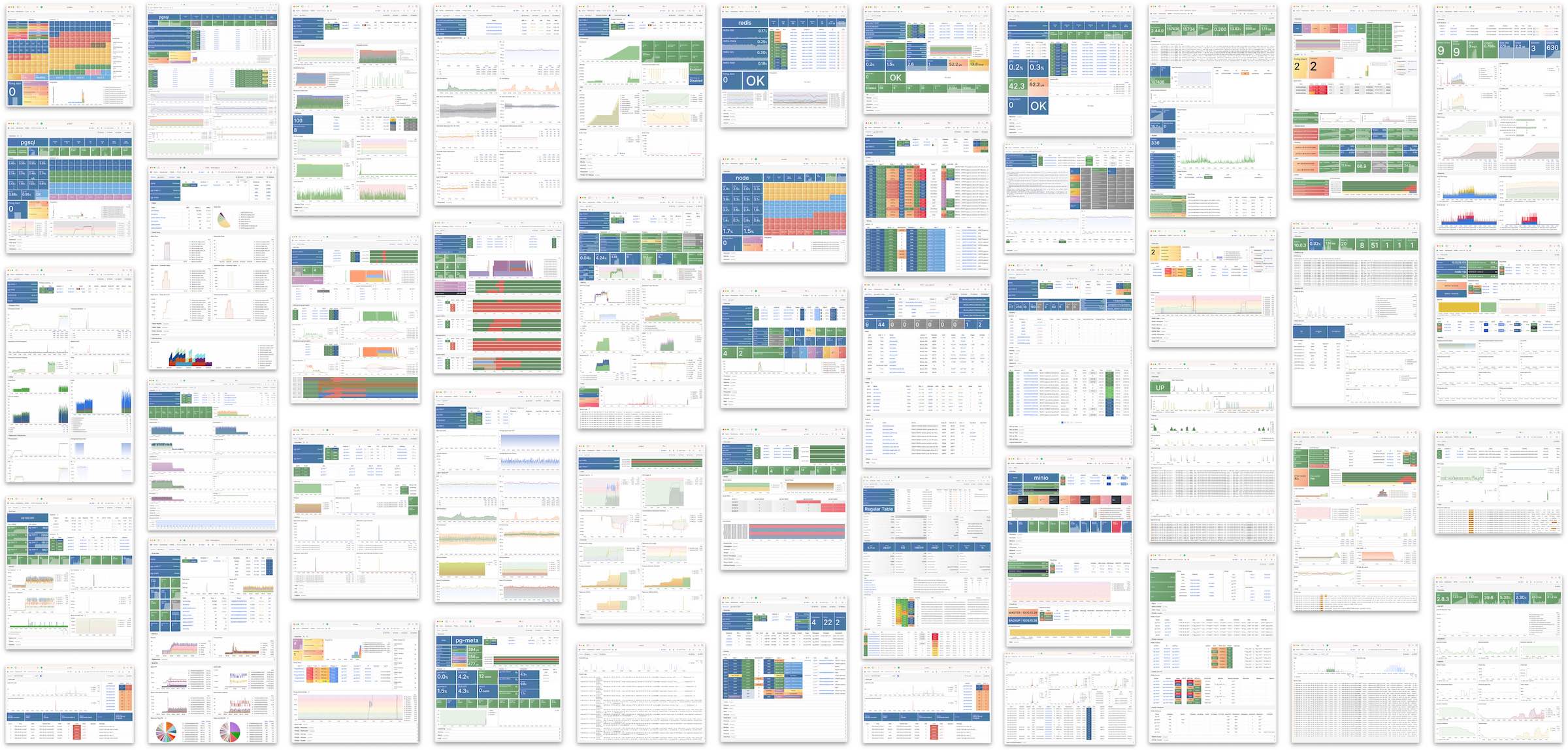
Check https://demo.pigsty.io for live demo, which is built upon this exporter by Pigsty.
timescaledb, citus, pg_stat_statements, pg_wait_sampling,...sslmode=disable when omittedLegacy support for PostgreSQL 9.1–9.6 is maintained separately in
legacy/(historical support, not bundled in release packages).
Built with Go 1.27.4, this maintenance release hardens collector isolation, connection URL normalization, and SQL edge cases without changing public metric names, label keys, or HTTP contracts:
postgresql://?host=/var/run/postgresql), redact sslpassword in logs, and strip conflicting service parameters during database discovery.--namespace at startup and keep invalid internal labels or user build-info overrides from causing panics or misleading metadata.scale / default, and repair predicate TTL rendering on the HTML explain page.pg_table partitioned-table age (relfrozenxid = 0 no longer reports 2147483647) and NULL scan sums on unindexed tables, pg_tsdb_hypertable identifier quoting, pg_table_size temp/TOAST schema filtering, pg_activity negative clock-skew durations, and collector HELP descriptions.Dockerfile, add ExecReload to pg_exporter.service, and expand version-coverage tests across PostgreSQL 10–19 and PgBouncer 1.8–1.26.RPM / DEB / Tarball available in the GitHub release page, and Pigsty's YUM / APT Infra Repo.
To run this exporter, you need to pass the postgres/pgbouncer URL via env or arg:
PG_EXPORTER_URL='postgres://user:pass@host:port/postgres' pg_exporter
curl http://localhost:9630/metrics   # access metrics
There are built-in metrics such as pg_up, pg_version, pg_in_recovery, pg_exporter_build_info, and exporter self-metrics under pg_exporter_* (disable with --disable-intro).
All other metrics are defined in the pg_exporter.yml config file.
There are two monitoring dashboards in the monitor/ directory.
You can use Pigsty to monitor existing PostgreSQL cluster or RDS, it will setup pg_exporter for you.
usage: pg_exporter [<flags>]


Flags:
  -h, --[no-]help            Show context-sensitive help (also try --help-long and --help-man).
  -u, --url=URL              postgres target url
  -c, --config=CONFIG        path to config dir or file
      --web.listen-address=:9630 ...
                             Addresses on which to expose metrics and web interface.
      --web.config.file=""   Path to configuration file that can enable TLS or authentication.
  -l, --label=""             constant labels: comma separated list of label=value pair ($PG_EXPORTER_LABEL)
  -t, --tag=""               tags,comma separated list of server tag ($PG_EXPORTER_TAG)
  -C, --[no-]disable-cache   force not using cache ($PG_EXPORTER_DISABLE_CACHE)
  -m, --[no-]disable-intro   disable internal/exporter self metrics ($PG_EXPORTER_DISABLE_INTRO)
  -a, --[no-]auto-discovery  automatically scrape all database for given server ($PG_EXPORTER_AUTO_DISCOVERY)
  -x, --exclude-database="template0,template1,postgres"
                             excluded databases when enabling auto-discovery ($PG_EXPORTER_EXCLUDE_DATABASE)
  -i, --include-database=""  included databases when enabling auto-discovery ($PG_EXPORTER_INCLUDE_DATABASE)
  -n, --namespace=""         prefix of built-in metrics, (pg|pgbouncer) by default ($PG_EXPORTER_NAMESPACE)
  -f, --[no-]fail-fast       fail fast instead of waiting during start-up ($PG_EXPORTER_FAIL_FAST)
  -T, --connect-timeout=100  connect timeout in ms, 100 by default ($PG_EXPORTER_CONNECT_TIMEOUT)
  -P, --web.telemetry-path="/metrics"
                             URL path under which to expose metrics. ($PG_EXPORTER_TELEMETRY_PATH)
  -D, --[no-]dry-run         dry run and print raw configs
  -E, --[no-]explain         explain server planned queries
      --log.level="info"     log level: debug|info|warn|error
      --log.format="logfmt"  log format: logfmt|json
      --[no-]version         Show application version.
Parameters could be given via command-line args or environment variables.
| CLI Arg | Environment Variable | Default Value |
|---|---|---|
--url |
PG_EXPORTER_URL / PGURL / PG_EXPORTER_URL_FILE |
postgresql:///?sslmode=disable |
--config |
PG_EXPORTER_CONFIG |
pg_exporter.yml |
--label |
PG_EXPORTER_LABEL |
|
--tag |
PG_EXPORTER_TAG |
|
--auto-discovery |
PG_EXPORTER_AUTO_DISCOVERY |
true |
--disable-cache |
PG_EXPORTER_DISABLE_CACHE |
false |
--disable-intro |
PG_EXPORTER_DISABLE_INTRO |
false |
--fail-fast |
PG_EXPORTER_FAIL_FAST |
false |
--exclude-database |
PG_EXPORTER_EXCLUDE_DATABASE |
template0,template1,postgres |
--include-database |
PG_EXPORTER_INCLUDE_DATABASE |
|
--namespace |
PG_EXPORTER_NAMESPACE |
pg|pgbouncer |
--connect-timeout |
PG_EXPORTER_CONNECT_TIMEOUT |
100 |
--dry-run |
false |
|
--explain |
false |
|
--log.level |
info |
|
--log.format |
logfmt |
|
--web.listen-address |
:9630 |
|
--web.config.file |
"" |
|
--web.telemetry-path |
PG_EXPORTER_TELEMETRY_PATH |
/metrics |
--url / PG_EXPORTER_URL is not provided, pg_exporter falls back to a local-first default URL: postgresql:///?sslmode=disable.sslmode is not explicitly set in the URL, pg_exporter injects sslmode=disable by default.pg_exporter and PostgreSQL/PgBouncer on the same machine), where loopback TLS adds overhead with little practical gain.sslmode explicitly in the connection URL (for example: sslmode=require, verify-ca, verify-full).PG Exporter provides a rich set of HTTP endpoints:
Here are pg_exporter REST APIs
# Fetch metrics (customizable)
curl localhost:9630/metrics

# Show version and build metadata
curl localhost:9630/version

# Reload configuration
curl -X POST localhost:9630/reload

# Explain configuration
curl localhost:9630/explain

# Print Statistics
curl localhost:9630/stat

# Aliveness health check (200 up, 503 down)
curl localhost:9630/up
curl localhost:9630/health
curl localhost:9630/liveness
curl localhost:9630/readiness

# traffic route health check

### 200 if not in recovery, 404 if in recovery, 503 if server is down
curl localhost:9630/primary
curl localhost:9630/leader
curl localhost:9630/master
curl localhost:9630/read-write
curl localhost:9630/rw

### 200 if in recovery, 404 if not in recovery, 503 if server is down
curl localhost:9630/replica
curl localhost:9630/standby
curl localhost:9630/slave
curl localhost:9630/read-only
curl localhost:9630/ro

### 200 if server is ready for read traffic (including primary), 503 if server is down
curl localhost:9630/read
Use Go 1.27.4 or later, as declared in go.mod.
To build a static stand-alone binary for docker scratch
CGO_ENABLED=0 GOOS=linux go build -a -ldflags '-extldflags "-static"' -o pg_exporter
Or download the latest prebuilt binaries from release pages.
We also have pre-packaged RPM / DEB packages in the Pigsty Infra Repo
You can find pre-built amd64/arm64 docker images here: pgsty/pg_exporter
Build a local development image from the canonical Dockerfile:
make docker
# Override the image repository when needed:
make docker DOCKER_REPO=example/pg_exporter
Multi-architecture release images are built by GoReleaser together with the other release artifacts.
Redhat rpm and Debian/Ubuntu deb packages are made with nfpm for x86/arm64:
/usr/bin/pg_exporter: the pg_exporter binary./etc/pg_exporter.yml: the config file/usr/lib/systemd/system/pg_exporter.service: systemd service filepgsty/pg_exporter is a public repo on GitHub by pgsty. Advanced PostgreSQL & Pgbouncer Metrics Exporter for Prometheus.
It declares the Apache-2.0 license on GitHub.
Its maker has not tagged a system, so it is unknown here. Its README says what it needs.
Open "Take it" on its page: Take My Repo writes an install plan for your machine and hands it to your AI agent (Claude Code, Codex or Cursor), which asks you before each step. Take My Repo has not tested it on any machine.
Linux, Jenkins, AWS, SRE, Prometheus, Docker, Python, Ansible, Git, Kubernetes, Terraform, OpenStack, SQL, NoSQL, Azure, GCP, DNS, Elastic, Network, Virtualization. DevOps Interview Questions
SRS is a simple, high-performance, AI-driven real-time media server supporting RTMP, WebRTC, HLS, HTTP-FLV, HTTP-TS, SRT, MPEG-DASH, and GB28181, with codec support for H.264, H.265, AV1, VP9, AAC, Opus, and G.711.
π RuView turns commodity WiFi signals into real-time spatial intelligence, vital sign monitoring, and presence detection — all without a single pixel of video.
Its last change on GitHub was on 2026-11-11. Take My Repo does not judge from that whether it is maintained.
Nobody has reviewed it on Take My Repo yet, which says nothing about its quality.
Take My Repo cannot say: it does not audit code and has not run pg_exporter. What is known comes from GitHub. It declares the Apache-2.0 license on GitHub. Its last change was on 2026-11-11. It has 369 stars, which measure popularity, not safety. Nobody has reviewed it on Take My Repo yet, which says nothing about its quality. Read the source before you run it. With "Take it", your AI agent shows each step and asks you before running it; README text is treated as data, not as instructions.


