

ECC
The agent harness performance optimization system. Skills, instincts, memory, security, and research-first development for Claude Code, Codex, Opencode, Cursor and beyond.
- 310k
- JavaScript
- MIT
- 1 d ago
Transform your terminal into an intelligent AI workspace with autonomous tool-calling and multi-step workflow execution, real-time streaming responses, persistent chat history, and comprehensive MCP (Model Context Protocol) client functionality for seamless tool integration.
Repo pinkpixel-dev/bibble, read from GitHub 6 h ago. pinkpixel-dev has not joined Take My Repo.
pinkpixel-dev/bibble is a public repo on GitHub by pinkpixel-dev. Transform your terminal into an intelligent AI workspace with autonomous tool-calling and multi-step workflow execution, real-time streaming responses, persistent chat history, and comprehensive MCP (Model Context Protocol) client functionality for seamless tool integration. It declares no license on GitHub. Public does not mean open source: without a license, nobody is granted the right to reuse it. It is written mainly in TypeScript, has 7 stars and last changed on 2025-12-02. Nobody has reviewed it on Take My Repo yet, which says nothing about its quality. Read from GitHub on 2026-11-24.
The agent harness performance optimization system. Skills, instincts, memory, security, and research-first development for Claude Code, Codex, Opencode, Cursor and beyond.
🏆 GitHub "For the Love of Code" Hackathon Entry
Bibble is far more than a simple chatbot - it's a sophisticated AI-powered tool-calling agent that transforms your terminal into an intelligent workspace. Built in TypeScript, Bibble can execute multi-step workflows, call tools autonomously until tasks are complete, and seamlessly integrate with your development environment through intelligent workspace detection.
With support for OpenAI, Anthropic, Google Gemini, and OpenAI-compatible API endpoints, Bibble combines real-time response streaming, persistent chat memory, and extensive tool integration to create a truly powerful terminal assistant.
See Bibble's tool-calling agent capabilities in action:
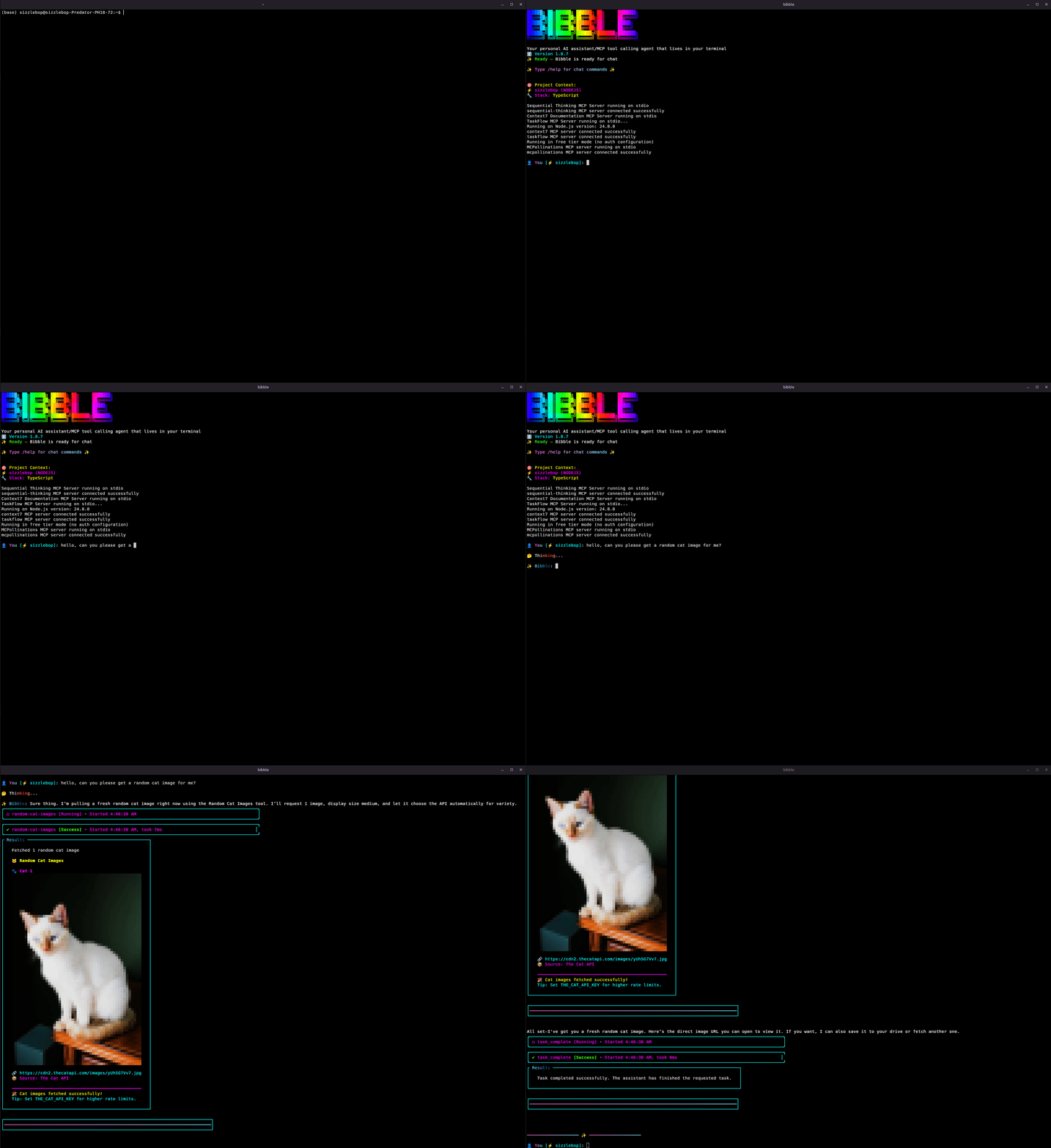
Powered by @pinkpixel/pixelpop - a custom terminal image rendering package built with Bibble in mind
# Install the official package
npm install -g @pinkpixel/bibble
npm install
npm run build
npm install -g .
After installation, you can run Bibble using the command bibble. If you installed the package with the @pinkpixel scope, you can also use npx @pinkpixel/bibble.
bibble
or
bibble chat
With npx:
npx @pinkpixel/bibble
bibble config
bibble history
bibble chat - Start a chat sessionbibble chat --model gpt-4 - Start a chat with a specific modelbibble chat --continue - Continue the most recent chatbibble chat --history <id> - Load a specific chat historybibble config list - List all configuration settingsbibble config set <key> <value> - Set a configuration valuebibble config get <key> - Get a configuration valuebibble config reset - Reset configuration to defaultsbibble config api-key - Set up API key for a providerbibble config mcp-servers - Manage MCP server configurationsbibble config web-search - Configure preferred search engine and API keysbibble config timezone - Configure default timezone for datetime toolsbibble config user-guidelines - Configure user guidelinesbibble history list - List chat historybibble history show <id> - Show a specific chat historybibble history delete <id> - Delete a chat historybibble history clear - Clear all chat historybibble history export <id> <filename> - Export chat history to a JSON filebibble history import <filename> - Import chat history from a JSON filebibble setup - Run the setup wizardbibble system-prompt - View the system prompt with tools listbibble diagnose - Diagnose environment and terminal compatibilitybibble diagnose --verbose - Show detailed diagnostic informationThe following commands are available during a chat session:
/help - Display help information/exit or /quit - Exit the chat/clear - Clear the screen/save - Save the current chat to history/reset - Reset the current conversation/multiline or /paste - Enter multi-line input mode for pasting documentation, code, etc.- Start code block mode (type and continue with your code)Bibble v1.4.0 introduces a completely overhauled tool display system featuring:
These enhancements make working with MCP tools more intuitive and visually appealing. The new display system can be toggled using environment variables if compatibility issues arise.
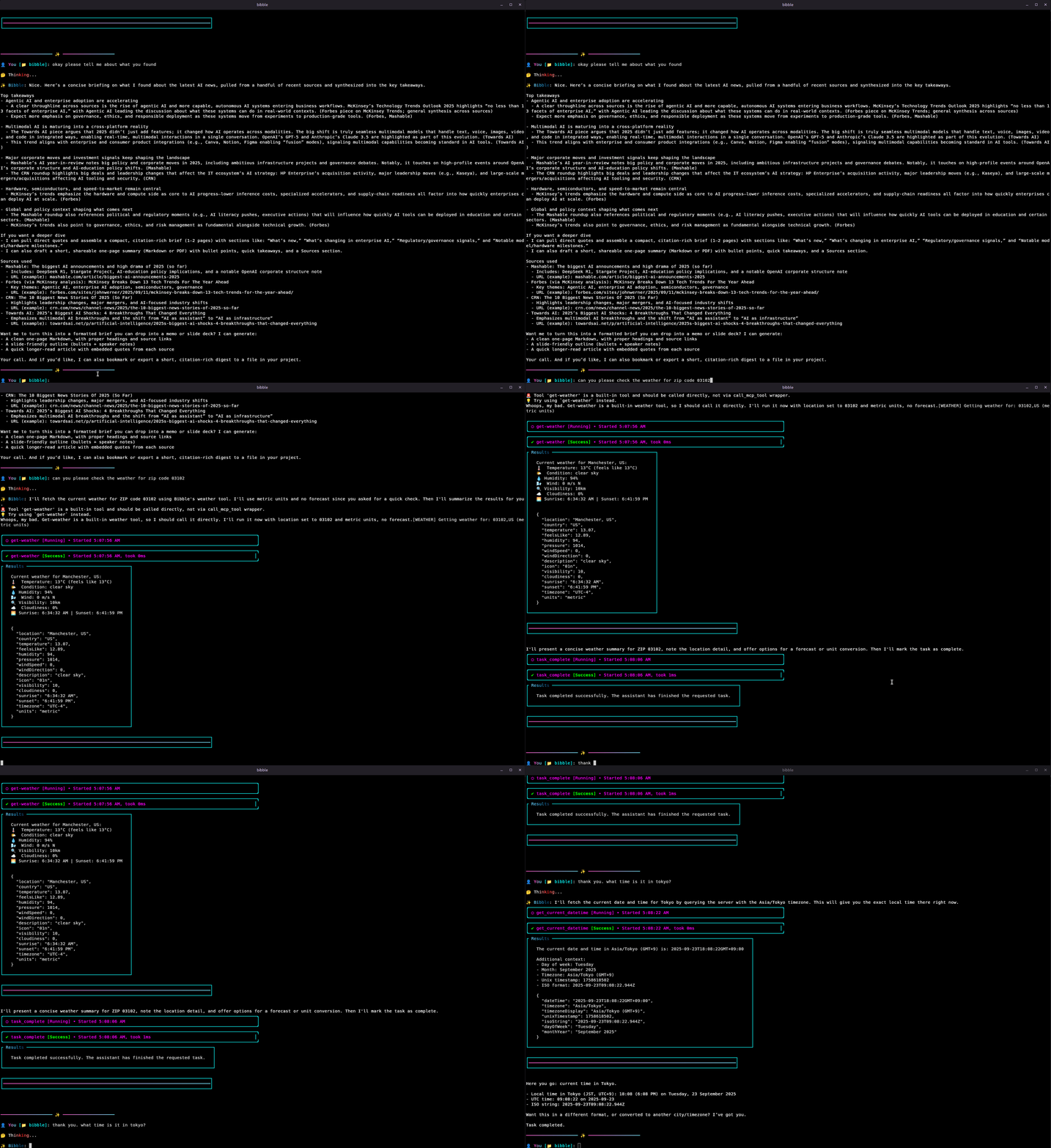
Bibble is a complete tool-calling agent with an extensive suite of built-in capabilities that work together to handle complex, multi-step tasks autonomously.
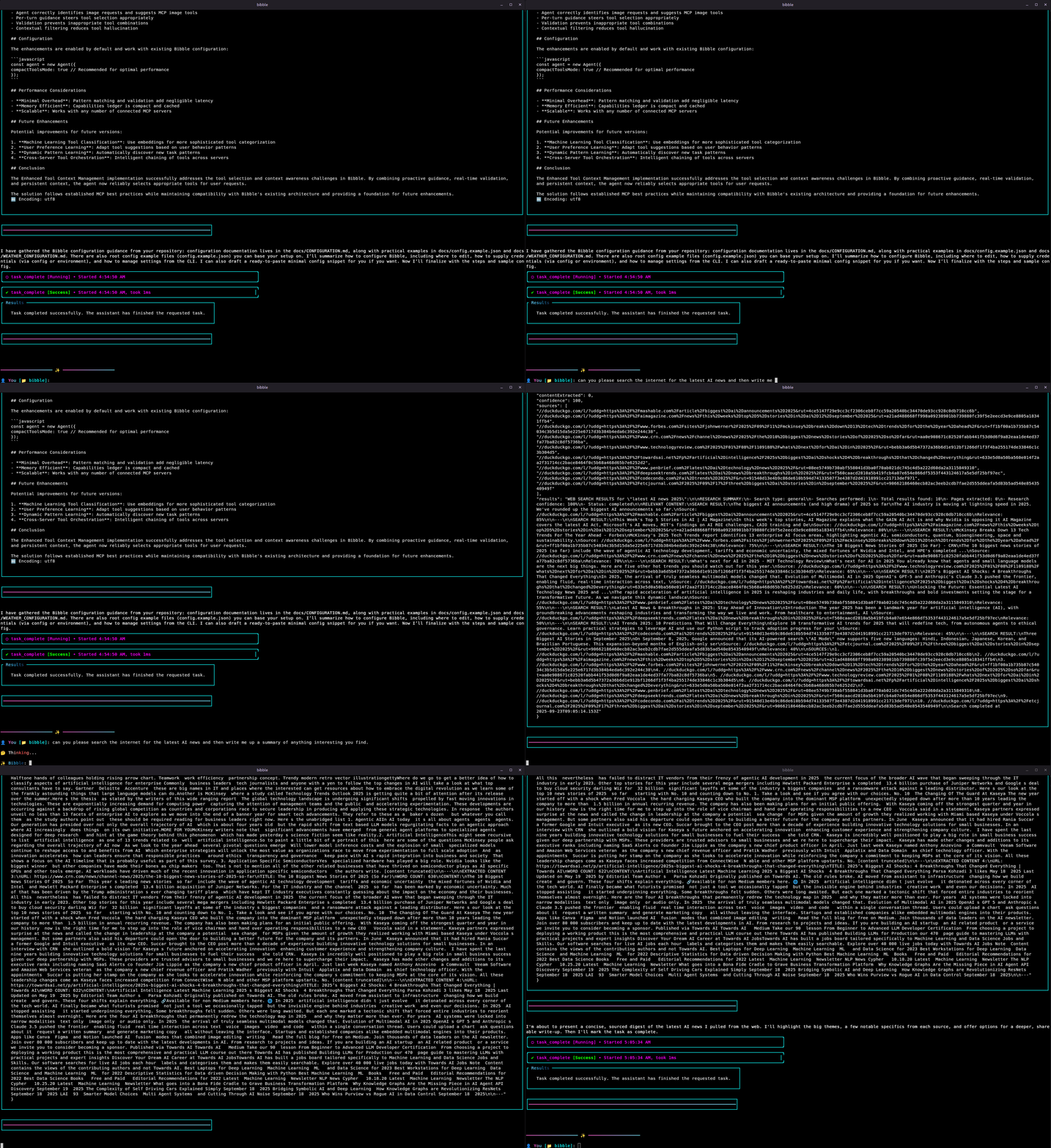
web_search - Multi-engine search with intelligent fallbacks (DuckDuckGo, Bing, Google, Brave)quick_web_search - Fast information retrieval for immediate answersresearch_status - Monitor and manage ongoing research operationsweb_scrape - Extract content from web pages with smart parsingread_file - Read and analyze file contentswrite_file - Create and modify fileslist_directory - Explore directory structurescreate_directory - Create new directoriesdelete_file - Remove files safelyfile_search - Search for files by name or patternexecute_command - Run system commands and scriptsget_environment - Analyze system environmentprocess_management - Manage running processessystem_info - Get detailed system informationget_weather - Real-time weather data by locationget_datetime - Timezone-aware date and time operationshacker_news - Fetch trending tech storiesnews_search - Search current news and eventscat_images - Fetch random cat images with terminal displayroast_user - Generate playful roasts for entertainmentgit_poetry - Transform commit messages into poetryascii_art - Generate ASCII art and bannersThe prior comprehensive research tool family has been retired; Bibble now routes every deep-dive request through these core tools, letting the enhanced research agent sequence searches, follow-ups, and content extraction as a single workflow.
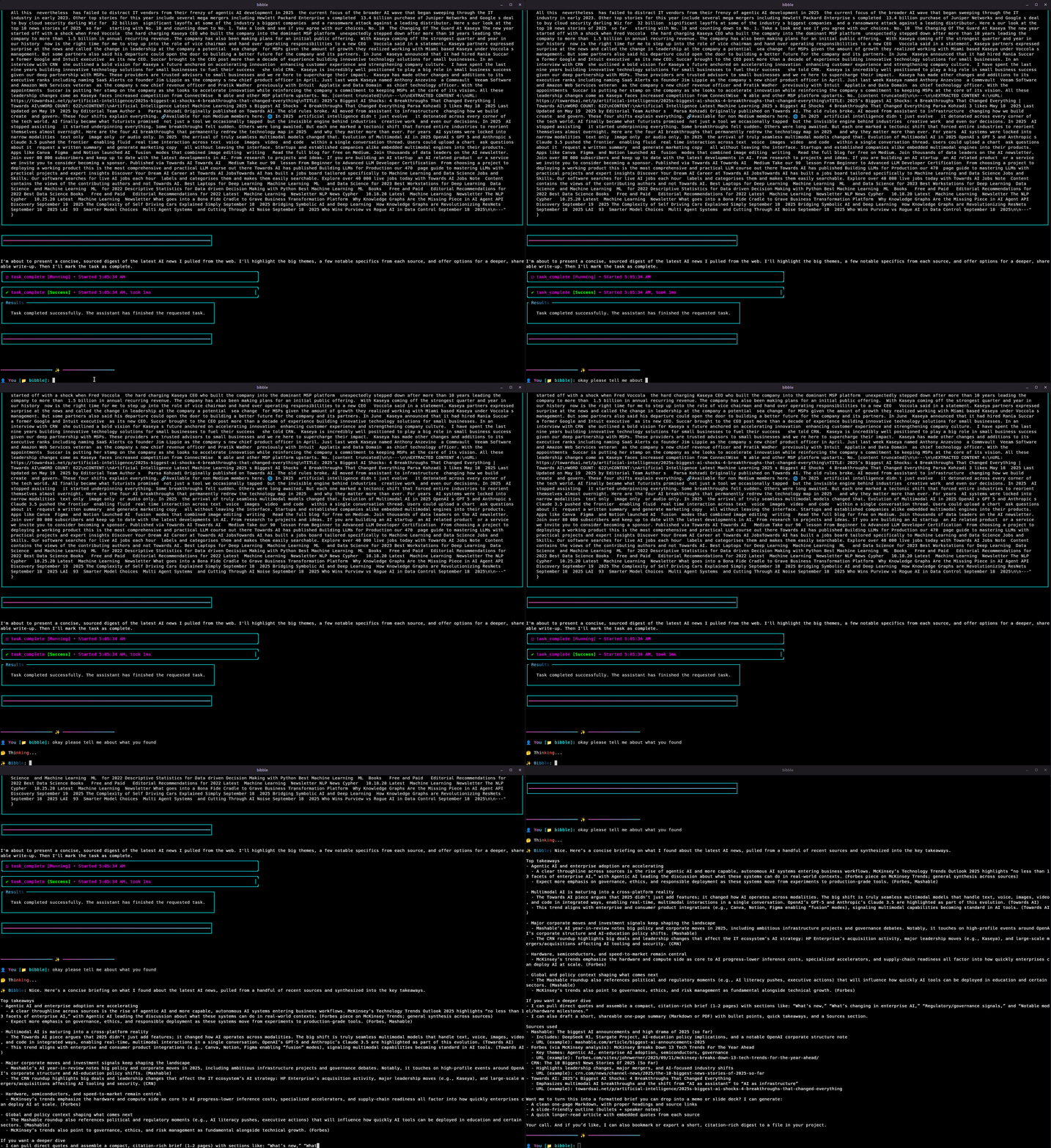
Configure your preferred search engine and API keys:
bibble config web-search
This wizard allows you to:
Once you start Bibble, the web search tools are automatically available. Simply ask questions that require web search, and Bibble will intelligently use the appropriate search tools:
> What are the latest developments in AI?
🔍 Bibble will automatically search the web using the built-in tools...
Or explicitly request web search:
pinkpixel-dev/bibble is a public repo on GitHub by pinkpixel-dev. Transform your terminal into an intelligent AI workspace with autonomous tool-calling and multi-step workflow execution, real-time streaming responses, persistent chat history, and comprehensive MCP (Model Context Protocol) client functionality for seamless tool integration.
It declares no license on GitHub. Public does not mean open source: without a license, nobody is granted the right to reuse it.
Leaked system prompts of ChatGPT, Claude, Gemini and more. The hidden system prompt of every popular chatbot, in full, every version since May 2025. Also Anthropic Claude Code, OpenAI Codex, Google Antigravity, xAI Grok, Meta Muse, Moonshot Kimi, Alibaba Qwen, Z.ai GLM ZCode, MiniMax, Cursor, Perplexity, DeepSeek and 30+ others. Updated daily.
Reverse engineer anything with agents, from app behavior down to native binaries.
The official gpt4free repository | various collection of powerful language models | opus 4.6 gpt 5.3 kimi 2.5 deepseek v3.2 gemini 3
Fair-code workflow automation platform with native AI capabilities. Combine visual building with custom code, self-host or cloud, 400+ integrations.
Its maker has not tagged a system, so it is unknown here. Its README says what it needs.
Open "Take it" on its page: Take My Repo writes an install plan for your machine and hands it to your AI agent (Claude Code, Codex or Cursor), which asks you before each step. Take My Repo has not tested it on any machine.
Its last change on GitHub was on 2025-12-02. Take My Repo does not judge from that whether it is maintained.
Nobody has reviewed it on Take My Repo yet, which says nothing about its quality.
Take My Repo cannot say: it does not audit code and has not run bibble. What is known comes from GitHub. It declares no license on GitHub. Public does not mean open source: without a license, nobody is granted the right to reuse it. Its last change was on 2025-12-02. It has 7 stars, which measure popularity, not safety. Nobody has reviewed it on Take My Repo yet, which says nothing about its quality. Read the source before you run it. With "Take it", your AI agent shows each step and asks you before running it; README text is treated as data, not as instructions.





