
age
A simple, modern and secure encryption tool (and Go library) with small explicit keys, no config options, and UNIX-style composability.
- 24k
- Go
- BSD-3-Clause
- 3 mo ago
Backfort is a secure Linux backup and disaster recovery tool for files and Docker Compose. Create encrypted, compressed, verifiable backups with age, GPG, Minisign, rclone, S3-compatible storage, retention policies, database dumps, atomic publishing, safe restore, watchdog checks, and instant recovery workflows for servers.
Repo shellharbor/backfort, read from GitHub 21 h ago. shellharbor has not joined Take My Repo.
shellharbor/backfort is a public repo on GitHub by shellharbor. Backfort is a secure Linux backup and disaster recovery tool for files and Docker Compose. Create encrypted, compressed, verifiable backups with age, GPG, Minisign, rclone, S3-compatible storage, retention policies, database dumps, atomic publishing, safe restore, watchdog checks, and instant recovery workflows for servers. It declares the MIT license on GitHub. It is written mainly in Shell, has 41 stars and last changed on 2026-11-22. Nobody has reviewed it on Take My Repo yet, which says nothing about its quality. Read from GitHub on 2026-11-23.
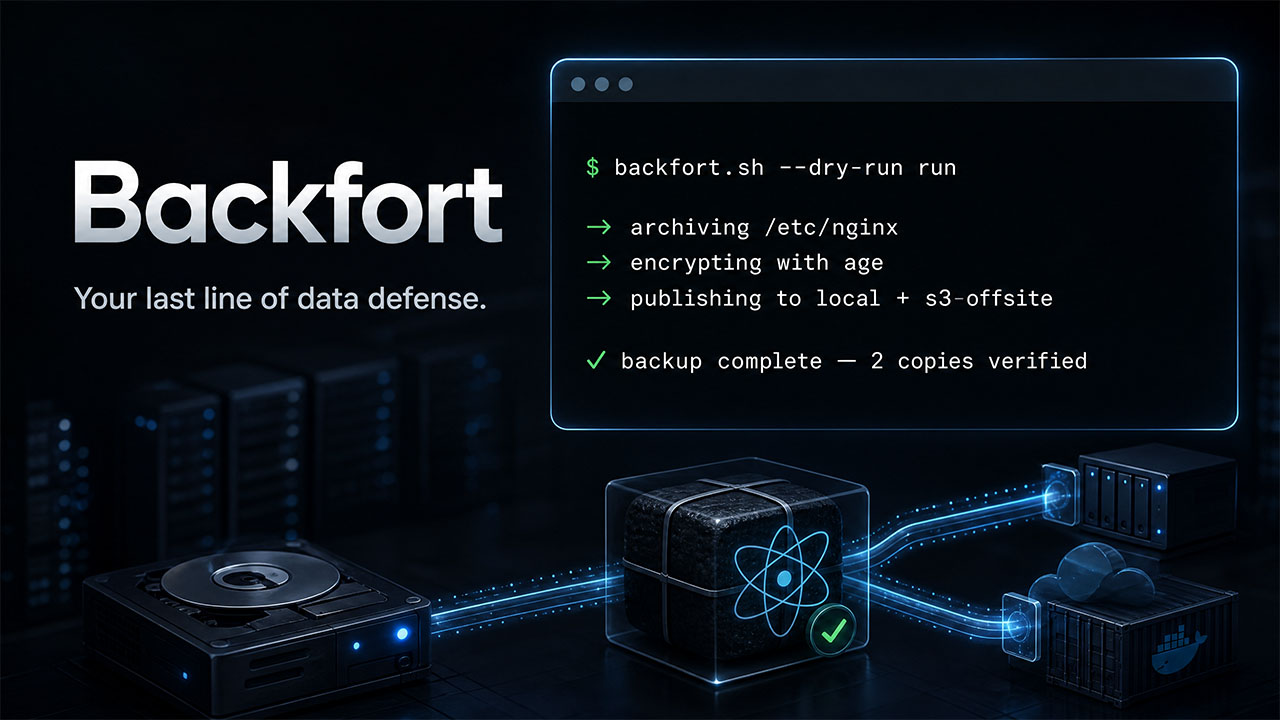
Your last line of data defense. Back up deliberately. Restore with confidence.
Backfort is a recovery-first backup tool for Linux servers. It creates an explicit, verified backup and exits—no daemon to babysit, no hidden discovery of files or databases, and no risky in-place restore switch.
Get started · Install with Python · Run in Docker · Run in Kubernetes · Examples · Compose migration · Recovery guide · Security policy
Canonical repository: github.com/shellharbor/backfort
| I need to… | Start here | What Backfort gives you |
|---|---|---|
| Protect files and directories on a schedule | First backup | A strict YAML job for cron or a systemd timer. |
| Take a fast snapshot before a risky change | Quick file backup | A one-command backup plus a reusable non-secret recovery config. |
| Install the CLI with pip or pipx | Python installation | The canonical Bash engine, bundled with a dependency-free Python launcher. |
| Run Backfort as a containerized job | Run in Docker | The same YAML plan and recovery format, with explicit persistent mounts. |
| Protect files on Kubernetes PVCs | Run in Kubernetes | Helm Job/CronJob deployment with explicit read-only sources, durable state and isolated recovery. |
| Back up a Docker Compose stack | Docker Compose sources | Explicit project files, bind mounts, named volumes, and database dumps. |
| Move a Compose project to a new server | Compose migration | A staged runbook with rollback-minded cutover steps. |
| Restore a database to an isolated Compose project | Compose restore assistant | Verified staging and an explicit PostgreSQL/MySQL/MariaDB import boundary. |
| Send copies off-site | Rclone destinations | Local, S3-compatible, FTP, Dropbox, Yandex Disk, pCloud, and other rclone remotes. |
explicit source → local bundle → checksum/signature → independent copies → .complete marker
                                                                          ↓
                                                       only then: list / verify / restore / prune
.complete marker. Interrupted uploads are never valid restores.--force overwrite path.Backfort reads YAML, creates full backups, optionally compresses and encrypts them, publishes each completed version atomically to one or more local or rclone destinations, and exits. Scheduling belongs to cron, a systemd timer or a Kubernetes CronJob; Backfort does not run a daemon.
Backfort 1.0.0 is the first stable release. It can archive explicit Compose files, selected named volumes, explicit bind mounts and engine-aware database dumps, then publish the resulting bundle through the same local and rclone destinations as a file backup.
backfort and
python -m backfort entry points; no Python runtime dependenciesgzip, zstd, or uncompressed archivesage or GPG encryption; GPG supports hardened
symmetric passwords and asymmetric public-key recipientsmin_copies policy for a successful backup.complete markerkeep_last, daily, weekly, and monthly retentionpre/post lifecycle hooks for application quiescing and cleanupflock for mutating commandstar, coreutils, findutils, util-linux, and gzipzstd, age, GnuPG, Minisign, rclone, curl, msmtp, or sendmail when those features are enableddocker_compose sourcestar for named-volume
snapshots; Backfort never pulls container images itselfOn Debian or Ubuntu, the base packages can be installed with:
sudo apt-get install bash coreutils findutils gzip tar util-linux
Install Mike Farah yq v4 using its official release or package. The Python
package with the same name is not compatible.
The optional Python package bundles the same Bash engine and reference YAML. It requires Python 3.11+ on Linux, plus the native Bash/GNU/yq prerequisites above. It is not a Python rewrite or a Windows port; use Linux Python inside WSL or the Docker image on Windows.
Python packaging was introduced in 1.3.0 without changing the native CLI or backup format. Install the current 1.4.0 release into an isolated environment:
pipx install 'backfort==1.4.0'
pipx ensurepath
If pipx updated your PATH, open a new terminal before continuing. The package
installs the backfort command: you do not need a python prefix or a path
to backfort.sh.
backfort --version
backfort --help
backfort --print-example-config > backfort.example.yaml
Choose a new output filename: shell redirection overwrites existing files. Edit the generated configuration's host ID, absolute source/destination paths, encryption and retention before using it. Then check the setup, review a dry run, and create the backup with the installed command:
backfort -c "$PWD/backfort.example.yaml" doctor
backfort -c "$PWD/backfort.example.yaml" --dry-run run
# Create the backup only after reviewing the configuration and dry run.
backfort -c "$PWD/backfort.example.yaml" run
Alternatively, use pip inside a virtual environment:
python3 -m venv .venv
.venv/bin/python -m pip install 'backfort==1.4.0'
.venv/bin/backfort --version
.venv/bin/python -m backfort --help
With a virtual environment, use .venv/bin/backfort instead of bare backfort
in the commands above, or activate it first with source .venv/bin/activate.
To install a trusted checkout instead, run .venv/bin/python -m pip install .
from its root directory. For privileged backups use a protected
installation; never run a user-writable virtual environment as root.
Direct execution from a checkout needs no Python package installation:
python3 run_backfort.py --version
python3 run_backfort.py -c /etc/backfort/config.yaml doctor
The launcher preserves arguments, environment, terminal, signals and engine exit codes. It never downloads an engine or installs system tools. Native Bash and Docker/Helm remain usable without Python. See Python and PyPI for examples, tests, building and the manual maintainer publishing procedure. Local build files are not evidence that a package is already published.
Backfort 1.4.0 uses a digest-pinned Debian trixie
runtime and POSIX mawk. GNU tar, GnuPG and SMTP support remain included.
The security verification report records the
complete vulnerability counts, remaining HIGH findings and exact release
verification status. The Compose example and Helm chart target 1.4.0.
The container image is an additional distribution method, not a second backup
engine. It runs the same backfort.sh, accepts the same strict YAML, and
creates the same portable bundles as a native installation. Images are
published for linux/amd64 and linux/arm64 to GitHub Container Registry:
docker pull ghcr.io/shellharbor/backfort:1.4.0
docker run --rm ghcr.io/shellharbor/backfort:1.4.0 --version
To pin the Docker Hub image to its verified multiarch release index:
docker pull shellharbor/backfort:1.4.0@sha256:123dcd108b6e7cb25ee30e2d199d52b4f19662e518508cf3372df5dd9c3a08b0
For a durable setup, copy the sample Compose file and its matching config into
a root-owned deployment directory. The example is deliberately a one-shot
job: it defaults to doctor and does not restart itself.
sudo install -d -m 0700 /srv/backfort-container
sudo cp docker-compose.example.yml /srv/backfort-container/docker-compose.yml
sudo cp examples/docker-files-local.yaml /srv/backfort-container/config.yaml
sudoedit /srv/backfort-container/config.yaml

export BACKFORT_SOURCE_DIR=/srv/application
export BACKFORT_BACKUP_DIR=/srv/backups/backfort
cd /srv/backfort-container
docker compose run --rm backfort doctor
docker compose run --rm backfort --dry-run run
docker compose run --rm backfort run
The image starts as root on purpose: a full staged restore may need to recreate
numeric ownership, ACLs, extended attributes, or sparse files. A files-only
job can set a non-root user: in the sample when the source, backup and
restore mounts are already writable by that account; doing so intentionally
trades away owner-preserving recovery. The example has a read-only container
root filesystem, but its named state and work volumes and the destination bind
mount remain writable. temp_directory needs room for a complete working
bundle, not merely a small scratch file.
The doctor exit status is the container's honest readiness result. Backfort
is not a daemon, so it intentionally has no HEALTHCHECK, no port, and no
restart: always. Schedule docker compose run --rm backfort run from the
host with cron or a systemd timer; schedule prune separately.
For docker_compose jobs, mount the Docker socket and the target project
directory at its same absolute host path inside Backfort (for example,
/srv/crm:/srv/crm:ro). A Docker socket is host-root-equivalent even when
mounted read-only. Use it only for a trusted Compose job and never for a
normal files-only backup. The complete deployment, secret, recovery and
upgrade guidance is in Docker deployment.
Release tags are immutable exact versions such as 1.4.0. Stable releases
also move 1.4, 1, and latest; pin an exact version or digest for a
repeatable run and retain the backfort-state volume during upgrades. Docker
Hub publication is optional and occurs only when the repository has both
DOCKERHUB_USERNAME and DOCKERHUB_TOKEN
shellharbor/backfort is a public repo on GitHub by shellharbor. Backfort is a secure Linux backup and disaster recovery tool for files and Docker Compose. Create encrypted, compressed, verifiable backups with age, GPG, Minisign, rclone, S3-compatible storage, retention policies, database dumps, atomic publishing, safe restore, watchdog checks, and instant recovery workflows for servers.
It declares the MIT license on GitHub.
High performance self-hosted photo and video management solution.
The Postgres development platform. Supabase gives you a dedicated Postgres database to build your web, mobile, and AI applications.
Stop renting your intelligence. Own it with AnythingLLM. Everything you need for a powerful local-first agent experience
Its maker tagged it for macOS, Windows and Linux, or as Docker or cross-platform. That is declared by the maker; Take My Repo has not tested it.
Open "Take it" on its page: Take My Repo writes an install plan for your machine and hands it to your AI agent (Claude Code, Codex or Cursor), which asks you before each step. Take My Repo has not tested it on any machine.
Its last change on GitHub was on 2026-11-22. Take My Repo does not judge from that whether it is maintained.
Nobody has reviewed it on Take My Repo yet, which says nothing about its quality.
Take My Repo cannot say: it does not audit code and has not run backfort. What is known comes from GitHub. It declares the MIT license on GitHub. Its last change was on 2026-11-22. It has 41 stars, which measure popularity, not safety. Nobody has reviewed it on Take My Repo yet, which says nothing about its quality. Read the source before you run it. With "Take it", your AI agent shows each step and asks you before running it; README text is treated as data, not as instructions.


