
spotify-downloader
Download your Spotify playlists and songs along with album art and metadata (from YouTube if a match is found).
- 27k
- Python
- MIT
- 5 d ago
Python library for reading audio file metadata
Repo tinytag/tinytag, read from GitHub 9 h ago. tinytag has not joined Take My Repo.
tinytag/tinytag is a public repo on GitHub by tinytag. Python library for reading audio file metadata. It declares the MIT license on GitHub. It is written mainly in Python, has 844 stars and last changed on 2026-11-19. Nobody has reviewed it on Take My Repo yet, which says nothing about its quality. Read from GitHub on 2026-11-21.
In the maintainer's words. Shown from GitHub; Take My Repo does not keep a copy.
tinytag is a Python library for reading audio file metadata
python3 -m pip install tinytag
[!IMPORTANT]
Support for changing/writing metadata will not be added. Use another library such as Mutagen or pytaglib for this.
tinytag only provides the minimum needed for reading metadata, and presents it in a simple format. It can determine track number, total tracks, title, artist, album, year, duration and more.
from tinytag import TinyTag
tag: TinyTag = TinyTag.get('/some/music.mp3')

print(f'This track is by {tag.artist}.')
print(f'It is {tag.duration:.2f} seconds long.')
[!WARNING]
Theignore_errorsparameter ofTinyTag.get()is obsolete as of tinytag 2.0.0, and will be removed in the future.
Alternatively you can use tinytag directly on the command line:
$ python3 -m tinytag /some/music.mp3
{
  "filename": "/some/music.mp3",
  "filesize": 3243226,
  "mime_type": "audio/mpeg",
  "is_lossless": false,
  "duration": 173.52,
  "channels": 2,
  "bitrate": 128,
  "samplerate": 44100,
  "artist": [
    "artist name"
  ],
  "album": [
    "album name"
  ],
  "title": [
    "track name"
  ],
  "track": [
    "4"
  ],
  "genre": [
    "Jazz"
  ],
  "year": [
    "2010"
  ],
  "comment": [
    "Some comment here"
  ]
}
Check python3 -m tinytag --help for all CLI options, for example other
output formats.
To receive a tuple of file extensions tinytag supports, use the
SUPPORTED_FILE_EXTENSIONS constant:
TinyTag.SUPPORTED_FILE_EXTENSIONS
Alternatively, check if a file is supported by providing its path:
is_supported = TinyTag.is_supported('/some/music.mp3')
tinytag provides some common attributes, which always contain a single value. These are helpful when you need quick access to common metadata.
tag.filename: str | None         # file name
tag.filesize: int                # file size in bytes
tag.bitdepth: int | None         # audio bit depth
tag.bitrate: float | None        # audio bitrate in kbps
tag.channels: int | None         # number of audio channels
tag.duration: float | None       # audio duration in seconds
tag.is_lossless: bool | None     # is audio lossless? (added in tinytag 2.3.0)
tag.mime_type: str | None        # audio MIME type (added in tinytag 2.3.0)
tag.samplerate: int | None       # audio samples per second
[!WARNING]
Thetag.audio_offsetattribute is obsolete as of tinytag 2.0.0, and will be removed in the future.
tag.album: str | None            # album name
tag.albumartist: str | None      # album artist name
tag.artist: str | None           # artist name
tag.comment: str | None          # file comment
tag.composer: str | None         # composer name
tag.disc: int | None             # disc number
tag.disc_total: int | None       # total number of discs
tag.genre: str | None            # genre
tag.title: str | None            # title
tag.track: int | None            # track number
tag.track_total: int | None      # total number of tracks
tag.year: str | None             # year/date
At present, tinytag may return the audio MIME types documented in this section.
When available, a codecs parameter as described in the RFC 6381
standard is included.
For standard codec values, see:
No official standards exists for codecs values for the
application/vnd.ms-asf and audio/aiff MIME types. The most appropriate
value provided by the format is used.
# ASF
application/vnd.ms-asf
application/vnd.ms-asf; codecs="<1..>"  # WAVE format tag, e.g. "161" (WMA)

# AIFF
audio/aiff
audio/aiff; codecs="<FourCC>"  # AIFF-C compression type, e.g. "alaw"

# FLAC
audio/flac

# MP4
audio/mp4
audio/mp4; codecs="alac"
audio/mp4; codecs="mp4a.oo[.A]"  # E.g. "mp4a.40.2" for AAC-LC

# MP3 / MP2 / MP1
audio/mpeg

# OGG
audio/ogg
audio/ogg; codecs="flac"
audio/ogg; codecs="opus"
audio/ogg; codecs="speex"
audio/ogg; codecs="vorbis"

# WAV
audio/wav
audio/wav; codecs="<1..>"  # WAVE format tag, e.g. "1" for PCM
For additional values of the same field type, uncommon metadata fields, or
metadata specific to certain file formats, use other:
tag.other: OtherFields # a dictionary of additional fields
[!WARNING]
Theotherdictionary has replaced theextradictionary in tinytag 2.0.0. The latter will be removed in a future release.
The following other field names are standardized in tinytag, and optionally
present when files provide such metadata:
barcode
bpm
catalog_number
conductor
copyright
director
encoded_by
encoder_settings
grouping
initial_key
isrc
language
license
lyricist
lyrics
media
movement
movement_name
movement_total
publisher
set_subtitle
show_movement
url
work
xmp
Additional other field names not documented above may be present, but are
format-specific and may change or disappear in future tinytag releases. If
tinytag does not expose metadata you need, or you wish to standardize more
field names, open a feature request on GitHub for discussion.
other values are always provided as strings, and are not guaranteed to be
valid. Should e.g. the bpm value in the file contain non-numeric characters,
tinytag will provide the string as-is. It is your responsibility to handle
possible exceptions, e.g. when converting the value to an integer.
Multiple values of the same field type are provided if a file contains them. Values are always provided as a list, even when only a single value exists.
Example:
from tinytag import OtherFields, TinyTag

tag: TinyTag = TinyTag.get('/some/music.mp3')
other_fields: OtherFields = tag.other
catalog_numbers: list[str] | None = other_fields.get('catalog_number')

if catalog_numbers:
    catalog_number: str = catalog_numbers[0]
    print(catalog_number)

print(catalog_numbers)
Output:
> 10
> ['10']
When a file contains multiple values for a common metadata field
(e.g. artist), the primary value is accessed through the common attribute
(tag.artist), and any additional values through the other dictionary
(tag.other['artist']).
Example:
from tinytag import TinyTag

tag: TinyTag = TinyTag.get('/some/music.mp3')
artist: str | None = tag.artist
additional_artists: list[str] | None = tag.other.get('artist')

print(artist)
print(additional_artists)
Output:
> main artist
> ['another artist', 'yet another artist']
If you need to receive all available metadata as key-value pairs in a flat
dictionary, use the as_dict() method. This combines the common attributes
and other dictionary, which can be more convenient in some cases.
from tinytag import TinyTag

tag: TinyTag = TinyTag.get('/some/music.mp3')
metadata: dict = tag.as_dict()
Additionally, you can also read embedded images by passing a image=True
keyword argument to TinyTag.get().
If you need to receive an image of a specific kind, including its description,
use images:
tag.images: Images # available embedded images
The following common image attributes are available, providing the first
located Image object of each kind:
tag.images.front_cover: Image  # front cover
tag.images.back_cover: Image   # back cover
tag.images.media: Image        # media (e.g. CD label)
When present, any additional images are available in an images.other
dictionary, using the following standardized key names:
generic
icon
alt_icon
front_cover
back_cover
media
leaflet
lead_artist
artist
conductor
band
composer
lyricist
recording_location
during_recording
during_performance
screen_capture
bright_colored_fish
illustration
band_logo
publisher_logo
unknown
Provided values are always lists containing at least one Image object.
The Image object provides the following attributes:
image.data: bytes               # image data
image.size: int                 # image size in bytes (added in tinytag 2.3.0)
image.name: str                 # image name/kind
image.mime_type: str | None     # image MIME type
image.description: str | None   # image description
To receive any available image, prioritizing the front cover, use images.any:
from tinytag import Image, TinyTag

tag: TinyTag = TinyTag.get('/some/music.ogg', image=True)
image: Image | None = tag.images.any

if image is not None:
    data: bytes = image.data
    size: int = image.size
    name: str = image.name
    mime_type: str | None = image.mime_type
    description: str | None = image.description

    print(len(data))
    print(size)
    print(name)
    print(mime_type)
    print(description)
Output:
> 74452
> 74452
> front_cover
> image/jpeg
> some image description
[!WARNING]
tag.images.anyhas replacedtag.get_image()in tinytag 2.0.0.tag.get_image()will be removed in the future.
To receive a common image, e.g. front_cover:
from tinytag import Image, Images, TinyTag

tag: TinyTag = TinyTag.get('/some/music.ogg', image=True)
images: Images = tag.images
cover_image: Image = images.front_cover

if cover_image is not None:
    data: bytes = cover_image.data
    description: str | None = cover_image.description
To receive an additional image, e.g. bright_colored_fish:
from tinytag import Image, OtherImages, TinyTag

tag: TinyTag = TinyTag.get('/some/music.ogg', image=True)
other_images: OtherImages = tag.images.other
fish_images: list[Image] | None = other_images.get('bright_colored_fish')

if fish_images:
    image = fish_images[0]  # Use first image
    data = image.data
    description = image.description
By default, tinytag will determine the file type by 1. checking the file name extension, and 2. reading and inspecting magic bytes in the file header.
In case you want to disable magic byte detection, e.g. to minimize read
operations when many non-audio files exist in a folder, pass a
check_magic_bytes argument with a value of False (added in tinytag 2.3.0).
tag: TinyTag = TinyTag.get('invalid_file.jpg', check_magic_bytes=False)
To open files using a specific encoding, you can use the encoding parameter.
This parameter is however only used for formats where the encoding is not
explicitly specified.
tag: TinyTag = TinyTag.get('a_file_with_gbk_encoding.mp3', encoding='gbk')
To use a file-like object (e.g. BytesIO) instead of a file path, pass a
file_obj keyword argument:
tag: TinyTag = TinyTag.get(file_obj=your_file_obj)
TinyTagException        # Base class for exceptions
ParseError              # Parsing an audio file failed
UnsupportedFormatError  # File format is not supported
__version__ attributeTinyTag.get(..., encoding='gbk')))extra['isrc'] field (thanks to aw-was-here)extra['initial_key']extra['lyrics']extra field, which may contain additional metadata not available in all file formatsignore_errors #73TinyTag.is_supported(filename)tinytag/tinytag is a public repo on GitHub by tinytag. Python library for reading audio file metadata.
It declares the MIT license on GitHub.
Its maker has not tagged a system, so it is unknown here. Its README says what it needs.
Open "Take it" on its page: Take My Repo writes an install plan for your machine and hands it to your AI agent (Claude Code, Codex or Cursor), which asks you before each step. Take My Repo has not tested it on any machine.
Its last change on GitHub was on 2026-11-19. Take My Repo does not judge from that whether it is maintained.
Nobody has reviewed it on Take My Repo yet, which says nothing about its quality.
Download your Spotify playlists and songs along with album art and metadata (from YouTube if a match is found).
🤗 Transformers: the model-definition framework for state-of-the-art machine learning models in text, vision, audio, and multimodal models, for both inference and training.
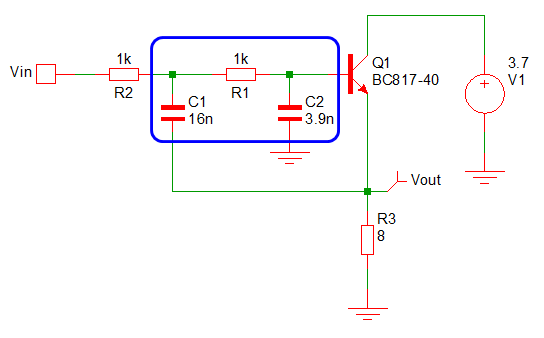
Arduino library to play MOD, WAV, FLAC, MIDI, RTTTL, OGG/Opus, MP3, and AAC files on I2S DACs or with a software emulated delta-sigma DAC on the ESP8266 and ESP32 and Pico
VoiceStudio is the open-source, fully-local ElevenLabs alternative — voice cloning, voice design, video dubbing, dictation, transcription & audiobook creation in 646 languages.
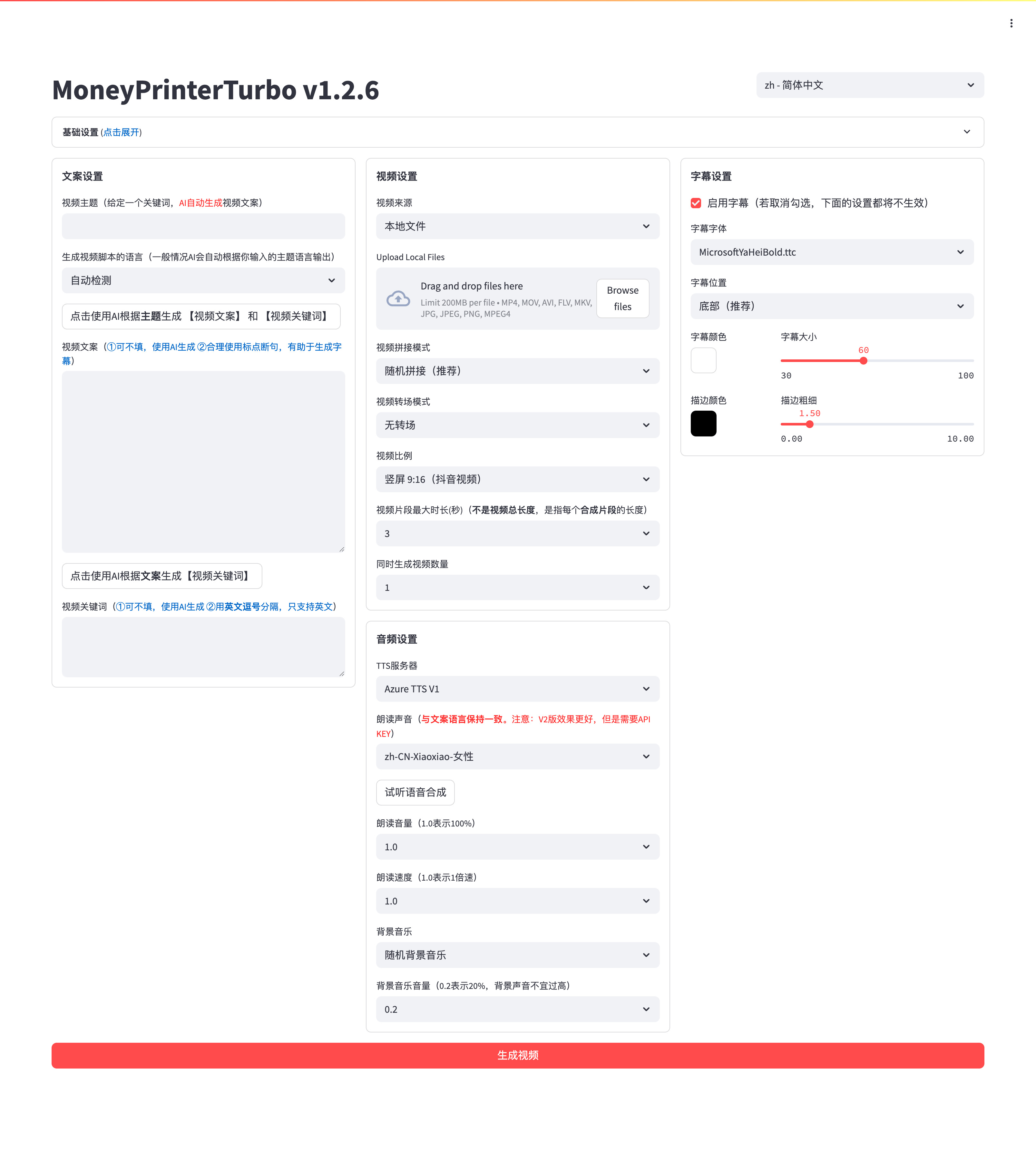
利用 AI 大模型和自动化工作流,根据主题或关键词一键生成高清短视频。Generate HD short videos from a topic or keyword with an automated AI workflow.
This page is also available as structured data, with the same sources and dates.
/api/v1/resources/gh/tinytag/tinytagTake My Repo has not tested this on your machine. Requirements come from the project's own documentation.


