zigbee2knx
Zigbee devices as KNX devices: firmware for an ESP32-C6 gateway that is the Zigbee coordinator itself, set up in ETS
- 1
- GPL-3.0
- 5 d ago
Repo tostmann/zigbee2knx, read from GitHub 18 h ago. tostmann has not joined Take My Repo.
In short
tostmann/zigbee2knx is a public repo on GitHub by tostmann. Zigbee devices as KNX devices: firmware for an ESP32-C6 gateway that is the Zigbee coordinator itself, set up in ETS. It declares the GPL-3.0 license on GitHub. It is written mainly in C, has 1 stars and last changed on 2026-11-19. Nobody has reviewed it on Take My Repo yet, which says nothing about its quality. Read from GitHub on 2026-11-23.
Similar repos

zigbee2knx
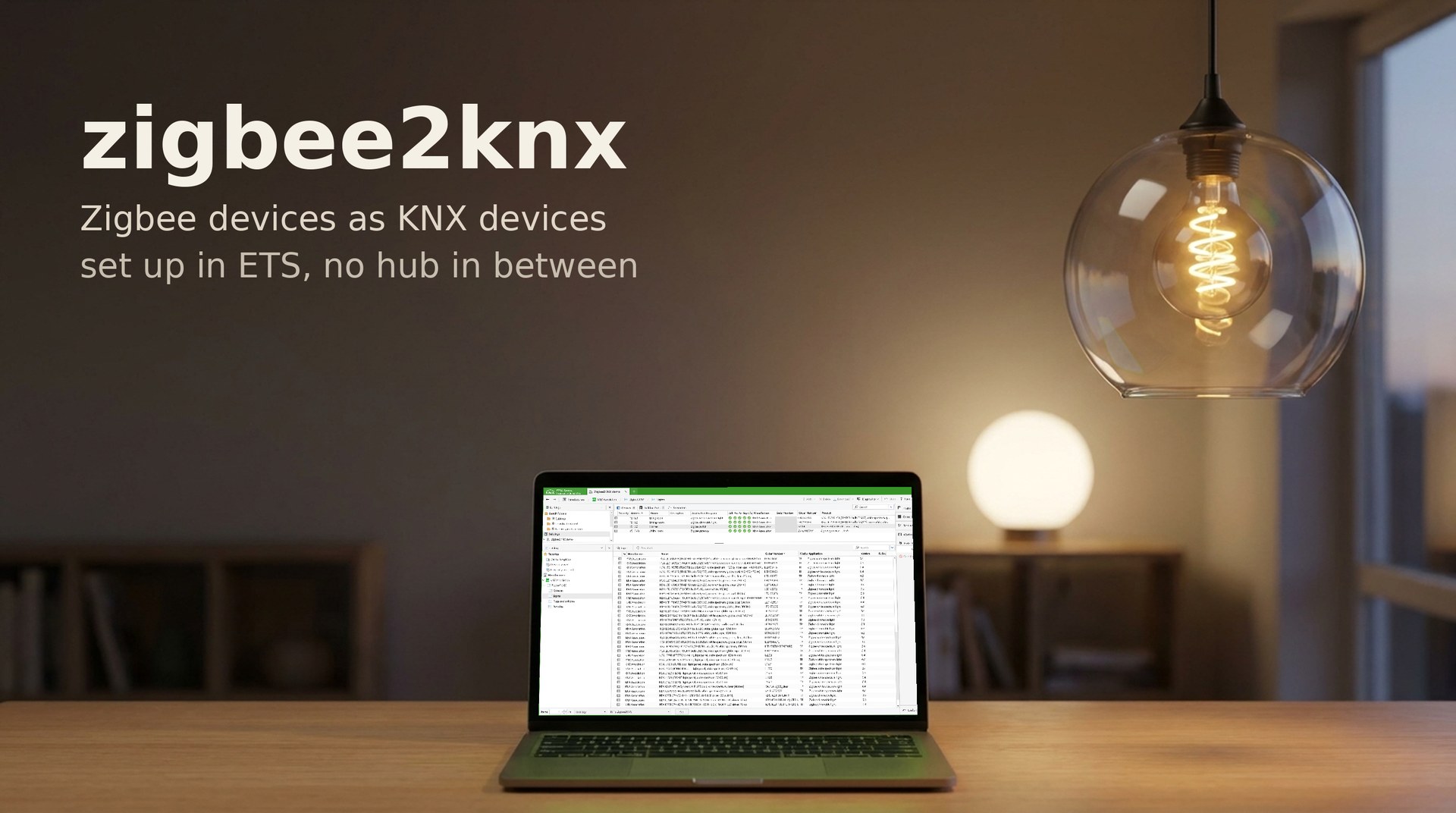
Zigbee devices as KNX devices, with one gateway that is the Zigbee coordinator itself.
zigbee2knx is firmware for an ESP32-C6 with an NCN5130 KNX TP transceiver. The gateway forms its own Zigbee network and turns every paired Zigbee device into a KNX device of its own: the device has its own individual address and its own application with parameters and group objects in ETS, and you program it from ETS like any other KNX device. No hub, no Home Assistant and no IP network sit in between. In operation the gateway needs nothing but the KNX bus.
Status: preview (0.6). Runs with IKEA lights and plugs and ETS 6.4.1. Not released for production installations yet; see Status.
How it works
- One KNX device per Zigbee device. The gateway answers for up to 32 virtual KNX devices in its own line. It acknowledges their frames itself, so no coupler is needed.
- Pairing from ETS. When ETS programs an individual address in the gateway's range, the gateway opens the Zigbee network, and the first device that joins becomes that KNX device. A group object and the button on the gateway open a pairing window as well.
- Device classes instead of device drivers. A class (dimmable light, white spectrum light, switch/plug, remote) is one KNX application with its parameters and group objects, plus a small Berry program that maps KNX to Zigbee. The models a class serves and their quirks come from the device definitions of Zigbee2MQTT, distilled into KNX functional blocks.
- The behaviour travels with the product data. The Berry program is embedded and signed in the parameter segment of the application. An ETS download brings it into the gateway, so a new device type needs no firmware update. The gateway runs only programs whose signature it trusts.
Concept
The firmware is generic; the devices are data. The firmware knows Zigbee (the gateway is the coordinator), KNX
(the link and a device server for the virtual devices) and Berry, a small
scripting language. It knows no Zigbee device model. What a device is and how it behaves comes from its product
file: a device class is a KNX application, and its behaviour is a Berry program inside that application's parameter
segment. When ETS downloads the application, the program comes along; the gateway checks its signature, loads it and
runs every device of the class with it. The variety of supported devices therefore lies in the .knxprod files, not
in the firmware of the ESP32-C6.
Describing devices as Berry templates is the approach of BREMA, a rule engine for KNX and radio sticks that handles its devices the same way; zigbee2knx carries it into KNX product data.
Compared with Zigbee2MQTT. Zigbee2MQTT supports a device through a converter, a piece of JavaScript in zigbee-herdsman-converters or loaded as an external converter, which runs on the host next to the Zigbee stack. zigbee2knx distils those device definitions into KNX classes and products: models that behave alike share one class, and what differs between them is a table in the class's Berry program.
| Zigbee2MQTT | zigbee2knx | |
|---|---|---|
| Support for a device lives in | a converter in the host software | a Berry program inside the KNX product file |
| A device it does not know yet needs | a converter | a product file, imported into ETS |
| Configured with | its web front end and MQTT | ETS: parameters and group objects |
| Runs on | a host with a Zigbee adapter | the gateway alone, on the KNX bus |
More devices: contributions welcome. Support for further devices depends almost only on product files.
- Another model of an existing class (another lamp that is a dimmable light, another plug) is only a catalog
product:
distill/knxprod_products.py --appendadds it without touching the signed program, so anybody can build and import such a file. - A new class (a kind of device not covered yet) is a manifest and a Berry program under
templates/, tested in the host VM (tests/). Send it as a pull request: once reviewed, it is signed with the project's release keys and goes out in a product file that every gateway accepts.
docs/templates.md describes a class, docs/building-knxprod.md the product files.
Why the programs are signed. Berry is no sandbox: a program in the gateway can do what the firmware can, on the
KNX bus and in the Zigbee network. So the gateway runs only programs signed with a key compiled into its firmware. For
the images of this project these are the release keys, whose private halves were created in memory only, burned into
two hardware keys and then destroyed. A product file whose program was changed or comes from someone else is refused,
and the download ends with an error in ETS: importing a product file from an unknown source cannot bring code into an
installation. Products added to an existing class keep the signed program as it is and need no key. Whoever wants to
run programs of their own builds the firmware with their own key
(docs/templates.md). This signature is not the one ETS checks on a
.knxprod: that one covers the product data for ETS; the program's signature protects the gateway.
In ETS
The device classes in the catalog, one product per model:
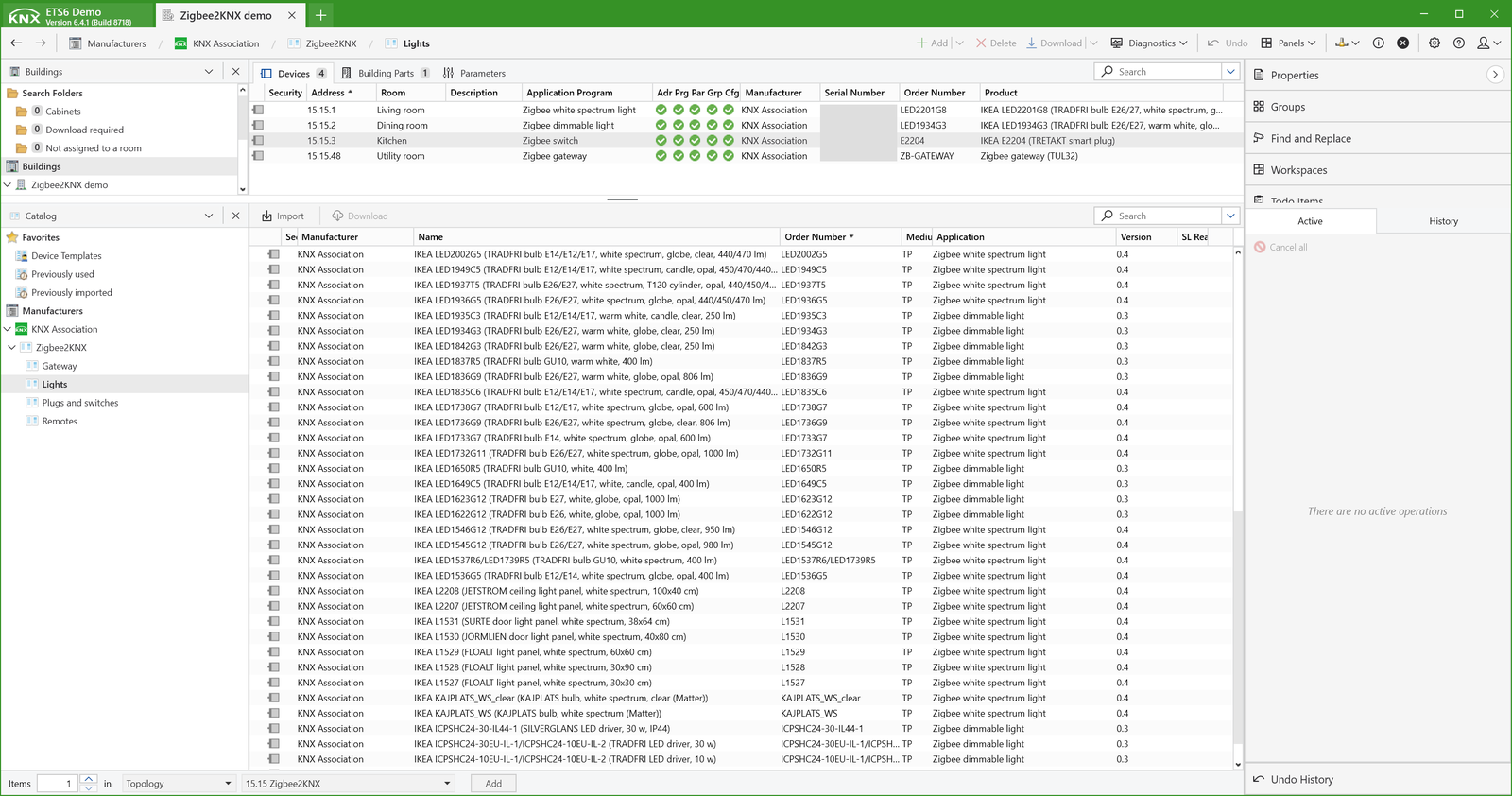
A gateway, two lights and a plug, each a KNX device with its own individual address and application (serial numbers blanked out):

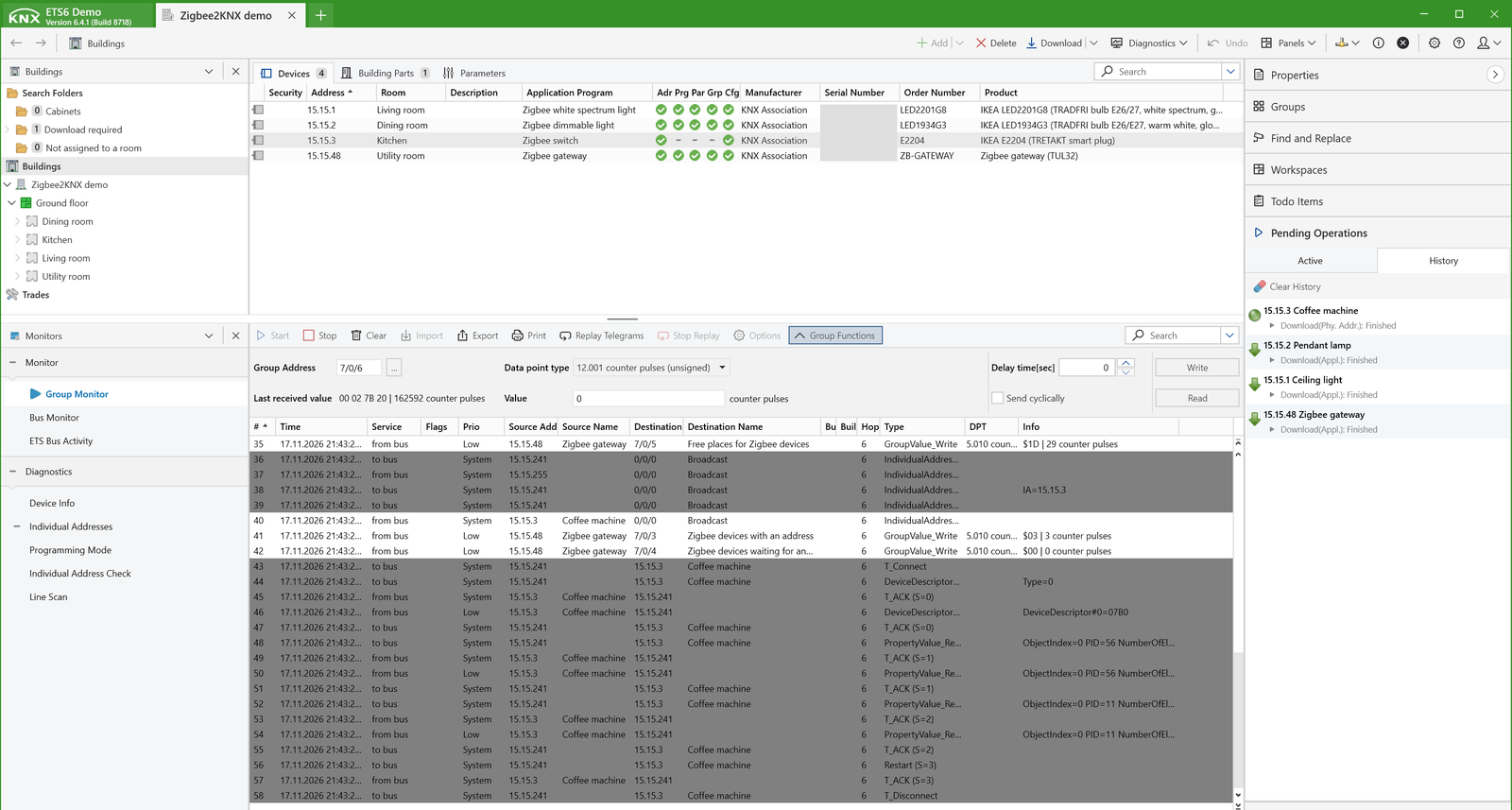
Pairing from ETS: while ETS programs the address 15.15.3, the plug joins the Zigbee network and takes the address (group monitor below):
The group objects of a white spectrum light, linked like those of any KNX actuator:

The gateway's diagnostic objects with their last values:

The title image is an illustration; the laptop shows a real ETS screenshot.
Hardware
Runs best with the busware TUL32 (KNX TP, powered over USB) and the bus-powered TULX32 (Status lists what has been tested on each): https://busware.de.
Other ESP32-C6 boards with an NCN5130 need their pins in firmware/main/board.h.
Getting started
- Flash the firmware from the browser with the web installer (Chrome,
Edge or Opera; TUL32 only), or with esptool from the images attached to the releases; to build it
yourself see docs/building-firmware.md. On a TULX32 do not use the web installer, it
would overwrite the bootloader and the partition table: write only the application,
zigbee2knx-<version>-tulx32.bin, at 0x10000 with esptool over the service header. Read the whole flash first (esptool read-flash 0 0x400000 backup.bin): this replaces the application the TULX32 was delivered with, and the way back through its recovery system has not been tested. - Build the product files with OpenKNXproducer and your ETS, as described below, and import them into ETS.
- Add the gateway. Insert "Zigbee gateway (TUL32)", the product for both boards, into a line, program its individual address (button S1), set the range of device numbers for Zigbee devices and download it. Keep that range free of other KNX devices: the gateway takes every address ETS programs in it as a request to pair a Zigbee device.
- Add a Zigbee device. Insert its product (for example "IKEA LED1934G3 …") into the same line with an address in that range (by default 200 to 231) and program the individual address. While ETS waits, reset the Zigbee device or put it into pairing mode: it joins and takes the address. Then download the application and link the group objects.
docs/getting-started.md has the details, the gateway's objects and the known limitations.
Building the product files
ETS takes devices from .knxprod files, and a .knxprod has to be signed by the signing library of an ETS. This
repository holds the source of the product files in producer/, one XML file per device class.
OpenKNXproducer turns them into .knxprod files with the ETS installed
on your PC:
On a Windows PC with ETS installed, download OpenKNXproducer from its releases.
Copy the XML files from
producer/into a folder and run OpenKNXproducer there, once per file:OpenKNXproducer create zigbee-gateway OpenKNXproducer create zigbee-dimmable-light OpenKNXproducer create zigbee-white-spectrum-light OpenKNXproducer create zigbee-switch OpenKNXproducer create zigbee-remoteEach run checks the file and writes
<name>.knxprodnext to it.Import the
.knxprodfiles into the ETS catalog. The products appear under KNX Association → Zigbee2KNX, in the sections Gateway, Lights, Plugs and switches and Remotes.
The files use M-00FA, the manufacturer ID of the KNX Association, as open-source KNX projects do; they are not registered with the KNX Association. Two builds of the same XML, with OpenKNXproducer 4.3.12 and the signing library of ETS 6.4.1, gave the same applications, so product files built on different PCs can be used side by side; other versions of the signing library have not been compared. docs/building-knxprod.md covers adding products and new application versions.
Supported devices
| Application | Class | Products |
|---|---|---|
| 0xC000 | Zigbee gateway | the gateway itself |
| 0xC001 | dimmable light | 23 IKEA products (23 Zigbee2MQTT definitions) |
| 0xC002 | white spectrum light | 48 IKEA products (35 Zigbee2MQTT definitions) |
| 0xC003 | switch and plug | 14 IKEA products (4 Zigbee2MQTT definitions) |
| 0xC004 | remote (experimental) | 6 IKEA products (6 Zigbee2MQTT definitions) |
One Zigbee2MQTT definition can stand for several products: the white-label names and order numbers of the same device. Each class also has a generic product. A model the class does not list runs with the class defaults; the gateway reports it. The full list is in docs/devices.md.
Why IKEA? For a start, just because those devices were lying around on the bench — no dedication :-) Other makes are welcome, see Concept.
Status
Release 0.6.2 moves to esp-zigbee-lib 2.1.0. Development builds of 0.6.2 were tested on a TUL32 from a bench tool over
a KNXnet/IP tunnel, not with ETS; the last of them differs from the release only in its version number. The update
from 0.6.1 kept the Zigbee network and the paired devices, and so did the way back to the application of 0.6.1; a
two-hour load test with two IKEA lights and a plug (switching, dimming and colour temperature with status feedback,
reading, eight downloads, some with long frames, no restart); a light that was without power for a while, and a plug
that was reset and paired anew through the pairing window. With the Zigbee storage erased the gateway started without
forming a network and reported it (fault, message NET); with the storage written back the network was there again.
zbform yes
Questions
What is zigbee2knx?
tostmann/zigbee2knx is a public repo on GitHub by tostmann. Zigbee devices as KNX devices: firmware for an ESP32-C6 gateway that is the Zigbee coordinator itself, set up in ETS.
Is zigbee2knx open source?
It declares the GPL-3.0 license on GitHub.
Does zigbee2knx run on macOS, Windows or Linux?
Its maker has not tagged a system, so it is unknown here. Its README says what it needs.
How do I install zigbee2knx?
Open "Take it" on its page: Take My Repo writes an install plan for your machine and hands it to your AI agent (Claude Code, Codex or Cursor), which asks you before each step. Take My Repo has not tested it on any machine.