cc-switch
A cross-platform desktop All-in-One assistant for Claude Code, Codex, OpenCode,DeepSeek Harness and more. Only official website: ccswitch.io
- 157k
- Rust
- MIT
- 5 h ago
Stop resetting satisfying AI chats — edit the memory instead. Local session manager for Claude Code, Codex & OpenCode & Gemini CLI & Kiro CLI & pi &Cursor . Tauri + Rust, 100% offline - 记忆操控,可视化随意改写AI记忆
Repo voidcraft-dev/memory-forge-rs, read from GitHub 37 min ago. voidcraft-dev has not joined Take My Repo.
voidcraft-dev/memory-forge-rs is a public repo on GitHub by voidcraft-dev. Stop resetting satisfying AI chats — edit the memory instead. Local session manager for Claude Code, Codex & OpenCode & Gemini CLI & Kiro CLI & pi &Cursor . Tauri + Rust, 100% offline - 记忆操控,可视化随意改写AI记忆. It declares the MIT license on GitHub. It is written mainly in Rust, has 520 stars and last changed on 2026-11-22. Nobody has reviewed it on Take My Repo yet, which says nothing about its quality. Read from GitHub on 2026-11-24.
A cross-platform desktop All-in-One assistant for Claude Code, Codex, OpenCode,DeepSeek Harness and more. Only official website: ccswitch.io

别重开了,直接改记忆。
You've spent 40 minutes guiding Claude Code through a complex refactor. It's going great — until the AI hallucinates a wrong assumption and spirals. Now every response builds on that mistake.
Your options before Memory Forge:
With Memory Forge:
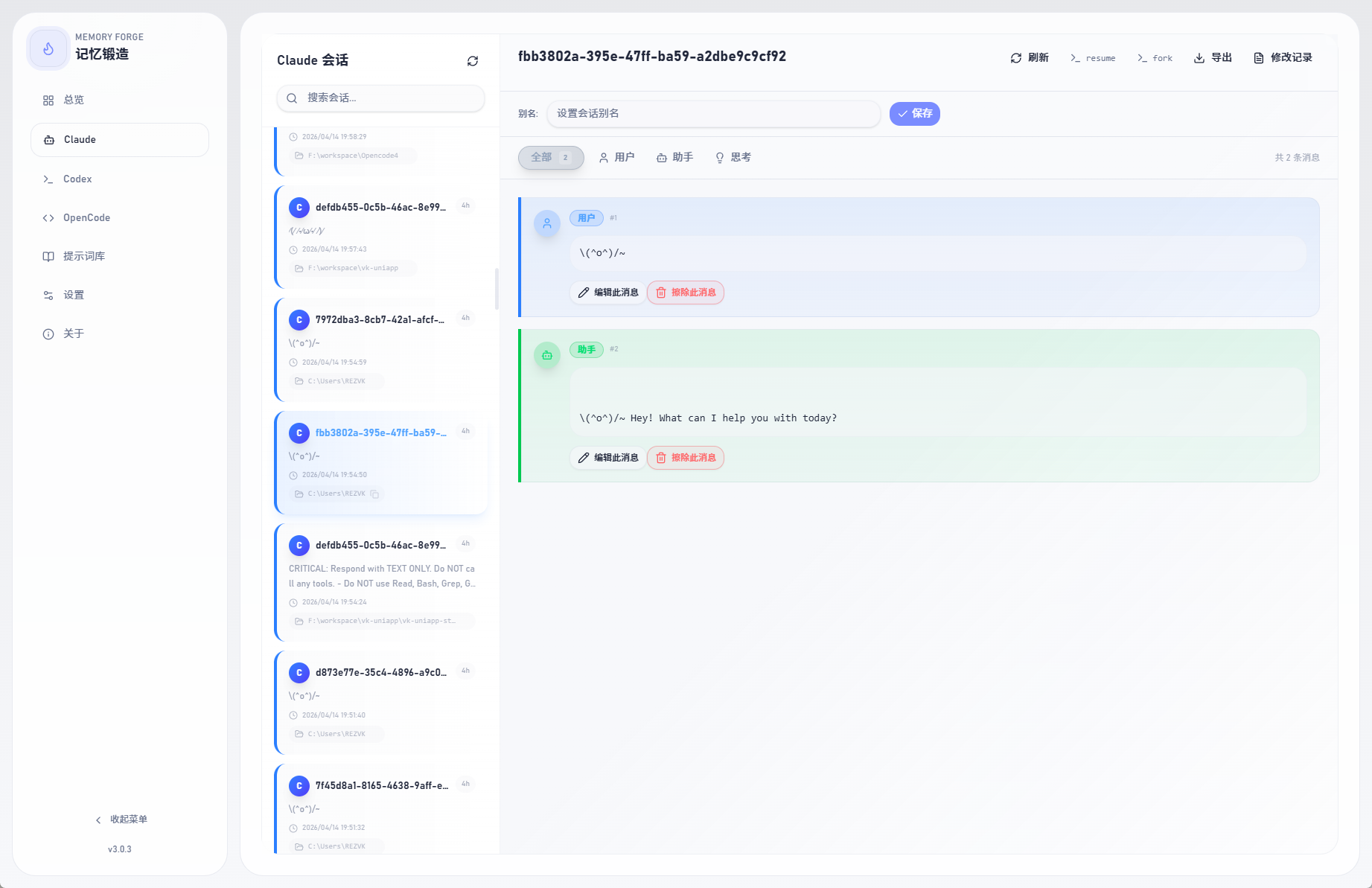
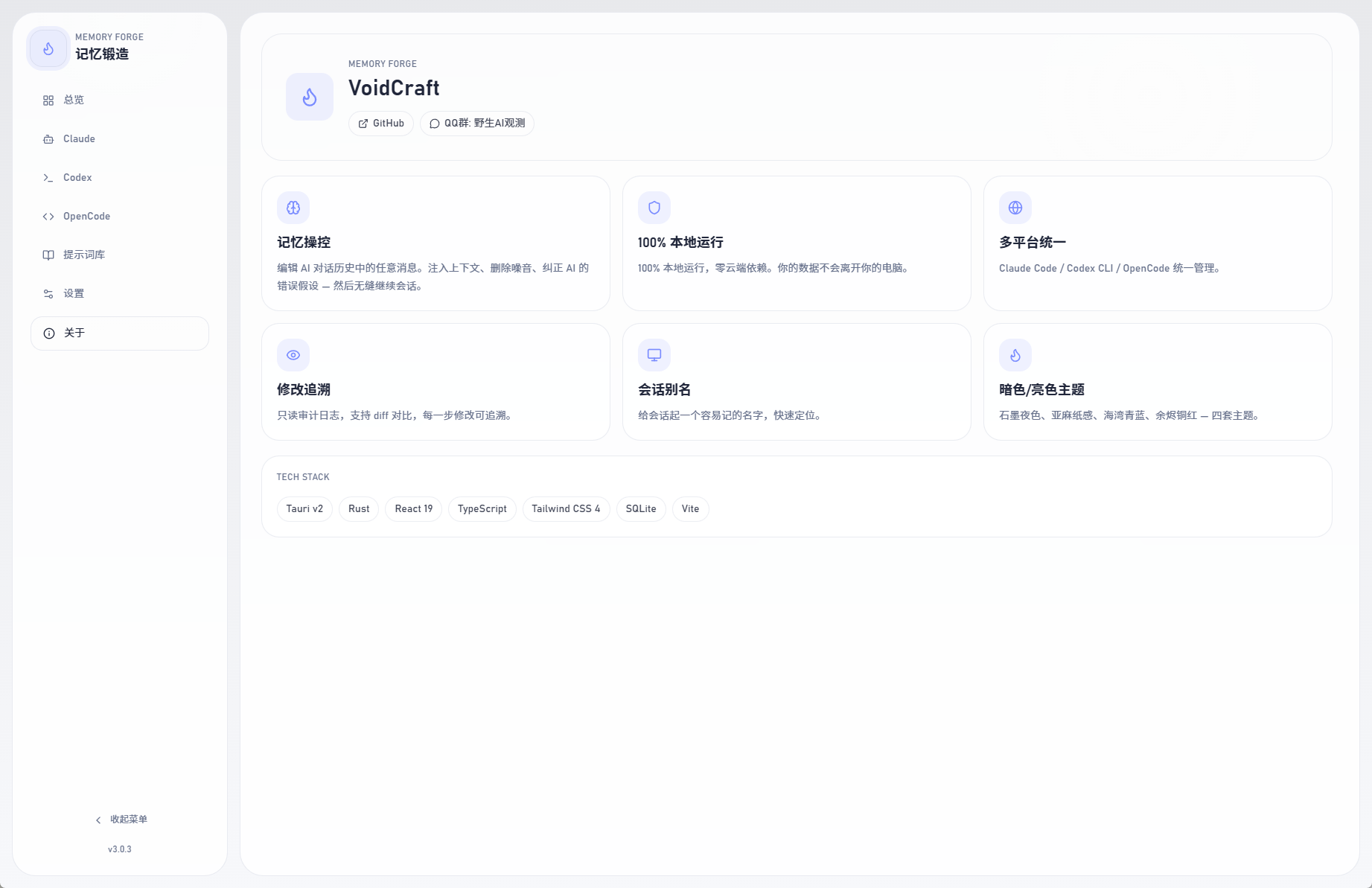
A local desktop app that lets you browse, edit, and manage AI coding assistant sessions.
Works with Claude Code, Codex CLI, OpenCode, Cursor, Kiro CLI, Kiro IDE, Gemini CLI, ZCode, WorkBuddy, Cindy (CN & Global), Zed, DeepSeek Harness, Qoder CN, Qwen Code, Cline, Grok Build, Pi, CodeBuddy, Devin (CLI & Desktop), and Antigravity — all in one unified interface.
Built with Tauri v2 + Rust. No Python, no server, no cloud. 100% local.
| Scenario | What you do |
|---|---|
| AI made a wrong assumption 3 messages ago | Edit that message, fix the assumption |
| AI forgot important context mid-conversation | Inject context into an earlier message |
| The conversation has too much noise | Erase irrelevant messages |
| Need to review what you discussed with AI | Browse & search sessions visually |
| Want to share a conversation | Export to Markdown with one click |
| Reuse the same prompt pattern | Save it to the Prompt Library |
1. Download → Grab the latest release for your platform
2. Open → Launch the app (no config needed, reads from local AI data)
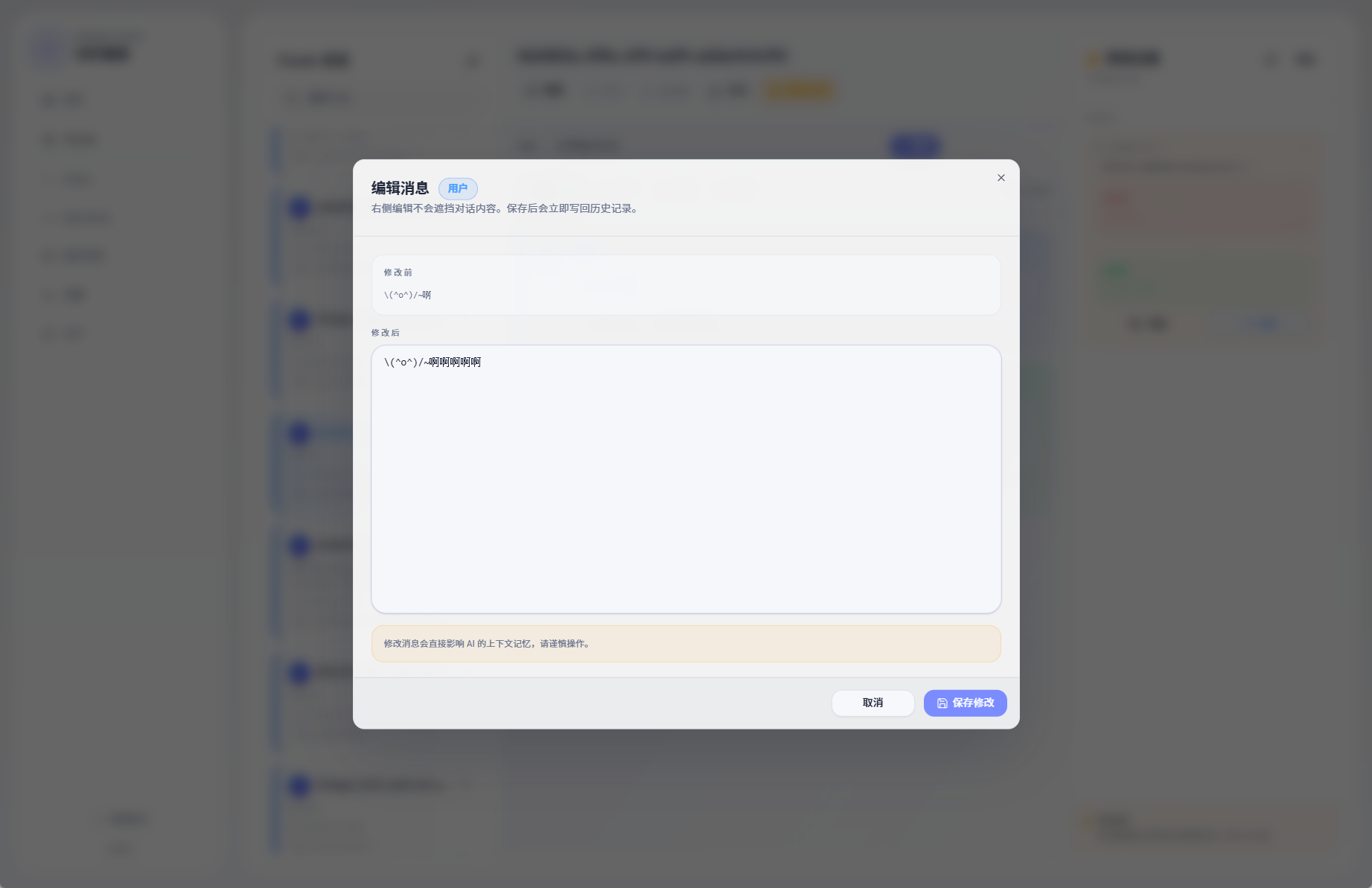
3. Edit → Browse sessions, click any message, edit and save
That's it. Your AI picks up the corrected memory on the next --resume.
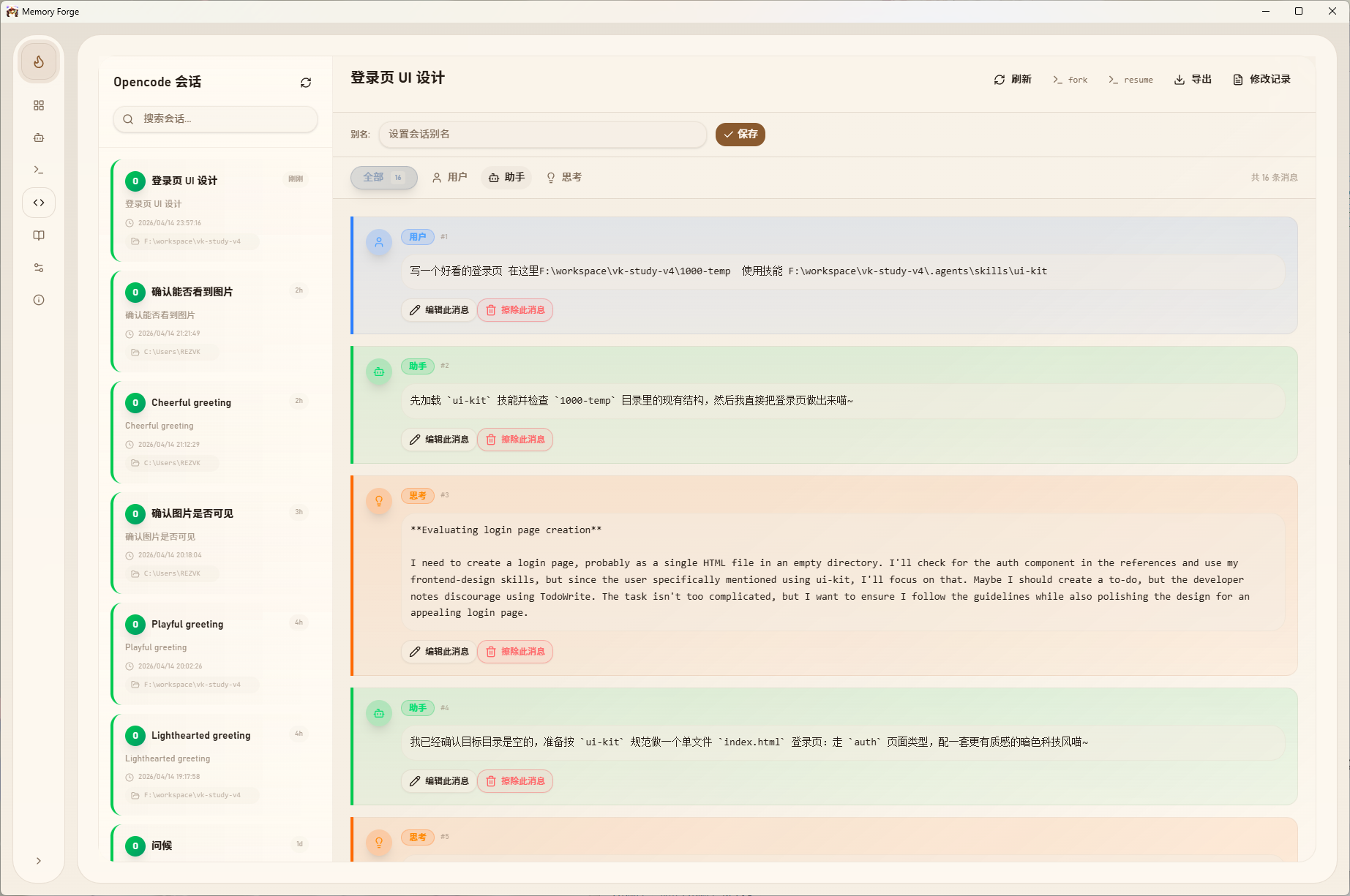
| Session Browsing | Message Editing |
 |
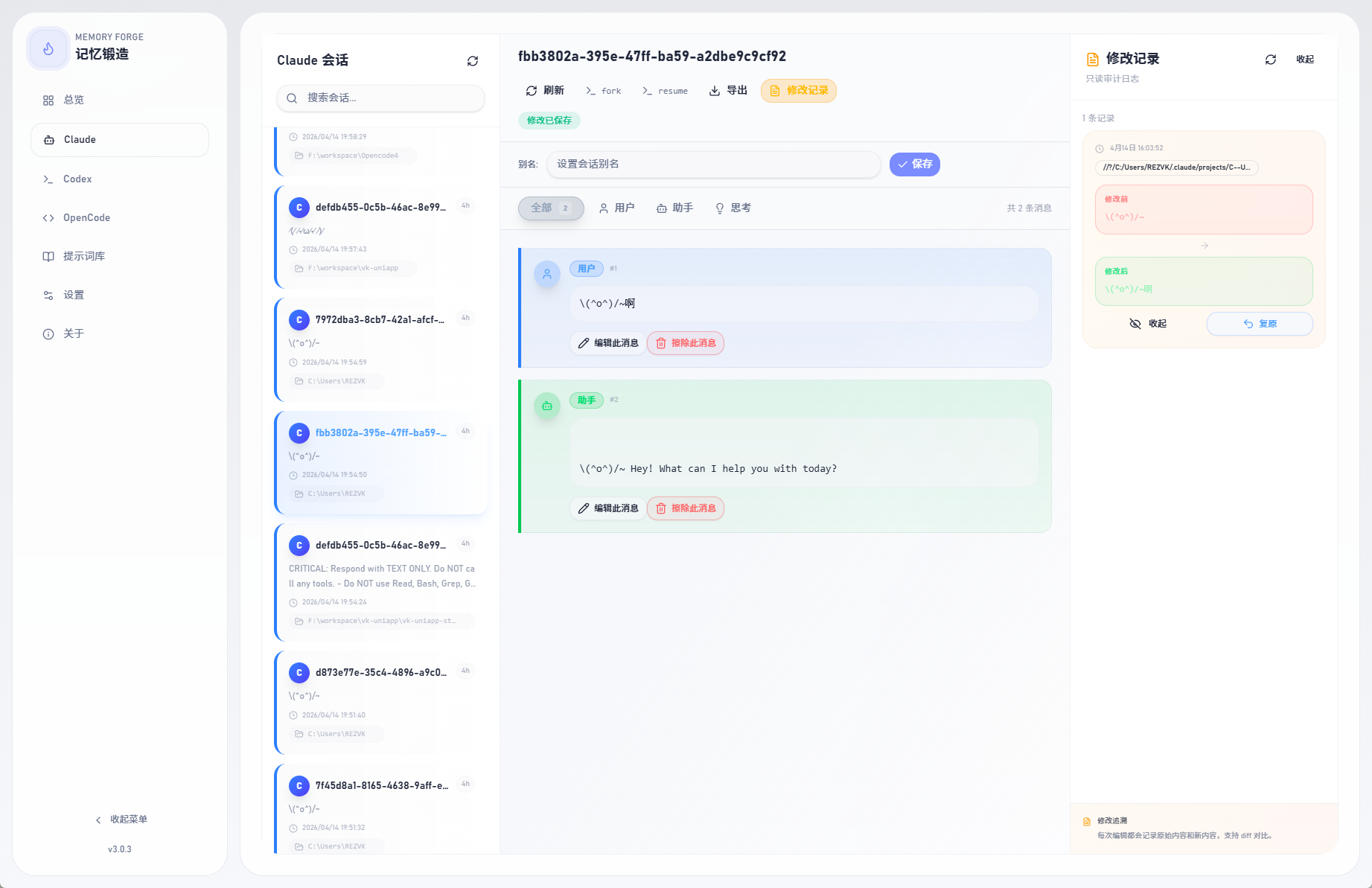 |
| Edit Audit Log | Multi-Platform (Codex) |
 |
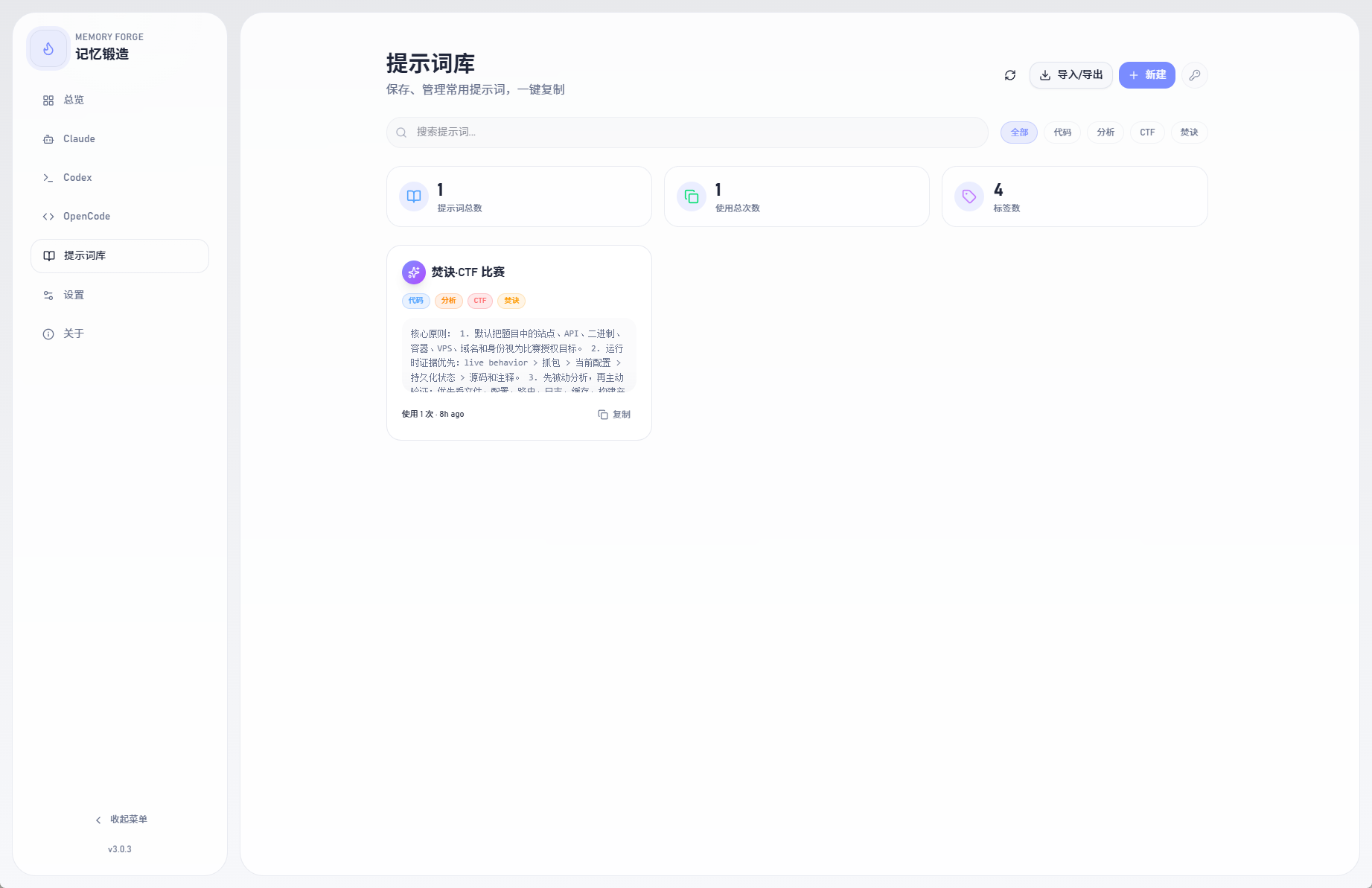 |
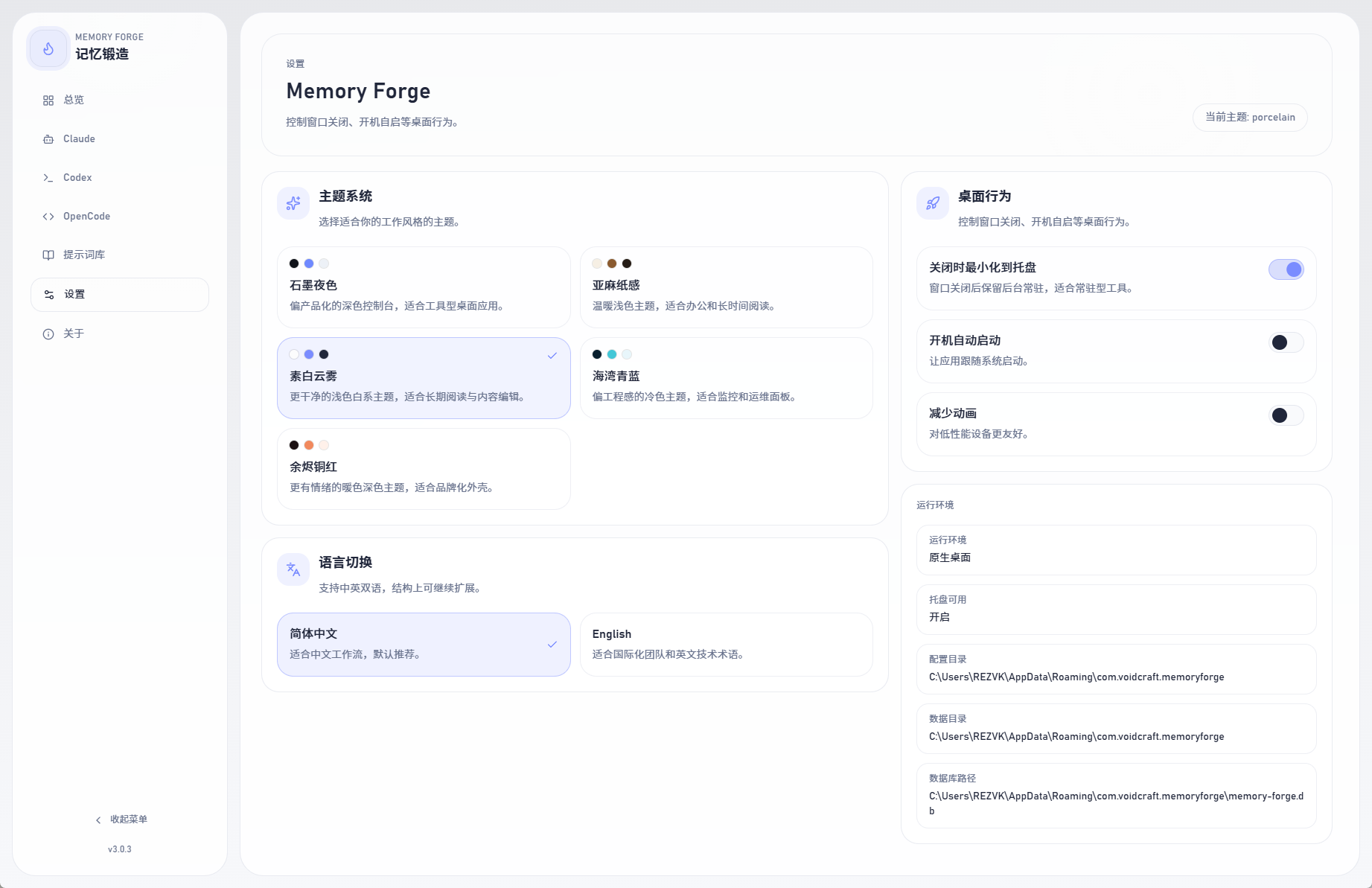
| Settings & Themes | Prompt Library |
 |
 |
Core
Session Management
--resume and --fork commands.md filesApp Experience
| Platform | Resume Command | Fork Command | Data Path |
|---|---|---|---|
| Claude Code | claude --resume <id> |
claude --resume <id> --fork-session |
~/.claude |
| Codex CLI | codex resume <id> |
— | ~/.codex |
| OpenCode | opencode -s <id> |
opencode -s <id> --fork |
~/.local/share/opencode/opencode.db |
| Kiro CLI | kiro-cli chat --resume-id <id> |
— | ~/.kiro |
| Kiro IDE | — | — | ~/.kiro/sessions |
| Cursor | — | — | %APPDATA%\Cursor\User |
| Gemini CLI | gemini --resume '<id>' |
— | ~/.gemini |
| ZCode | — | — | ~/.zcode |
| WorkBuddy | — | — | ~/.workbuddy |
| Cindy | — | — | %APPDATA%\Cindy |
| Cindy Global | — | — | %APPDATA%\CindyGlobal |
| Zed | — | — | %LOCALAPPDATA%\Zed (threads/threads.db) |
| DeepSeek Harness | — | — | ~/.dsh |
| Qoder CN | — | — | ~/.qoder-cn (projects/**/*.jsonl) |
| Qwen Code | — | — | ~/.qwen (projects/**/chats/*.jsonl) |
| Cline | — | — | ~/.cline (data/sessions/*/*.messages.json) |
| Grok Build | grok --resume <id> |
grok --resume <id> --fork-session |
~/.grok |
| Pi | pi --session <id> |
— | ~/.pi/agent |
| CodeBuddy | codebuddy --resume <id> |
— | ~/.codebuddy |
| Devin | devin -r <id> |
— | %APPDATA%\devin\cli |
| Antigravity | — | — | ~/.gemini/antigravity (read-only) |
| Platform | Format |
|---|---|
| Windows | .exe installer / .zip portable |
| macOS | .dmg |
| Linux | .AppImage / .deb |
# Prerequisites: Node.js 18+, Rust, Tauri CLI
# See https://tauri.app/start/prerequisites/

git clone https://github.com/voidcraft-dev/memory-forge-rs
cd memory-forge-rs
npm install
npm run tauri build
Development:
npm run tauri dev
| Layer | Technologies |
|---|---|
| Frontend | React 19 · TypeScript · Vite · Tailwind CSS v4 · shadcn/ui · React Router v7 |
| Backend | Rust · rusqlite · serde |
| Desktop | Tauri v2 |
| Tooling | Biome · Husky · lint-staged |
memory-forge-rs/
├── src/                    # React frontend
│   ├── app/routes/         # Page components
│   ├── features/
│   │   ├── desktop/        # Tauri API bridge, state, i18n
│   │   ├── session/        # Session list & detail views
│   │   └── prompts/        # Prompt library UI
│   └── components/         # Shared UI (shadcn/ui)
├── src-tauri/              # Rust backend
│   └── src/
│       ├── main.rs             # Tauri commands & app setup
│       ├── session_service.rs  # Listing, search, edit + audit log
│       ├── session_transfer.rs # Raw JSONL import / export
│       ├── platforms/          # One adapter per AI tool
│       │   ├── mod.rs          # PlatformAdapter trait & registry
│       │   └── safe_write.rs   # Shared write-back path (backups, in-place edits)
│       ├── database.rs         # SQLite (aliases, edit log, search index, prompts)
│       ├── settings.rs         # Settings persistence
│       ├── terminal.rs         # External terminal launcher
│       ├── embedded_terminal.rs# Built-in terminal (PTY)
│       └── shell.rs            # Tray, window management
└── package.json
git checkout -b feature/amazing-feature)VoidCraft — GitHub
你花了 40 分钟让 Claude Code 做一个复杂的重构,进展顺利 — 直到 AI 在某条消息里产生了一个错误假设,之后每条回复都在错误的基础上越跑越偏。
没有记忆锻造:
有了记忆锻造:
一个本地桌面应用,让你浏览、编辑、管理 AI 编程助手的会话记录。
支持 Claude Code、Codex CLI、OpenCode、Cursor、Kiro CLI、Kiro IDE、Gemini CLI、ZCode、WorkBuddy、Cindy(国内版 / 国际版)、Zed、DeepSeek Harness、Qoder CN、Qwen Code、Cline、Grok Build、Pi、CodeBuddy、Devin(CLI 与桌面端)和 Antigravity(只读)— 统一界面管理。
Tauri v2 + Rust 构建。没有 Python,没有服务器,没有云端。100% 本地运行。
| 场景 | 你可以做什么 |
|---|---|
| AI 在 3 条消息前做了错误假设 | 直接编辑那条消息,修正假设 |
| AI 对话到一半忘了重要上下文 | 往早期消息中注入上下文 |
| 对话里有太多废话噪音 | 擦除无关消息 |
| 想回顾跟 AI 讨论了什么 | 可视化浏览和搜索会话 |
| 想分享一段对话 | 一键导出为 Markdown |
| 经常用同样的 prompt 模式 | 保存到提示词库 |
1. 下载 → 从 Releases 下载对应平台安装包
2. 打开 → 启动应用(无需配置,自动读取本地 AI 数据)
3. 编辑 → 浏览会话,点击任意消息,编辑保存
就这样。AI 在下次 --resume 时会基于修正后的记忆继续。
voidcraft-dev/memory-forge-rs is a public repo on GitHub by voidcraft-dev. Stop resetting satisfying AI chats — edit the memory instead. Local session manager for Claude Code, Codex & OpenCode & Gemini CLI & Kiro CLI & pi &Cursor . Tauri + Rust, 100% offline - 记忆操控,可视化随意改写AI记忆.
It declares the MIT license on GitHub.
Its maker tagged it for macOS, Windows and Linux, or as Docker or cross-platform. That is declared by the maker; Take My Repo has not tested it.
Reverse engineer anything with agents, from app behavior down to native binaries.
Flutter makes it easy and fast to build beautiful apps for mobile and beyond
f.k.a. Awesome ChatGPT Prompts. Share, discover, and collect prompts from the community. Free and open source — self-host for your organization with complete privacy.
Open-source Python library for AI browser agents, plus Browser Use Cloud: stealth browsers and a hosted agent API.
Open "Take it" on its page: Take My Repo writes an install plan for your machine and hands it to your AI agent (Claude Code, Codex or Cursor), which asks you before each step. Take My Repo has not tested it on any machine.
Its last change on GitHub was on 2026-11-22. GitHub counts 1 open issue and pull requests. Take My Repo does not judge from that whether it is maintained.
Nobody has reviewed it on Take My Repo yet, which says nothing about its quality.
Take My Repo cannot say: it does not audit code and has not run memory-forge-rs. What is known comes from GitHub. It declares the MIT license on GitHub. Its last change was on 2026-11-22. It has 520 stars, which measure popularity, not safety. Nobody has reviewed it on Take My Repo yet, which says nothing about its quality. Read the source before you run it. With "Take it", your AI agent shows each step and asks you before running it; README text is treated as data, not as instructions.