
UAC-SilentClean
New UAC bypass for Silent Cleanup for CobaltStrike
- 189
- 5 y ago
Repo EncodeGroup/UAC-SilentClean, read from GitHub 7 h ago. EncodeGroup has not joined Take My Repo.
In short
EncodeGroup/UAC-SilentClean is a public repo on GitHub by EncodeGroup. New UAC bypass for Silent Cleanup for CobaltStrike. It declares no license on GitHub. Public does not mean open source: without a license, nobody is granted the right to reuse it. It is written mainly in C#, has 189 stars and last changed on 2021-07-14. Nobody has reviewed it on Take My Repo yet, which says nothing about its quality. Read from GitHub on 2026-11-24.
Similar repos
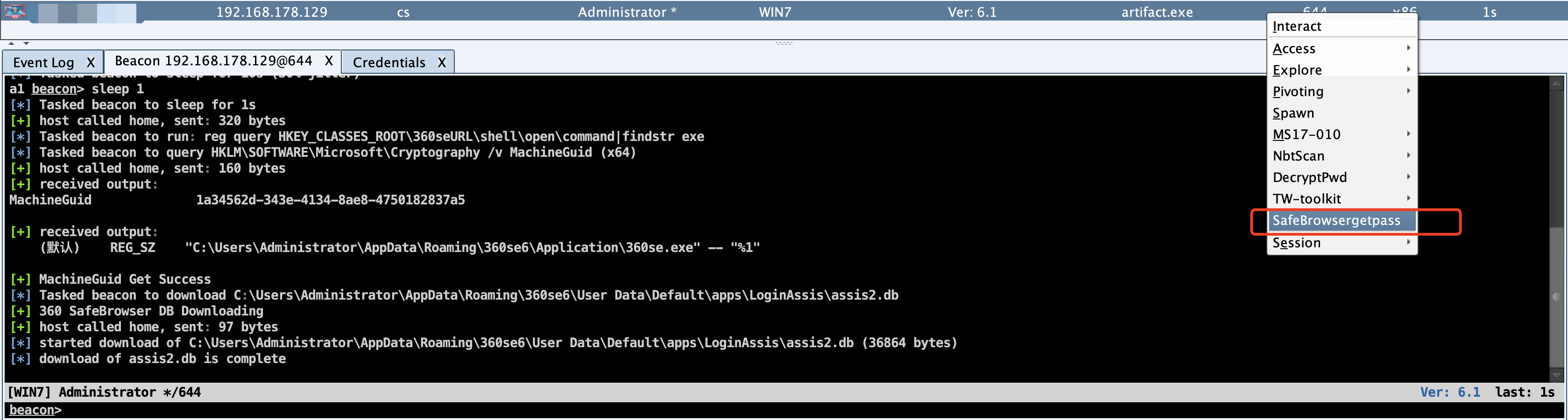
360SafeBrowsergetpass
这是一个一键辅助抓取360安全浏览器密码的CobaltStrike脚本以及解密小工具,用于节省红队工作量,通过下载浏览器数据库、记录密钥来离线解密浏览器密码。

Questions
What is UAC-SilentClean?
EncodeGroup/UAC-SilentClean is a public repo on GitHub by EncodeGroup. New UAC bypass for Silent Cleanup for CobaltStrike.
Is UAC-SilentClean open source?
It declares no license on GitHub. Public does not mean open source: without a license, nobody is granted the right to reuse it.
Does UAC-SilentClean run on macOS, Windows or Linux?
Its maker has not tagged a system, so it is unknown here. Its README says what it needs.


