
WaveFlow
🌊 WaveFlow — a local-first music player for Windows, macOS & Linux. Hi-Res audio, AutoMix, word-synced lyrics, smart playlists, beautiful themes and plugins. No account or subscription.
- 108
- GPL-3.0
- 5 h ago
Repo InstaZDLL/WaveFlow, read from GitHub 4 h ago. InstaZDLL has not joined Take My Repo.
In short
InstaZDLL/WaveFlow is a public repo on GitHub by InstaZDLL. 🌊 WaveFlow — a local-first music player for Windows, macOS & Linux. Hi-Res audio, AutoMix, word-synced lyrics, smart playlists, beautiful themes and plugins. No account or subscription. It declares the GPL-3.0 license on GitHub. It is written mainly in Rust, has 108 stars and last changed on 2026-11-24. Nobody has reviewed it on Take My Repo yet, which says nothing about its quality. Read from GitHub on 2026-11-24.
Similar repos
cc-switch
A cross-platform desktop All-in-One assistant for Claude Code, Codex, OpenCode,DeepSeek Harness and more. Only official website: ccswitch.io



English · 简体中文
Your music, played the way it was made.
A desktop music player for the files you already own — for Windows, macOS and Linux.
WaveFlow scans your folders, organizes everything by album, artist and genre, and plays it through its own
real-time audio engine — gapless, Hi-Res, bit-perfect when you ask for it, with lyrics that follow every word.
No subscription, no streaming service, no account.
Your files. Your library. Your machine.
Install · Features · Plugins · Screenshots · Server & QuickPlay · Documentation
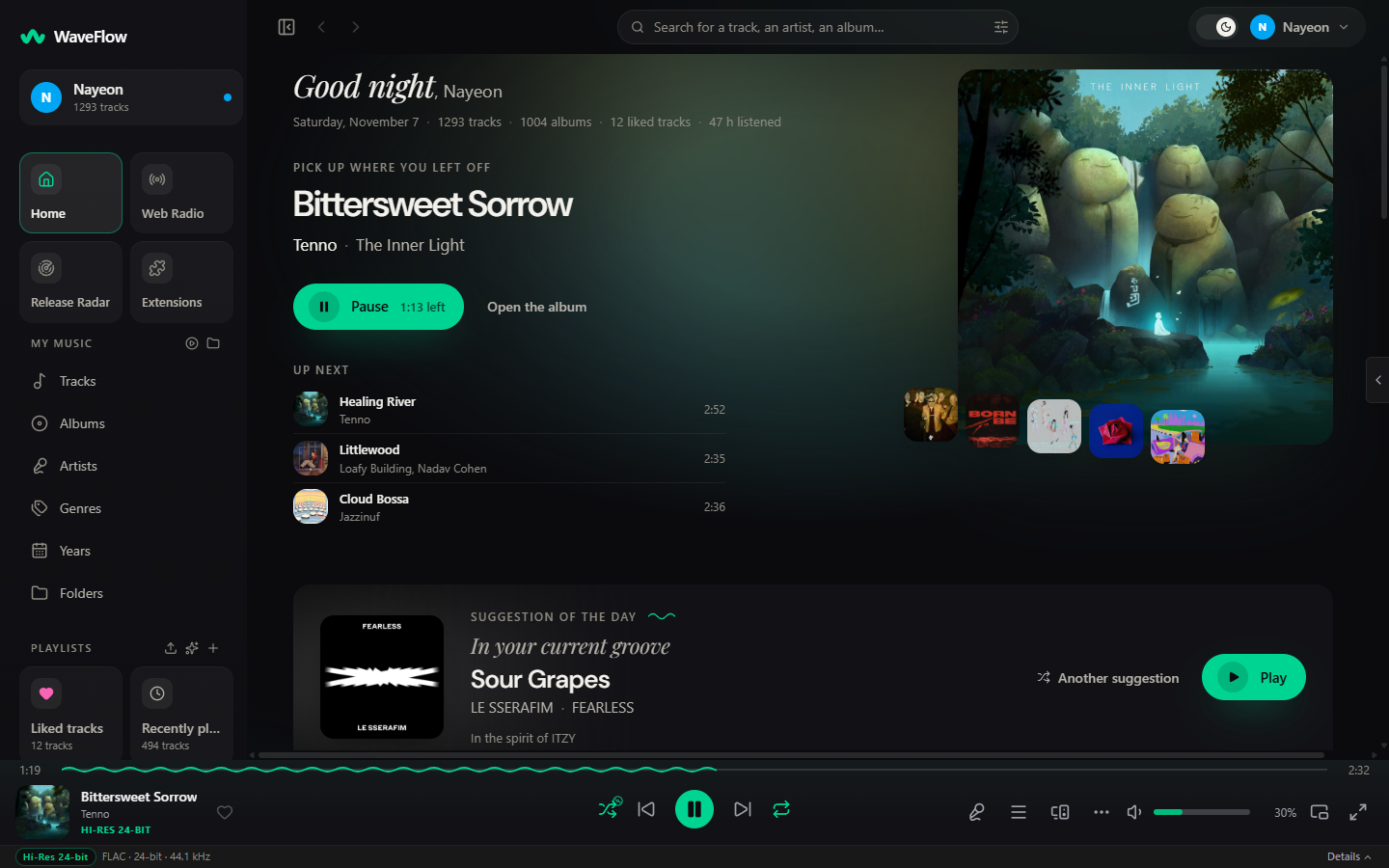
Fluid, the 2.0 interface · pick up where you left off, what plays next, the suggestion of the day
Why WaveFlow
🎚️ An engine built for your DACExclusive output on Windows, macOS and Linux. DSD sent untouched over DoP, 5.1 and 7.1 played on the speakers they name, and a real two-decoder crossfade — AutoMix lines the next track's beats up with the one playing.How playback works → |
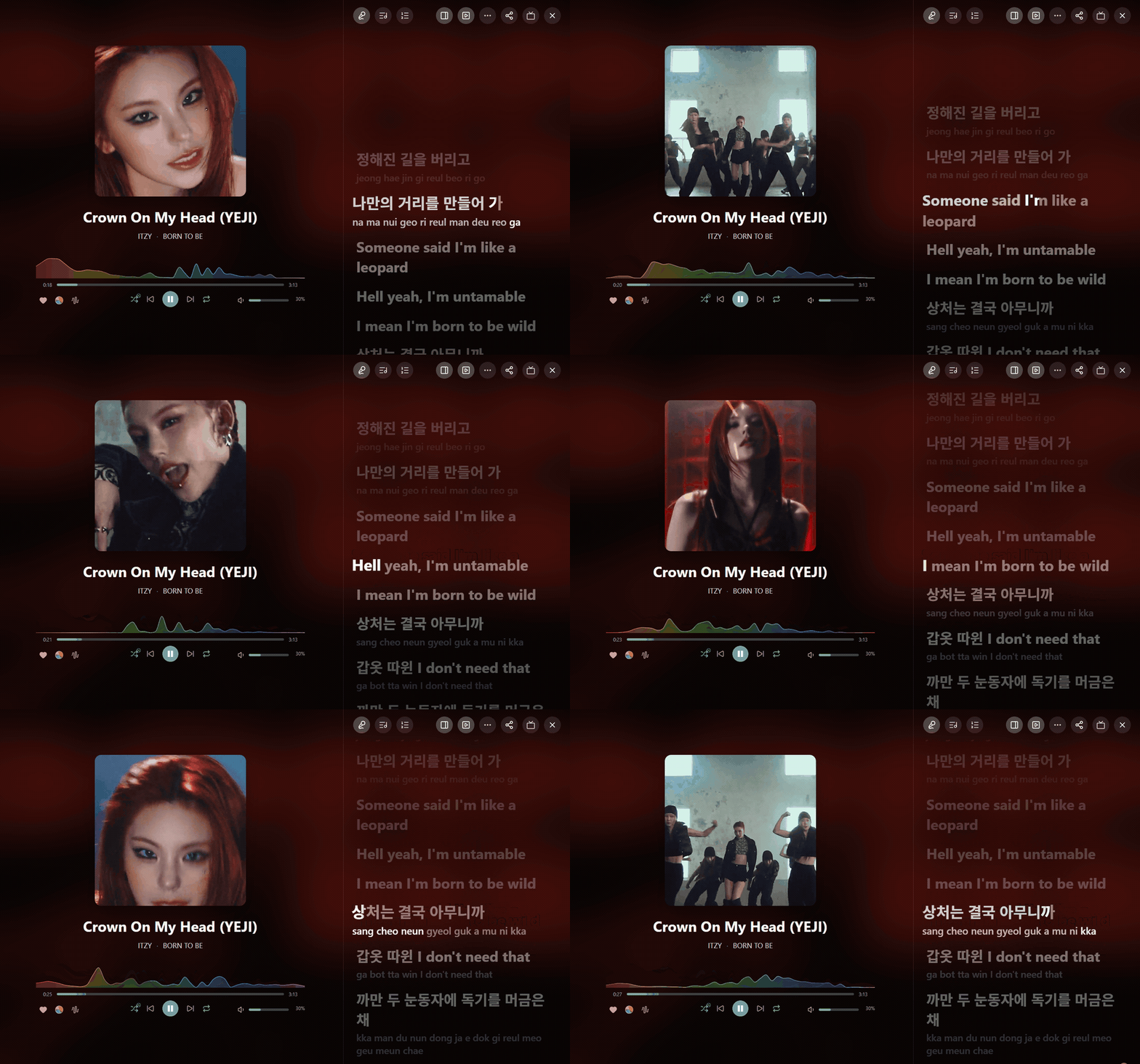
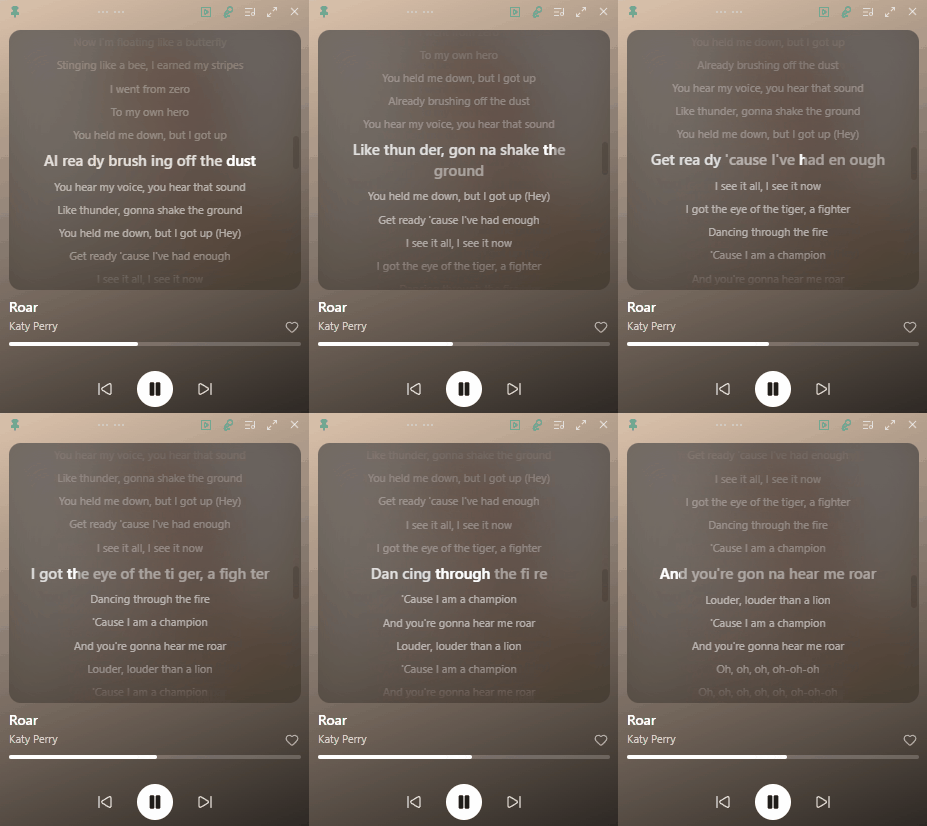
🎤 Lyrics that follow every wordKaraoke timing, word by word, with romanization under Japanese, Korean and Chinese lines and translations beside the original — in the immersive view, the mini-player, and a floating line above every window.Lyrics sources → |
🔍 A library that reads the music, not just the tagsTempo, key and loudness measured, files sold as lossless that are not spotted, gaps filled from MusicBrainz without touching a file, and a tag workshop whose every change can be undone.Enrichment → · Tag workshop → |
🎨 Six identities, and room to growSix skins that are layouts, not palettes, Canvas clips and animated covers behind the track, and sandboxed plugins installed in one click from a store that checks every download.Plugins → · Skins → |
Also inside: podcasts · smart playlists and Daily Mix · WebDAV and SMB shares · DLNA and MPD servers · statistics and Wrapped · 17 languages · a library per profile
Music you can see
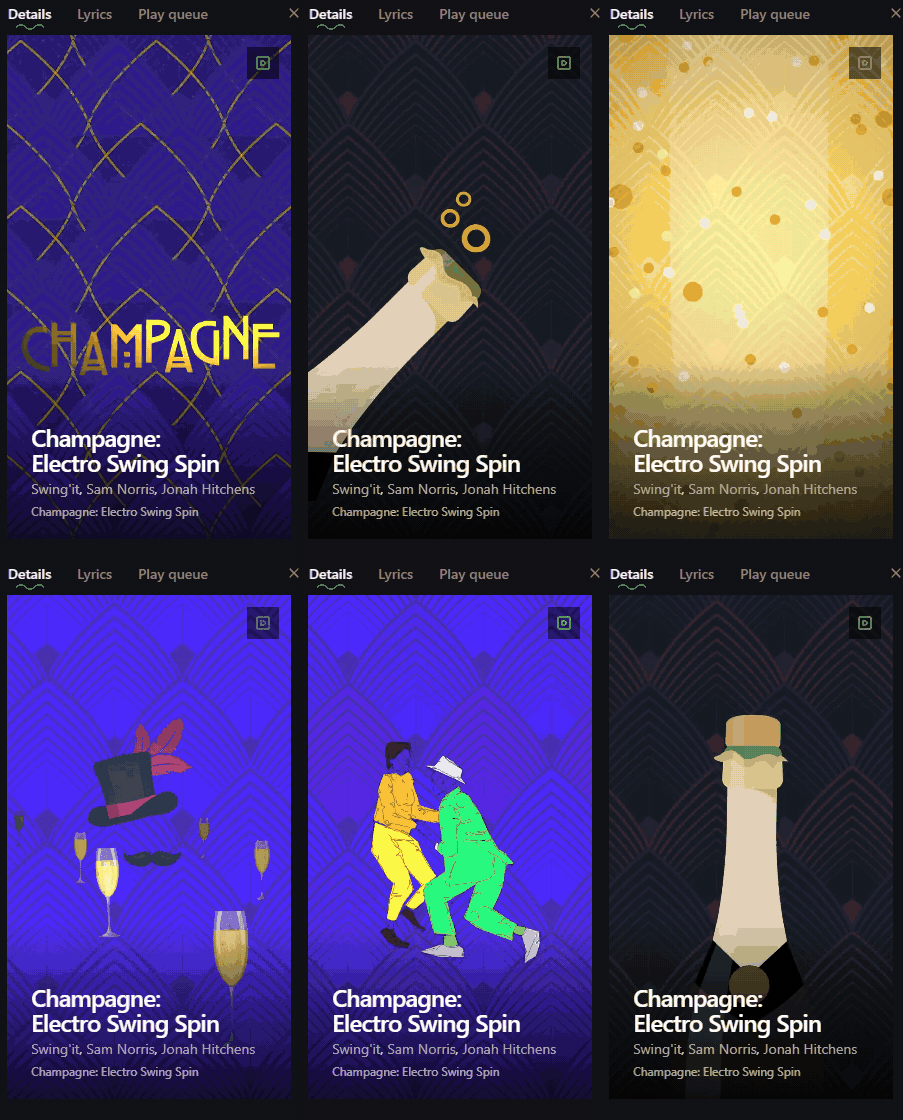
Word-synced lyrics with romanization and translations, the track's Canvas clip or animated cover, a spectrum that moves with the sound — all in the player, nothing in a browser tab.
Install
Download the package for your system from the latest release. Every release page lists the one-liner for your package manager (AUR, COPR, apt, winget) and the standalone installers for Windows, macOS and Linux. Installed builds update themselves, and a beta channel can be switched on in Settings.
On Debian and Ubuntu, add the signed APT repository once, then sudo apt install wave-flow keeps it current:
sudo install -d -m 0755 /etc/apt/keyrings
sudo curl -fsSL https://download.waveflow.app/apt/waveflow.gpg -o /etc/apt/keyrings/waveflow.gpg
echo "deb [signed-by=/etc/apt/keyrings/waveflow.gpg] https://download.waveflow.app/apt stable main" | sudo tee /etc/apt/sources.list.d/waveflow.list
sudo apt update && sudo apt install wave-flow
On macOS, one command downloads the latest release, checks it and installs it into /Applications:
curl -fsSL https://waveflow.app/install.sh | bash
WaveFlow is not notarized by Apple yet, so macOS refuses to open a copy downloaded by a browser. The script removes the quarantine flag from WaveFlow.app only and changes no system setting; --help lists its options (--beta, --user, --uninstall, …). The script is scripts/install-macos.sh, to read before running it.
Features
The essentials of each area; every heading links to its full description.
🎧 Playback
- MP3, FLAC, WAV, AIFF, Ogg Vorbis, Opus, AAC (HE-AAC included), ALAC, WavPack, Monkey's Audio and DSD
- Gapless, and a crossfade that can be fixed, album-aware, tempo-aware or AutoMix, on the beats
- Exclusive output and DSD over PCM, 5.1 / 7.1 on the right speakers or mixed down to what you have
- ReplayGain, 6-band EQ, speed with or without keeping the pitch, transposition, A-B repeat, sleep timer
🎤 Lyrics
- Synced lyrics from LRCLIB and other providers, from a plugin, or from a
.lrc/.ttmlfile next to the track - Word-by-word timing, estimated when a source only has lines
- Romanization for Japanese, Korean and Chinese, and translations beside the original
📚 Library
- Folder scan with a live watcher, and WebDAV and SMB shares read as library folders
- Browse by album, artist, genre, year or folder; search with pinyin for Chinese titles
- A Quality tab that spots fake lossless, duplicates, album completeness, and a file replaced by a better copy without losing its plays, likes and playlists
🏷️ Tags & enrichment
- MusicBrainz fills genres, dates, credits and covers in your library — reviewed, undoable, never written into your files
- A tag workshop for a selection, an album or a folder: fill, find and replace (regex included), case, numbering, with a field-by-field preview and an undo
🎶 Playlists
- Smart playlists built from rules, with a live count
- Daily Mix and On Repeat made from what you play, and Release Radar for your artists' new releases
- Import from M3U, CSV, JSON or a public Deezer link — the tracks you do not have yet keep their place
🎙️ Podcasts
- Opt-in and kept apart from your music: subscriptions, OPML, a refresh timer, downloads under a size limit
- Resume where you stopped, each show at its own speed, chapters and transcripts
🎨 Interface
- Six skins and fourteen themes, an accent of your own or taken from the cover
- Immersive view, always-on-top mini-player, a floating desktop lyrics line, system tray
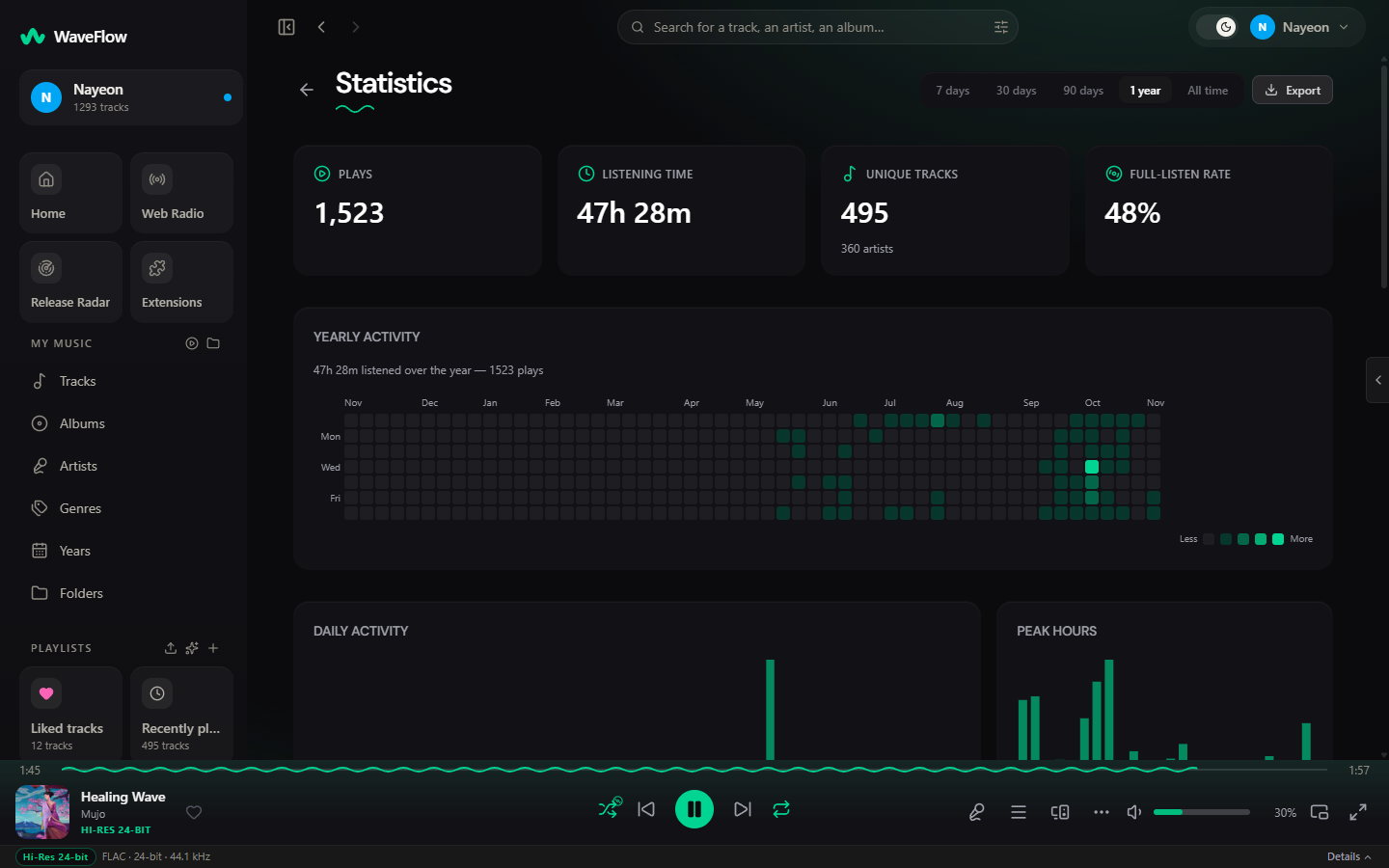
- Statistics and WaveFlow Wrapped, all computed on your machine; 17 languages, right-to-left included
🔌 Connections
- Last.fm scrobbling, Discord Rich Presence, artwork and biographies fetched once and cached
- Optional DLNA / UPnP and MPD servers for the clients you already use
- Your own WaveFlow Server as a second source, synced across devices
- An offline switch that cuts all network access
Extend WaveFlow
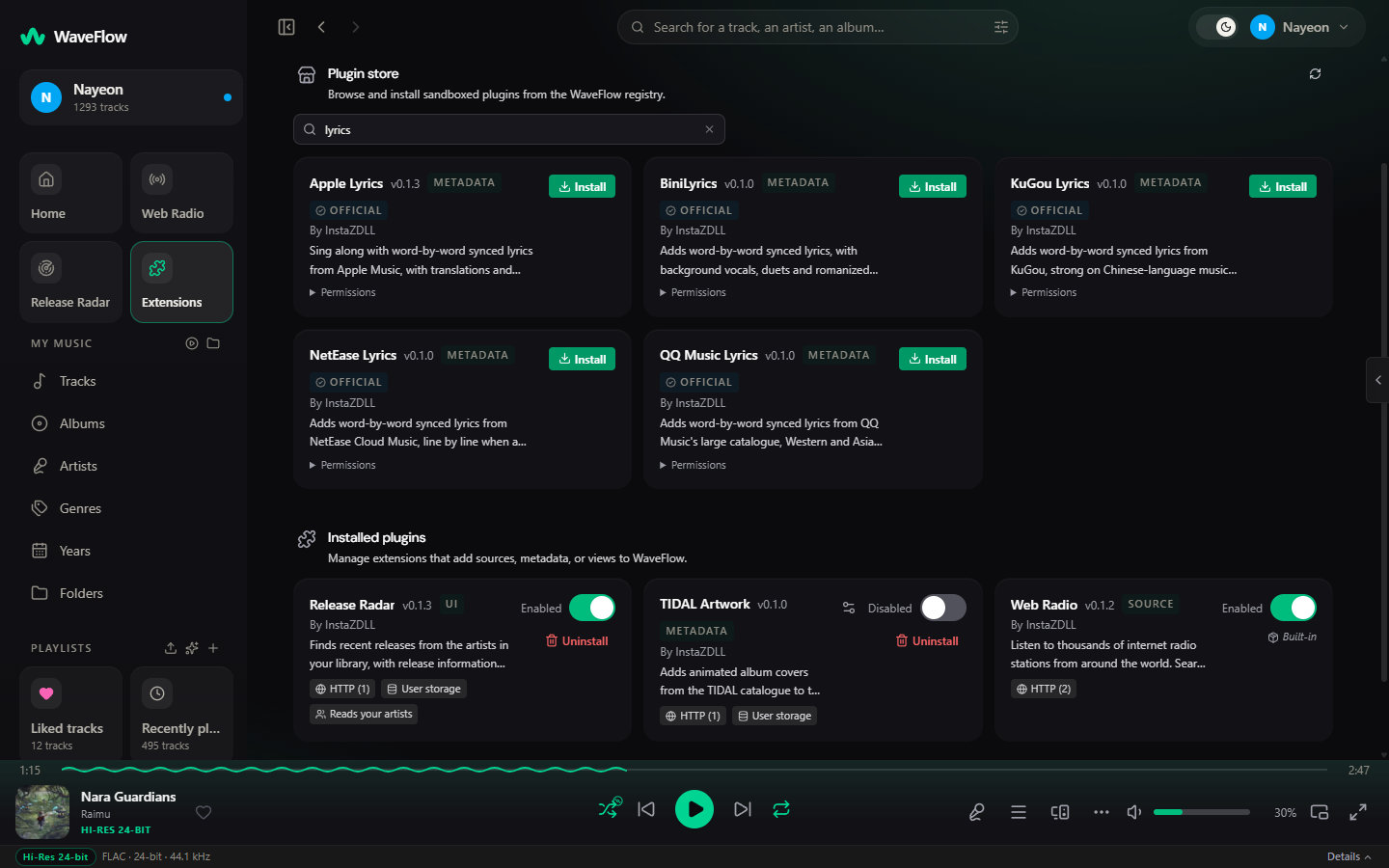
Plugins are small WebAssembly modules that run in a sandbox, with only the permissions they ask for. The store inside WaveFlow installs them in one click, and checks every download against the fingerprint its registry pins.
|
📻 Web Radio · built in
30 000+ stations by country, language or genre, a 30-minute pause buffer on live streams, HLS, and stations of your own. |
🎤 Word-synced lyrics · five sources
More catalogues with word timing, background vocals and duets, translations and romanization — strong on Chinese, Japanese and Korean music. |
|
🎞️ Motion on Now Playing · three sources
Looping Canvas clips and animated album covers, played behind the track in the immersive view and the side panel. |
🛠️ Your own
Four kinds to write: music sources, metadata and lyrics, pages of their own, Canvas clips. Any language that builds a WebAssembly component will do. |
Want to write one? Start with the plugin guide and RFC-002.
Screenshots
 |
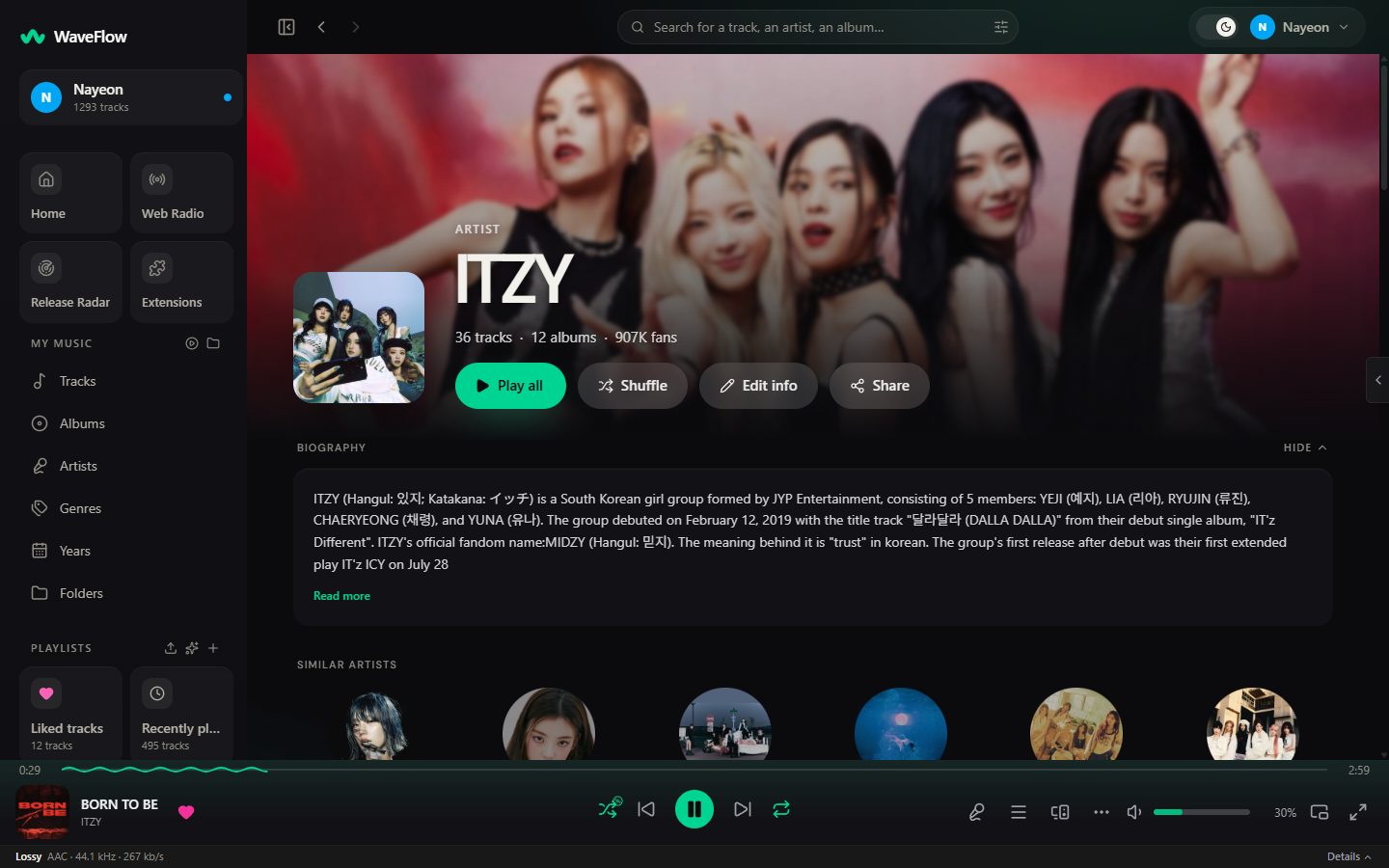 |
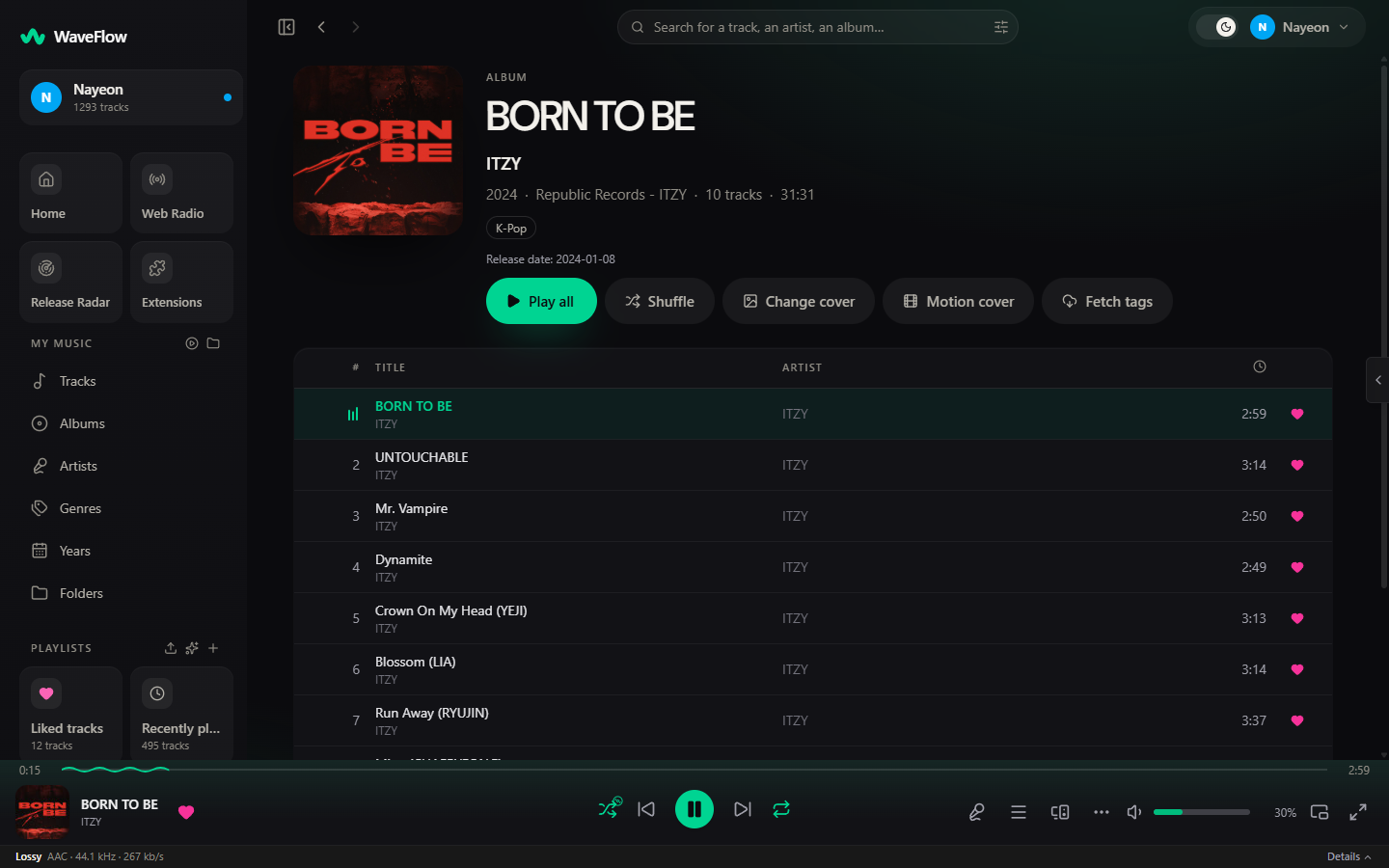
| Album · the track playing, Hi-Res quality in the player bar | Artist · a banner, the biography, similar artists |
 |
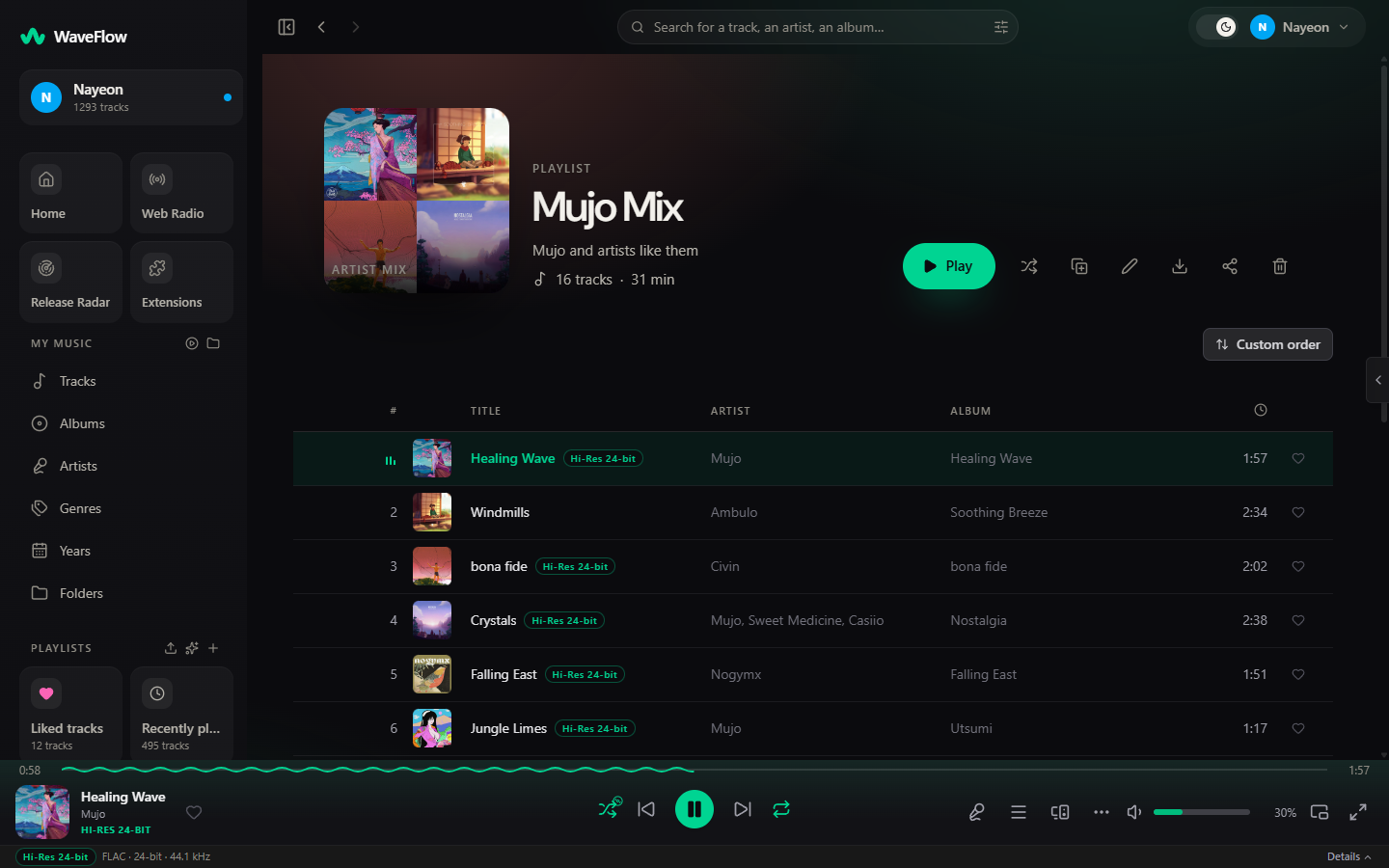 |
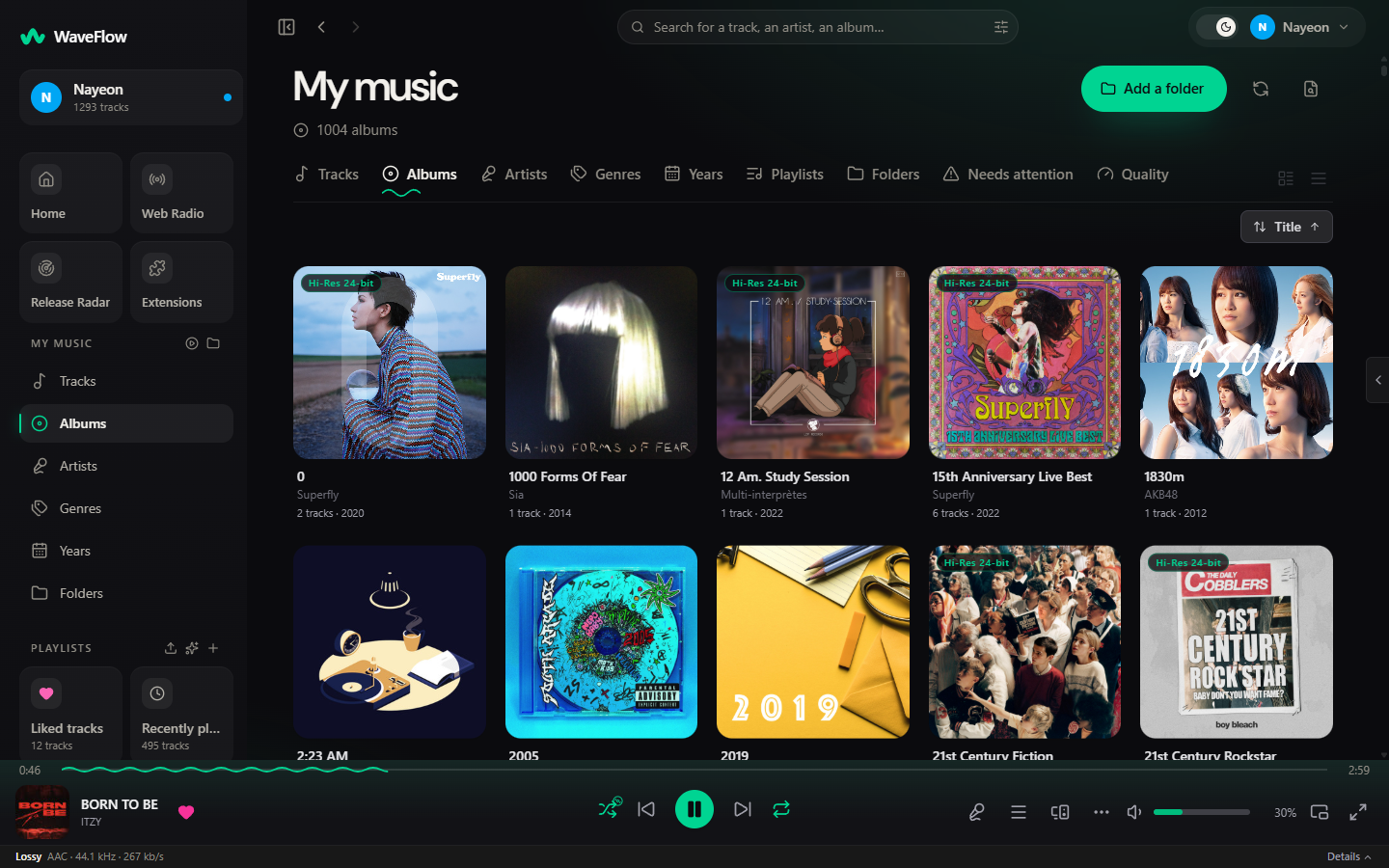
| Library · albums, artists, genres, years, folders, quality | Smart playlist · made from what you play |
 |
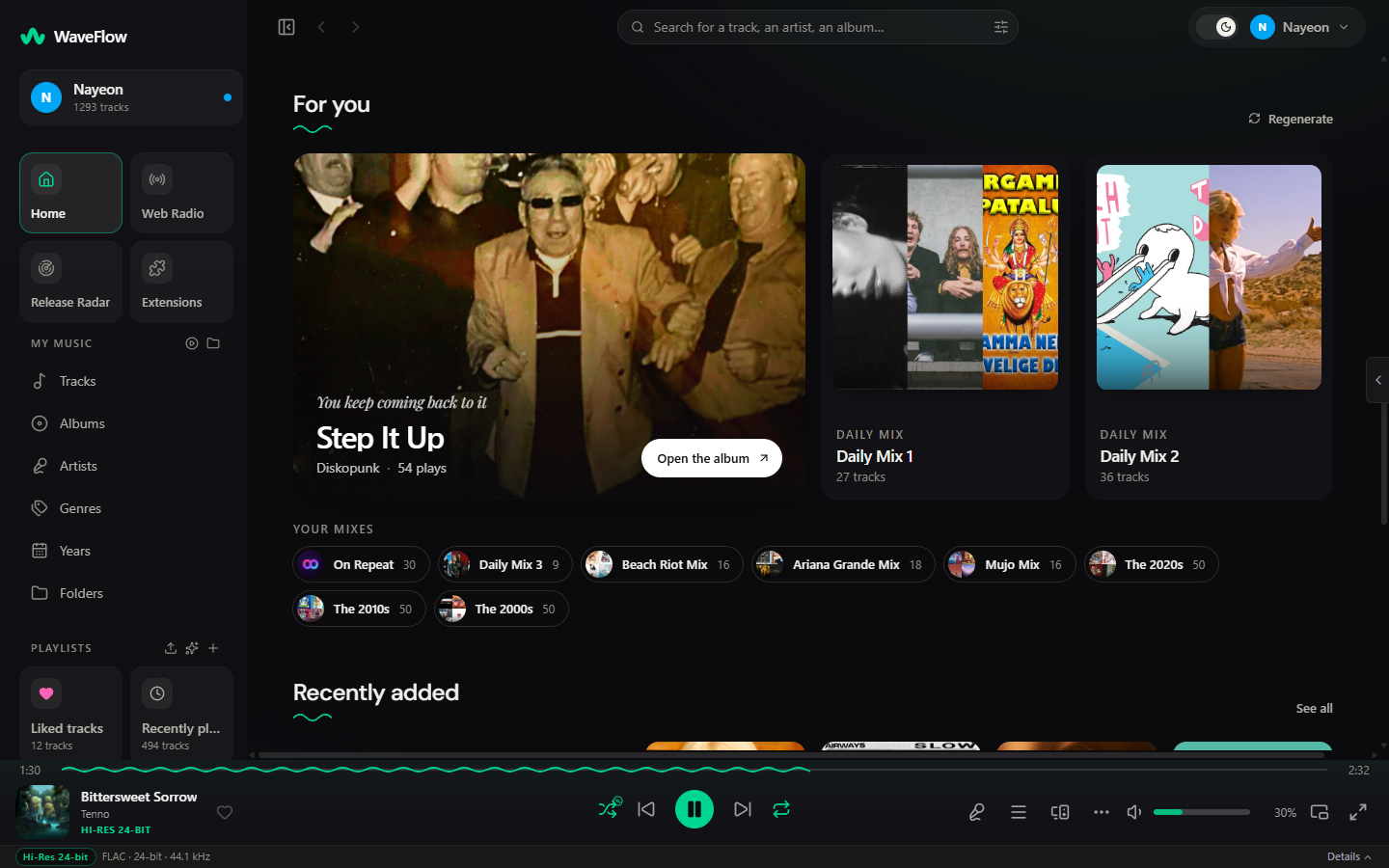 |
| Statistics · all computed on your machine | For you · Daily Mix, On Repeat, your own mixes |
Beyond the player
 |
 |
Questions
What is WaveFlow?
InstaZDLL/WaveFlow is a public repo on GitHub by InstaZDLL. 🌊 WaveFlow — a local-first music player for Windows, macOS & Linux. Hi-Res audio, AutoMix, word-synced lyrics, smart playlists, beautiful themes and plugins. No account or subscription.
Is WaveFlow open source?
It declares the GPL-3.0 license on GitHub.
Does WaveFlow run on macOS, Windows or Linux?
Its maker tagged it for macOS, Windows and Linux, or as Docker or cross-platform. That is declared by the maker; Take My Repo has not tested it.


