grid-based-fastSLAM
Grid-based Fast SLAM
- 6
- MIT
- 4 y ago
Repo bmaxdk/grid-based-fastSLAM, read from GitHub 10 min ago. bmaxdk has not joined Take My Repo.
In short
bmaxdk/grid-based-fastSLAM is a public repo on GitHub by bmaxdk. Grid-based Fast SLAM. It declares the MIT license on GitHub. It is written mainly in Makefile, has 6 stars and last changed on 2023-04-05. Nobody has reviewed it on Take My Repo yet, which says nothing about its quality. Read from GitHub on 2026-11-25.
Similar repos

grid-based-fastSLAM
Key* Grid-based Fast SLAM
Forms SLAM
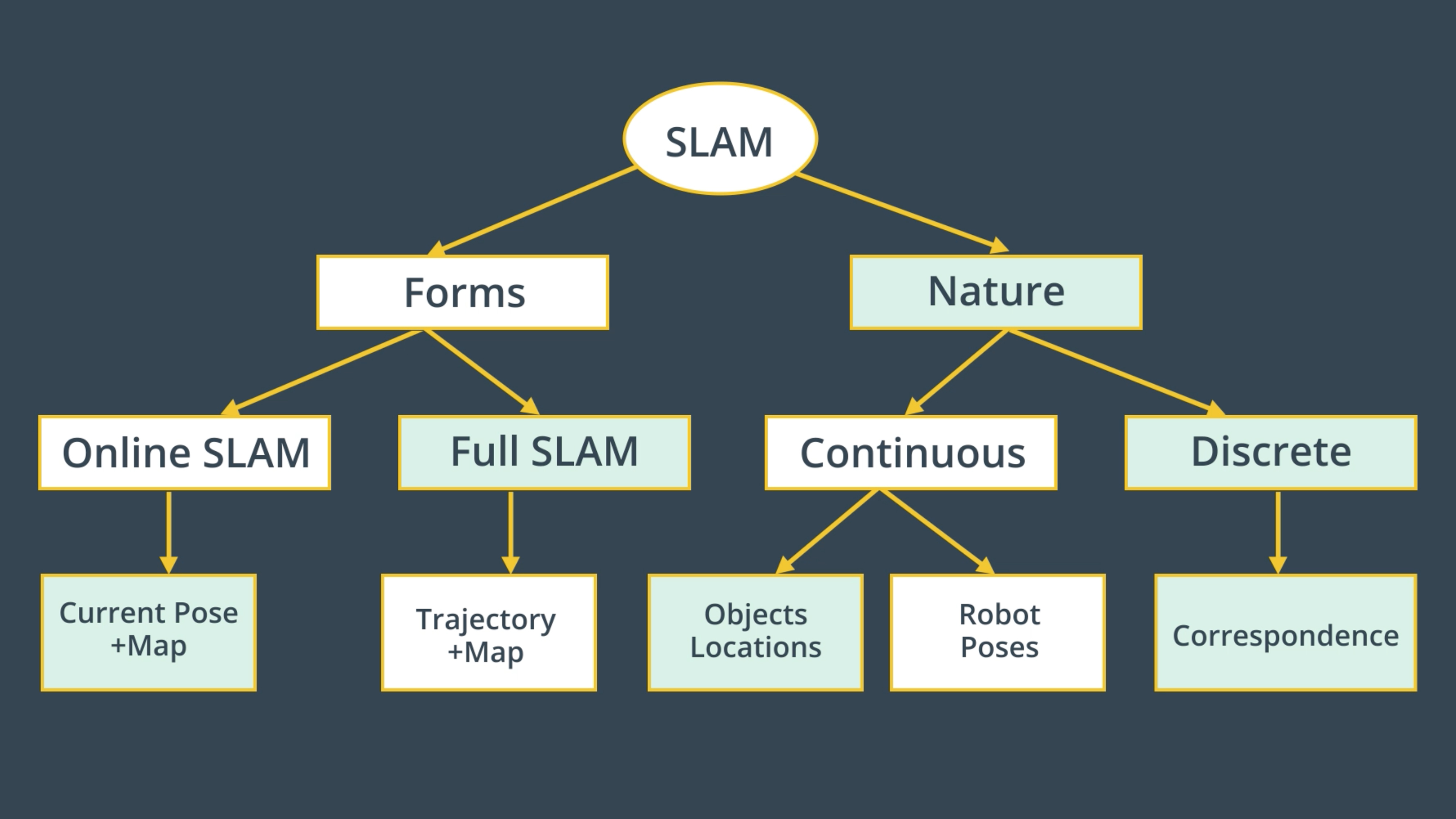
Online SLAM
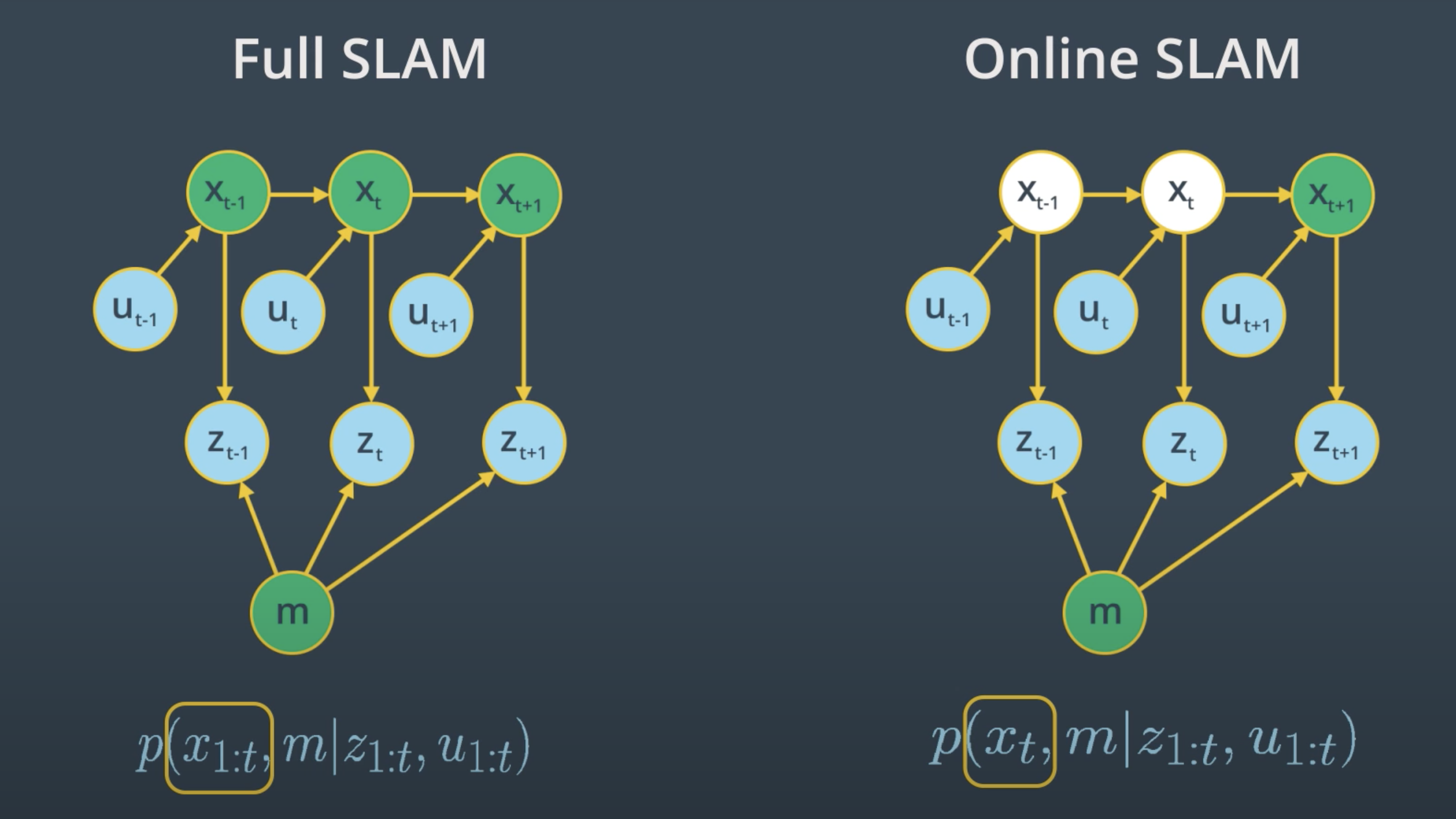 Probability equation: $p(x_{t} , m | z_{1:t} , u_{1:t})$
Thee posterior represented by the instantaneous pose $x_{t}$ and the map m given the measurements $z_{1:t}$ and controls $u_{1:t}$. In online SLAM, estimate the current pose and update the map give the current measurements and controls.
$x_{t}$ : the instantaneous pose
m : map
$z_{1:t}$ : measurements
$u_{1:t}$ : controls
Full SLAM (Offline SLAM0
Probability equation: $p(x_{1:t} , m | z_{1:t} , u_{1:t})$
Thee posterior represented by the robot's trajectory $x_{t}$ and the map m given the measurements $z_{1:t}$ and controls $u_{1:t}$. In Full SLAM, estimate the entire trajectory and update the map give the all the measurements and controls.
$x_{t}$ : the instantaneous pose
m : map
$z_{1:t}$ : measurements
$u_{1:t}$ : controls
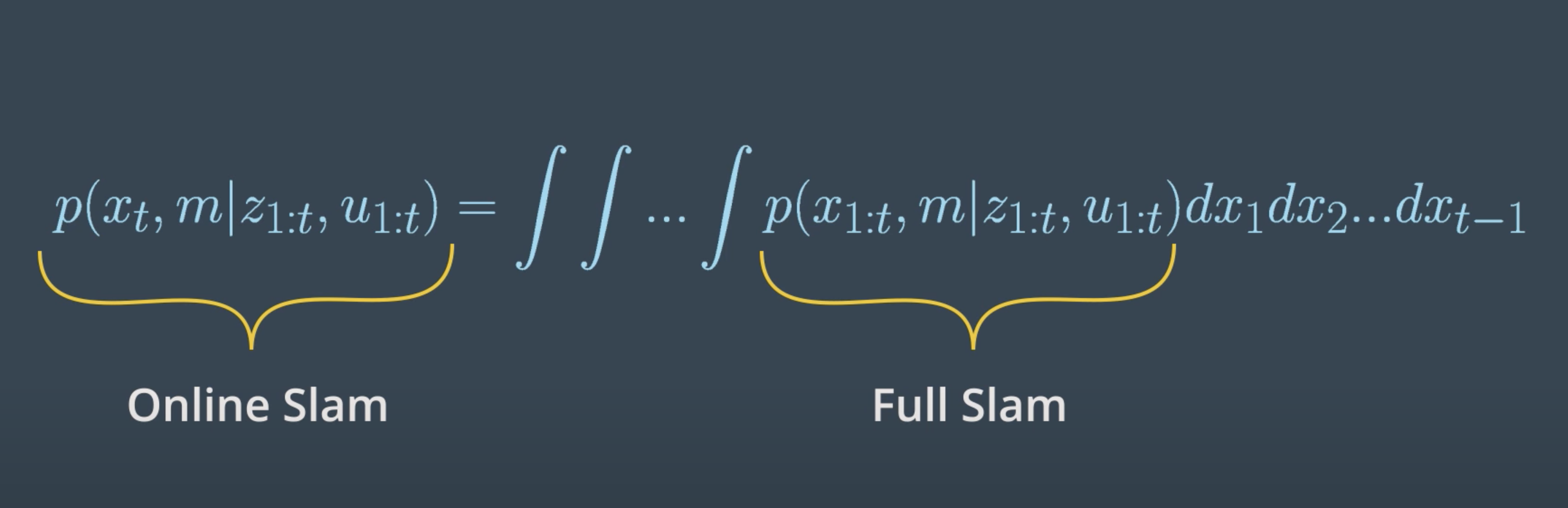
Nature of SLAM
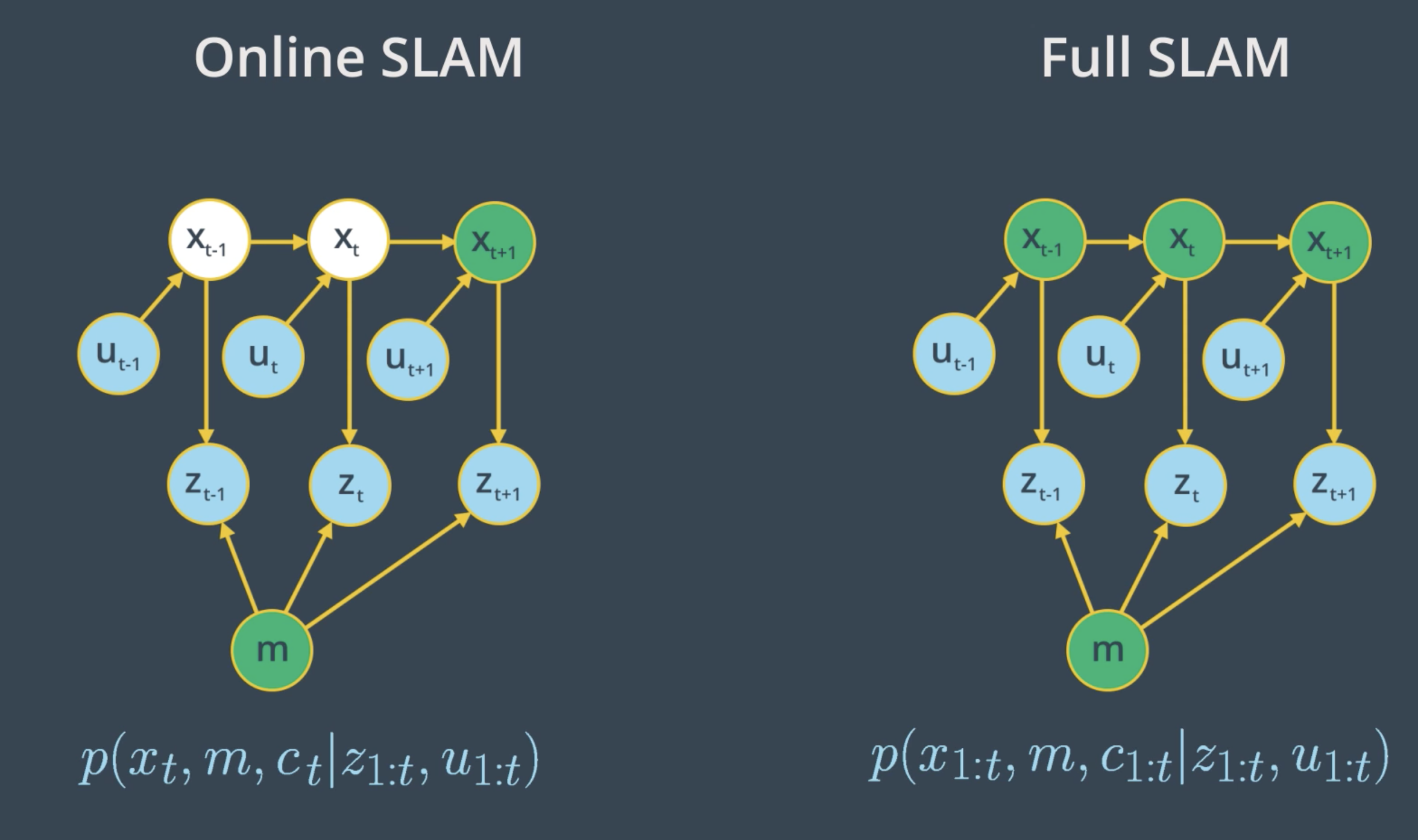
Continuous
A robot continuously collects odometry information to estimate the robot poses and continuously senses the environment to estimate the location of the object or landmark. Thus, both robots poses and object location are continuous aspects of the SLAM problem.
Discrete
robots continuously sense the environment to estimate the location of the objects, when doing so SLAM algorithms have to identify if a relation exists between any newly detected objects and previously detected ones. This helps the robot understand if it has been in this same location before. At each moment, the robot has to answer the question, “Have I been here before?”. The answer to this question is binary - either yes or no - and that’s what makes the relation between objects a discrete component of the SLAM problem.This discrete relation between objects is known by correspondence.

Correspondence
The FastSLAM algorithm solves the Full SLAM problem with known correspondences.
Estimating the Trajectory: FastSLAM estimates a posterior over the trajectory using a particle filter approach. This will give an advantage to SLAM to solve the problem of mapping with known poses.
Estimating the Map: FastSLAM uses a low dimensional Extended Kalman Filter to solve independent features of the map which are modeled with local Gaussian. The custom approach of representing the posterior with particle filter and Gaussian is known by the Rao-Blackwellized particle filter approach.
With the MCL, FastSLAM estimates the robot trajectory. With the Low-Dimensional EKF, FastSLAM estimates features of the map.
Fast SLAM
The main advantage of the FastSLAM algorithm is that it uses a particle filter approach to solve the SLAM problem. Each particle will hold a guess of the robot trajectory, and by doing so, the SLAM problem is reduced to mapping with known poses.
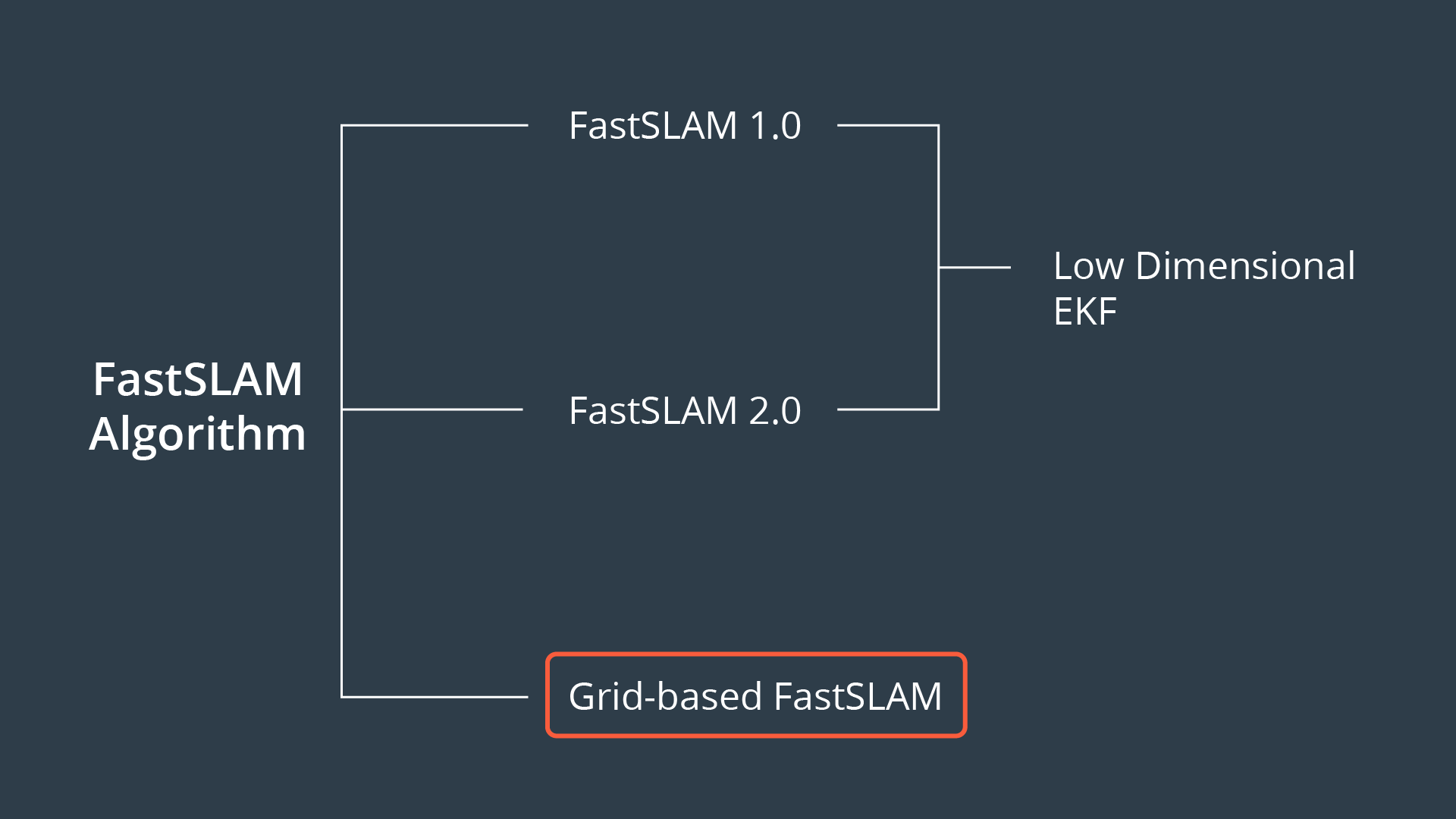
FastSLAM 1.0
It is simple and easy to implement. However, this algorithm is known to be inefficient since particle filters generate sample inefficiency.
FastSLAM 2.0
It overcomes the inefficiency of FastSLAM 1.0 by imposing a different distribution, which results in a low number of particles. Keep in mind that both of the FastSLAM 1.0 and 2.0 algorithms use a low dimensional Extended Kalman filter to estimate the posterior over the map features.
Both FastSLAM 1.0 and 2.0 algorithm presents a big disadvantage since it must always assume that there are known landmark positions, and thus with FastSLAM we are not able to model an arbitrary environment
Grid-based FastSLAM
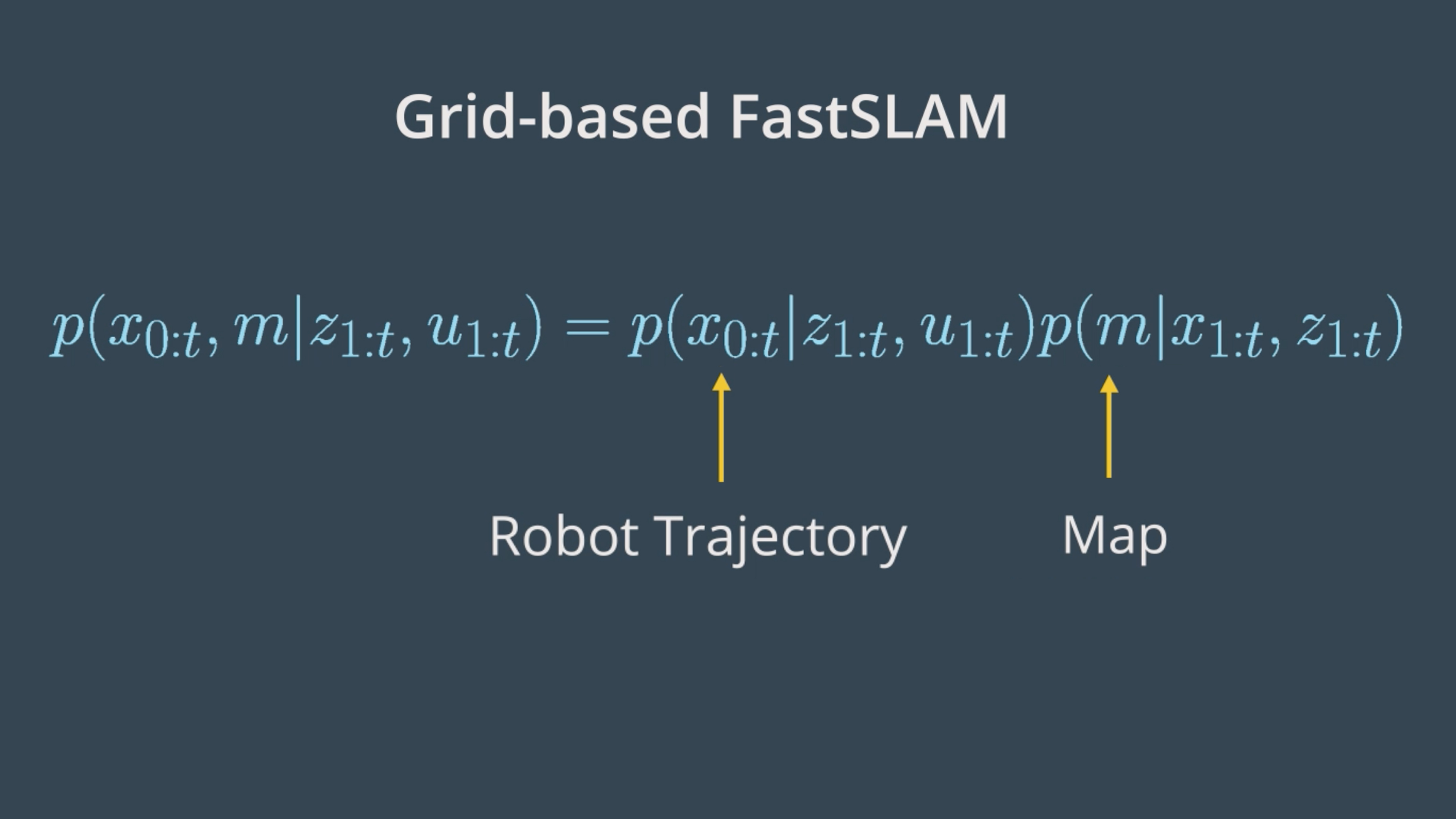 The third instance of FastSLAM is really an extension to FastSLAM known as the grid-based FastSLAM algorithm, which adapts FastSLAM to grid maps. The grid mapping algorithm you can model the environment using grid maps without predefining any landmark position. The Grid-based FastSLAM algorithm estimates the robot trajectory using the MCL. Then, the Grid-based FastSLAM algorithm estimates the map by assuming known poses and using the occupancy grid mapping algorithm.
Grid-based FastSLAM Techniques
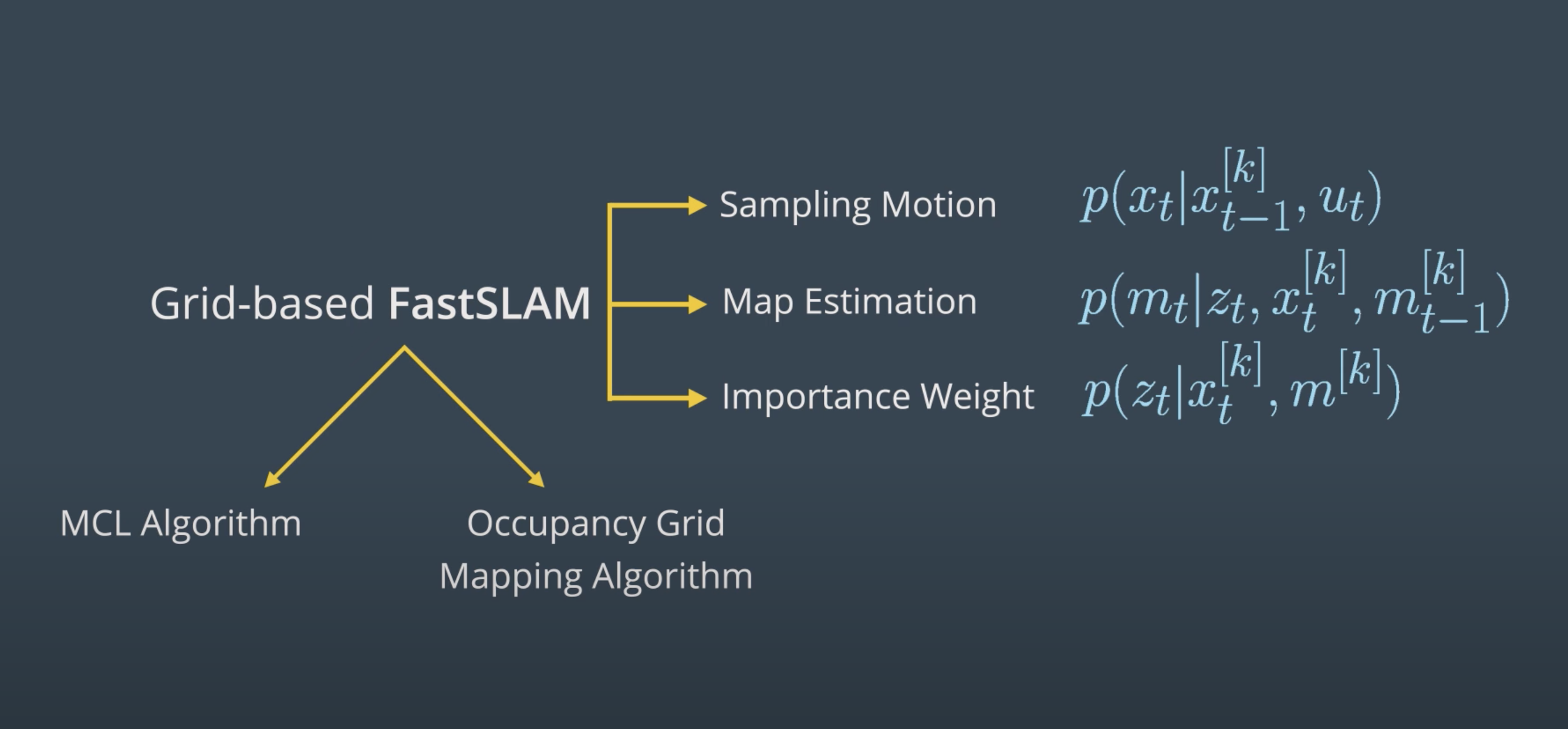
Sampling Motion $p(x_{t} | x_{t-1}^{[k]} , u_{t})$: Estimates the current pose given the k-th particle previous pose and the current controls u.
Map Estimation $p(m_{t} | z_{t}, x_{t}^{[k]} , m_{t-1}^{[k]})$: Estimates the current map given the current measurements, the current k-th particle pose, and the previous k-th particle map
Importance Weight $p(z_{t} | x_{t}^{[k]} , m^{[k]})$: Estimates the current likelihood of the measurement given the current k-th particle pose and the current k-th particle map.
The sampling motion and importance weight will be both solved with the MCL algorithm whereas the map estimation technique will be solved with the occupancy grid mapping algorithm.
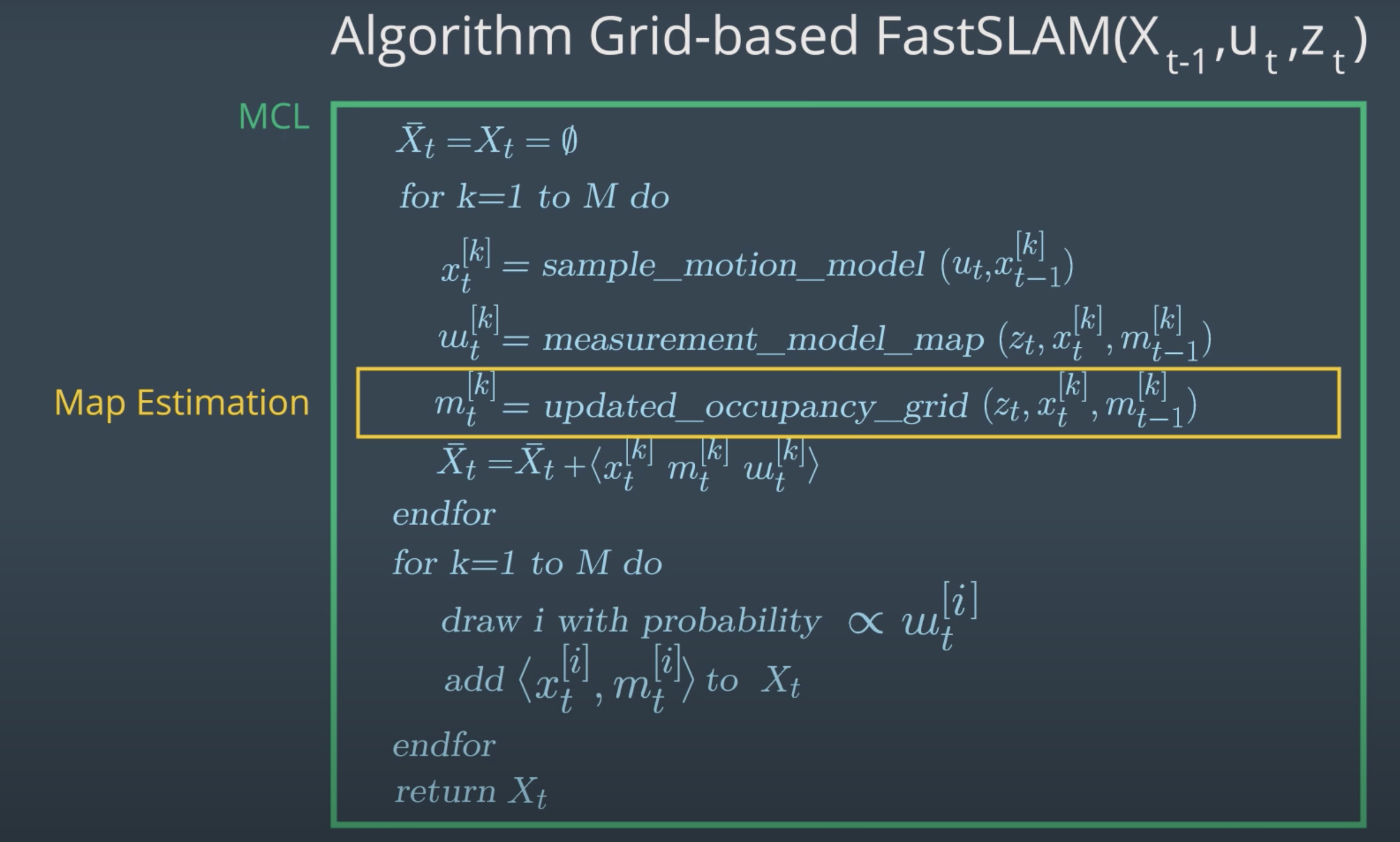
The Grid-based FastSLAM Algorithm:
Launch with Turtlebot for kinetic
Create a catkin_ws in /home/workspace/
$ mkdir -p /home/workspace/catkin_ws/src
$ cd /home/workspace/catkin_ws/src
$ catkin_init_workspace
$ cd ..
$ catkin_make
# Perform a System Update/Upgrade
$ sudo apt-get update
$ sudo apt-get upgrade -y
# Clone turtlebot_gazebo and turtlebot_teleop in src
$ cd src/
$ git clone https://github.com/turtlebot/turtlebot_simulator
$ git clone https://github.com/turtlebot/turtlebot
# Install packages dependencies

$ cd ..
$ source devel/setup.bash
$ rosdep -i install turtlebot_gazebo
$ rosdep -i install turtlebot_teleop
# Build the packages
$ catkin_make
$ source devel/setup.bash
# Deploying a Turltebot in a Willow Garage environment
$ roslaunch turtlebot_gazebo turtlebot_world.launch world_file:=worlds/willowgarage.world
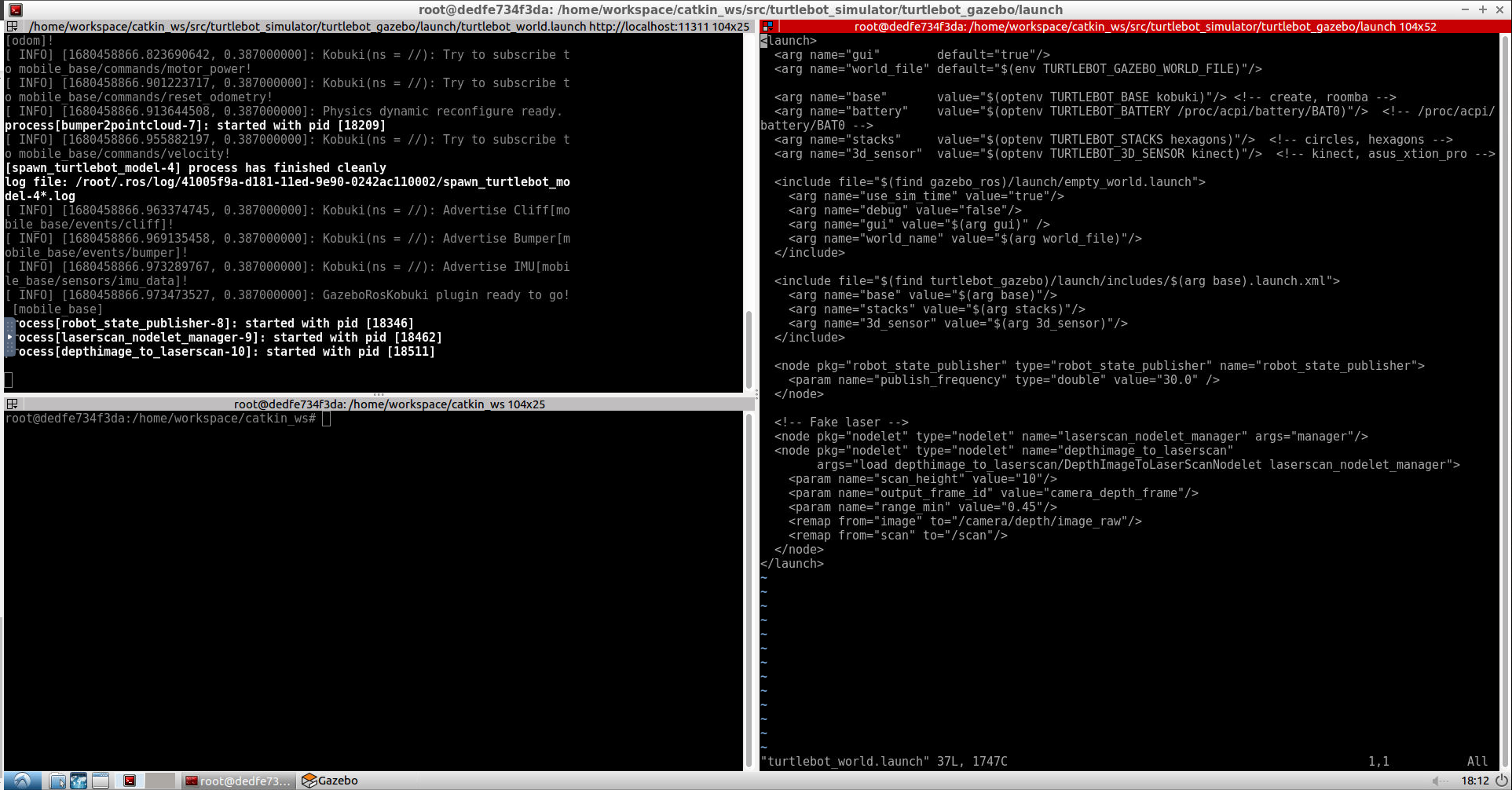
SLAM with ROS Kinetic
catkin workspace
$ cd /home/workspace/catkin_ws/src
$ git clone https://github.com/ros-perception/slam_gmapping
$ rosdep install gmapping
$ cd..
$ catkin_make
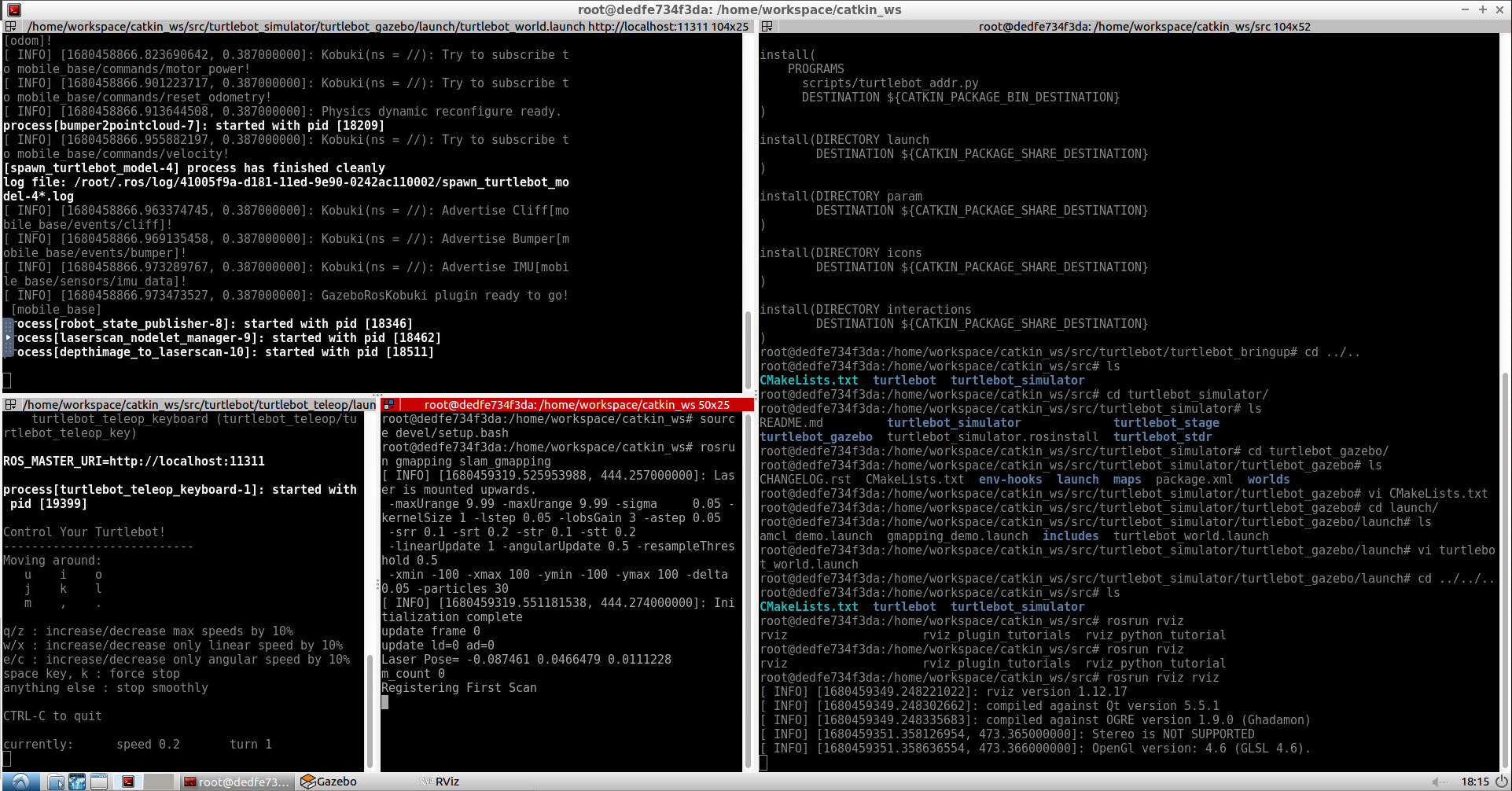
Terminal 1
Launch the turtlebot in a Willow Garage environment
$ cd /home/workspace/catkin_ws
$ source devel/setup.bash
$ roslaunch turtlebot_gazebo turtlebot_world.launch world_file:=worlds/willowgarage.world
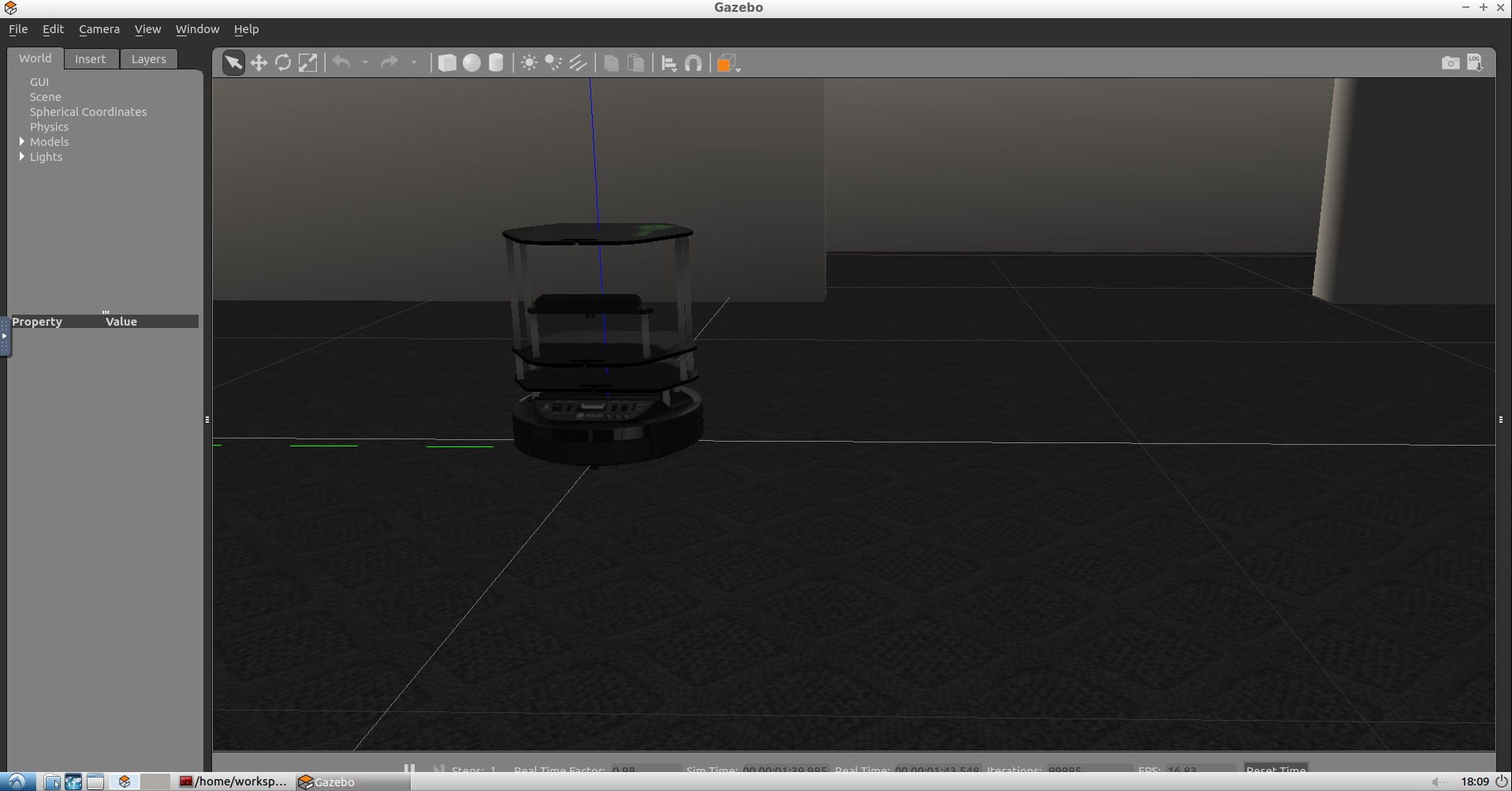
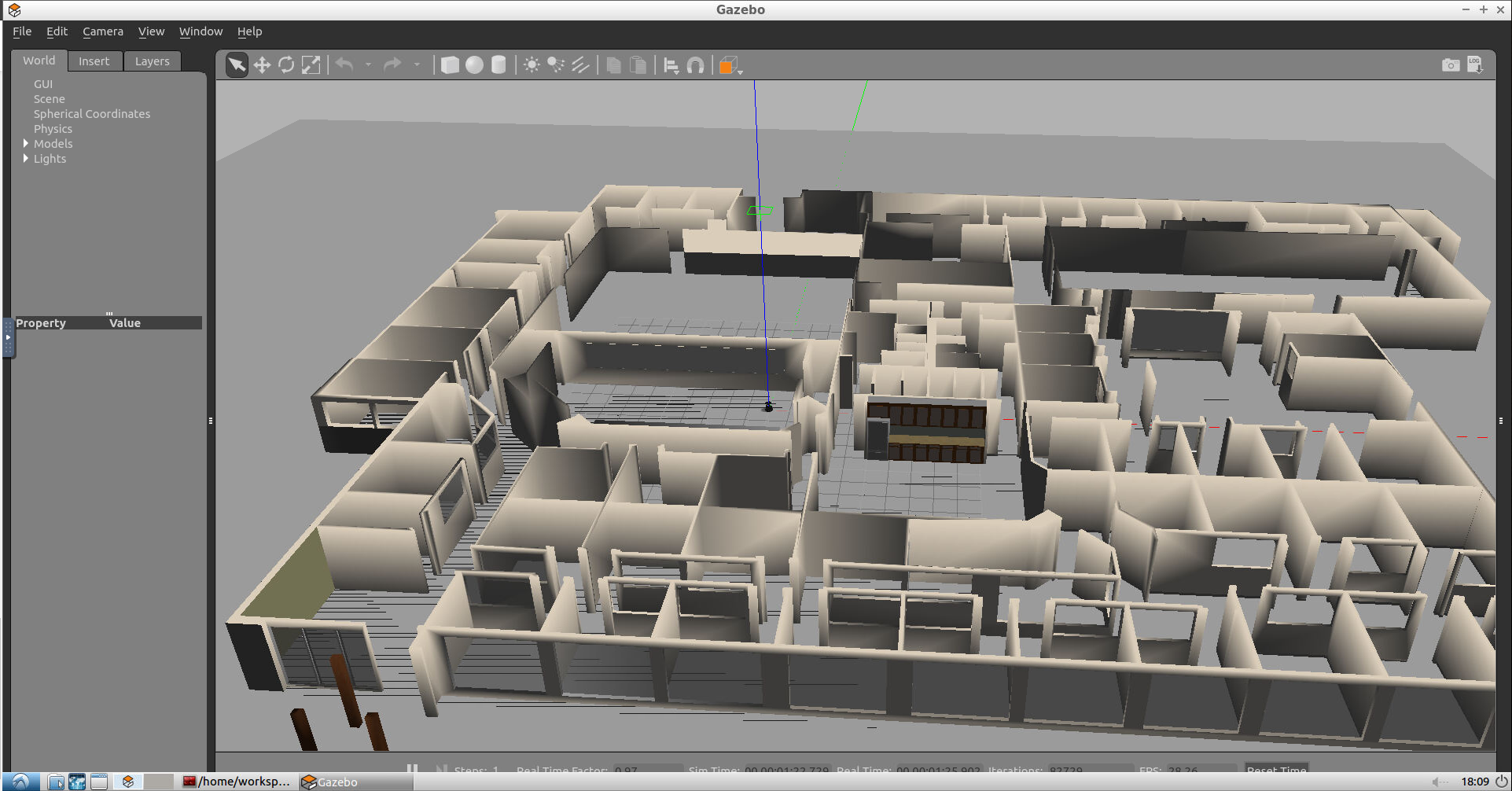 Terminal 2
Launch the keyboard teleop node
$ cd /home/workspace/catkin_ws
$ source devel/setup.bash
$ roslaunch turtlebot_teleop keyboard_teleop.launch
Terminal 3
Run the slam_gmapping node
$ cd /home/workspace/catkin_ws
$ source devel/setup.bash
$ rosrun gmapping slam_gmapping
Terminal 4
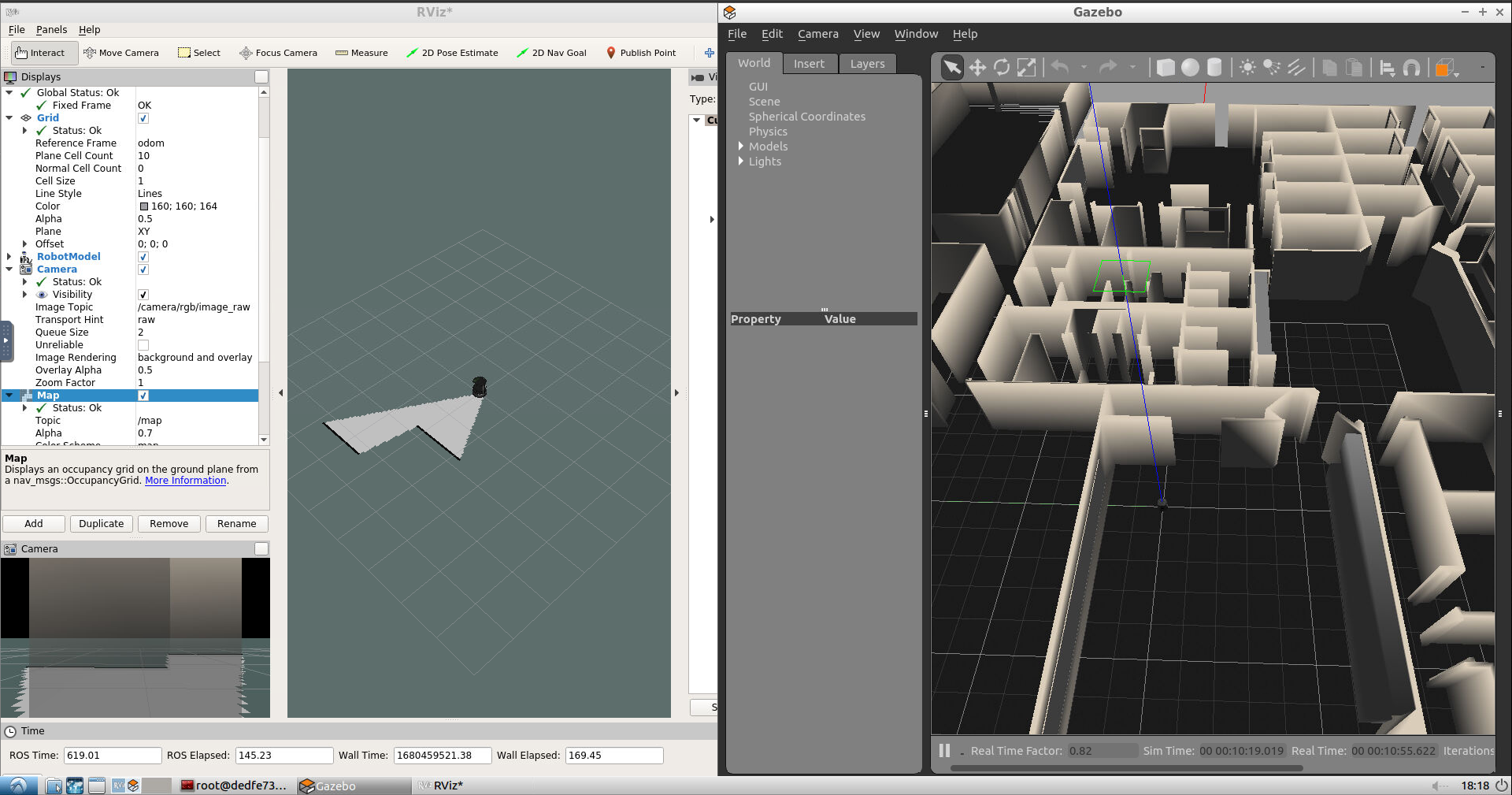 Run rviz and subscribe to different published topics to visualize the map
$ rosrun rviz rviz
Edit the rviz configuration as follows:
Change the Fixed Frame to map Keep Reference Frame as default Add a RobotModel Add a camera and select the /camera/rgb/image_raw topic Add a map and select the /map topic Now, map the environment by driving your robot using keyboard commands.
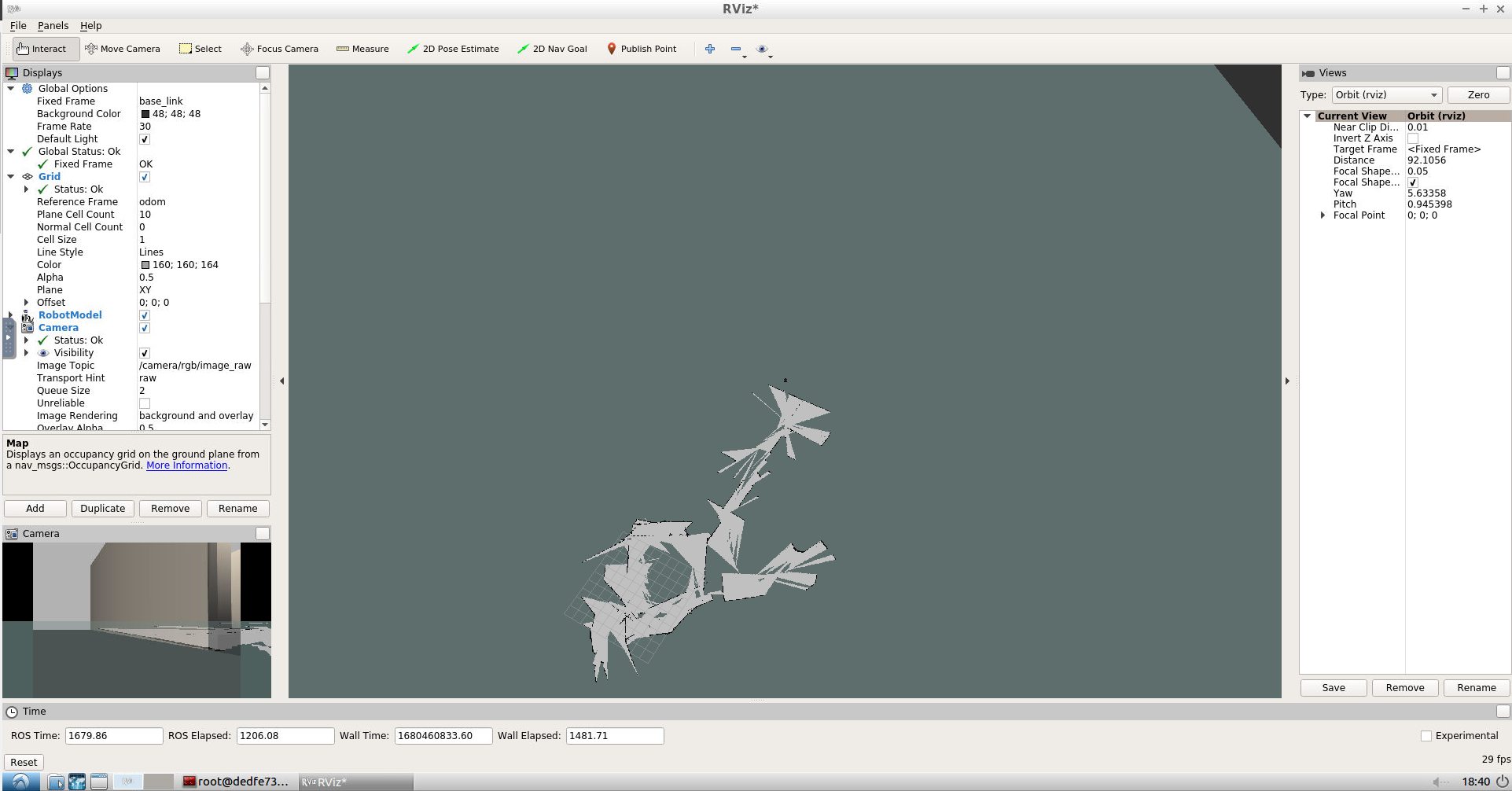
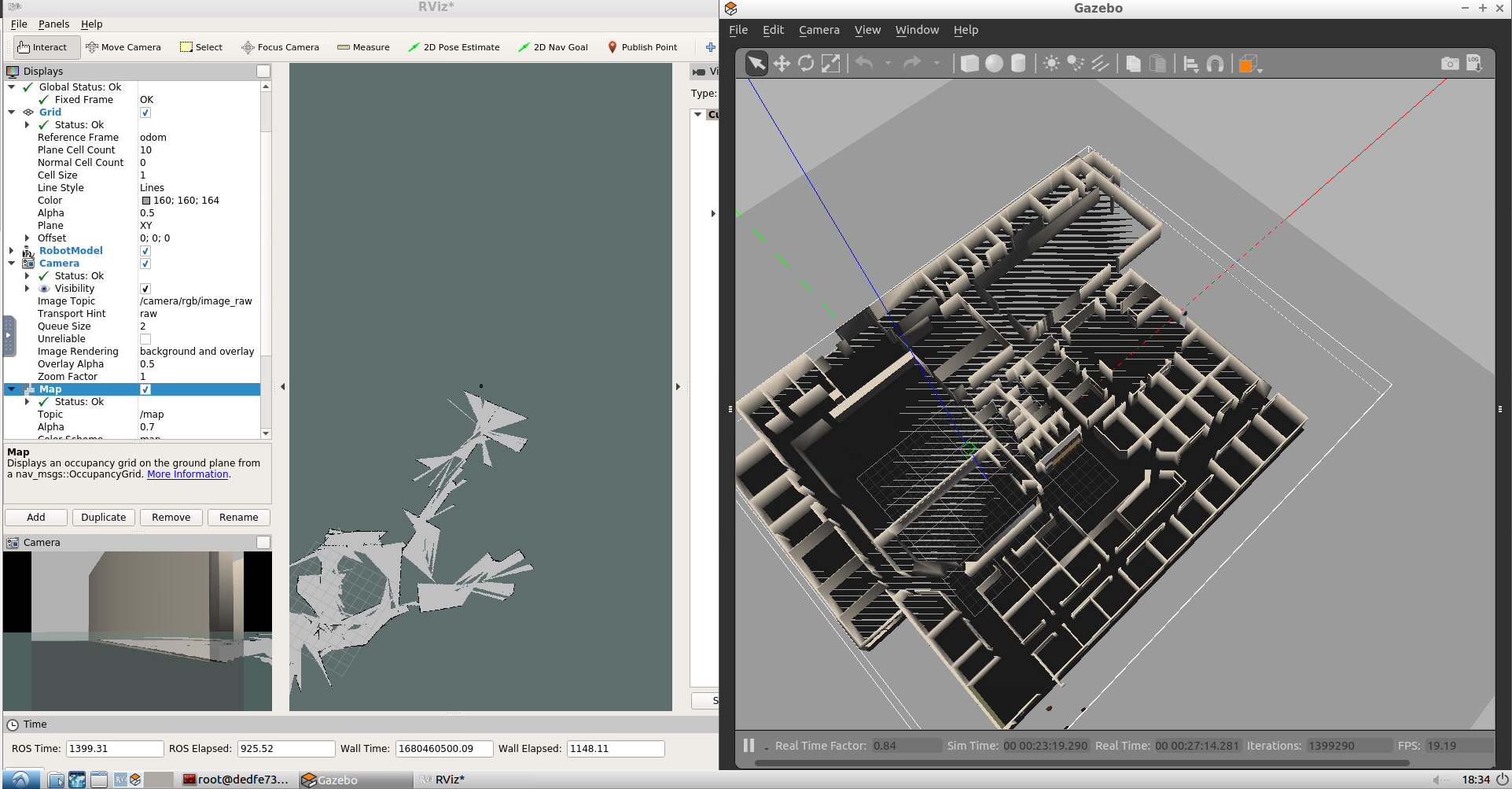 Terminal 5
Save a map of the environment and share it with your classmates
$ cd /home/workspace/
$ rosrun map_server map_saver -f myMap
With the map_server you can load and save maps. Running map_server will generate the map.pgm and the map.yaml files:
Launch with Turtlebot3 for noetic
gmapping ROS Package provides laser based SLAM catkin_ws
Turtlebot3 Gazebo Simulation
Install Simulation Package
$ cd ~/catkin_ws/src/
$ git clone -b noetic-devel https://github.com/ROBOTIS-GIT/turtlebot3_simulations.git
$ cd ~/catkin_ws && catkin_make
Launch Simulation World
- Empty World
$ export TURTLEBOT3_MODEL=burger
$ roslaunch turtlebot3_gazebo turtlebot3_empty_world.launch
- TurtleBot3 World
$ export TURTLEBOT3_MODEL=waffle
$ roslaunch turtlebot3_gazebo turtlebot3_world.launch
- TurtleBot3 House
$ export TURTLEBOT3_MODEL=waffle_pi
$ roslaunch turtlebot3_gazebo turtlebot3_house.launch
SLAM Simulation
Launch Simulation World
$ export TURTLEBOT3_MODEL=burger
$ roslaunch turtlebot3_gazebo turtlebot3_world.launch
Run SLAM Node
$ export TURTLEBOT3_MODEL=burger
$ roslaunch turtlebot3_slam turtlebot3_slam.launch slam_methods:=gmapping
Run Teleoperation Node
$ export TURTLEBOT3_MODEL=burger
$ roslaunch turtlebot3_teleop turtlebot3_teleop_key.launch
Save Map
$ rosrun map_server map_saver -f ~/map
Additional Package Source about turtlebot3
Questions
What is grid-based-fastSLAM?
bmaxdk/grid-based-fastSLAM is a public repo on GitHub by bmaxdk. Grid-based Fast SLAM.
Is grid-based-fastSLAM open source?
It declares the MIT license on GitHub.
Does grid-based-fastSLAM run on macOS, Windows or Linux?
Its maker has not tagged a system, so it is unknown here. Its README says what it needs.
How do I install grid-based-fastSLAM?
Open "Take it" on its page: Take My Repo writes an install plan for your machine and hands it to your AI agent (Claude Code, Codex or Cursor), which asks you before each step. Take My Repo has not tested it on any machine.