

nebular
:boom: Customizable Angular UI Library based on Eva Design System :new_moon_with_face::sparkles:Dark Mode
- 8.1k
- TypeScript
- MIT
- 10 mo ago
A beginners to advanced, building block-step by step guide to Google Angular. We will learn basic to pro Angular latest concepts like component, interpolation, SPA, data binding, Directives, ngFor, ngIf, Service, Pipes, Dependency Injection (DI), HTTP and Observables, Routing etc.
Repo dinanathsj29/angular7-step-by-step-tutorial, read from GitHub 2 h ago. dinanathsj29 has not joined Take My Repo.
dinanathsj29/angular7-step-by-step-tutorial is a public repo on GitHub by dinanathsj29. A beginners to advanced, building block-step by step guide to Google Angular. We will learn basic to pro Angular latest concepts like component, interpolation, SPA, data binding, Directives, ngFor, ngIf, Service, Pipes, Dependency Injection (DI), HTTP and Observables, Routing etc. It declares no license on GitHub. Public does not mean open source: without a license, nobody is granted the right to reuse it. It is written mainly in TypeScript, has 9 stars and last changed on 2023-01-05. Nobody has reviewed it on Take My Repo yet, which says nothing about its quality. Read from GitHub on 2026-11-25.
:boom: Customizable Angular UI Library based on Eva Design System :new_moon_with_face::sparkles:Dark Mode
🧬 Android DataBinding kit that enables notifying UI layers of data changes without requiring backing properties or relying on reactive programming models like LiveData and StateFlow.

Hi All, I'm Dinanath Jayaswal, Senior UI/Web Developer and Adobe Certified Expert Professional, I wanna welcome you to Angular7 step by step guide. In this course/tutorial will go over and learn all the fundamental building blocks of Angular, which a developer needs to know to get started developing Angular applications. Will cover from Node/NPM/Angular CLI Setup, Angular basic+advanced and common concepts like Components, Interpolation, Data Binding, Pipes, Services, Directives, Routing and Nativation, Forms, Http and Observables, etc.
This course is for anyone and everyone, Almost everyone! Fresher/Newcomer as well as experienced UI/frontend/Web Developers who are interested in boost skills and further career - by learning new latest dynamic JavaScript framework from Google to become a hi-tech developer.
Angular 1.0 (1.xx) is known as AngularJS, versions beyond 2+ are generally known as AngularA SPA (Single Page Application) is a website/web applications in which part of page reload asynchronously without loading/re-loading whole page/app. It contains the menu, navigations, buttons, and blocks on a single page, as-and-when a user clicks on any of them; it dynamically rewrites/loads the current page rather than loading entire new pages from a server and so it is reactive, fast and speedy. (Web apps that load a single HTML page and dynamically update that page as the user interacts with the app).
| Year | Version |
|---|---|
| AngularJs = year 2010 = v1.XX (1.0 version) | |
| Angular = year 2016 = Angular v2.0 and above (2/4/5/6/7 and coming future versions...) | |
| 2010 | Angular JS (Angular v1.XX versions) |
| 2016 | Angular v2.0 |
| Version v3.0 skipped to avoid routing version 3.3.0 | |
| 2016 December | Angular v4.0 |
| 2017 November | Angular v5.0 |
| 2018 April | Angular v6.0 |
| 2018 October | Angular v7.0 |
| AngularJs | Angular |
|---|---|
| Angular is a complete rewrite of AngularJS | |
AngularJS is the name of the first version of v1.XX (1.0 version). |
Angular is the name of the Angular's version beyond 2+ (Angular v2.0 and above i.e. 2/4/5/6/7 and coming future angular versions...) |
AngularJS is a JavaScript based open-source front-end web application framework. |
Angular is a JavaScript/TypeScript/Dart based open-source front-end web application framework. |
AngularJS uses the concept of scope($scope) or controller. |
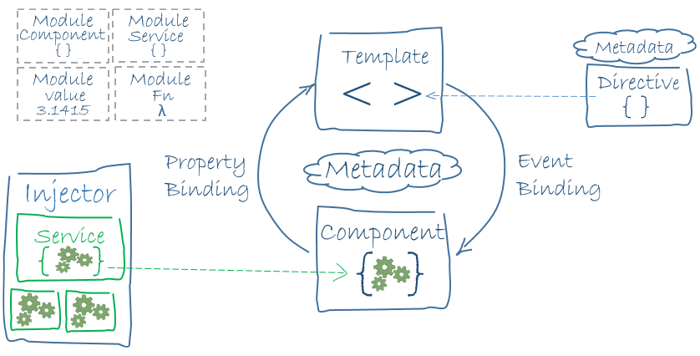
Angular uses a hierarchy of components as its primary architectural base. |
AngularJS has a simple syntax and uses to work with different directives like ng-app, ng-init, ng-model, ng-for etc. |
In Angular syntax have been changed as it uses [ ] for property binding, and ( ) for event binding. |
Semantic Versioning SystemSemantic Versioning System = Major.Minor.Fix Patch, example: 0.0.1
Fix Patch - can increase any time with bug fixes/patch releaseMinor version - increases with every feature release which does not break any functionalitiesMajor version - Break in the functionalities/ extraordinary feature achievementsBasic familiarity with HTML, CSS and JavaScript is must.
In this section, we will learn how to set up a local development environment to start developing Angular apps.
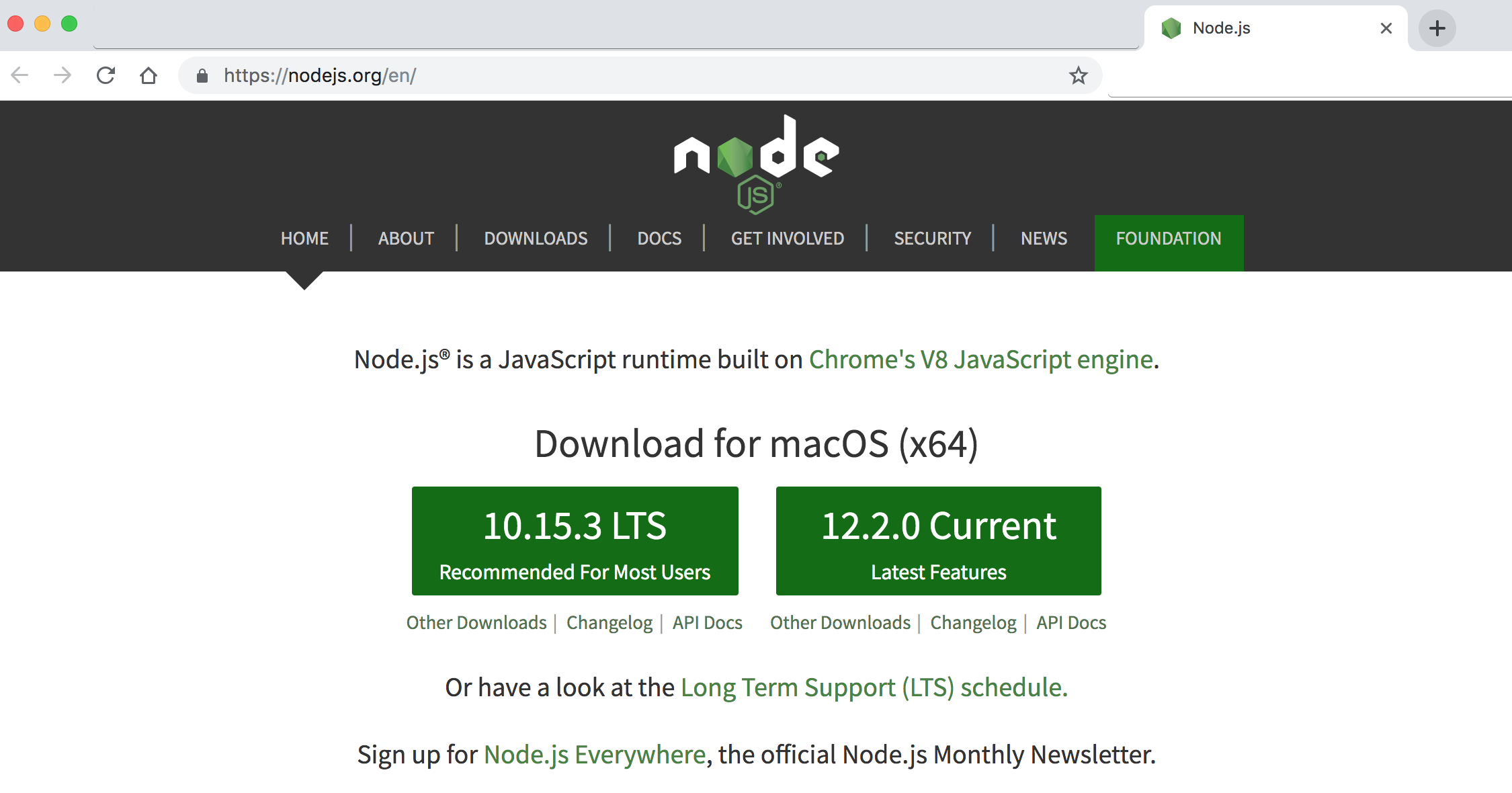
Node, (website: https://nodejs.org/en)NPM, (Node Package Manager - comes inbuilt with Node)Angular CLI = Command Line Interface, Angular CLI (Command Line Interface) for angular (website: https://cli.angular.io/),
Text Editor

node -v / node --version OR npm -v / npm --versionnpm install -g @angular/cli (it will install Angular CLI globally)
ng -v OR ng --version, you can also verify angular CLI installation by command: ng OR ng --helpng new project/appName example: command: ng new angular6-1-democd angular6-1-demong serve OR ng serve -o OR ng serve --openlocalhost:4200node -v OR node --versionnpm -v OR npm --versionnpm install -g @angular/cling -v OR ng --version (this command displays details of a node, npm, and other angular package versions)ng OR ng --helpCTRL + BackTick OR COMMAND + J)ng new project/appName example: command: ng new angular6-1-democd angular6-1-demo OR cd appNameng serve / npm start OR ng serve -o OR ng serve --openng serve --port 5000localhost:4200 / 5000CTRL + BackTick OR COMMAND + J)cd _examples-angular6-1-demo OR cd appNamenpm install to install project/app dependencies (node_modules)ng serve / npm start OR ng serve -o OR ng serve --openng serve --port 5000localhost:4200 / 5000Angular app: (Show graphical representation of src -> app -> components folder)
Angular Application Root Module is AppModule (app.module.ts) Modules are lines of code which can be IMPORTed or EXPORTed
Components - .HTML Template + .ts Class + .CSS
Angular Application Root (bootstrapped) component is AppComponent (app.comoponent.ts)Services - Class which consists of Business logic (common programming feature used throughout the application)dinanathsj29/angular7-step-by-step-tutorial is a public repo on GitHub by dinanathsj29. A beginners to advanced, building block-step by step guide to Google Angular. We will learn basic to pro Angular latest concepts like component, interpolation, SPA, data binding, Directives, ngFor, ngIf, Service, Pipes, Dependency Injection (DI), HTTP and Observables, Routing etc.
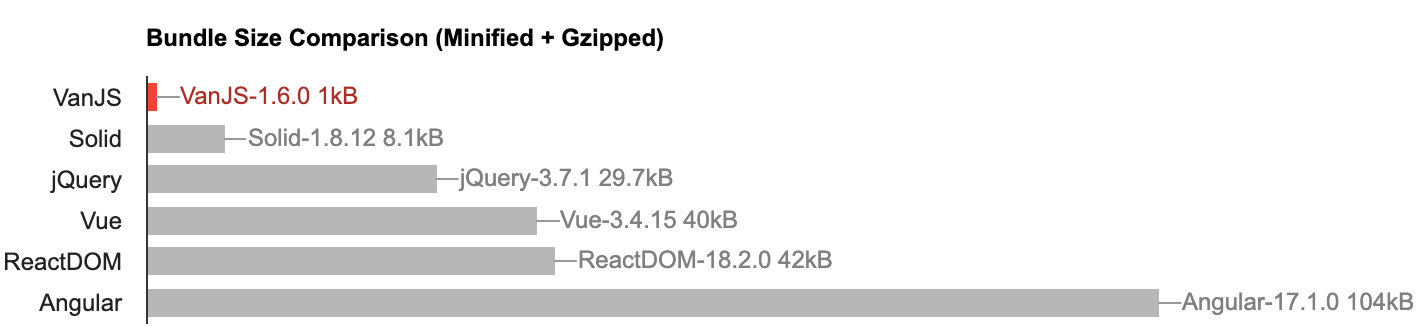
🍦 VanJS: World's smallest reactive UI framework. Incredibly Powerful, Insanely Small - Everyone can build a useful UI app in an hour.
📝 🐕 Are you losing sanity every time you need to make a form? Are you have enough of all antipatterns and cursed frameworks in React? Screw that! Treat all forms and inputs as a recursive composable control!
It declares no license on GitHub. Public does not mean open source: without a license, nobody is granted the right to reuse it.
Its maker has not tagged a system, so it is unknown here. Its README says what it needs.
Open "Take it" on its page: Take My Repo writes an install plan for your machine and hands it to your AI agent (Claude Code, Codex or Cursor), which asks you before each step. Take My Repo has not tested it on any machine.
Its last change on GitHub was on 2023-01-05. GitHub counts 10 open issues and pull requests. Take My Repo does not judge from that whether it is maintained.
Nobody has reviewed it on Take My Repo yet, which says nothing about its quality.
Take My Repo cannot say: it does not audit code and has not run angular7-step-by-step-tutorial. What is known comes from GitHub. It declares no license on GitHub. Public does not mean open source: without a license, nobody is granted the right to reuse it. Its last change was on 2023-01-05. It has 9 stars, which measure popularity, not safety. Nobody has reviewed it on Take My Repo yet, which says nothing about its quality. Read the source before you run it. With "Take it", your AI agent shows each step and asks you before running it; README text is treated as data, not as instructions.