Description:
In this course, let us learn and use Grunt-the JavaScript Task Runner, which helps to Architect, Practice, and Automate your development workflow so we can build app/projects/websites faster.
Grunt is a command-line task automation tool that speeds up development workflow by taking all the repetitive grunt work out of work.
Topics (separate with spaces):
Add topics to categorize your repository and make it more discoverable.
- grunt
- grunt-javascript-task-runner
- grunt-cli
- grunt-task
- gruntjs
- gruntfile-gruntfilejs
- grunt-configuration
- grunt-plugins
- grunt-gulp-webpack
- grunt-automate-development-workflow
- grunt-uglify
- grunt-cssmin
- grunt-htmlmin
- grunt-imagemin
- grunt-sass
- grunt-concat
- grunt-contrib
- grunt-source-to-target-copy
- grunt-watch
- grunt-node-npm-package


Grunt - The JavaScript Task Runner
Automate Workflow with Grunt
- Grunt is a
task-based command line build tool for JavaScript projects
- Grunt JS is a
JavaScript task automation tool which make life better/easier
- Grunt is a command-line task automation tool that speeds up development workflow by taking all the repetitive
grunt work out of work
Grunt is a JavaScript Task Runner which can be used as a command-line tool for JavaScript objects, It is a task manager written on top of NodeJS, helps to automate front end workflow to Build app/project/websites faster.
Welcome
Hi All, I'm Dinanath Jayaswal, Senior UI/Web Developer and Adobe Certified Expert Professional, I wanna welcome you to Grunt - The JavaScript Task Runner (Automate Workflow with Grunt) tutorial for all.
About the Course/Tutorial
In this course, let us learn and use Grunt-the JavaScript Task Runner, which helps to Architect, Practice, and Automate your development workflow so we can build app/projects/websites faster.
Grunt is a command-line task automation tool that speeds up development workflow by taking all the repetitive grunt work out of work.
What will learn and cover
Welcome to the new tutorial series on Grunt - The JavaScript Task Runner (Automate Workflow with Grunt).
In this introductory Angular Material module will have a look and learn:
- Understand what is Grunt, How to install/setup and use Grunt
- Use Grunt to automate everyday development tasks
Who is this for? Audience
This Course/Tutorial is ideal for:
- Freshers
- Intermediates
- Web Designers and Developers, Front-End/UI Designers and Developers
- Developer who wants to configure Grunt efficiently for project
- An architect who wants to industrialize automation, or just want to move repetitive tasks away
- Any coder looking to be more efficient when programming or developing with JavaScript
- Candidates desire to learn new techniques to improve skills
- Anyone want to be more productive writing/using with JavaScript libraries and external utilities
- Front-end developer who wants to streamline the development workflow with an automated build system
Course/Tutorial achievement
Course/Tutorial Goal
After completing/attending/finishing this Course/Tutorial, participants should be able to:
- Understand What, Why and How to use Grunt
- Install/Setup Grunt
- Minify / Concatenate / Combine files
- Generating automated Grunt Build
- Understand Best coding/programming practices for minification
Prerequisites for current course / What you need to know
- Node / NPM
- Terminal - Unix / DOS terminal
- Participants need to know and have Basic/Intermediate knowledge of HTML/HTML5, CSS/CSS3 or JavaScript
- JavaScript (good to know - understand the basis of JavaScript)
- How to use a text editor such as Notepad++, Sublime Text and/or IDE like Visual Studio Code
- Some programming background or Coding knowledge is preferred
Topics included/covered
- Introduction to Grunt
- Understand Minify Minification
- Installation and Setup
- Using Grunt
- Demo and Resources
1 Introduction to Grunt
1.1. Grunt-The JavaScript Task Runner
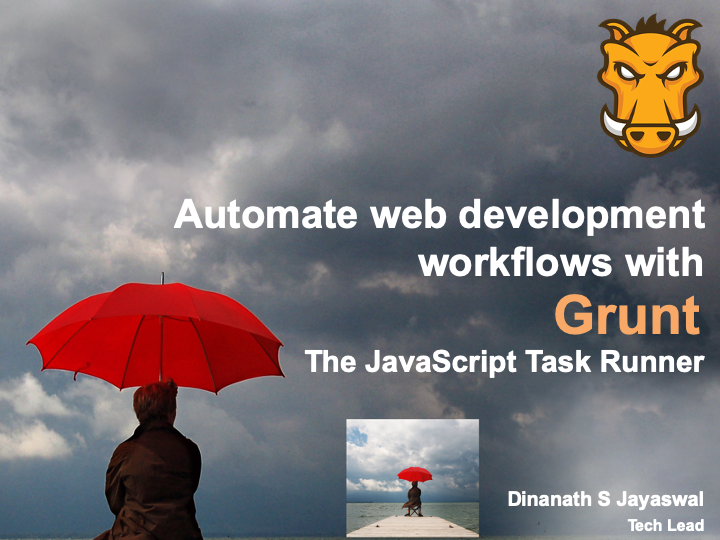
Image - Grunt-The JavaScript Task Runner - Banner
1.2. Welcome

Image - Grunt-The JavaScript Task Runner - Welcome
1.3. Agenda
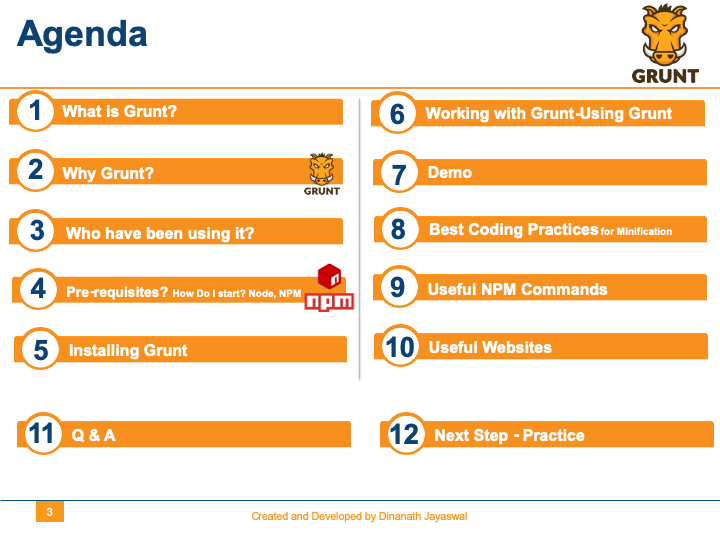
Image - Grunt-The JavaScript Task Runner - Agenda
1.4. What You will Learn
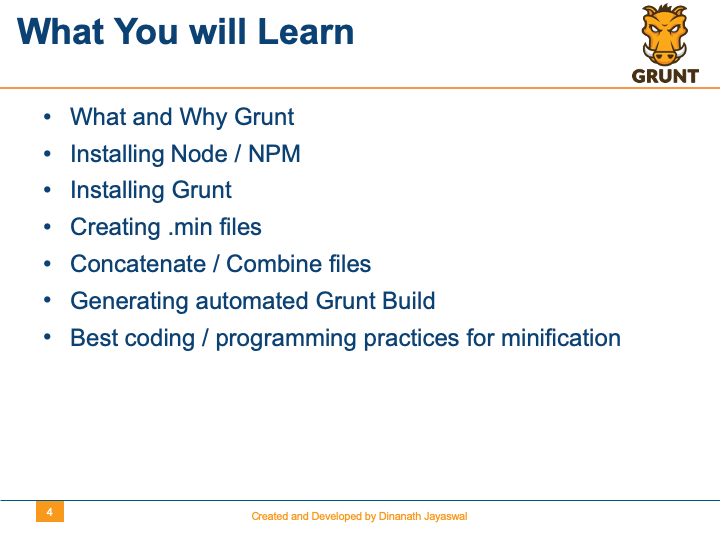
Image - Grunt-The JavaScript Task Runner - What You will Learn
1.5. General Web-UI Development Tasks
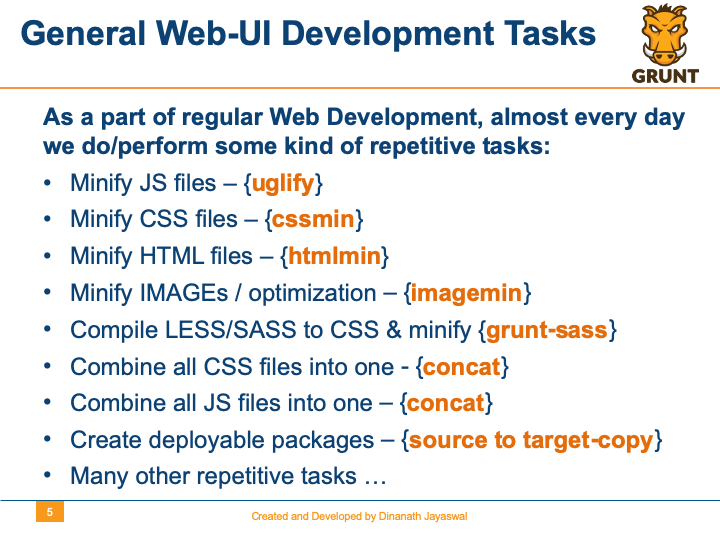
Image - Grunt-The JavaScript Task Runner - General Web-UI Development Tasks
1.6. Automating Tasks-different approach
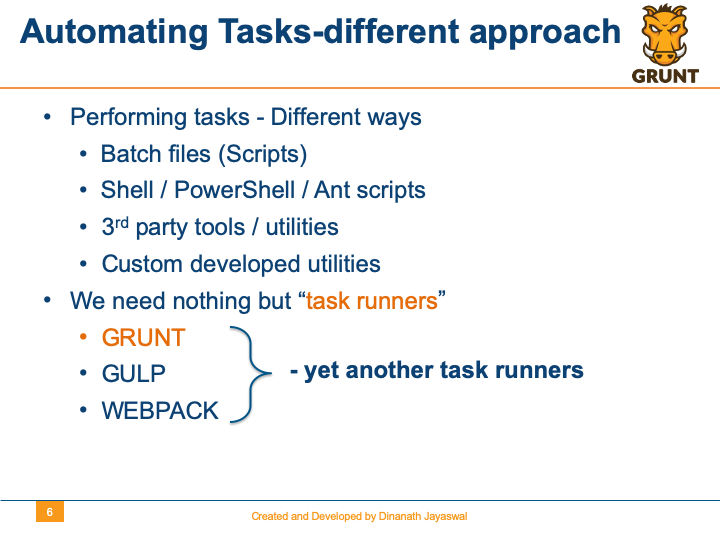
Image - Grunt-The JavaScript Task Runner - Automating Tasks-different approach
1.7. What is Grunt?
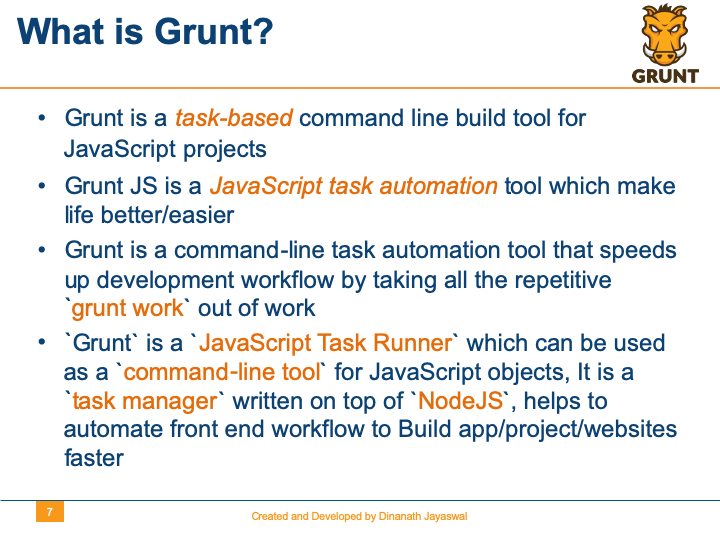
Image - Grunt-The JavaScript Task Runner - What is Grunt?
1.8. Task based-Task Automation
Image - Grunt-The JavaScript Task Runner - Task based-Task Automation
1.9. What does a task runner do?
Image - Grunt-The JavaScript Task Runner - What does a task runner do?
1.10. Why Grunt?
Image - Grunt-The JavaScript Task Runner - Why Grunt?
1.11. Who have been using it?
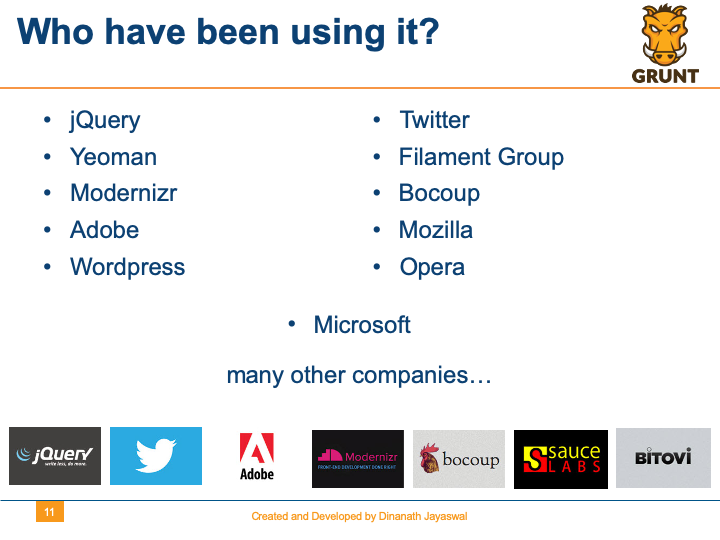
Image - Grunt-The JavaScript Task Runner - Who have been using it?
1.12. Task runners-Tools popular in market
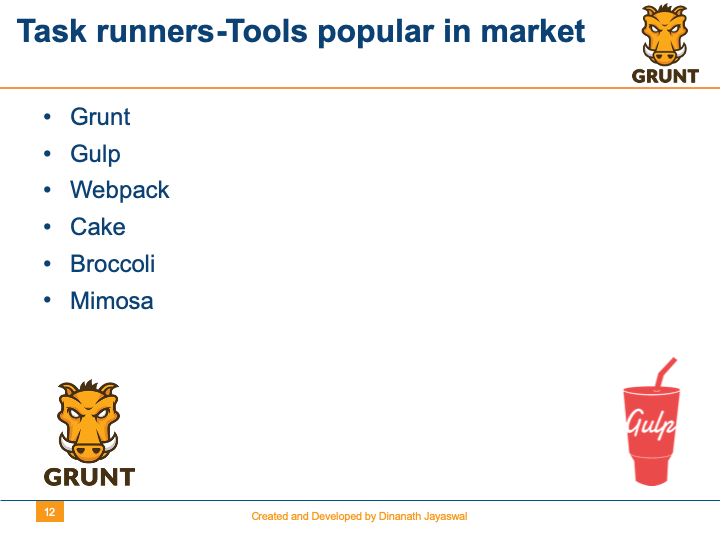
Image - Grunt-The JavaScript Task Runner - Task runners-Tools popular in market
1.13. Build System around us
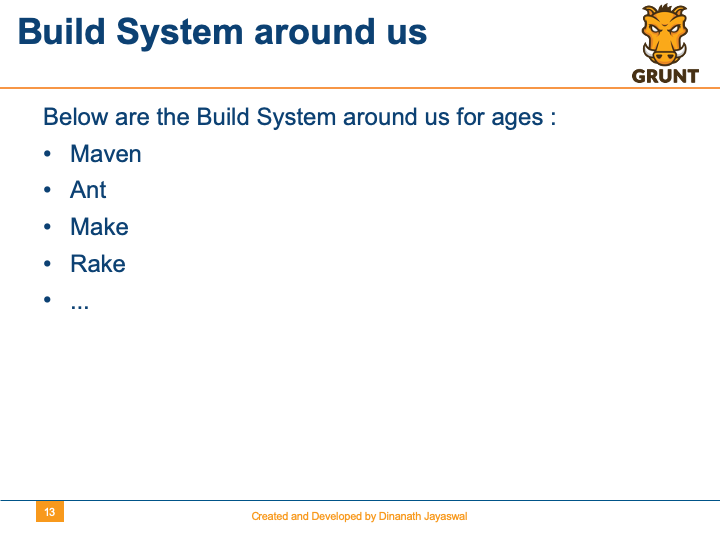
Image - Grunt-The JavaScript Task Runner - Build System around us
2 Understand Minify Minification
2.1. Why Minify? Advantages of Minification
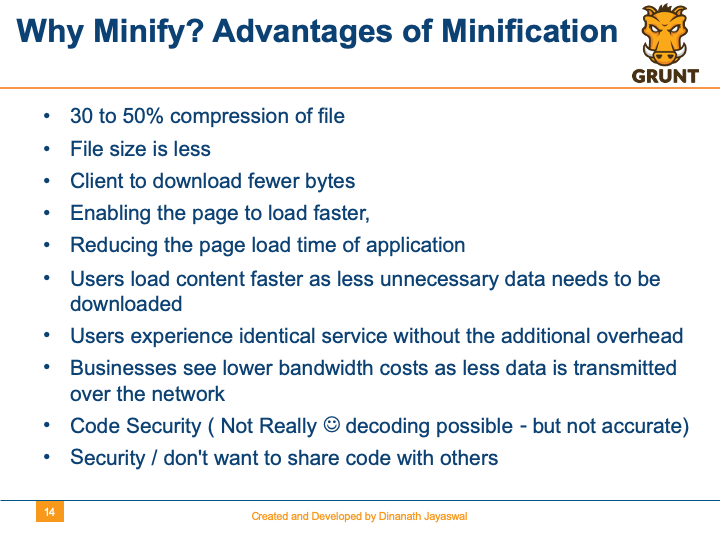
Image - Grunt-Why Minify? Advantages of Minification
2.2. Difference-Normal and Minified code
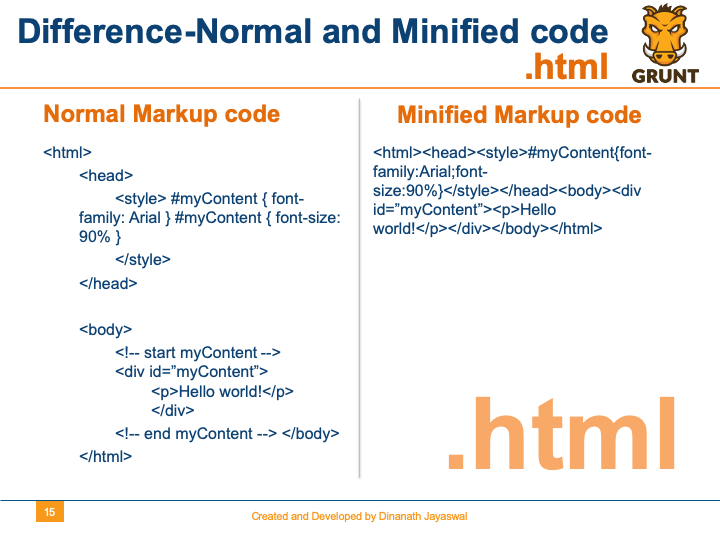
Image - Grunt-The JavaScript Task Runner - Difference-Normal and Minified code
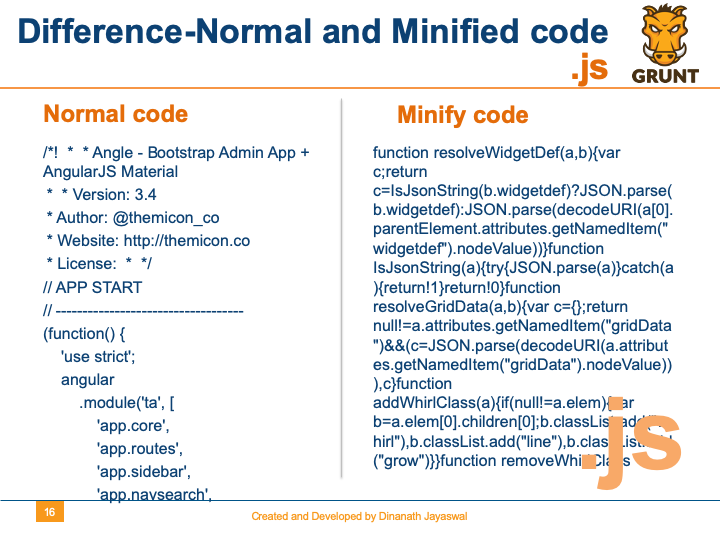
Image - Grunt-The JavaScript Task Runner - Difference-Normal and Minified code
3 Installation and Setup
3.1 Pre-requisites? How Do I start? Node-NPM
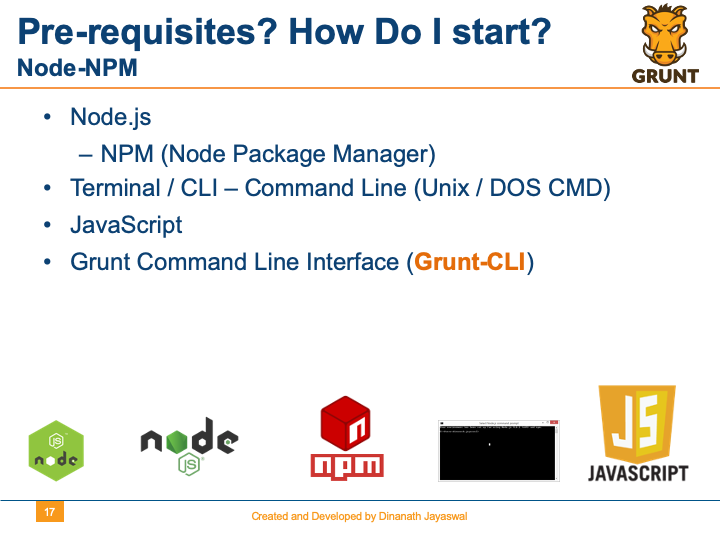
Image - Grunt-The JavaScript Task Runner - Pre-requisites? How Do I start? Node-NPM
3.2 NODE-NODEJS
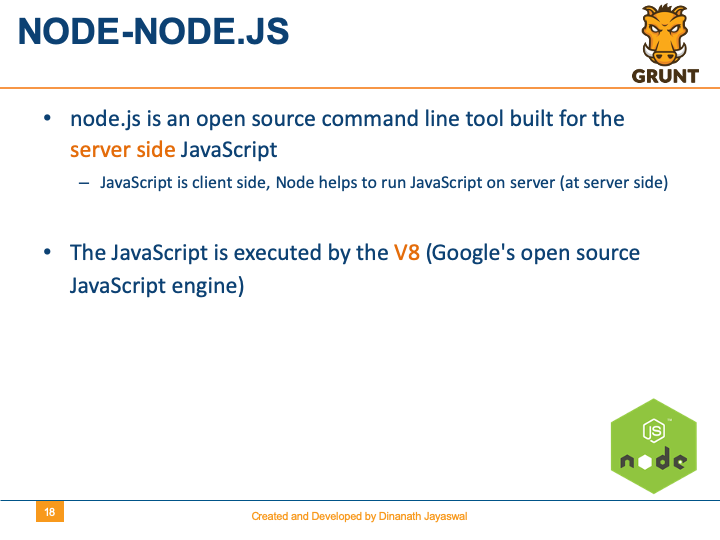
Image - Grunt-The JavaScript Task Runner - NODE-NODEJS
3.3 NPM
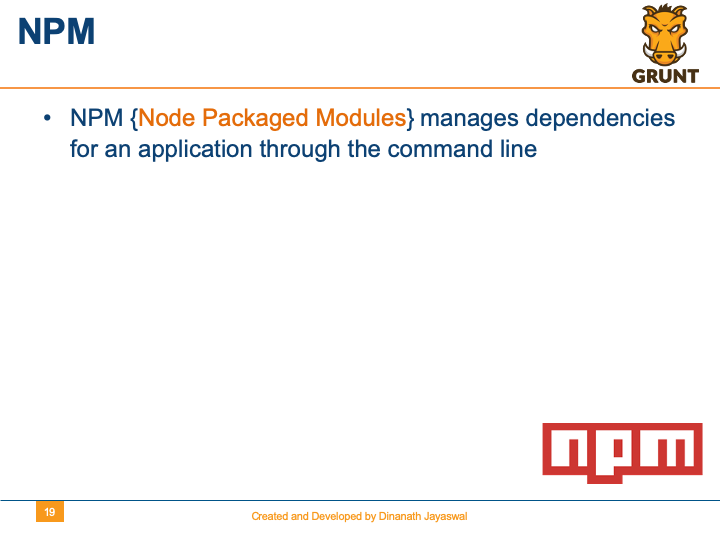
Image - Grunt-The JavaScript Task Runner - NPM
3.4 Installing NODE and NPM
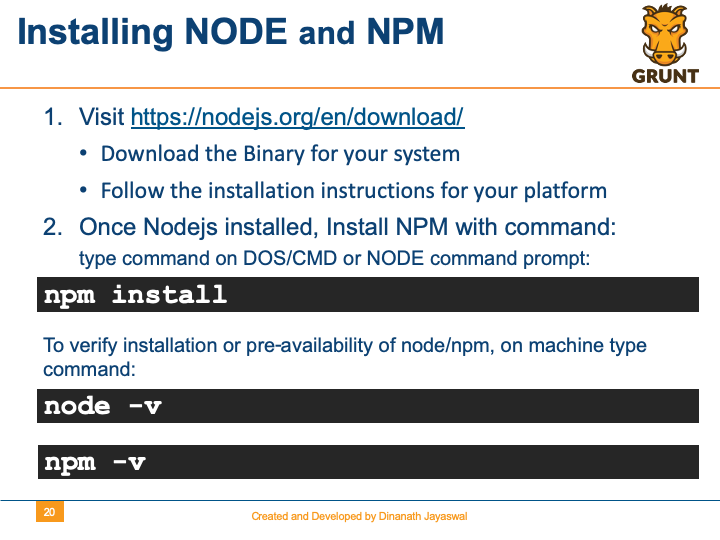
Image - Grunt-The JavaScript Task Runner - Installing NODE and NPM
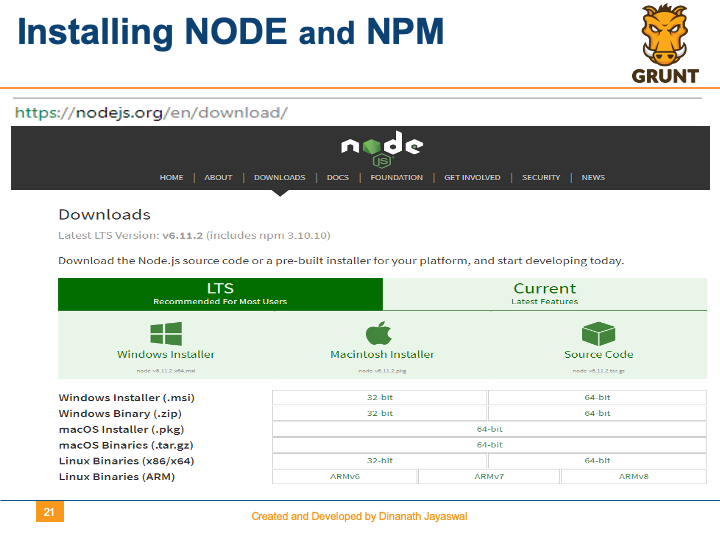
Image - Grunt-The JavaScript Task Runner - Installing NODE and NPM
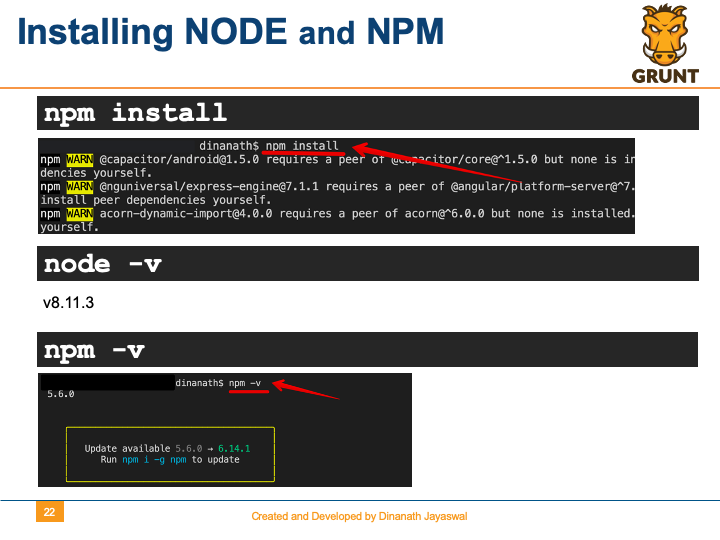
Image - Grunt-The JavaScript Task Runner - Installing NODE and NPM
3.5 Installing GRUNT-CLI
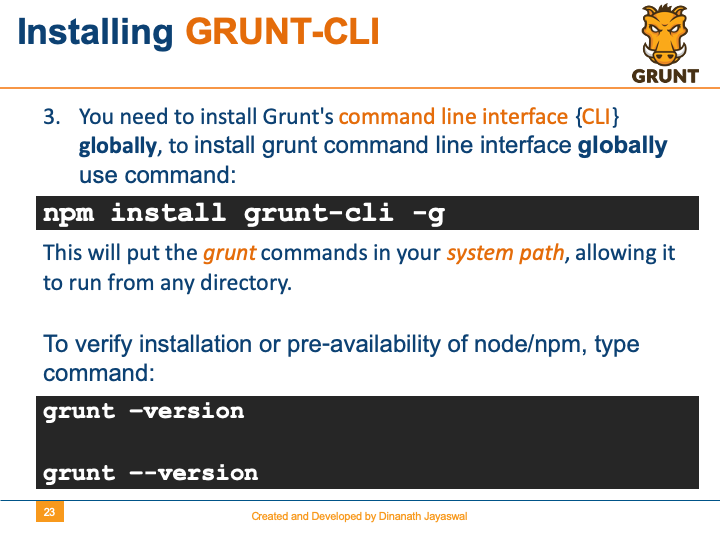
Image - Grunt-The JavaScript Task Runner - Installing NODE and NPM
3.6 Installing GRUNT-package.json
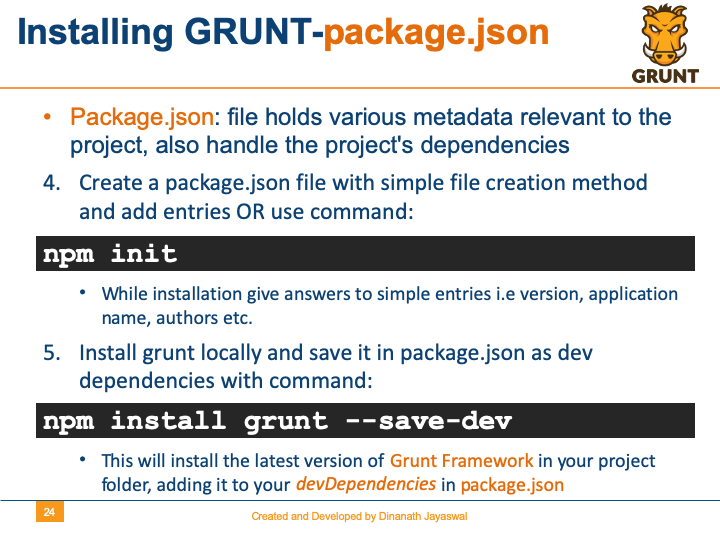
Image - Grunt-The JavaScript Task Runner - Installing GRUNT-package.json
3.7 More on package.json
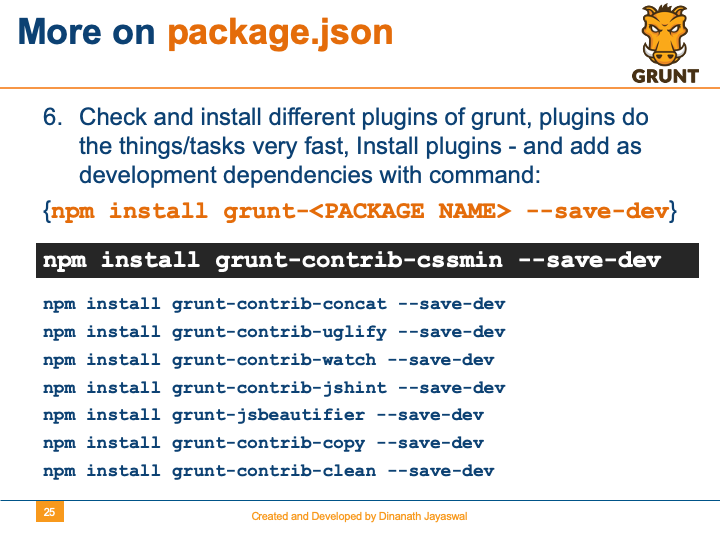
Image - Grunt-The JavaScript Task Runner - More on package.json
3.8 More on package.json-Look like
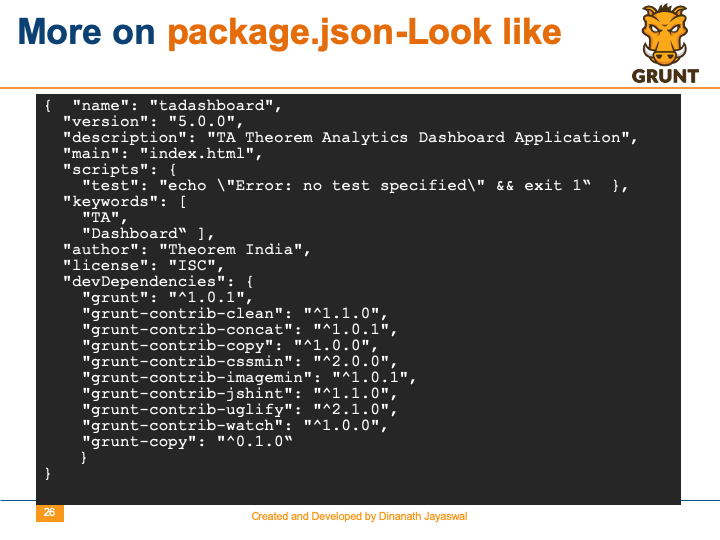
Image - Grunt-The JavaScript Task Runner - More on package.json-Look like
4 Using Grunt
4.1. Working with Grunt-Using Grunt
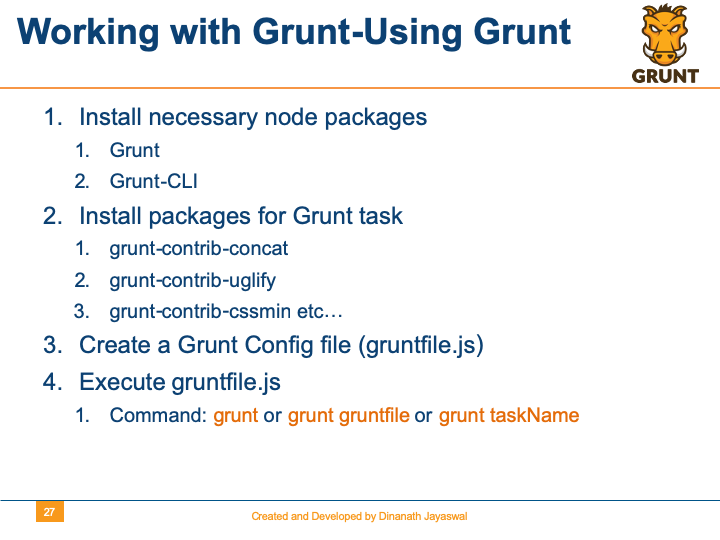
Image - Grunt-The JavaScript Task Runner - Working with Grunt-Using Grunt
4.2. Create gruntfile.js
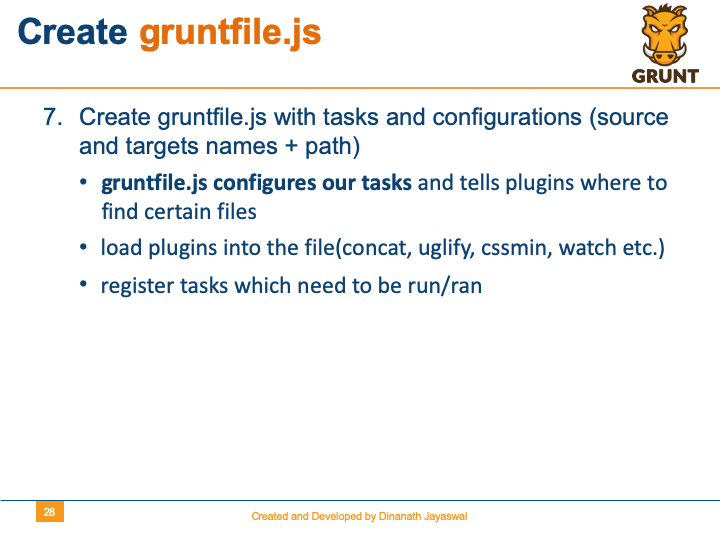
Image - Grunt-The JavaScript Task Runner - Create gruntfile.js
4.3. More on gruntfile.js
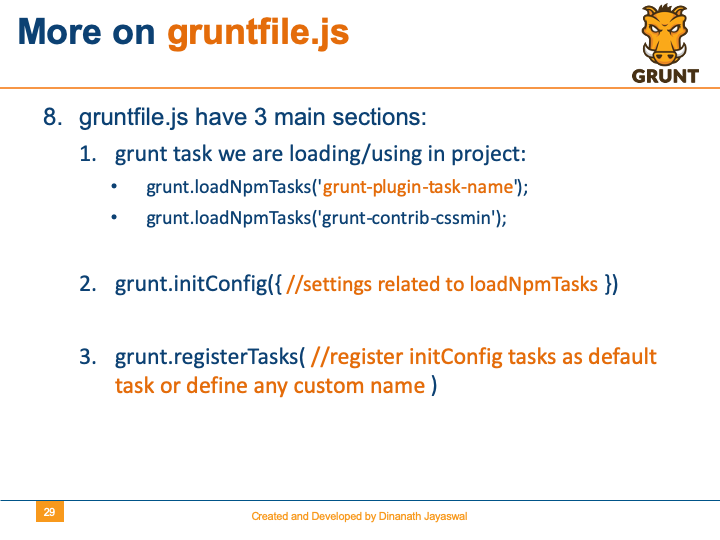
Image - Grunt-The JavaScript Task Runner - More on gruntfile.js
4.4. Overview of gruntfile.js
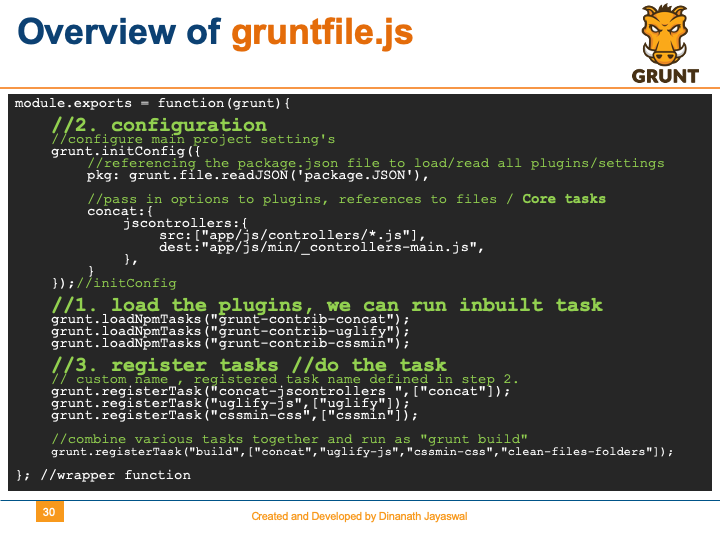
Image - Grunt-The JavaScript Task Runner - Overview of gruntfile.js
4.5. Best Coding practices for minification
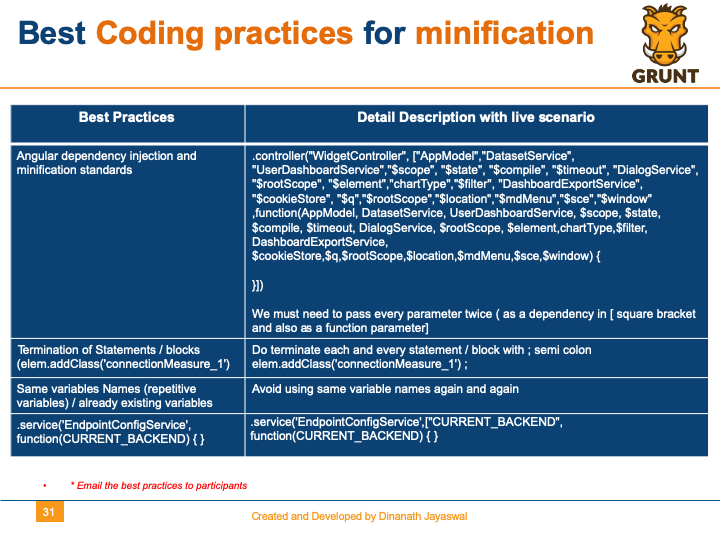
Image - Grunt-The JavaScript Task Runner - Best Coding practices for minification
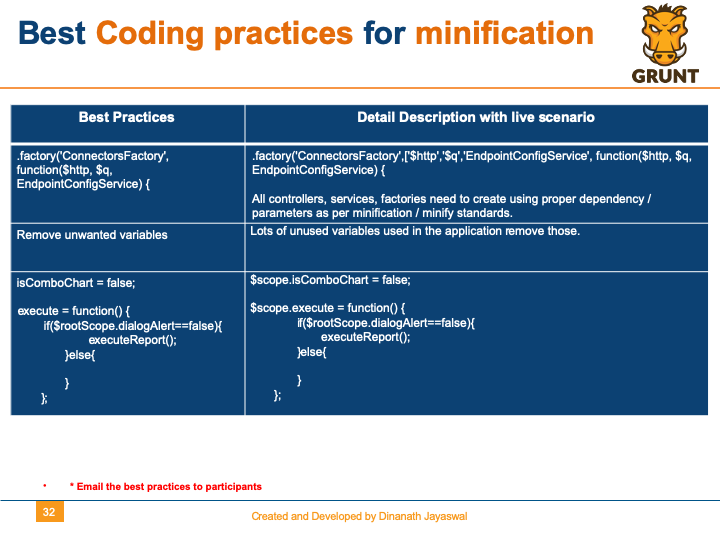
Image - Grunt-The JavaScript Task Runner - Best Coding practices for minification
4.6. Best Coding practices for minification-IE
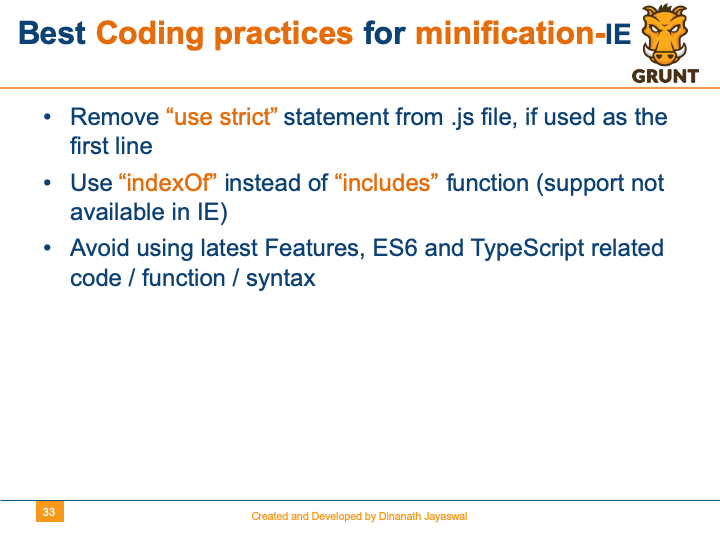
Image - Grunt-The JavaScript Task Runner - Best Coding practices for minification-IE
5 Demo and Resources
5.1. Demo
Image - Grunt-The JavaScript Task Runner - Demo
5.2. Useful NODE NPM commands
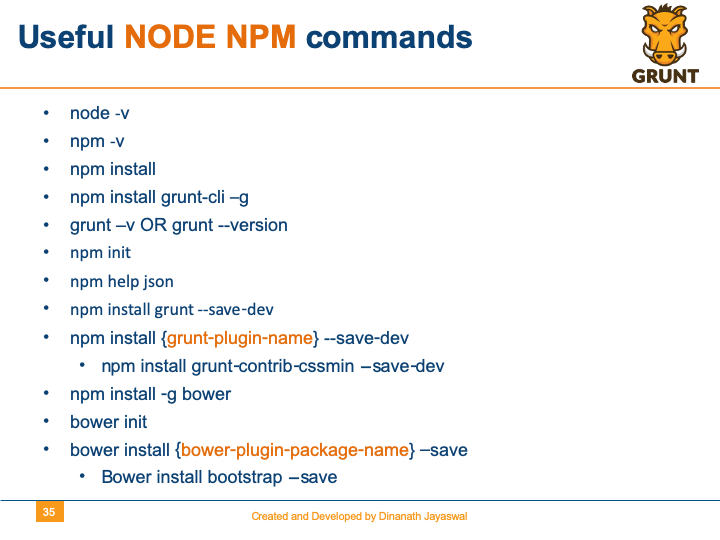
Image - Grunt-The JavaScript Task Runner - Useful NODE NPM commands
5.3. Useful Websites Resources
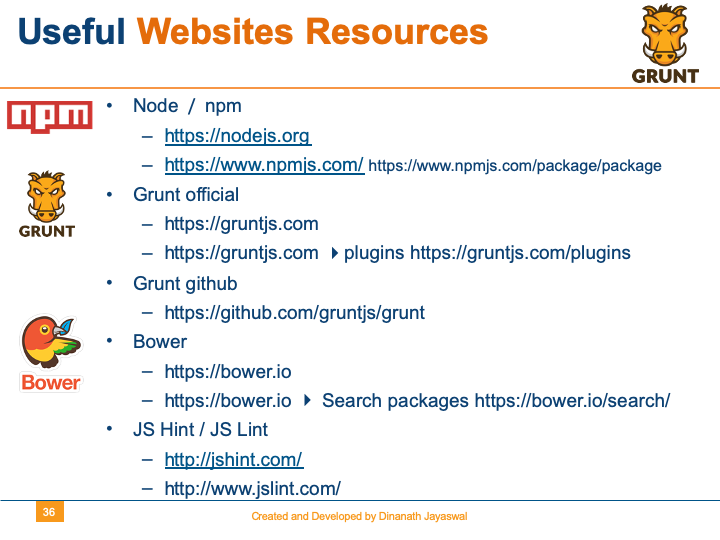
Image - Grunt-The JavaScript Task Runner - Useful Websites Resources
5.4. What You Learnt
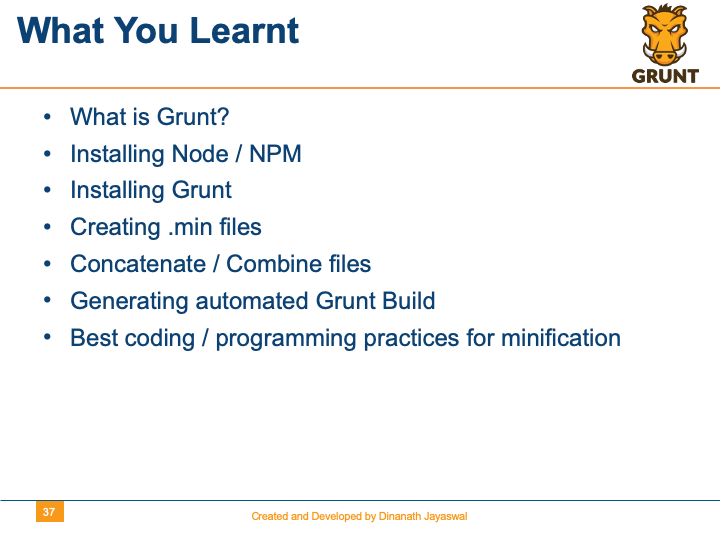
Image - Grunt-The JavaScript Task Runner - What You Learnt
5.5. Q and A
Image - Grunt-The JavaScript Task Runner - Q and A
5.6. Feedback
Image - Grunt-The JavaScript Task Runner - Feedback
5.7. Refinements and Improvements
Image - Grunt-The JavaScript Task Runner - Refinements and Improvements
5.8. Thank You
Image - Grunt-The JavaScript Task Runner - Thank You