
fastapi
FastAPI framework, high performance, easy to learn, fast to code, ready for production
- 105k
- Python
- MIT
- 9 h ago
Learn and use JSON JavaScript Object Notation, the most popular text based and easy data interchange format from scratch.
Repo dinanathsj29/json-javascript-object-notation-crash-course, read from GitHub 1 d ago. dinanathsj29 has not joined Take My Repo.
dinanathsj29/json-javascript-object-notation-crash-course is a public repo on GitHub by dinanathsj29. Learn and use JSON JavaScript Object Notation, the most popular text based and easy data interchange format from scratch. It declares no license on GitHub. Public does not mean open source: without a license, nobody is granted the right to reuse it. It is written mainly in HTML, has 2 stars and last changed on 2019-09-15. Nobody has reviewed it on Take My Repo yet, which says nothing about its quality. Read from GitHub on 2026-11-23.


Hi All, I'm Dinanath Jayaswal, Senior UI/Web Developer and Adobe Certified Expert Professional, I wanna welcome you to JSON (JavaScript Object Notation) Crash Course for Beginners. This course/tutorial will give you a complete understanding of JSON syntax, data types, and formatting.
This course will share the under the hood basic understanding of JSON using the practical implementation in your web development project. Here we will start from scratch/basics & go to a higher level very quickly.
This course is for anyone interested in quickly learning JSON & it's power to utilize it in Web Development.
This Course/Tutorial is ideal for:
This course/Tutorial is for anyone and everyone, Almost everyone!
JSON stands for JavaScript Object Notation is text-based and human-readable. JSON has become a widely accepted and popular format for data due to its platform-neutral nature, lightweight format, and it’s the ability to convert directly to native JavaScript Objects. JSON is being used everywhere from Web APIs to NoSQL databases, to server-side language libraries and client-side frameworks.
JSON has significantly improved server-to-browser communications, especially when it comes to AJAX. JSON is better than XML (eXtensible Markup Language) and more popular! Easily exchange data between client and server applications. JSON is easy to use and built for storing and exchanging data.
After completing/attending this JSON Course/Tutorial, participants should be able to:
Before starting with JSON it is advisable to view and go through following course/tutorials to get knowledge of:

JavaScript Object Notationself-describing, an easier to understand, easy to use and alternative format to XML (eXtensible Markup Language) also widely used these daysAJAX (Asynchronous JavaScript and XML)- The JSON format was specified and popularized by `Douglas Crockford`
- The filename extension is `.json`
- JSON internet Media type is `application/json`
JSON is a pretty simple data exchange format which helps to communicate between JavaScript and server-side technologies like CGI (Common Gateway Interface), PERL, ASP (Active Server Pages), Java, JSP (Java Server Pages), PHP(HyperText PreProcessor / Personal Home Page), .NET, Cold Fusion CFML, NodeJS, Servelets, WCF (Windows Communication Foundation) and more
JSON has significantly improved server-to-browser communications, especially when it comes to AJAX. Most of today's APIs return the response in JSON format as it is much easier to load, read and process JSON compared to XML, making it very popular.
JSON uses, follows and based on Object Literal Notation syntax of JavaScript. JSON friendly Data Structures and friendly conventions play well with other different languages and platforms
Example: Company X provides
JSON REST API { }for the products related data, this WEB API is written with ASP.NET. User/Client Y or Z can make the call to this API by Java or jQuery or any other language to get JSON response.
Other than JSON, XML (eXtensible Markup Language) use to be the only option/alternative for open data interchange.
JSON has become a widely accepted and popular format for data due to its platform-neutral nature, lightweight format, and it’s the ability to convert directly to native JavaScript Objects. JSON is being used everywhere from Web APIs to NoSQL databases, to server-side language libraries and client-side frameworks.
JSON has significantly improved server-to-browser communications, especially when it comes to AJAX. JSON is better than XML and more popular! Easily exchange data between client and server applications. JSON is easy to use and built for storing and exchanging data.
JSON is extremely popular in web applications because it's lightweight, designed to be a language of independent and easy to read and write transfer data easily between server and client.
JSON is programming language independent Data Interchange Format - an only text-based easy to use and understand the format used to Import and Export data between different platforms
var Employee = { "employeeName": "Dinanath", "employeeId": "101", "empId": 101}name : value pair or key : value pairThe JSON syntax is a subset of the JavaScript syntax. JSON syntax is derived from JavaScript object notation syntax:
JSON format starts with curley brace/bracket { and ends with curley brace/bracket }. In-between curley brace we can put "name" and value or "key":value or "property":value/data pair, every property of the object is separated by comma.
JSON represents data in the pair of curly braces and in the form of key-value pairs ie property and data. We can separate Property Name with the help of colon: then specify property Value and multiple properties are separated with comma,.
- JSON, keys must be strings, written with "double quotes", JavaScript names don't.
To access or read data from a JSON object, we simply need to use property name with . dot notation, will get all IntelliSense as soon as will use any jsonObjectName.propertyName i.e. JsonObjectName.propertyName or so.
As soon as we assign JSON format/values to any JavaScript variable, it becomes a JavaScript object to which we can access via . dot notation.
In JSON, values must be one of the following data types:
Syntax & Example:
1.6.1-employee.json
{
  "employeeName": "Dinanath",
  "employeeId": 100,
  "department": "IT-Development",
  "role": "Sr. UI Developer",
  "salary": 100000
}
Syntax & Example:
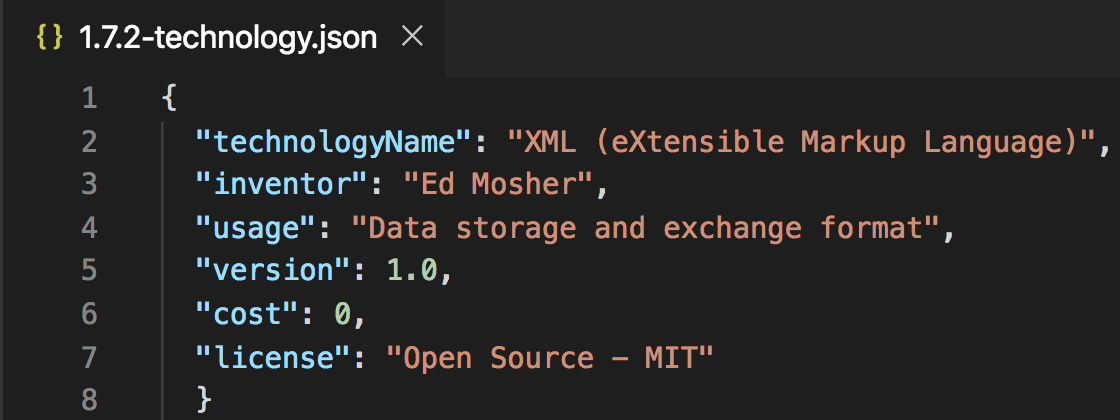
1.6.2-technology.json
{
  "technologyName": "JSON (JavaScript Object Notation)",
  "inventor": "Douglas Crockford",
  "usage": "Data storage and exchange format",
  "version": 1.0,
  "cost": 0,
  "license": "Open Source - MIT"
}
Syntax & Example:
1.6.3-person.json
{
  "name": "Dinanath",
  "age": 50,
  "country": "India",
  "height": 5.6,
  "color": "Black-Medium",
  "married": true
}
The JSON format is almost exactly alike to JavaScript objects.
| JSON Syntax | JavaScript Object Syntax |
|---|---|
JSON Keys must be strings, written with double quotes Example: { "name": "Dinanath" } |
JavaScript Object Keys can be strings, numbers, or identifier names Example: { name: "Dinanath" } |
JSON, string values must be written with double quotes Example: { "country": "India" } |
JavaScript Object, string values can be written with double or single quotes Example: { country: 'India' } |
JSON Object: { "name": "Dinanath", "age": 50, "married": true } |
JavaScript Object: { name: 'Dinanath', age: 50, married: true } |
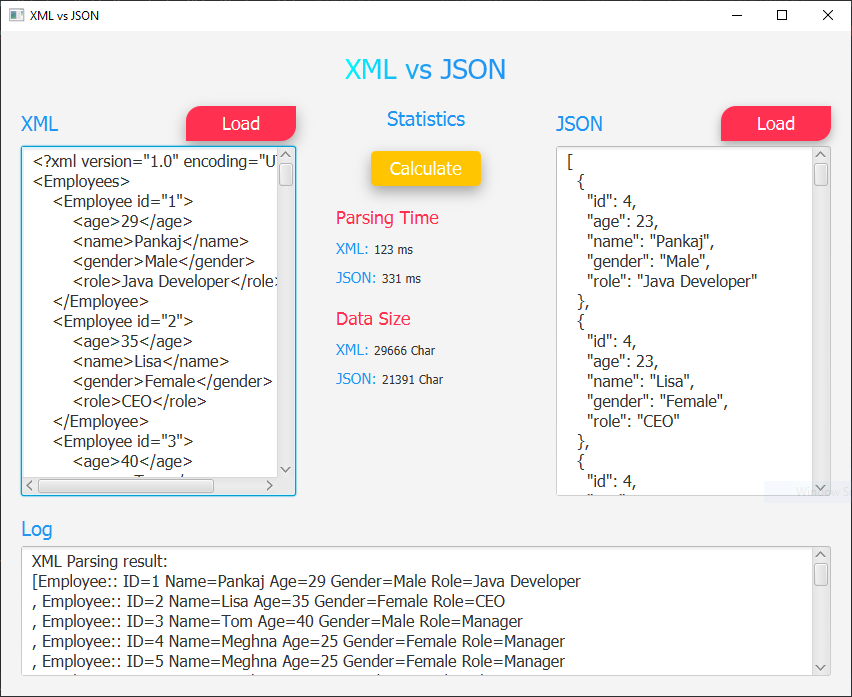
| JSON | XML |
|---|---|
|
|
| JavaScript Object Notation | eXtensible Markup Language |
dinanathsj29/json-javascript-object-notation-crash-course is a public repo on GitHub by dinanathsj29. Learn and use JSON JavaScript Object Notation, the most popular text based and easy data interchange format from scratch.
For developers, who are building real-time data-driven applications, Redis is the preferred, fastest, and most feature-rich cache, data structure server, and document and vector query engine.
It declares no license on GitHub. Public does not mean open source: without a license, nobody is granted the right to reuse it.
Its maker has not tagged a system, so it is unknown here. Its README says what it needs.
Open "Take it" on its page: Take My Repo writes an install plan for your machine and hands it to your AI agent (Claude Code, Codex or Cursor), which asks you before each step. Take My Repo has not tested it on any machine.
Its last change on GitHub was on 2019-09-15. Take My Repo does not judge from that whether it is maintained.
Nobody has reviewed it on Take My Repo yet, which says nothing about its quality.
Take My Repo cannot say: it does not audit code and has not run json-javascript-object-notation-crash-course. What is known comes from GitHub. It declares no license on GitHub. Public does not mean open source: without a license, nobody is granted the right to reuse it. Its last change was on 2019-09-15. It has 2 stars, which measure popularity, not safety. Nobody has reviewed it on Take My Repo yet, which says nothing about its quality. Read the source before you run it. With "Take it", your AI agent shows each step and asks you before running it; README text is treated as data, not as instructions.