
mftool
⚡ Python library for getting publically available Mutual Funds data in India
- 260
- Python
- MIT
- 5 wk ago
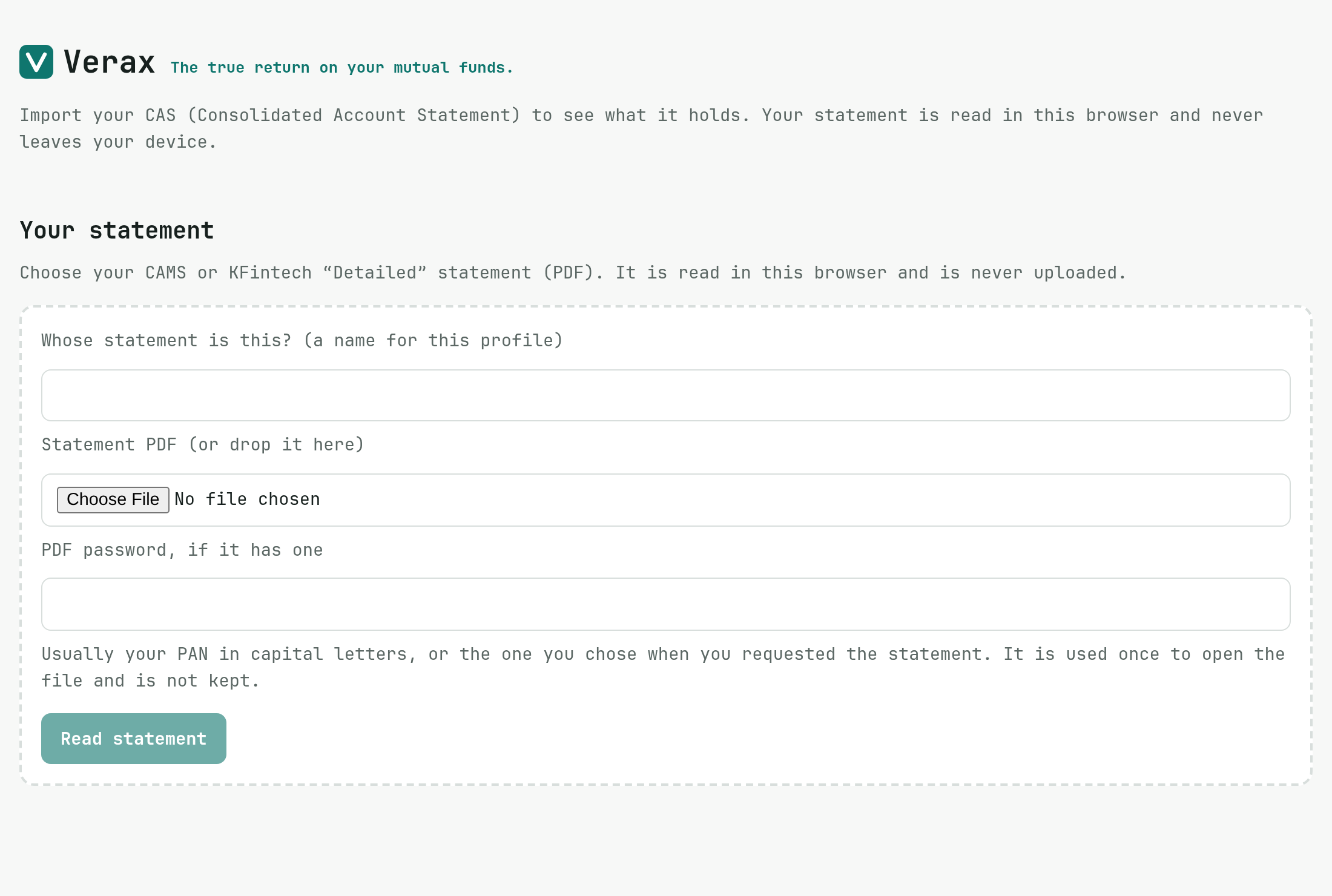
Free, privacy-first mutual fund portfolio tracker for India. Import your CAMS or KFintech CAS PDF and get live NAV valuation, XIRR, gain and NAV charts. Runs entirely in your browser, with no account and no upload.
Repo ukkit/verax, read from GitHub 1 min ago. ukkit has not joined Take My Repo.
ukkit/verax is a public repo on GitHub by ukkit. Free, privacy-first mutual fund portfolio tracker for India. Import your CAMS or KFintech CAS PDF and get live NAV valuation, XIRR, gain and NAV charts. Runs entirely in your browser, with no account and no upload. It declares the MIT license on GitHub. It is written mainly in TypeScript, has 0 stars and last changed on 2026-10-14. Nobody has reviewed it on Take My Repo yet, which says nothing about its quality. Read from GitHub on 2026-11-25.
 Verax
The true return on your mutual funds.
Verax is a (India based) mutual fund portfolio dashboard. It reads your CAS (Consolidated Account Statement) PDF in your browser and values your holdings with live NAVs from mfnav.in. It has no database or accounts, and your statement is never uploaded. The name is Latin for "truthful".
All screenshots use a synthetic statement (an invented investor, folios and amounts) with real public schemes and live NAVs.


Two ways: the one-click button (no terminal) or the command line.
The button needs no terminal. Vercel asks you to sign up or log in, copies the code into a new repository on your GitHub,
GitLab or Bitbucket account (so one of those logins is required), then builds and deploys it. SITE_USER and
SITE_PASS are optional: fill both to password-protect the site (see the notes below). If you leave them blank, your site's URL is
public, so anyone who has the address can open it and use your Vercel quota. Your statement is not stored on Vercel: it is parsed in your
browser and discarded when you close the tab, unless you choose "Remember on this device", which keeps it encrypted on that device only. The known issue under
"Notes for Vercel" applies.
The button gives you a one-time copy that does not receive updates. It is a new repository, not a fork, so GitHub's Sync fork button is not available and fixes made here never reach it. To get updates, fork this repository instead and import the fork in Vercel (see Vercel, from GitHub).
This is the route that has been tried on this project. It needs Node 24 on your computer and a free Vercel account. An email address is enough for the account, and cloning the public repository needs no login.
git clone https://github.com/ukkit/verax
cd verax
npx vercel login          # sends a sign-in link to your email
npx vercel --prod         # answer the prompts
On the first run the CLI asks whether to set up and deploy, which scope to use, whether to link an existing project (no),
what to call the project (verax, or another name if that is taken) and where the code is (press Enter for ./). Accept
the detected Vite settings, because vercel.json sets the build command and the function region. If the CLI offers to
connect the project to the GitHub repository, you can decline: connecting needs a GitHub login connection in your Vercel
account, and a Hobby team allows only one.
Vercel builds the project in its cloud with npm test && npm run build, so a failing test blocks the deploy, and prints the
address. To update, get the new code and deploy again:
git pull
npx vercel --prod
The project is not connected to Git, so pushing to GitHub does not redeploy it.
Check the deployment from the repository folder:
scripts/smoke.sh https://your-site.vercel.app # add SMOKE_AUTH='user:pass' if the site is gatedapi/proxy.ts, reached through a rewrite in vercel.json (Vercel routes a catch-all file only one path
segment). Security headers, the build command and the function region (bom1, Mumbai; change regions in vercel.json
to suit you) also come from vercel.json.SITE_USER and
SITE_PASS in the project's environment variables and redeploy. middleware.ts then requires Basic Auth for the page
and /api. The hashed JS and CSS under /assets is public code and is not gated. Without the variables the gate is off.Requires Node 24 (LTS), the version the hosts and CI use. No account is needed.
git clone https://github.com/ukkit/verax        # or download the ZIP from the repository page
cd verax
npm ci
npm run build
npm start          # http://127.0.0.1:8787
For development with hot reload: npm run dev. Both use the same proxy code as the hosted versions.
These follow each host's documentation but have not been tried on this project yet.
It needs a Cloudflare account and Node 24. Run it from the repository folder so the Functions folder is picked up:
npm ci
npm run build
npx wrangler login
npx wrangler pages deploy dist --project-name verax
Add another --project-name if verax is taken. To update, rebuild and run the last command again.
npm test && npm run build, output directory dist. The Node version comes from .node-version, so there is no dashboard setting to change.functions/api/[[path]].ts. Security headers and the year-long cache for hashed assets come from
public/_headers, and public/_routes.json limits Functions to /api/* so page loads never count against the free
100,000 requests a day. Cloudflare does not cache Function responses on its own, so the wrapper stores them in the Cache
API (per data center). Cloudflare documents that API as unavailable behind Cloudflare Access for Workers, and does not
say either way for Pages, so after enabling Access, check that the second request to /api/funds/119551 is fast (a few ms).Fork this repository, then in Vercel choose Add New, then Project, and import your fork. Every push to your fork redeploys. Your Vercel login needs a GitHub connection for the account that owns the fork. The Deploy button at the top of Deploying to Vercel copies the code instead, so it does not receive later changes from this repository.
Your statement and its password are handled only in your browser and are never sent anywhere. By default nothing is
kept after you close the tab; if you choose "Remember on this device", the parsed statements are saved encrypted
(AES-256-GCM, key from your passphrase), and a forgotten passphrase cannot be recovered. The server side is a tiny proxy
that forwards public NAV requests to mfnav.in. Details, limits and the threat model are in
docs/SECURITY.md. Do not commit statements: *.pdf is ignored, and a pre-commit hook plus CI reject PDFs,
PAN numbers and real email addresses.
| Path | Purpose |
|---|---|
src/ |
Preact app (Vite): ui/ components, parser/ the statement reader (runs in a Web Worker) |
src/domain/ |
Holdings (FIFO), XIRR, value over time, chart geometry and transaction filters; pure and unit-tested |
src/valuation/ |
Live NAV lookups (ISIN to scheme code, cached, at most 4 at a time and 60 a minute) and portfolio valuation |
src/vault/ |
The opt-in encrypted store: PBKDF2-SHA256 and AES-256-GCM through WebCrypto, kept in IndexedDB |
tools/parser-oracle/ |
Dev-only check of the parser against casparser on your own statements (guide) |
tools/valuation-check/ |
Dev-only check of holdings and valuation against your own statement's figures (guide) |
proxy/core.ts |
The one proxy implementation, with tests |
functions/api/[[path]].ts |
Cloudflare Pages wrapper |
api/proxy.ts, middleware.ts |
Vercel wrapper (with the vercel.json rewrite) and optional Basic Auth gate |
server/local.ts |
Local Node server (static files + proxy, localhost only) |
scripts/ |
Repo scan, hook setup, deployment smoke test |
npm test          # unit tests (parser, holdings, valuation, vault, proxy, headers parity across hosts)
npm run typecheck
npm run scan      # PDF / PAN / email check over the working tree
NAVs come from mfnav.in (sourced from AMFI). Figures are informational only and are not investment advice. Verify with your AMC or your CAS before acting.
MIT, see LICENSE. The parser is a TypeScript port of parts of casparser (MIT) and the site bundles PDF.js (Apache-2.0); see NOTICE.
ukkit/verax is a public repo on GitHub by ukkit. Free, privacy-first mutual fund portfolio tracker for India. Import your CAMS or KFintech CAS PDF and get live NAV valuation, XIRR, gain and NAV charts. Runs entirely in your browser, with no account and no upload.
It declares the MIT license on GitHub.
Its maker has not tagged a system, so it is unknown here. Its README says what it needs.
Open "Take it" on its page: Take My Repo writes an install plan for your machine and hands it to your AI agent (Claude Code, Codex or Cursor), which asks you before each step. Take My Repo has not tested it on any machine.
iOS Reverse & Tweak Engineering Suite: Decompile IPA/Mach-O, FairPlay DRM triage, Swift symbol recovery, Frida & LLDB dynamic instrumentation, ARM64 binary patching & tweak development
Automates Consolidated Account Statement (CAMS+KFintech) requests via Selenium
Its last change on GitHub was on 2026-10-14. GitHub counts 0 open issues and pull requests. Take My Repo does not judge from that whether it is maintained.
Nobody has reviewed it on Take My Repo yet, which says nothing about its quality.
Take My Repo cannot say: it does not audit code and has not run verax. What is known comes from GitHub. It declares the MIT license on GitHub. Its last change was on 2026-10-14. It has 0 stars, which measure popularity, not safety. Nobody has reviewed it on Take My Repo yet, which says nothing about its quality. Read the source before you run it. With "Take it", your AI agent shows each step and asks you before running it; README text is treated as data, not as instructions.