

kr_opt_sfc
Safe Flight Corridor Generation for Trajectory Planning (ROS 1&2)
- 44
- BSD-3-Clause
- 2 mo ago
Repo KumarRobotics/kr_opt_sfc, read from GitHub 14 min ago. KumarRobotics has not joined Take My Repo.
In short
KumarRobotics/kr_opt_sfc is a public repo on GitHub by KumarRobotics. Safe Flight Corridor Generation for Trajectory Planning (ROS 1&2). It declares the BSD-3-Clause license on GitHub. It is written mainly in C++, has 44 stars and last changed on 2026-09-16. Nobody has reviewed it on Take My Repo yet, which says nothing about its quality. Read from GitHub on 2026-11-24.
Similar repos
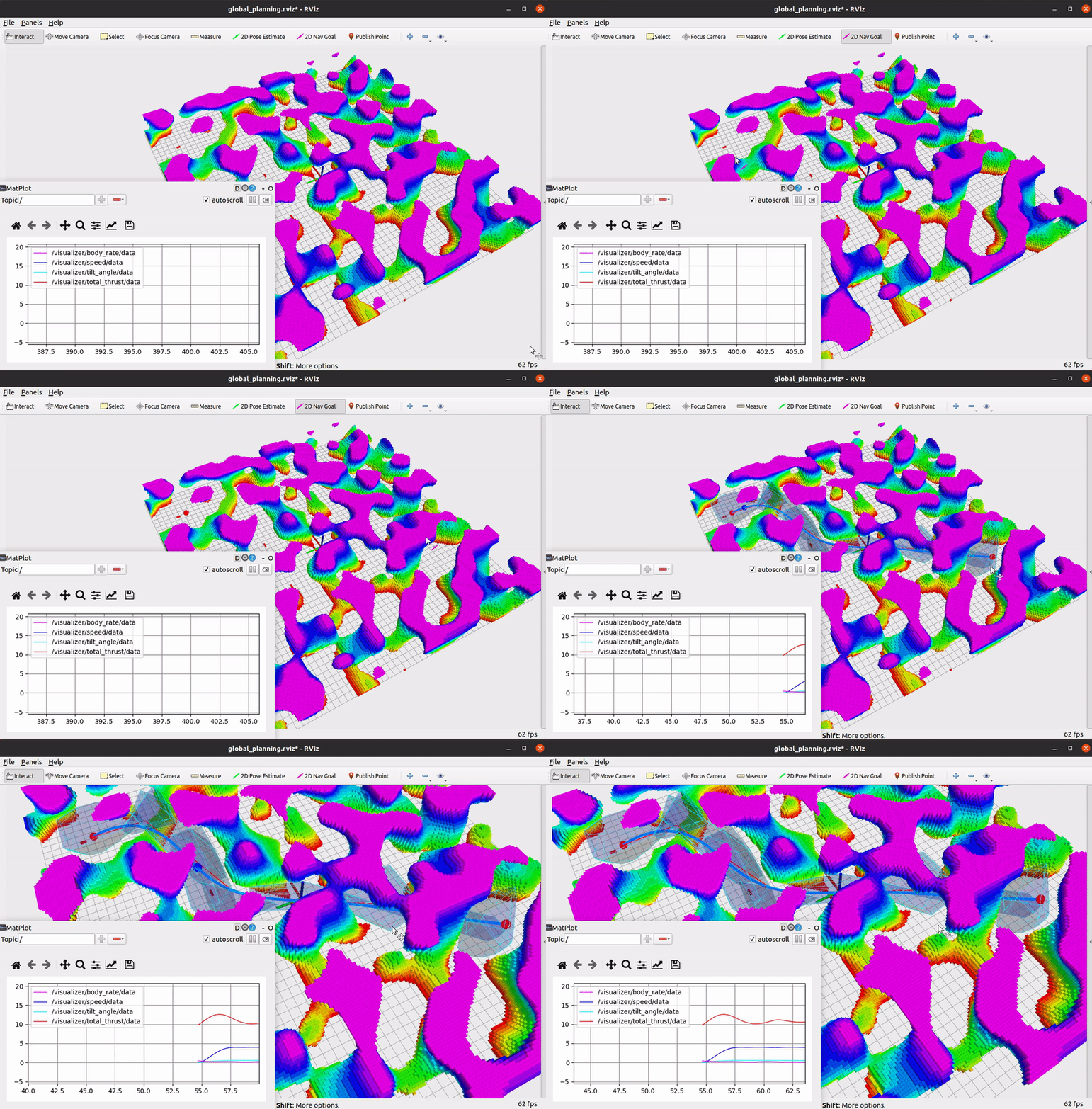

Convex Cover of Collision-free Space
Optimization of collision-free space as convex polytopes, for use as safe flight corridors in trajectory generation.
Table of Contents
Related Papers
opt_sfc -- Yuwei Wu, Igor Spasojevic, Pratik Chaudhari and Vijay Kumar, "Towards Optimizing a Convex Cover of Collision-Free Space for Trajectory Generation," in IEEE Robotics and Automation Letters, vol. 10, no. 5, pp. 4762-4769, May 2025.
BibTeX
@ARTICLE{10935632,
  author={Wu, Yuwei and Spasojevic, Igor and Chaudhari, Pratik and Kumar, Vijay},
  journal={IEEE Robotics and Automation Letters},
  title={Towards Optimizing a Convex Cover of Collision-Free Space for Trajectory Generation},
  year={2025},
  volume={10},
  number={5},
  pages={4762-4769}}
star_filter -- Yuwei Wu, Yichen Zhao, Dexter Ong and Vijay Kumar, "STAR-Filter: Efficient Convex Free-Space Approximation via Starshaped Set Filtering in Noisy Environments," in the 17th World Symposium on the Algorithmic Foundations of Robotics (WAFR), 2026. arXiv:2604.26626
BibTeX
@inproceedings{wu2026starfilter,
  author={Wu, Yuwei and Zhao, Yichen and Ong, Dexter and Kumar, Vijay},
  title={{STAR-Filter}: Efficient Convex Free-Space Approximation via Starshaped Set Filtering in Noisy Environments},
  booktitle={The 17th World Symposium on the Algorithmic Foundations of Robotics (WAFR)},
  year={2026}}
If this repo helps your research, please cite the paper(s) corresponding to the package(s) you use.
Getting Started
Run in Docker
Show Docker instructions
1. Clone the repository
git clone https://github.com/KumarRobotics/kr_opt_sfc.git
2. Build the Docker image
Replace $(whoami) with your local username if needed.
docker build --build-arg user_name=$(whoami) -t opt_sfc .
3. Run the Docker container
Mount your local repo inside the container to /home/<username>/opt_sfc_ws/src/kr_opt_sfc for development.
docker run -it \
    -v $(pwd)/kr_opt_sfc:/home/$(whoami)/opt_sfc_ws/src/kr_opt_sfc \
    --env="DISPLAY" \
    --env="QT_X11_NO_MITSHM=1" \
    --volume="/tmp/.X11-unix:/tmp/.X11-unix:rw" \
    opt_sfc
4. Inside the container, build and launch your ROS workspace:
catkin build
source devel/setup.bash
roslaunch opt_sfc sfc.launch
Build from Source
The repo has been tested on 20.04 with ros-desktop-full installation.
1. Prerequisites -- ROS and OMPL
Follow the guidance to install ROS and install OMPL:
sudo apt install libompl-dev
2. Build on ROS
Cloning kr_opt_sfc gives you both the opt_sfc and star_filter packages (this repo hosts
both, see Packages).
mkdir -p opt_ws/src
cd opt_ws/src
git clone git@github.com:KumarRobotics/kr_opt_sfc.git
wstool init && wstool merge kr_opt_sfc/utils.rosinstall && wstool update
cd ..
catkin build
source devel/setup.bash
Run opt_sfc
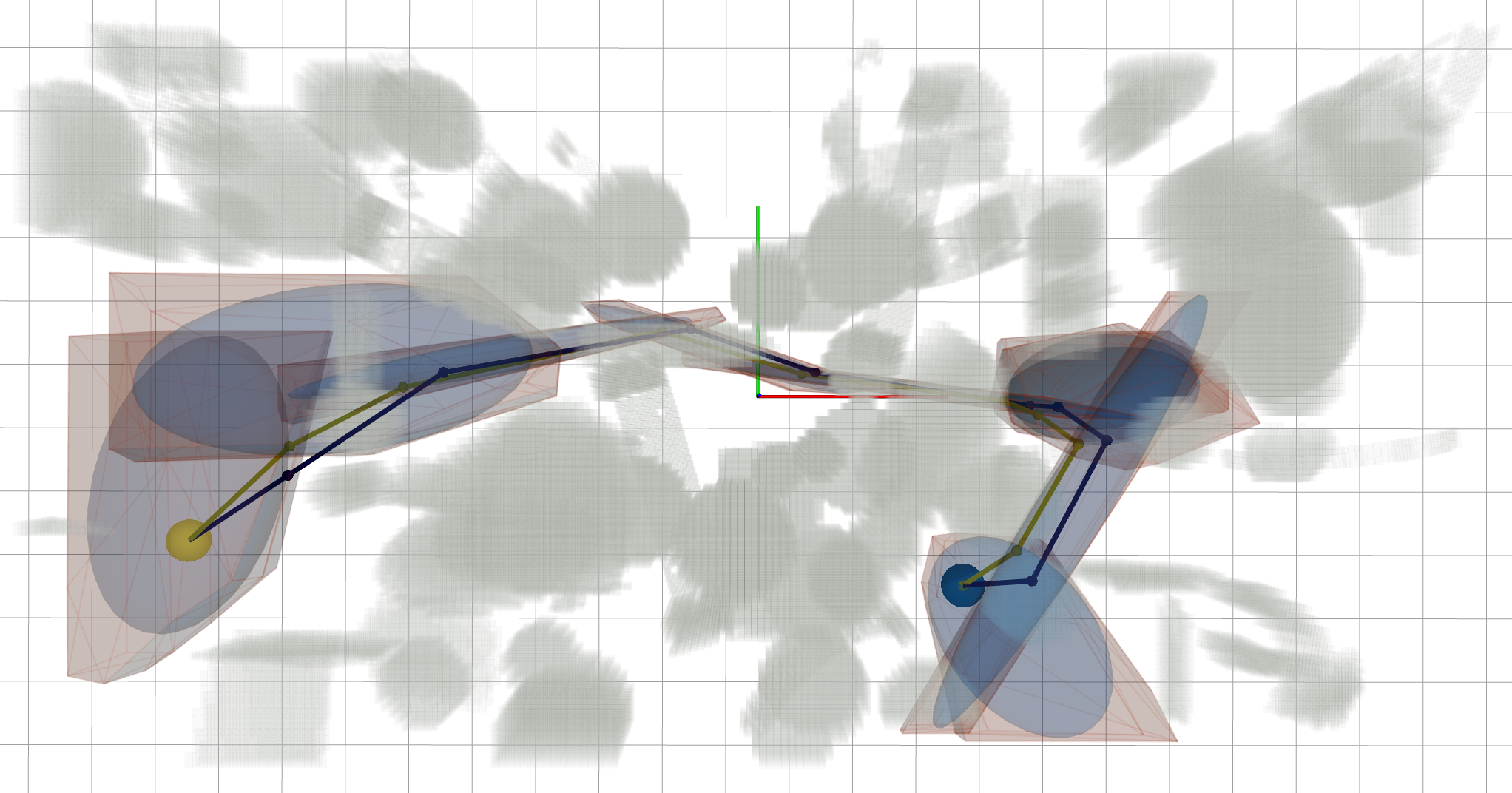
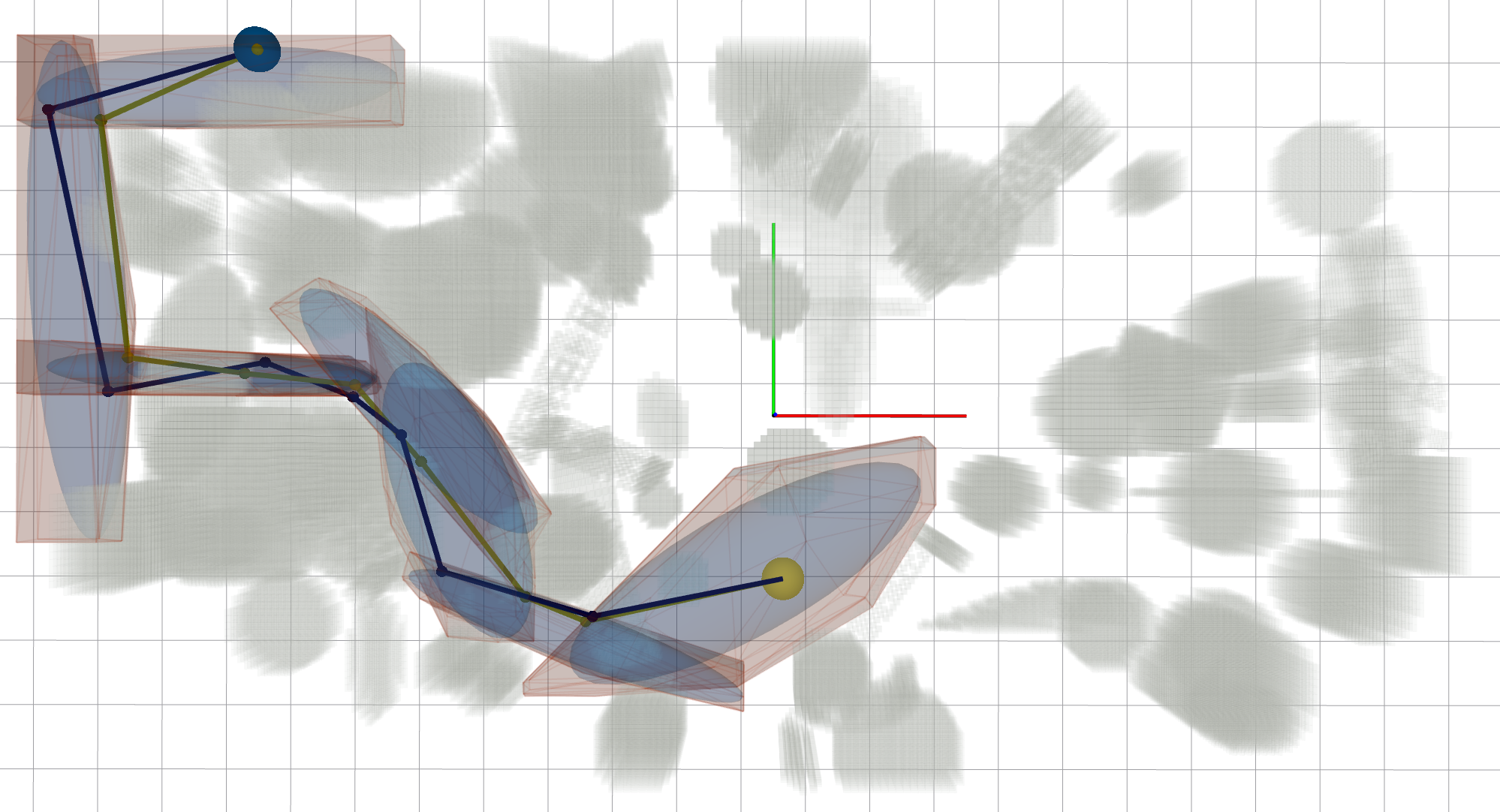
3D run
roslaunch opt_sfc sfc.launch
Tune opt_sfc/config/sfc.yaml to test different performance. The default is normal mode; to
show each iteration, set sfc_cover_opt:debug=true.
2D image map run
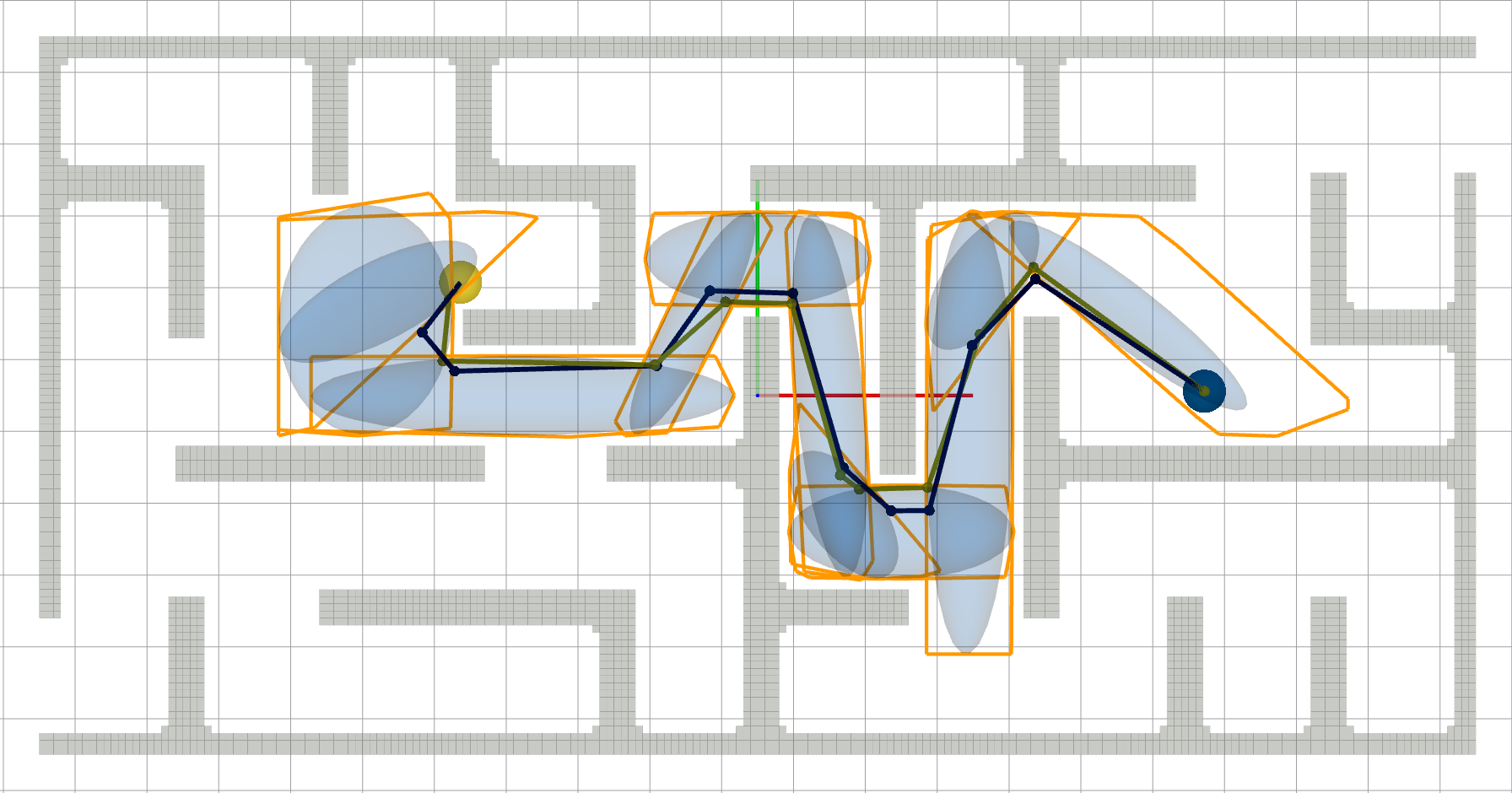
To generate a 2D corridor, launch the 2D projection with:
roslaunch opt_sfc sfc2d.launch
Use the format specified in kr_param_map to create a map from image inputs. An example is
saved at opt_sfc/scripts/projected_2d.txt; visualize it with:
python visualizer2d.py
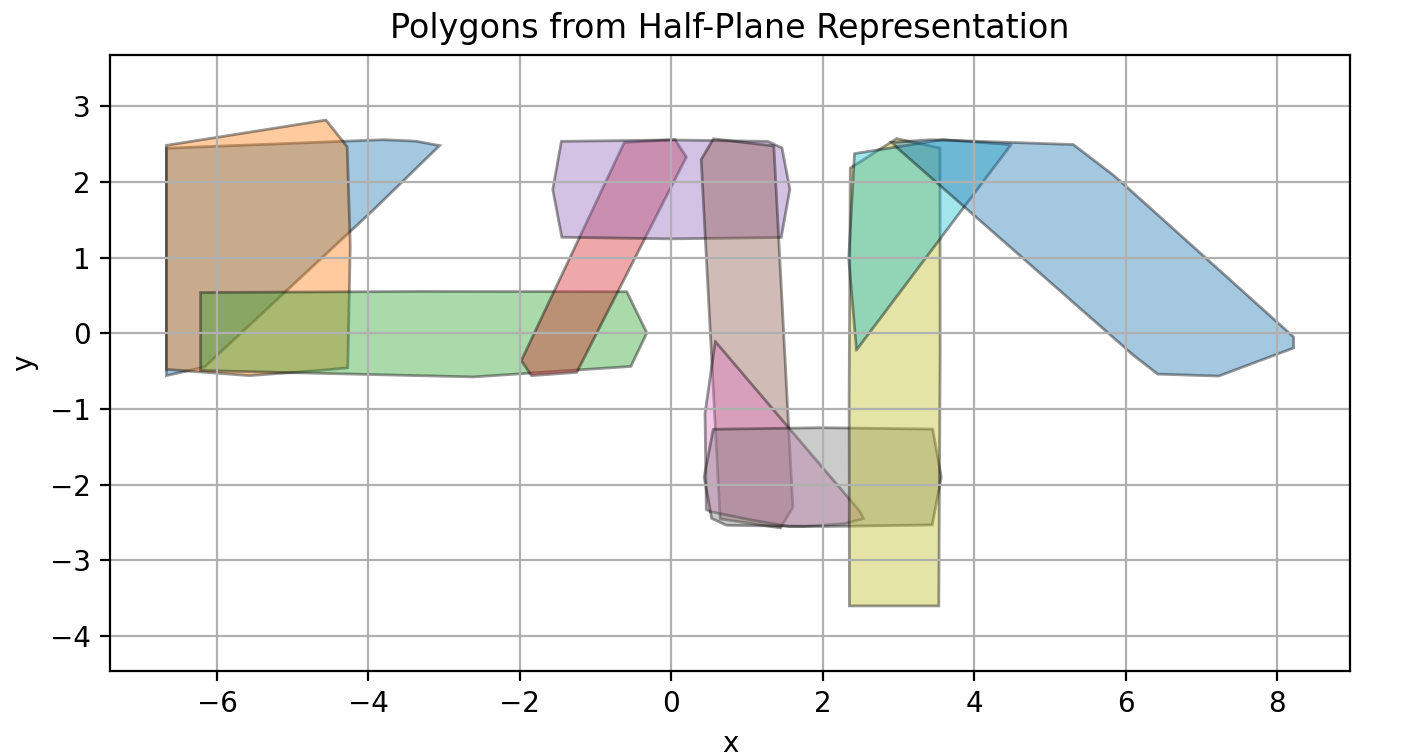
Run star_filter
Open rviz with a static map from param_env, and set the query
point interactively with rviz's 2D Nav Goal tool (publishes to TargetTopic, default
/move_base_simple/goal).
single(single.launch, the main pipeline) -- produce one safe-flight-corridor polytope:roslaunch star_filter single.launchParameters are in
star_filter/config/single.yaml.sconvex(sconvex.launch) -- online roadmap of star-shaped regions:roslaunch star_filter sconvex.launchParameters are in
star_filter/config/sconvex.yaml.
Dataset Generation
You can save the corridor and initial route data for further planning or evaluation.
1. Install
sudo apt-get install libhdf5-dev
pip install h5py
2. Set your path and set save_sfc to true
<arg name="sfc_dataset_path" default="$(find opt_sfc)/dataset/"/>
<arg name="save_sfc" default='true'/>
3. Run
source devel/setup.bash
roslaunch opt_sfc sfc.launch
To run a different random map each time, set auto_change to true:
<param name="map/auto_change" value="true"/>
4. Visualize
In opt_sfc/scripts, set the dataset path and run:
python read_dataset.py
5. Dataset structure (.h5)
Each trial is stored under:
/trial_000001/
├── route          # Nx3 float64 matrix of 3D waypoints
└── polys/
    ├── poly_0000   # Mx4 float64 matrix (half-spaces: ax + by + cz + d <= 0)
    ├── poly_0001
    └── ...
/trial_<index>/
    └── ...
Acknowledgements
- Evaluation environments: kr_param_map
- Front-end Path Planning: OMPL planning library
- Planning Modules and Visualization: modules from GCOPTER
Maintenance
For any technical issues, please contact Yuwei Wu (yuweiwu@seas.upenn.edu, yuweiwu20001@outlook.com).
Questions
What is kr_opt_sfc?
KumarRobotics/kr_opt_sfc is a public repo on GitHub by KumarRobotics. Safe Flight Corridor Generation for Trajectory Planning (ROS 1&2).
Is kr_opt_sfc open source?
It declares the BSD-3-Clause license on GitHub.
Does kr_opt_sfc run on macOS, Windows or Linux?
Its maker has not tagged a system, so it is unknown here. Its README says what it needs.
How do I install kr_opt_sfc?
Open "Take it" on its page: Take My Repo writes an install plan for your machine and hands it to your AI agent (Claude Code, Codex or Cursor), which asks you before each step. Take My Repo has not tested it on any machine.


